
AI in HR: 10 examples from hiring to the employment contract

Rezvan Golestaneh
Published · 9 min read
Give AI the preparation work and build a reliable process around what happens next.
- Draft job ads from confirmed requirements, and compare applications against evidence.
- Create offers and contracts from approved templates instead of recycling old attachments.
- Connect hiring records to paperwork, with approvals before signing.
- Extract dates from existing contracts and assign someone to act before deadlines.
- Keep policy answers tied to sources and decisions about people with people.
AI in HR means using artificial intelligence to draft, read and organize information across hiring, employment and departures. A normal HR week supplies plenty of material: another vacancy, the same leave question again, and an offer letter waiting for the managing director’s signature. If you handle all of that in a small company, where can you hand over the repetitive work? Start with a task you can check.
What is AI in HR?
AI in human resources helps prepare work that would otherwise involve writing, searching or copying information. Generative AI in HR produces drafts, such as job ads and onboarding emails. Agentic AI in HR can carry out steps inside connected tools, such as creating a document and assigning its next task.
Adoption is uneven: SHRM’s research reports that 39% of organizations have AI in their HR function, while 31% have no plans to launch AI initiatives.
10 examples of AI in HR, from hiring to the last day
These AI in HR examples cover work already on your desk, with supervision matched to the task.
Hiring
1. Writing job ads
Give AI the hiring manager’s actual requirements. Ask it to separate essential skills from things someone could learn after joining. “Own payroll” and “help with payroll” are different jobs, however similar the bullet points look.
A reusable drafting brief:
Turn these approved role notes into a job ad. Separate responsibilities, essential requirements and skills we can teach. Keep the supplied salary range and working arrangements unchanged. Flag missing details instead of inventing benefits.
Job ads are HR’s most successful AI task at 46.5% in Haufe’s DACH findings; 19.2% use AI for none of the 15 listed tasks. SHRM also identifies recruiting as the most common HR area for AI, at 27%. Try AI for HR where the facts are already agreed.
2. Screening applications
For a payroll role, ask AI to collect each applicant’s stated payroll experience and point to the relevant passage. Use “not mentioned” for missing information. An absent software name doesn’t prove someone can’t use it.
Keep original applications beside the summaries, and have the recruiter assess candidates against the same agreed criteria. Don’t quietly turn a convenient summary into an automatic rejection.
3. Scheduling interviews
With calendar access, an assistant can find shared availability and prepare invitations. Specify participants, interview length, time zones and any candidate arrangements. Check recipients and the proposed slot before sending. “Morning” is not a time zone.
Paperwork
4. Offer letters
The hiring decision is made. Now yesterday’s salary discussion needs to survive contact with an offer letter.
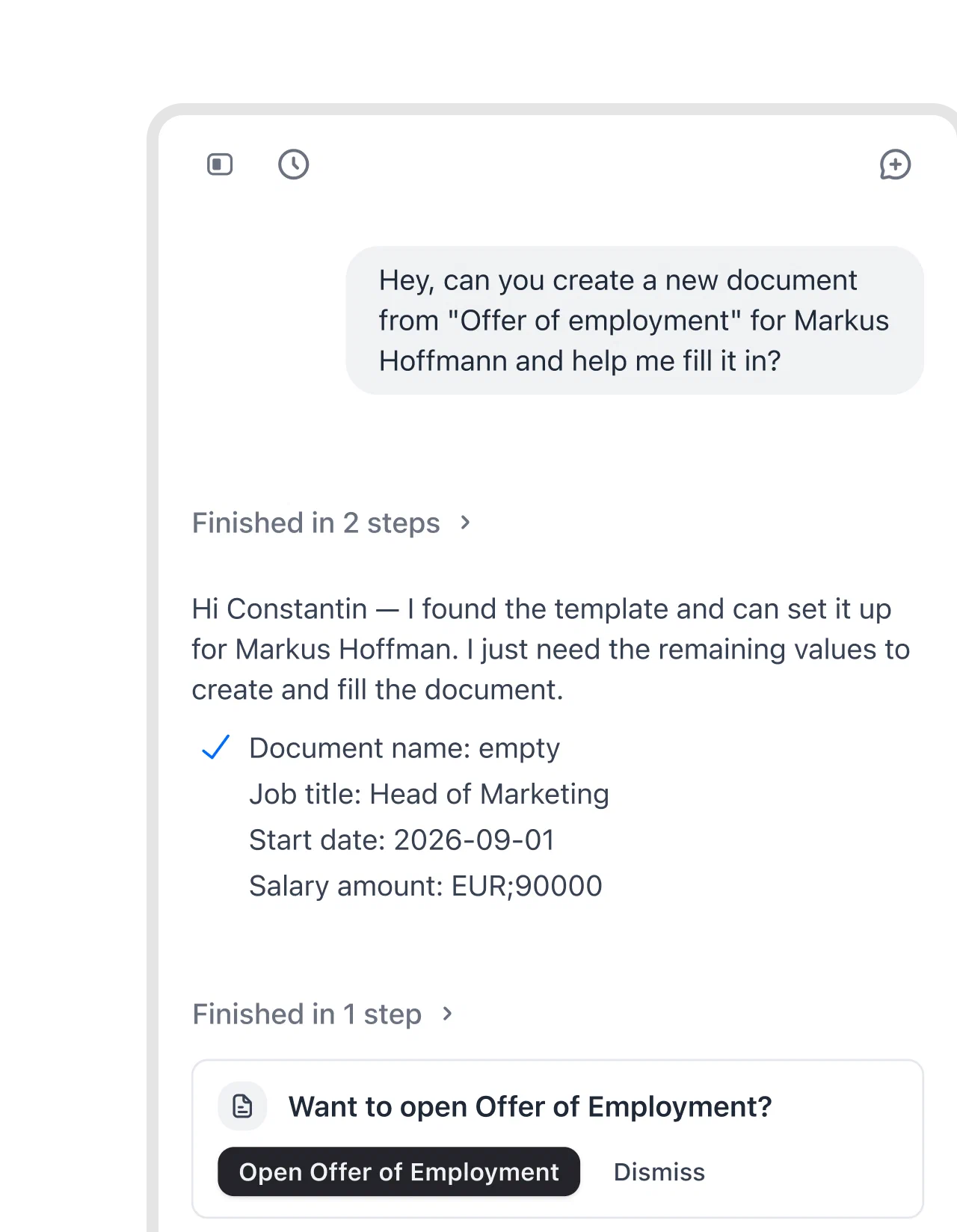
In fynk, the AI assistant creates the offer from your template by chat, asking for details such as job title, start date and salary. HR checks the filled offer against the agreed terms before sending.
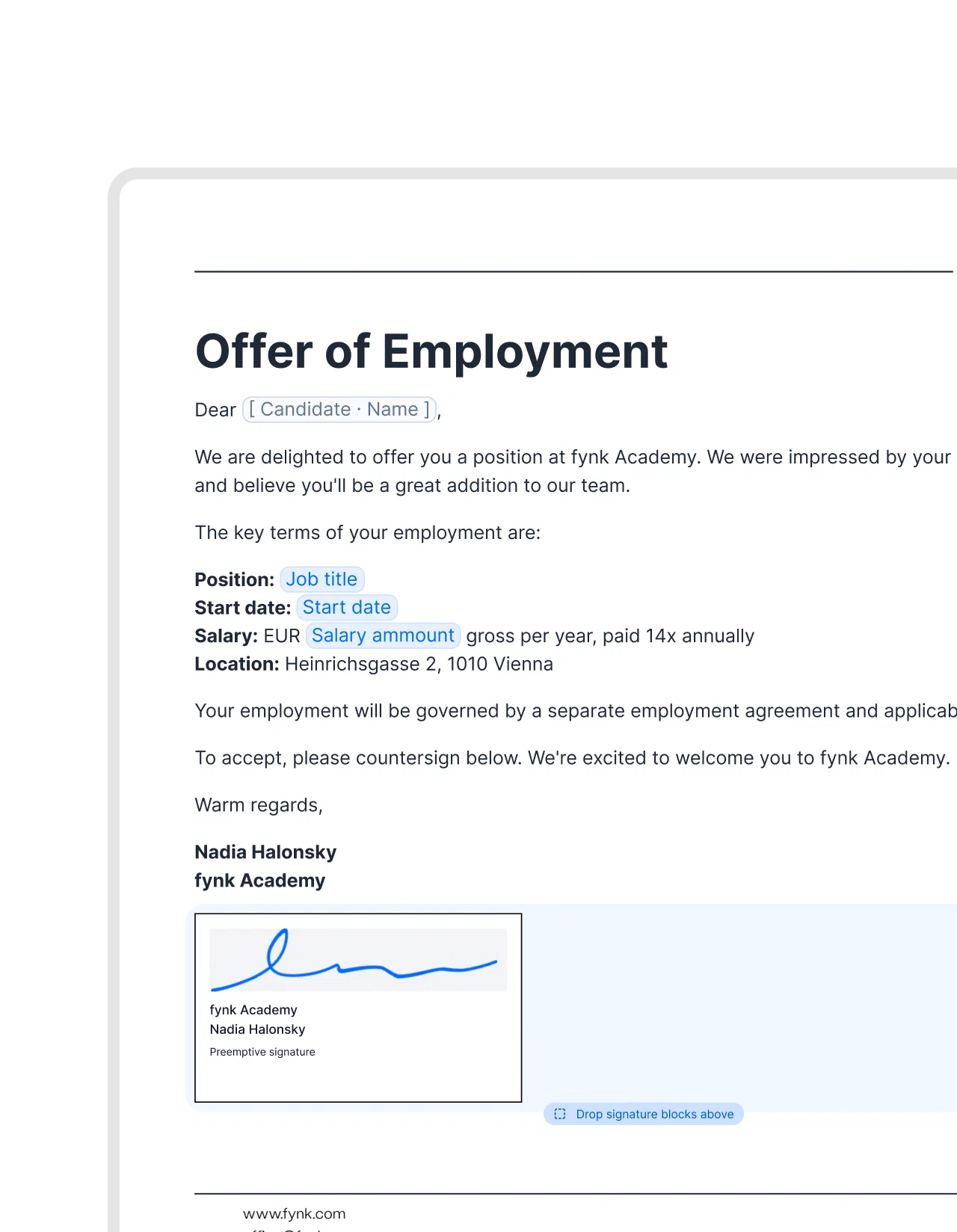
With pre-signed documents, sign the offer template once and each offer made from it carries the company signature as soon as it reaches signing. The candidate only adds theirs.
5. Employment contracts
An employment contract needs approved wording that fits the employer and arrangement. Asking for “a standard contract” leaves rather a lot to chance.
With contract management for HR teams, fynk keeps the template, review and signature together. Dynamic fields hold variable details such as name, salary and hours, so those details change while the approved structure stays consistent. Repeated values update wherever the field appears.
fynk’s AI review checks the draft against your internal rules and flags risks. Then approval workflows hold it before signing until the required reviewers approve. A flag identifies a problem; a reviewer decides whether the term is acceptable.
Free HR templates to start from
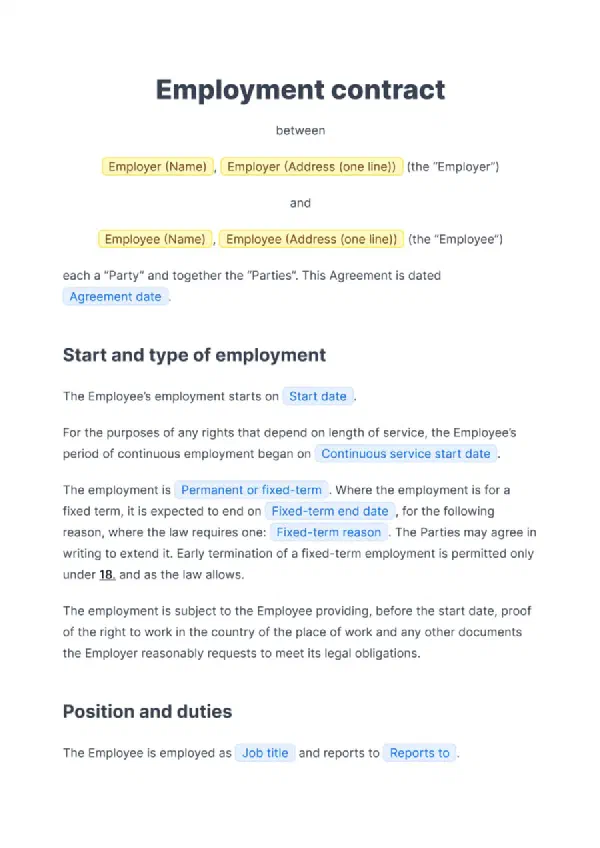 Employment contract template (employment agreement)
Permanent or fixed-term, with probation and notice periods.
Use template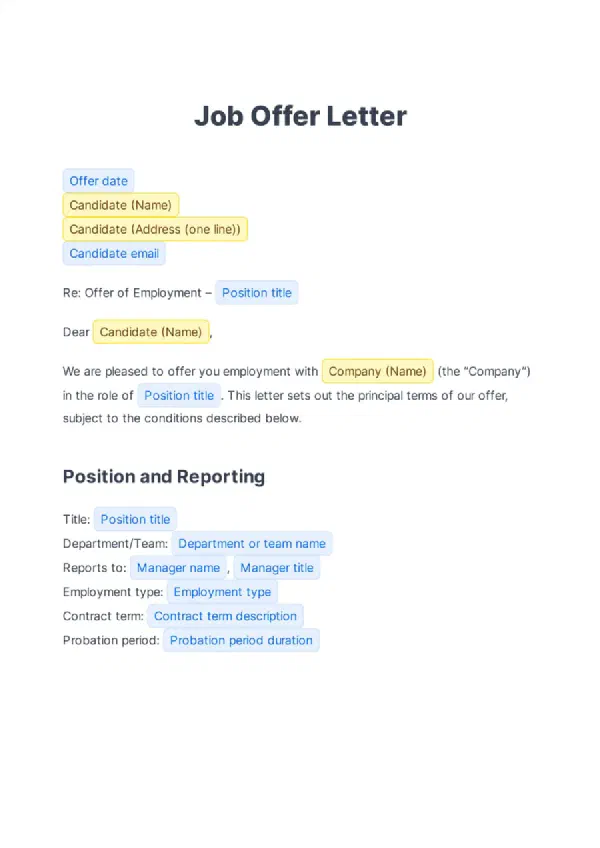 Job offer letter template (with sample)
The offer before the contract, with role, start date and pay.
Use template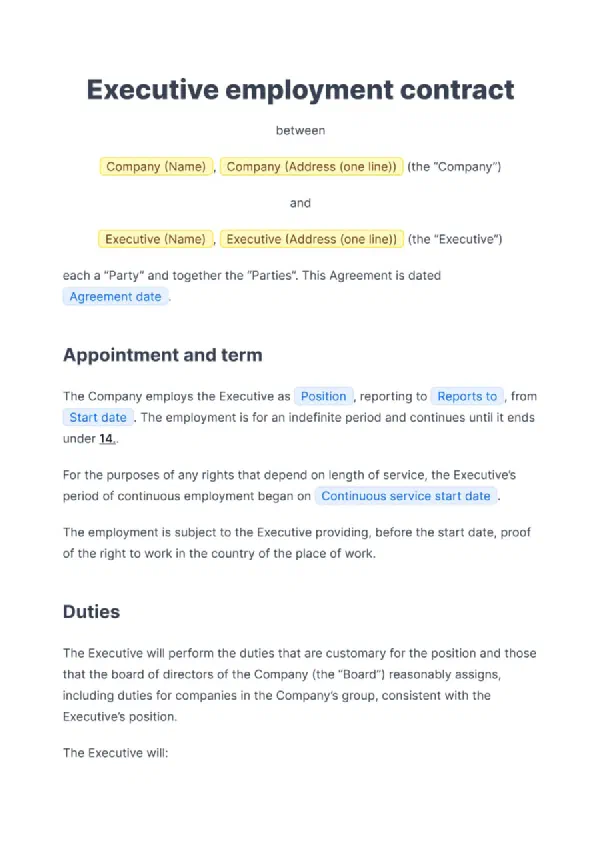 Executive employment agreement template
For leadership hires with bonus and restrictions.
Use template
What I like most about this tool is the ability to store templates. For example, you can create an employment contract template with placeholders, fill it out directly in the tool, and then have it signed.
6. Hiring a whole batch
Seasonal staff, interns or a new team can mean an afternoon of copying names. fynk’s bulk creation takes recipient details from a spreadsheet, with each row becoming a separate contract.
| Preparation | Individual contract | Hiring batch |
|---|---|---|
| Variable details | Fill the fields for one hire | Supply a spreadsheet row for each hire |
| Company signature | Sign each document separately | Use a pre-signed template across the batch |
The workflow for generating pre-signed contracts in bulk supports up to 200 contracts per batch. Check column mapping, blank cells and recipient emails before running the full list. A spreadsheet can repeat a mistake with admirable commitment.
7. Onboarding paperwork
Ask AI to draft an onboarding checklist around the confirmed role and start date. Assign owners and check what your company actually provides.
Before the new hire arrives:
- Confirm which documents apply to this role and employer.
- Assign equipment, access and induction tasks to named people.
- Check what’s signed and follow up on what’s outstanding.
The signing pack may include more than the employment contract:
- A proprietary information and inventions agreement.
- A code of conduct and whistleblower policy.
- A non-solicitation agreement, where appropriate.
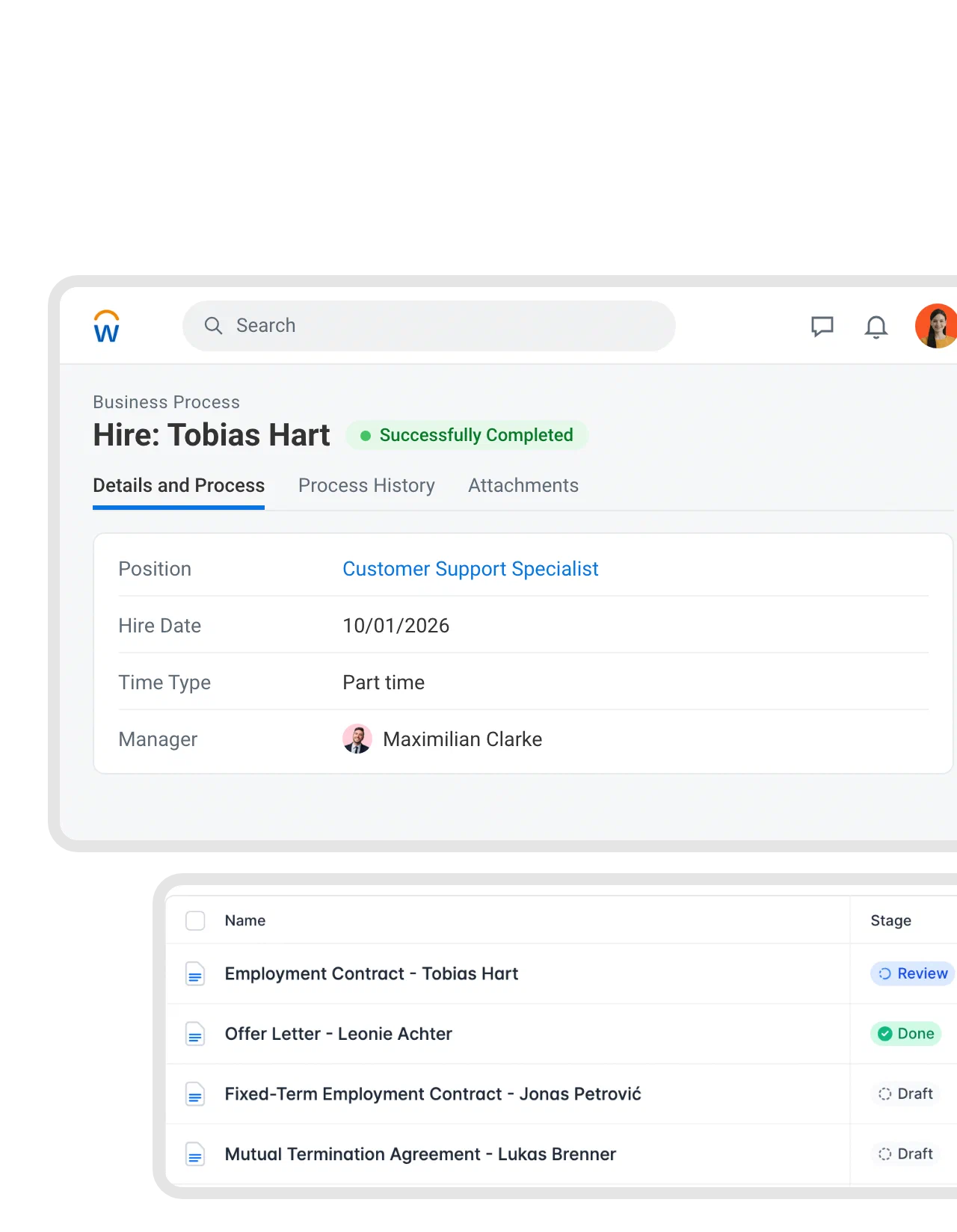
The HR record can start the contracts. Through Zapier, the Workday integration uses a completed hire to create an employment contract in fynk from your chosen template. Selected worker details fill the fields, and the new hire is set as signer. HR reviews the draft.
Everyday and leaving
8. Probation, notice periods and end dates
A probation review needs room for a conversation before the deadline. Discovering it on the deadline is technically remembering.
fynk’s AI import reads dates and terms from contracts you already have, including signed PDFs and scans. Review the extracted information against the document. Distinguish the end date from the earlier deadline to decide or give notice.
The contract calendar shows upcoming dates and related tasks, while reminders bring them to the responsible person before they’re due. Set the timing around the action required: collecting a manager’s probation feedback needs more breathing room than filing a signed copy.
Contracts and templates are stored in one place, easily accessible. Contracts are simple to prepare, sign, and execute. The AI-powered analysis enables quick automation of deadlines and key figures.
9. Contract changes
A colleague moves from part time to full time. Payroll has the new figure. The contract still describes the old arrangement.
Through Zapier, a Personio employment change starts an amendment in fynk with the new details filled in. Use an approved contract amendment to record the change. After signing, the signed PDF can go back to the employee’s Personio profile.
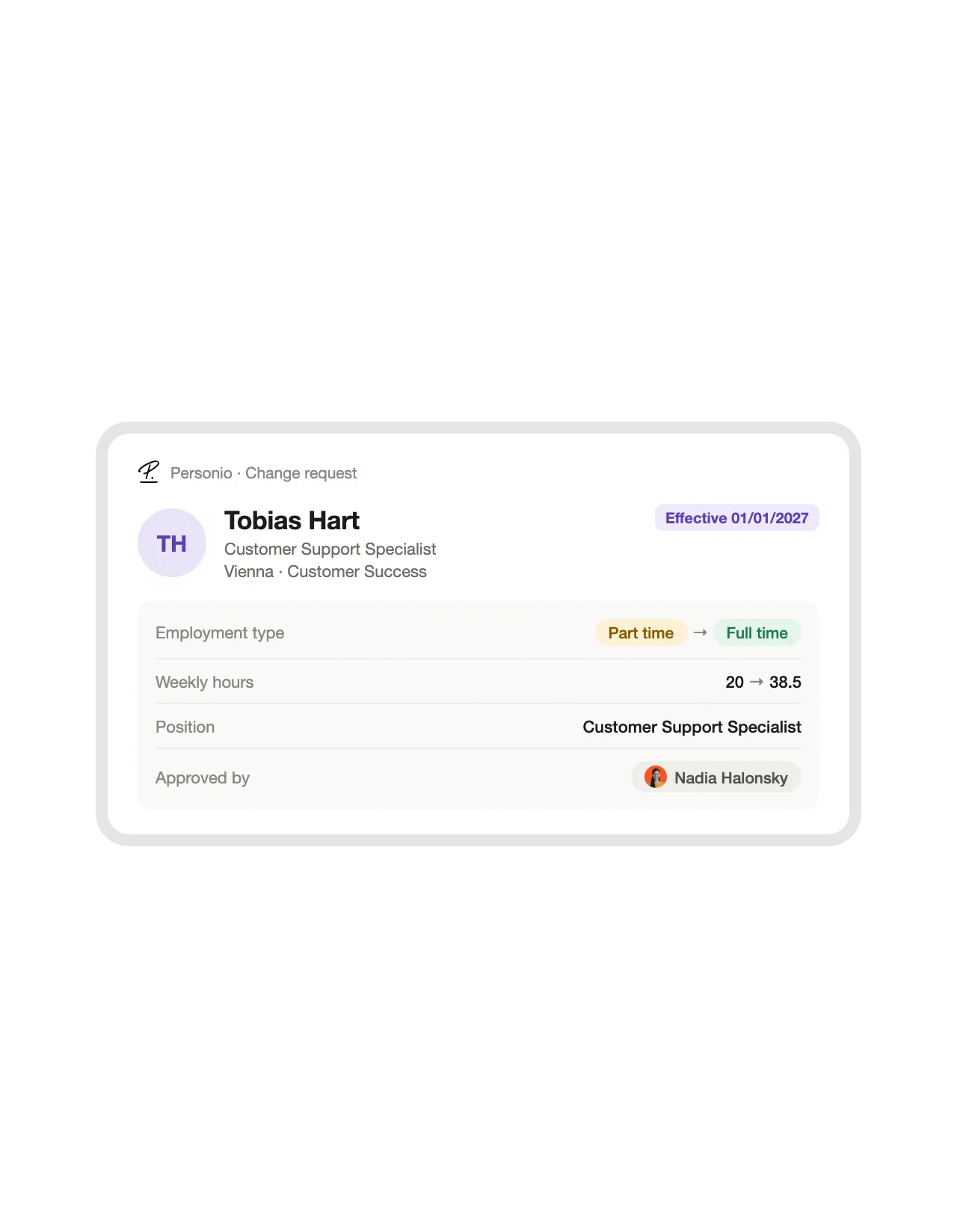
Review the combination: new hours, new salary and effective date must describe the same agreement. A correct salary attached to the wrong hours is still wrong.
The same connection covers the rest of the employee lifecycle. These ready-made Zaps start an offer letter for a new candidate, an employment contract for a new hire, an amendment for a changed employment and a termination agreement when employment ends, and file the signed document back on the employee profile:
10. Policy questions and leaving
During employment: an assistant grounded in approved policies can answer recurring questions such as how to request leave. Require it to show the source passage, document version and any relevant exception. If the source doesn’t answer the question, send it to HR rather than letting the assistant improvise policy.
At departure: AI can prepare an employment reference letter and separation paperwork from approved templates and confirmed facts. The manager writes the assessment of the person’s work. HR and the appropriate reviewer handle reasons, negotiated terms and sensitive wording. Those parts need judgment, not a more confident adjective.
How to use AI in HR without losing control
Use a defined task, approved information and a named reviewer, then check whether the reviewed result saves work.
Step 1: Choose a task with a clear finish
Start with something like turning agreed role notes into a draft job ad. Define what “done” means: the facts survive, missing information is flagged, and editing takes less effort than starting fresh.
Step 2: Decide what information the tool may use
Test with fictional details first. Confirm which tool your company approves for candidate records, salaries and contracts before putting personal data into it.
Step 3: Name who reviews and who decides
Record who checks the draft, approves the terms and decides about the person. Those roles may overlap in a small team. Name them anyway.
Where AI is deployed, SHRM reports that 39% report shifts in job responsibilities and 7% report slight job displacement. Make time to teach the checking work that comes with the changed task.
Step 4: Review the work after it leaves the chat
Before expanding, check a completed cycle: was the right version approved, signed, stored and assigned any necessary follow-up? Useful AI for HR professionals should reduce the whole task, including corrections and chasing. The same test works for any team: a short scorecard for picking a first AI agent helps you compare HR candidates with jobs elsewhere in the company.
General AI chat vs fynk for HR contracts
A general chat helps prepare text; fynk connects that preparation to the contract’s approvals, signature and dates.
| Contract task | General AI chat | fynk |
|---|---|---|
| Where the template comes from | Supply the approved wording yourself | Reuse templates stored in your account |
| Filling in the details | Provide facts and check the generated text | Fill dynamic fields by chat or connected data |
| Approval | Arrange and record review separately | Required approvals before signing |
| Signature | Move the draft into a signing process | Collect e-signatures in the contract workflow |
| Dates after signing | Put dates into a tracking system | Contract calendar, linked tasks and reminders |
Give HR paperwork a proper home.
AI in HR FAQ
AI helps with preparation; people remain responsible for decisions.
SHRM reports that, where AI is deployed, 39% report shifts in job responsibilities and 7% report slight job displacement. These are organizational effects, not percentages of HR jobs eliminated. The findings describe changing work more than widespread replacement, without guaranteeing what happens to any individual role.
Less repetitive drafting, less retyping and easier access to information. AI can prepare a job ad from agreed notes, fill contract details and extract dates from existing documents. Judge the benefit by the time and effort left after review and corrections.
Incorrect details, biased summaries, outdated source material and inappropriate sharing of personal data. A fluent answer can conceal missing evidence. Current documents, approved tools, source references and a named reviewer make errors easier to catch before they affect someone.
Match the category to the task: recruiting software for applications, HR systems for employee records, policy assistants for internal questions, general writing assistants for drafts, and contract tools for agreements. Check data access, human review and what happens after the output is created.
The paperwork can be routine even when the people aren’t.
Searching for a contract management solution?
Find out how fynk can help you close deals faster and simplify your eSigning process – request a demo to see it in action.
Please keep in mind that none of the content on our blog should be considered legal advice. We understand the complexities and nuances of legal matters, and as much as we strive to ensure our information is accurate and useful, it cannot replace the personalized advice of a qualified legal professional.




Get a regular dose of insightful contract management content


Take control of your agreements. Move your business forward.
Run agreements the way they should run: fast, clear, and on your terms.
No setup headaches
Go live in days, not quarters
No lock-in
Full export anytime
No hidden fees
Signatures included, no envelope fee