


From won deals to signed contracts.
Connect fynk to HubSpot to draft contracts, send to review, add signers, or send for signature without leaving your CRM.



Install it from HubSpot, or start from fynk.
Both routes end up in the same place: the fynk card on your records, with your deal fields already mapped. Start from whichever side you happen to be looking at.








Contracts that keep up with your pipeline.
The trigger lives in HubSpot. The contract lives in fynk. Your reps never move between the two.
"One of the biggest highlights is the HubSpot integration, which has made our lives significantly easier."

On stage change
Start free trialDraft it where you already are.
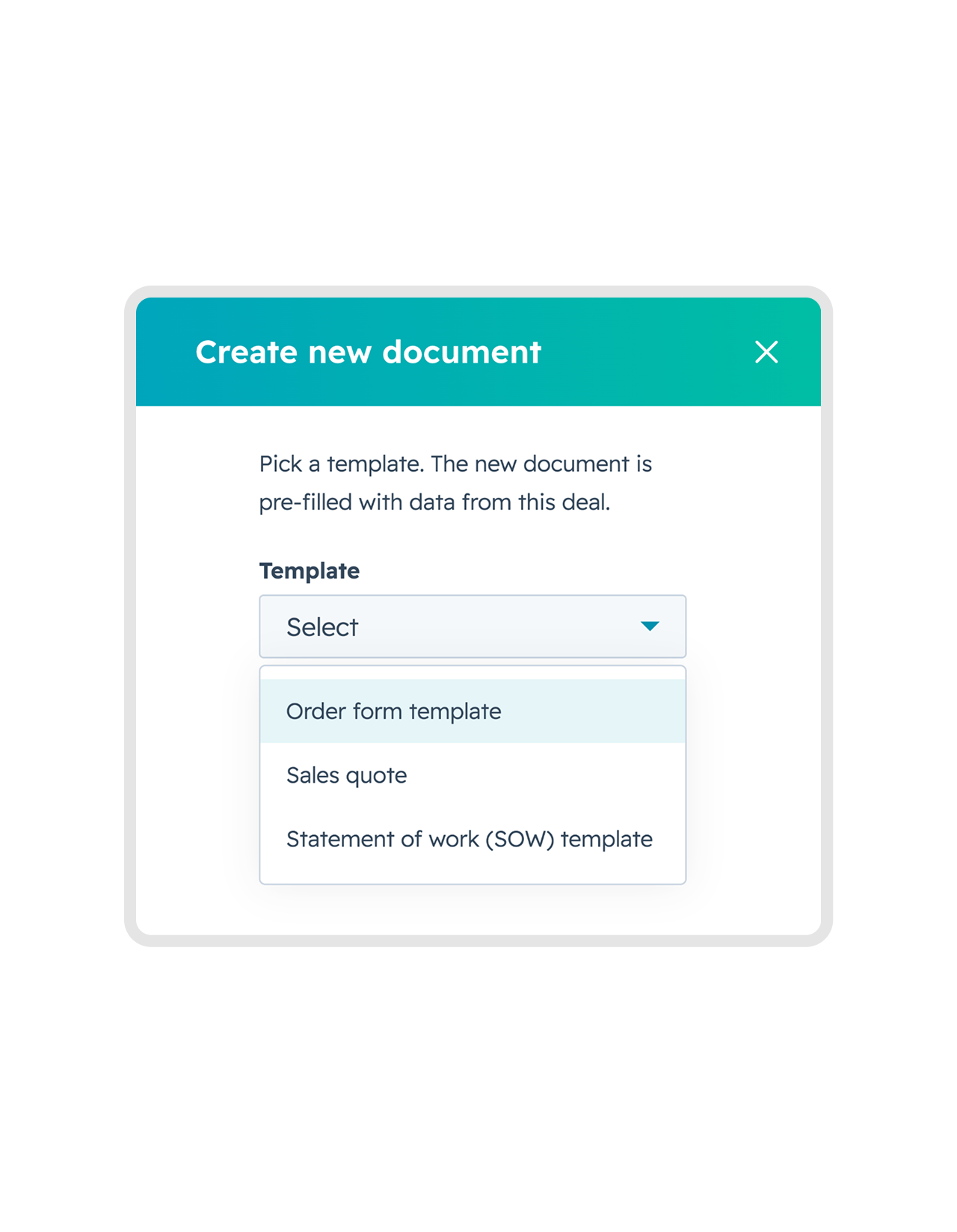
Nobody should retype a company name HubSpot already knows. Set a deal to won and draft the contract right after. Send it to your colleagues for review, or straight to the client. All in HubSpot, with just a few clicks.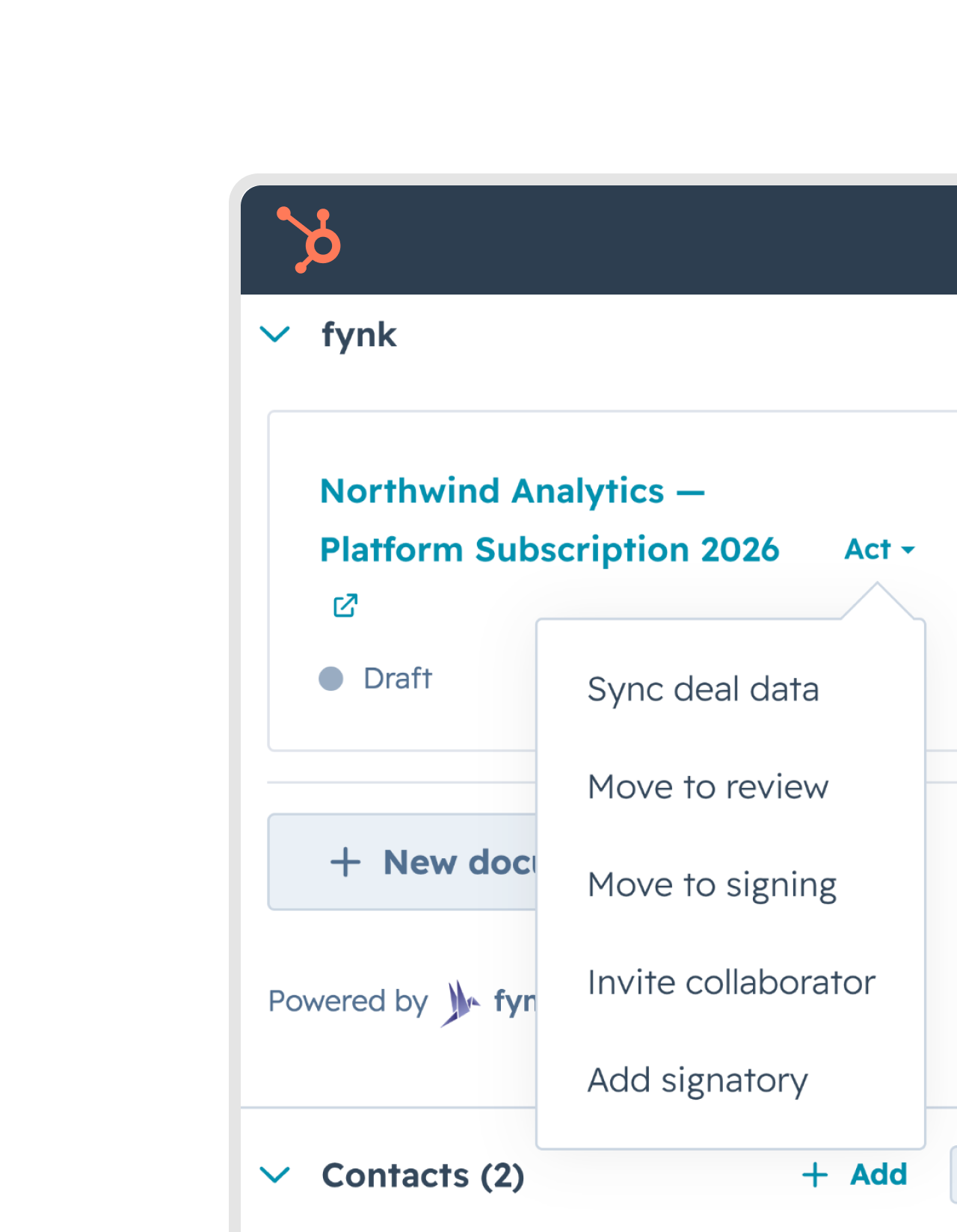
Fast
Start free trialContracting in seconds, not a coffee break.
Hit create and the draft is there. fynk reads the deal live, fills every field and finishes the document in a few seconds, while your rep is still looking at the same screen. No overnight sync, and no waiting on somebody in another department to get to it."fynk has truly taken the way we work to a whole new level. I'm especially impressed by how easy and fast it is to create, manage, and sign contracts, all in one central place."
Manuel Managing Director at HAHS.IT GmbH & Co. KG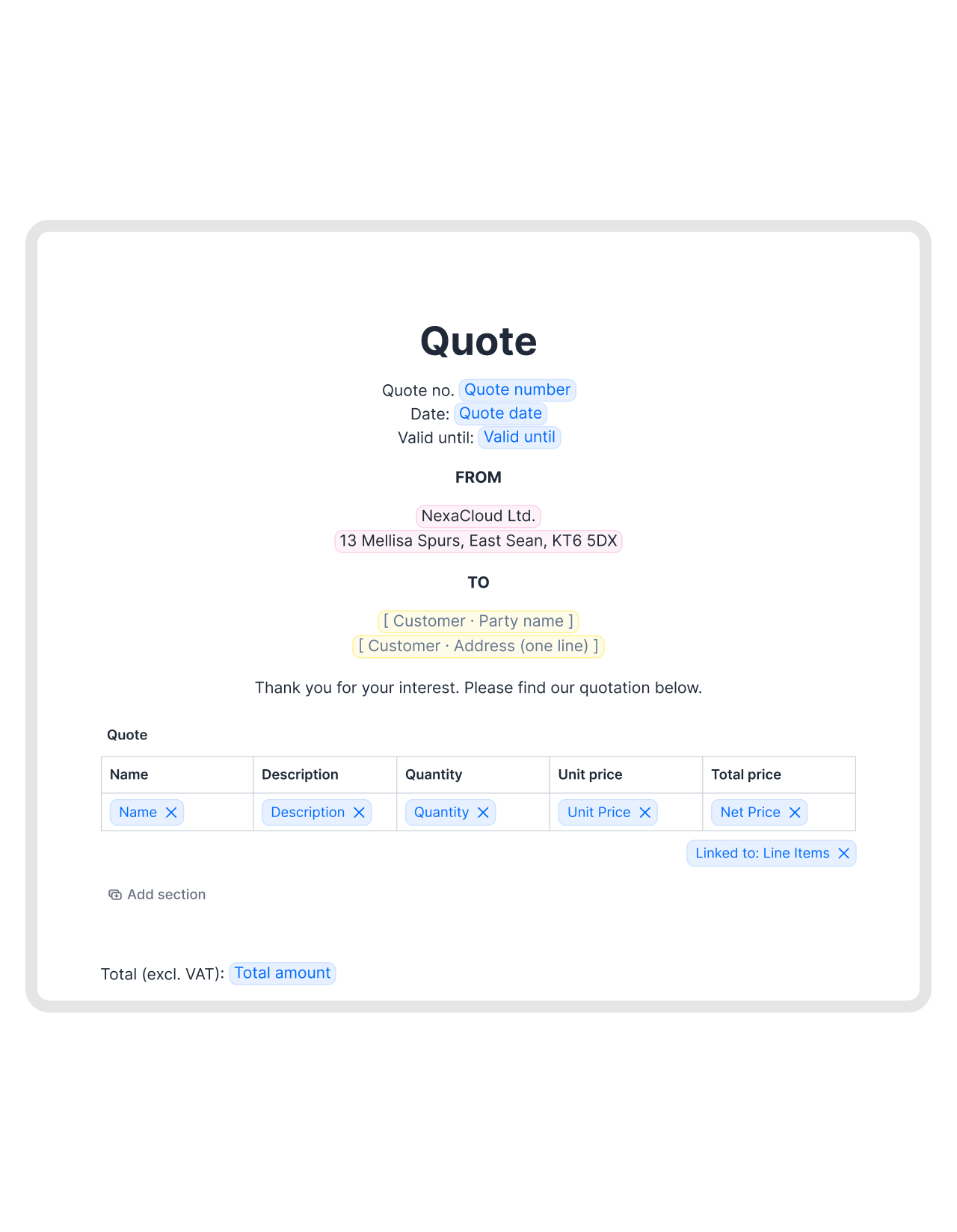
Line items
Start free trialDeal pricing, straight into the contract.
Skip adding tables and double-checking amounts. Fill your deals automatically using the values that are already in HubSpot. Name, description, unit price, quantity, net price, discount, or whichever cells you set up.FEATURES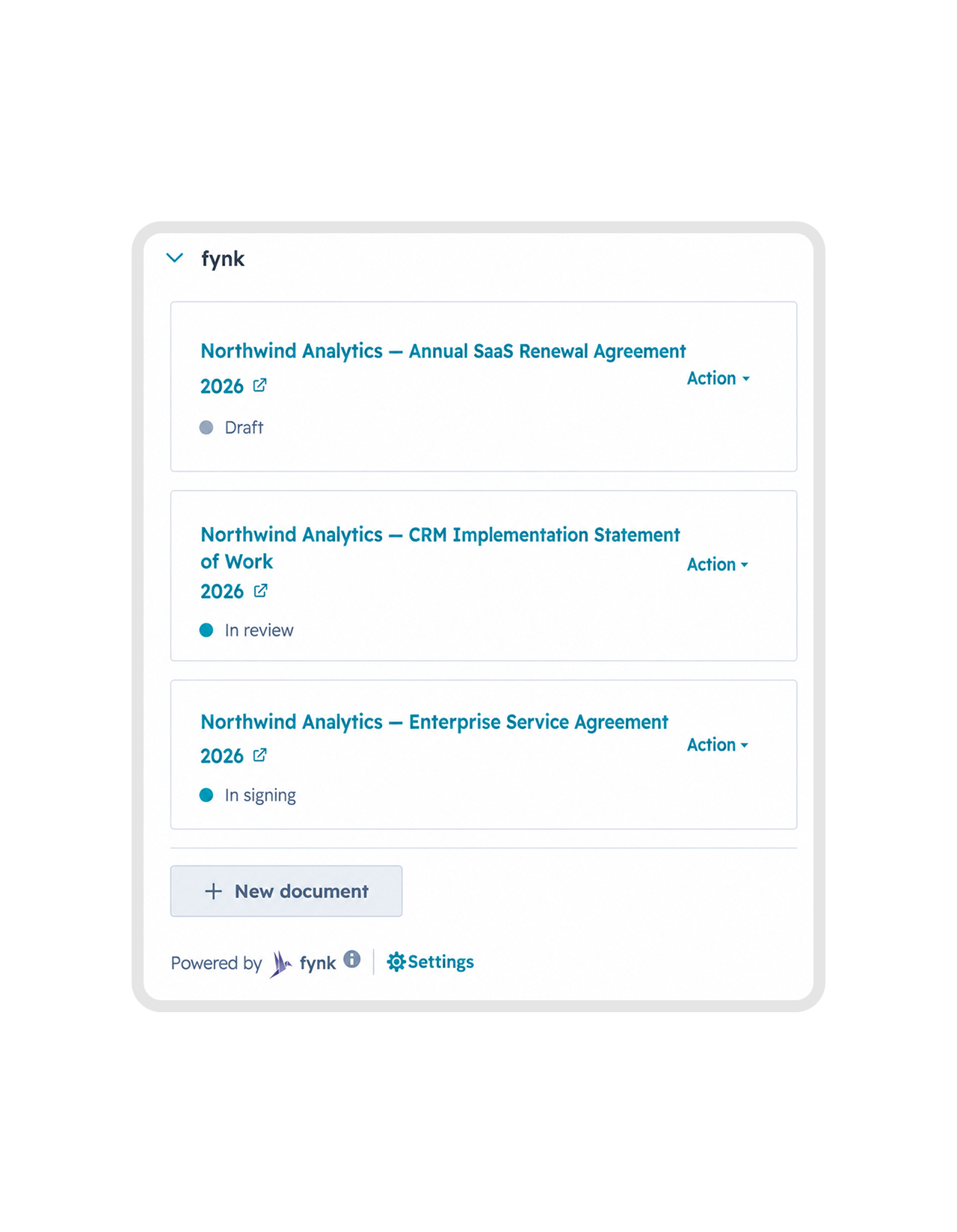
Status where you work
Get a demoStop asking where the contract is.
See contract live status right in your HubSpot card: draft, in review, in signing. Anything changes, you’ll see it in seconds. You don’t even have to send reminders to reviewers and signers, fynk does it for you."I can immediately see the status of each contract and know where we're at."
 Alina Heiner Founder and Director at maven


Signatories
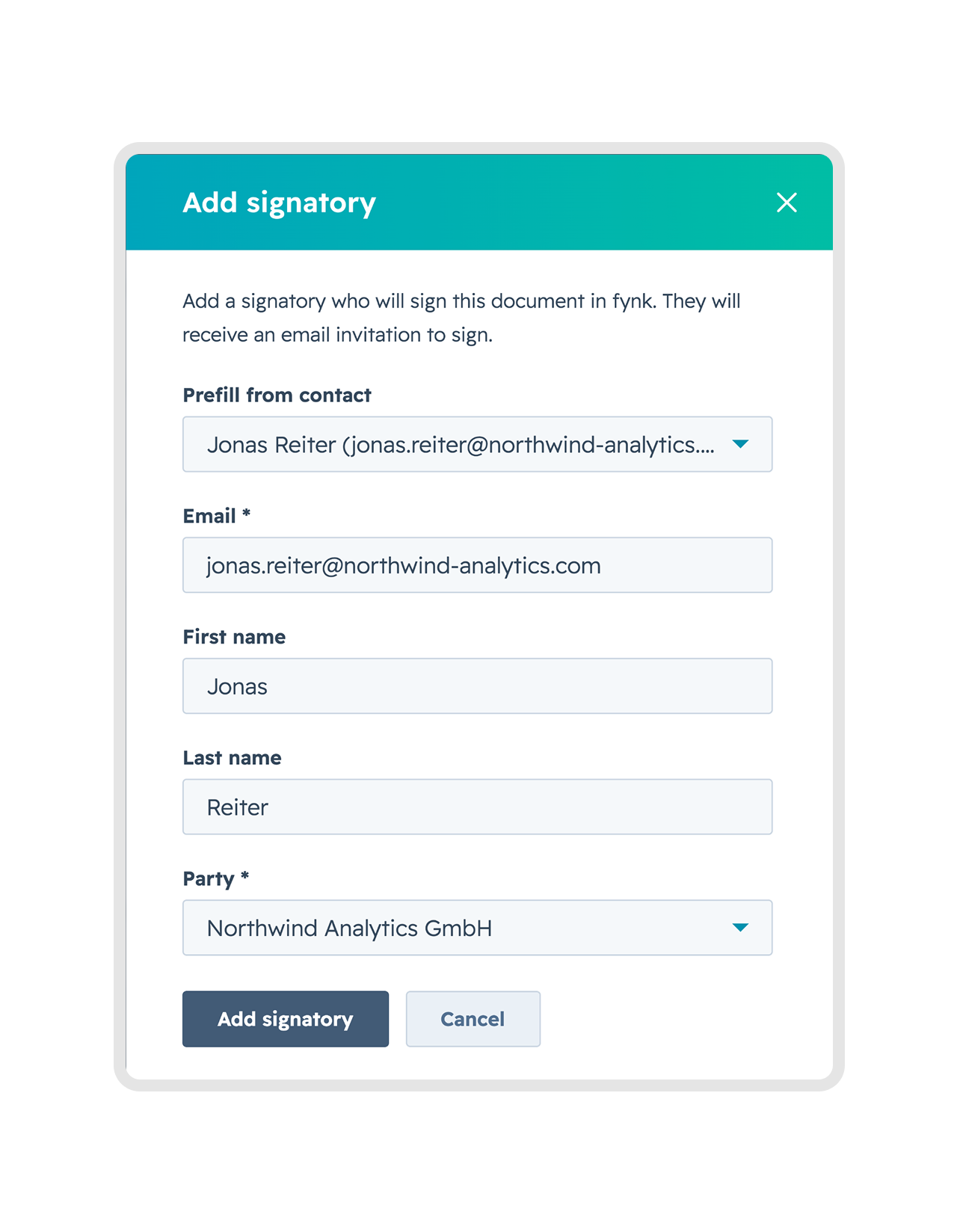
Learn moreThe signer is already in your contact list.
Whoever signs is usually already a contact on that record. Pick them, or just type an email address to start the signing. Either way they land on the contract as a signatory with the details you already have. Faster process, zero typos.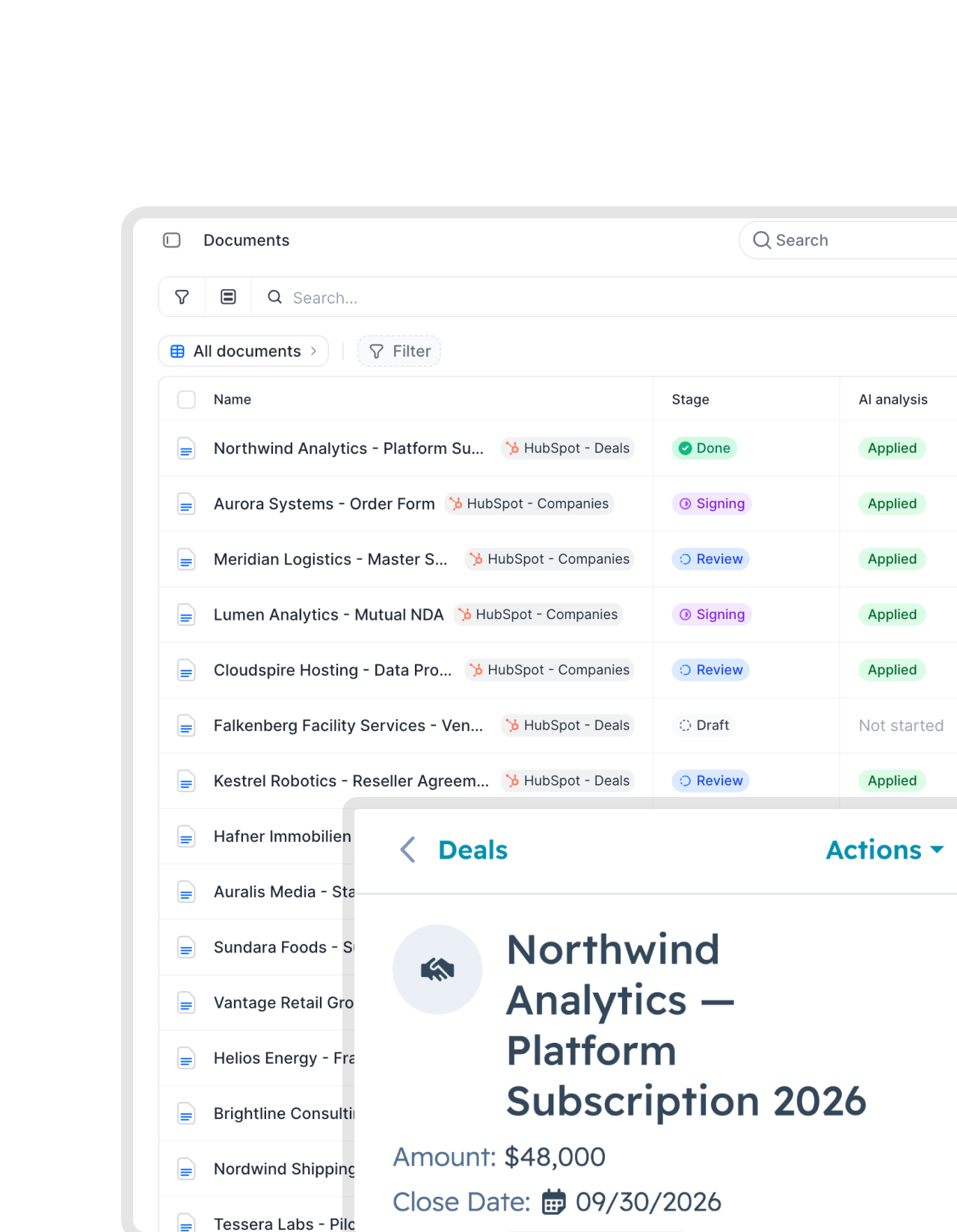
Review and collaborate
Learn moreGet eyes on it before it goes out.
Forwarding a draft and hoping for the best is not a review process. Invite Legal, Finance and whoever else needs to look, then send the contract into review from the deal itself. Comments, versions and decisions stay on the document instead of scattering across six inboxes."Previously we had to manage contract reviews and approvals via endless email back-and-forth and improvised approval forms, followed by a signing process. If everything needed to be documented, it required a lot of manual filing. Now have everything in one place."
Andrea Schlephorst Corporate Governance Specialist at Falken Tyre Europe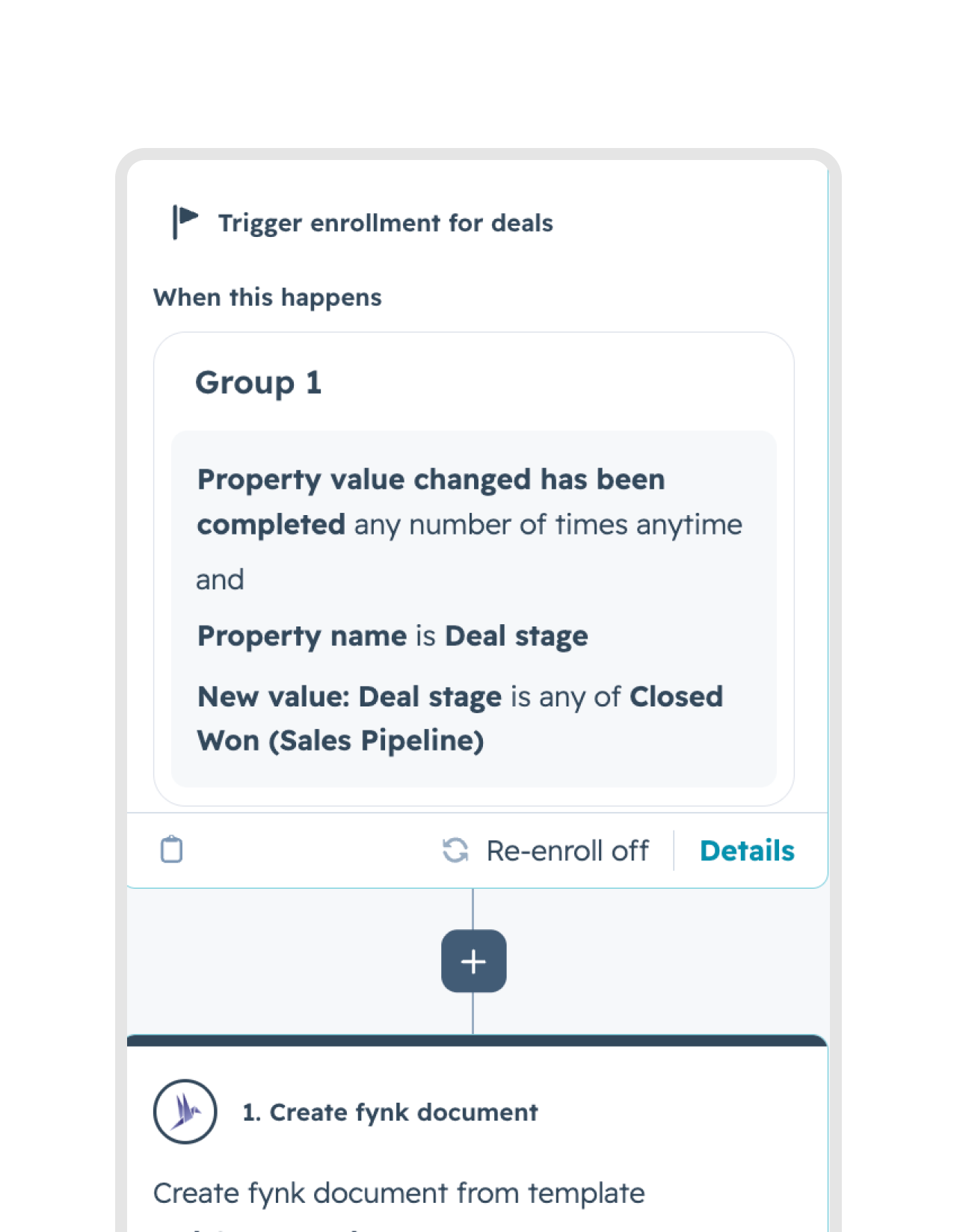
Bulk creation
Learn moreWon multiple deals? No problem
Use HubSpot workflows to generate contracts in bulk. Select multiple deals, set all to won, and watch your contracts appear. The alternative is a very long afternoon.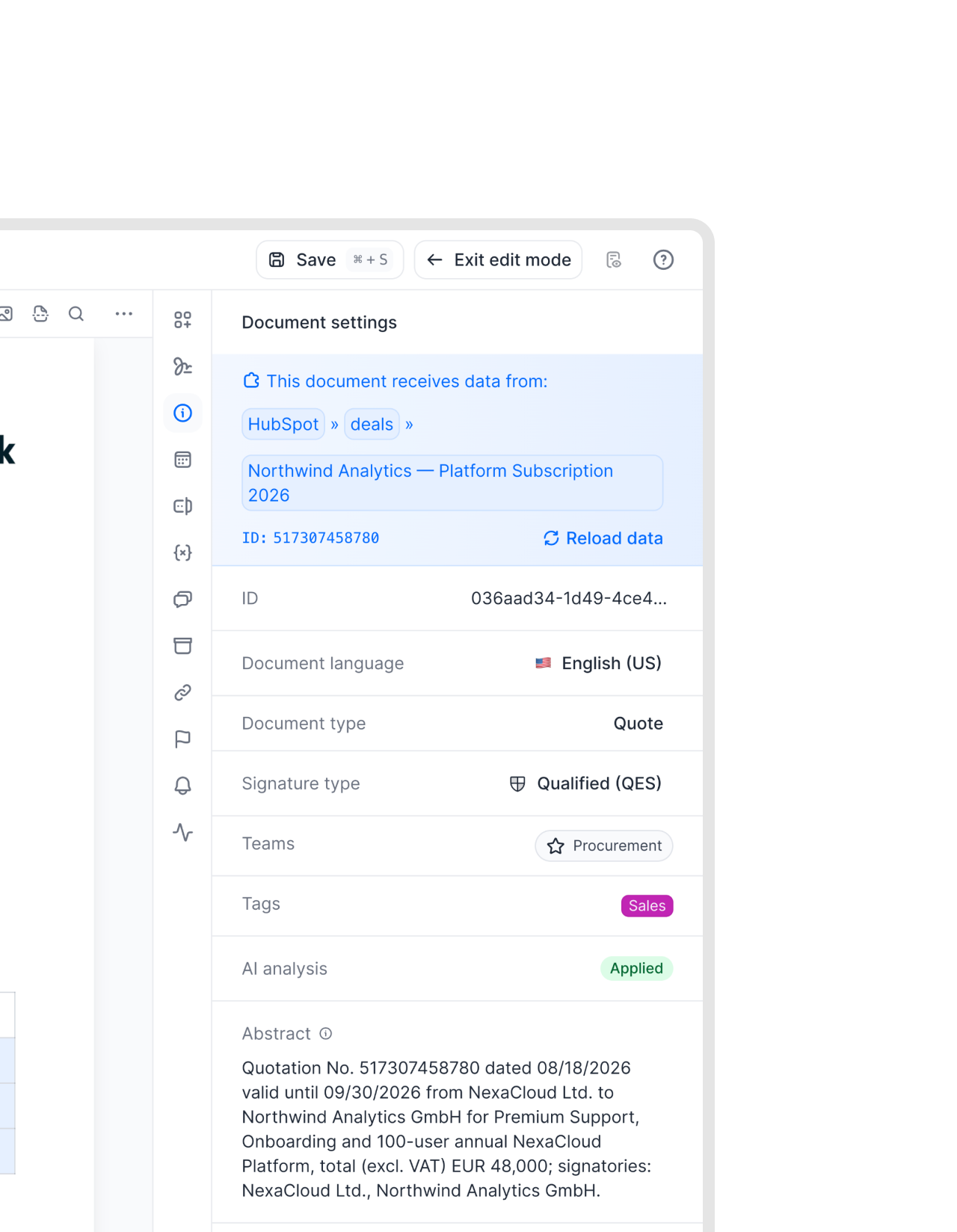
Self-serve templates
Get a demoLegal publishes once. Sales takes it from there.
Routing a standard NDA through legal for the tenth time helps nobody. Approved templates are right there in the card. Any rep can pick one and fill in what the deal needs. Rewriting the terms legal locked down is the one thing they can’t do."This is quite a step forward because you are saving resources and you're giving the responsibility to the salesperson itself."
 Jörg Burkhardt Head of Sales & New Partnerships, 1. FC Nürnberg


What you get, and what you don't.
Your own automation, your reps in the record they already use, and nothing written back into your CRM.
No second interface.
Creating and editing never opens an embedded editor. Reps stay in the record they were already working in.
Your automation, not ours.
Triggers run in HubSpot's own workflow builder, on deal, contact and company records alike. Nobody learns a proprietary copy of a tool they already use.
Nothing written back.
Every scope fynk asks for is read-only. No duplicate contract sitting in your CRM, and nothing left behind if you remove the app.
The whole lifecycle.
Draft, Review, Signing and Signed, not just the moment of signature. Review stays its own state instead of folding into a generic pending.
Pricing matches the deal.
Line items flow into a dynamic table instead of being retyped. What you quoted and what you sign never drift apart.
Unlimited signatures.
Every eIDAS level, on every plan, no per-envelope fee. Nothing to count and no compliance guesswork before you send.
Every deal starts from one of these.


Install it from the HubSpot marketplace in about a minute
You start in the marketplace and land back connected. No tokens, no developer
- Step 1
Find fynk in the HubSpot app marketplace and hit install.
- Step 2
Authorize the connection. Eight scopes, all read access, nothing to copy or paste anywhere.
- Step 3
The usual deal fields arrive already mapped. Check them, then draft from a record or hand it to a workflow.
What the integration actually touches
fynk reads from HubSpot and writes nothing back. Your contract lives in fynk, your pipeline lives in HubSpot, and neither keeps a half-accurate copy of the other.
What fynk reads
| What it uses the data for | |
|---|---|
| Deals | Trigger contract creation on a stage change, and prefill the template from the deal’s own properties. |
| Contacts and companies | Fill the counterparty, the signatory and the address, so nobody retypes a company name. |
| Line items | Render one row per product in a dynamic pricing table, with the attributes you choose in each cell. |
Example: a deal reaches Contract Sent, and the agreement is already drafted with the right company, signatory and price table on it.
What fynk writes back
Nothing. Every scope the app requests is read-only. There is no duplicate contract object in your CRM to reconcile, no property quietly overwritten, and nothing left behind if you uninstall the app.
Where each side stays in charge
| HubSpot owns | The trigger, the pipeline, the deal data and the workflow logic. |
| fynk owns | The template, the approved terms, the signature run and the audit trail. |
| The card shows | Draft, Review, Signing or Signed on the record, read live rather than synced. |
Status is read on demand, so the record never shows a stale state that a sync job has not caught up with.






More product features to explore.
Draft.
Create contracts from proven templates. Fast, consistent, and ready to send.
Boost.
AI reviews, summarizes, and explains your contracts so you never miss what matters.
Sign.
Send contracts for legally binding e-signatures, tracked from sent to signed.
Insights.
See the full picture of your contracts with dashboards, search, and smart alerts.

Your pipeline data never leaves your control.

European by design.
Designed and developed in Austria. Hosted exclusively in ISO 27001-certified German data centers, under European law.

Security at the core
End-to-end encryption and secure engineering standards across a continuously monitored infrastructure.

Read-only by default
Every scope the HubSpot app requests is read-only, and removing the app leaves nothing behind in your CRM.

GDPR, fully embedded
Fully compliant with European data protection regulations, supported by regular audits and external penetration testing.
Widely trusted by companies worldwide


Frequently asked questions.
Yes. Enroll deals in a workflow and each one generates its own contract, prefilled from its own record. The trigger is built in HubSpot's workflow builder, and it works from deal, contact and company workflows.
No. Every scope the app requests is read-only. Your contract lives in fynk and nowhere else, so there is no duplicate record to reconcile and nothing left in your CRM if you uninstall.
No. The fynk card sits in the record sidebar and handles creating the document, adding signatories and moving it along. It links out to fynk only when someone needs the full editor.
Yes. A dynamic table in the template binds to the line items on a deal and renders a row per product. You choose which attribute fills each cell, from unit price and quantity through to net price or a discount. Line items are deal-scoped in HubSpot, so this applies to deal records.
Draft, Review, Signing and Signed, read live from fynk. Review appears as its own state. That distinction matters when you need to tell an internal holdup apart from a contract sitting with the counterparty.
No. Signatures are unlimited on every plan and cover all three eIDAS levels: simple, advanced and qualified. There are no per-envelope fees to budget for.
Still have questions?
Take control of your agreements. Move your business forward.
Run agreements the way they should run: fast, clear, and on your terms.
No setup headaches
Go live in days, not quarters
No lock-in
Full export anytime
No hidden fees
Unlimited signatures included