


Simple (SES)
Everyday agreements, signed in fynk. The signature is stored with the file.
From Sent to Signed without the stress of the in-between. Know exactly who has seen, signed, or stalled your contracts. You never have to send an awkward follow-up email again.

Seal the deal with confidence from anywhere with signatures that are 100% eIDAS and GDPR compliant. See the signature methods.

Switching between documents, emails, and signing tools creates unnecessary friction. With fynk, contracts move from sent to signed without breaking your focus.
Signing is one stage of the lifecycle, and it is built into contract management software with e-signatures built in rather than bolted on as a second subscription.
"We're using [fynk] for the whole lifecycle of a contract. So from creating to signing to archiving."


"The whole process, getting to the signing part, was what annoyed me. With fynk, I just build one contract, and I'll send it up to however many people at once, and that is really a game changer for me."


"You get the notification if you don't sign it, you get the re-notification to please sign it, and once it's fully signed... then you get the final contract to download."
See progress, know what's next, and feel done when it's signed.

"Now we have the situation that we are starting a signing process and the contract is signed in best case in half an hour."


Not every contract needs the same level of legal weight. Some agreements move fast. Others demand stronger proof and compliance. fynk supports different types of electronic signatures so you can choose what fits the situation, without switching tools.

"fynk brings structure, transparency, and speed across our entire sales contract process, from the first draft to the final signature."

Now, signing is as simple as drag and drop. In seconds.
Signature types.
Match the signature to the contract. No extra steps.
Bulk sending.
Send many contracts for signature at once and track them all in one place.
No account required.
Signees can review and sign without creating an account or learning a new tool.
Pre-signing approvals.
Catch issues early and avoid signing something that wasn't fully approved.
Signing history.
Always have proof of who signed and when, without digging or asking around.
Sign from any device.
Let people sign wherever they are, on whatever device they have. Progress doesn't need a desk.
Only fynk offers a flexible, integrated and truly end-to-end contract platform for all teams to use - not just legal.
Sign
Organize
Boost
Scale
Insights
Work smarter and faster with fynk’s built-in AI. Centralize agreements, extract data, automate tasks, and offer secure access for your entire team.
Signatures (SES, AES, AES eID, QES)
Signature order
Signature style
Voting
Signature tracking
eIDAS Compliance
Document hub
Bulk import
Document calendar
Tasks & Reminders
Configurable notifications
Kanban dashboard
Multi-entity management
AI assistant
AI analysis
AI summary
AI draft
AI review
AI search
Approval workflows
Dates & durations
PDF comparison
Integrations
API
Branding
Teams
Dashboards
Metadata
Analytics
Audit trail
History


European by design.
Designed and developed in Austria. Hosted exclusively in ISO 27001-certified German data centers, under European law.

Security at the core
End-to-end encryption and secure engineering standards across a continuously monitored infrastructure.

Access on your terms
Single sign-on (SSO), mandatory two-factor authentication, and granular role permissions keep contracts with the right users.

GDPR, fully embedded
Fully compliant with European data protection regulations, supported by regular audits and external penetration testing.
Trusted by companies worldwide



You set the level when you send the contract. The signed PDF states the level that was reached.
Everyday agreements, signed in fynk. The signature is stored with the file.
A code to the signer's phone, then fynk seals the PDF.
Sign with a verified digital ID, such as BankID or MitID. The PDF is marked AES or QES, depending on the method. Switched on once in the account settings.
The highest level under eIDAS, with the effect of a handwritten signature. The file is marked QES.
41 methods, from national eIDs to qualified providers
All signature methodsfynk supports Simple (SES), Advanced (AES), Advanced with eID, and Qualified (QES). You choose the level on the contract. Simple and advanced signatures are completed in fynk. Advanced with eID and qualified signatures use a signature provider. The signed PDF is marked with the level that was reached: SES, AES, or QES. In an Advanced with eID phase, a qualified method is still marked QES.
Use Simple for everyday agreements. Use Advanced when a code should go to the signer's phone. Use Advanced with eID when the signer should use a verified digital ID, such as BankID or MitID. A qualified method in that phase is still marked QES. Use Qualified when the contract needs the effect of a handwritten signature under EU law.
No. External signers receive an email with a secure link to review and sign the document. They can sign from any device without creating an account or installing any software.
Yes. You can set up sequential signing workflows where each signer receives the document only after the previous person has signed. This is useful for contracts requiring manager approval before client signature, or any situation with a specific signing hierarchy.
If a signer needs to make changes, you can void the signing request and send a new one. The audit trail keeps a record of all actions, so you always have visibility into what happened.
Still have questions?
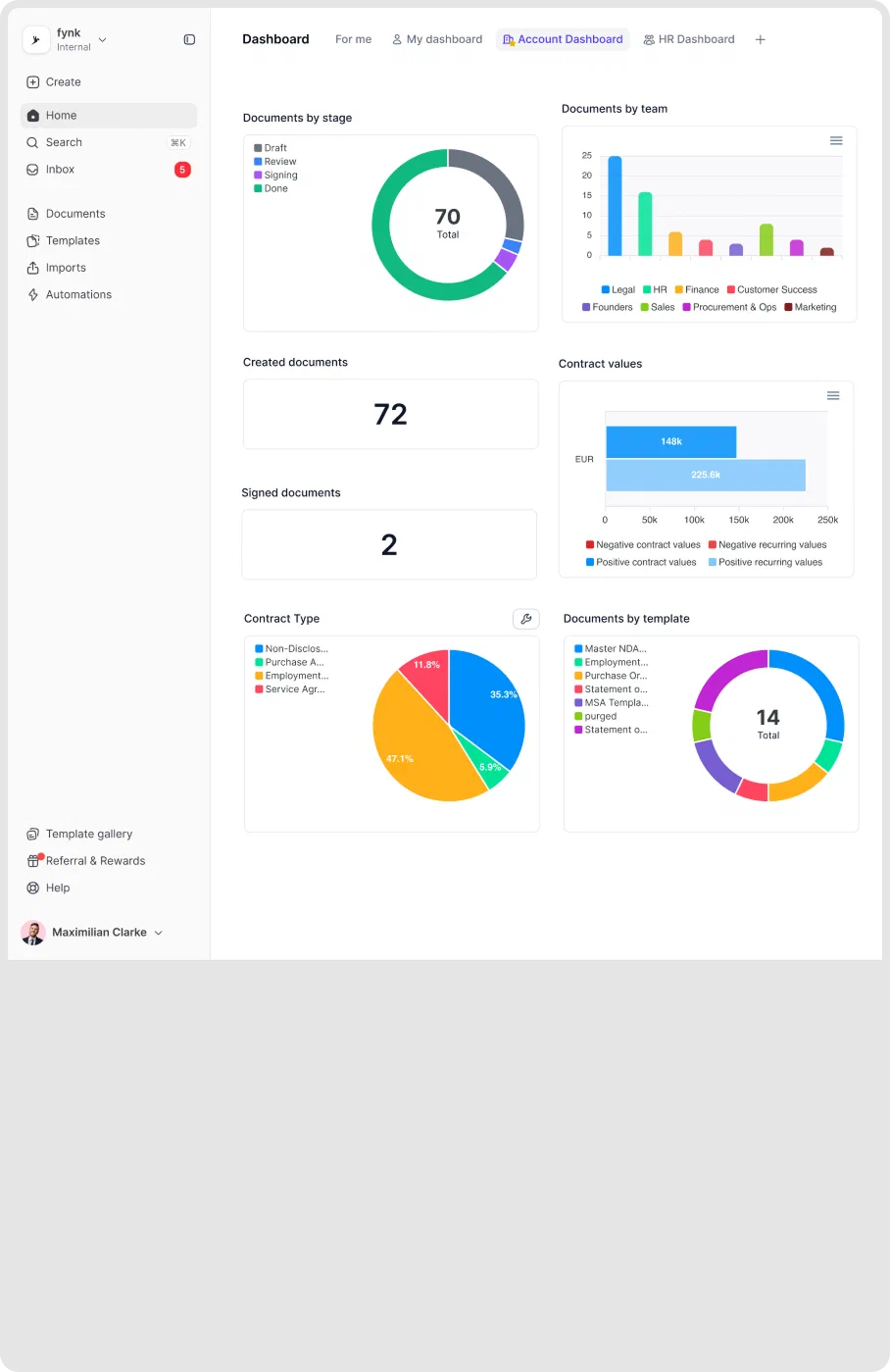
No follow-ups to send. No wondering if someone missed the email.