


Claude MCP: your contracts, one message away.
The fynk Claude MCP connector puts your contracts inside the Claude chat you already have open. Tidy up the whole account, fill in contract data, draft from your own templates and send for signature. No extra tab, no copy and paste.


fynk is listed in Claude's connector directory.
Add it from the directory in a few clicks and sign in with your fynk account. Prefer to paste a server address? That works too. Both routes end in the same connection.







Contract work, without leaving the conversation.
Your call notes, your half-written email and your next question are already in Claude. Connect fynk and the contracts sit right next to them.
"What's stood out most for us is how natural it feels to use. Ask a question the way you'd ask a colleague, get a professional, reliable answer back. We wouldn't want to be without it now."

 Cleanup at scaleLearn more
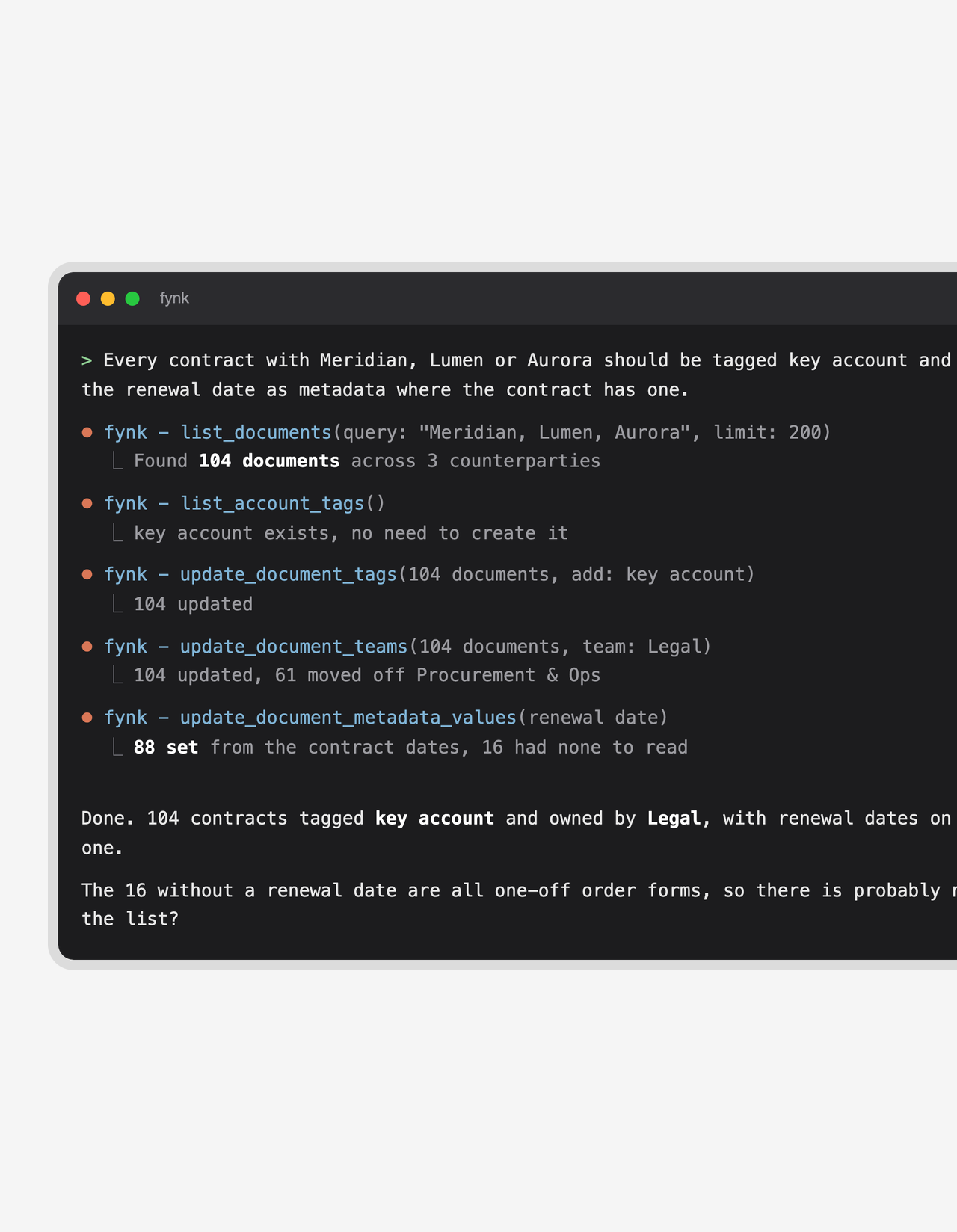
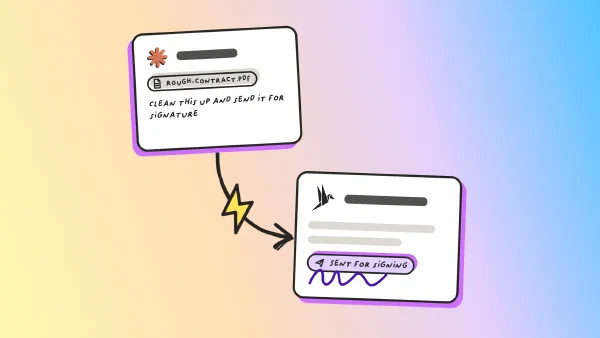
Tidy up a hundred contracts in one sentence.
“Scan_0034_final.pdf” is not a contract name. Tell Claude what the set should look like and it renames, tags, types and archives the whole list for you. You get a short report of anything it couldn’t touch, and an account you can actually find things in.FEATURES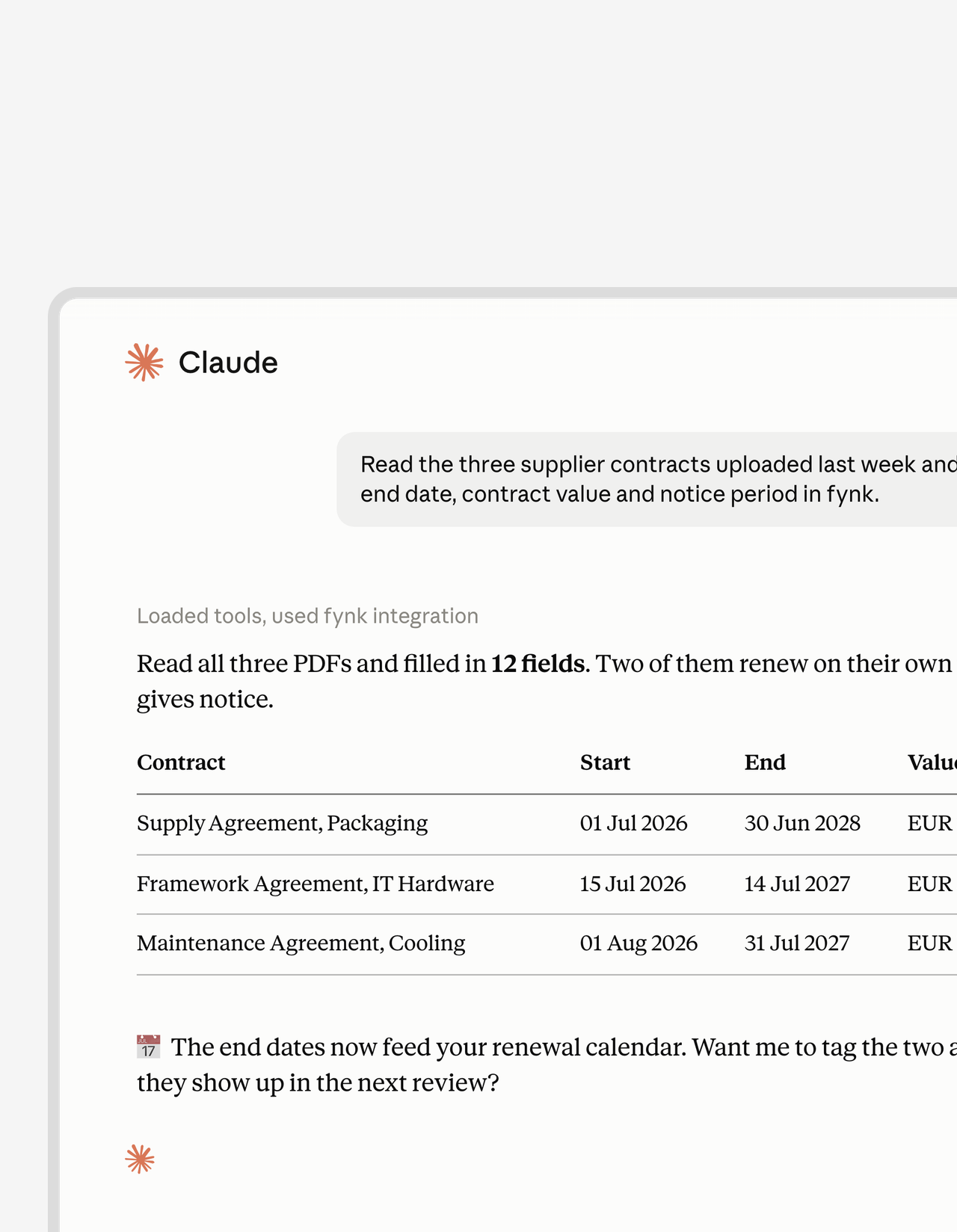 Contract dataLearn more
Claude reads the PDF. Your fields fill themselves.
Empty metadata fields make every report a guess. Point Claude at your contracts and it reads each PDF, then writes the parties, dates, values and terms back into the right fields in fynk. Do it for one contract, or let it work through the whole archive.FEATURES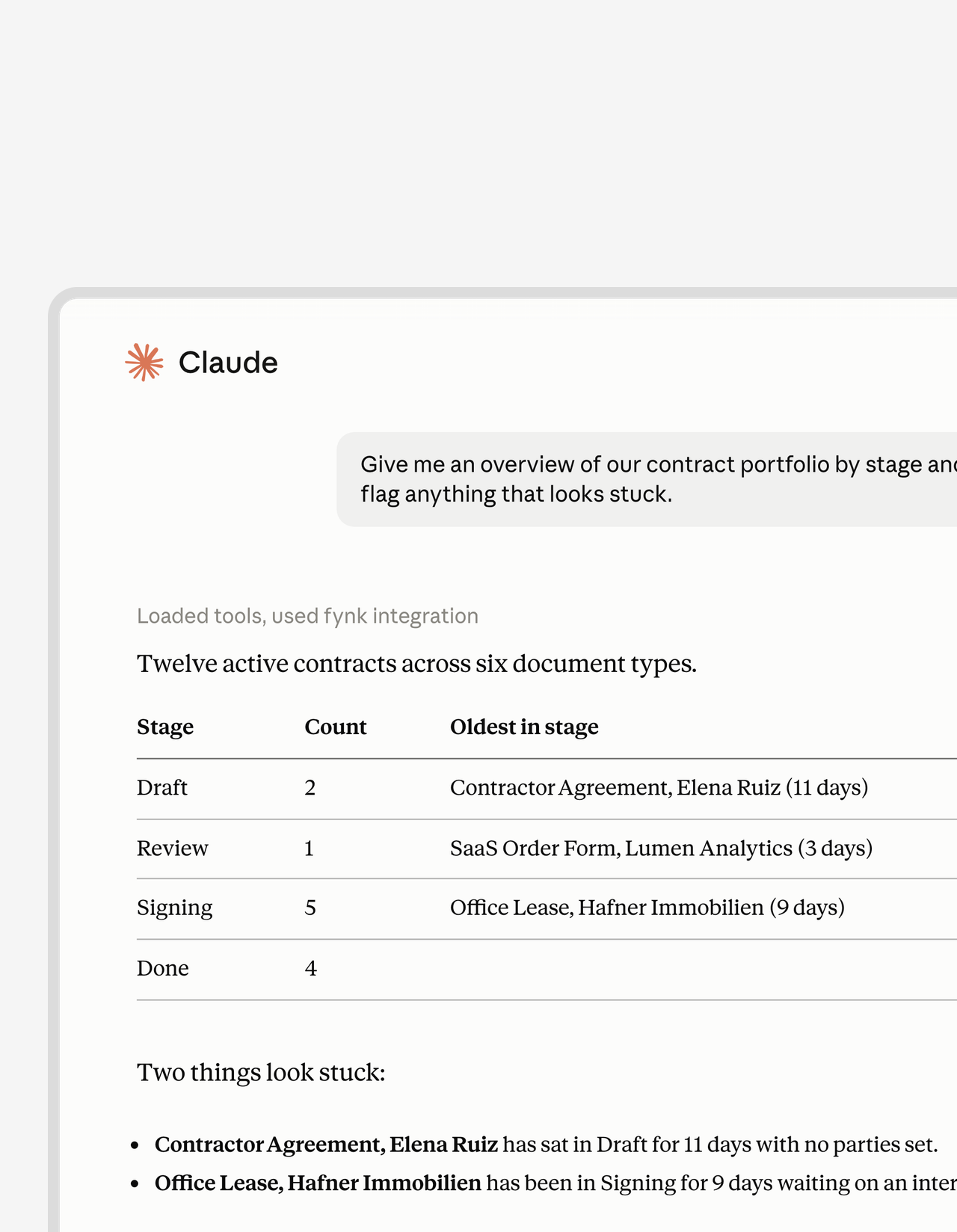 Find and listLearn more
Ask for the overview. Skip the filter menu.
“All contracts tagged Marketing that end this year” takes one sentence, not five filters. Claude searches your real stages, tags and fields and comes back with a clean list. Even vague questions work, which is good news for everyone who isn’t in Legal.FEATURES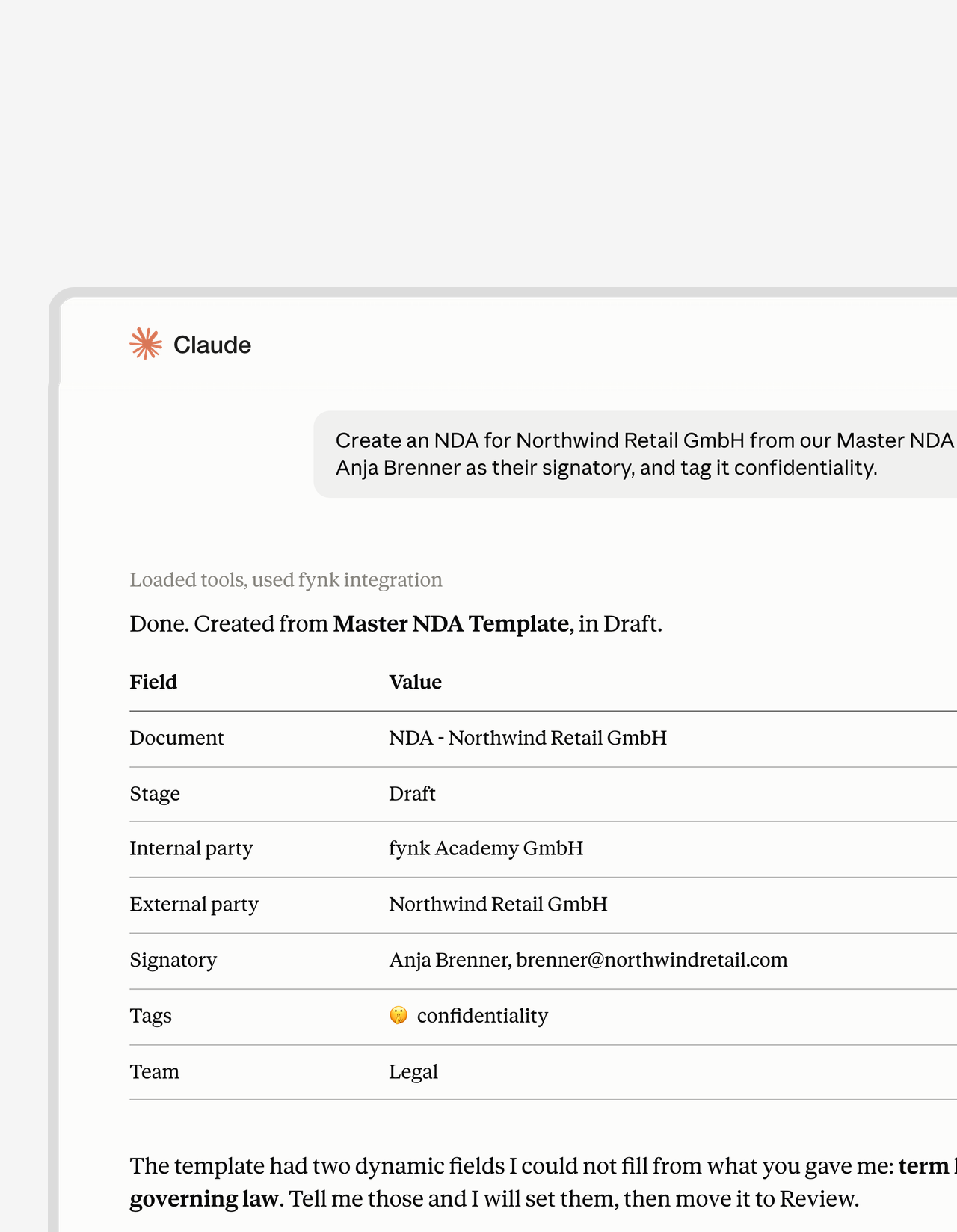 From call to contractLearn more
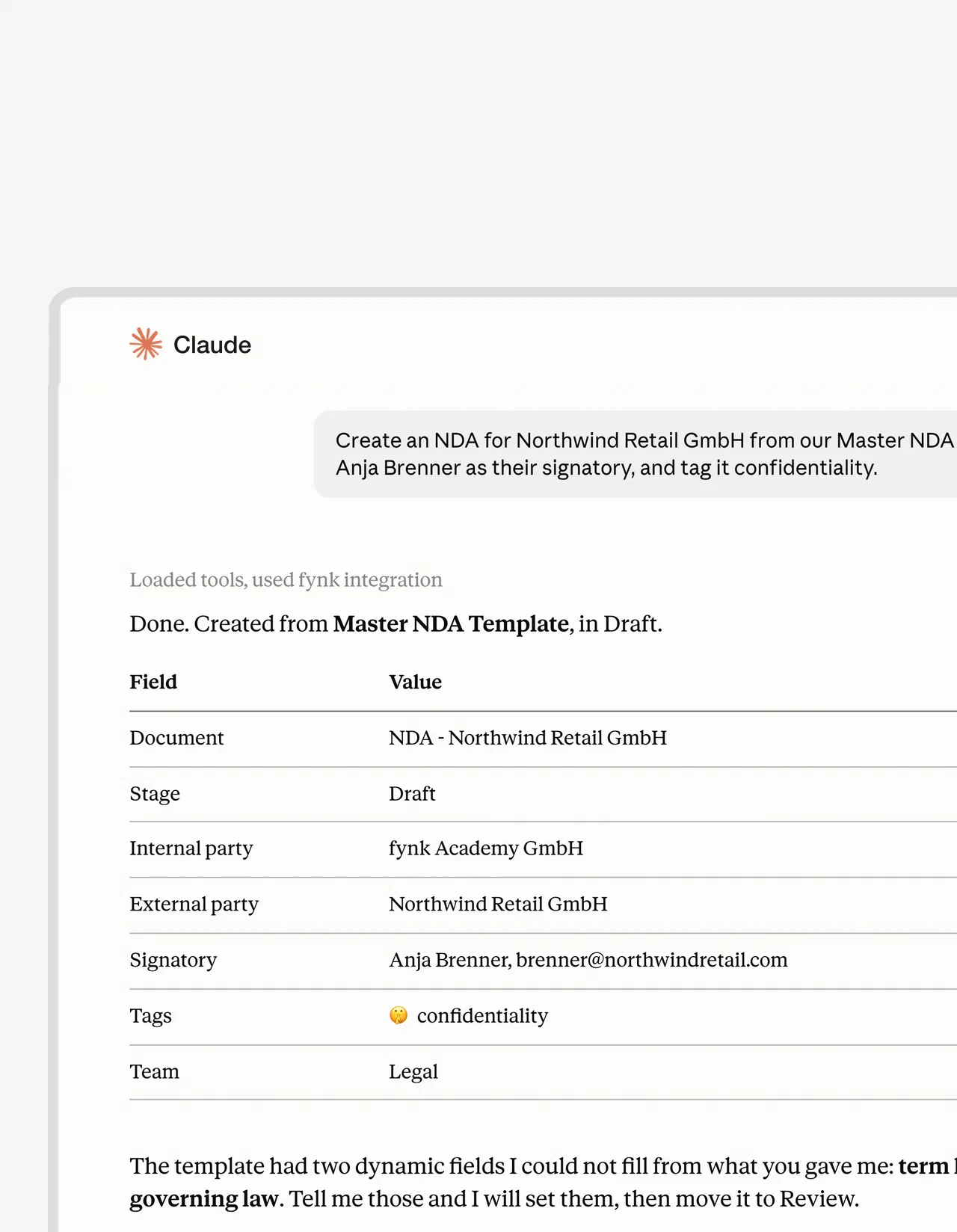
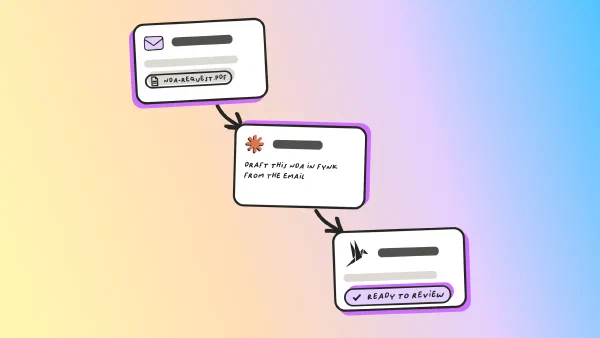
The call ends. The NDA is already out for signature.
The deal momentum fades the minute the call ends. Paste your notes or the email thread into Claude and ask for the agreement. It comes back built from your approved template, filled in, with the signer added and on its way.
Claude works on the same contract management platform your team uses in the browser. Anything it creates is a normal fynk document, ready for the next person to pick up.
"I was looking to create similar contracts regularly. I wanted to use dynamic fields since contract details vary, and I also wanted to have the contracts signed immediately. Everything works very well with fynk."
Jan Managing Director at Digital Affin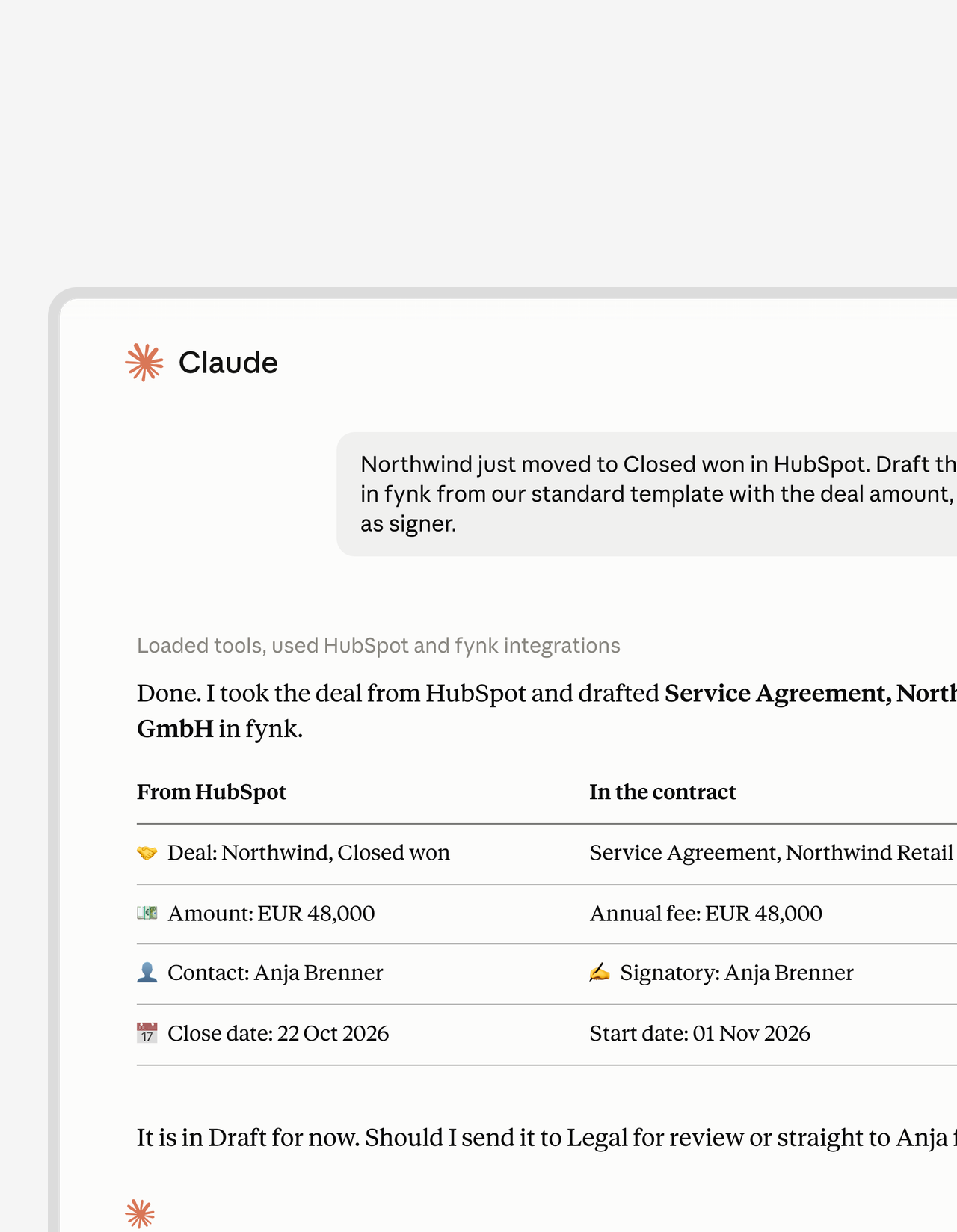 All your tools, one chatGet a demo
Your CRM, your inbox and your contracts in one conversation.
Claude connects to more than fynk. Pull the deal from your CRM, check a creator’s rights before a paid campaign, or match an invoice from your spend tool to the contract behind it. One chat does the work that used to need three tabs and a spreadsheet."The advantage of the MCP is that we have different systems all connected to Claude. That means I can use Claude as my single point of contact, and from there access my project management system, my CRM, my contract management system. I only use Claude, and I don't even have to go into fynk, Asana, or Pipedrive."
 Ariste Baumberger CEO at Honegger



Use cases
Watch it work in Claude.
Short walkthroughs of real contract jobs, done from a Claude chat.
Add the fynk MCP connector to the Claude you already use.
Pick your app. Every one of them gets the same contract tools and signs in with your fynk account.

Claude on the web
Open fynk in the directory, click Connect and sign in.

Claude Code
Paste this into your terminal or VS Code.
Claude Desktop
Connect once on claude.ai and fynk is in the desktop app too.

 Ask the contractLearn more
Questions about a contract, answered from the contract.
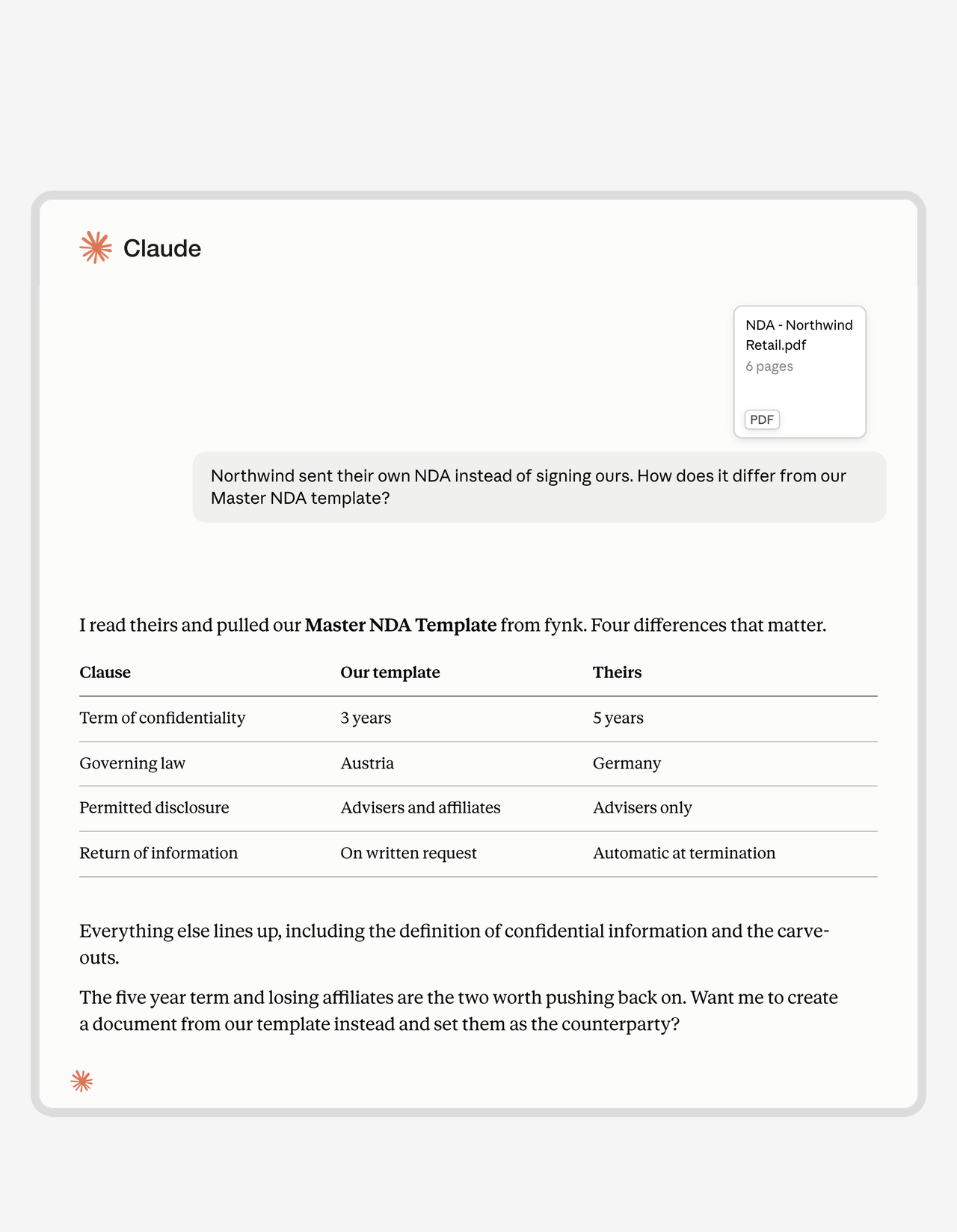
What’s the notice period? Who carries liability? Is there an exclusivity clause? Ask Claude and get the answer from the signed contract, not from someone’s memory of it. It also reads a counterparty’s draft against your own template and shows you what they changed.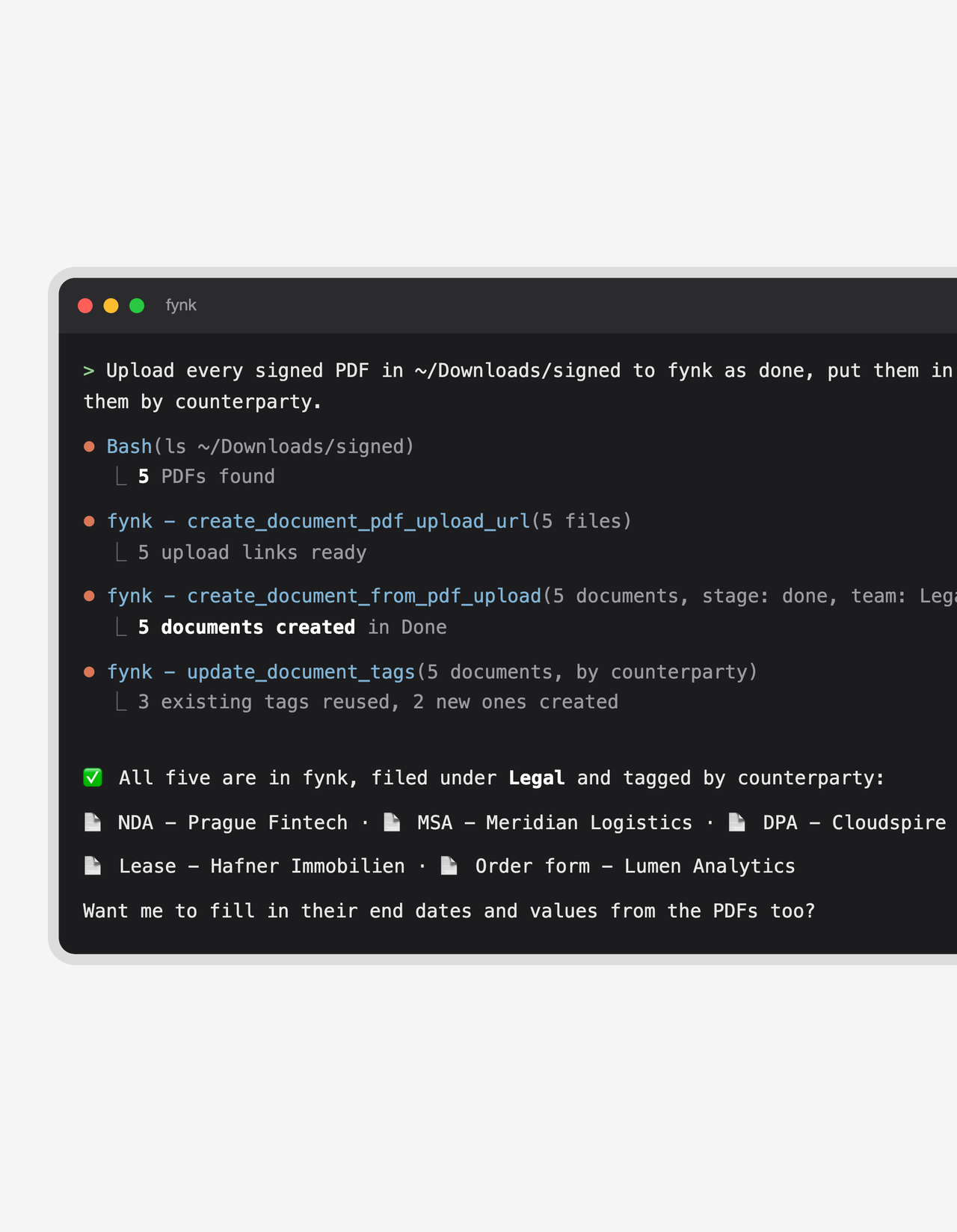 FilingLearn more
Incoming contracts land in fynk, not in your downloads folder.
A signed PDF from an email, a contract from your spend tool, a stack from a shared drive. Hand them to Claude and each one becomes a proper fynk document, named and assigned to the right team. Nobody has to remember to upload anything."Before, contracts were stored across many Google Drive folders and everyone handled them differently."
 Lucas F. Jamnig Lead Counsel, fiskaly
 Renewal checkLearn more
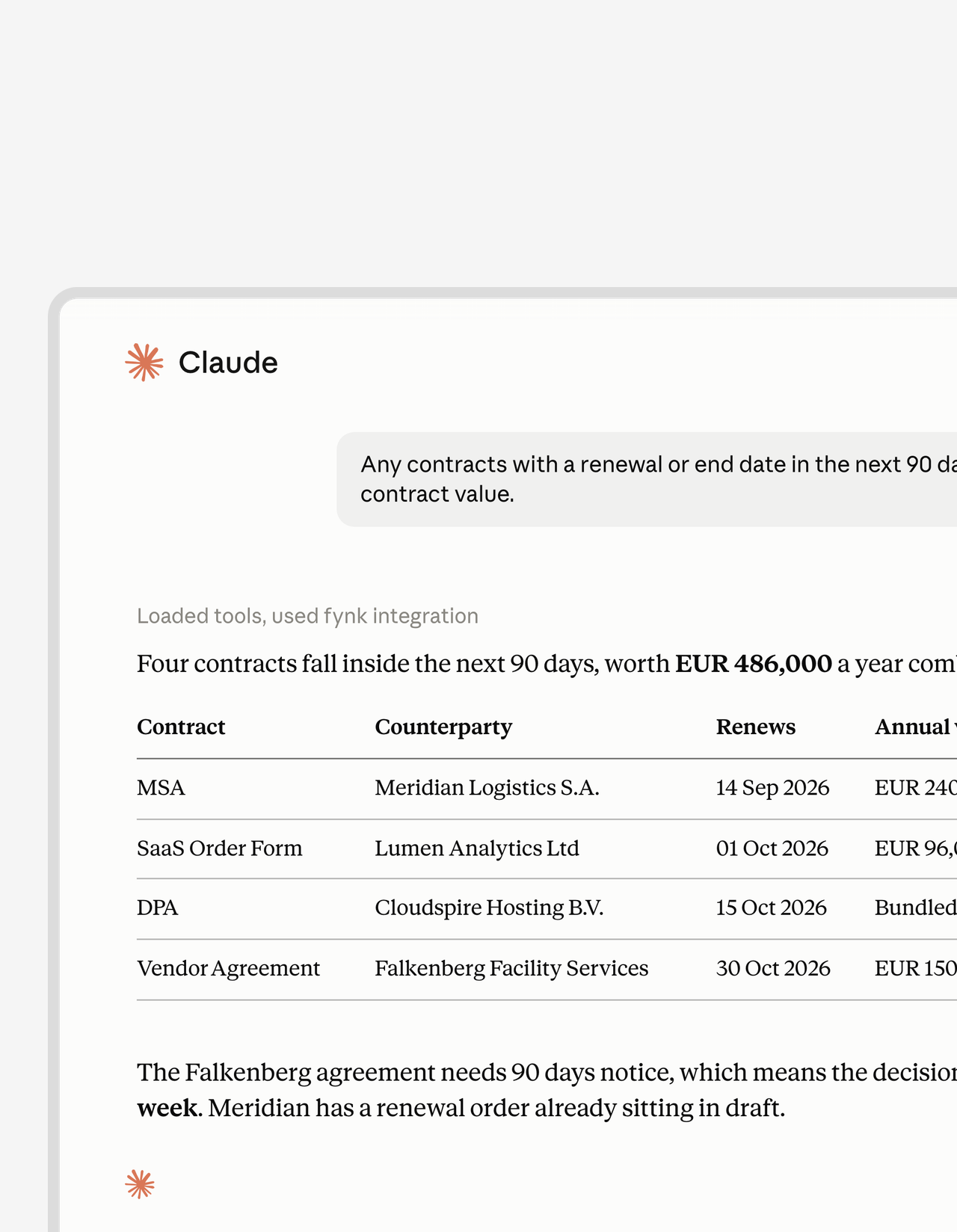
Ask what renews next quarter. Get dates, not PDFs.
Auto-renewals love a busy quarter. Ask which contracts end, renew or hit a notice date soon, and the list comes with periods and values attached. Loan maturities, usage periods and exclusivity windows work the same way."We lost money because we missed termination deadlines. That was the moment we knew our old approach had to change."
 Elisa Prößdorf Legal Solutions Manager at Unite
 Side by sideLearn more
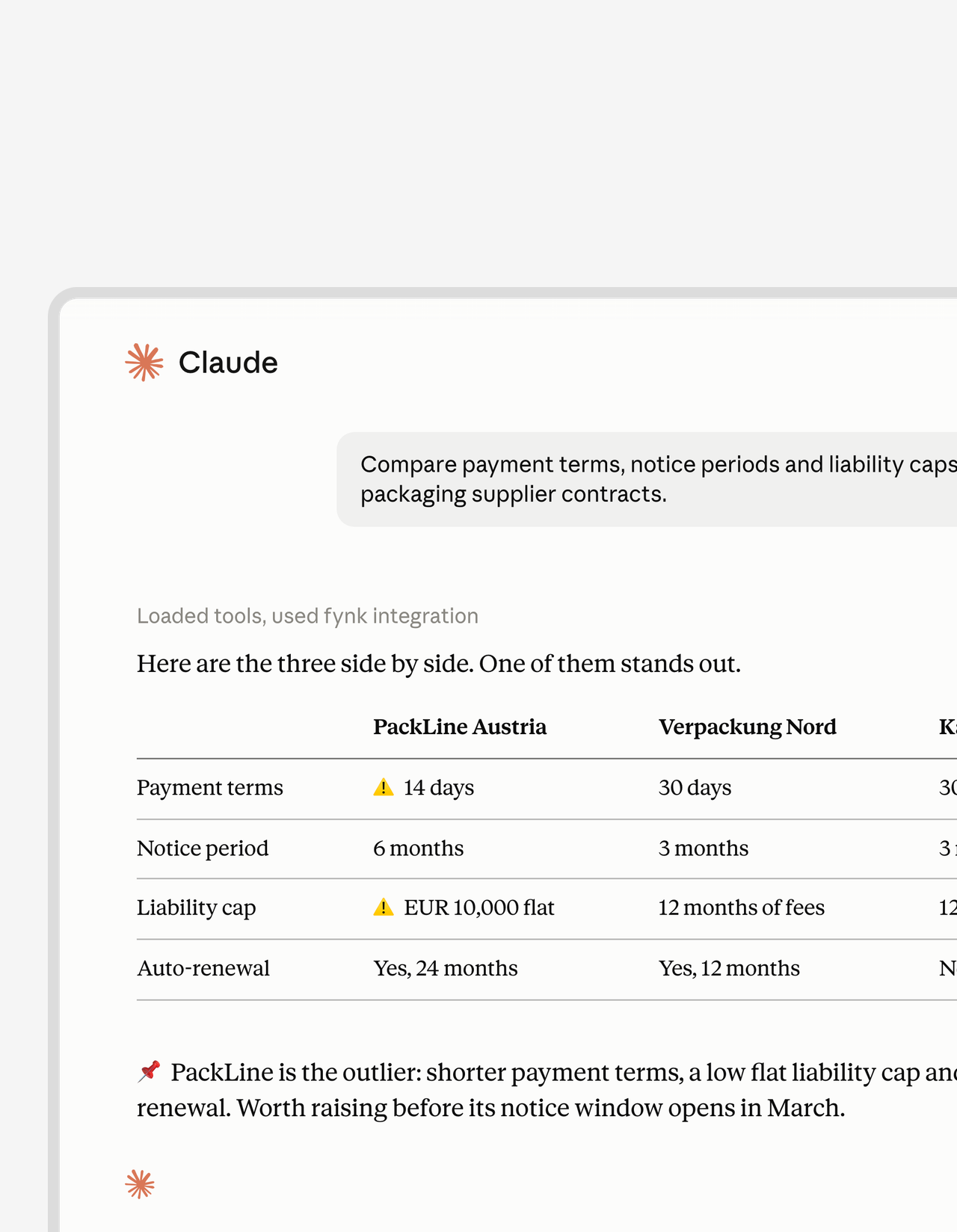
Compare contracts without opening them one by one.
Three supplier agreements, three different payment terms, and a meeting in ten minutes. Ask Claude to put them side by side. You get one table with the terms that differ, ready to paste into your notes.FEATURES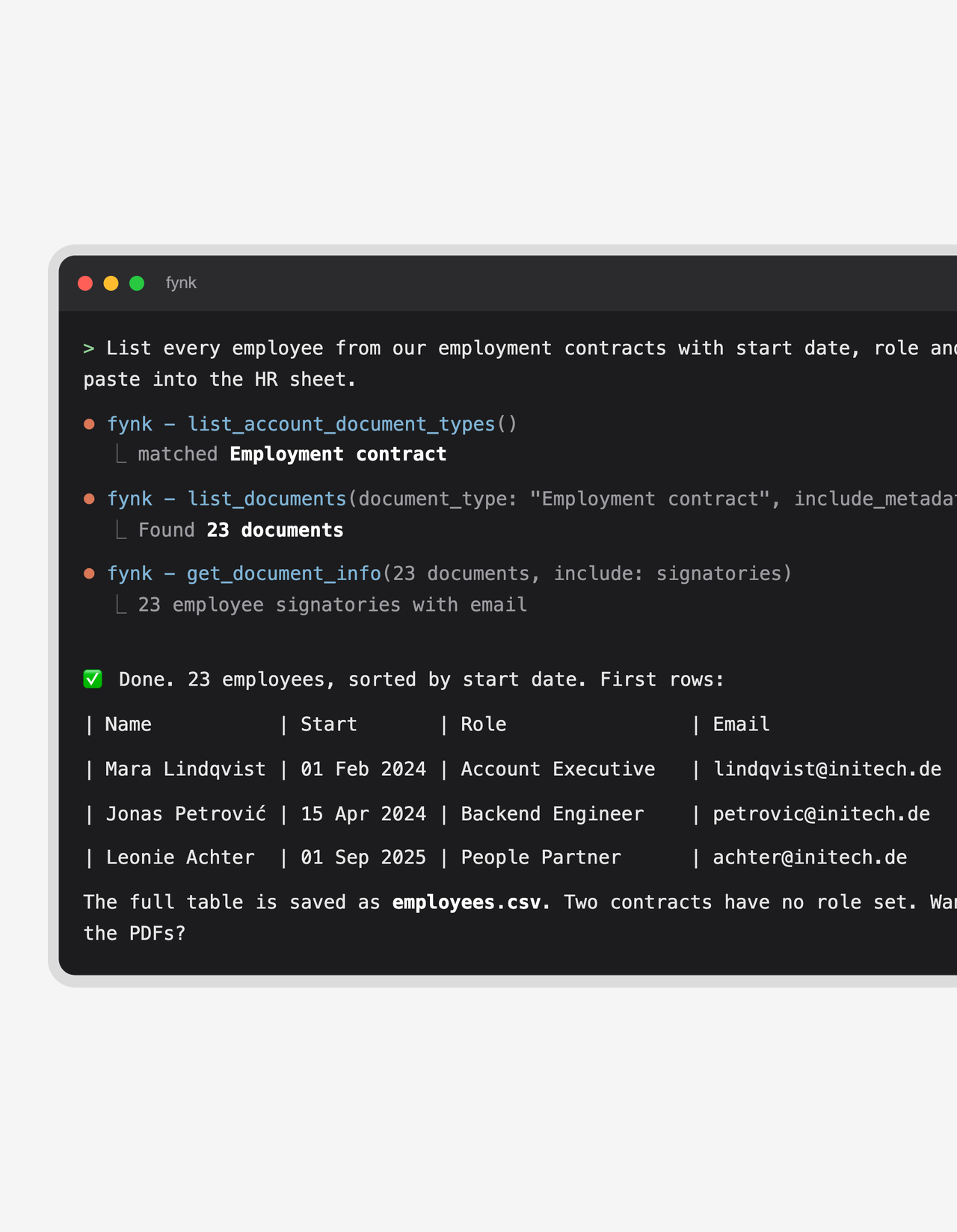 Pull a tableStart free trial
Turn a pile of contracts into one clean table.
Every employee with their start date and email. Every multi-year proposal and whether it’s signed. Ask for the columns you need and Claude builds the table from your contracts, ready for a spreadsheet or the next message."Having a clear overview of which contracts are signed, pending, or still running makes contract management much easier."
 Alina Heiner Founder and Director at maven


Open to Claude. Closed to everyone else.
It carries your permissions, it can be switched off in one place, and nothing happens quietly.
Your permissions, nothing more.
No separate permission set. Demote someone to viewer in fynk and their Claude is a viewer the same second.
No keys to rotate.
OAuth handles the sign-in. No API key, client secret or header ever changes hands.
Owners decide who connects.
Turn the connection off for the whole account, or pull a single one. Admins get an email whenever someone connects a new AI tool.
Every action on record.
What Claude does lands in the same audit trail as work done by hand, under the name of whoever connected it.
Nothing to install.
No plugin to deploy and no infrastructure to run. IT doesn't need a ticket to get you started.
Idle connections expire.
A connection nobody uses for three months shuts itself off. Forgotten access doesn't linger.
Set up the Claude MCP connector in about a minute
You start in Claude and finish with your normal fynk login
- Step 1
In Claude, open Customize > Connectors and add fynk from the directory. Or choose Add custom connector and paste
https://app.fynk.com/mcp. - Step 2
Click Connect and approve the request with your fynk login. Check that the address on the approval page belongs to Claude before you confirm.
- Step 3
Ask for something. “Which of my contracts are waiting for a signature?” is a good first question. The full walkthrough is in the setup guide.
What the Claude MCP connector can do in fynk
Claude works with the same records your team sees in the app: real stages, real metadata fields, real templates. That is why the answers are exact rather than a best guess over a pile of PDFs.
Contracts
| What you can ask for | |
|---|---|
| Find and read | Search and filter the whole portfolio, open any contract, download the latest signed PDF. |
| Create | From one of your templates, from scratch, or from a PDF you hand over in the chat. |
| Fill in | Dynamic fields, metadata values, parties and signatories. |
| Move it along | Into review, into signing, or done. |
| Organize | Tags, teams and document types, one contract or a hundred at a time. |
Example: “Create an NDA for Acme GmbH from our standard template, starting today, with Max Mustermann as signatory, and send it for signature.” One message, one contract in signing.
Templates
| What you can ask for | |
|---|---|
| Build | Turn an existing agreement into a reusable template, or start a new one. |
| Shape | Add dynamic fields, parties and signature blocks. |
| Check | See which templates exist, which are published, and what each one expects. |
Prompts to try
Copy one of these into Claude once the connector is on. Each one works on your own contracts.
- 🧹 “Rename every scanned file in fynk and archive the contracts that ended last year.”
- 📄 “Read the contracts uploaded this week and fill in their start date, end date and value.”
- 🔎 “Which contracts tagged Marketing end this year, and what are they worth?”
- ✍️ “Create an NDA for Acme GmbH from our standard template and send it to their CEO.”
- 📅 “What renews in the next 90 days, and when does each notice period close?”
What stays in fynk on purpose
Claude can start a signature run, but it can’t sign for anyone: every signer still signs in person. It can read approval checkpoints and name the approver, but a human makes the call. fynk’s own AI review, AI draft and AI search run inside the app, and conditional logic in templates is still set up in the editor.
Claude is just the start.
fynk also connects to the CRM, chat and storage tools your team already uses.








More product features to explore.
Draft.
Create contracts from proven templates. Fast, consistent, and ready to send.
Boost.
AI reviews, summarizes, and explains your contracts so you never miss what matters.
Sign.
Send contracts for legally binding e-signatures, tracked from sent to signed.
Insights.
See the full picture of your contracts with dashboards, search, and smart alerts.

Claude gets your contracts. You keep control of them.

European by design.
Designed and developed in Austria. Your contracts are hosted in ISO 27001-certified data centers in the EU, under European law.

Security at the core
Encryption in transit and at rest, and secure engineering standards across a continuously monitored infrastructure.

Your role, nothing more
The connection carries the permissions of whoever approved it. One setting switches it off for the whole account.

GDPR, fully embedded
Fully compliant with European data protection regulations, supported by regular audits and external penetration testing.
Trusted by companies worldwide



Frequently asked questions.
It connects Claude to your fynk account through MCP, the open standard Claude uses to work with other tools. Once it's connected, Claude can find, create, update and organize your contracts and start signing, all from the chat and within your own fynk permissions.
Open Customize, then Connectors, in Claude and add fynk from the directory. You can also add a custom connector with the address https://app.fynk.com/mcp. Click Connect, approve the request with your fynk login, and Claude can start working with your contracts.
On the fynk side, the connection is included in Essential, Business and Pro, and in the free trial. On the Claude side, you need a plan that lets you use connectors. In Team and Enterprise organizations, a Claude owner usually has to enable the connector before members can use it.
Yes. The connector is the Claude-friendly way to reach the fynk MCP server. The same server also works with ChatGPT, Cursor, VS Code and other AI tools, so a team can mix tools without losing anything.
fynk doesn't charge extra for it. The connector is included in Essential, Business and Pro and in the free trial, with no cap on use. On the Claude side, connectors are part of Claude's plans; the free plan allows fewer of them than the paid ones.
MCP is made for AI tools: you ask in plain language and Claude picks the right actions. The fynk API is made for developers who build a fixed integration in code. They are independent, so you can use either one or both.
Only if the person who connected it can. Claude acts as that user and inherits their role and document access in fynk. Anything outside their permissions is refused.
Yes. Connectors you add on claude.ai are available in the desktop app as well. For Claude Code, run one command in the terminal, then authenticate with /mcp. The approval page shows a localhost address, which is expected.
Your contracts stay hosted on fynk’s EU infrastructure. What Claude pulls into a chat is then processed by Anthropic under their terms. If you need EU residency all the way through, use the fynk assistant inside the app. Our privacy notice for MCP integrations has the details.
It can't sign on anyone's behalf, approve a checkpoint, run a playbook or set up conditional logic in a template. fynk's own AI review, AI draft and AI search also stay in the app. Everything else in the contract lifecycle, from template to signing run, is in reach.
Still have questions?


Take control of your agreements. Move your business forward.
Run agreements the way they should run: fast, clear, and on your terms.
No setup headaches
Go live in days, not quarters
No lock-in
Full export anytime
No hidden fees
Signatures included, no envelope fee