
Every related file. Right where the contract is.
Annexes, exhibits, supporting materials, and linked agreements all live in one place. Add attachments, store files internally, or link two agreements together. No more hunting through email.









Stop searching for exhibit A.
Add any document that belongs with a contract and fynk keeps it there. No scattered folders. No missing exhibits.
 AttachmentsGet a demo
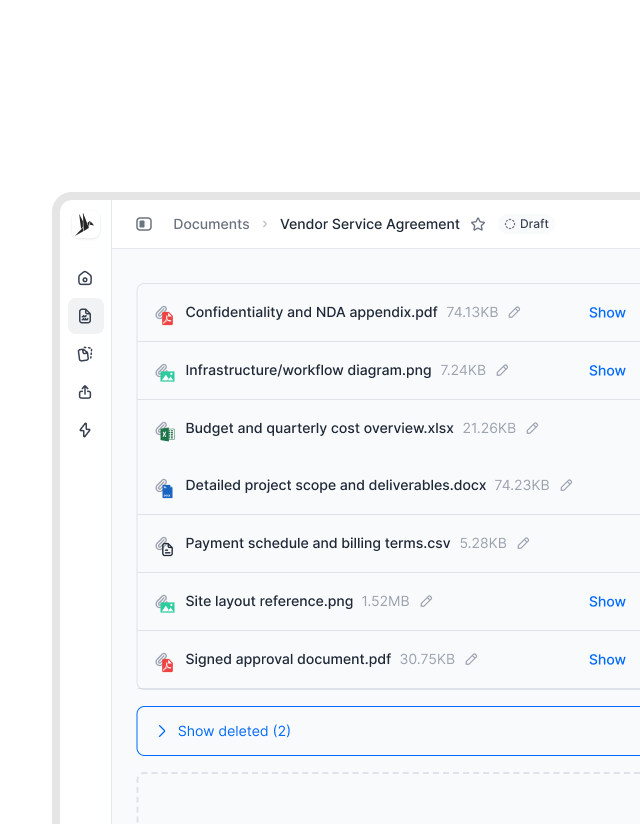
Exhibits and schedules. Right where they belong.
Your agreement has exhibits and schedules as separate files? No problem. In fynk, all attachments are saved along with the main agreement. They all sit alongside the main agreement, accessible with one click."Before fynk, contract storage was completely decentralized. Each department managed contracts independently with no real system. There was a big lack of transparency. Files were missing or duplicated, and important termination deadlines were often missed."
 Elisa Prößdorf Legal Solutions Manager of Unite
 Linked documentsGet a demo
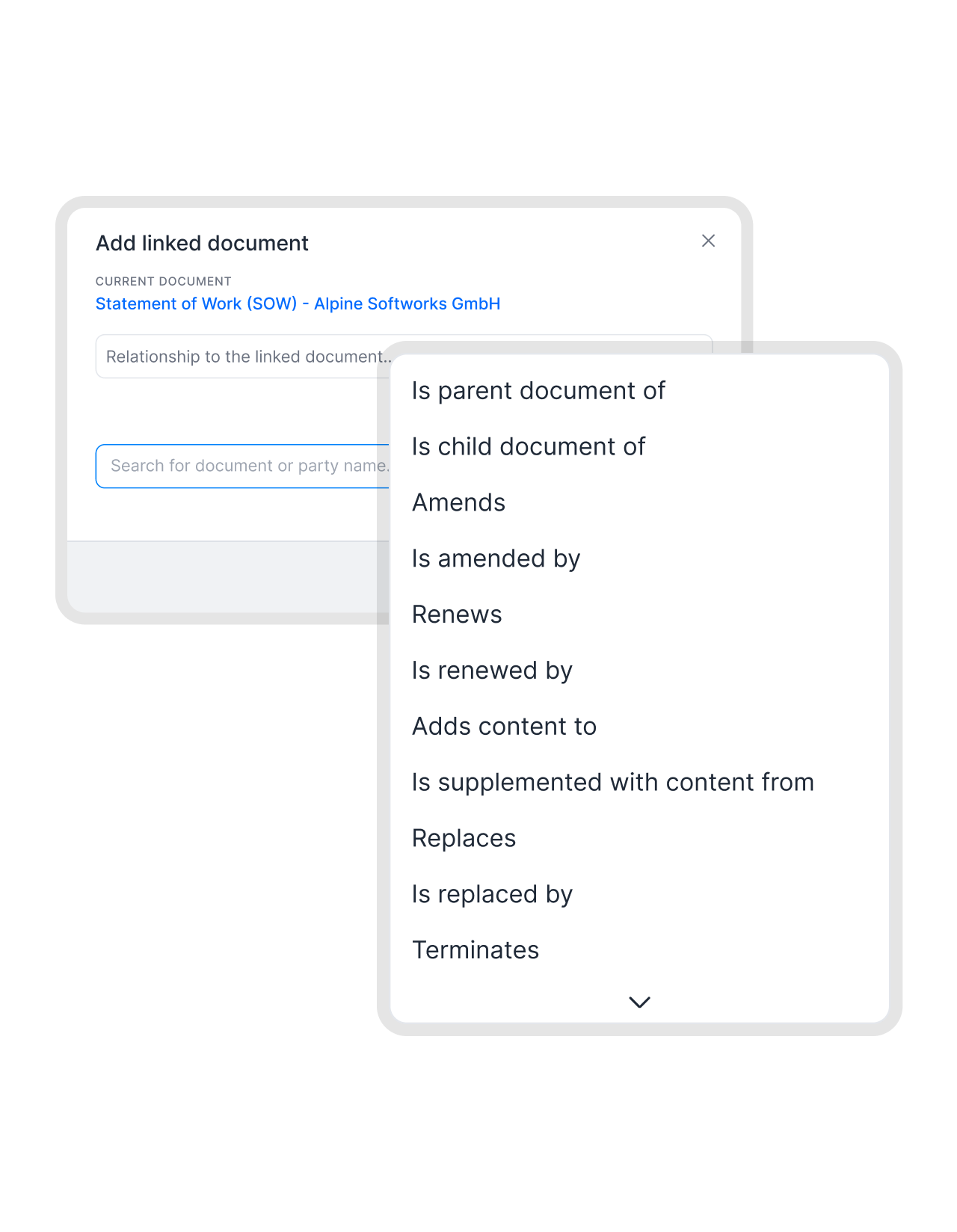
Contracts that belong together. Linked.
A master service agreement governs dozens of statements of work. A framework contract underpins multiple purchase orders. fynk lets you link related agreements so the connections are visible and navigable. Move from the parent contract to any linked document and back. The full picture, not a collection of isolated files."What's really important for us is having one single source of truth for contracts. We don't have time to look into every detail, so we need to get the key data very fast. The customizable dashboards in fynk let us adapt to our needs so that everybody who looks into contracts gets the key metrics out really, really fast."
 Lucas F. Jamnig Lead Counsel at fiskaly
 Built to handle complexityGet a demo
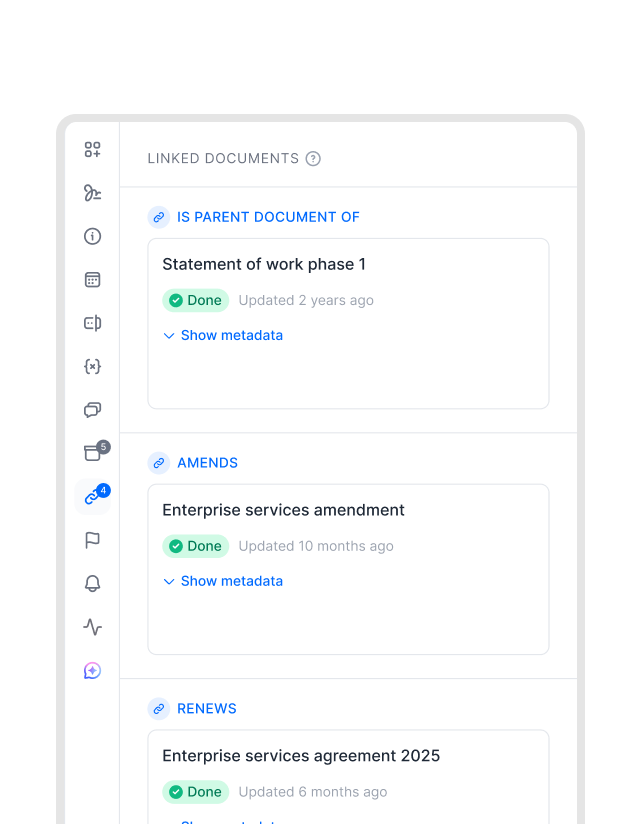
Even the biggest agreements stay organized.
Complex agreements come with extensive documentation. Statements of work, price lists, technical specifications, amendment letters. fynk supports hundreds of attachments per contract, so even the most document-heavy deal stays organized in one place. Everyone working on the agreement sees the same complete set of files. The whole picture, without asking for it.FEATURES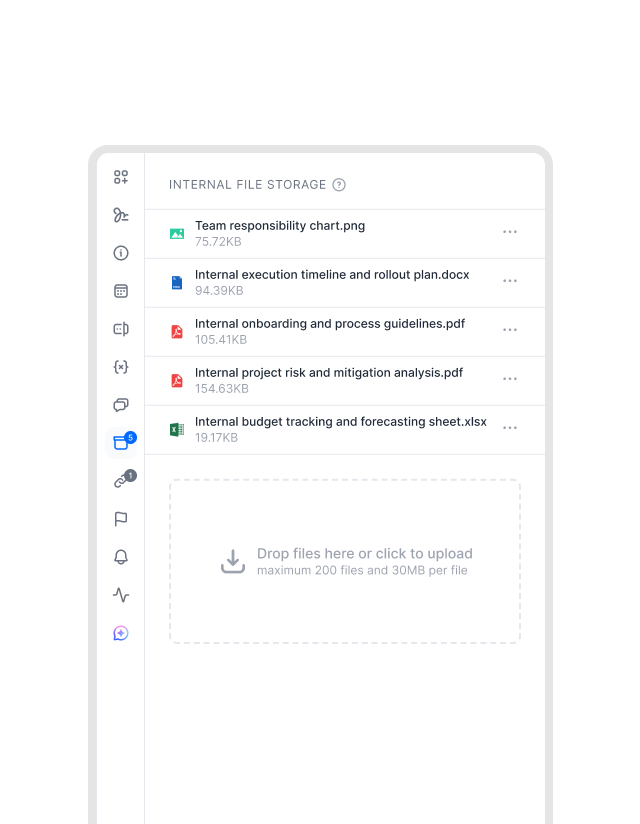 Internal file storageGet a demo
Everything you need to work smoothly.
Need to include a file related to your document, but it’s not exactly an attachment? Save them as internal files and they won’t appear as attachments. Anything that helps you or your team work faster.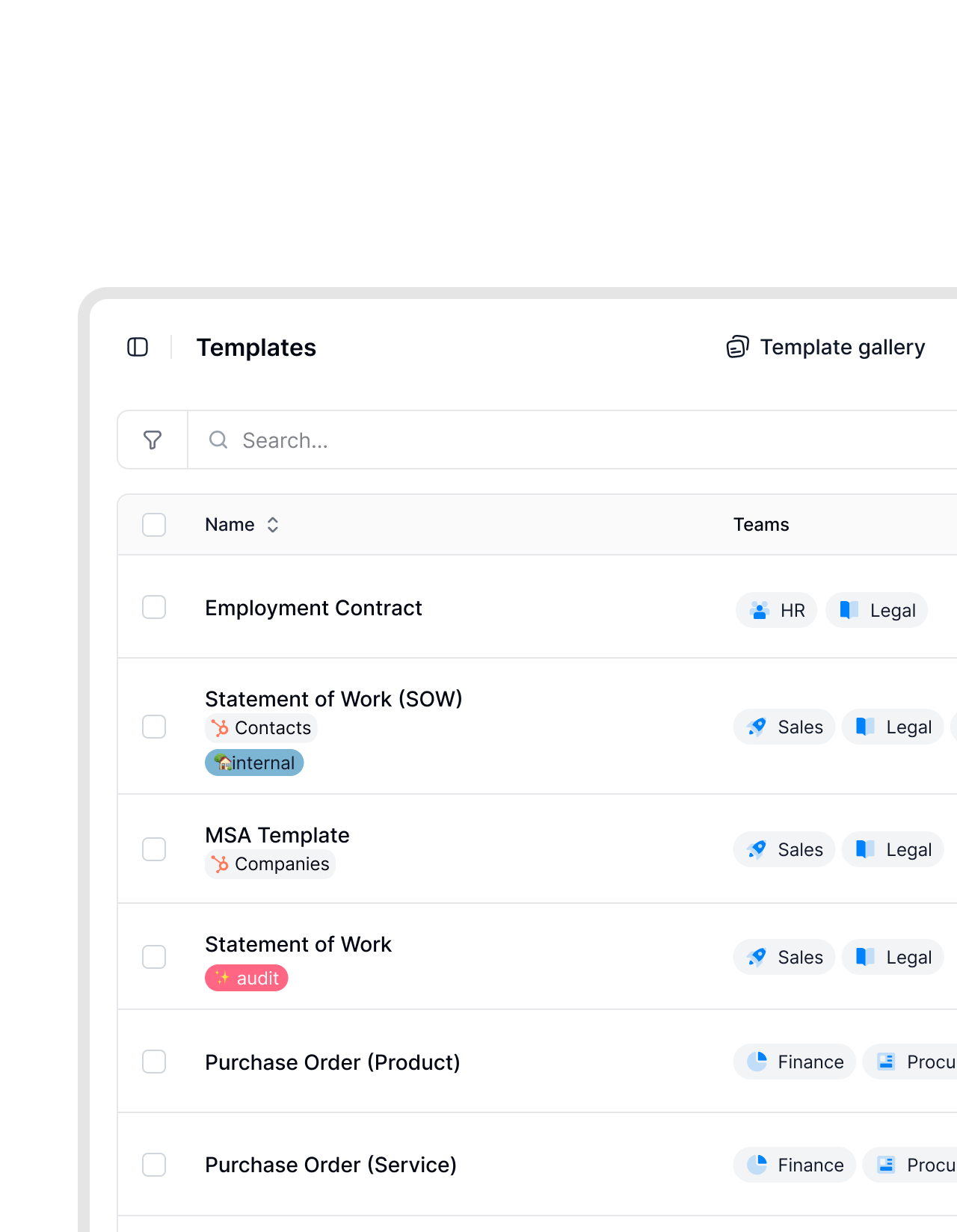 Ready from the startSee templates
Upload attachments only once, keep them forever.
Some documents belong with every contract of a certain type. A service agreement always needs the general terms. An NDA might need the data processing addendum every time. Upload the attachments once in the template and every new contract includes them from the start. No manual uploads. No forgetting.


Upload a contract. AI reads every clause.
Add any document to fynk and AI extracts the key information. Your team has the full picture in minutes, including all attached supporting files.
 Controlled accessSee access management
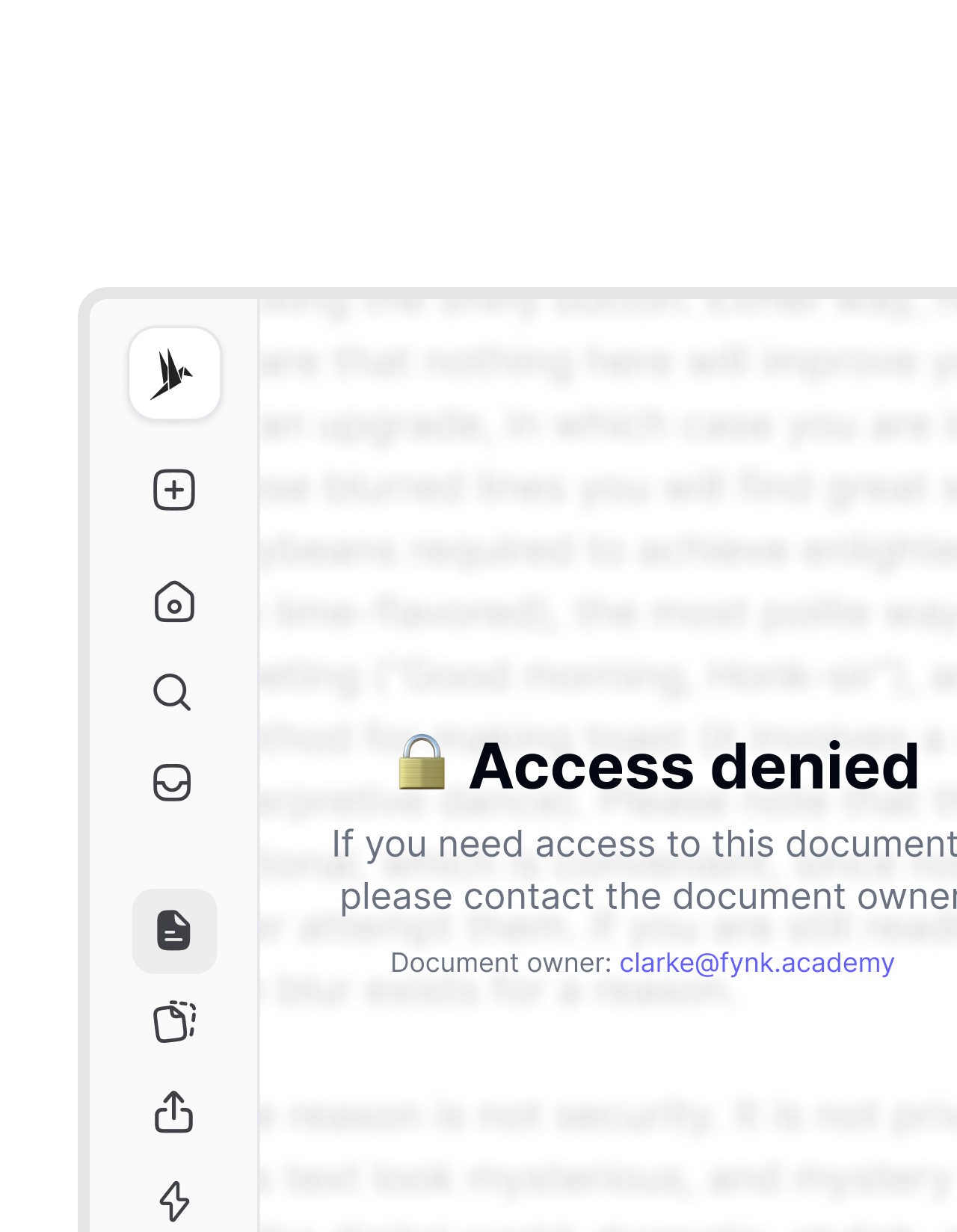
Sensitive files stay private.
Not every attachment is meant for every reader. Confidential pricing, internal legal advice, or financial appendices. fynk applies the same access rules to attachments as it does to the contract itself. People see what they’re permitted to see. Access is consistent across the whole contract file, not just the main document.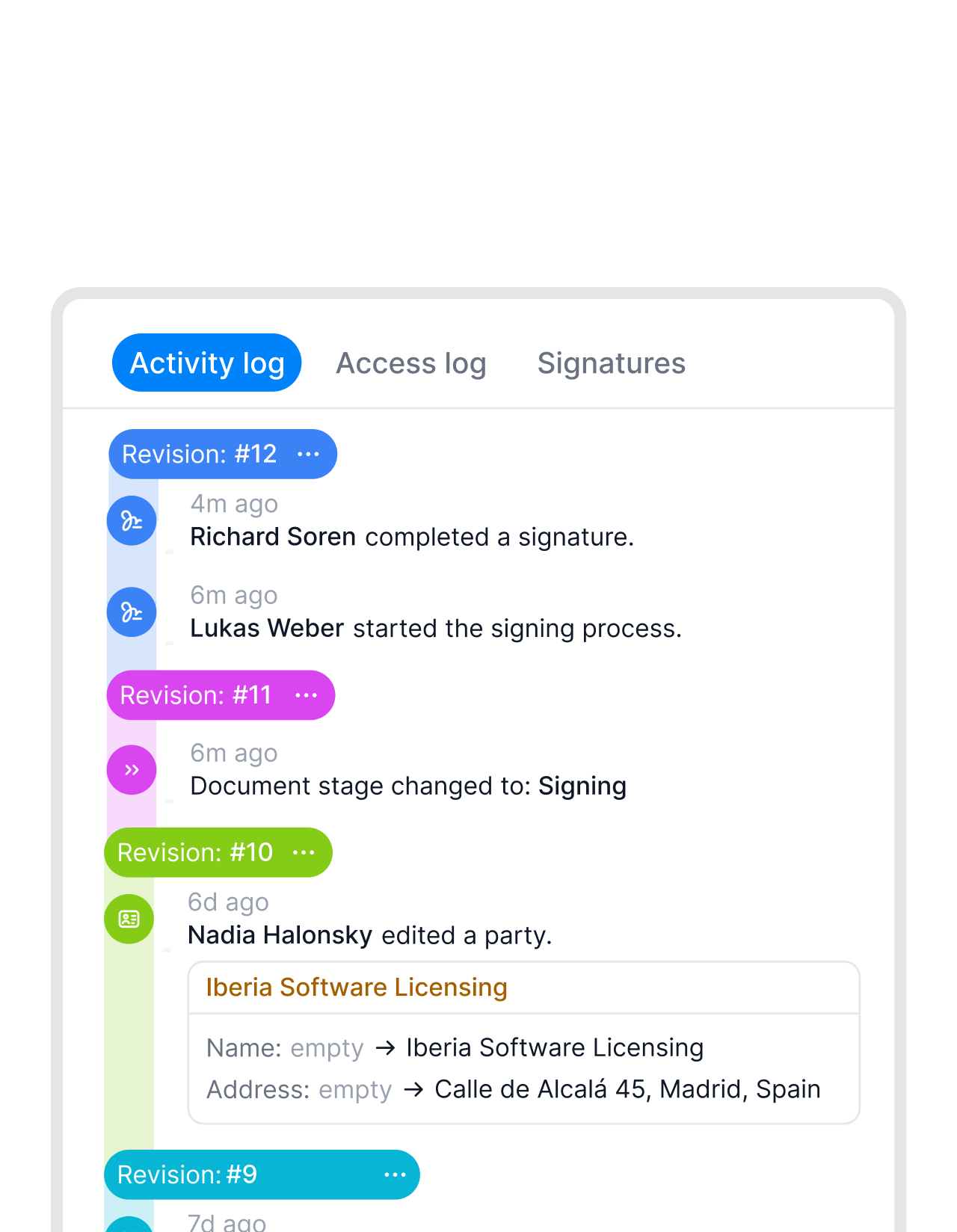 Audit readySee audit trail
Auditors need the full contract files? It's ready.
Audits mean producing not just the main contract but every related document. The annexes, the amendments, the technical schedules. In fynk, they are all attached and waiting. No searching, no assembling files from different locations. The complete contract file is always ready."We are always audit-ready. Every contract is stored in one place. Cross-department communication has improved. And we have gone completely paperless."
 Dr. Jörg Burkhardt Head of Sales & New Partnerships of 1. FC Nürnberg

"If we get contracts from others, I upload them into the system so that I have an overview of all contracts with all the expiry dates, exclusivity, everything."
Nothing gets left outside the contract.
Every file, every link, every related document. Organized, controlled, and ready the moment someone needs it.
Find any file fast.
All attachments are easy to access directly within the contract. When someone needs the original scope document, they find it in seconds.
Instant access for reviewers.
Legal, finance, or compliance teams get immediate access to the full document set. No waiting for files to be forwarded by email.
Any file type works.
PDFs, Word documents, spreadsheets, images. Attach any file format that belongs with the contract, without restrictions.
Nothing missing at signing.
Counterparties and reviewers see the full document set before signing. No back-and-forth asking for a missing exhibit or addendum.
Renewal docs, already attached.
Link renewal letters, rate cards, or termination notices to the main contract as child files. Never guess what file belongs to which agreement.
Clear chain of custody.
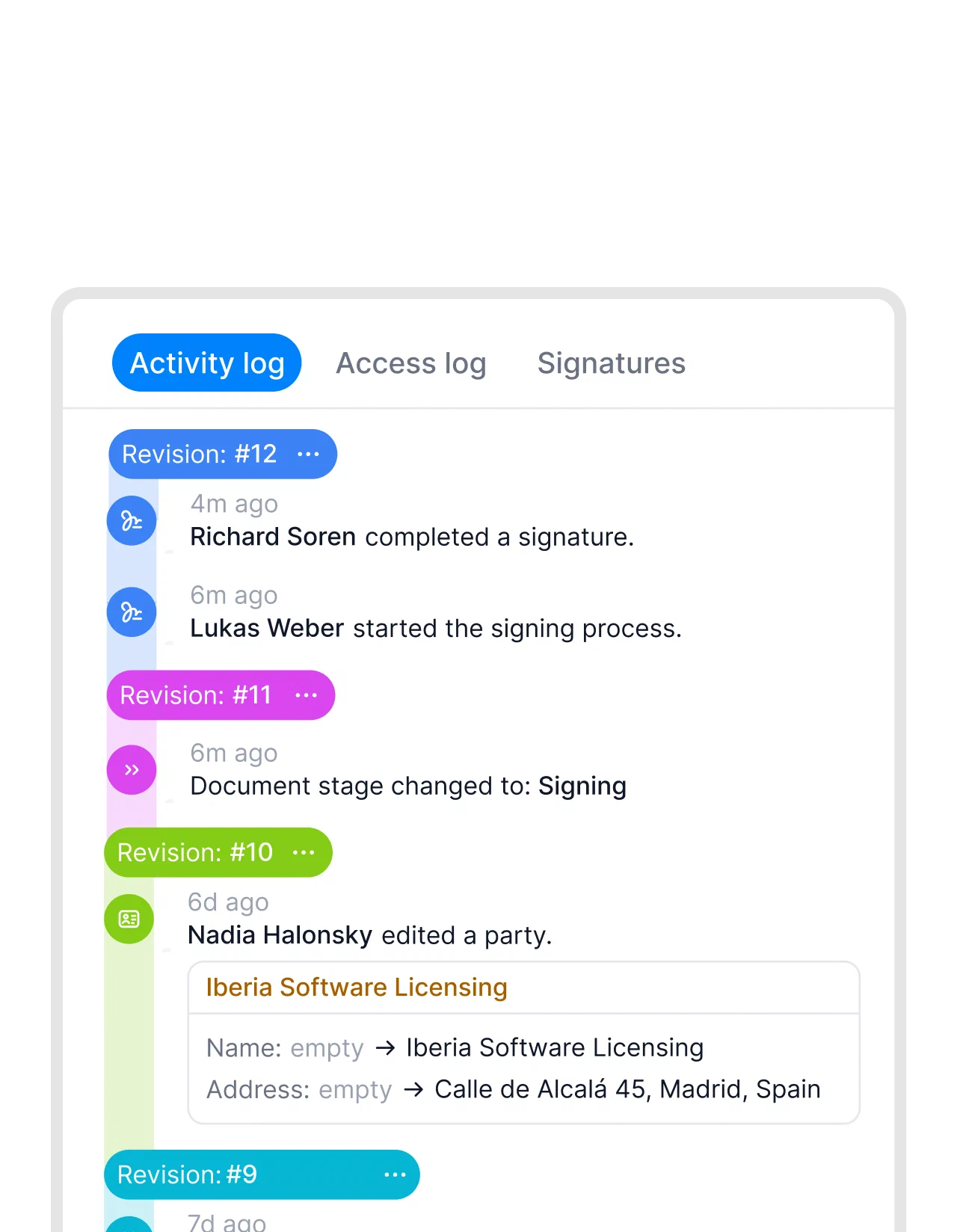
Every change to the attachment list is tracked. You always know what was attached, when it was added, and by whom.




More product features to explore.
Draft.
Create contracts from proven templates. Fast, consistent, and ready to send.
Boost.
AI reviews, summarizes, and explains your contracts so you never miss what matters.
Sign.
Send contracts for legally binding e-signatures, tracked from sent to signed.
Insights.
See the full picture of your contracts with dashboards, search, and smart alerts.
Frequently asked questions.
Attachments are any files you add directly to a contract in fynk. That includes annexes, exhibits, technical schedules, supporting documents, or any other file that belongs with the agreement. They are stored alongside the contract and accessible from the same workspace.
fynk supports up to 200 attachments per contract template. This covers even the most document-heavy agreements, including complex deals with multiple schedules, appendices, and supporting materials.
Yes. You can set up required attachments directly in a contract template. Every new contract created from that template will include those files automatically. This ensures consistent and complete contract packages without manual setup each time.
Internal file storage is for files that are useful for working on a contract but are not formal contract attachments. Think drafts, internal notes, reference documents, or working copies. These files are saved with the contract but are not visible as attachments to counterparties or signers. Use attachments for the official contract documents, and internal storage for everything else your team needs alongside them.
You can link any two contracts in fynk to establish a parent-child relationship or a cross-reference. A master service agreement can be linked to its statements of work, or a framework contract to its purchase orders. Once linked, you can navigate between related agreements directly from either document. The connections are visible and always up to date.
Attachments are formal files added to a contract, such as exhibits, schedules, and annexes. They are visible to anyone with access to the contract, including counterparties and signers. Internal files are for your team only — working documents, notes, or references that support the contract but are not part of it officially. Linked documents are separate contracts in fynk that are connected to each other, such as a master agreement and its child agreements. All three can coexist on the same contract.
Still have questions?


Complete contracts. Every time.
Every annex, exhibit, and linked agreement, all in one workspace. Nothing missing. Nothing to hunt down.