
All feedback. Right where the contract is.
No more scattered comments across Word, Slack, and email. Comment, reply, and resolve directly on the contract. Keep everyone aligned. Internally and externally.









Stop chasing feedback on 3 different tools.
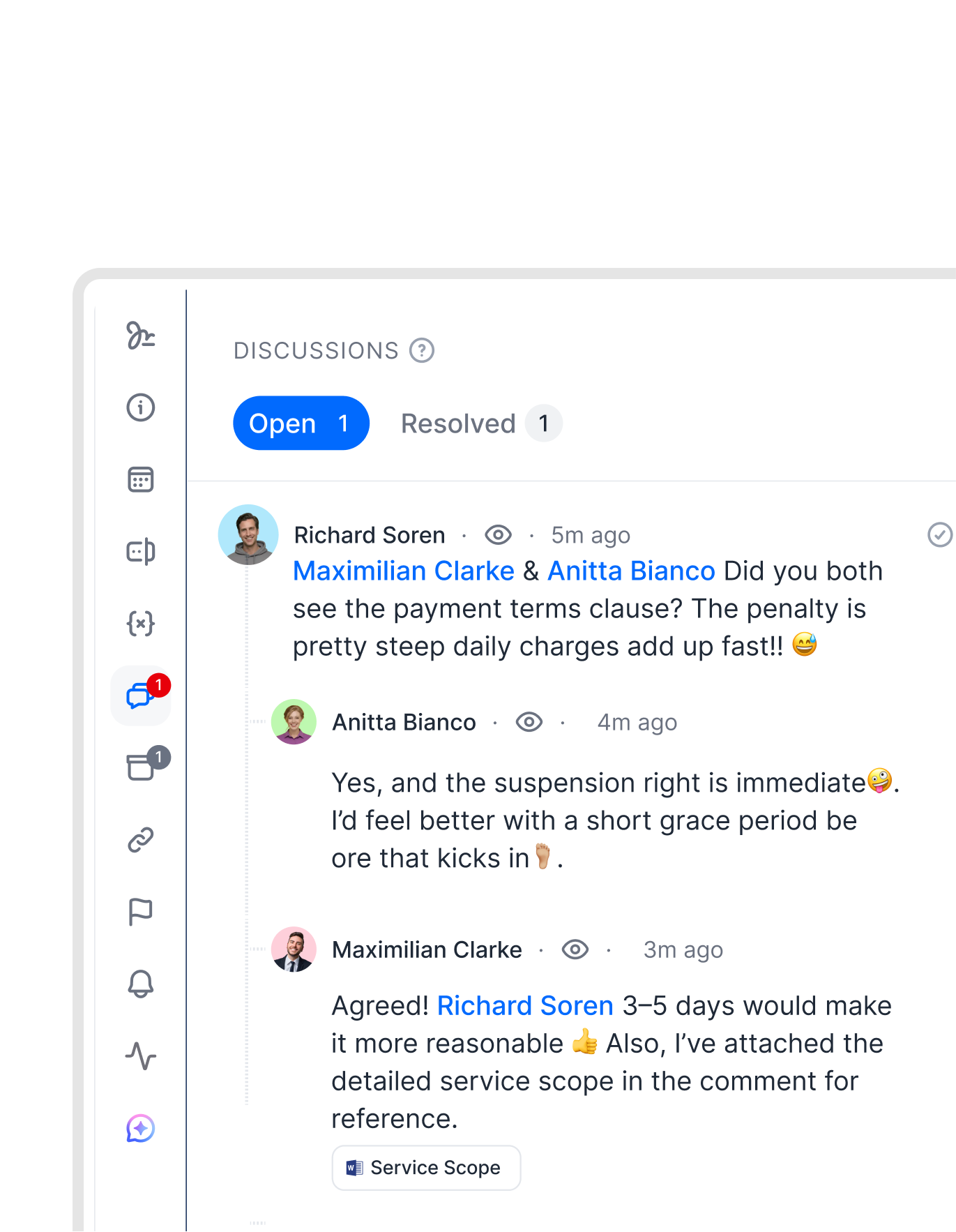
Comments live directly on the contract, tied to the exact text they refer to. Everything happens in one file.
 Internal commentsGet a demo
Your team's feedback, right where it belongs.
Leave a comment on any section and your team sees it in context. No forwarding, no screenshots, no “see my note in the email.” Reply, tag, and attach files directly to comments. Work together faster, all in one place."We invite the external party to the template, comment and sign in fynk, and storage is also in fynk. One single source of truth for contracting. That is something everybody will value a lot."
 Lucas F. Jamnig Lead Counsel at fiskaly
 External collaborationGet a demo
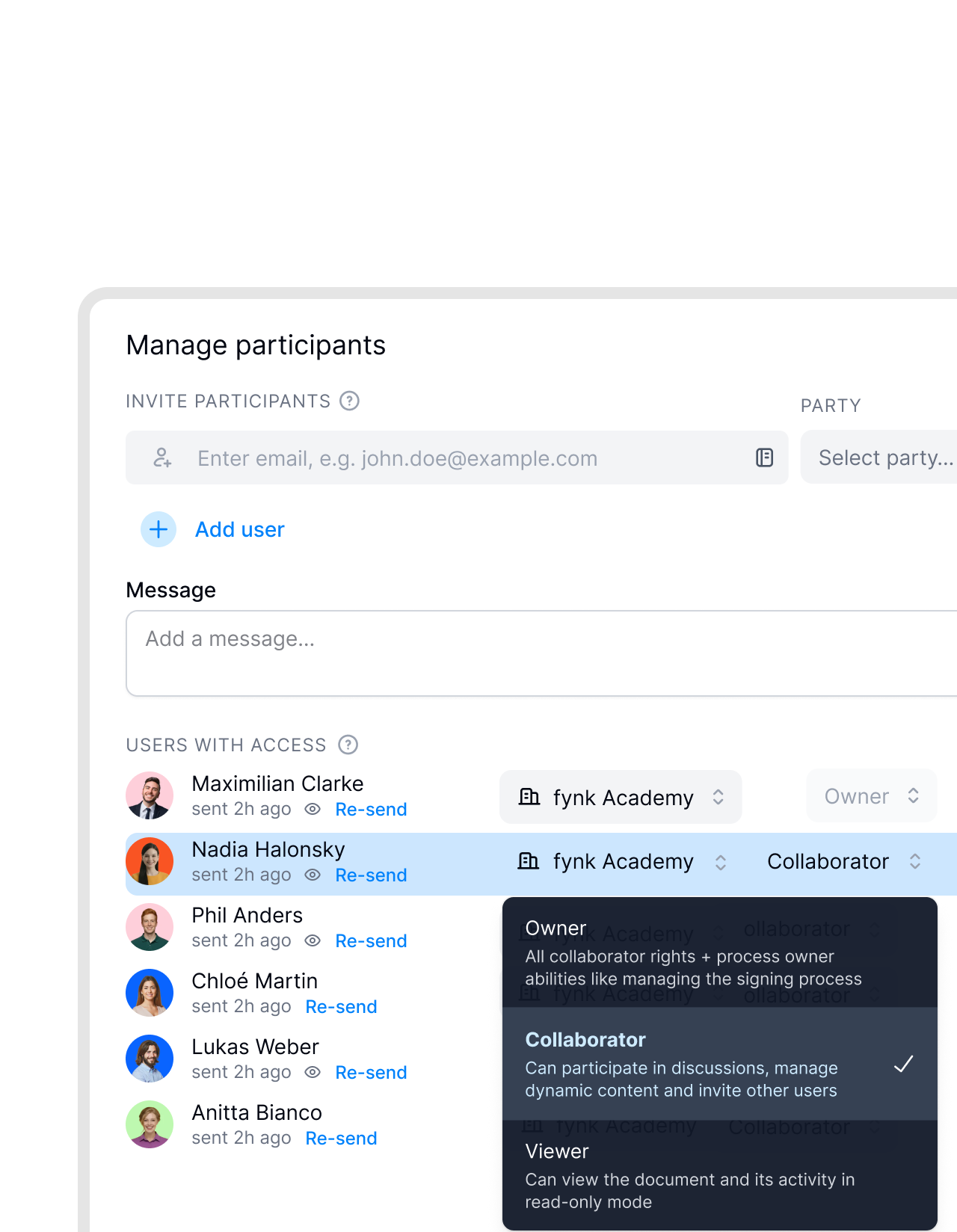
Clients and partners can comment. No account required.
Share a link and let clients and partners comment directly on the document. No sign-up. No installs. No version confusion.


 RedliningSee redlining
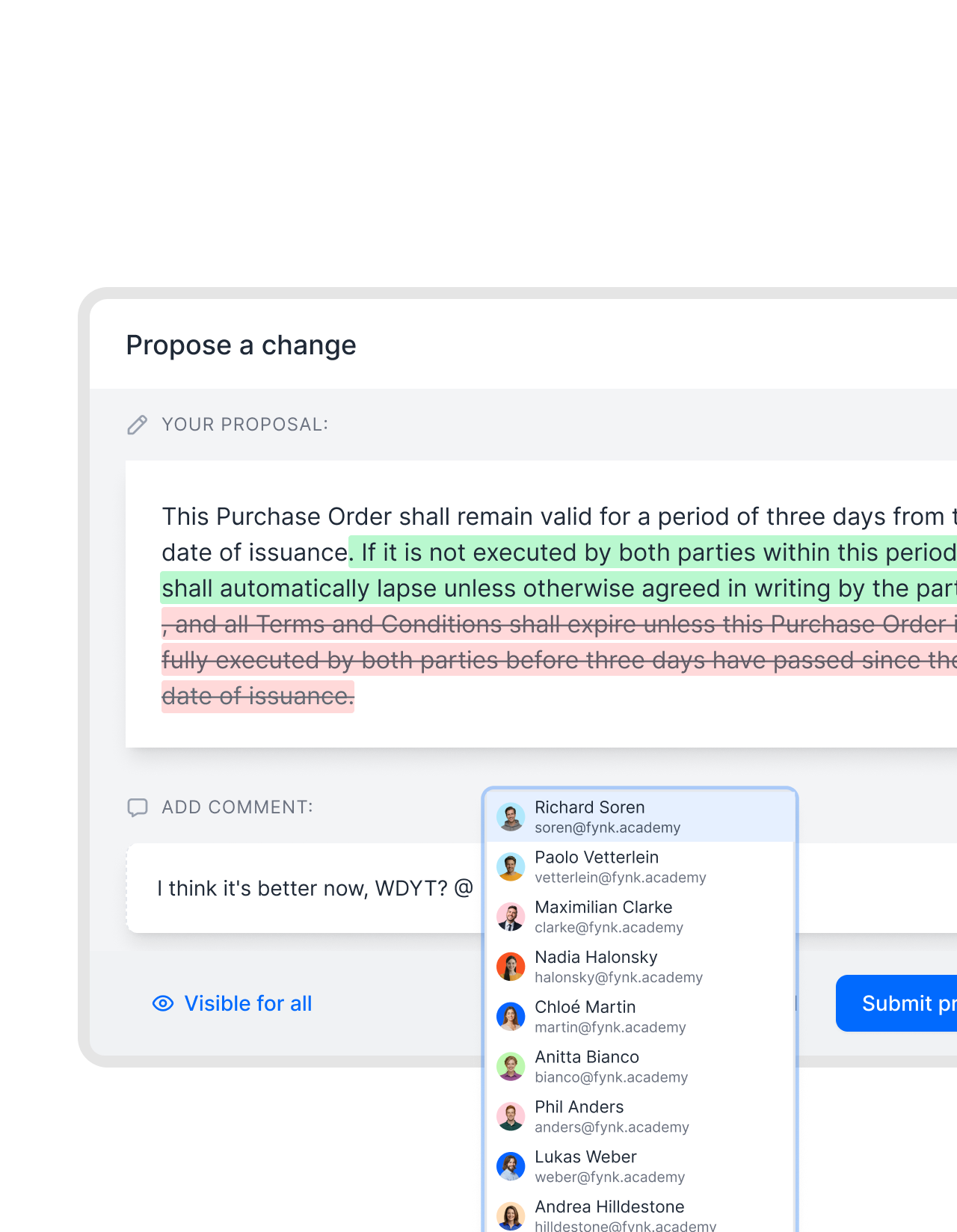
Propose a change. Right in the draft.
Need to suggest a change? Mark it up directly in the document, write your proposal, and add a comment if needed. Your colleague sees the changes side-by-side, and decides to approve or reject them.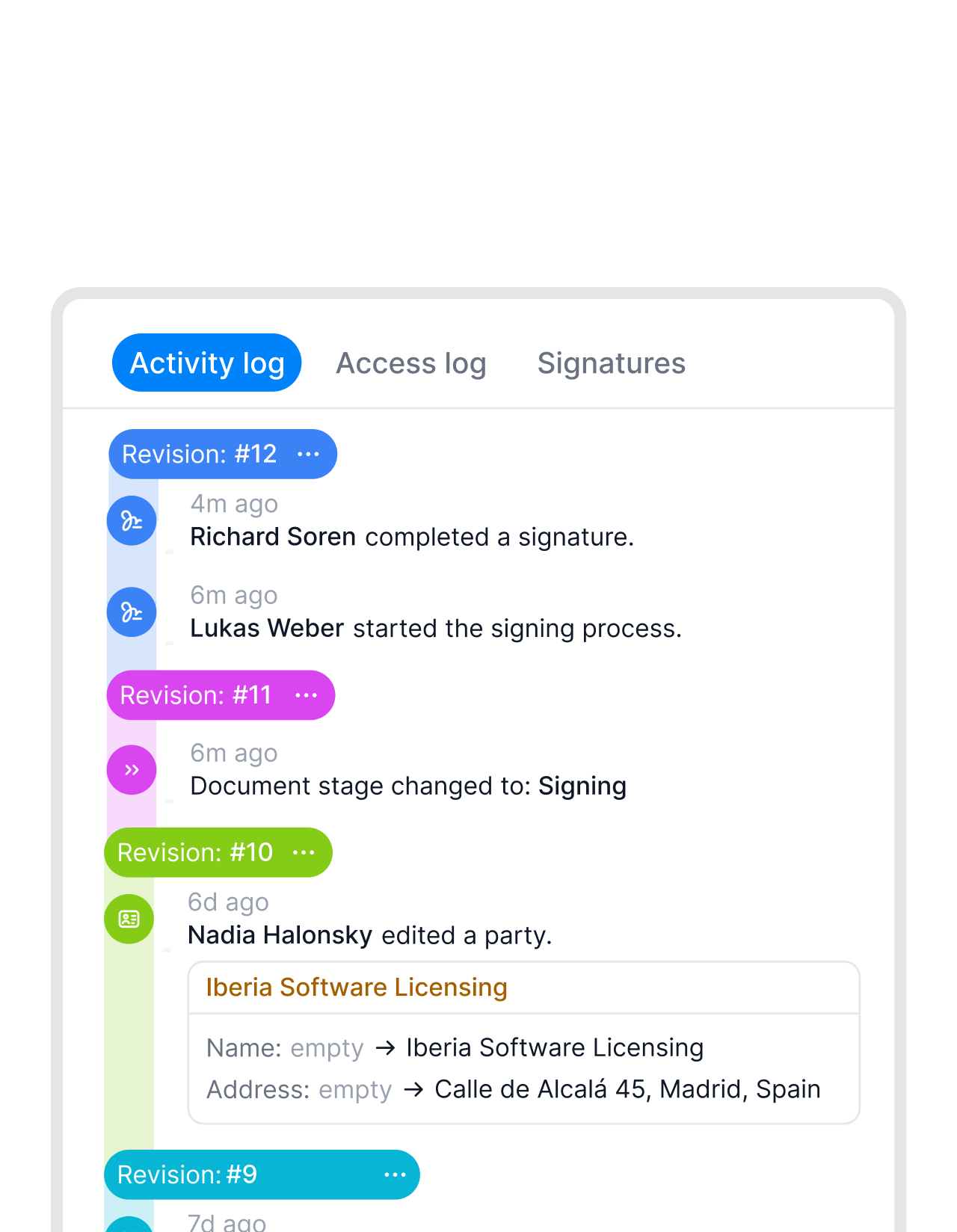 Audit trailSee audit trail
Nothing gets lost. Everything stays on record.
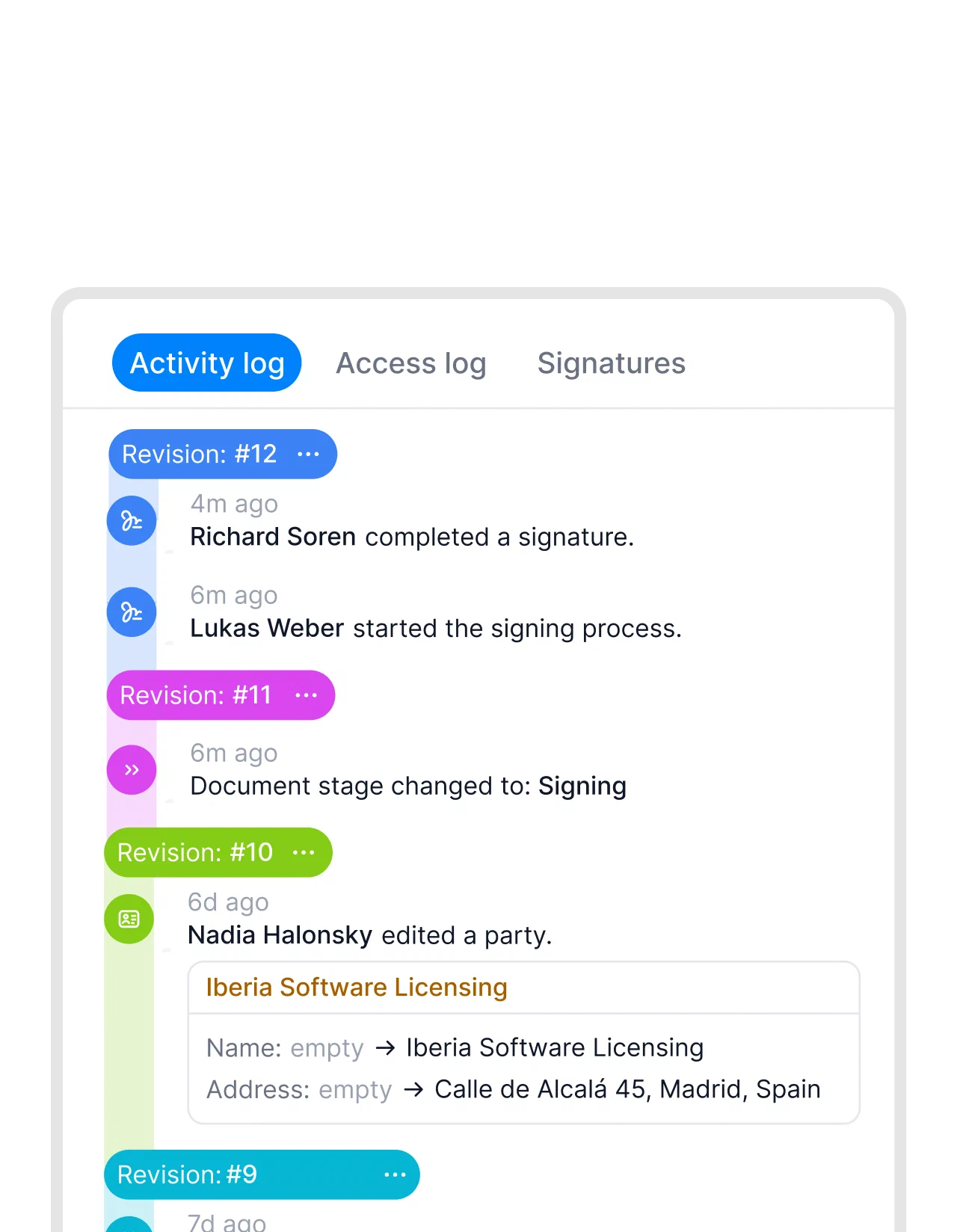
Every comment, reply, and resolution stays attached to the document. You can always go back and see what was discussed, who raised it, and how it was resolved. No reconstructing history. No asking who said what and when."Within fynk everything is in one place, easy to find. You put in the name of the client and you have it on your fingertips in 10 seconds."
 Dr. Jörg Burkhardt Head of Sales & New Partnerships at 1. FC Nürnberg

Let AI find what matters.
Import any contract and let AI surface the clauses that typically need attention. Discussions move faster when the starting point is already clear.
 Assign tasksSee tasks
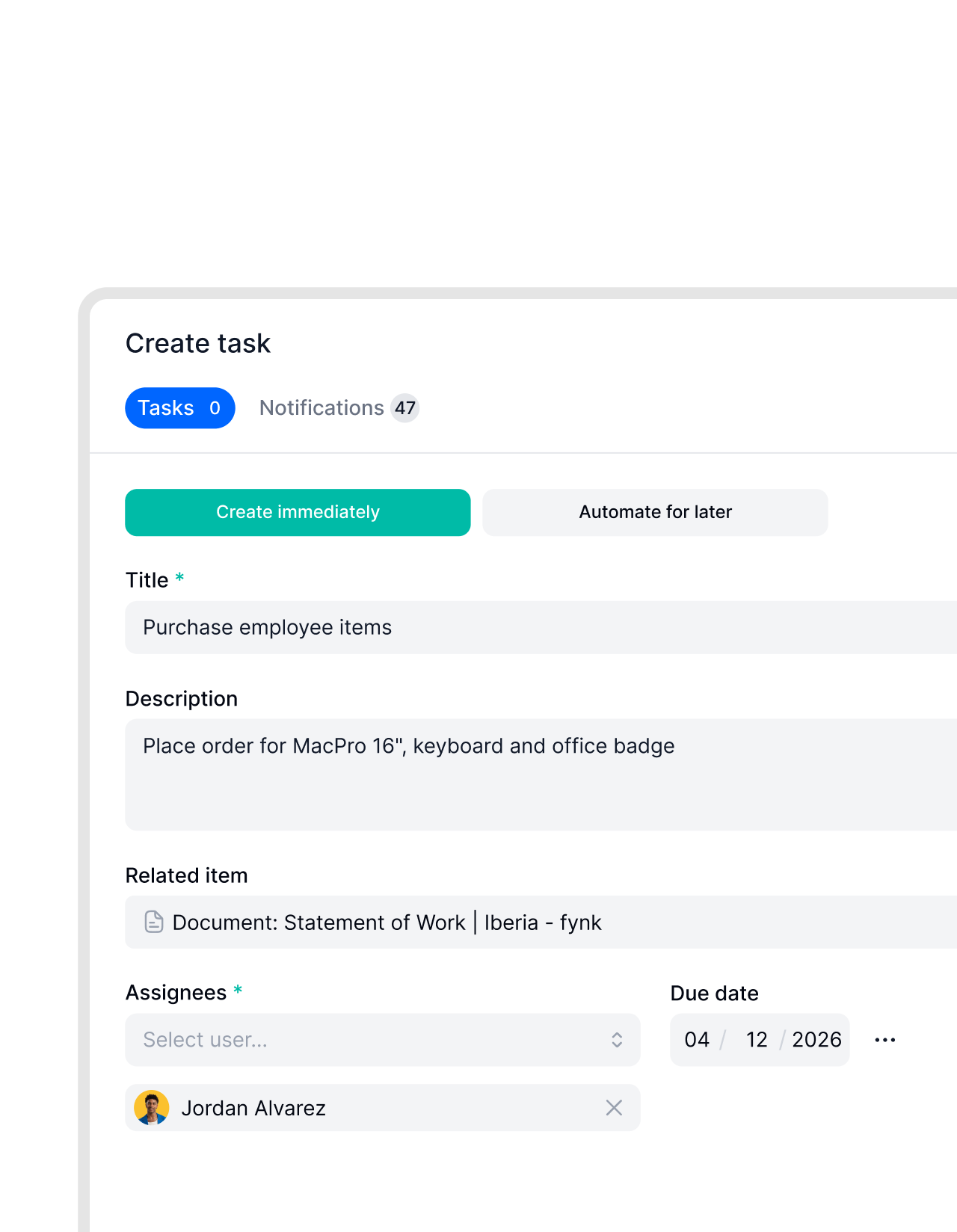
Turn comments into tasks.
Need to assign a task without starting a separate conversation? Create it directly on the document, assign it to the right person, and set a deadline. It stays linked to the exact clause it came from. Nothing gets lost in follow-up emails or meeting notes."fynk saves me a couple of hours per month. But the real selling point isn't just the time saved. I actually like doing it now. Contracting used to be something I dreaded."
 Alina Heiner Founder of Maven
 Stay notifiedSee notifications
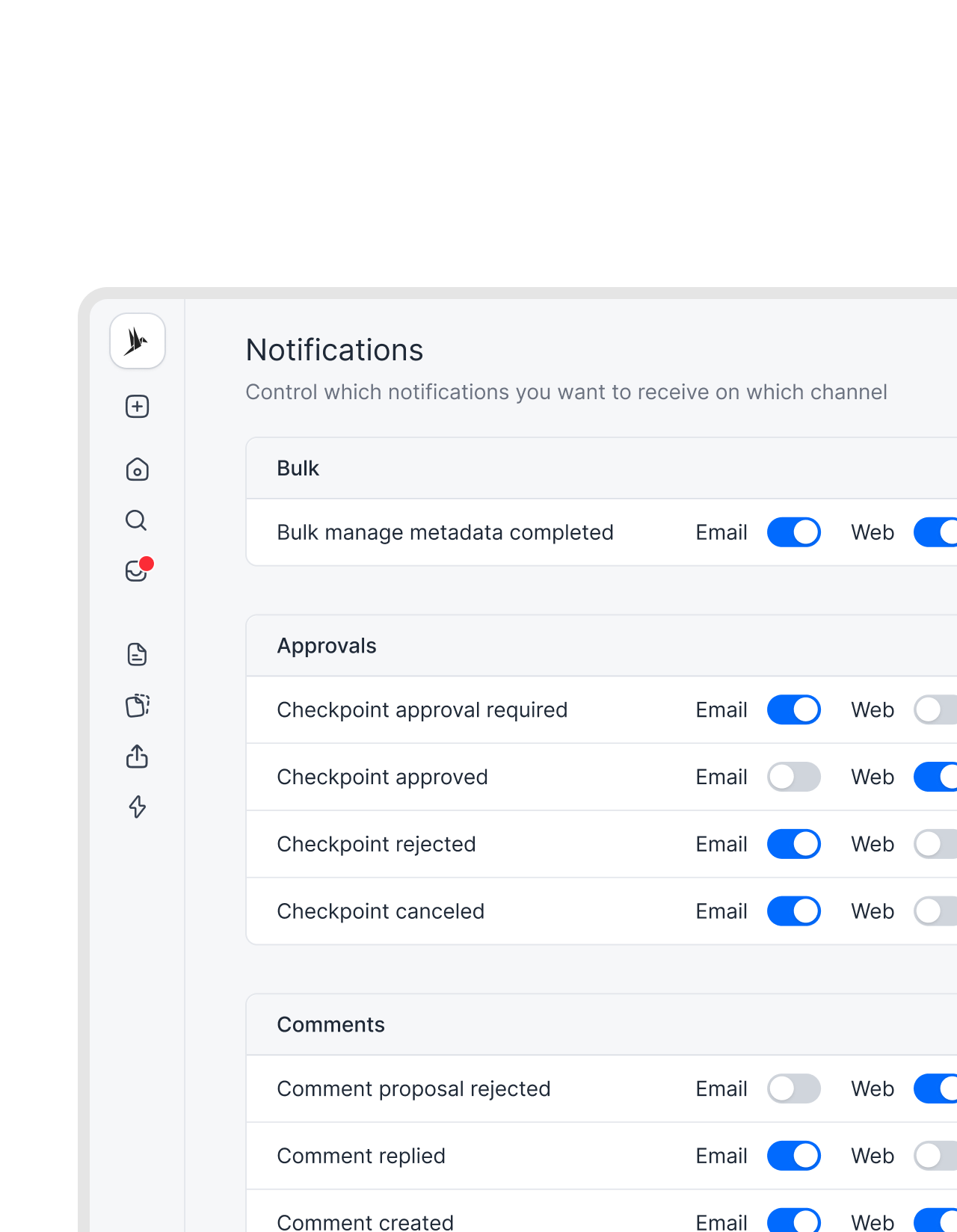
Know the moment someone replies.
Get instant notifications on web or email when someone mentions you or replies to your comment. Turn the notifications off if you need to. No manual checking. No wondering if your comment was seen."fynk helped us lock down contract terms so deals could no longer be signed without proper control. This protects the company when consultants are under pressure from clients to make exceptions."
 Harald R. Fortmann Founder & Managing Director of five14
 AI assistantSee AI assistant
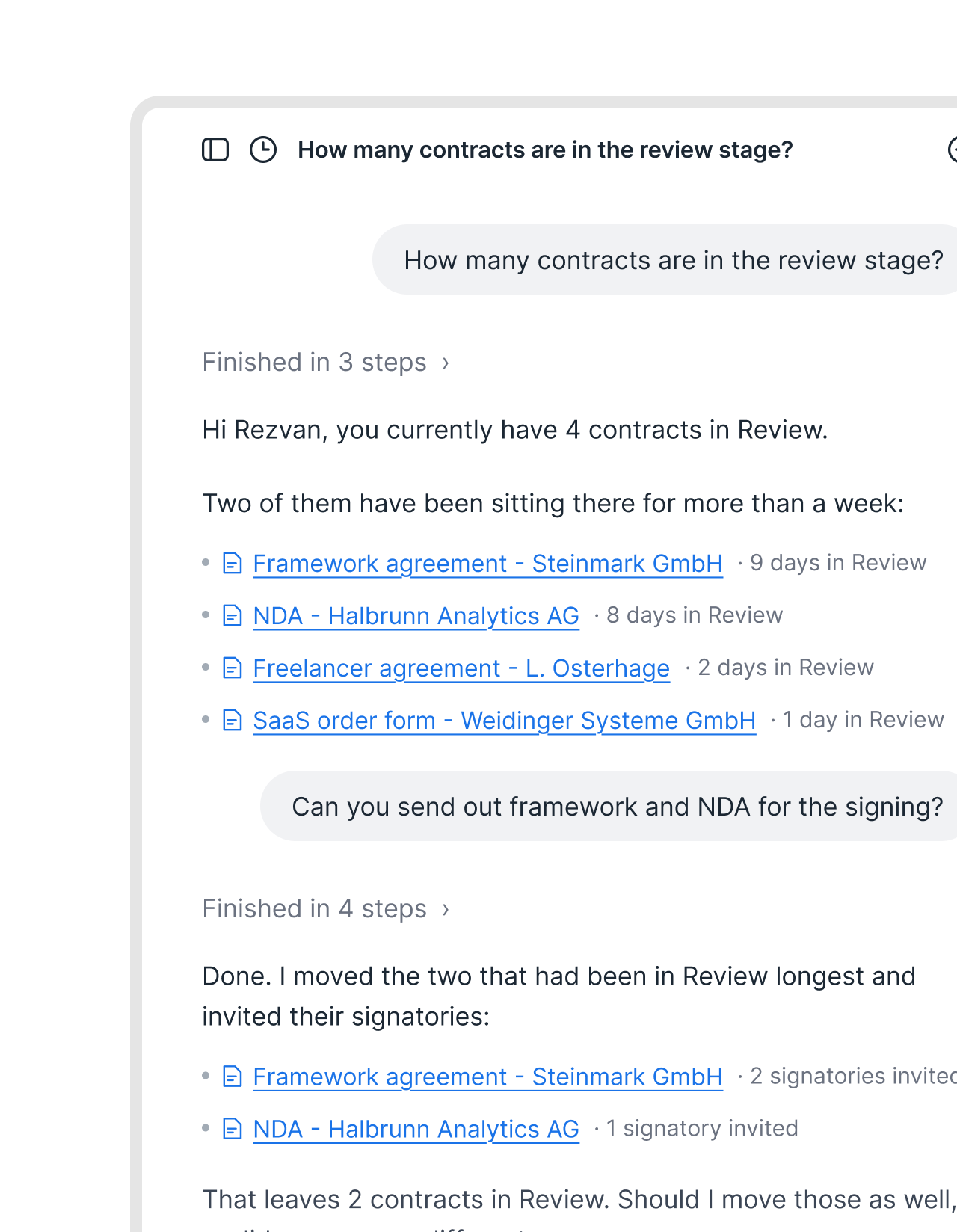
Decided in the thread. Done by the AI.
Discussions get everyone aligned. fynk AI does what you agreed: update the value, add the signatory, move it to signing. It has read the whole contract, so “who owns this obligation” gets answered with the section attached. Same document, no handover.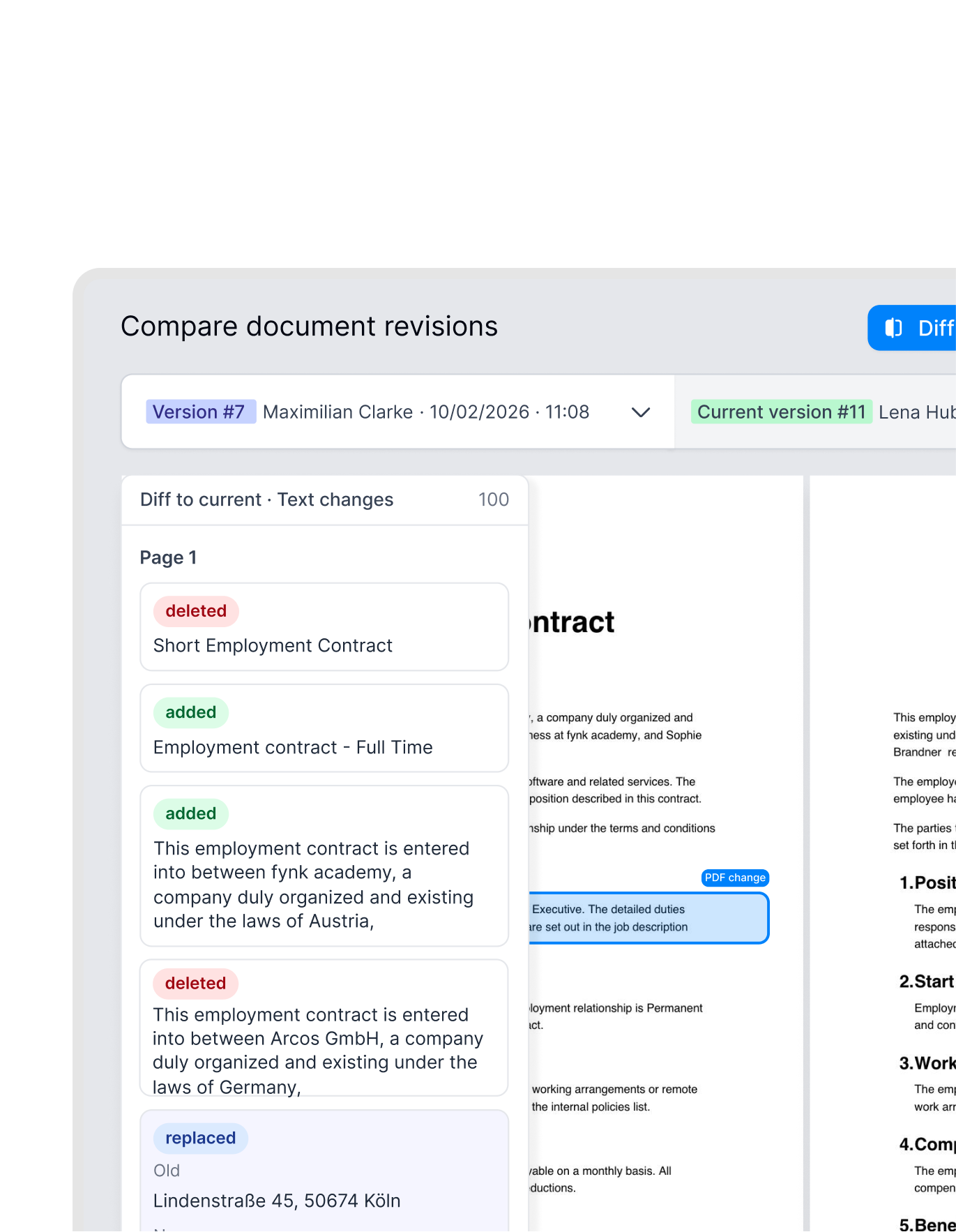 Side by sideSee PDF comparison
See exactly what changed between versions.
When negotiations are done, you need to know what changed between the version you sent and the one you received. Open both in fynk and see every addition, deletion, and edit highlighted side by side. No manual diff. No reading every clause twice.


"fynk brings structure, transparency, and speed across our entire sales contract process, from the first draft to the final signature."

No scattered threads. No lost context.
Every piece of feedback, tied to the contract it belongs to.
Internal comments stay internal.
Turn on privacy mode and your team's threads are invisible to external parties. They see the document, not your internal conversation.
All open threads visible at once.
See every active discussion across the document in one view. Filter by open or resolved. Nothing gets buried on page six.
No switching tools.
Feedback ends with agreement. Agreement leads to a signature. The whole sequence happens in fynk, no handoff to another tool required.
You and your counterparty in one file.
Multiple teams leave comments in the same document. Consolidating feedback from separate inboxes is no longer a job anyone has to do.
One thread per issue.
Each point starts a focused thread. Replies stay together. The conversation doesn't split across three emails and a call summary.
Shorter review cycles.
When all open points are visible in real time, you stop waiting for someone to confirm their comment was addressed. Rounds of review close faster.






The next-generation CLM
Only fynk offers a flexible, integrated and truly end-to-end contract platform for all teams to use - not just legal.
Sign
Organize
Boost
Scale
Insights
Organize your agreements using AI
Work smarter and faster with fynk’s built-in AI. Centralize agreements, extract data, automate tasks, and offer secure access for your entire team.
Signatures (SES, AES, AES eID, QES)
Signature order
Signature style
Voting
Signature tracking
eIDAS Compliance
Document hub
Bulk import
Document calendar
Tasks & Reminders
Configurable notifications
Kanban dashboard
Multi-entity management
AI assistant
AI analysis
AI summary
AI draft
AI review
AI search
Approval workflows
Dates & durations
PDF comparison
Integrations
API
Branding
Teams
Dashboards
Metadata
Analytics
Audit trail
History
Frequently asked questions.
You can leave comments on any part of a contract, including specific clauses or sections. Team members and external parties can reply, and threads can be marked as resolved once a point is settled. Every comment stays attached to the document with a full history.
Yes. You can share a link that gives external parties access to comment on the document. They don't need a fynk account to participate. They open the link, read the contract, and leave their feedback directly on the relevant sections.
Comments are tied to specific parts of the document. You select a clause or section and leave the comment there. This eliminates the ambiguity of general feedback and keeps every discussion grounded in the exact text it refers to.
Yes. Once a point has been addressed, you can mark the thread as resolved. Resolved threads are kept for reference but no longer clutter the active view. You always know at a glance what's still open.
Yes. Every comment, reply, and resolution is stored and stays attached to the document permanently. You can always go back and review what was discussed, who raised an issue, and how it was handled, even after the contract is signed.
Yes. fynk sends notifications when new comments are added or when someone replies to a thread you're part of. You can configure the notification settings to match how you prefer to work.
Still have questions?


All the feedback. On the contract. Not in your inbox.
Comment, reply, and resolve without leaving the document.