
Documents done, not deleted.
Move the finished documents out of the way. Your active view shows only what's live, and every archived contract keeps its full record, ready to pull back the moment you need it.










Tidy up the list. Keep the whole story.
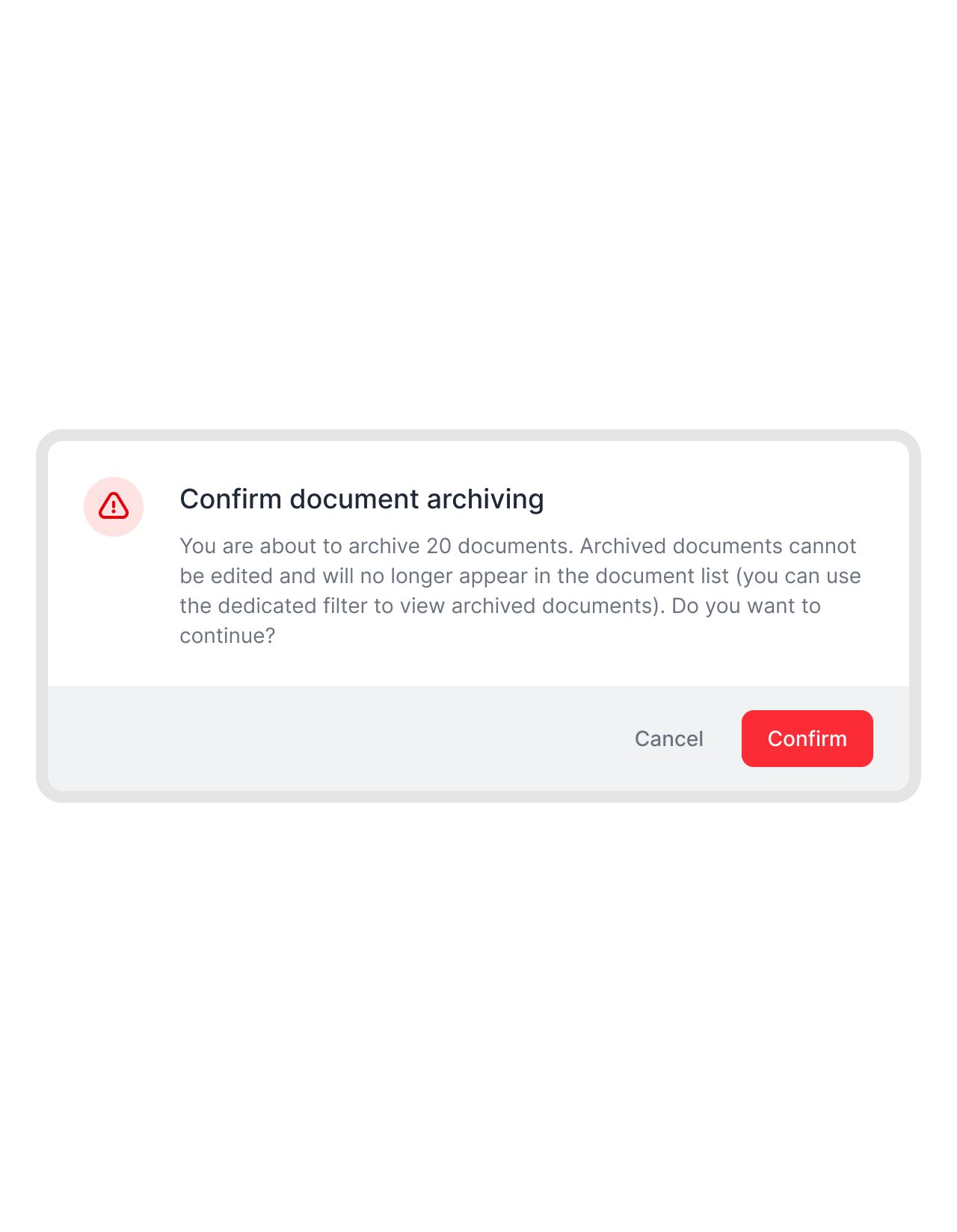
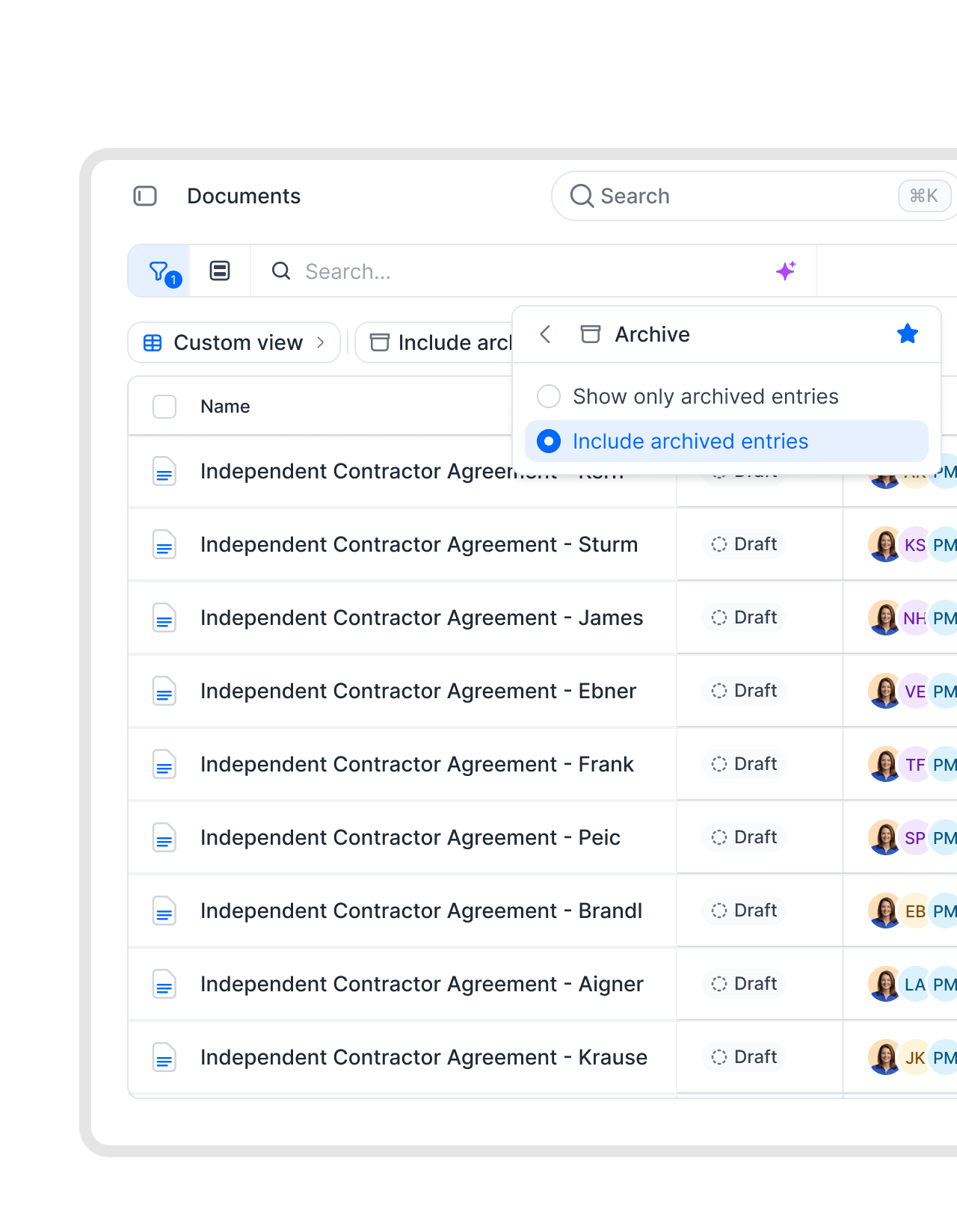
Finished contracts move out of your active view without losing a thing. Keep every record right where you left it, one filter away.
 After the dealGet a demo
Close the deal, clear it off your list.
Closed-won contracts don’t need to sit in your pipeline forever. Keep your document list clean and focus on what’s happening now. Archive the rest, but keep them still in play. Easily accesable, with just one filter.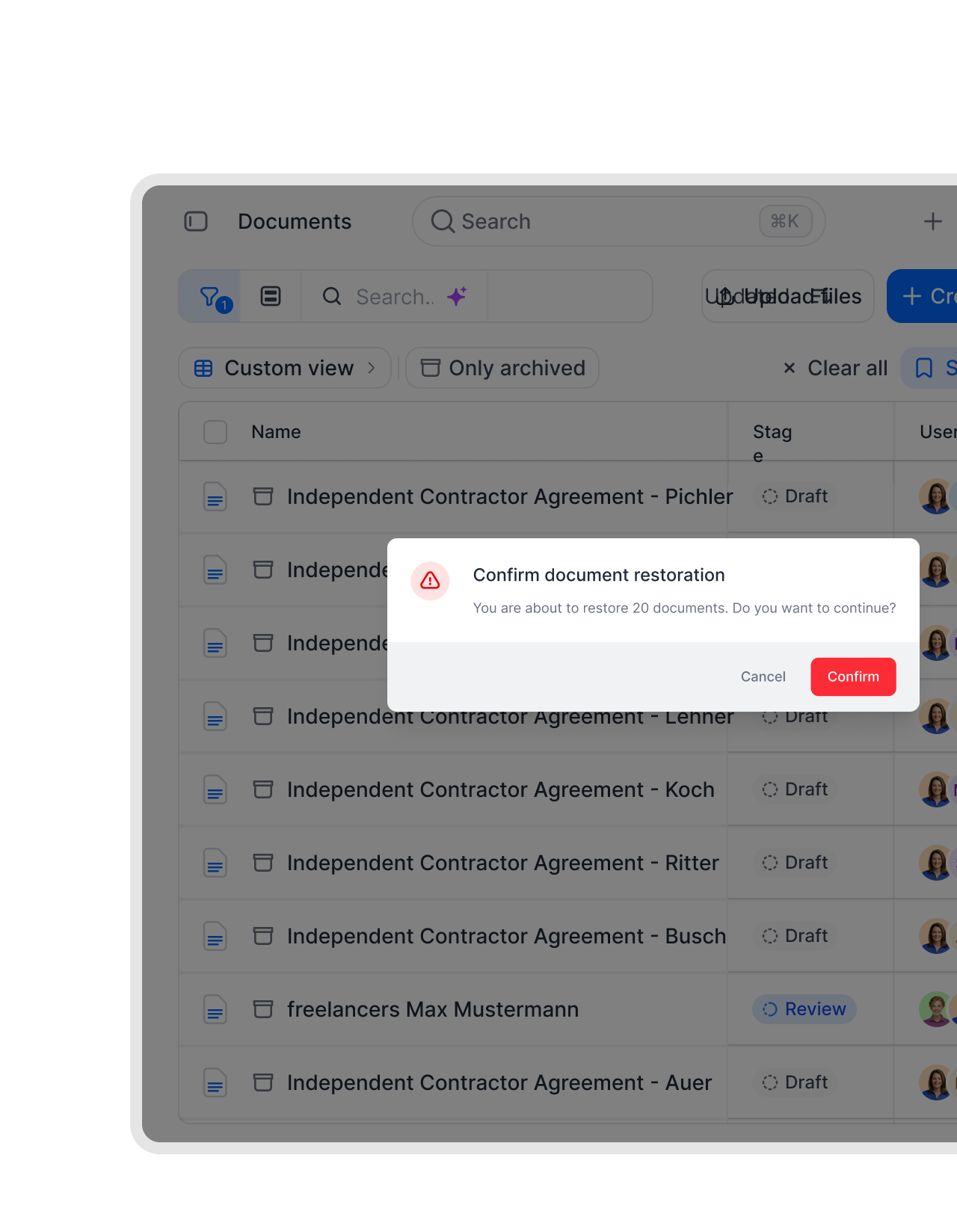 Vendor cleanupLearn more
Retire finished vendor contracts, pull them back on cue.
Completed vendor agreements pile up long after the work is done. Move them to the archive and your procurement view stays about live suppliers. When an audit or a renewal calls for one, you find it by metadata or tag and bring it straight back.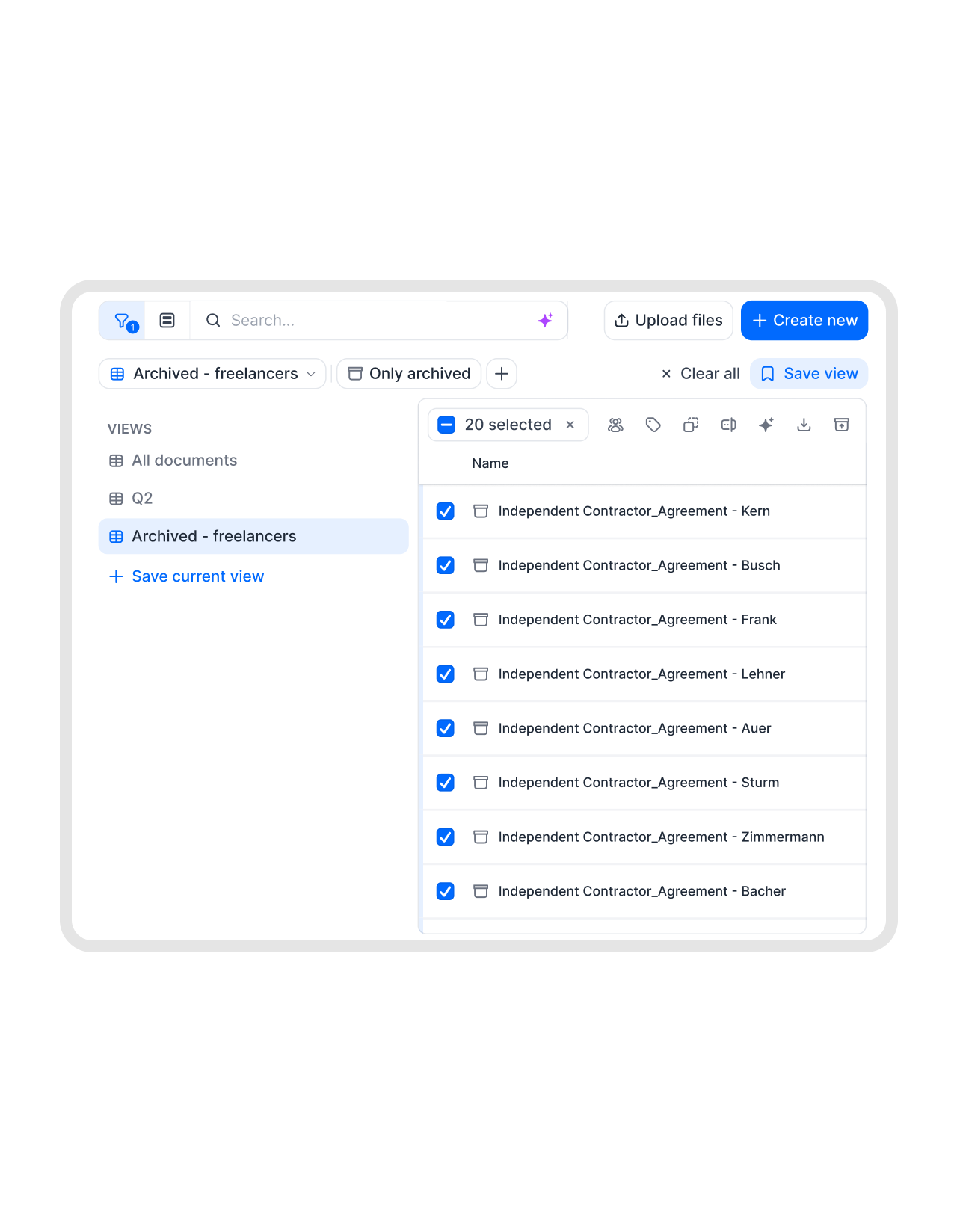 Audit-readyLearn more
Executed contracts, out of sight but never out of reach.
Signed contracts belong in the record, not cluttering the desk of everyone who logs in. Archived agreements keep their full metadata and activity trail intact. When compliance comes knocking, you retrieve the whole thing in seconds."We are always audit ready. We have every contract in one place."
 Dr. Jörg Burkhardt Head of Sales & New Partnerships of 1. FC Nürnberg


Import a contract. AI reads every clause.
Drop in a document and AI pulls the key details on its own. Dates, parties, values, obligations, and a plain summary. No manual reading.
 By lifecycleGet a demo
Separate live work from everything already finished.
Admins keep the whole team’s views honest by splitting active contracts from finalized and legacy ones. Everyone’s filters and dashboards stay accurate because the finished pile isn’t dragging through them. The structure holds without anyone having to police it."I always know if a contract is signed, still waiting, or finished. That overview makes a huge difference."
 Alina Heiner Founder of Maven
 Back in motionLearn more
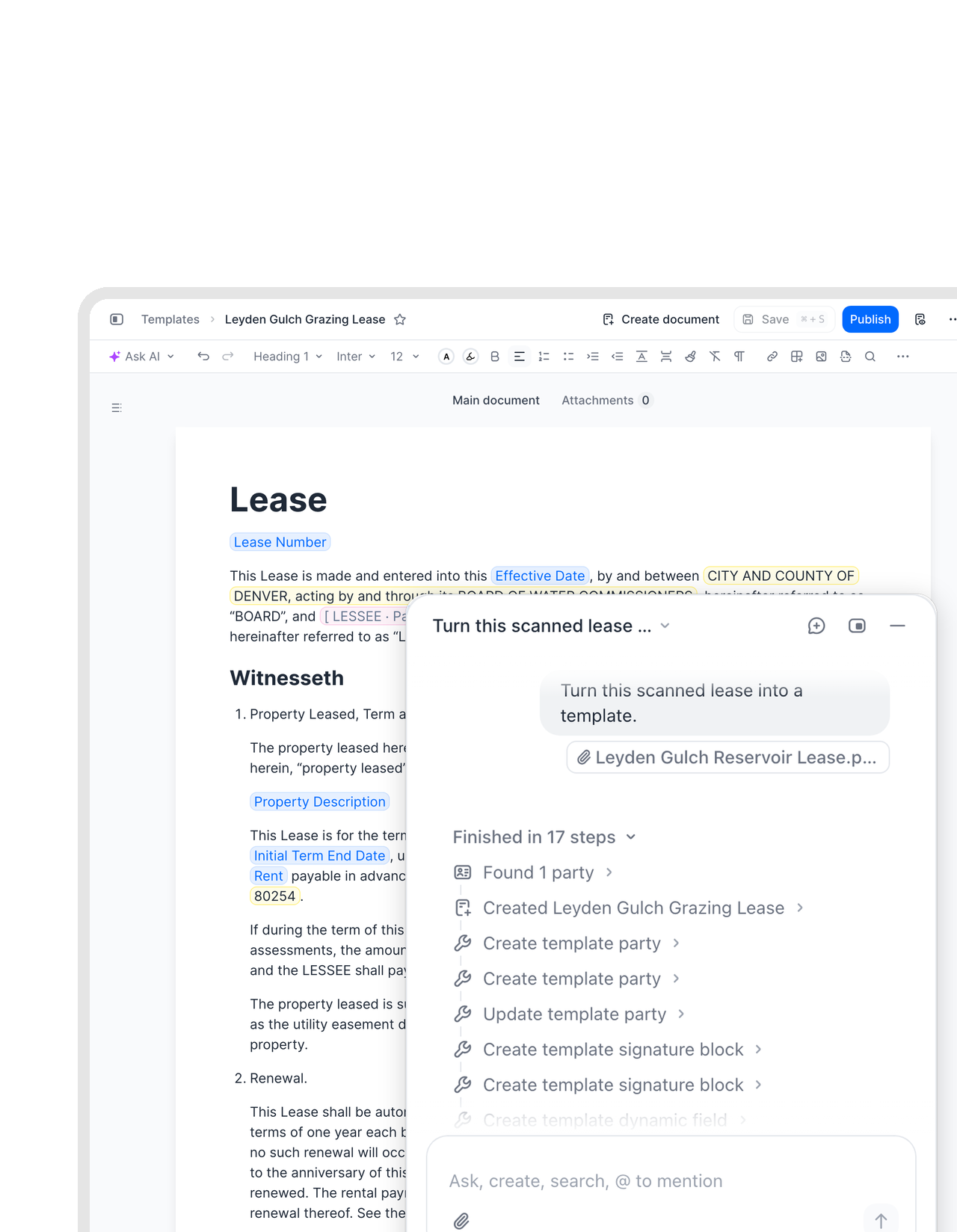
Put your old paper back to work.
Archived scans used to be dead weight: stored, never touched. fynk reads them with OCR, so the 2008 supply agreement can be searched, quoted, or turned into a new template by the fynk assistant. Your archive stops being storage and starts being a source.


"There will be one single source of truth. We will invite externals to the template, comment, sign, and store everything in fynk. That is something everybody will value a lot."

Out of the way, not out of existence.
Archiving clears your list of finished contracts while every record stays whole, findable, and one click from coming back.
Clear it in bulk.
Select the completed, expired, or legacy contracts and archive them in one batch. The list settles back to what is actually live.
Nothing gets deleted.
Archived contracts hold on to all their metadata, version history, and activity logs. Archiving hides them from view, it never removes them.
Back in one click.
Need an archived contract again? Unarchive it and it returns to your active list right away, exactly as it was.
Still searchable.
Archived contracts turn up in search by metadata and tag, and slot into filtered exports of PDFs and metadata for reporting.
Ready for audits.
Each archived contract carries its complete history and activity trail forward, so long-term governance is covered without extra work.
Finished stays finished.
Moving signed contracts to the archive keeps them out of everyday editing, which helps prevent accidental changes to agreements that are done.






More product features to explore.
Draft.
Create contracts from proven templates. Fast, consistent, and ready to send.
Boost.
AI reviews, summarizes, and explains your contracts so you never miss what matters.
Sign.
Send contracts for legally binding e-signatures, tracked from sent to signed.
Insights.
See the full picture of your contracts with dashboards, search, and smart alerts.
Frequently asked questions.
Document archive moves completed or inactive contracts out of your default document list so you see only what is live. The contracts are not deleted. They stay fully accessible and come back to the active list whenever you want them.
It leaves the default view but stays visible through the archived filter. All of its metadata, version history, and activity logs come along untouched. Its associated tasks also drop out of active views, so your day-to-day list stays clean.
Yes. Select it under the archived filter and unarchive it, and it returns to your active list in one step. There is no waiting and no loss of detail. It picks up exactly where it left off.
No. Archiving never deletes anything, and it is not a legal hold. It simply moves a finished contract out of everyday views, which helps prevent accidental edits to something already signed.
Still have questions?


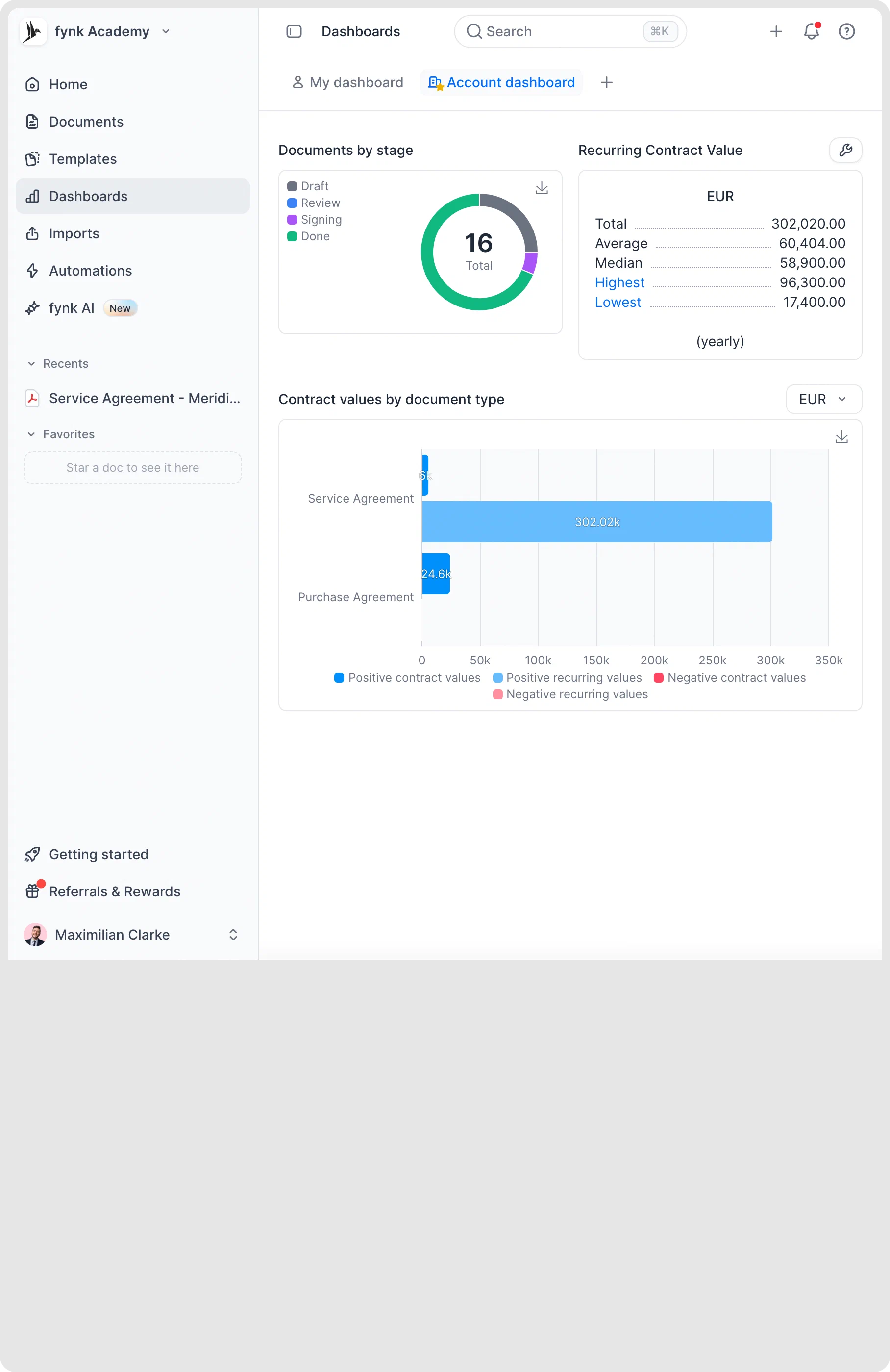
Clear the clutter. Keep every record.
Move finished contracts out of the active list without losing their history. Available on the Essential, Business, and Pro plans.