


When Workday says hired, the employment contract is already drafted.
When a hire, a job change or a leaver goes through in Workday, fynk drafts the matching contract from your approved template and gets it signed. New suppliers get theirs too.


Workday and fynk, joined by Zapier templates.
Pick a Workday Zap, connect both accounts and choose your fynk template. Live in an afternoon.
Start from a Zap that already works.
Hires, leavers and new suppliers, each turned into a fynk contract, with a heads-up in Teams or Slack where it helps.




From first offer to last day, the contract starts in Workday.
Hires, offers, promotions, exits, new suppliers. Workday records the decision, and someone in HR still opens Word to write it down. Connect fynk, and that draft exists before they get the chance.
"Usability and a modern look and feel were most important. Other providers just looked old. We needed something people actually wanted to work with, not something they had to."
 New hiresSee a sample template
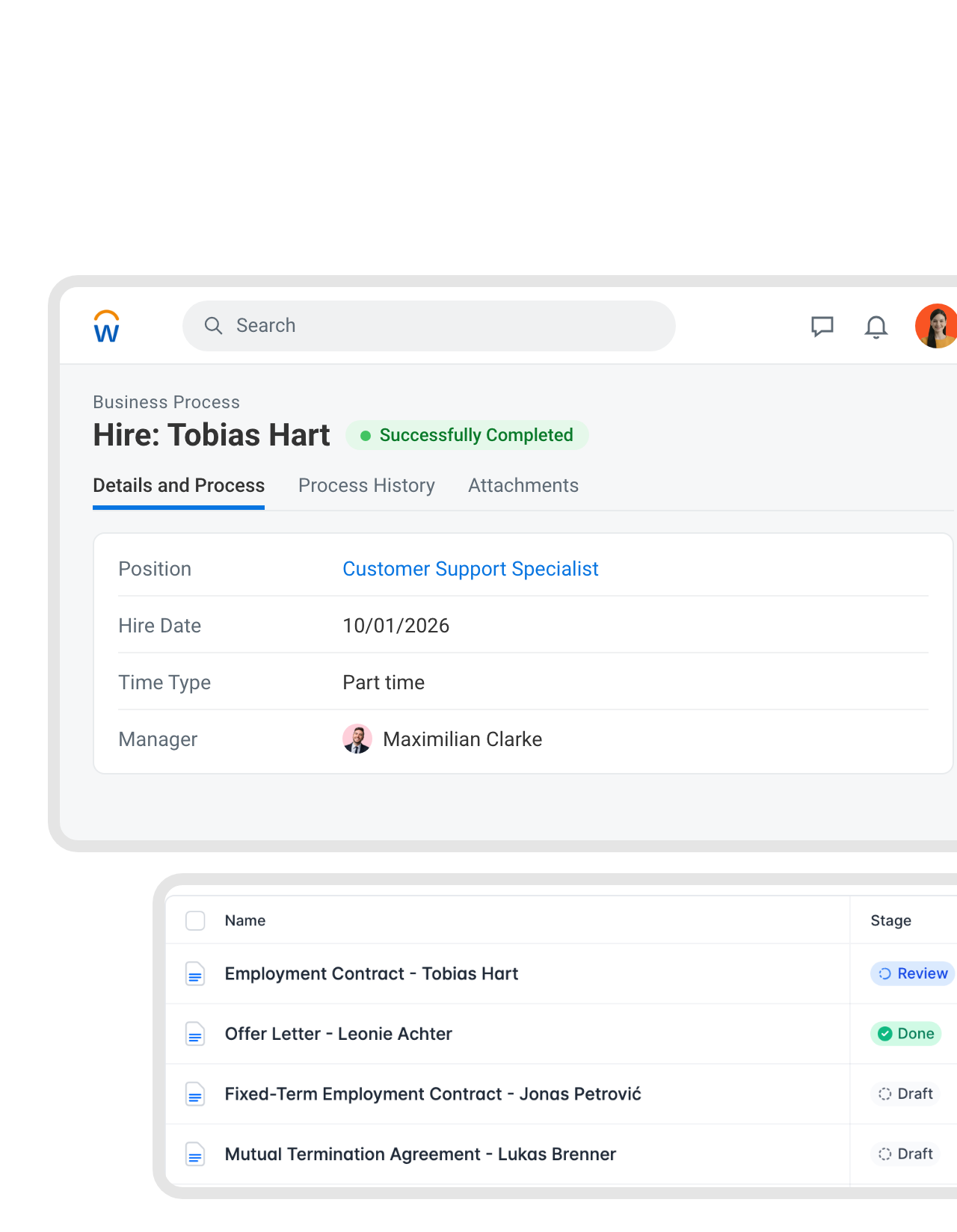
The employment contract is waiting before HR opens it.
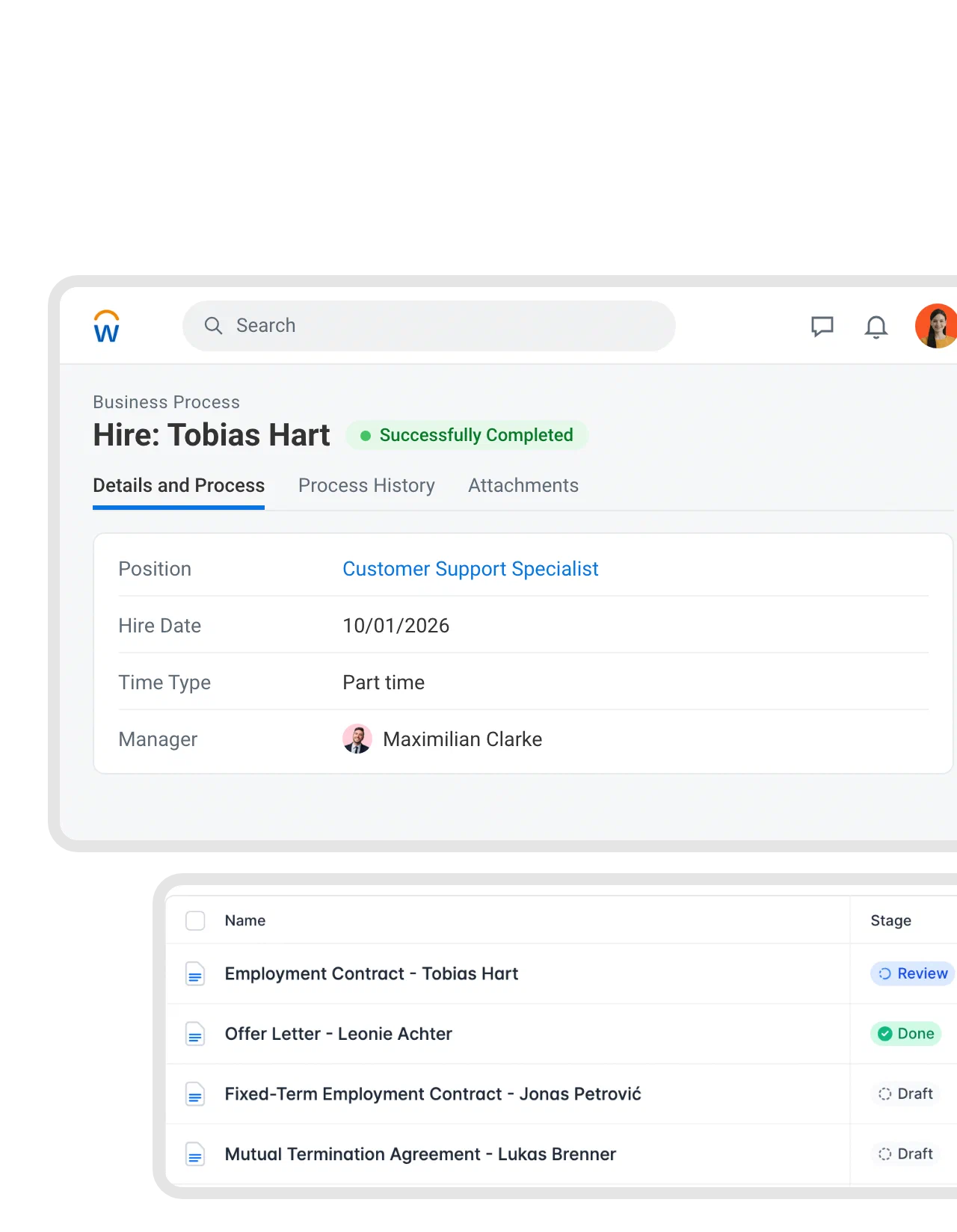
The Hire business process finishes in Workday, and the Zap creates the contract from your own employment contract template in fynk. You choose which worker fields come along: name, position, hire date, time type, manager. The new hire is set as the signer, so HR checks the draft and sends it."fynk makes us faster (from draft to signature in less than a day). It enables very easy template creation, allowing best practices to be easily shared within the company."
Rainer CFO at Advanced Sponsorship Insights GmbH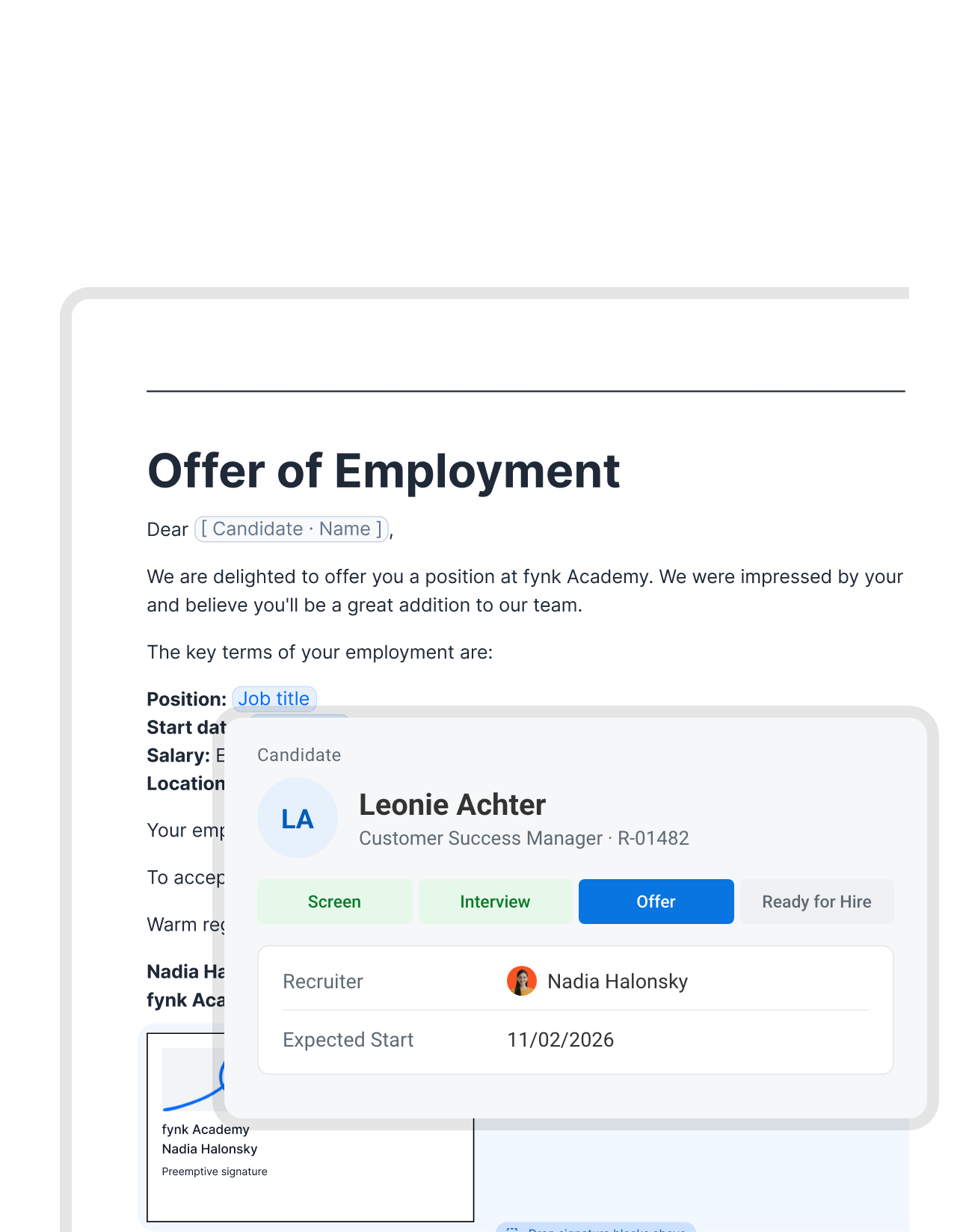 OffersSee a sample template
Move a candidate to Offer, and the letter is ready to sign.
Your favorite candidate is also talking to two other companies. When the recruiter moves them to the Offer stage in Workday Recruiting, fynk drafts the offer letter from your template and the candidate record. HR adds the final numbers, and the candidate can sign on a phone that evening."What used to take at least one week or longer now can be done in the best case in half an hour."
 Jörg Burkhardt Head of Sales & New Partnerships at 1. FC Nürnberg
 Teams channelLearn more
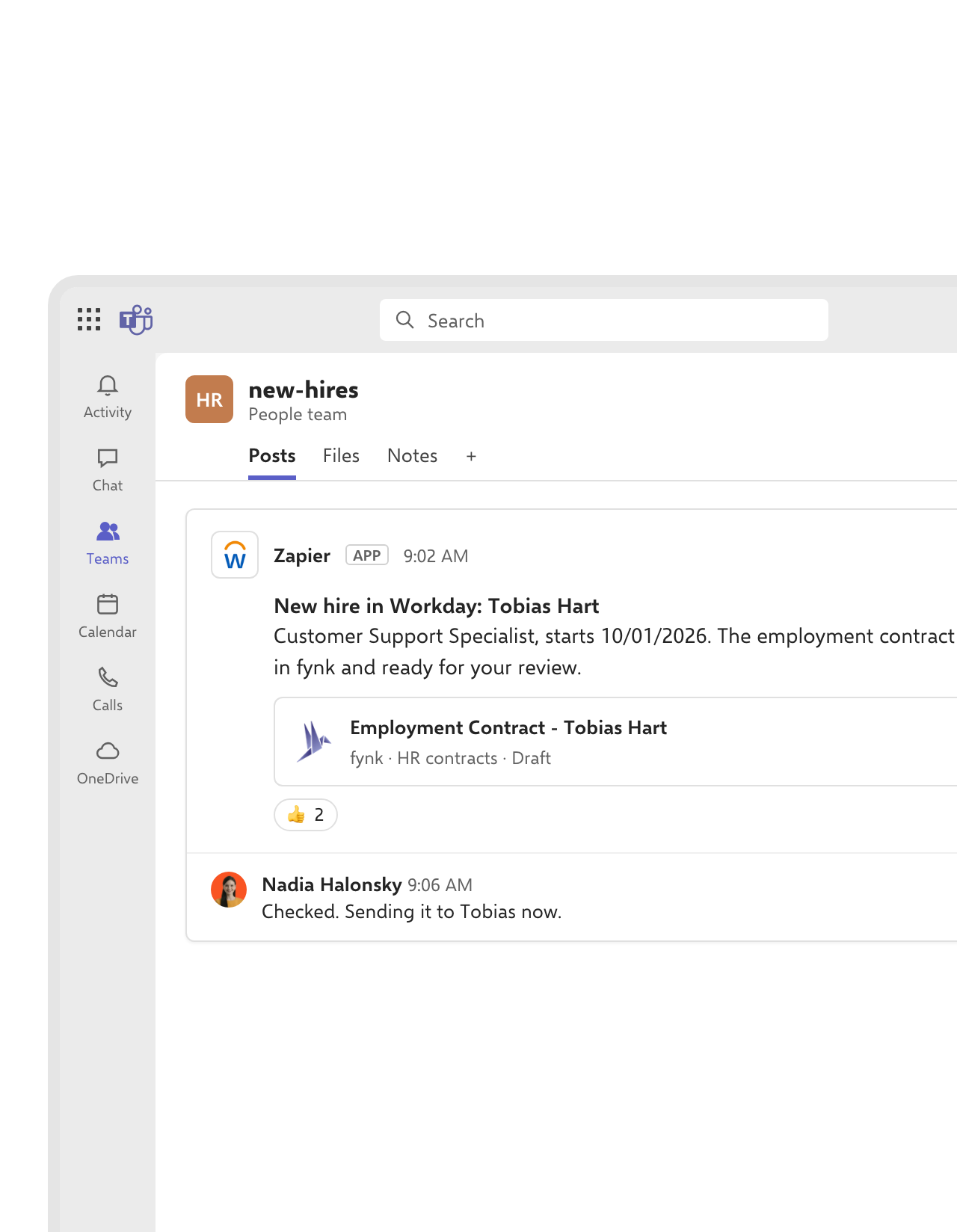
Every new hire gets announced in your HR channel.
The same Zap posts to your HR channel in Microsoft Teams: who starts, when, and a link to the draft in fynk. Whoever is free picks it up, and the rest of the team can see it’s handled.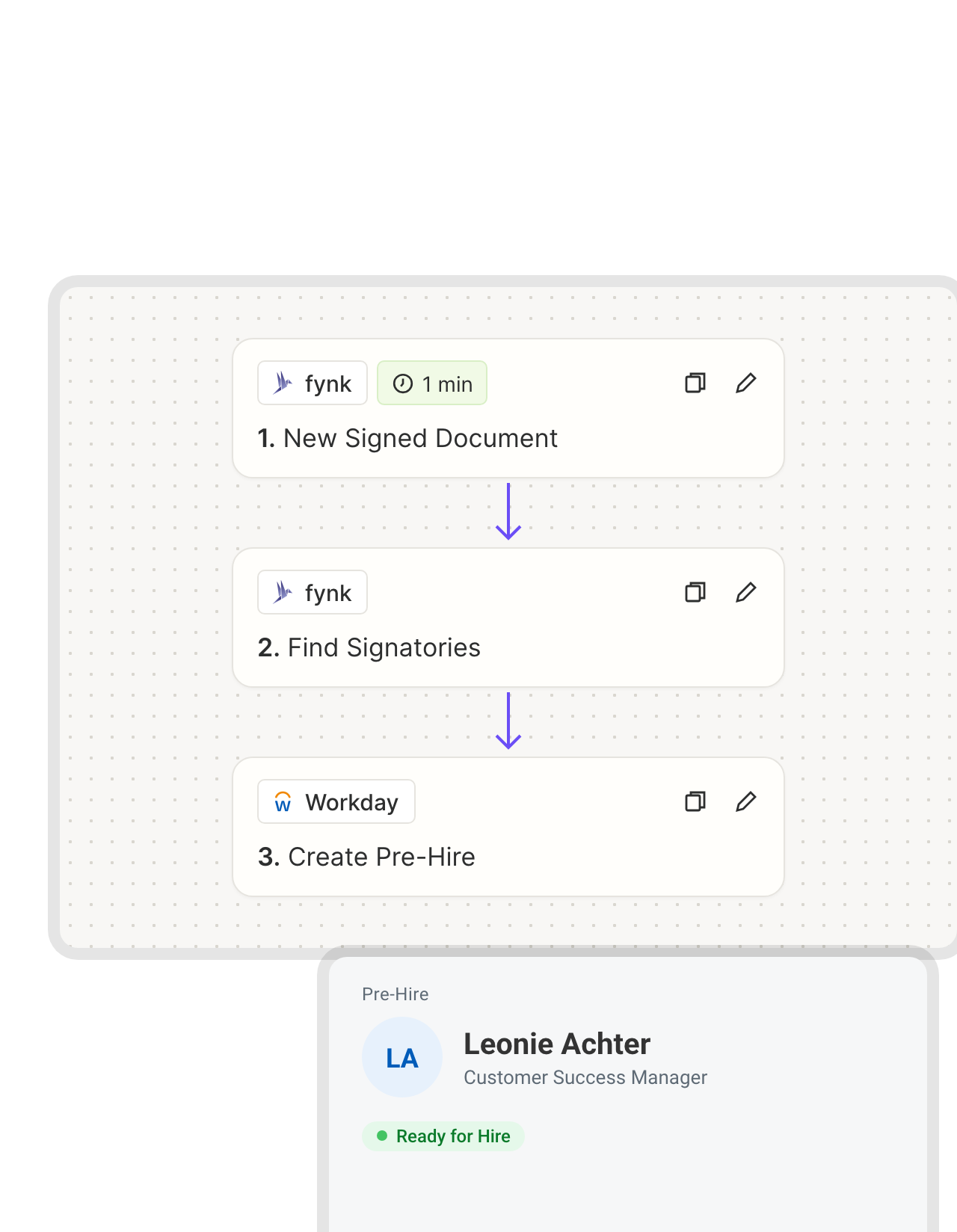 Back into WorkdayLearn more
A signed offer turns into a pre-hire in Workday.
Not every hire comes through Workday Recruiting. Referrals and agency candidates often get their offer straight from HR. Once that offer is signed in fynk, a Zap reads the signer’s name and email and runs Workday’s Create Pre-Hire, so the Hire process can start without anyone retyping the person.FEATURES


 Supplier onboardingSee a sample template
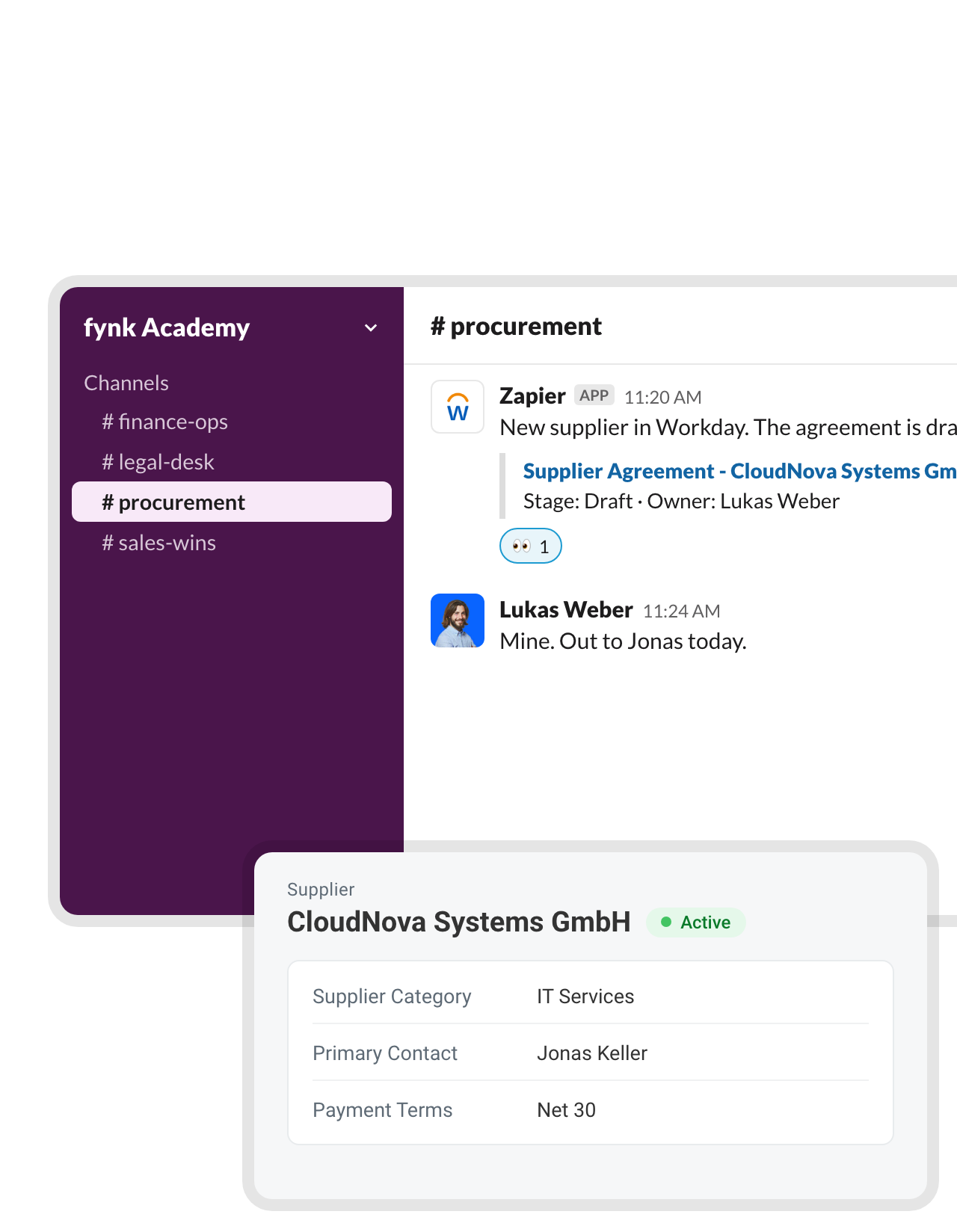
A new supplier in Workday gets its agreement the same morning.
Workday isn’t only for people. When Procurement adds a supplier, the Zap drafts the agreement in fynk from your supplier template and posts it to your procurement channel in Slack. The owner sends it before the first invoice shows up."Until now, we had been 'tracking' our contracts using Excel. Now, every follow-up happens automatically, saving us both time and money. Additionally, the ability to send and sign contracts directly with customers and suppliers through fynk is a real benefit."
Christoph Director of Corporate Development at RAMPF Group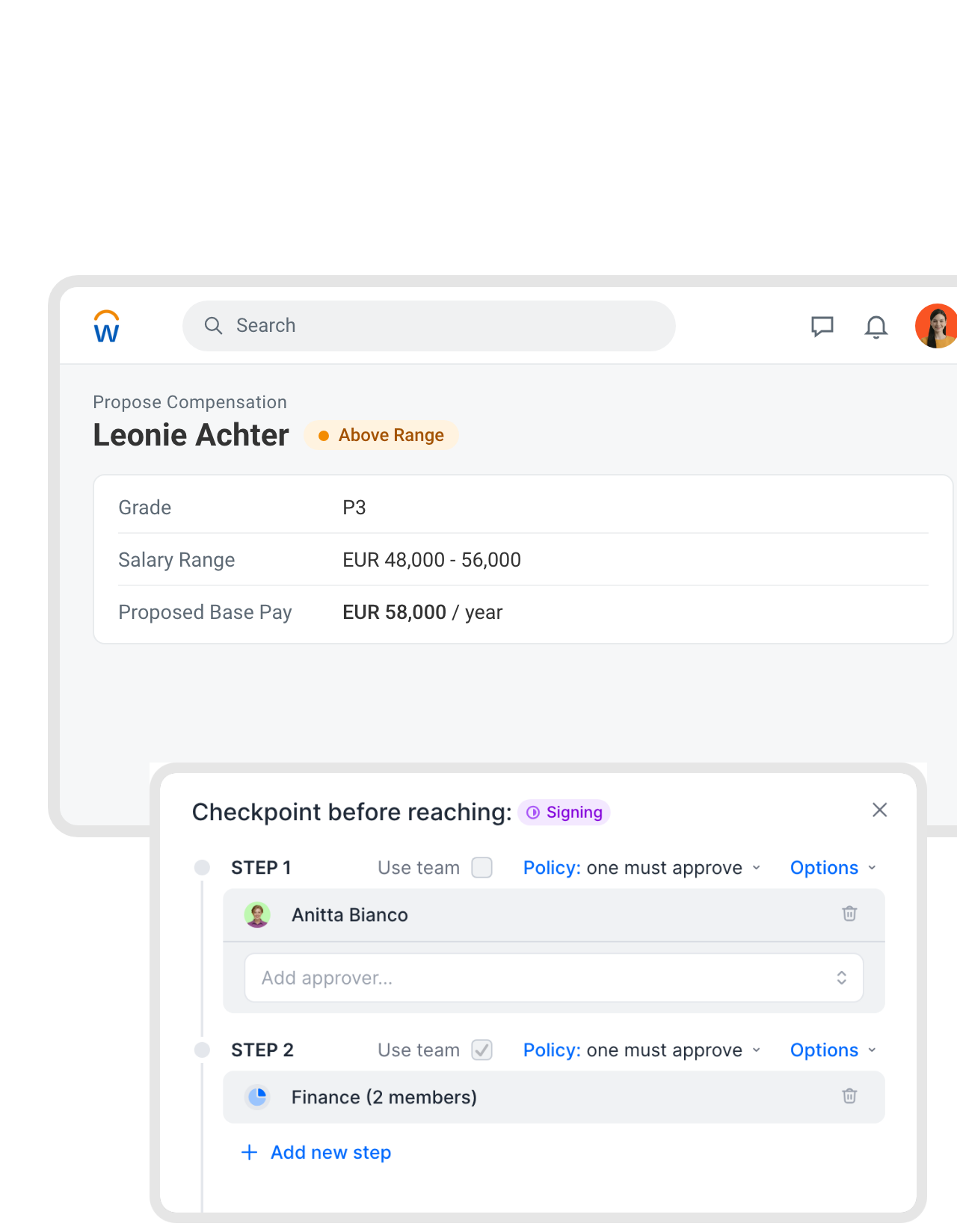 Sign-offLearn more
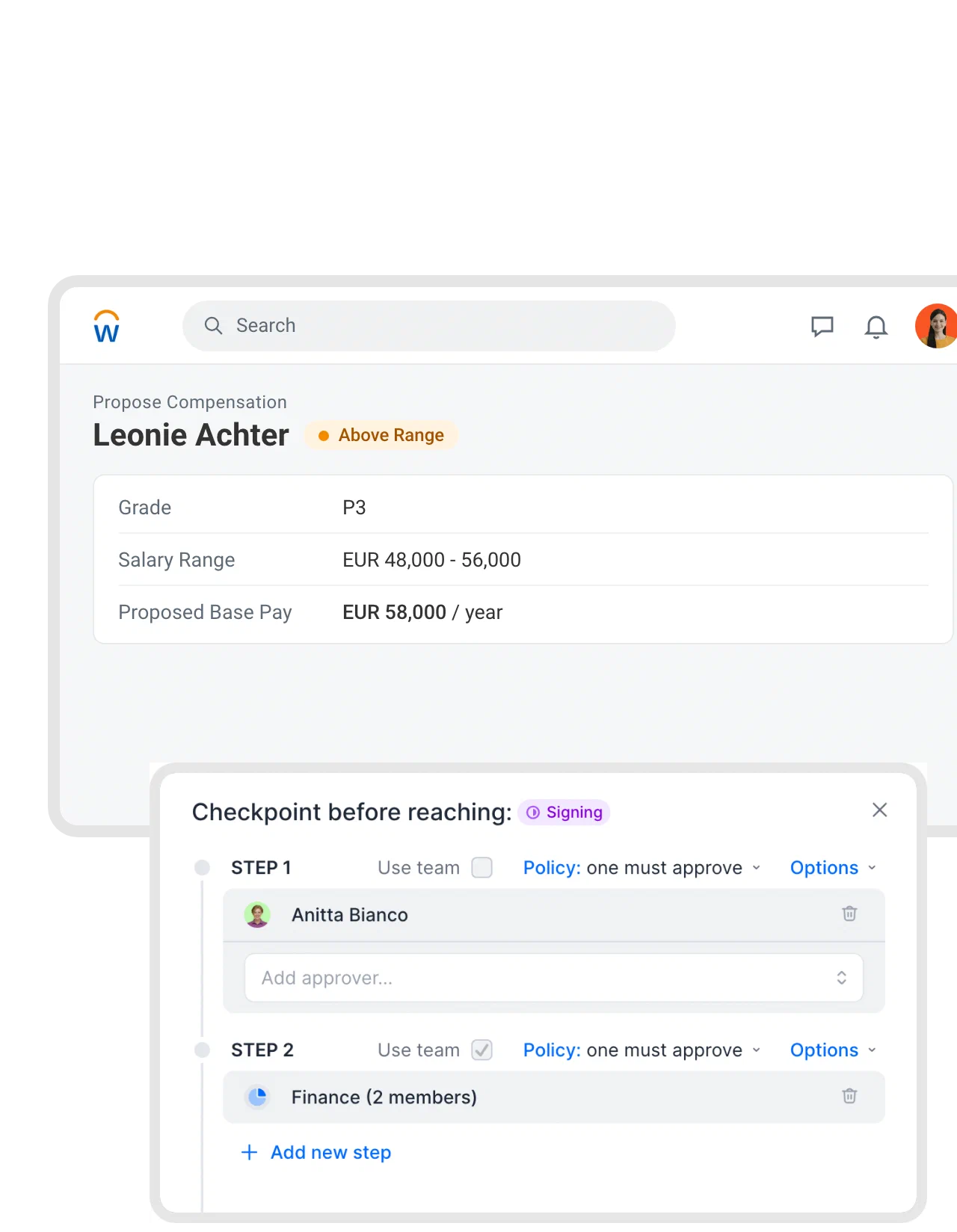
Every offer letter passes Finance first.
Workday’s Propose Compensation step shows when pay sits above the range, and Workday approves the number. The letter that goes out still deserves a second look. Put a checkpoint on the offer letter template, one reviewer and then Finance, and no letter reaches a candidate unread. Each approval is kept in the document’s history."Previously we had to manage contract reviews and approvals via endless email back-and-forth and improvised approval forms, followed by a signing process. If everything needed to be documented, it required a lot of manual filing. Now we have everything in one place."
Andrea Schlephorst Corporate Governance Specialist at Falken Tyre Europe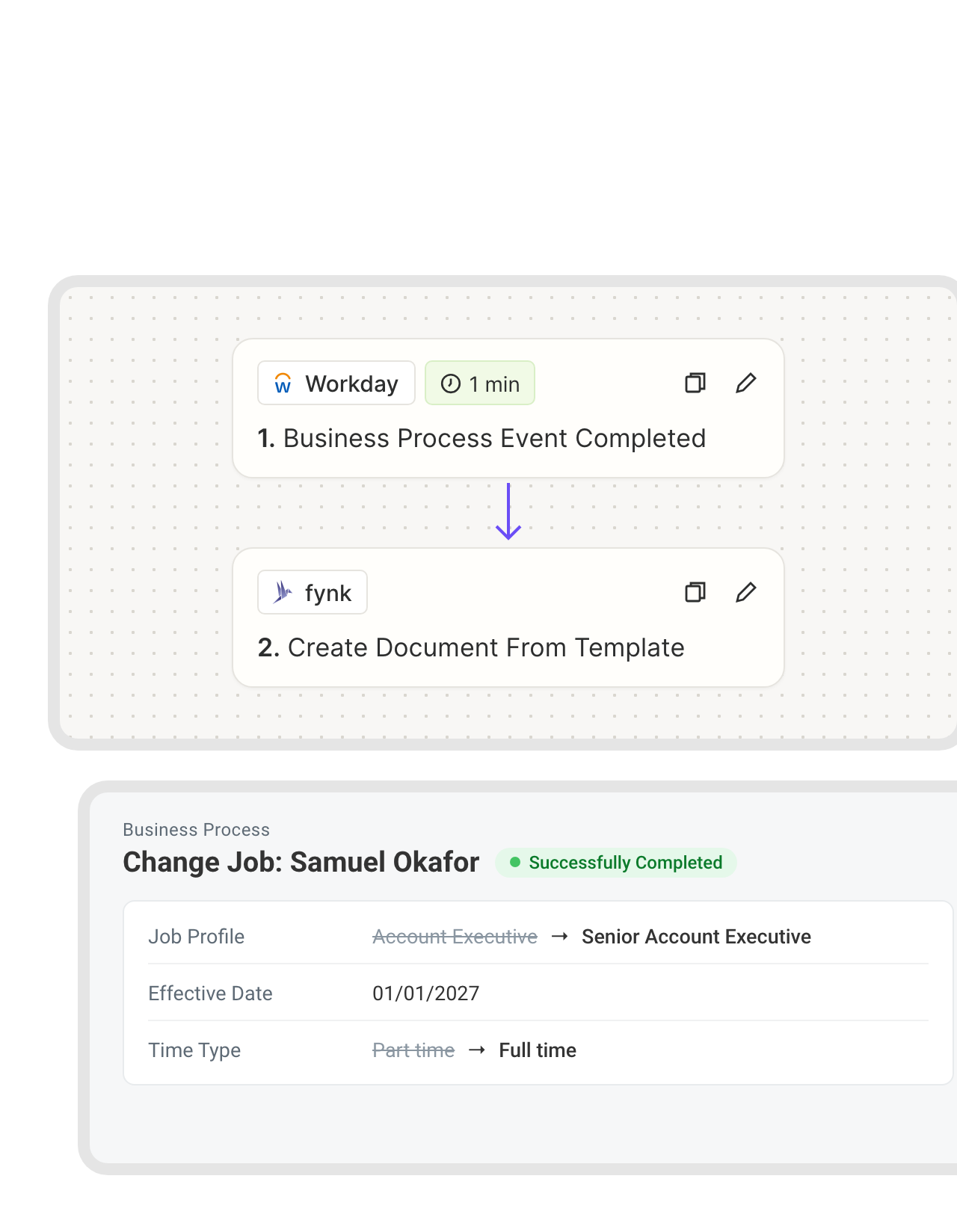 Job changesLearn more
Promotions get their paperwork without a reminder.
A promotion is official in Workday weeks before anyone updates the contract. Point the Business Process Event Completed trigger at the Change Job process, and fynk starts the amendment with the new job profile, time type and effective date. The contract matches the record because it came from the record.FEATURES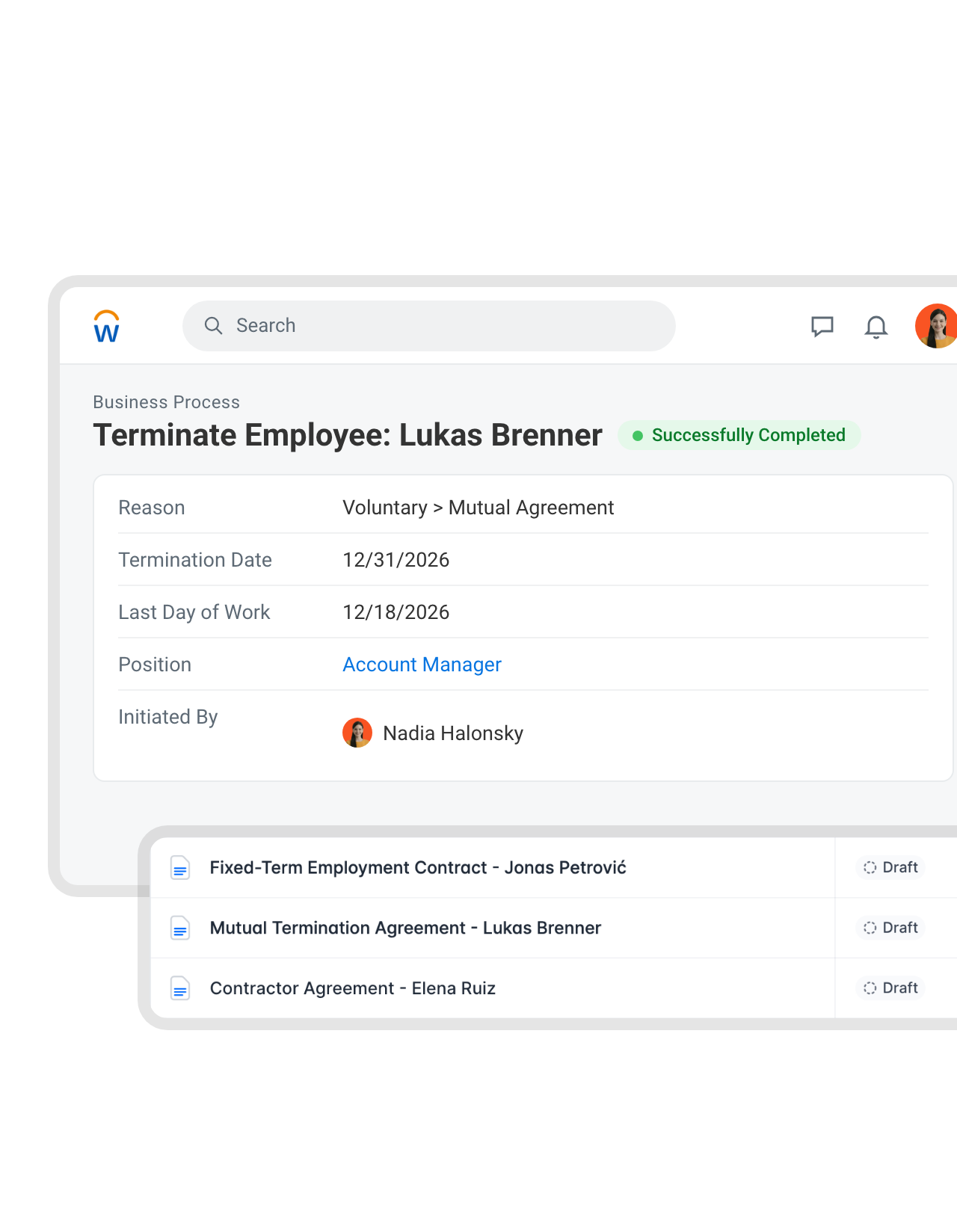 ExitsSee a sample template
Offboarding starts with an agreement, not a blank page.
When a termination goes through in Workday, fynk drafts the termination agreement from your template, with the termination date and last day of work filled in. It passes your approvals, then goes to the employee and the company in the signing order you set.FEATURES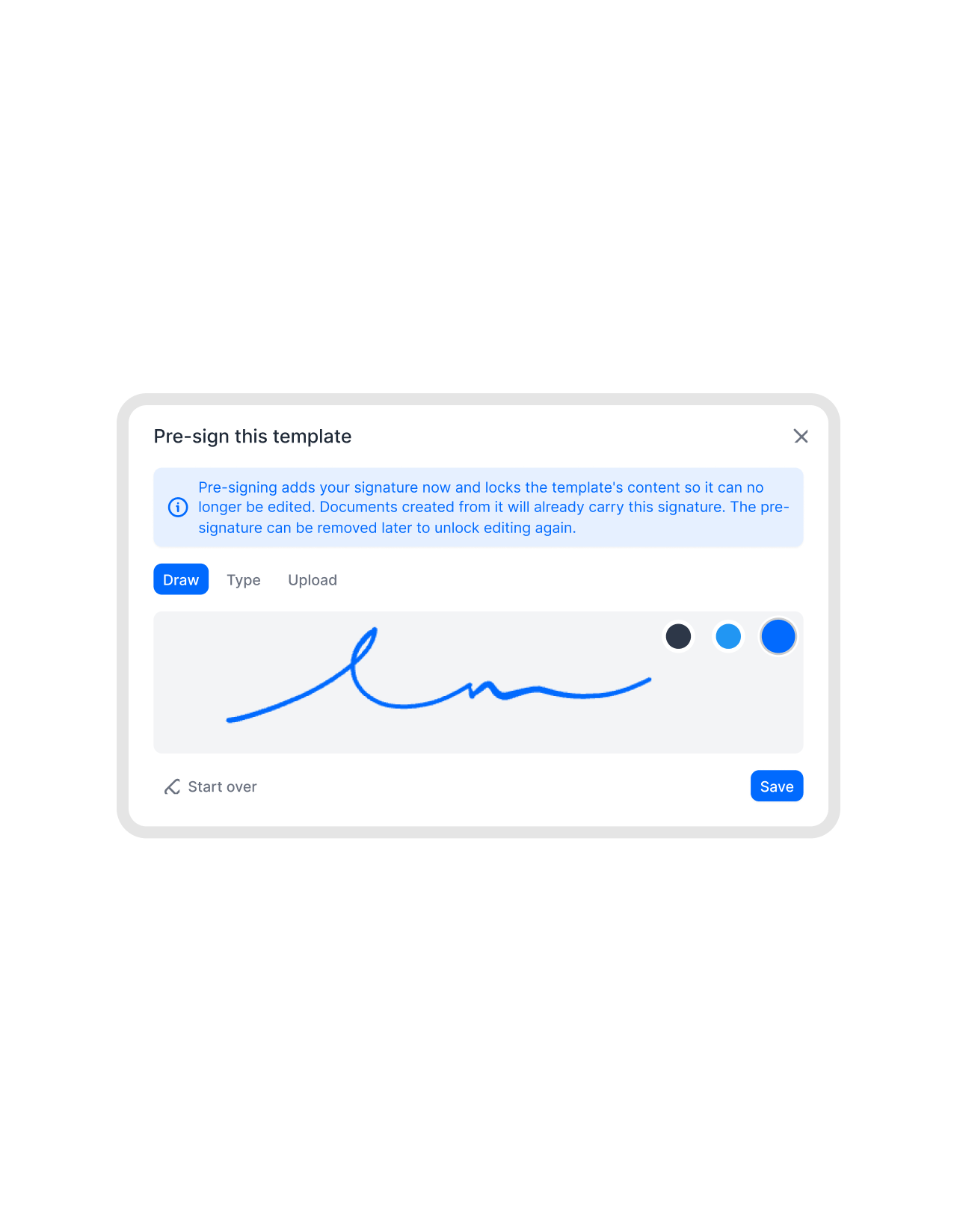 Onboarding classesLearn more
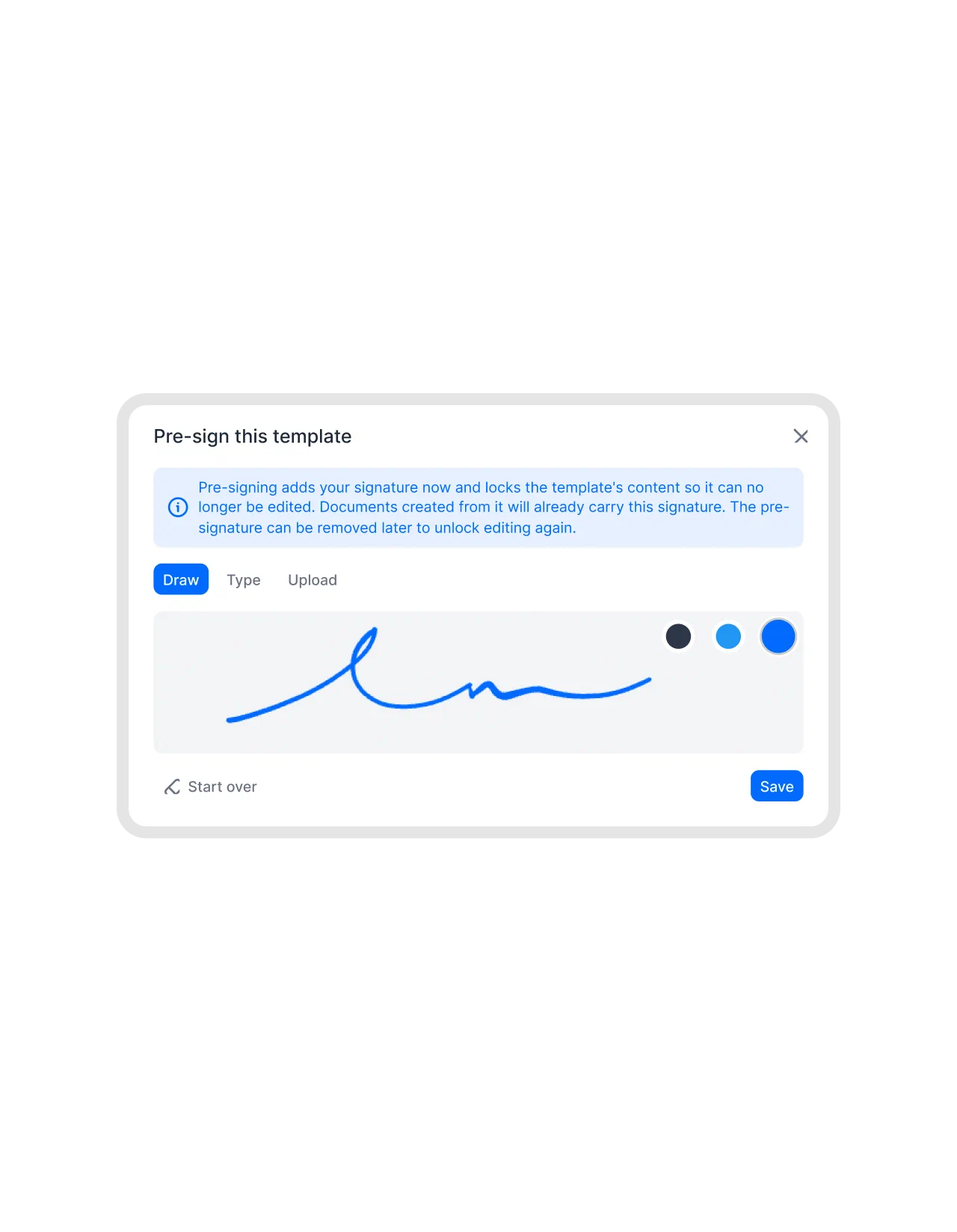
Sign the template once, and every new contract arrives countersigned.
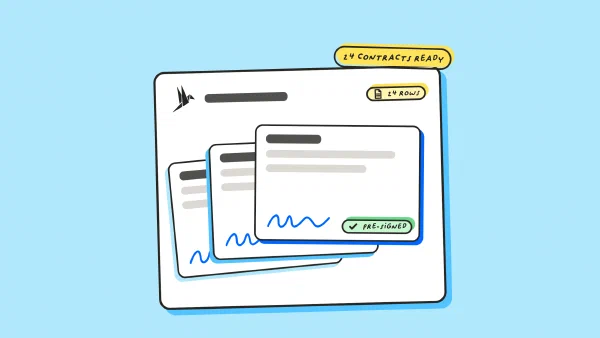
Pre-sign the employment contract template once for the company. Every contract the Zap creates arrives with that signature in place, so a whole onboarding class signs on their own time and no managing director loses an afternoon to countersigning.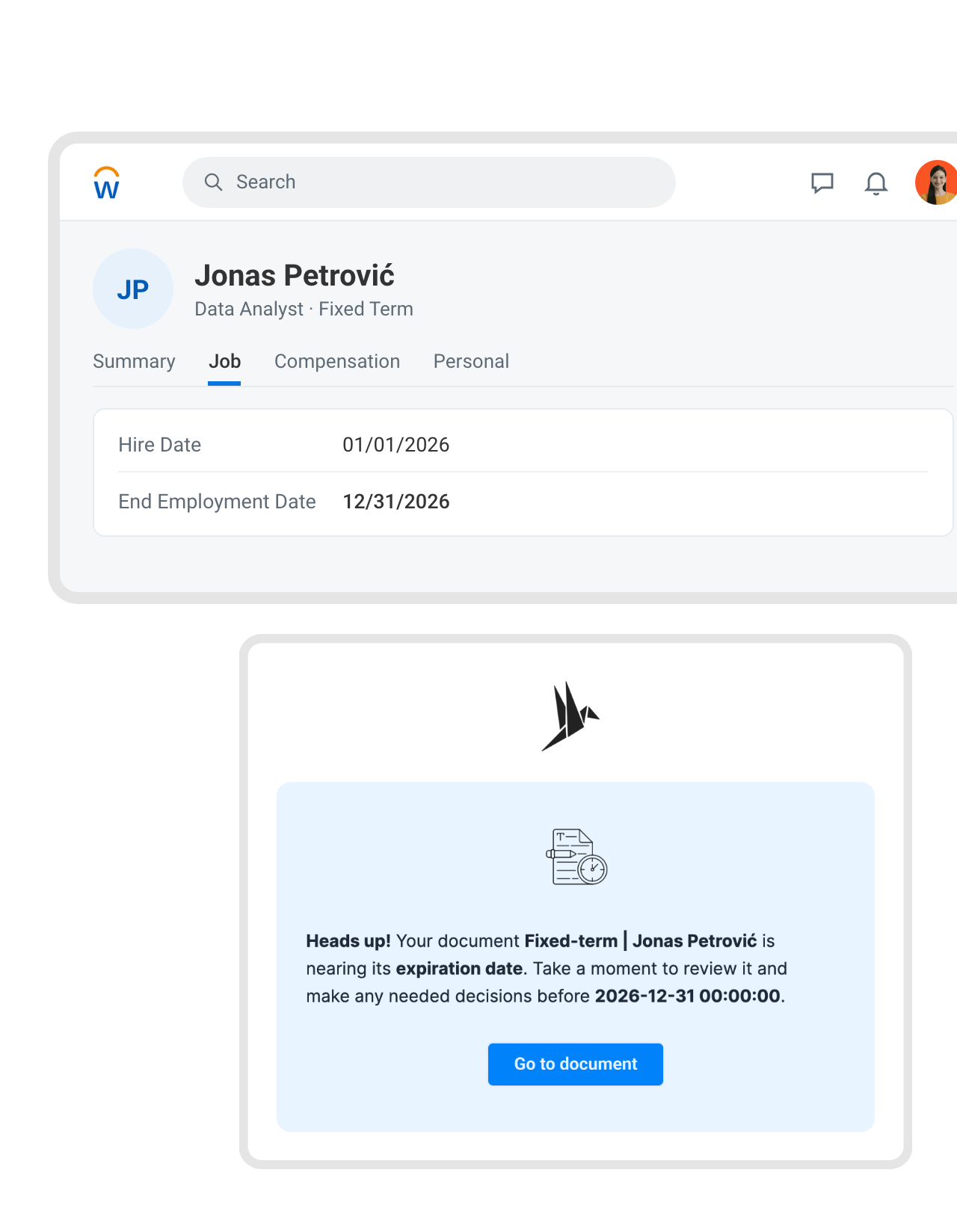 Fixed termsLearn more
Fixed-term contracts end on a date, not as a surprise.
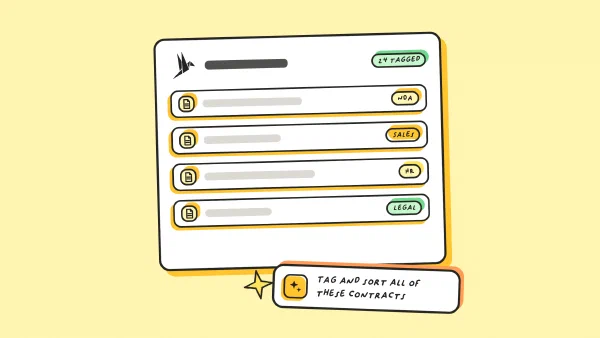
fynk reads the end date and probation period from every employment contract and reminds HR weeks ahead. Extend it, convert it or let it run out, but decide before the date in Workday arrives."The extremely fast and highly precise AI analysis of contracts, followed by the effortless assignment to different business units and accurate tracking, makes it much easier to manage more than 500 contracts, especially when it comes to keeping full control over details like expiration dates."
Michael Head of ICT at Honegger AG




For HR teams who'd rather not open Word again.
Six details that matter when the contract is about someone's job.
Fields from the worker record.
Job profile, time type, start date and manager arrive exactly as Workday has them.
Letters checked before sending.
A checkpoint on the template means no offer letter reaches a candidate unread.
Every leaver handled alike.
Termination agreements follow one approved template and one signing order.
Signed on the candidate's phone.
No account and no app. QES where written form applies.
Probation, then a reminder.
HR hears about probation and fixed-term end dates weeks ahead.
Salaries stay inside HR.
Team permissions keep employment contracts away from Sales and Legal.
Where HR teams take Workday contracts next.
Drafts announced in Slack, signed contracts filed in SharePoint, Personio for smaller entities, and Claude for questions.




Connect Workday and fynk in an afternoon
You need fynk Business or Pro, a paid Zapier plan (Workday is a premium app) and connection details from your Workday admin
- Step 1
In fynk, create an API token under Account settings > API integrations > fynk API.
- Step 2
Open a Workday Zap template, connect fynk with the token and connect Workday with the OAuth details your admin set up.
- Step 3
Choose your fynk template, map the Workday fields to its dynamic fields, run a test and switch it on.
Frequently asked questions.
Through Zapier. Workday's Zapier app starts fynk actions when a hire, job change, termination or new supplier goes through, and fynk can create a pre-hire in Workday once an offer is signed.
Workday can generate documents inside business processes, collect e-signatures natively or through Adobe Acrobat Sign and DocuSign, and sells Workday Contract Lifecycle Management for enterprise legal teams. fynk is one contract tool for HR, Procurement, Sales and Legal without a Workday implementation project: approved templates, approval checkpoints, SES, AES and QES, and reminders for every contract, not only the ones Workday creates.
New Hire Created, Employee Terminated, New Supplier, New Candidate, Updated Candidate and Business Process Event Completed. Each one can start fynk's Create Document From Template action, which fills your dynamic fields and sets the signers.
Not through Zapier today. Workday’s Zapier app can read worker documents but has no action to upload one. The signed PDF and its audit trail stay in fynk, and a Zap can copy it to SharePoint or Box if your personnel files live there.
They get an email link and sign in the browser or on their phone, no fynk account needed. fynk supports simple, advanced and qualified electronic signatures, so contracts that need written form can use a QES.
fynk Business or Pro for API access, and a paid Zapier plan, because Workday is a premium app on Zapier. Your Workday admin creates the OAuth client once. Flows that write to Workday, like Create Pre-Hire, and the New Supplier trigger also need an integration system user. Zapier and Workday are billed by their providers. See the fynk plans on the pricing page.
fynk is hosted in the EU, in ISO 27001-certified data centers. Zapier moves the data between Workday and fynk, so its own data processing terms apply to that step.
Still have questions?


HR and legal teams already running on fynk.




What runs between Workday and fynk
fynk connects to Workday through Zapier. The new hire, leaver and supplier flows are ready-made templates. The others use the same triggers and actions and take a few minutes to build.
Workday workflows
| Workflow | Trigger | Steps |
|---|---|---|
| New hire | Workday: New Hire Created | fynk: Create Document From Template |
| New hire, HR told in Teams | Workday: New Hire Created | fynk: Create Document From Template, Microsoft Teams: Send Channel Message |
| Offer letter | Workday: Updated Candidate (stage: Offer) | fynk: Create Document From Template, Move Document to Signing Stage |
| Signed offer to pre-hire | fynk: New Signed Document | fynk: Find Signatories, Workday: Create Pre-Hire |
| Job change | Workday: Business Process Event Completed | fynk: Create Document From Template |
| Leaver | Workday: Employee Terminated | fynk: Create Document From Template |
| New supplier | Workday: New Supplier | fynk: Create Document From Template, Slack: Send Channel Message |
Who keeps what
| Workday | fynk | |
|---|---|---|
| People and supplier records | System of record | Read through Zapier |
| Contract drafts | Templates with dynamic fields | |
| Before signing | Approval checkpoints, signing order | |
| Signing and after | SES, AES and QES, end-date reminders, audit trail |

Employee data deserves the strictest setup.

European by design.
Designed and developed in Austria. fynk is hosted in the EU, in ISO 27001-certified data centers.

Security at the core
Encryption in transit and at rest, and secure engineering standards across a continuously monitored infrastructure.

Two keys, both yours
The fynk side runs on an API token you can revoke. The Workday side uses the access your admin grants Zapier.

GDPR, fully embedded
Fully compliant with European data protection regulations, supported by regular audits and external penetration testing.
Trusted by companies worldwide


Take control of your agreements. Move your business forward.
Run agreements the way they should run: fast, clear, and on your terms.
No setup headaches
Go live in days, not quarters
No lock-in
Full export anytime
No hidden fees
Signatures included, no envelope fee