Sales: +44 204 577 2699
English Deutsch
Log in
fynk fynk Logo
Why fynk?
Features

Sign

E-signatures and tracking

Organize

Contract management

Boost

AI assistant and AI analysis

Scale

Approvals and automations

Insights

Contract data and dashboards

See all features

→
Additional benefits

AI assistant

AI analysis

AI review

MCP server

Integrations

API

Security & GDPR

By team

Legal

Finance

Operations

Sales

IT

Procurement

HR

Founders & Owners

See all teams

→
By industry

Finance & Banking

SaaS & IT

Manufacturing

Retail

Energy

Media & Creative

Sports

Construction

e-Commerce

See all industries

→
Customers Pricing
Company

Why fynk

About us

Careers

Partnerships

Contact

Know how

Case studies

Templates

Blog

Webinars

Use cases

Clause library

Glossary

Business tools

PDF tools

From the blog
Blog post cover
                        image: How to sign as power of attorney: formats, samples and rules

How to sign as power of attorney: formats, samples and rules

Signing under a power of attorney has a format of its own, and banks in …

Explore all posts
Free trial Get a demo
Free trial
fynk PDF tools
    • Merge PDFs (Current tool) Combine PDFs into one file
    • Split PDF Cut a PDF into parts
    • Organize PDF Reorder, rotate, delete pages
    • Rotate PDF Turn pages left or right
    • Compress PDF Shrink a PDF for email
    • PDF to JPG Turn pages into images
    • JPG to PDF Turn photos into one PDF
    • Watermark PDF Stamp DRAFT or CONFIDENTIAL
    • Add page numbers Number an exhibit pack
    • Compare PDFs See what changed between two versions
    • Redact PDF Black out names and numbers
    • Remove PDF metadata Strip author names and dates
    • Flatten PDF Lock form fields and comments
    • Protect PDF Lock a PDF with a password
    • Unlock PDF Remove a password or restrictions
  • Share by email
  • Share on LinkedIn
  • Share on X
  • Share on WhatsApp
Features

Sign

E-signatures and tracking

Organize

Contract management

Boost

AI assistant and AI analysis

Scale

Approvals and automations

Insights

Contract data and dashboards

See all features

→
Additional benefits

AI assistant

AI analysis

AI review

MCP server

Integrations

API

Security & GDPR

By team

Legal

Finance

Operations

Sales

IT

Procurement

HR

Founders & Owners

See all teams

→
By industry

Finance & Banking

SaaS & IT

Manufacturing

Retail

Energy

Media & Creative

Sports

Construction

e-Commerce

See all industries

→
Customers
Pricing
Company

Why fynk

About us

Careers

Partnerships

Contact

Know how

Case studies

Templates

Blog

Webinars

Use cases

Clause library

Glossary

Business tools

PDF tools

From the blog
Blog post cover image: How to sign as power of attorney: formats, samples and rules

How to sign as power of attorney: formats, samples and rules

Signing under a power of attorney has a format of its own, and banks in particular are strict about it. This guide …

Explore all posts

fynk PDF tools

Organize

  • Merge PDFs (Current tool)
  • Split PDF
  • Organize PDF
  • Rotate PDF

Optimize & convert

  • Compress PDF
  • PDF to JPG
  • JPG to PDF

Edit

  • Watermark PDF
  • Add page numbers

Review & protect

  • Compare PDFs
  • Redact PDF
  • Remove PDF metadata
  • Flatten PDF
  • Protect PDF
  • Unlock PDF
  • Share by email
  • Share on LinkedIn
  • Share on X
  • Share on WhatsApp
Business tools →
  1. PDF tools
  2. Merge PDFs

Merge PDFs

One packet. In this tab.

Drop the MSA and the annexes, drop the pages you do not need, download one file. No account, and the files never leave this tab.

Your PDFs Drop open PDFs here Unlocked PDFs only, up to 25 MB each. Nothing is uploaded.

Open JPG to PDF → Open Unlock PDF →

No pages selected

Stays on this device. The files never leave your browser. No account, nothing stored.

Next for this file

  • Compress PDF
  • Add page numbers
  • Organize PDF

In fynk, annexes stay attached to their contract as separate files, so the packet never needs rebuilding. Find out about related files in fynk →

Start free trial Book a free demo

One clean file, ready to send

Put the files in order, drop the pages nobody needs, and send one PDF the other side will actually open.

  • Arrange the packet.

    Add the files and drag them into order. Show pages when you need to drop a page or move it between files. The download follows that board.

  • Keep only the pages you tick.

    Tick the pages you want. The selection holds in both views, and only ticked pages go into the download.

  • A real PDF comes out.

    The download keeps the original words and drawings. You can still select text. The file stays compact.

  • Works on a phone.

    On a small screen the board turns into one column. Move files and pages with the up and down buttons instead of dragging.

  • Open PDFs only.

    Unlocked PDFs merge here. Unlock a protected file with Unlock PDF and turn photos into a PDF with JPG to PDF first. A Word file becomes a PDF when you drop it in fynk.

  • Nothing is uploaded.

    The files stay in this browser tab. We never see the contract. There is no account and nothing to store.

When one file is the job

Ops lives here: the MSA plus the annexes, the terms plus the order form, the signed pages plus the IDs.
  • The master and everything that hangs off it
    MSA and annexes

    The master and everything that hangs off it

    The MSA is one PDF. The annexes arrived as three more. Put them in order, drop the cover you do not need, and send one packet. The originals stay on your machine.
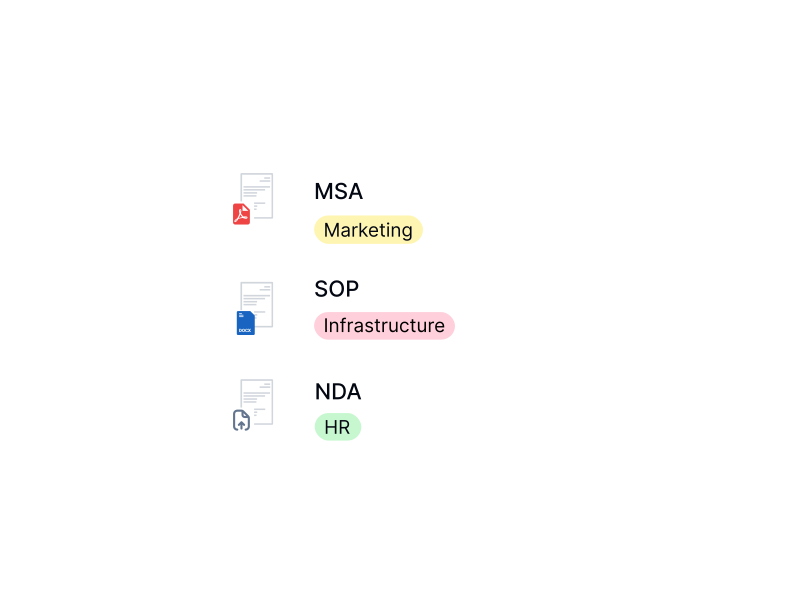
    IN FYNK
    • Document import

  • The paper the counterparty will actually open
    Terms and the order form

    The paper the counterparty will actually open

    Terms in one file, the order form in another, sometimes a signed page and an ID scan after that. Stack them here, drop the blanks, download the file you attach.
    IN FYNK
    • Multi-format document support

More free PDF tools

Merge, split, rotate, compress, convert, protect, unlock or redact a PDF in this browser. No account, and the file stays on your device.

All PDF tools →
  • Compress PDF

    Shrink scans and photos for email and upload portals, text stays selectable.

  • Add page numbers

    Pick the spot, the format, and the first number, and skip the cover.

  • Organize PDF

    Reorder, rotate and delete pages, or add blank pages and another file.

  • Split PDF

    Cut a PDF into parts by page range, or pull out the pages you need.

  • Rotate PDF

    Turn one page or the whole file left or right, then download.

  • Redact PDF

    Select text or draw a box, then download a copy where those areas are gone.

Frequently asked questions.

  • No. The files stay in this browser tab as local data. The merge runs on your device. We do not receive the documents, so there is nothing for us to store or delete.

  • This tab merges unlocked PDFs. Unlock a password-protected file with Unlock PDF and turn a JPG into a PDF with JPG to PDF, both free fynk tools that run in your browser. A Word document becomes a PDF when you drop it in fynk. That is the enhanced path when the packet is mixed.

  • Yes, for the pages you kept. This is a real PDF, not a picture of one. Words stay selectable. Form fields, bookmarks, and attachments may not carry over.

  • They stay as they are. An A4 MSA and a smaller ID scan sit in the same file at their own sizes.

  • Yes. Up to 20 open PDFs, each under 25 MB, and 80 pages in total. A password-protected file needs Unlock PDF first, another free fynk tool that runs in your browser.

  • This tab only builds a file. A fynk account is for storing that packet with the rest of the contract, sending it for signature, and not rebuilding it by hand next time.

  • Not for this tool. A fynk account is for stored files, comments, and signing.

Still have questions?

Contact us
Markus
Brendan
Simon

Keep the contract and its annexes together

A merged PDF is a snapshot. In fynk, annexes, exhibits and side letters are attached to the contract itself. Each one stays findable, and none has to be glued into a new PDF every time something changes.
Find out about related files in fynk →
Start free trial Book a free demo

Take control of your agreements. Move your business forward.

Run agreements the way they should run: fast, clear, and on your terms.

Start free trial Start free trial
Get a demo Get a demo
4.9 on G2.com
4.8 on OMR

No setup headaches

Go live in days, not quarters

No lock-in

Full export anytime

No hidden fees

Signatures included, no envelope fee

Take control of your agreements. Move your business forward.
Get a demo
fynk fynk Logo

PRODUCT

  • Sign
  • Organize
  • Boost
  • Scale
  • Insights

ADDITIONAL BENEFITS

  • Contract management software
  • AI assistant
  • AI contract analysis
  • AI review
  • MCP server
  • Integrations
  • API
  • Security & GDPR

SOLUTIONS

  • Legal
  • Finance
  • Operations
  • Sales
  • IT
  • Procurement
  • HR
  • Founders / Owners

BY INDUSTRY

  • Finance & Banking
  • SaaS & IT
  • Manufacturing
  • Retail
  • Energy
  • Media & Creative
  • Sports
  • Construction
  • e-Commerce

SUCCESS STORIES

  • Unite SE
  • 1. FC Nürnberg
  • fiskaly
  • Five 14
  • Maven

RESOURCES

  • Pricing
  • Case studies
  • Templates
  • Webinars
  • Clause library
  • Glossary
  • Blog
  • Electronic signatures
  • Signature methods
  • Business tools
  • PDF tools
  • Trust Center

COMPANY

  • About us
  • Contact
  • Careers
  • Partnerships

COMPARE

  • Alternatives
  • Compare
  • Best of

LEGAL

  • Legal notice
  • Terms & conditions
  • Privacy policy

© 2026 fynk GmbH