
Track every tool and subscription, even without a contract
Turn your list of tools into records in fynk, each with its cost, owner and dates, and decide before every renewal whether to keep it.
Video transcript
Click any line to jump thereHere's something a lot of people don't know: fynk isn't only for contracts. You can also use it to keep track of things that never had a contract in the first place, like all the tools and subscriptions your company pays for. In most companies, those live in a spreadsheet that nobody really owns, and every year they renew, whether anyone still uses them or not. So let me show you how to set this up. Everything starts with one simple template. Think of it as a record card for a single tool or subscription.
It has a field for everything your spreadsheet tracks: the tool, the vendor, the plan, the yearly cost, the owner and the dates. No signatures needed. Now here's the important part. In the dates panel, the start date, the end date and the notice period are linked to those fields. That means every record you create from this template knows exactly when it renews, and how much notice you have to give. And the template even brings its own task. Three months before a tool's end date, fynk creates a task for its owner, with one simple question: do we keep it, or do we cancel it?
Got your tools in a spreadsheet already? Then the quickest way in is fynk AI. Drag the file into the chat, and ask for one record per row, from the template we just looked at.
fynk AI reads every row and matches each column to a field in the template.
Before it creates anything, it tells you what it found and asks you to confirm.
You can follow along as it works through the list.
Say yes, and it gets to work.
A minute later, all twenty-two tools have their own record, with the vendor, the cost, the owner and the dates already filled in. Each name is a link, so you can jump straight into any of them.
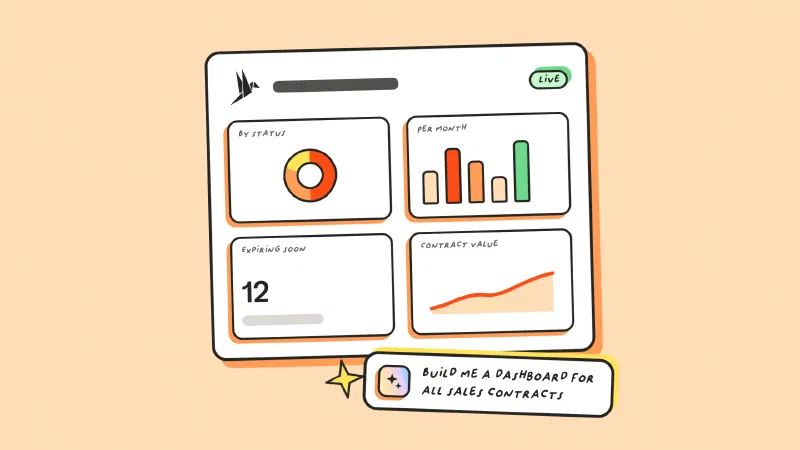
From now on, all of your renewals show up on your dashboard, right next to your other contracts. So at a glance, you can see what's coming up, month by month.
And when a renewal gets close, the owner gets that keep-or-cancel task, with enough time to actually decide. No more paying for another year of a tool nobody uses.
The goal
Keep every tool and subscription your company pays for in fynk, with a reminder before each one renews.
- One record per tool, with its cost, owner and dates
- The whole list added by fynk AI from one spreadsheet
- A keep-or-cancel task before every renewal
Most of these tools never had a signed contract. They still get a record.

Every row becomes a record
A template defines what a record holds. fynk AI turns each row of your spreadsheet into one record from that template, so a long list takes one message instead of many forms.
Read how a media and marketing agency tracks its 450 tools this way, most of them without a contract.

Create a template for tool records
Start a new template with one external party for the vendor and a dynamic field for each detail you track: tool name, plan, annual cost, billing cycle, owner, start date, end date, notice period and notes. Nobody signs a record, so it needs no signature blocks.
Keep the fields to what you need for a renewal decision. A short list that people really fill in beats a long one that stays empty. Anything that does not fit a field goes into the notes.

Link the dates and add the renewal task
In Dates & duration, add Contract Start Date, Contract End Date and Cancellation Notice Period, and link each one to its field with Link to dynamic field. Add the annual cost under Metadata and link it the same way. Linked dates are what feed the calendar and the reminders.
Then open Document notifications, go to Tasks and choose Create task with Automate for later. Base the due date on Contract End Date, for example three months before. Publish the template. Choose a lead time that leaves room to cancel: it has to be longer than the longest notice period on your list.


Drag your list into fynk AI
Open fynk AI, drag in the spreadsheet you already keep and ask for one record per row from the template. Plain column names like tool, vendor, plan, cost, owner and dates are enough. fynk AI matches each column to a field.
Give every row an owner. A tool nobody owns is the one that renews unnoticed.
Create a tool record from our Tool and subscription record template for each row in this list.

Confirm and check the records
Before it creates anything, fynk AI tells you how many rows it found and which template it will use. Confirm, and every row becomes a record with its values, dates and owner filled in.
The answer links each new record, so you can open any of them and check the dates right away.

Decide before each renewal
Every end date and notice date appears in the document calendar on your dashboard, next to your contracts. When a renewal is three months away, the record’s owner gets the keep-or-cancel task. Ask whether the tool is still used, by how many people and whether a cheaper plan does the job.
A cancelled tool needs its notice sent before the notice date, and the renewal process for SaaS tools covers what to check first.

What makes it fast?
One message for the whole list
Dates read from each row
The task is set once, in the template
No contract needed
"Because we're an agency with so many departments and such different specialisms, we have an incredibly large number of tools without a contract. The way we do it now is the best way to keep track."

Keep your spreadsheets and fynk in sync.
Create fynk documents from new rows in Excel, Google Sheets or Airtable, and add a row for every newly signed document.
Frequently asked questions.
No. A tool record is its own document, created from your template with the values from your list. If a tool does have a contract, you can attach it to the record later.
fynk AI tells you what it found before it creates anything and names the fields it could not fill. Fill them in on the record, or fix the row and ask again.
The template task goes to the record's owners and collaborators by default. You can narrow it to a team when you create the task.
Yes. Create a record from the same template whenever a new tool comes in, or drop a new list into fynk AI. Each record gets the same dates, fields and task.
Still have questions?


Take control of your agreements. Move your business forward.
Run agreements the way they should run: fast, clear, and on your terms.
No setup headaches
Go live in days, not quarters
No lock-in
Full export anytime
No hidden fees
Signatures included, no envelope fee