
SaaS renewal management: stop paying for unused tools

Rezvan Golestaneh
Published · 12 min read
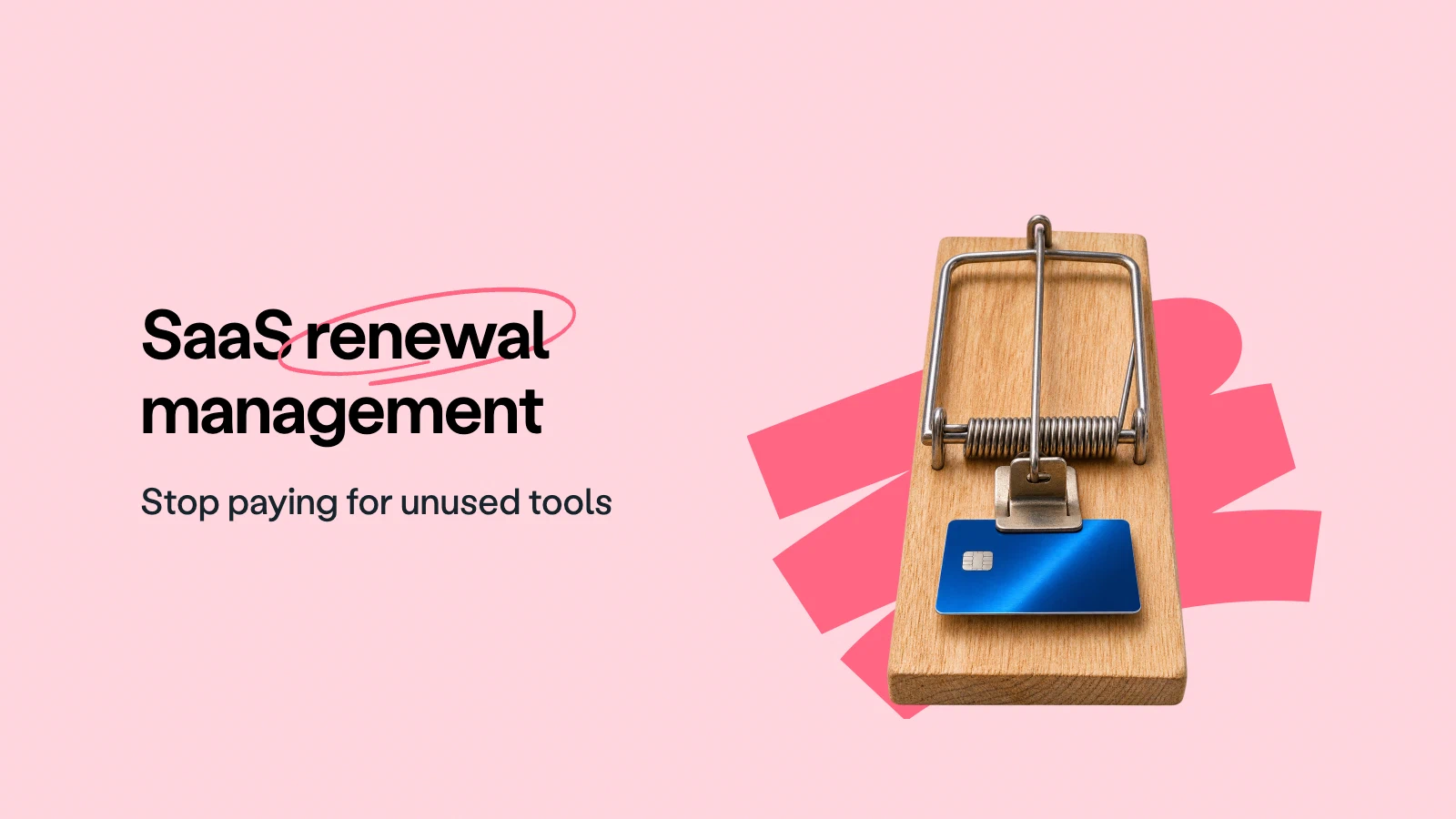
SaaS renewal management is the process of reviewing software subscriptions, checking their contract terms, and deciding what to keep before the notice deadline passes.
Before each renewal:
- Check the renewal terms and the last day to give notice.
- Compare the seats you pay for with the people who use the tool.
- Decide whether to renew, renegotiate, downgrade, or cancel.
Your design tool renews for 40 seats, but only 12 people use it. You missed the cancellation deadline 60 days before renewal.
That means another full year of paying for 28 seats nobody opens, and the vendor has little reason to point that out. This rarely comes from a bad decision. It comes from no decision being made in time.
What is SaaS renewal management?
It’s the renewal side of SaaS contract management: for every subscription, someone knows early enough what the company agreed to, whether the team still needs the tool, and what it takes to change or end the agreement. That applies to automatic renewals as much as to contracts that need a fresh signature, because both can lock you in for another term if nobody acts.
Two related jobs sit right next to it. SaaS subscription management keeps track of every tool the company pays for, including the ones bought on a company card. SaaS license management looks at who holds which seat. Renewal management draws on both, but it asks a narrower question: what happens to this contract at the end of its term, and who has to act before the deadline?
Why SaaS renewals slip through
Most SaaS contracts are written to keep running, so doing nothing means another term.
Silence usually means another term. Vertice puts the average auto-renewal rate across SaaS categories at 69.7%, roughly seven in ten. For most of your tools, leaving the contract alone is enough to keep paying.
The renewal date is the wrong date to watch. When a contract needs notice 60 days before its anniversary, the decision is effectively due two months before the renewal itself. A reminder set for the week before renewal therefore arrives long after the window has closed. Monthly billing can hide the same problem, since some plans bill monthly but commit you for a year.
The price changes while nobody is looking. Increases tend to arrive in an email that nobody opens, and the renewal clause may keep a seat minimum in place or allow a yearly increase. Vertice’s SaaS Inflation Index found shrinkflation in 27% of SaaS vendor contracts in 2026: the price holds or rises while what you get shrinks. If you only compare the invoice totals, you miss a smaller usage allowance or a feature that quietly moved into a paid add-on.
The buyer leaves. The person who signed up for the webinar platform moves on, and their replacement inherits the login and a vague sense that the tool is “probably important,” but not the notice terms. The software keeps renewing for someone who no longer works there.
Three questions to answer before every SaaS renewal
Almost every renewal decision comes down to three questions. The order matters, because if the answer to the first one is no, the other two stop mattering.
- Do we still need this tool? Ask the team that uses it what it actually does for them today, and check whether something you already pay for covers the same job.
- How much of it do we need? Compare what the contract commits you to with the number of people who really use it, then add the hires that are already planned.
- Are the price and terms still right? Put the renewal quote next to what you pay today, look for new minimums or removed features, and decide what you want changed before you talk to the vendor.
Together, the answers point to one of four outcomes: renew as is, renegotiate, downgrade, or cancel. Whichever it is, it has to happen before the notice deadline, not on the renewal date.
What to check in the SaaS contract before it renews
The renewal rules are rarely written down in one place. Typically the main agreement says how terms renew, the order form sets the length of the current term, and an amendment may have changed either of them since. Read them together.
| What to check | The question to answer |
|---|---|
| Renewal type | Does it continue automatically, expire, or need a new signature? |
| Term length | How long is the next commitment? Is it the same as the billing cycle? |
| Notice period and method | When is notice due, and must it go to a specific address, portal, or person? Does the date count from sending or from receipt? |
| Price increase clause | Can the price rise at renewal, by how much, and with how much warning? Does an introductory discount end? |
| Pricing model | Can the vendor change how it charges, for example from seats to usage? |
| Minimum commitment | What is the least you must buy, even if fewer people use the tool? |
| Downgrade rights | Can you reduce seats or change plans at renewal, and is there a separate, earlier deadline for that? |
| Data export at exit | How do you get your data out, in what format, and before which date does access end? |
A contract that says “60 days” means 60 days, not two months. Count from the actual wording and check whether it mentions business days or a time zone.
Work out the last day you can
still give notice.
The software renewal process, step by step
In most companies three groups hold a piece of the answer: finance sees the cost, IT knows who uses what, and the team that works with the software knows what it needs. The process below gives each of them a clear part and a date, so the decision doesn’t depend on one person remembering.
Step 1: Build one list of software contracts
Start from the money, because the finance system is the one place where every subscription eventually admits it exists. Match invoices and company card charges with the tools that IT and team leads know about, then find the agreement behind each purchase, including order forms and amendments.
For each entry, record the vendor, the tool, the department, the renewal owner and a backup, and where the contract is stored. A subscription whose original buyer has left still needs an owner, otherwise it renews by default.
fynk’s document hub keeps those contracts in one searchable place, so an unfamiliar vendor charge leads you to a contract rather than to a search through a former colleague’s mailbox.
Step 2: Pull the dates and terms out of each agreement
Next, note the start date, end date, renewal date and notice period for each contract, along with any separate deadline for reducing seats. The price rules and minimum commitments belong next to them, since they shape what you can negotiate later.
With fynk’s AI import, you upload the contracts you already have and fynk finds the start and end dates, renewal terms and notice periods. Check what it found against the wording before you plan notice around it.
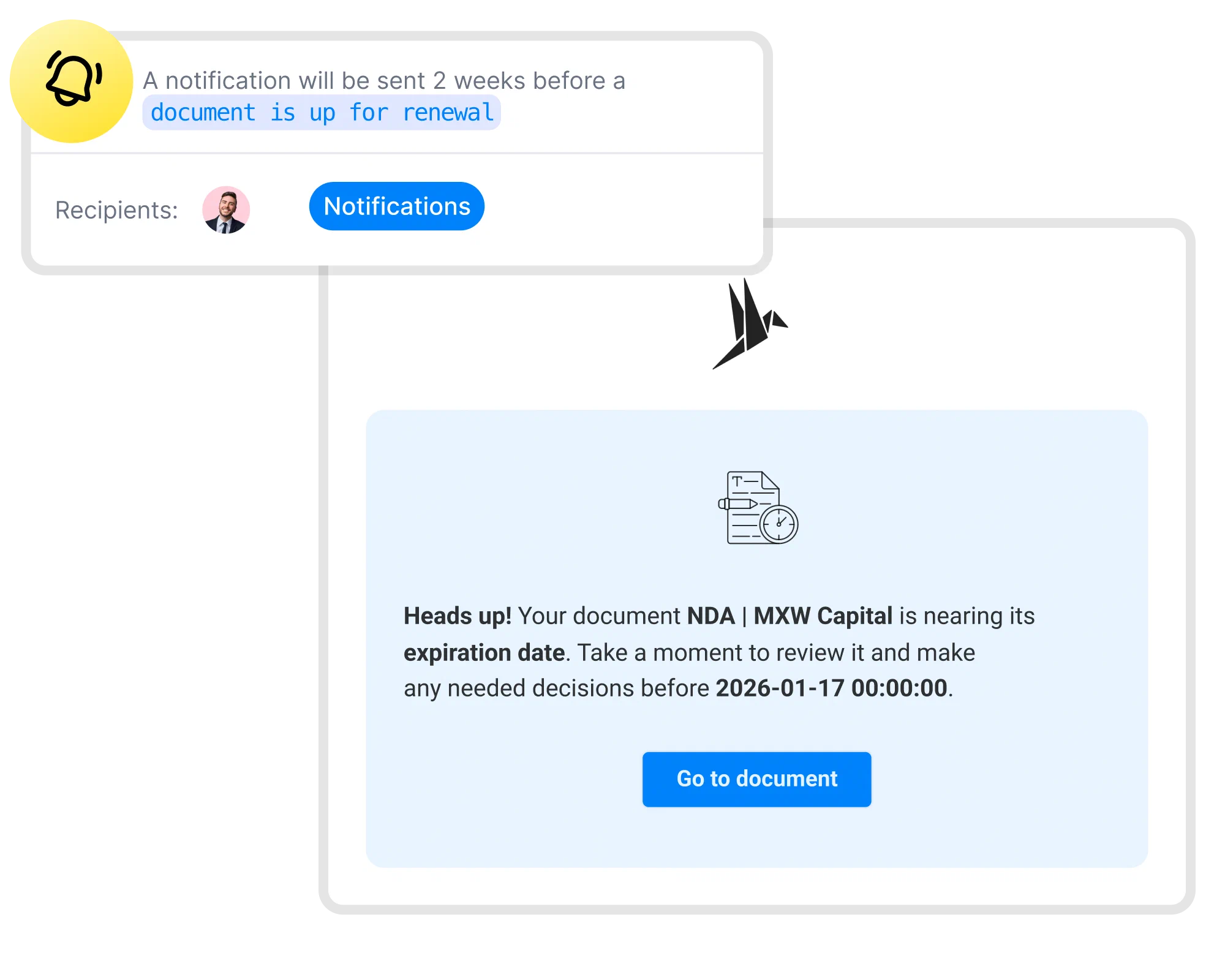
Step 3: Count back from the notice deadline
The review should be planned from the last day you can give notice, not from the renewal date. For an annual contract, a workable rhythm looks like this:
| When | What happens |
|---|---|
| 120 days before the notice deadline | The owner confirms the tool is on the list and the terms are right |
| 90 days before | IT pulls usage data and the team says what it needs |
| 60 days before | Decision agreed; negotiation starts if terms should change |
| 30 days before | Notice drafted, or the new terms confirmed in writing |
| The notice deadline | Notice delivered the way the contract requires |
Take a contract that renews on December 31 with notice due by November 1. Counting back puts the start of the review in early July, which feels early until you remember that usage data, a team decision and a negotiation all have to fit in before November. If leaving the tool would mean a data migration, start even earlier.
Step 4: Check real usage with the tool’s admin or IT
Usage is where the savings usually are. Ask the tool’s administrator or IT for active users, assigned licenses and the features people rely on; the admin panel or your SaaS management platform will have them.
For the design subscription, that means comparing the 40 contracted seats with the 12 people who actually use the tool. Before you propose 15 seats, though, ask about planned hires, freelancers, and the people who open the tool twice a year for one big project. Low activity on its own doesn’t prove a tool is safe to drop.
Step 5: Decide and give notice the way the contract asks
Once the facts are in, pick the outcome, write it down, and get internal agreement well before the notice deadline.
If you keep the tool, get the next term’s price, seat count, included features and renewal terms in writing. A contract renewal or extension can change how long you are bound, so read the wording, not the vendor’s label for it.
If you cancel or reduce seats, follow the contract’s notice clause to the letter and keep proof of delivery as well as the vendor’s reply. A friendly call with your account manager can be a good start, but it doesn’t count as notice when the clause names a legal address.
Step 6: File the outcome and set the next review
Finally, save the signed renewal, amendment or cancellation confirmation, update the dates, seat commitments and owner, and put the next review on the calendar.
Leaving a tool comes with its own to-do list: data export, access removal, and anything the contract requires after the end date. Those duties belong in contract obligation management, so the cancellation doesn’t leave half a migration behind.
How to negotiate a SaaS renewal
Your bargaining power is highest while canceling is still a real option. Once the notice deadline passes, the vendor knows you are staying for another term.
- Open the conversation early. Vendors know when your window closes, so talk to them while walking away is still credible.
- Bring usage data. “We use 12 of 40 seats” opens a better conversation than “the price is too high.”
- Watch the pricing model. Some vendors move customers from per-seat to usage-based pricing at renewal. Vertice found that this switch raises total contract cost by 22.6% on average, so ask to keep the old model, or for a cap, before you accept the new one.
- Ask for terms, not only price. A cap on future increases, a lower minimum, the right to reduce seats mid-term, or a shorter notice period can be worth more over time than a one-time discount.
- Read multi-year offers twice. A lower yearly price for a longer term also means a longer lock-in, so check the exit rights before you accept.
- Get it in writing. A discount promised on a call isn’t part of the contract until it appears in the order form or an amendment.
Missed the notice deadline?
Then the new term usually stands, but that’s rarely the end of the conversation.
Start by reading the rest of the paperwork. The master agreement may offer other ways out, such as termination for convenience or for cause, and some contracts oblige the vendor to remind you before a renewal. If the contract allows you to reduce seats during the term, do that before you raise an early exit, in case a later clause freezes changes once notice has been given.
Then go to the vendor with a concrete offer rather than a complaint: fewer seats from the next billing date, a lower tier, or an end date combined with a payment that roughly covers the notice period you missed. If your account manager can’t decide, ask who can, since vendors often prefer a smaller customer to a lost one. Whatever you agree, put it in writing, as an amendment for changed terms or a mutual termination agreement for an early exit.
Templates for the renewal talk
- SaaS agreement template Compare the vendor's terms on renewal, price changes and data with a balanced SaaS contract. Use template
- Vendor contract template A vendor agreement with service levels, renewal and exit terms written out, as your baseline for the next term. Use template
- Notice of termination and release template End the subscription in writing, with a release of claims once final payments are settled. Use template
Deleting user accounts doesn’t end the commitment, and neither does an email the vendor never answered. Once it’s settled, set next year’s reminder earlier than this year’s.
How to track software renewals
A spreadsheet works well enough for a handful of tools, as long as one person keeps it current. Its problem is that it fails quietly: nobody updates it after a renewal, and the “Owner” column slowly fills with names of people who have since left. Tying that column to your joiner and leaver process helps, because a renewal then changes hands when its owner does.
Whatever you use, keep three dates apart for every contract: when the review starts, when notice is due, and the renewal date. Most missed renewals happen because only the last one was tracked.
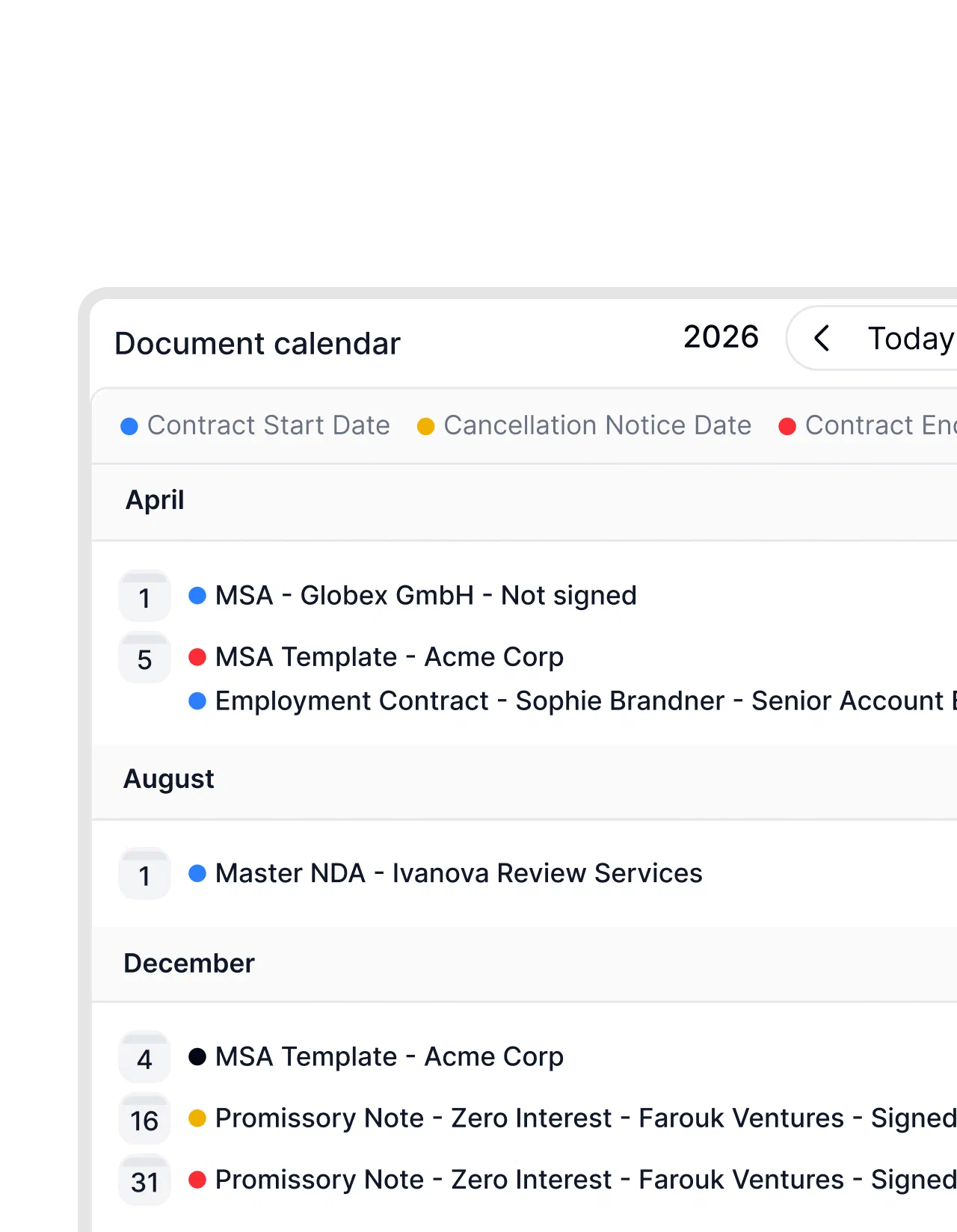
In fynk, dates and durations come from the contract itself, and fynk calculates the notice deadline from the end or renewal date. Reminders go to the people you choose, such as the owner and a backup, before anything is due, and the contract calendar shows every notice and renewal date in one view, which keeps a monthly renewal review short. For a standing view of all software contracts, you can build a contract management dashboard with AI.
The automated reminders included in fynk are a huge help for ensuring timely renewals and renegotiations.

fynk covers the contract side of renewals. It doesn’t track logins, usage or SaaS spend, so those numbers still come from the tool’s admin panel or a SaaS management platform.
With fynk’s MCP server, AI assistants such as Claude can read your contracts in fynk, so a question like “what renews next quarter?” gets its answer from the contracts themselves.

Ask Claude which contracts renew next quarter and get an answer from the contracts in fynk.
SaaS renewal management FAQ
Count back from the notice deadline, not the renewal date. For an annual contract, starting about four months before the notice deadline leaves time to check usage, agree on a decision, negotiate, and give notice. Start earlier if leaving the tool means migrating data.
Usually, yes: a monthly plan keeps renewing until you cancel. Check the terms anyway: some plans bill monthly but commit you for a year, and canceling then only takes effect at the end of that year.
Each subscription needs one named owner, usually the lead of the team that uses the tool, plus a backup. Finance or procurement coordinates the process and IT supplies usage data. What matters is that the reminder reaches a person who can decide.
SaaS management covers everything about the cloud software a business uses: subscriptions, access, usage, costs, and security. SaaS renewal management focuses on the end of each contract term and on deciding in time whether, and on what terms, each subscription continues.
It depends on the gap you need to close. SaaS management platforms track usage and spend, while a contract management tool like fynk tracks the terms, notice periods, and deadlines. Small teams often start with the contracts and use each tool's admin panel to check usage before deciding.
A good place to begin is the subscription you wouldn’t buy again today. Bring its contract into fynk, find the notice deadline, and make sure the reminder reaches someone who is allowed to say no.
Searching for a contract management solution?
Find out how fynk can help you close deals faster and simplify your eSigning process – request a demo to see it in action.
Please keep in mind that none of the content on our blog should be considered legal advice. We understand the complexities and nuances of legal matters, and as much as we strive to ensure our information is accurate and useful, it cannot replace the personalized advice of a qualified legal professional.


Get a regular dose of insightful contract management content

Take control of your agreements. Move your business forward.
Run agreements the way they should run: fast, clear, and on your terms.
No setup headaches
Go live in days, not quarters
No lock-in
Full export anytime
No hidden fees
Signatures included, no envelope fee