


Box contract management that doesn't stop at the folder.
Contracts start from approved templates, pass your approval rules and get signed in fynk. Zapier then puts the signed PDF in Box, with its dates and values as metadata if you want them.


Box and fynk, linked with a ready-made Zap.
Connect both accounts in Zapier, choose a Box folder, turn it on.
Ready to use today, nothing to build.
Signed contracts into Box, with a Slack post or a shared link by email, and new Box files into fynk.





From first draft to the Box folder, in one flow.
Box already stores, shares and secures your files. What a contract needs before and after the signature happens in fynk, and the result goes back to Box.
"We are all looking at the same contract at the same version. You can clearly see who has signed, who is next, and what needs attention. It just makes contracting easier and much more structured."
 Box uploadLearn more
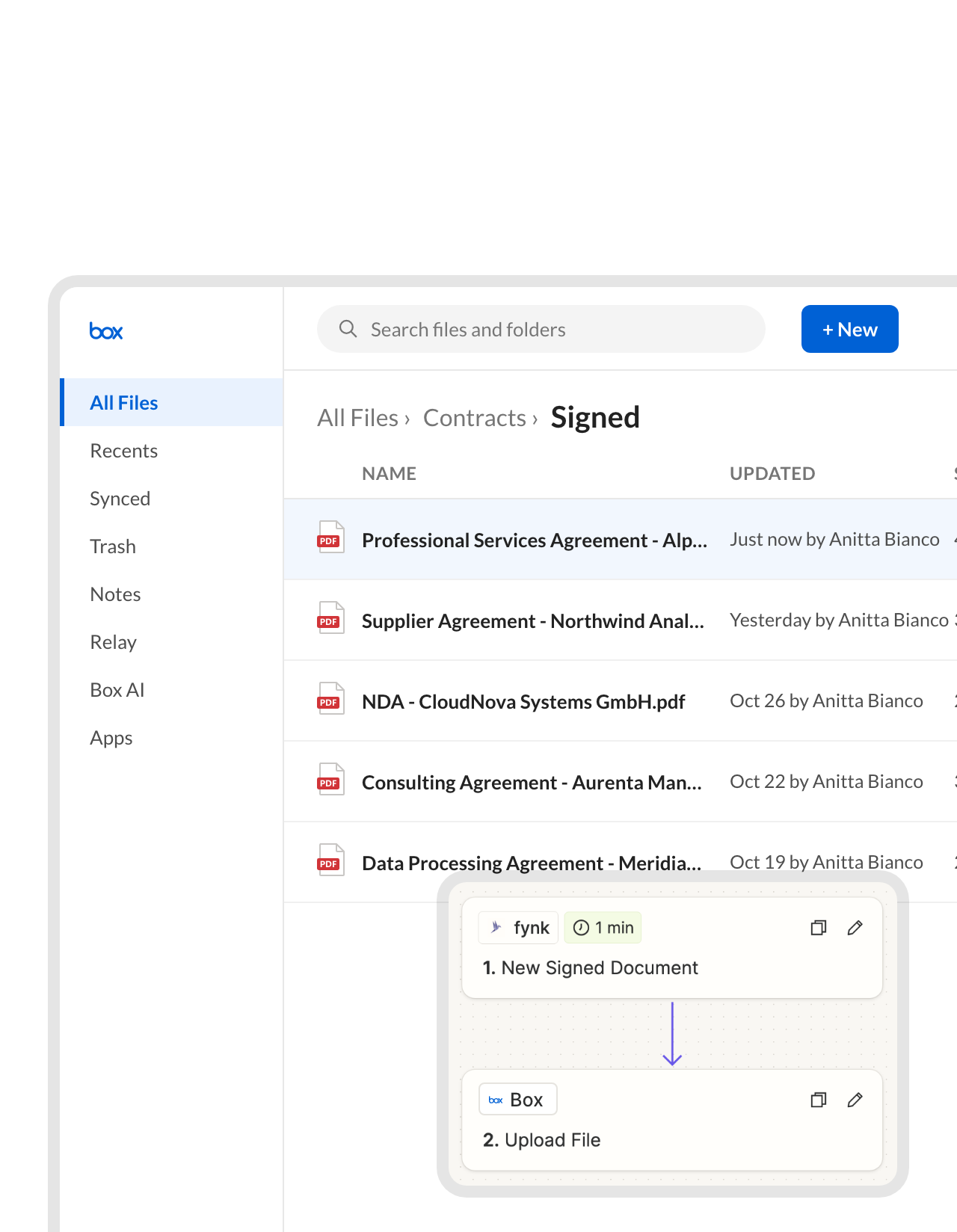
The signed PDF arrives in Box before anyone asks for it.
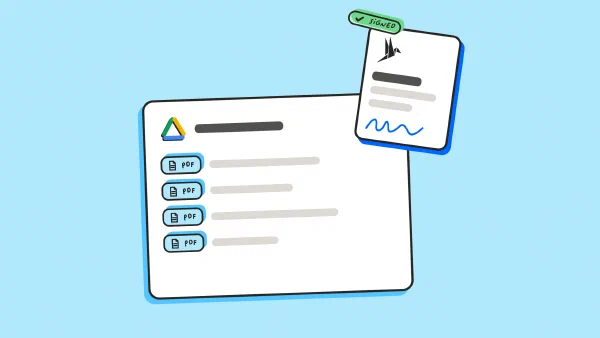
Once the last signer is done, Zapier fetches the final PDF from fynk and uploads it to the Box folder you picked, named after the contract. Box keeps the file under your existing permissions and retention rules, and nobody downloads and re-uploads anything."We are always audit ready. We have every contract in one place."
 Dr. Jörg Burkhardt Head of Sales & New Partnerships at 1. FC Nürnberg
 Client foldersLearn more
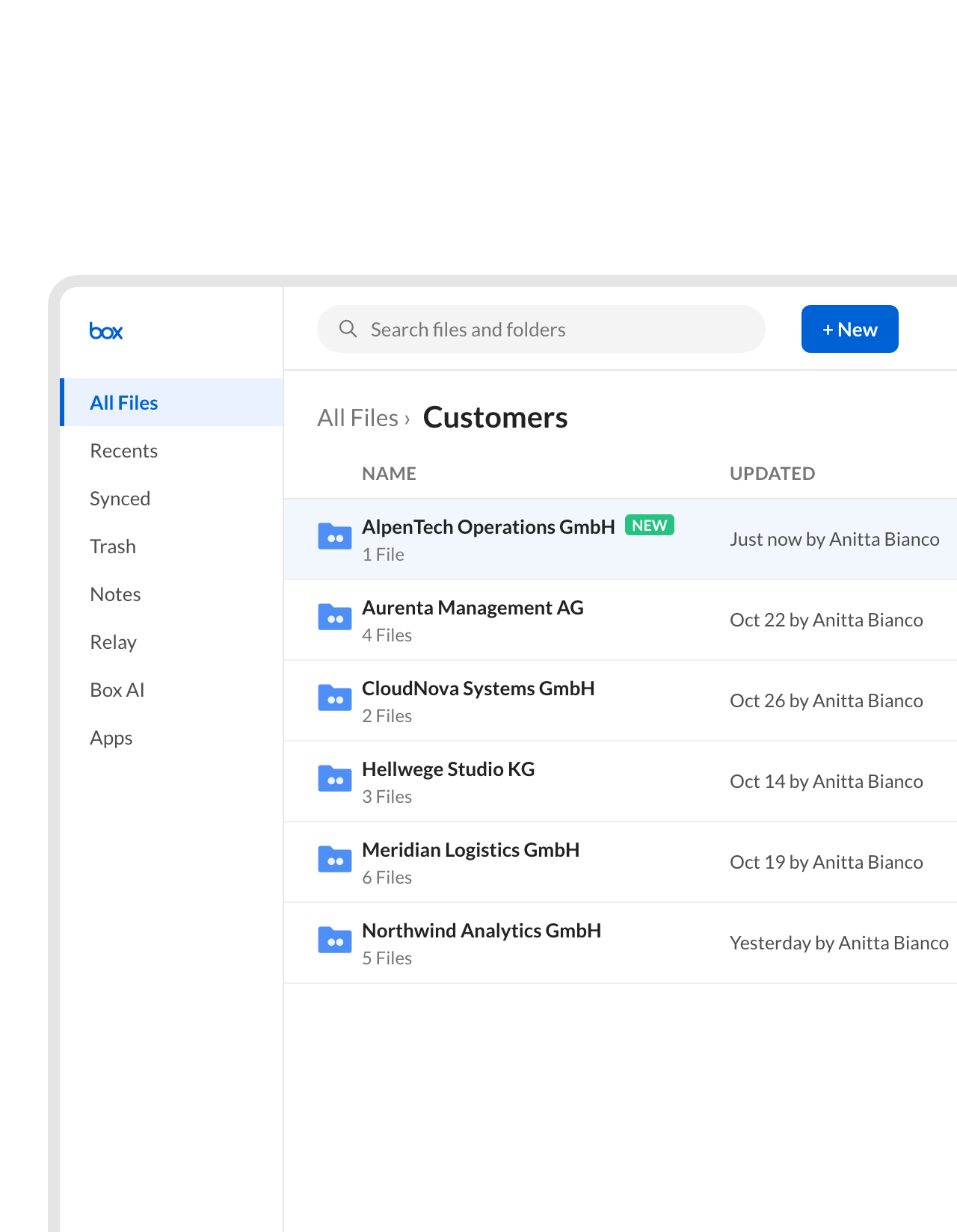
One Box folder per customer or supplier, created by the Zap.
The Zap creates a folder named after the counterparty the first time you sign with them and files every later contract inside it. Account managers find the whole relationship in one place in Box.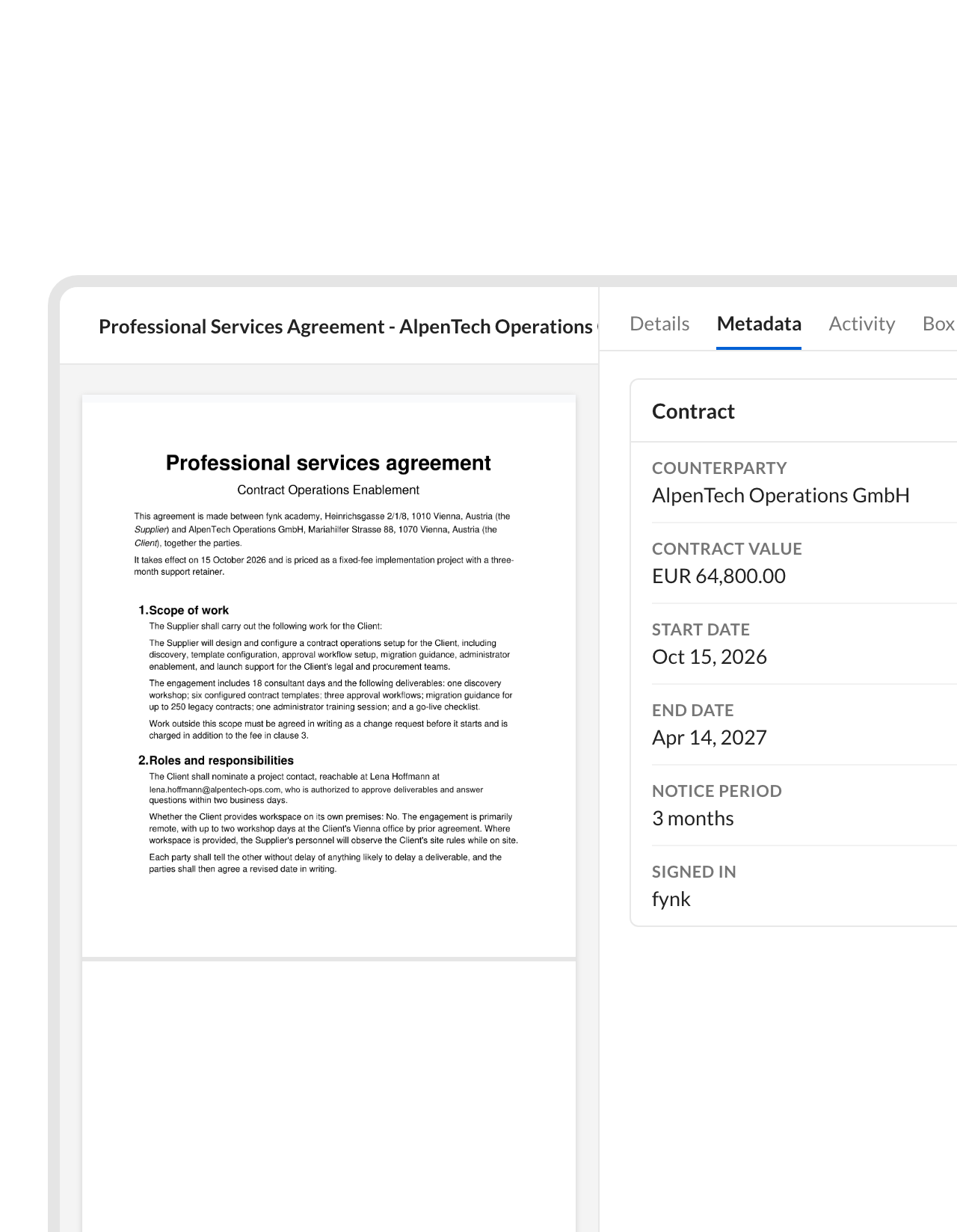 Box metadataLearn more
Counterparty, end date and value, written onto the Box file.
fynk already holds the contract data: parties, value, start date, term and notice period. The Zap copies it into a Box metadata template on the uploaded file, so Box search, views and retention policies can work with it."Important data is captured, stored, and can be analyzed, and deadline reminders help ensure nothing is missed."
Dennis Contract Manager at Eliso GmbH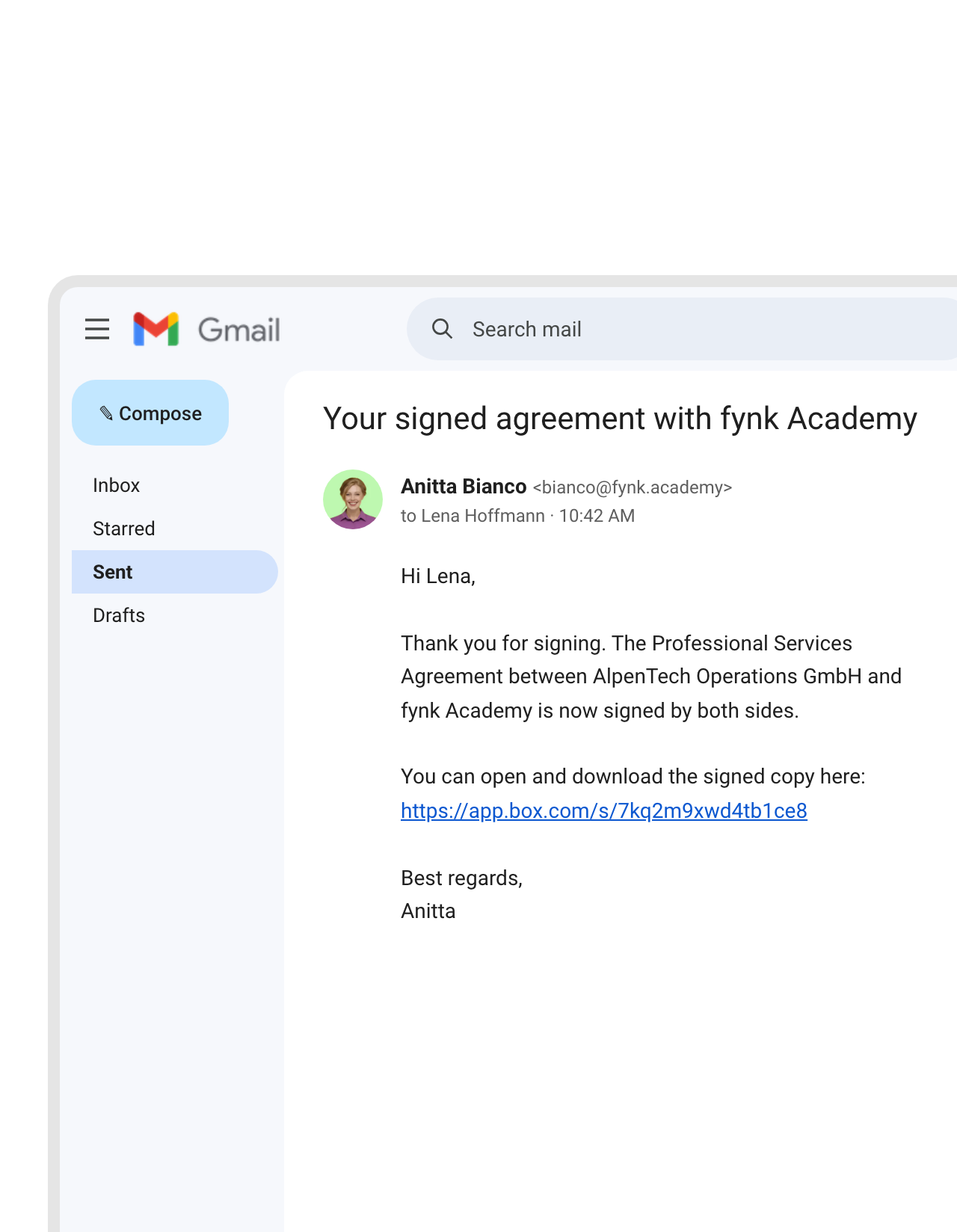 Shared linkLearn more
Your customer gets a Box link to the countersigned copy.
After the upload, Box creates a shared link and Gmail sends it to the deal owner or the other party. Everyone opens the same signed file instead of an attachment that gets forwarded and renamed.FEATURES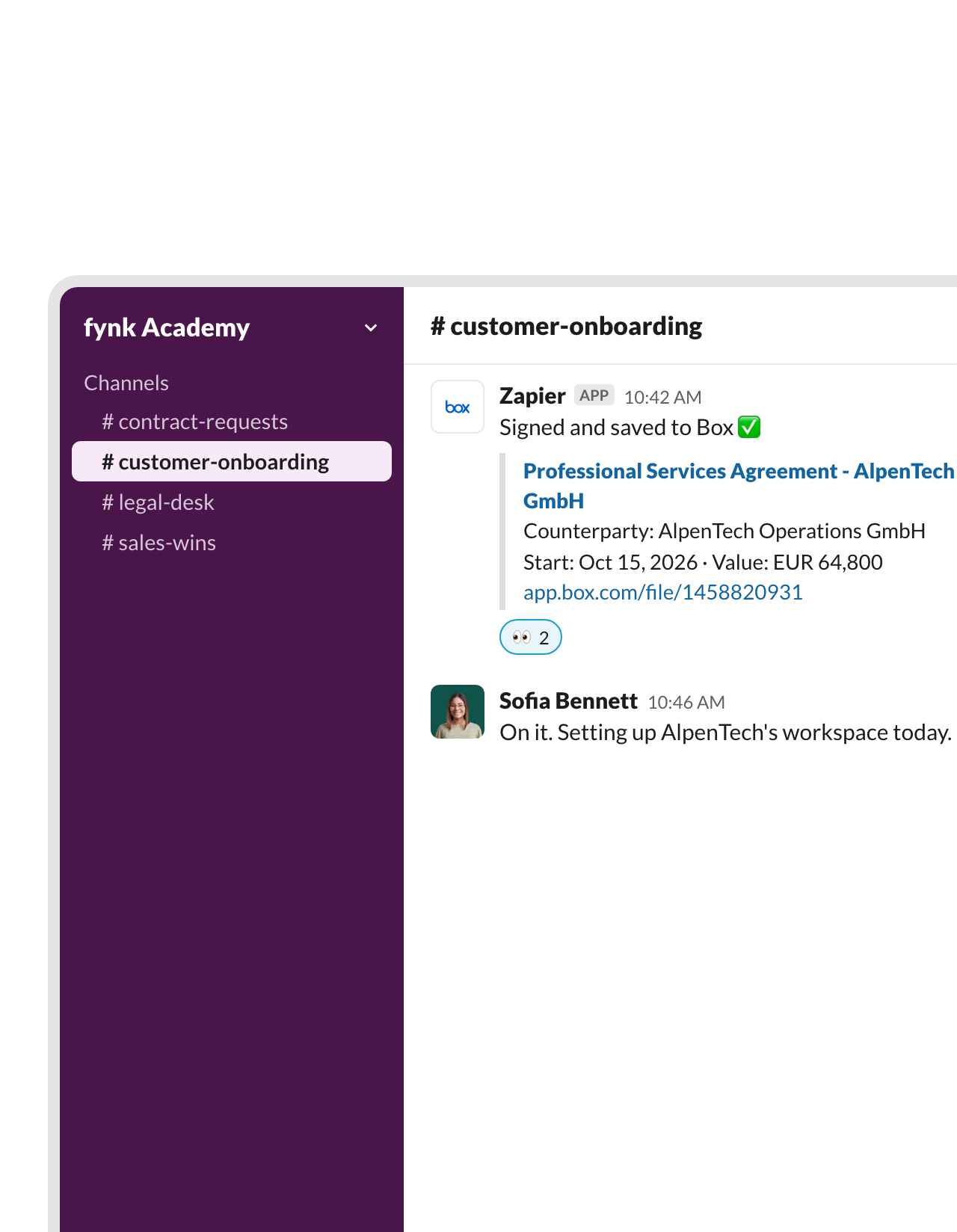 SlackLearn more
A Slack post with the Box link the minute it's signed.
The channel that waits for the contract gets a message with its name, the counterparty and a link to the file in Box. Sales can start onboarding without asking legal whether it’s done.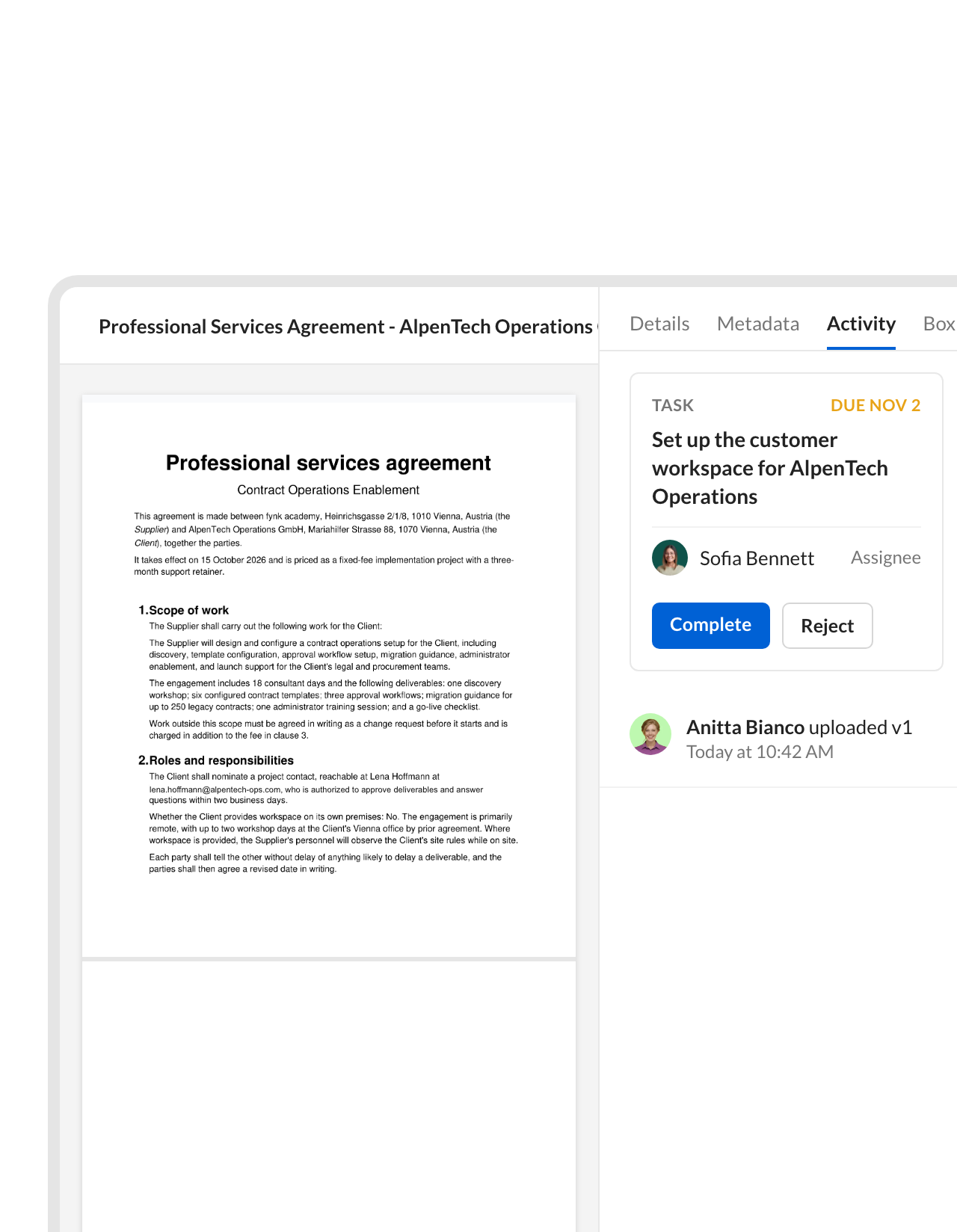 Box tasksLearn more
A Box task for whoever takes over after the signature.
The Zap adds a task to the uploaded file, such as “Set up the customer account” or “Send the first invoice”, and assigns it to the right person. The next step starts in Box, next to the contract it belongs to.FEATURES


Use cases
Signed in fynk, filed in Box: the full walkthrough.
Each automation, set up step by step.
 Intake from BoxLearn more
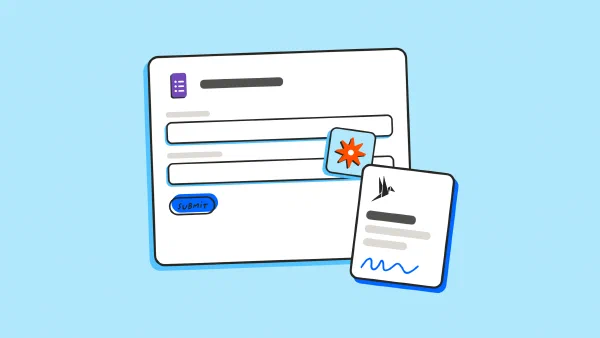
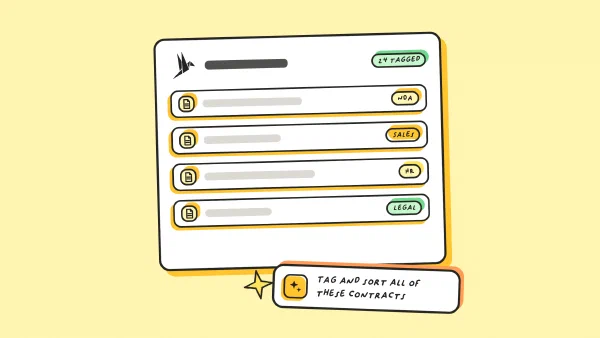
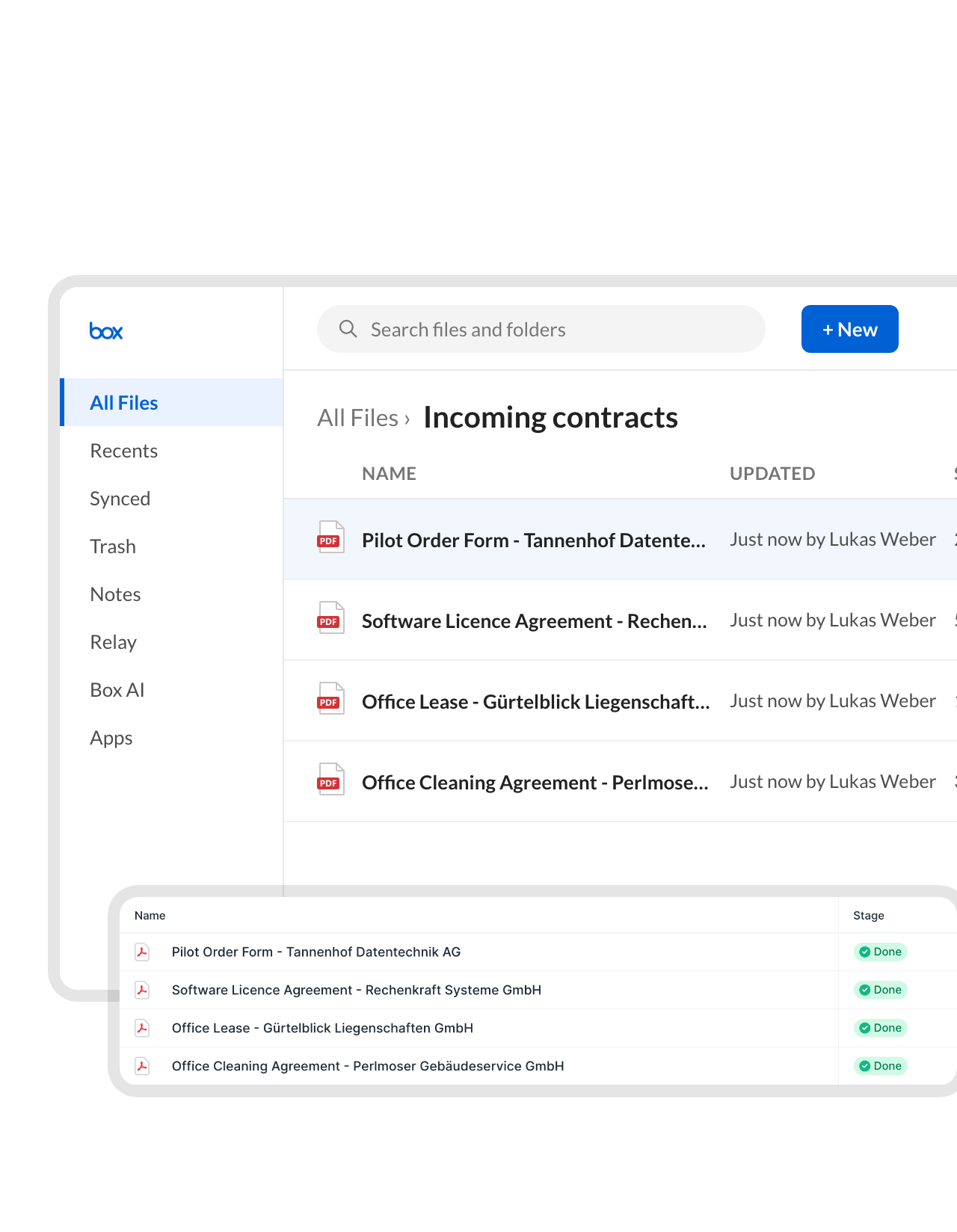
Drop a PDF into a Box folder and fynk reads the contract.
Third-party paper often arrives by email and gets saved to Box first. A Zap sends every new file in that folder to fynk, where AI reads the parties, dates, value and notice period, and the contract shows up in your list ready to review."Finally, a contract management solution that effectively handles both templates and third-party contracts."
Carsten COO at AUTOVIO GmbH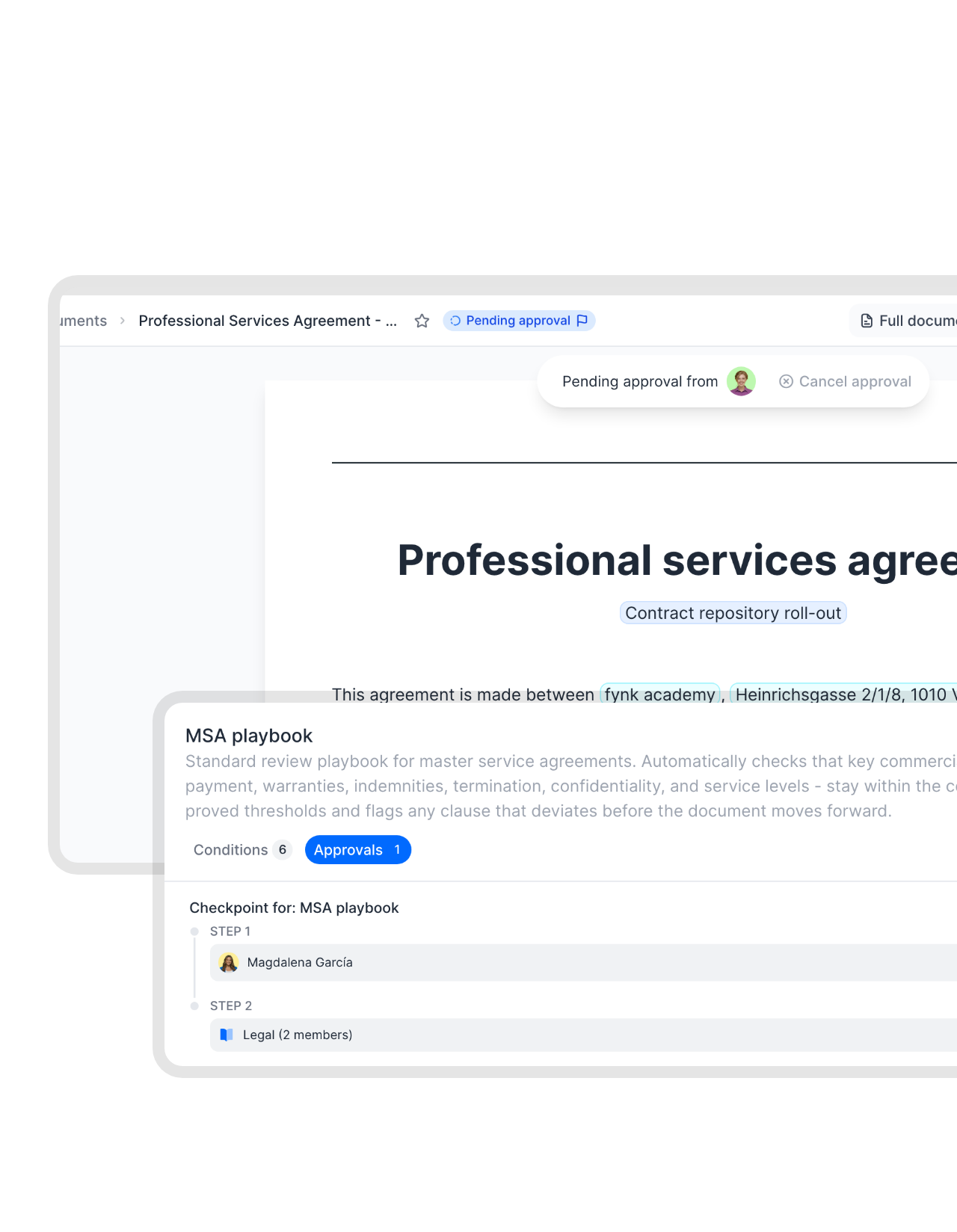 Approval rulesLearn more
Finance sees the large contracts before a signer does.
Approval rules sit on the contract itself. A supplier agreement above a set value goes to finance, a non-standard clause goes to legal, and the contract can’t be sent for signature until they agree.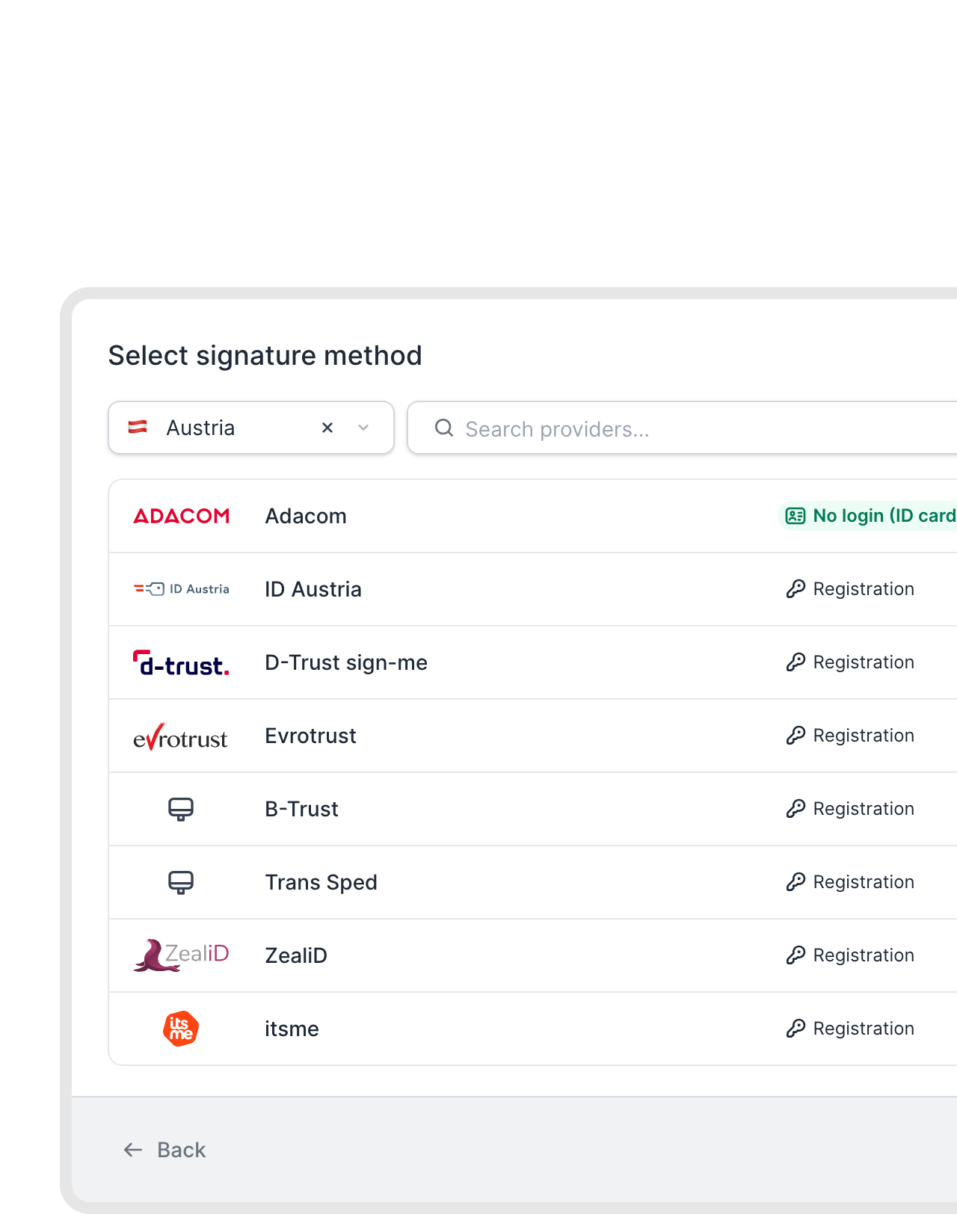 AES and QESLearn more
Advanced and qualified signatures under eIDAS.
Pick the signature level per template: a simple signature for an NDA, advanced or qualified for contracts that need stronger proof or written form. Signers verify their identity in the signing flow, and the PDF in Box carries the result.FEATURES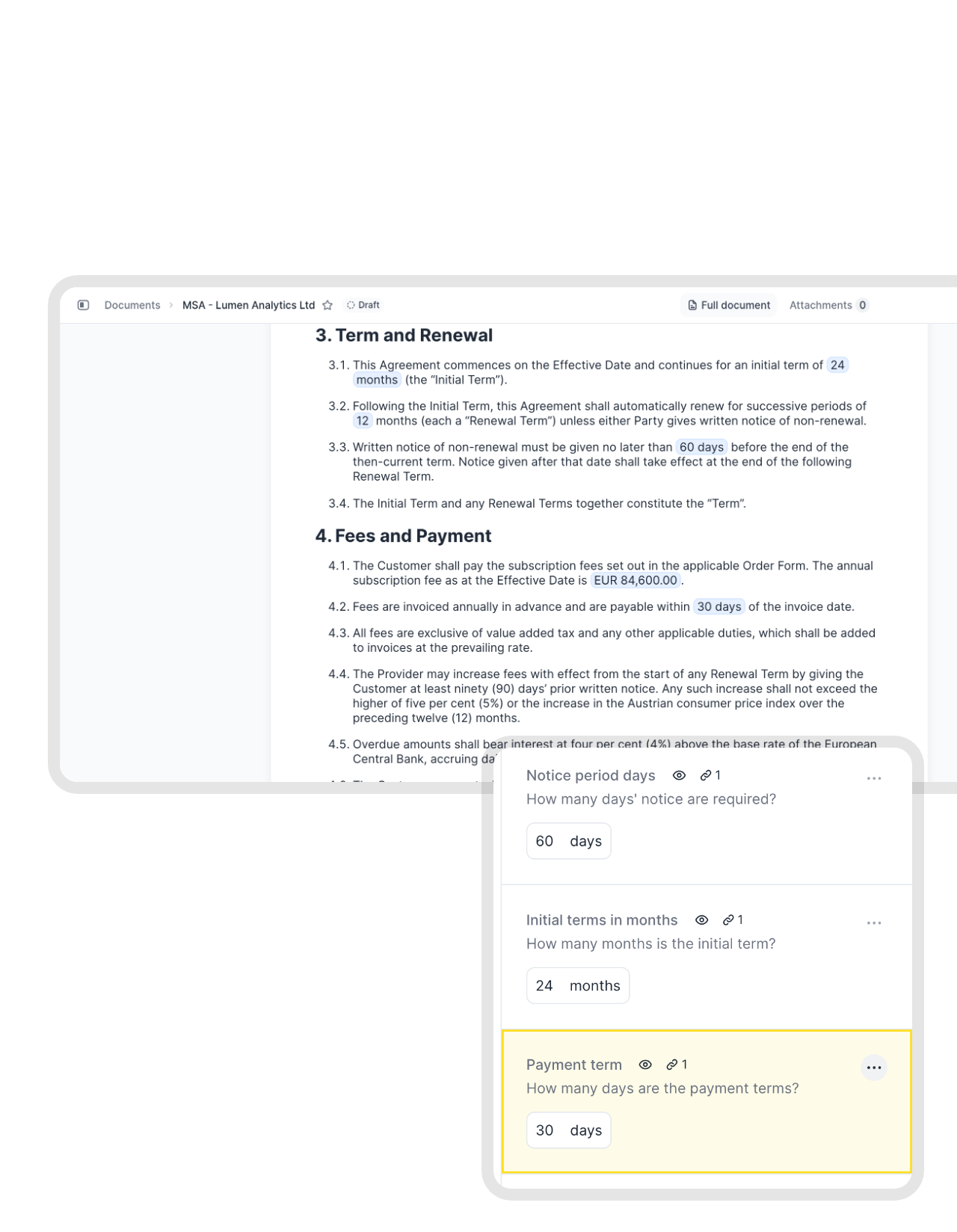 TemplatesLearn more
Legal writes the clauses once. Everyone else fills in the blanks.
Sales and HR start from a template with fields for the name, price, dates and terms. The wording stays as legal approved it, so the files that reach Box all follow the same standard."I was looking to create similar contracts regularly. I wanted to use dynamic fields since contract details vary, and I also wanted to have the contracts signed immediately. Everything works very well with fynk."
Jan Managing Director at Digital Affin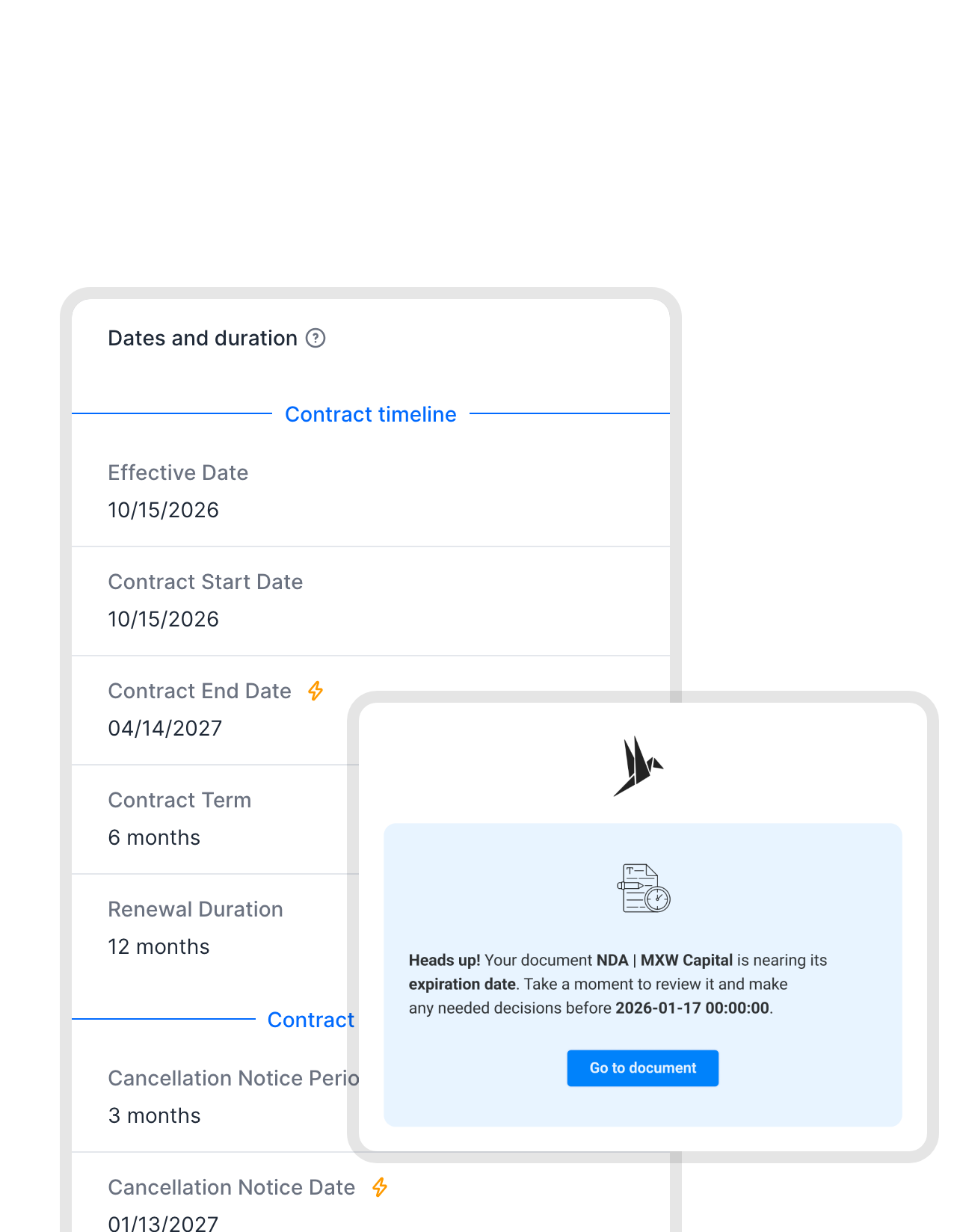 RenewalsLearn more
A reminder weeks before a contract renews on its own.
fynk takes the term and notice period from each contract and reminds the owner in time to cancel or renegotiate. The calendar shows what’s coming up across every agreement, whichever Box folder it sits in."With more than 2,000 contracts, it's impossible to keep track of all termination dates and automatic renewals. fynk's email reminders are invaluable here and help prevent unwanted contract renewals."
Peter Schmalfuß Head of Legal & Administration at StreamView GmbH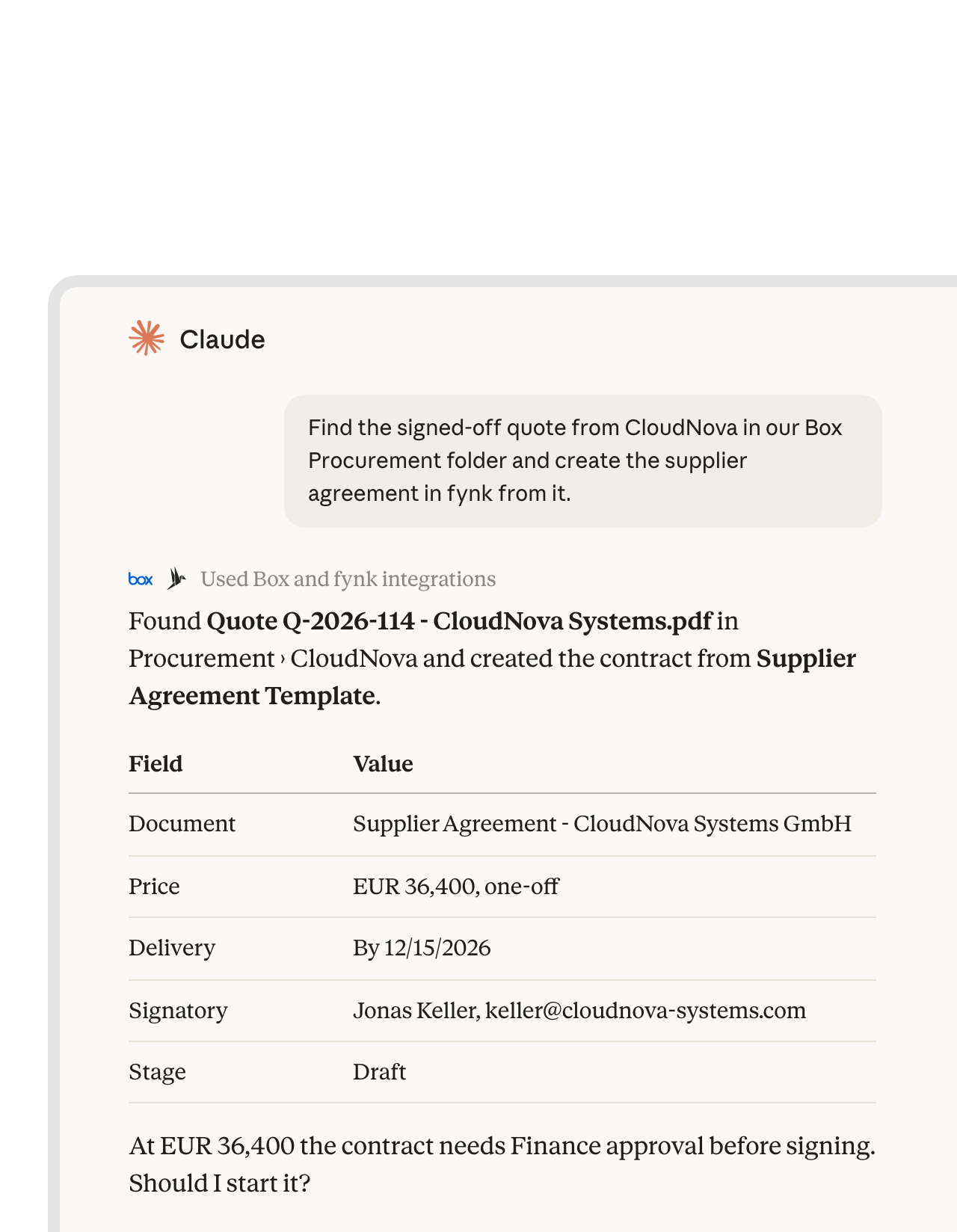 Claude with Box and fynkLearn more
Claude reads the Box file and drafts the contract in fynk.
Add Box’s official MCP server and the fynk connector to Claude. In one chat, Claude can read the agreed terms from a proposal in Box and create the contract in fynk from your template.FEATURES


Box stays the archive. Here is what you gain.
Box remains the system of record. fynk does the contract work.
Box permissions stay.
Files land in folders with the access rules you already set in Box.
Filed at signature.
No end-of-month cleanup. The upload runs on the last signature.
Final PDFs only.
Box receives the signed version, never a working draft.
Full audit trail.
Approvals and signatures are recorded in fynk for every contract.
Fields Box can search.
Contract data travels with the file as Box metadata.
Obligation reminders.
Notice periods and renewals, with reminders to the right people.
Other tools that work with fynk and Box.
Chat, automation and AI, connected to the same contracts.




Set up the Box Zap in three steps
What you need: fynk Business or Pro, a Zapier account and Box
- Step 1
Create an API token in fynk under Account settings > API integrations > fynk API.
- Step 2
Open the Box Zap, paste the token to connect fynk and log in to Box.
- Step 3
Select the Box folder, run a test with a signed contract and turn the Zap on.
Frequently asked questions.
Yes, through Zapier. Ready-made Zaps upload every fully signed contract to the Box folder you choose, post it in Slack or email a shared link, and turn new Box files into fynk documents. Further Zaps can create a folder per counterparty, add Box metadata, share a link, post to Slack or turn new Box files into fynk documents.
No. The connection runs through Zapier, using fynk's triggers and actions and Box's own Zapier app.
Box has its own tools, such as Box Sign, Relay workflows and AI extraction on some plans. fynk adds work that is specific to contracts: templates with dynamic fields, approval rules by value or clause, advanced and qualified signatures under eIDAS, and renewal reminders. The signed file still ends up in Box.
Yes. A Zap can copy fields such as counterparty, value and end date from fynk into a Box metadata template on the uploaded file. You need a Box plan that includes metadata templates.
Yes. For your existing archive, use bulk import, and AI fills in the key data. For new files, a Zap from Box’s New File trigger to fynk’s Create Document From PDF action brings each one in automatically.
Yes. Add Box’s official MCP server and the fynk connector in Claude, and one conversation can read a file in Box and create or check a contract in fynk.
fynk needs a Business or Pro plan for API access. Zapier and Box are billed by their providers. See the fynk plans on the pricing page.
Still have questions?


Same file storage, better contracts.





How fynk and Box work together
fynk connects to Box through Zapier. Several of these are ready-made templates. The folder, metadata and task Zaps are built from the same steps in a few minutes.
Box automations
| Automation | Trigger | Steps |
|---|---|---|
| Signed contract to Box | fynk: New Signed Document | fynk: Find Document Download URL, Box: Upload File |
| Folder per counterparty | fynk: New Signed Document | fynk: Find Document Parties, Box: Find a Folder (created if missing), Box: Upload File |
| Contract data as metadata | fynk: New Signed Document | fynk: Find Document Metadata Values, Box: Upload File, Box: Add Metadata to File |
| Shared link by email | fynk: New Signed Document | Box: Upload File, Box: Create Shared Link on File, Gmail: Send Email |
| Posted in Slack | fynk: New Signed Document | Box: Upload File, Slack: Send Channel Message |
| Follow-up task | fynk: New Signed Document | Box: Upload File, Box: Add Task to File |
| New Box file to fynk | Box: New File | fynk: Create Document From PDF |
Which tool does what
| Box | fynk | |
|---|---|---|
| Signed PDF | A copy in your folder, with metadata | The original with its audit trail |
| Drafting | Templates, dynamic fields, conditional clauses | |
| Before signing | Approval rules, SES, AES and QES | |
| After signing | Sharing, tasks, retention | Renewal and notice reminders |

Governed in Box, managed in fynk.

European by design.
Designed and developed in Austria. fynk is hosted in the EU, in ISO 27001-certified data centers.

Security at the core
Encryption in transit and at rest, and secure engineering standards across a continuously monitored infrastructure.

You control both ends
The fynk side uses an API token you can revoke, the Box side your own login and sharing settings.

GDPR, fully embedded
Fully compliant with European data protection regulations, supported by regular audits and external penetration testing.
Trusted by companies worldwide


Take control of your agreements. Move your business forward.
Run agreements the way they should run: fast, clear, and on your terms.
No setup headaches
Go live in days, not quarters
No lock-in
Full export anytime
No hidden fees
Signatures included, no envelope fee