
Contract authoring tool: how to pick one that fits your team

Rezvan Golestaneh
Published · 9 min read
A contract authoring tool is software for creating contract drafts from approved templates, clause rules and deal data, and passing them on to approval and signature.
Before you buy one:
- Test it on your own contract: change a name, switch a clause on and off, draft an exception.
- Check the handoffs: approval, version history and signing should follow the draft without copying.
- Ask who maintains it: templates and rules need an owner after launch.
“Contract_final_v7_REALLY_final.docx” has the right price, the new delivery date, and the old customer’s name halfway down the page. So much for really final.
Most teams don’t go shopping for a contract authoring tool because they love software. They go because a file like that one went out, or nearly did. The tool worth buying is the one that makes that file impossible, and the only reliable way to find it is to test it on your own contracts before you sign anything.
The steps of contract authoring look the same in every company: request, template, details, clauses, approval, signature. Where teams differ is the tooling around those steps, and most start with the same three things: Word, an AI chat and a folder of old agreements.
Where do Word and AI chats help, and where do teams need more?
Word and AI chats are good writing tools. What they don’t give a team is shared context: one current template, the deal data, and a clear route to approval.
Word is fine when one person controls the document. Ask lawyers on Reddit what they draft in, and the top answer is still Microsoft Word. Templates and tracked changes can do useful work. The trouble starts when everyone’s starting file is different. Legal rewrote the liability clause in March. Sales is still copying February’s agreement because nobody replaced the file in its folder.
Templates also need room for changes. WorldCC and Deloitte Legal report that, on the sell side, 62% of agreements are negotiated on average, while only 28% are signed on standard forms. A reusable starting point needs a clear way to handle exceptions.
AI writes noticeably better drafts and keeps improving. ACC and Everlaw found that in-house legal teams already using generative AI name drafting as its top use, at 73%. For teams, the gap is context: approved wording, deal data, approvals, and version history.
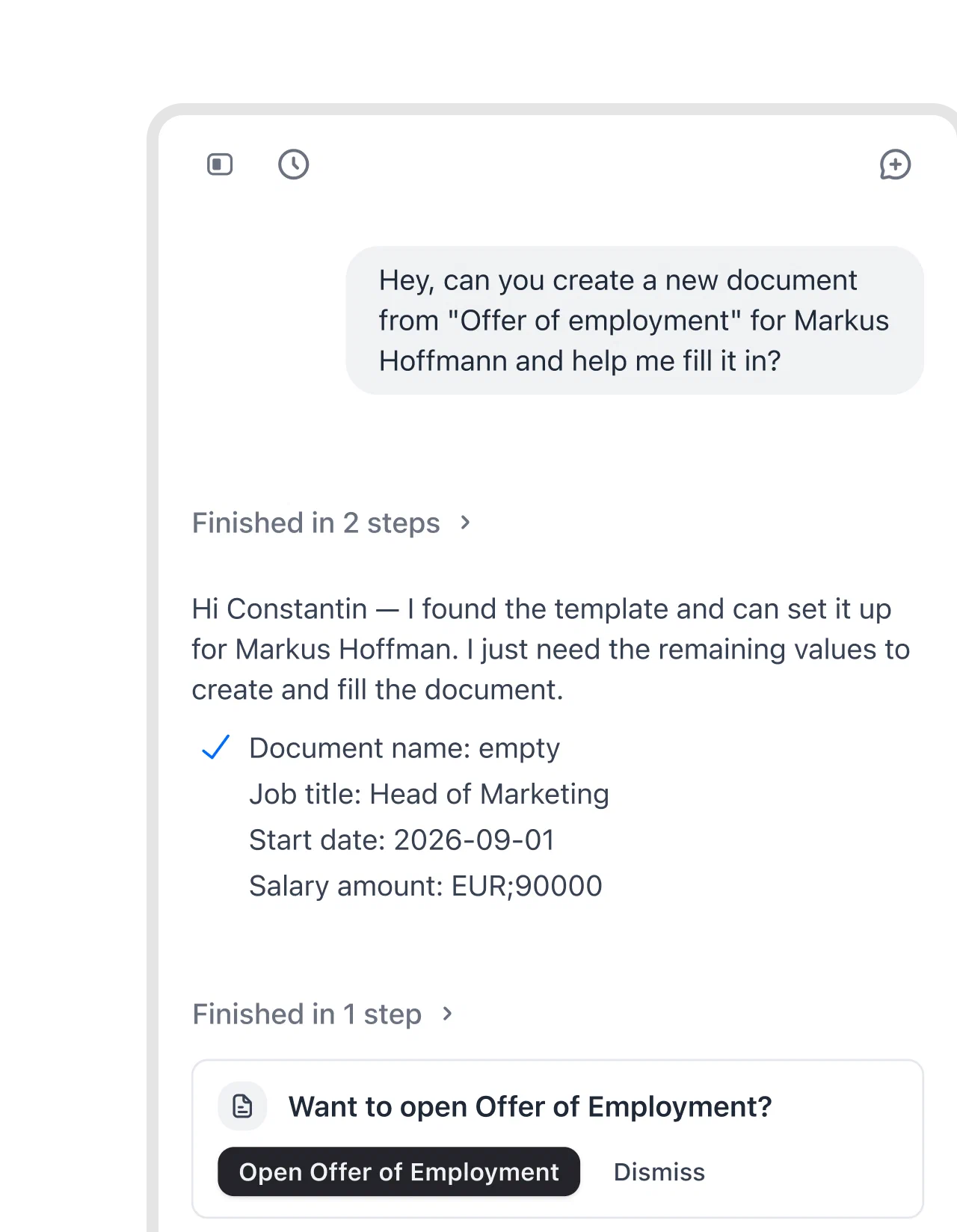
fynk’s AI works inside that context. The AI assistant can draft a new document from scratch, or create one from an approved template and fill in the details you give it.
How do you author contracts faster without losing control?
Author contracts faster by reusing approved text, entering repeated details once, defining clause rules, and keeping review and signing connected to the draft.
Start with a contract type you use regularly. Improving that repeatable work gives you a useful foundation for broader contract creation improvements.
Step 1: Turn your best contracts into templates
Choose a current agreement legal is happy to reuse. Remove customer details and negotiated exceptions before treating it as a master. If several templates share the same clauses, such as confidentiality or governing law, agree on one approved version and use it in all of them, or the next update will reach two templates out of five. Name a person responsible for maintaining the approved wording, so March’s rewrite reaches the next draft.
Don’t have a suitable starting document? fynk’s free contract template library provides starting points to adapt and review for your business.
With fynk’s document templates, legal defines the structure and rules once. Each new contract follows that approved setup. Sales can begin drafting without asking which attachment contains the current clause.
fynk makes it easy to roll out standardized contract templates across all our projects. Legal reviews are faster and our procurement team can draft agreements without starting from scratch.
Your existing files can come with you: with fynk’s Word import, last year’s agreements become editable contracts with tracked changes, formatting intact, and you can bring in a whole folder at once.
fynk can also turn PDFs, including fillable PDF forms, into reusable PDF templates.
Step 2: Replace typed details with fields
Identify every detail that repeats: company name, address, start date, fee, and contact person. Replace those repeated entries with fields, then check each occurrence in a sample draft.
The customer name in the opening paragraph should match the name in the signature block. Searching and replacing text is a surprisingly stressful way to achieve that.
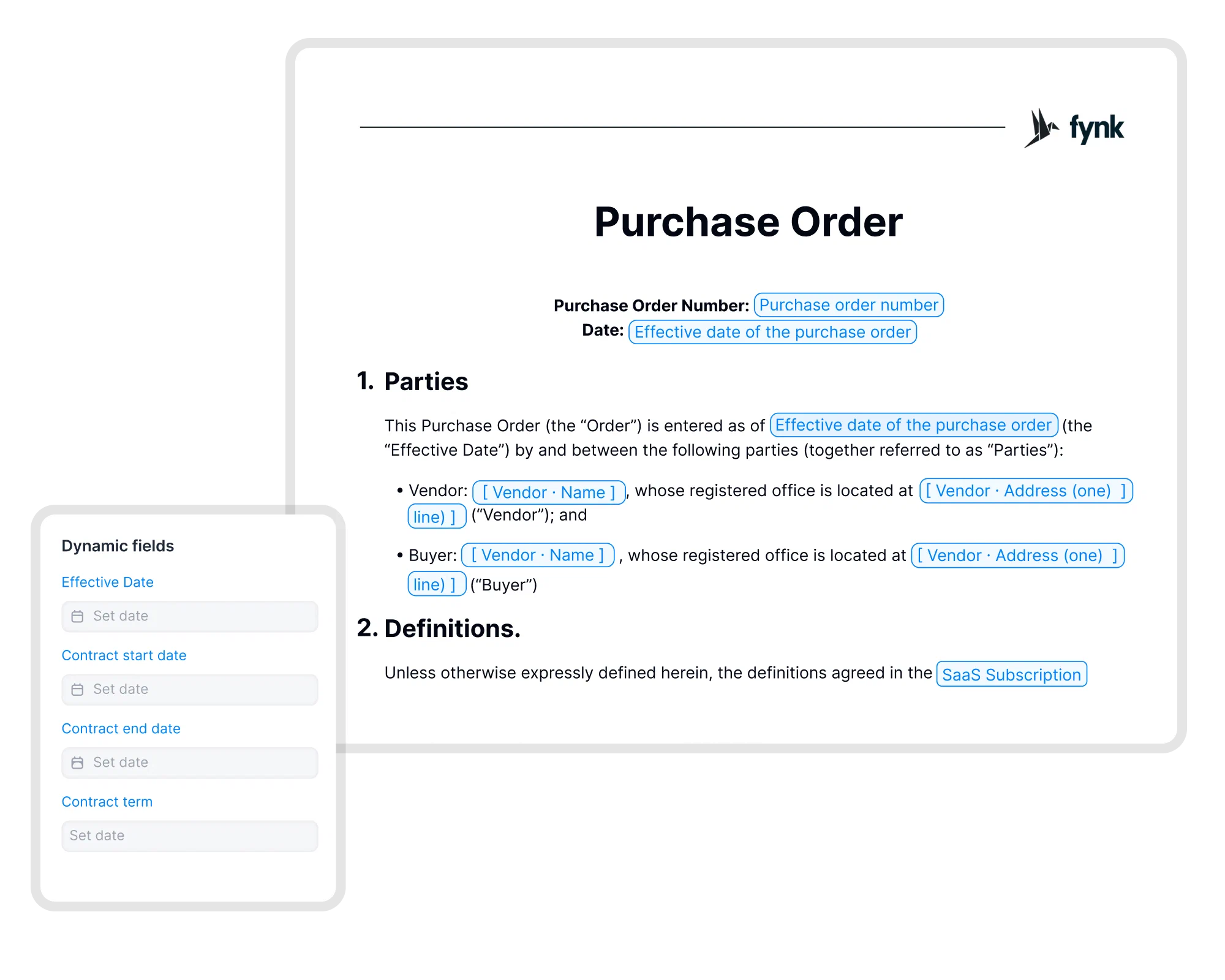
fynk’s dynamic fields let you change a value once and update it everywhere in the document. A corrected name doesn’t leave an older spelling hiding in a schedule.
For sales agreements, fynk can also fill templates with HubSpot, Salesforce, or Pipedrive data. Connecting CRM data to contract drafting saves the rep from typing those details again. Check the source data first.
Step 3: Let rules include the right clauses
Write down when a clause belongs in the contract and when it doesn’t. Have legal approve both the wording and the condition.
Keep the approved fallback next to each clause that often gets negotiated, such as a higher liability cap legal can accept without a new review. The person drafting then knows how far they can go before asking.
For example, your supplier template might include installation terms when installation is part of the purchase. If installation is included AND the work takes place at your office, it might also include an approved site-access section.
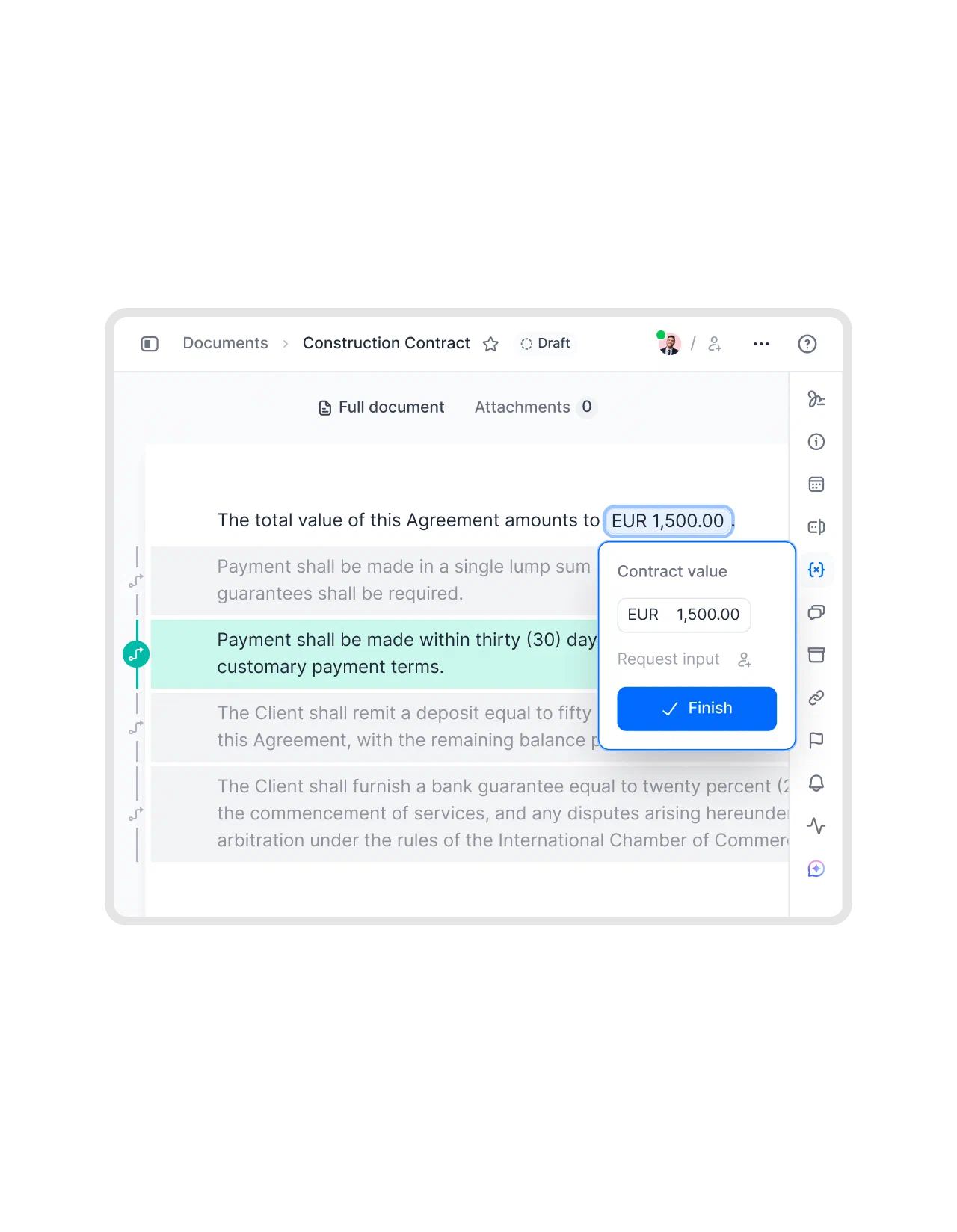
fynk’s conditional logic shows or hides clauses and fields using AND/OR conditions defined once. One template can handle those combinations without asking ops to remember which paragraphs to delete.
Step 4: Use AI for the wording you still need
Start with your approved text and identify the specific gap. Give AI the relevant passage and a clear instruction, such as drafting an installation clause that uses the agreement’s existing defined terms.
Keep the original wording available for comparison. Check whether the proposed clause changes responsibilities, contradicts another section, or invents a promise your team can’t deliver.
fynk’s AI draft produces a solid first version or a new clause in seconds, ready to refine right away. Use it to get something concrete to edit, then check it against your approved text.
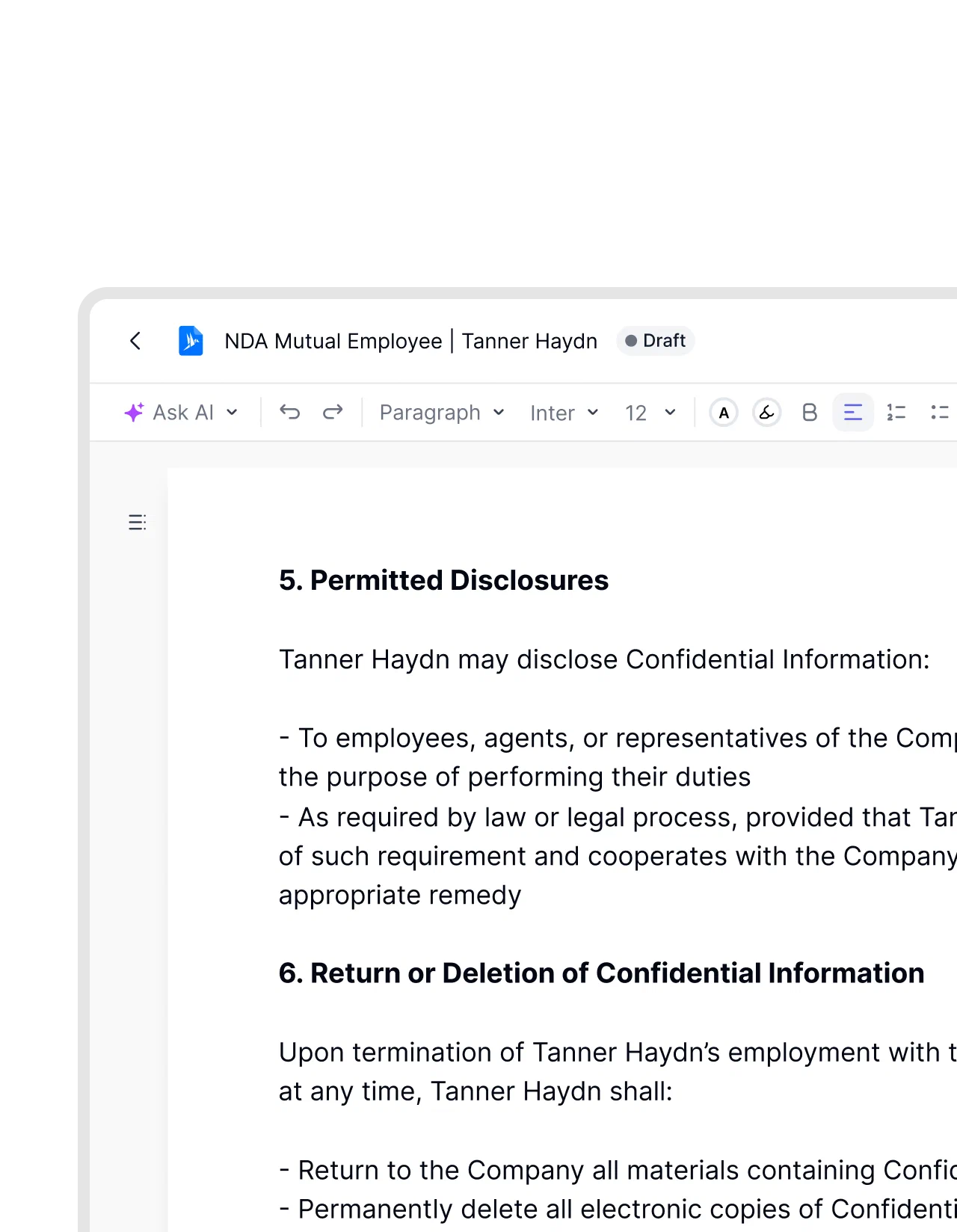
Treat “intelligent contract authoring” as a capability to test. Ask whether the software combines reusable wording, deal data, clause rules, and AI assistance. A fluent paragraph alone doesn’t tell you whether the draft fits your agreement.
Step 5: Route the document for approval
Decide who checks legal departures, commercial terms, and practical commitments. Make the requested decision specific: can ops deliver the proposed installation date, and has legal accepted the revised liability wording?
Approval happens on the document created from the draft, not on the draft itself. Reviewers then see exactly what will go out, with this deal’s details filled in.
If wording changes after approval, confirm whether it needs another review before sending.
Step 6: Send the agreed version for signature
Check the parties, signers, dates, and agreed wording before sending. If the other side is still reviewing terms, finish that work first.
fynk includes e-signatures in the same place. Once the agreement is ready, signing can follow without moving the document into a separate signing tool.
Ask your contract anything.
What if you’re drafting on the other side’s paper?
A lot of authoring happens in someone else’s template. A large customer sends its master agreement, a supplier sends its terms, and your approved wording never enters the room. Templates and clause rules help less here. What helps is a fast way to compare their text with your standards and to track every change you propose.
fynk’s AI review checks an incoming contract against your playbooks and internal rules and flags what to fix before legal looks at it. Redlining then keeps your proposed changes and theirs in one document. When you test tools, bring one of those third-party contracts too, not only your own template.
What should you look for in a contract authoring tool?
Look for a contract authoring tool that can reuse your approved wording, adapt it to the deal, and carry the resulting draft through approval and signature.
Compare tools against work your team actually does. A clause generator may cover the writing task; contract management software with authoring built in can cover the handoffs too.
| Criterion | Why it matters | Question to ask in a demo |
|---|---|---|
| Templates with fields | Reuses approved structure and avoids typing the same detail throughout a document. | Can we change a company name once and check every occurrence? |
| Conditional clauses | Adapts a template to different scenarios without manual paragraph deletion. | Can you show a clause appearing only when our chosen conditions apply? |
| Word import | Lets you start with existing documents and preserve their formatting. | Can you import our agreement, including its tables and schedules? |
| AI drafting on your own text | Gives new wording relevant context and something approved to compare it with. | Can we use an existing passage as context and inspect the proposed wording? |
| Approvals | Gets the right people involved before a draft leaves the company. | How would our legal and commercial reviewers check an exception? |
| Version history | Makes it possible to identify what changed between drafts. | Can we recover an earlier draft and understand the changes? |
| Review of third-party paper | Most negotiated contracts start on someone else’s template. | Can we check a customer’s contract against our playbook and redline it here? |
| E-signature | Connects the completed draft to signing. | Can we send this agreement for signature in the same tool? |
| CRM data | Reduces repeated entry of details sales already recorded. | Can our CRM’s company, date, and price fields fill this template? |
Bring a copy of your own agreement with sample data. Ask the vendor to change a name, switch installation on and off, draft an exception, and pass it for approval. Watch where someone has to copy text into another system.
For a small team, setup matters too. Ask who maintains templates and rules after launch. A tool saves less work if every wording update needs outside help.
Questions about contract authoring
The terms often mean the same thing. Drafting usually emphasizes writing the wording. Authoring can also cover choosing a template, filling fields, applying clause rules, and preparing the draft for review. Check what a tool includes rather than relying on the label.
AI can produce a first draft or suggest clauses. It still needs accurate instructions and human review. Check party details, obligations, defined terms, and consistency with your approved wording before treating the result as ready for approval.
Vendors use the term for authoring that combines templates, deal data, clause rules and AI drafting. Test it rather than trust the label: give the tool your own contract and check whether the AI uses your approved wording and defined terms, or just writes a fluent paragraph.
No. Sales can prepare customer agreements, HR can draft employment documents, and ops can prepare supplier contracts. Legal defines approved templates and rules so other teams have a reliable starting point and know when to request review.
Give your next contract a better starting point than last year’s attachment. Sign up for fynk to draft from approved templates, fill the details once, and keep approval and signing together.
Searching for a contract management solution?
Find out how fynk can help you close deals faster and simplify your eSigning process – request a demo to see it in action.
Please keep in mind that none of the content on our blog should be considered legal advice. We understand the complexities and nuances of legal matters, and as much as we strive to ensure our information is accurate and useful, it cannot replace the personalized advice of a qualified legal professional.



Get a regular dose of insightful contract management content


Take control of your agreements. Move your business forward.
Run agreements the way they should run: fast, clear, and on your terms.
No setup headaches
Go live in days, not quarters
No lock-in
Full export anytime
No hidden fees
Signatures included, no envelope fee