
CLM vs CRM: what each does and how they connect

Rezvan Golestaneh
Published · 7 min read
CLM vs CRM: understand how contract management differs from sales tracking and how the two work together.
- CRM tracks customers, deals, and sales activity.
- CLM manages contracts from drafting through renewal.
- Integration connects deal data, approvals, and signing.
CLM vs CRM comes down to what each system manages. Customer relationship management (CRM) tracks customers and sales; contract lifecycle management (CLM) handles the agreements behind those deals. The handoff starts when a buyer says, “Send the agreement.” If someone then copies CRM details into Word, prices and names can go wrong. Connecting the two gives that handoff a process beyond copy and paste.
What is the difference between CLM and CRM?
The difference between CLM and CRM is what each manages: CRM tracks the customer and the sale, while CLM handles the agreement from drafting through signing, renewal, or termination.
| What you’re comparing | CRM | CLM |
|---|---|---|
| What it manages | Customer relationships, sales opportunities, and pipeline activity | Contract creation, review, approval, signing, and ongoing terms |
| Main users | Sales, revenue operations, marketing, and customer success | Legal, operations, sales, finance, and procurement |
| Where the work starts and ends | From lead or contact creation through ongoing customer activity | From a contract request or draft through renewal, expiration, or termination |
| What it stores | Contacts, companies, deal values, products, stages, and sales communications | Drafts, negotiated terms, approvals, signed agreements, obligations, and key dates |
| Typical tools | HubSpot, Salesforce, Pipedrive | Dedicated contract lifecycle management software |
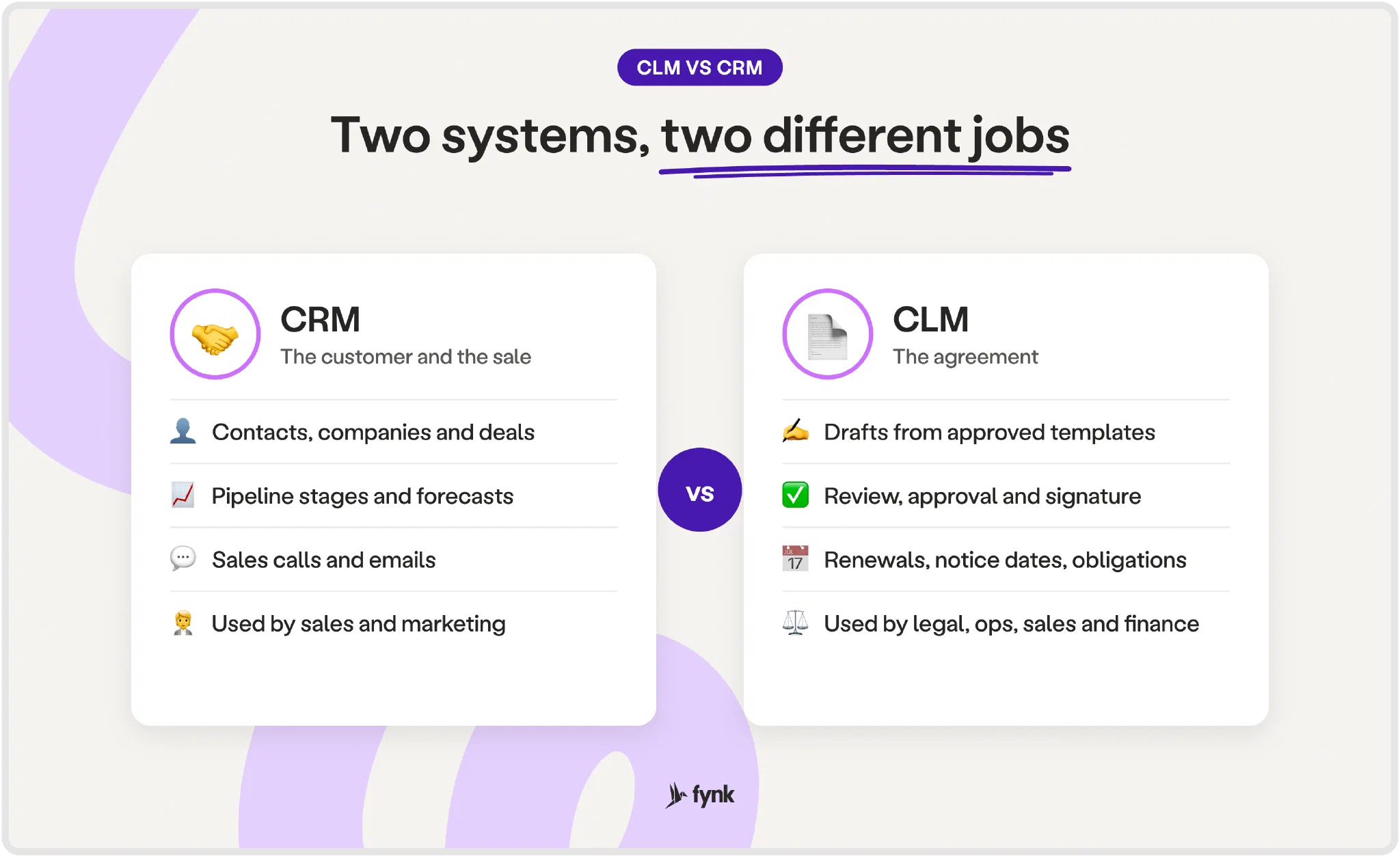
A CRM tells you a prospect has accepted the commercial offer. A CLM handles the wording that makes it into the agreement, the review it needs, and the terms that remain relevant after signing. Sales and legal can work on the same deal while needing different records.
That scope also explains the difference between contract management and contract lifecycle management: keeping the signed agreement is one part of managing its full lifecycle. Comparing CRM vs CLM means looking beyond where the PDF gets filed.
Can you manage contracts in your CRM?
Yes, a CRM can store a contract file and track its status, but a standard sales setup isn’t built to manage the full contract lifecycle.
Attaching an agreement to a deal helps people find it. It doesn’t create a draft from an approved template, route it for approval, manage redlines, collect an electronic signature, or track renewal dates and obligations.
Some CRMs cover parts of that work through add-ons or integrations. A CRM with contract management should be assessed on those capabilities, rather than the presence of an upload field.
The cost of leaving that work disconnected adds up. A deal stage tells you where revenue might be. It doesn’t remove the contract work needed to close it.
Where does the CRM to contract handoff break?
The CRM to contract handoff breaks when people must manually move deal details, document versions, approval decisions, and signed results between systems.
Prices and parties get copied. Suppose the deal includes a 15% discount, but the Word agreement says 5%. Both numbers look plausible. Add a trading name where the legal company name belongs, and the buyer has corrections to make before negotiation even starts.
Versions multiply in email. The buyer edits an attachment. Legal revises a different copy on the shared drive. The rep asks legal, “Which version is final?” The filename offers an opinion.
Approval loses its context. A manager approves a discount in a chat, but the contract later changes. Without an approval record tied to the document, nobody can tell whether the version ready for signature still has the right approval.
The result never reaches the deal. The signed PDF sits in an inbox and never makes it back to the CRM record. Sales keeps chasing a signature it already has. The agreed dates are missing too.
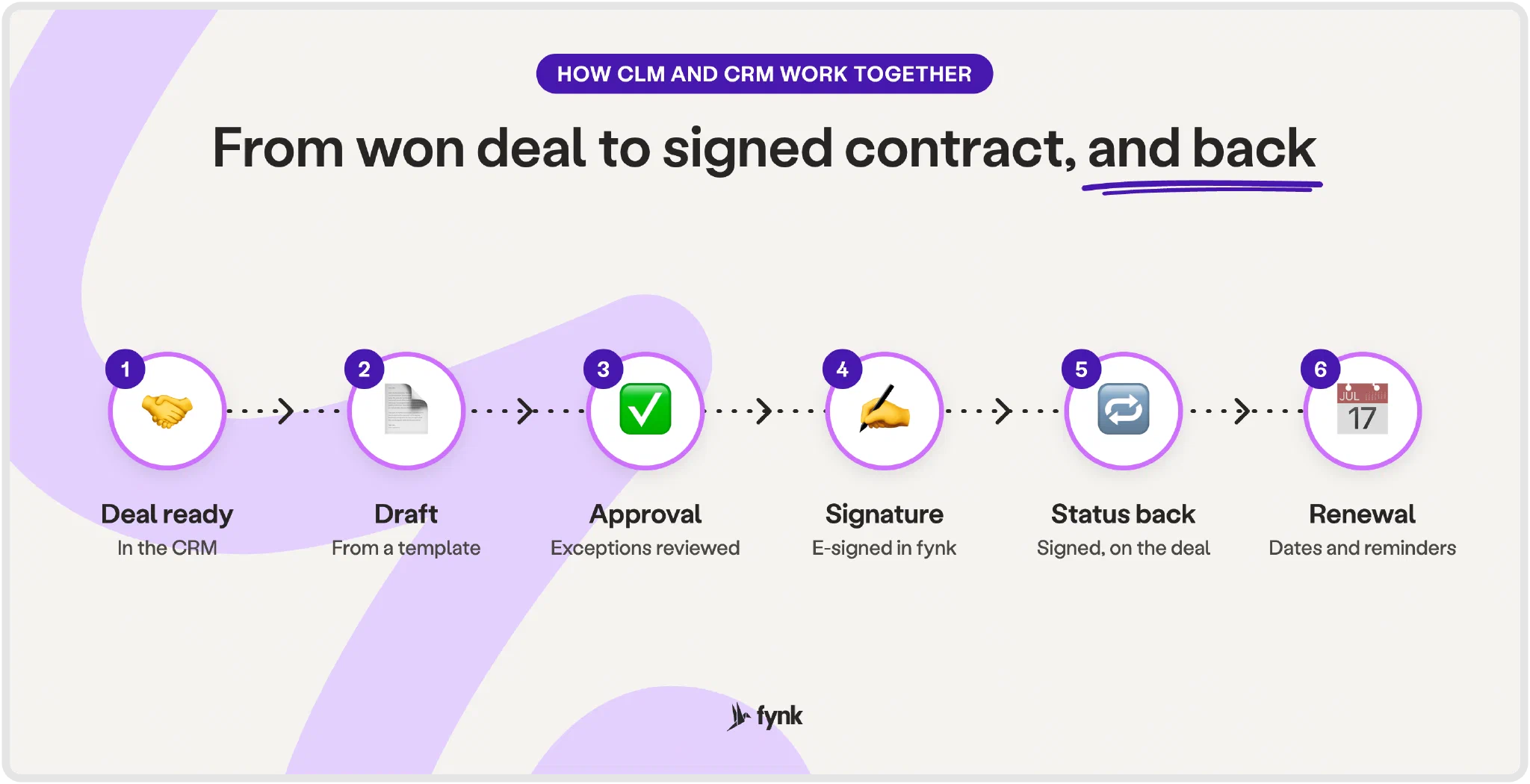
How do CLM and CRM work together?
CLM and CRM work together by passing deal data into the contract process and returning contract progress to the sales record.
Set up the connection around the handoff your team actually uses. Decide what starts the draft, which fields it needs, and which updates sales should receive.
Step 1: Let the deal stage start the contract
Choose the point when commercial details are ready for drafting. Require the contracting company, contact, price, and products before the handoff, so an incomplete deal doesn’t become an incomplete agreement.
With fynk’s HubSpot integration, a deal moving into a stage can trigger a prefilled contract through HubSpot’s own workflow builder. Reps can create, track, and sign contracts from the deal, contact, or company record without leaving HubSpot. The agreement starts where the rep is already working.
Step 2: Fill an approved template with deal fields
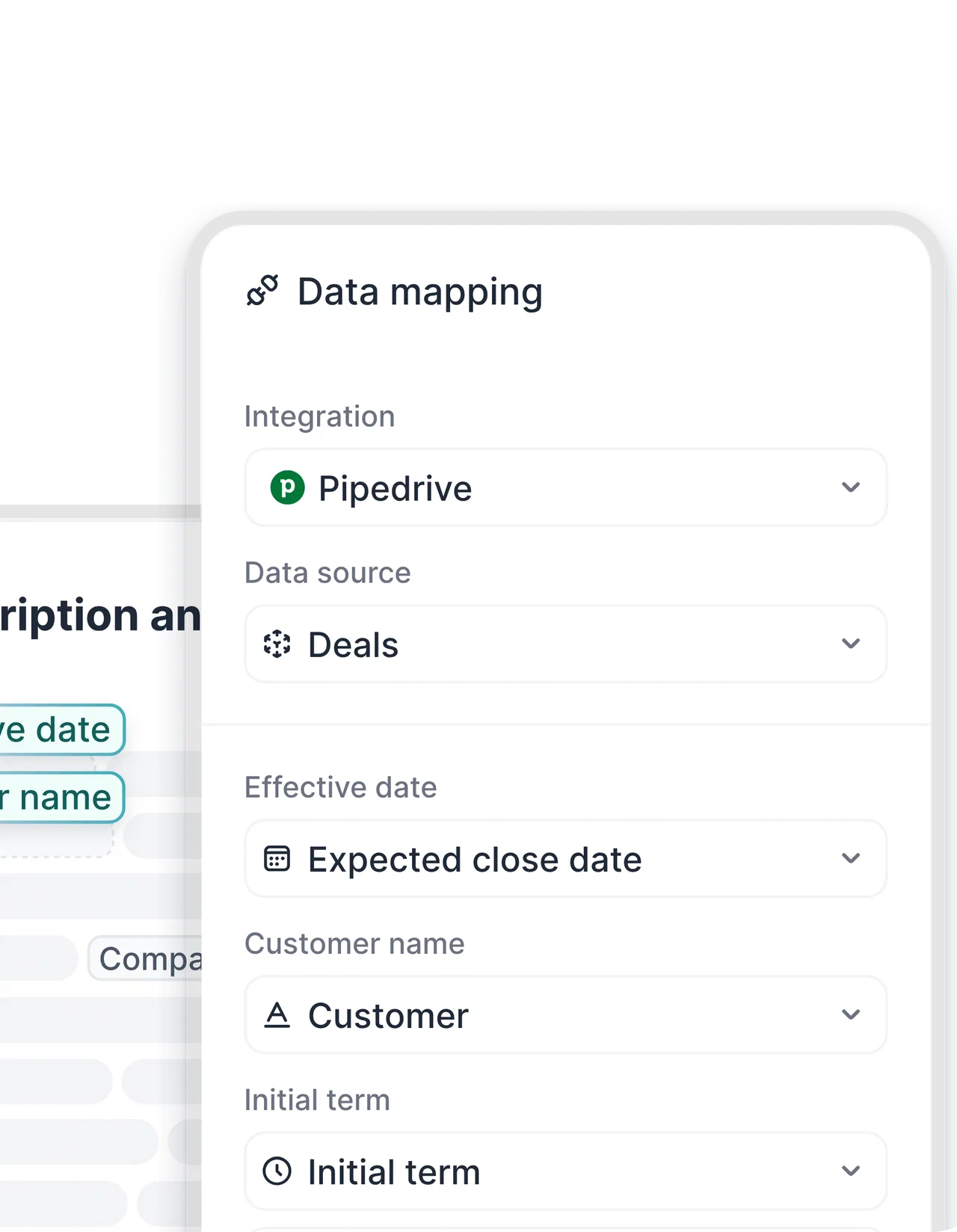
Map the CRM’s party details, prices, and products to the corresponding fields in an approved contract template. Check the resulting draft against the deal, especially discounts and line items.
In fynk’s Salesforce integration, opportunity, account, and contact fields fill approved templates for contracts and quotes. Opportunity products become line items. That removes the need to reconstruct the offer in a separate document.
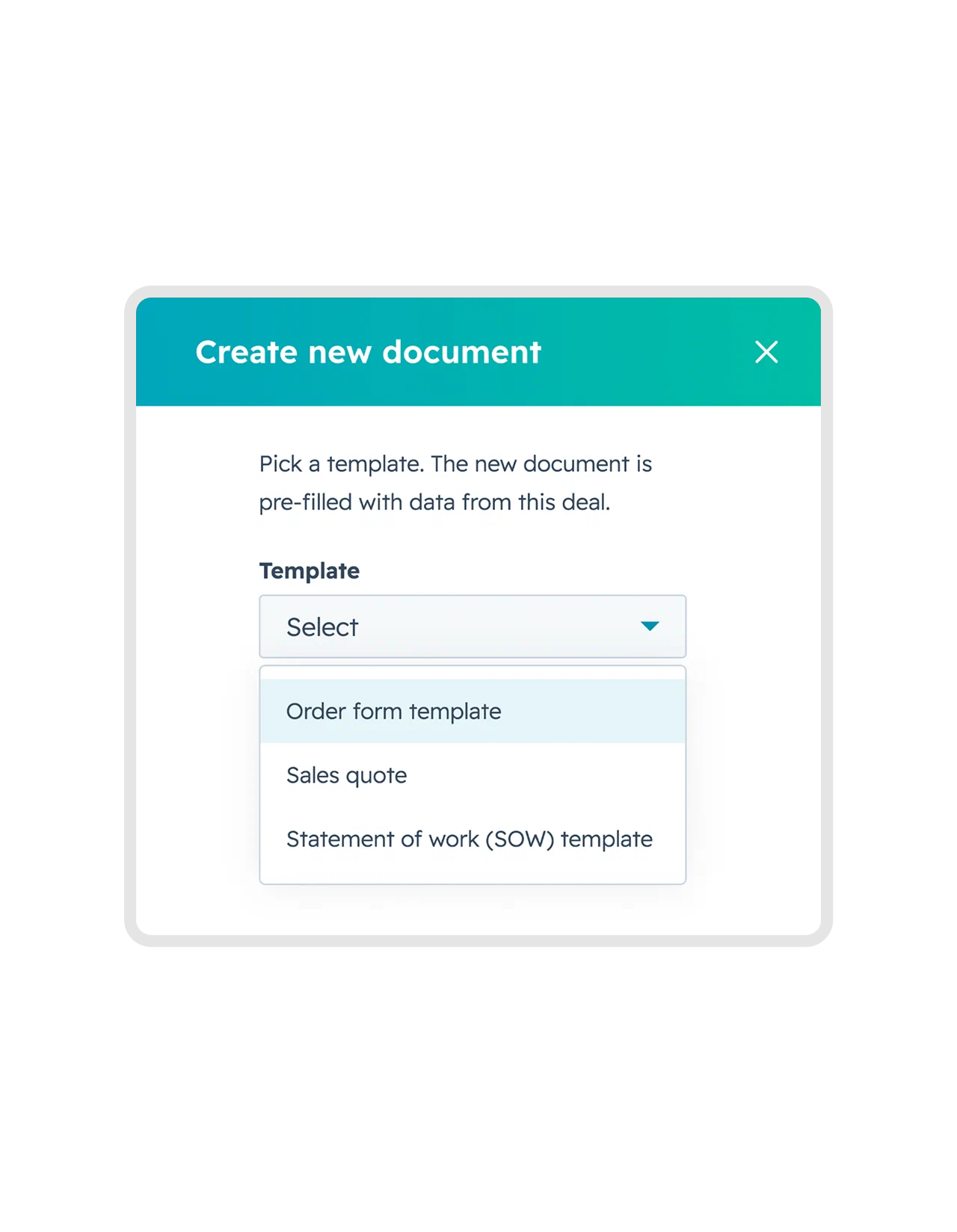
The Pipedrive integration uses deal, organization, and person data to fill approved offer and contract templates, with deal products becoming line items. If the deal changes, reloading its data updates the draft without another round of typing.
Step 3: Keep review and approval with the contract
Handle proposed wording changes and internal approvals in the CLM. Make sure reviewers assess the version intended for signature, including any revised pricing or payment terms.
fynk’s approval workflows route documents to the right reviewers before signing. Sales can start from approved wording while exceptions go to the people authorized to review them.
Step 4: Send the agreed version for signature
Confirm the parties, signers, and final terms before sending the document. Keep signing connected to the contract rather than starting a separate attachment exchange.
Salesforce found that only 34% of sales teams work in one platform; the rest use an average of eight tools. Keeping signing inside the deal workflow gives reps one less tool to switch to.
fynk includes electronic signatures up to qualified electronic signatures (QES) in its Salesforce and Pipedrive integrations. The Salesforce contract stays tied to the opportunity, so signing remains connected to the sale.
Step 5: Return contract status and agreed data to the deal
Define which contract updates should reach the CRM: signing status, a reference to the agreement, and relevant final values or dates. Map the supported fields and test the return flow with a completed contract.
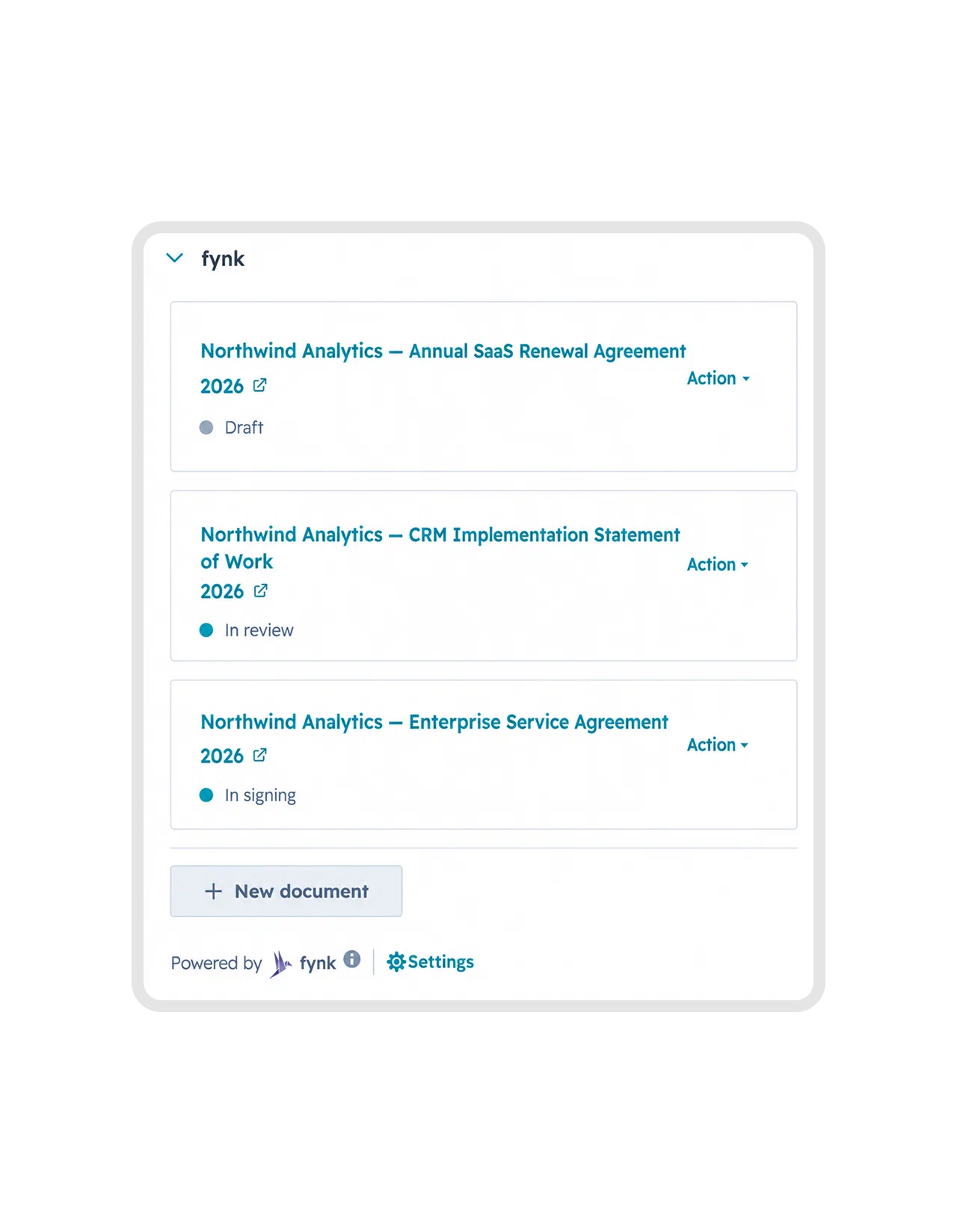
In HubSpot, fynk lets sales track the contract from the CRM record. For other CRM automations, fynk’s ready-made Zapier connections include updating a CRM record when a contract is signed. Set up that update so the rep doesn’t have to ask whether the buyer has finished.
Step 6: Keep future dates with the agreement
Record renewal dates, notice deadlines, and ongoing obligations alongside the signed contract. Assign the follow-up and arrange reminders so the agreement still gets attention after the deal closes.
A CRM’s expected close date won’t tell you when a customer can renegotiate its next term. The same distinction matters for contracts your company buys: SaaS renewal management depends on the agreed notice terms, not the date somebody last updated an account.
One of the biggest highlights is the HubSpot integration, which has made our lives significantly easier. And then there's the AI, which recognizes uploaded contracts, and also the ability to create custom prompts, which is just insanely cool.
Draft and sign contracts from HubSpot
What should you look for in a CLM that connects to your CRM?
Look for a CLM that carries accurate deal data into an approved contract and makes contract progress visible to sales.
Use this checklist against your actual workflow:
- A native connector for your CRM: Confirm support for HubSpot, Salesforce, or Pipedrive and the records your team uses.
- Field and line item mapping: Test company details, prices, discounts, and products with a representative deal.
- A deal stage trigger: Check whether entering your chosen stage can start the draft and what data must already be present.
- Electronic signature included: Confirm that the signing process and signature level you need are covered.
- Status returned to the CRM: Check which updates are available natively and which need an automation.
- Reporting on contract values: Make sure you can filter and report on the figures recorded in contracts. In fynk’s Pipedrive integration, contract values stay filterable.
Run a demo using a deal with a revised discount and multiple products. Follow it through approval and signing, then inspect the CRM record. That’s a more useful test of CRM contract management than watching a blank template fill with a company name.
CLM vs CRM FAQ
No. CLM means contract lifecycle management and covers drafting, review, approval, signing, and ongoing contract terms. CRM means customer relationship management and tracks contacts, customer activity, and sales opportunities. An integration connects the two processes.
You need both when tracking sales and managing contracts each require a dedicated process. If a rep copies deal details into Word, legal reviews email attachments, and signed agreements disappear into shared drives, connecting a CLM to your CRM can remove those manual handoffs.
fynk has native HubSpot, Salesforce, and Pipedrive integrations. Other CRMs can connect through Zapier. The available triggers, fields, and updates depend on the connection.
Keep your next deal’s discount out of the copy-paste lottery. Sign up for fynk and use an approved template filled with CRM data to get the agreement moving.
Searching for a contract management solution?
Find out how fynk can help you close deals faster and simplify your eSigning process – request a demo to see it in action.
Please keep in mind that none of the content on our blog should be considered legal advice. We understand the complexities and nuances of legal matters, and as much as we strive to ensure our information is accurate and useful, it cannot replace the personalized advice of a qualified legal professional.


Get a regular dose of insightful contract management content

Take control of your agreements. Move your business forward.
Run agreements the way they should run: fast, clear, and on your terms.
No setup headaches
Go live in days, not quarters
No lock-in
Full export anytime
No hidden fees
Signatures included, no envelope fee