
Create a contract the moment a HubSpot deal closes
Draft, review and sign the contract from the fynk card on the deal, filled with the customer's own data, without ever leaving HubSpot.
Video transcript
Click any line to jump therefynk brings contract creation and management directly into HubSpot. In this example, I'm going to show you how to create and manage a statement of work from a HubSpot deal using a template and data that already exists in your CRM. Let's start with the template in fynk. I already have a statement of work template ready here. It also has a dynamic table which I'll populate using the inline objects from HubSpot. As you can see here, I already added dynamic fields to my template for each value that I want to bring from my HubSpot. deal, their SOW number, total fees, project start date, and project description. The next step is to map these fields to HubSpot. To do that, open data mapping and choose Deals. For document name, I use the deal name from HubSpot. Then I map the rest one by one with the corresponding fields.
SOW number is the record ID.
Total fees is called amount and hub spot.
Project start date is my close date. Project description is deal description. I leave the SOW date empty here because this field is already configured in fynk to automatically use the start of the signing process as its value. Now the main contract fields are mapped and we can use this tab to map the party. Use the company, link to the HubSpot deal here, and search for company name and address. Now that the document fields and party data are mapped, we can move on to the table. We want to bring line items from HubSpot to this table. If I click the button underneath the table, I can activate the data objects and then just simply choose the ones that I have in this table. Once that's done, the template is ready. Just make sure you publish it before moving on. Now let's switch over to HubSpot. I have one of my deals opened here and I have the fynk card added to my HubSpot layout. If you don't see this card in your own HubSpot view, you'll need to add it to the layout. To create a new contract from HubSpot, simply click Create from Template and choose the template from the list, which in case was SOW, click Create from Template. After just a few seconds, the document is created. It's already in draft. And if I click this link here, it takes me to the document drafted in fynk. Let's scroll down to the actual document. The dynamic table is already filled with the deliverables and fees coming from HubSpot. In the General tab, I can see that this document is connected to a deal in HubSpot. If something changes in HubSpot later, I can use Reload data here to pull the latest information into the document.
Now that the document itself is ready, I can start moving it through the process. From the same fynk card, I can move the document into review, which updates the status automatically.
Next, I want to invite a collaborator. I have two ways to do that, either by choosing a contact that already exists in HubSpot or by adding their name and email address.
Once they are invited, the status also updates to show that a collaborator has been added.
Now if I open the actions again, I can add signatories in almost exactly the same way. I choose the person who needs to sign and assign them to the right party.
And let's move it to the signing. Once you hit this option, the signers receive an email from fynk with a link that takes them directly to the document. And you don't have to manage the follow-up manually. fynk handles the signing notifications and reminders. One thing that's especially useful about this card is that most of the actions a HubSpot user needs are available in one place, so they don't necessarily need to be involved in everything happening behind the scenes in the contract process. That removes a lot of unnecessary back and forth. Once all the required signers have signed the document, the status on the HubSpot card updates again and shows as done. And there's one more useful option here. I can download the complete completed document directly from HubSpot, so I don't need to go back into fynk just to find and download the final file. And that's the full process. It's especially useful when you're handling documents at scale. I hope this was useful. See you in the next video.
The goal
Create any type of contract in HubSpot immediately when a deal closes.
- Build one template in fynk with dynamic fields
- Map those fields to HubSpot properties
- Draft, review and sign from the fynk card on the deal

Build the template in fynk
Start from a template every deal of this kind shares. This one is a statement of work. Build it in the document editor or upload the document you already use. Add both parties from the Parties and Signatory tab: your company with its own signatory, and the customer, left empty because those details come from HubSpot.
Wherever a detail changes from one deal to the next, replace it with a dynamic field and match the type to the value:
- A currency field for the total fees
- A date field for the project start date
- Plain text for the SOW number and the project description
- Any other variable that you want to include in your contract
Add a dynamic table too, if the deal carries products. It gets filled from the deal’s line items.
Some fields need no mapping at all. The SOW date here is already set in fynk to use the start of the signing process, so leave it empty.

Map the fields to HubSpot
Next comes the mapping, where the template learns which HubSpot property fills which field. Open data mapping, choose Deals, then point each dynamic field at the property that holds it.
| fynk | HubSpot |
|---|---|
| Document name | Deal name |
| SOW number | Record ID |
| Total fees | Amount |
| Project start date | Close date |
| Project description | Deal description |
Then the party. Switch to the parties tab, pick the company linked to the deal, and map its name and address. Two clicks, and nobody types a customer name again.
If your template has a table, map that last. Hit the button underneath it, activate the data objects, and pick the line item fields you want in each column.
Anything that never changes stays as fixed text in the contract, for example payment terms or governing law. Only map what actually varies. Contract templates hold the approved wording, so the only thing that’s ever filled in from outside is the customer’s data.


Create the contract from the fynk card
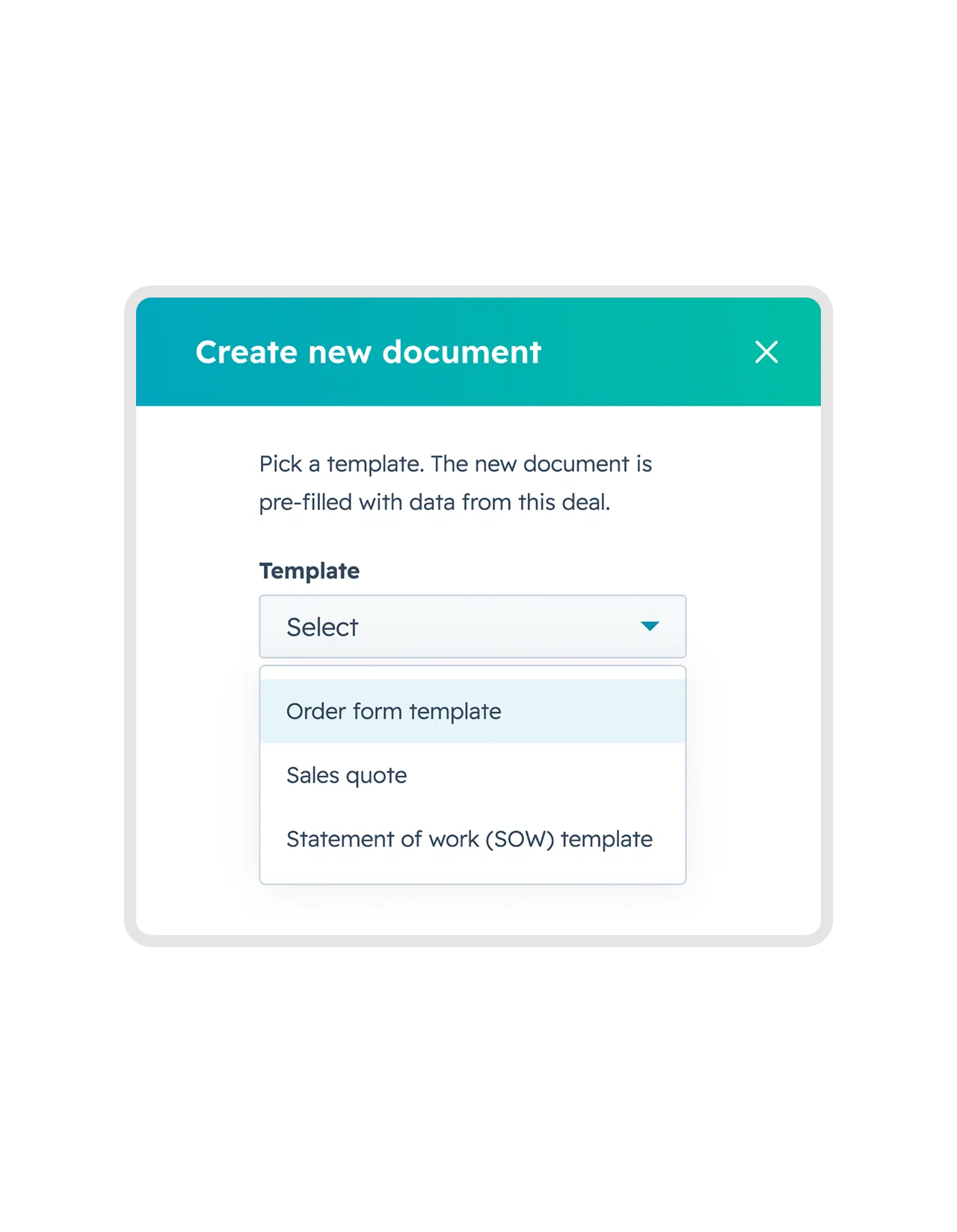
Open the deal you’ve just won. The fynk card sits in the record sidebar, so create from template there and pick the one you published.
A few seconds and the draft exists. What’s already filled in:
- The customer’s legal name and address, from the company linked to the deal
- The fees, the dates and the description, from the deal itself
- The table rows, from the deal’s line items
Something changed in HubSpot after that? Hit reload data on the document and it pulls the latest values in.
Send it for review, still from the deal
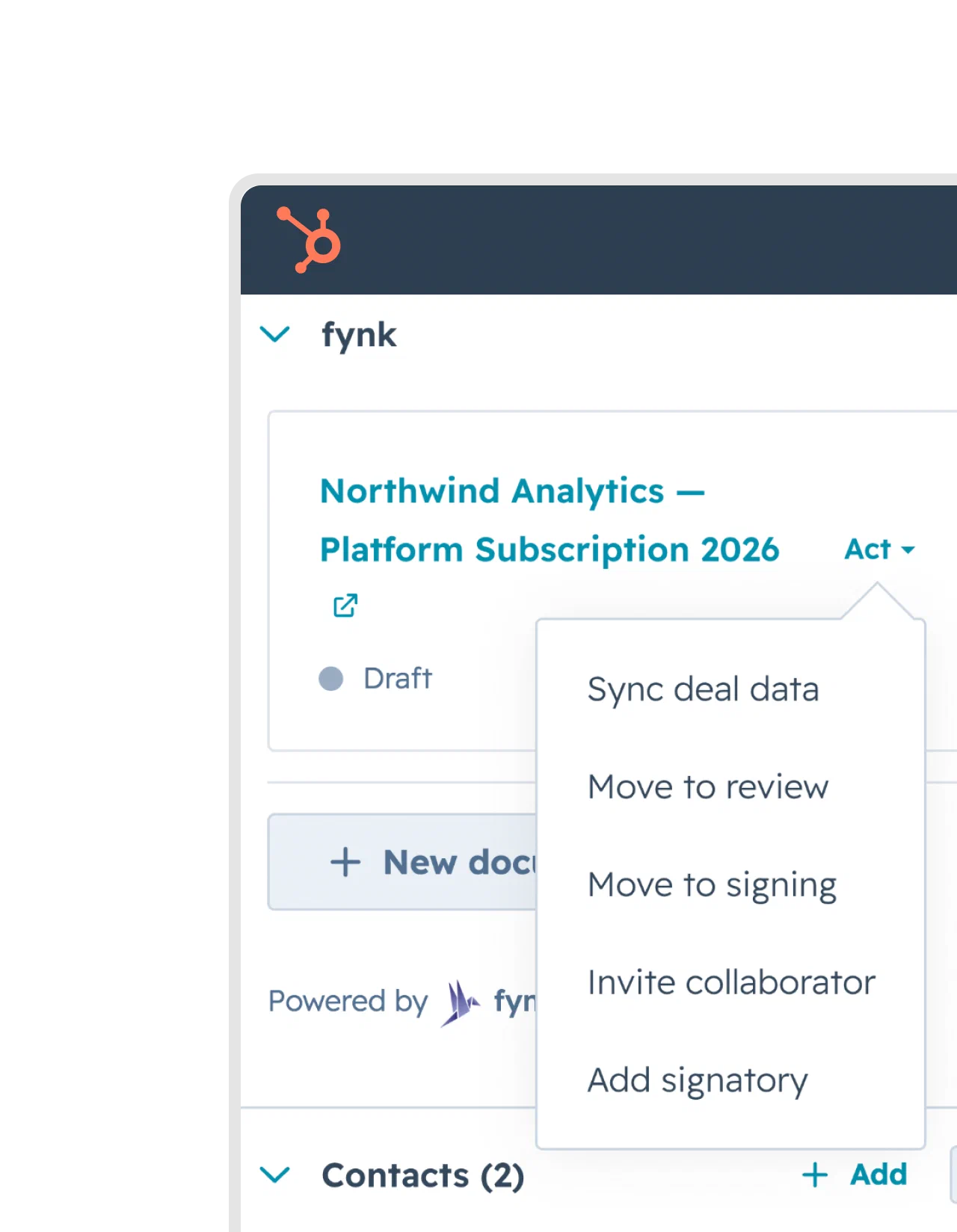
Send the document into review and invite whoever signs off on it, whether that’s Legal, Finance or your manager while you are still on HubSpot.
They get the document itself, not a forwarded copy, so:
- Comments stay on the clause they’re about, in discussions
- Every version is kept, with a record of who changed what
- The card on the deal reads Review, so nobody has to ask where the contract is
Meanwhile, you don’t have to follow anything that is not related to you.

Add the signatories and send for signing
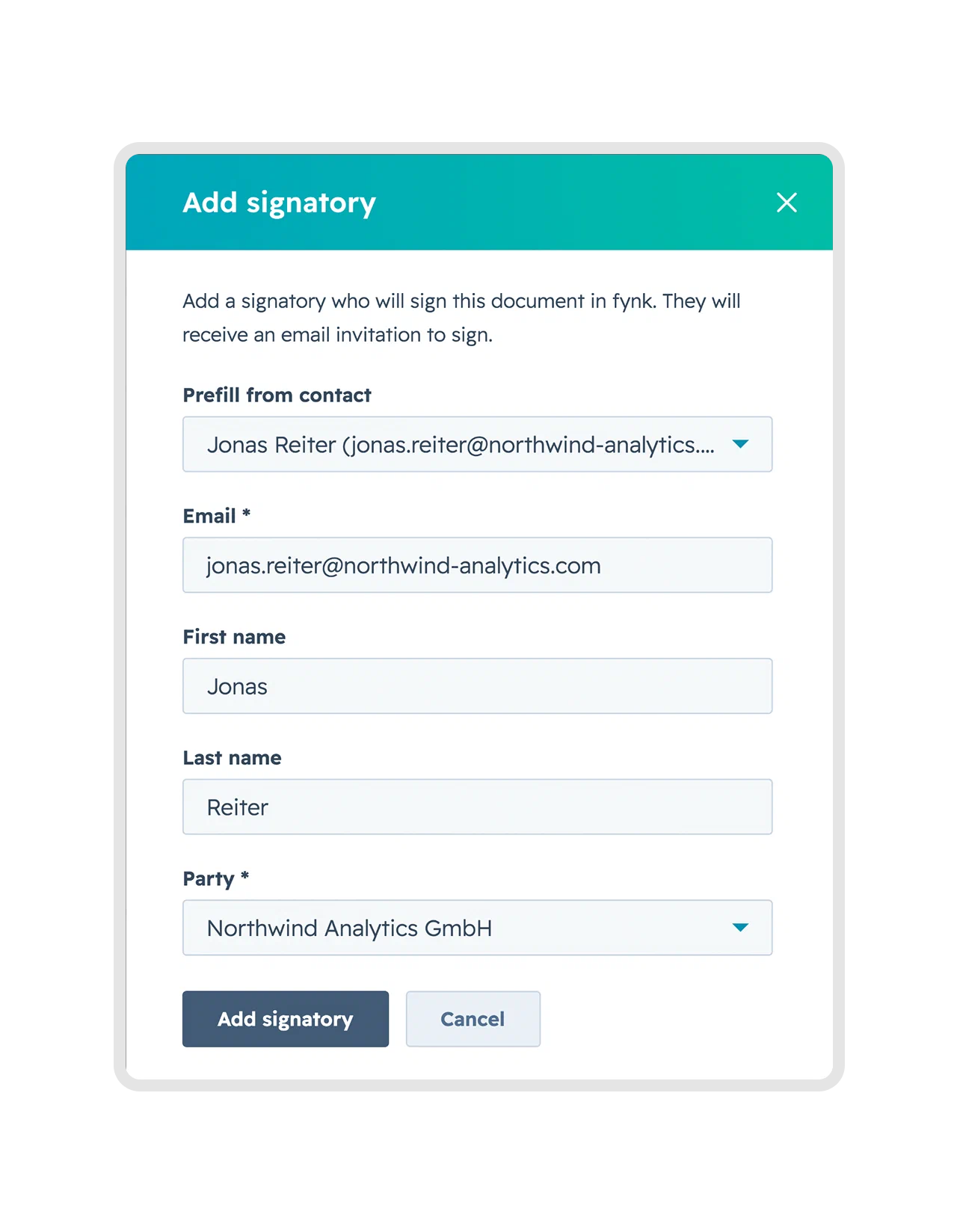
Who signs? Add them from the card using your existing contacts or just by adding their email.
- Signatories get a link by email and sign in the browser, with no account to create
- Signature tracking shows who’s signed and chases the ones who haven’t
- The card turns to Signing, then Done, and you can download the signed file straight from HubSpot
Doing this ten times a week? Add a HubSpot workflow that fires on a stage change, so the draft is already waiting on the deal before anyone opens it. Everything from step 3 onwards works exactly the same, and a whole batch of deals can go through at once.
What makes it fast?
Draft, review and sign without leaving HubSpot
No copying customer data between systems
Every contract built from the same approved template
Contract status visible on the deal
"One of the biggest highlights is the HubSpot integration, which has made our lives significantly easier. And then there's the AI, which recognizes uploaded contracts, and also the ability to create custom prompts, which is just insanely cool."



Frequently asked questions.
Yes. Creating the document, sending it for review, adding signatories and sending it for signature all happen from the fynk card in the record sidebar. Reps only open fynk when somebody needs the full editor.
No. The card creates the contract on demand, which is enough for most teams. A workflow just moves that click earlier, so the draft is waiting on the deal before anyone opens the record.
They stay empty in the draft and you fill them in fynk before sending. Mapping is per field, so a missing property never blocks the rest of the contract from being created.
Yes. Deal, contact and company records can all create documents, and line items are the one thing that's deal-specific. Renewals are the usual reason to work from a company record instead.
Still have questions?


Take control of your agreements. Move your business forward.
Run agreements the way they should run: fast, clear, and on your terms.
No setup headaches
Go live in days, not quarters
No lock-in
Full export anytime
No hidden fees
Signatures included, no envelope fee