
80 best Zapier automation examples for contracts and documents

Rezvan Golestaneh
Published · 12 min read
Tired of copying deal details into contracts, chasing signatures and filing PDFs by hand? These Zaps connect fynk to the tools you already use, saving your team time on everyday contract work.
Below are the best Zapier automations for contract and document work: 30 workflows with 80 ready-made Zaps you can switch on. They connect fynk’s document generation with the tools that hold your contract details or need the signed agreement.
See the full list of integrations
Use cases
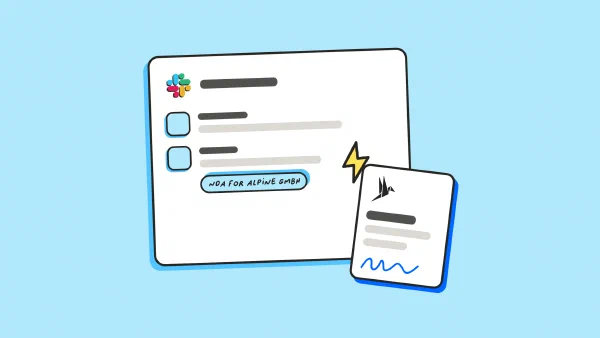
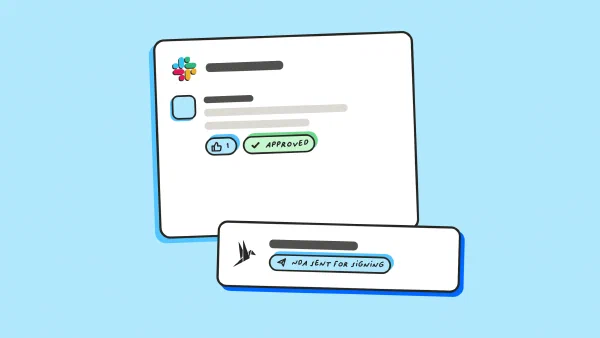
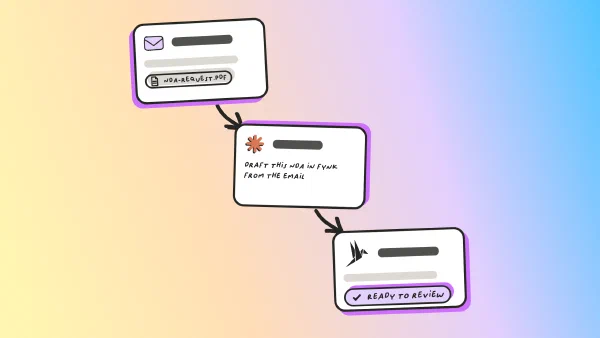
See the Zaps in action
Step-by-step guides that build these workflows with Zapier, field by field.
CRM Zapier examples
Connect deal updates to contract drafts, signing and contact records.
1. Turn a ready deal into a contract for signing
Ideal for: 💼 Sales teams
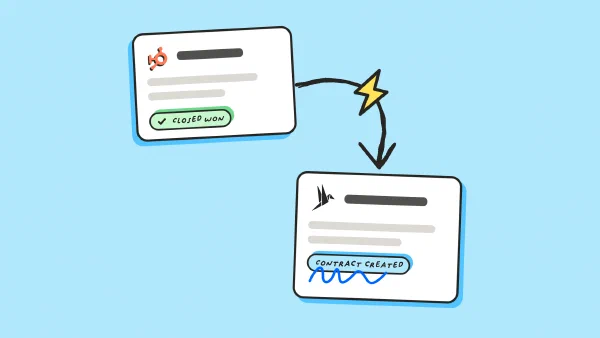
When a deal reaches an approved stage in HubSpot, Zoho CRM, Microsoft Dynamics 365 or Freshsales, fynk creates a contract for signing. Check for an existing contract before creating another.
✅ Value: No more retyping deal details into contracts.
2. Put the signature status back on the deal
Ideal for: 💼 Sales teams
When a contract is fully signed in fynk, Zapier updates its deal in Microsoft Dynamics 365, Pipedrive or Salesforce. The CRM tracks the deal while fynk manages the agreement.
✅ Value: Sales sees signed deals without checking another app.
3. Keep new signers in your CRM contacts
Ideal for: 💼 Sales teams · 🤝 Account management
When a new signer appears in fynk, Zapier finds or creates their contact in Salesforce, Zoho CRM or Freshsales. Match by email to avoid duplicate contacts.
✅ Value: Account managers have signer details in their contact records.
4. Give a new deal a proposal or sales agreement
Ideal for: 💼 Sales teams · 🚀 Founders
When a new deal appears in Zendesk Sell, Close or Copper, fynk prepares a proposal or sales agreement. Use the deal type to choose the template.
✅ Value: Sales starts new deals with the right proposal draft.
Zapier examples for forms and booking tools
Turn requests, bookings and registrations into agreements without retyping the details.
5. Make a form request the starting point for a contract
Ideal for: ⚙️ Operations · 🛒 Procurement teams
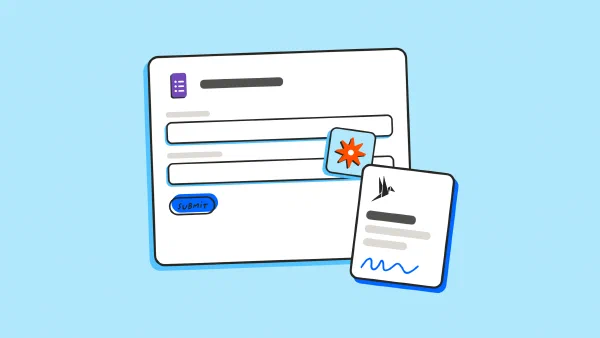
When a complete request arrives in Google Forms, Typeform, Jotform or Tally, fynk creates a contract from the answers. Keep it as a draft if the request needs approval.
✅ Value: Ops drafts contracts without copying answers from request forms.
6. Send a service agreement from a website form
Ideal for: 💼 Sales teams · 🏗️ Construction businesses
When someone requests a service through Webflow or Gravity Forms, fynk sends an agreement with their details filled in. Filter by form so a newsletter signup doesn’t receive a contract.
✅ Value: Customers receive service agreements without sales retyping their details.
7. Get the NDA underway before the meeting
Ideal for: ⚖️ Legal teams · 💼 Sales teams · 🚀 Founders
When someone books a meeting in Calendly or Acuity, fynk prepares an NDA with the invitee’s details. Limit the Zap to external meetings that need confidentiality paperwork.
✅ Value: NDAs are ready for review before confidential meetings.
8. Send event registrants a participation agreement
Ideal for: 🎬 Media businesses · 🎟️ Event teams
When someone registers for a selected Zoom event, fynk sends a participation agreement for signing. Check the registration email before sending.
✅ Value: Event teams send participation agreements without copying registration details.
HR and recruiting Zaps
Use hiring and employee records to prepare paperwork and file signed agreements.
9. Prepare the offer from the hiring record
Ideal for: 🧑💼 HR teams · 🔎 Recruiters
When a hire is approved in Personio, Workable, Greenhouse or Teamtailor, fynk prepares an offer draft. Check the salary, role and start date before sending.
✅ Value: HR reviews offers without rebuilding them from hiring records.
10. Return the signed agreement to the employee file
Ideal for: 🧑💼 HR teams
When an agreement is fully signed in fynk, Zapier saves its PDF to the matching Personio employee file. Match by employee ID to keep employment terms in the right record.
✅ Value: Signed employment terms stay with the right employee record.
11. Turn a job change into a contract amendment
Ideal for: 🧑💼 HR teams
When a role or working-hours change in HiBob or Personio needs new terms, fynk prepares an amendment. Filter out routine record edits so they don’t create unnecessary drafts.
✅ Value: HR reviews job changes without drafting amendments from scratch.
12. Prepare a termination agreement when offboarding starts
Ideal for: 🧑💼 HR teams · ⚖️ Legal teams
When offboarding starts in Deel, BambooHR or Workday, fynk prepares a termination agreement for review. Require approval before sending and restrict access to the document.
✅ Value: HR starts offboarding with a termination agreement to review.
Accounting and billing automations
Connect customer records and signed terms to agreements and invoices.
13. Create an invoice after the agreement is signed
Ideal for: 💰 Finance teams
When a contract is fully signed in fynk, Zapier creates an invoice in Xero, QuickBooks, Zoho Books or Sage Accounting. Confirm that payment is due at signing before enabling the Zap.
✅ Value: Finance can invoice as soon as signing is complete.
14. Give a new customer or vendor the right agreement
Ideal for: 💰 Finance teams · 🛒 Procurement teams · 🏭 Manufacturing
When a customer or vendor is added in QuickBooks or Sage Intacct, fynk prepares an agreement with their details. Filter by record type to choose the right template.
✅ Value: New customers and vendors get agreements without retyping account details.
15. Follow a paid checkout or order with an agreement
Ideal for: 🛍️ E-commerce · 🏬 Retail businesses
When a Stripe checkout completes or a paid Shopify order arrives, fynk prepares a service or purchase agreement. Check the payment status and product before choosing the template.
✅ Value: Order details carry into agreements without being entered again.
16. Set up subscription billing from the signed contract
Ideal for: 💰 Finance teams · ☁️ SaaS businesses
When a subscription agreement is signed in fynk, Zapier creates a Stripe customer and invoice or a Chargebee customer record. Check amounts, dates and billing frequency before enabling charges.
✅ Value: Finance sets up billing records from signed subscription details.
Cloud storage Zapier examples
File signed copies automatically and bring incoming PDFs into fynk.
17. File the signed PDF where the team expects it
Ideal for: ⚙️ Operations · 💻 IT teams
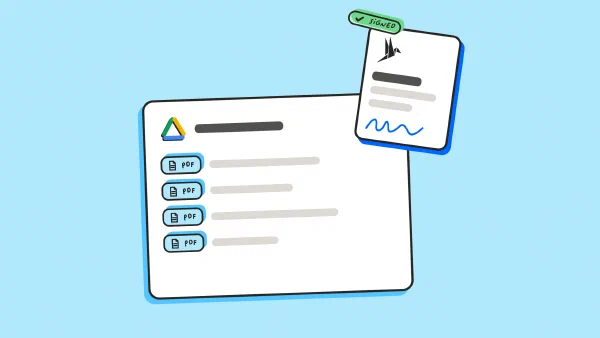
When a document is fully signed in fynk, Zapier uploads its PDF to Google Drive, Dropbox, OneDrive, SharePoint or Box. Include the document ID in the filename to avoid overwriting another agreement.
✅ Value: Everyone knows where to find the signed copy.
18. Turn a dropped PDF into a document in fynk
Ideal for: ⚖️ Legal teams · ⚙️ Operations · 🛡️ Compliance teams
When a PDF enters a designated Google Drive or Dropbox folder, fynk creates a document from it. Use a separate intake folder so the Zap doesn’t import its own signed copies.
✅ Value: Legal receives incoming PDFs without uploading each file by hand.
19. Save email attachments to storage and fynk
Ideal for: ⚖️ Legal teams · ⚙️ Operations
When an agreement arrives in Gmail or Outlook, Zapier saves the PDF to Google Drive or OneDrive and creates a document in fynk. Filter by sender or label to keep unrelated attachments out.
✅ Value: Emailed agreements reach storage and fynk without manual uploads.
20. Share the filed link with the team
Ideal for: ⚙️ Operations · 📋 Project teams
When a signed fynk PDF reaches Google Drive or SharePoint, Zapier posts its link in Slack or Microsoft Teams. Send the message only after the upload succeeds.
✅ Value: The team gets a working link once filing finishes.
Spreadsheet, project and calendar automations
Connect contract work to the rows, tasks and dates your team already tracks.
21. Turn a ready row into a contract and update it back
Ideal for: ⚙️ Operations · 💼 Sales teams
When a row is marked ready in Google Sheets, Airtable or Smartsheet, fynk creates a contract from a template. Save its document ID in the row, then update the status after signing.
✅ Value: Ops sees contract progress without leaving its existing tracker.
22. Log signed contracts in a tracker
Ideal for: 💰 Finance teams · ⚙️ Operations
When a contract is fully signed in fynk, Zapier adds its owner, value, dates and reference to Google Sheets, Excel or Smartsheet. Check the document ID first to avoid duplicate entries.
✅ Value: Finance sees signed contract values without updating trackers by hand.
23. Start delivery tasks when signing is complete
Ideal for: ⚙️ Operations · 📦 Delivery teams · 🚚 Logistics
When a contract is fully signed in fynk, Zapier creates tasks in Asana, Wrike, Jira or monday.com. Assign an owner so kickoff doesn’t wait for a forwarded email.
✅ Value: Delivery gets assigned tasks without waiting for forwarded emails.
24. Put the renewal date on the calendar
Ideal for: 🛒 Procurement teams · 🤝 Account management
When a contract is signed in fynk, Zapier adds its recorded renewal date to Google Calendar or Outlook. Keep the document ID with the event to prevent duplicate entries.
You can also skip the Zap: the contract calendar in fynk now syncs renewal and notice dates to Google Calendar, Outlook or Apple Calendar directly.
✅ Value: Renewal dates appear alongside the team’s other calendar commitments.
25. Give a new Clio matter an engagement letter
Ideal for: ⚖️ Legal teams · 🏛️ Law firms
When a new matter opens in Clio, fynk creates an engagement letter and sends it for signing. Check the template’s scope and fees before enabling automatic sending.
✅ Value: Lawyers have engagement letters ready when new matters open.
Chat and email Zaps
Send approval requests, deadline reminders and signed copies to the people who need them.
26. Get approval in Slack or Teams before sending
Ideal for: ⚖️ Legal teams · 🛒 Procurement teams
When a fynk draft is ready for review, Zapier sends an approval request in Slack or Microsoft Teams. Keep the contract in review until approval allows the Zap to send it for signing.
✅ Value: Approvers get contract requests in the chat they already check.
27. Remind the owner before the notice deadline
Ideal for: 🛒 Procurement teams · 💰 Finance teams
When a signed fynk contract enters a reminder workflow, Zapier schedules a Slack or Microsoft Teams message before its last notice date. Check the deadline calculation so the owner has time to act.
✅ Value: Owners get reminders before the contract’s notice deadline.
28. Prepare an internal AI summary for the handoff
Ideal for: ⚙️ Operations · 🤝 Account management
When a contract is fully signed in fynk, Zapier asks ChatGPT or Claude to summarize the agreed work and dates. Have the next owner check the summary against the signed text before using it.
✅ Value: The next owner gets agreed work and dates summarized.
29. Email the signed PDF to its recipients
Ideal for: 💼 Sales teams · 🧑💼 HR teams
When an agreement is fully signed in fynk, Zapier emails its PDF through Gmail or Outlook. Check recipient addresses, especially when the source record has several contacts.
✅ Value: Recipients get signed copies without someone sending each email.
30. Post a weekly digest of newly signed contracts
Ideal for: 🚀 Founders · 💰 Finance teams · ⚙️ Operations
When the weekly schedule runs, Zapier collects newly signed fynk contracts and posts a digest in Slack or Google Chat. Include owners and contract references in a channel allowed to see those details.
✅ Value: Leaders see newly signed contracts in one weekly update.
Zapier examples by team
Start with the team that repeats the same contract handoff most often.
| Team | What they automate | Tools it connects |
|---|---|---|
| Sales | Draft contracts from deals, update signed status and prepare meeting NDAs | HubSpot, Zoho CRM, Calendly |
| HR | Draft offers and file signed employment agreements | Personio, Workable, Greenhouse |
| Finance | Create invoices from signed terms and agreements from customer records | Xero, QuickBooks, Stripe |
| Legal | Draft contracts from requests, ask for approval and file signed PDFs | Clio, Typeform, Slack, Google Drive |
| Operations | Start kickoff tasks, file agreements and record renewal dates | Asana, Google Drive, Google Calendar |
| Procurement | Draft vendor agreements, request approval and send notice reminders | Sage Intacct, Slack, Microsoft Teams |
Count how often someone asks “Has it been signed yet?” That’s a useful place to start.
What makes a good Zapier automation?
A good Zapier automation handles a repeated task with a clear rule and reliable data.
A trigger starts the Zap, such as a deal changing stage. A filter checks whether it should continue. An action does the next task, such as creating a document.
A search step finds missing details. If the trigger gives you a customer ID but no billing address, look up the customer before drafting.
Ask three questions: Does this task repeat? Does it follow a clear rule? Is the data already in an app?
Pipedrive found that 75% of sales and marketing professionals work more hours than planned. Repeated handoffs are worth checking when calendars are already full.
Keep decisions that need judgment with a person. A Zap can prepare a draft while someone checks the terms.
Example: one contract, from request to renewal
A small services company could connect these steps to manage one customer’s support contract from request to renewal or cancellation.
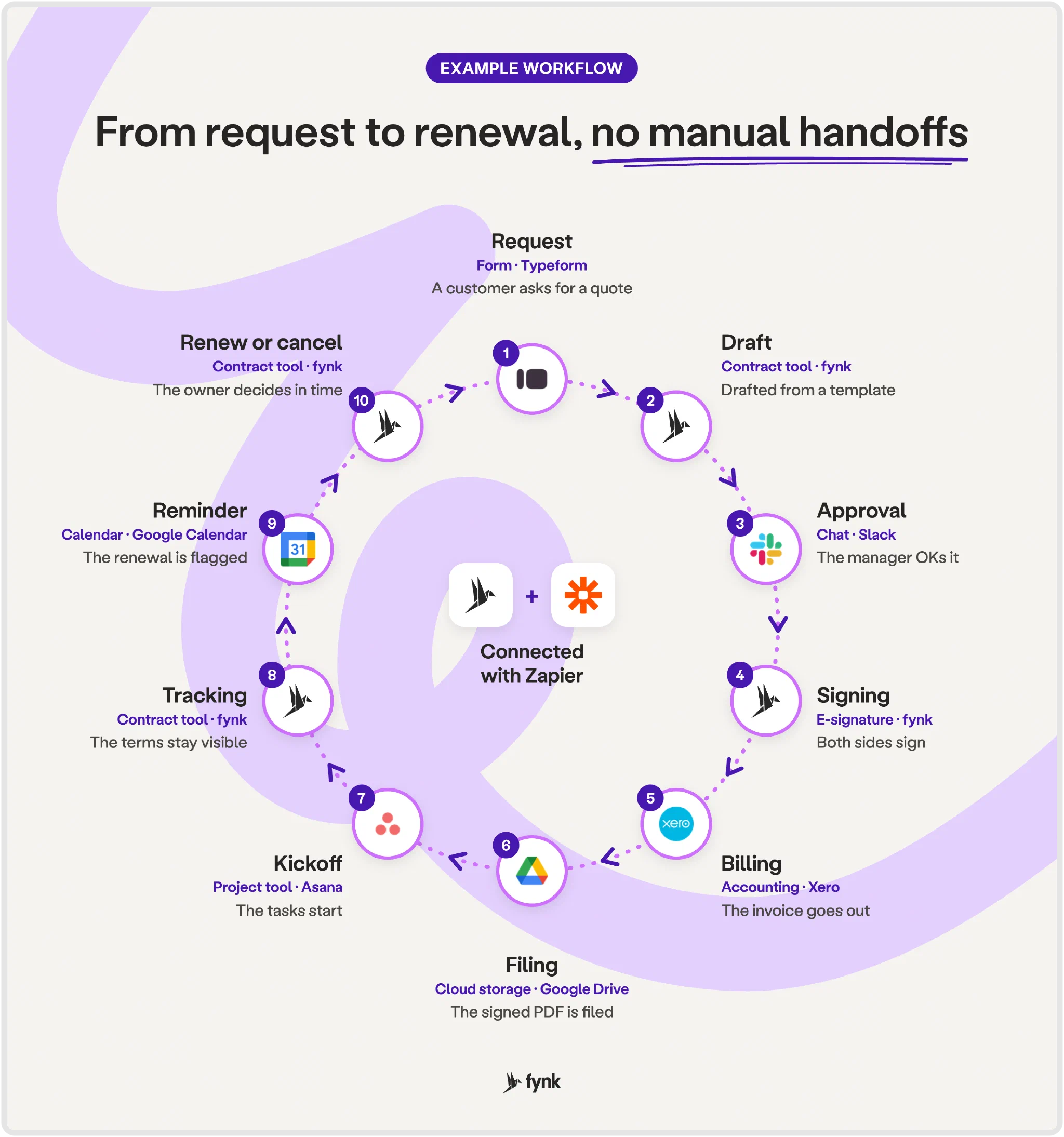
- Request: The account manager enters the customer’s details and requested services in Typeform.
- Draft: fynk fills a contract template with the Typeform answers.
- Approval: Slack asks the manager to review the draft in fynk.
- Signing: After approval, fynk sends the contract for both sides to sign.
- Billing: Xero creates the invoice due at signing under the agreed terms.
- Filing: Google Drive saves the signed PDF in the customer’s folder.
- Kickoff: Asana creates kickoff tasks, and Slack alerts the delivery team.
- Tracking: The team checks work against the terms in fynk and tracks delivery in Asana.
- Renewal reminder: Google Calendar records the renewal date, and Slack reminds the owner before the cancellation deadline.
- Renew or cancel: The owner records the decision in fynk and sends any required notice.
A person still decides whether the terms are acceptable, approves sending, and chooses whether to renew or cancel. Build and test one Zap at a time.
Contract automation FAQ
Zapier connects an event in one app to an action in another. Use it to draft contracts, prepare hiring paperwork, create invoices, file PDFs and send reminders. Start with a repeated task that follows a clear rule.
Multi-step Zaps and filters may need a paid plan. Check the current pricing for your workflow before switching it on.
Safety depends on the apps, access and data you choose. Send only the fields each step needs. Restrict access to the fynk API token and share contract details only with the right recipients.
Create your fynk account and automate the contract handoff your team keeps doing by hand.
Searching for a contract management solution?
Find out how fynk can help you close deals faster and simplify your eSigning process – request a demo to see it in action.
Please keep in mind that none of the content on our blog should be considered legal advice. We understand the complexities and nuances of legal matters, and as much as we strive to ensure our information is accurate and useful, it cannot replace the personalized advice of a qualified legal professional.


Get a regular dose of insightful contract management content


Take control of your agreements. Move your business forward.
Run agreements the way they should run: fast, clear, and on your terms.
No setup headaches
Go live in days, not quarters
No lock-in
Full export anytime
No hidden fees
Signatures included, no envelope fee