
Vendor contract management: how to keep supplier contracts under control

Rezvan Golestaneh
Published · 11 min read
Vendor contract management gives every supplier agreement a home, an owner, and a plan before the next deadline.
- Record costs, dates, notice periods, and obligations alongside each contract.
- Collect existing agreements before standardizing new ones.
- Use approved templates and clear approval rules.
- Review renewals before the notice window closes.
- Connect documents, contract data, signatures, and reminders in one process.
What is vendor contract management?
Vendor contract management is the process of creating, approving, signing, storing, and tracking supplier agreements, including costs, obligations, deadlines, and renewal terms. Ideally, without asking who still has access to a former colleague’s inbox.
Vendor management covers the wider relationship: choosing suppliers, onboarding them, checking performance, and deciding whether to keep working together. Vendor contract management handles the written promises behind it. Supplier contract management means the same thing here.
Pick your most expensive software vendor. Can you find the signed contract, name its owner, confirm the annual cost, and identify the last day to cancel? If any answer needs an inbox hunt, start there.
Why does vendor contract management matter?
Vendor contract management helps you control spending, find agreed terms, approve commitments, and act on supplier obligations before deadlines pass. An inbox can’t do that job on its own.
Missing contracts make every decision slower
Keep signed agreements somewhere the people responsible can find them. Finance needs the agreed price. IT needs the exit clause. Neither should have to reconstruct a contract from forwarded attachments. Deloitte found 62% of companies struggled to locate and access previously approved contracts.
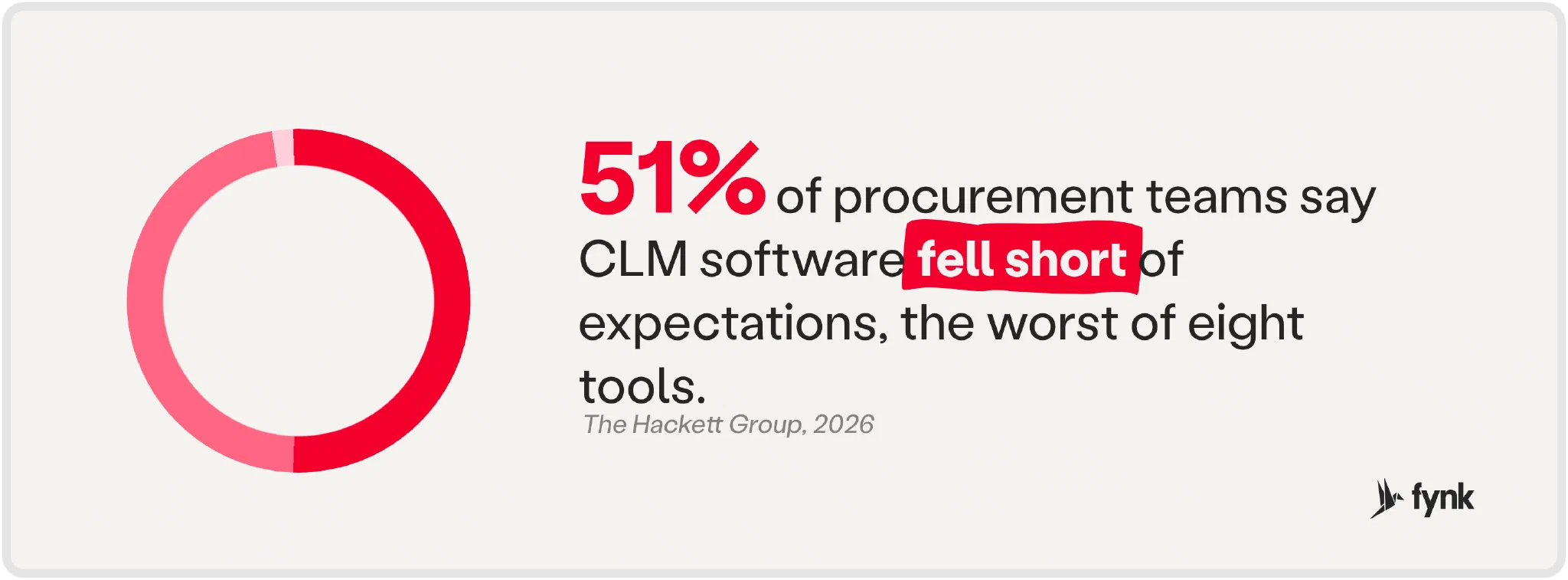
Buying software doesn’t fix a process nobody owns. Decide who maintains the records and follows up on tasks. Hackett found 51% of procurement teams said contract lifecycle management (CLM) fell short of expectations.
Audits and compliance duties need evidence
Keep license terms, amendments, and proof of agreed usage rights together. When a vendor questions your usage, “we’ve paid the invoices” won’t explain what you agreed.
For security and other supplier obligations, record who checks compliance, what evidence they need, and when it’s due. A security clause buried in a PDF doesn’t collect a certificate.
Why do SaaS renewals deserve extra attention?
SaaS renewals deserve extra attention because automatic continuation and price changes can commit your budget before anyone reviews the purchase. The renewal email nobody read still counts.
Check whether the agreement renews automatically and when you must give notice. Vertice’s data shows an average auto-renewal rate of 69.7% across software categories.
Compare the renewal quote with your current price, usage, and included services while you can still cancel. Vertice recorded annual SaaS price inflation of 16.4% at its peak.
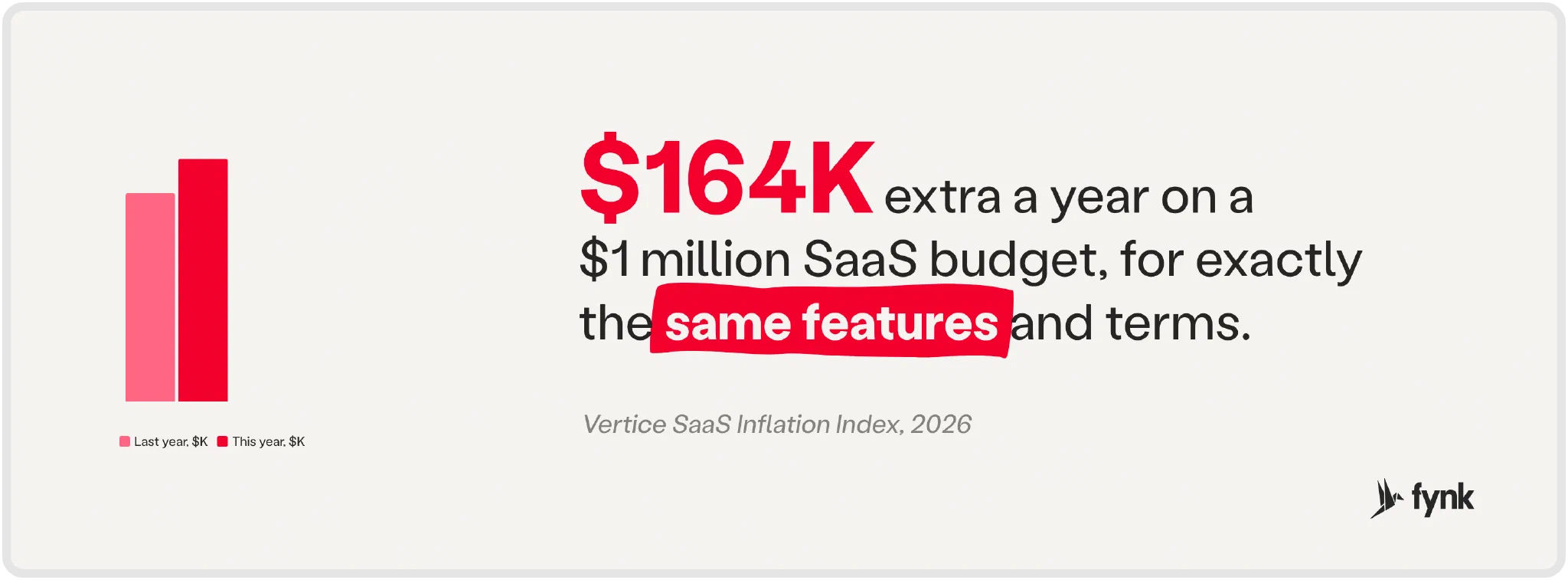
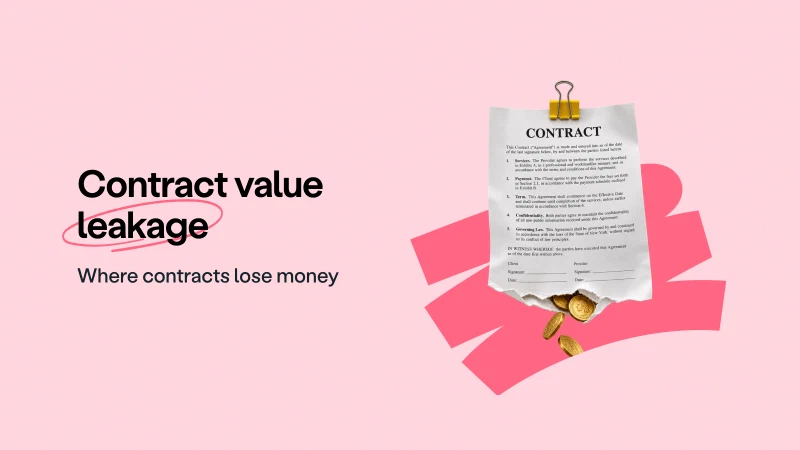
An unnoticed renewal can become contract value leakage: you keep paying when the business wanted fewer licenses, different terms, or an exit. Auto-renewal should be a decision. Silence is an expensive approval policy.
Don’t let contract deadlines
surprise you!
Which vendor agreements should you manage?
Manage the agreements that say what you buy, what the supplier owes you, and how the relationship can change or end.
The paperwork has different jobs:
- A vendor service agreement defines service scope, fees, insurance, confidentiality, audit rights, and termination.
- A service-level agreement records performance targets, response times, reporting, and remedies.
- A data processing agreement addresses personal data handling, security, subprocessors, and data return or deletion.
- A master service agreement for software and IT sets the terms for repeat projects, with individual statements of work defining each engagement.
- A SaaS agreement covers hosted software use, fees, data terms, and termination.
- A procurement framework agreement establishes terms and pricing for repeat orders.
- A mutual NDA governs confidential information exchanged by both sides during discussions or delivery.
Adapt templates to the purchase. Keep signed amendments, order forms, and schedules with the main agreement.
Who should be involved in vendor contract management?
Procurement, finance, IT, legal, and compliance share the process. Each agreement still needs a named business owner who’s accountable for it. A department can’t answer a renewal email.
Procurement handles supplier selection and commercial negotiations. Finance checks budgets, payment terms, and renewal costs. IT checks software access, usage, technical dependencies, and security requirements.
Legal sets approved wording and reviews exceptions. Compliance identifies the evidence and follow-up needed for applicable supplier obligations.
In a smaller company, a person may cover several roles. Still name who decides whether the service stays. “Finance and IT” isn’t an owner.
What are the steps of vendor contract management?
The steps of vendor contract management are to collect agreements, assign owners, capture terms, standardize drafting, approve commitments, track deadlines, and review renewals. Start with the contracts scattered across the business.
Step 1: Collect every vendor contract
Ask department leads for signed agreements from inboxes, shared drives, purchasing tools, and local files. Compare the collection with finance’s supplier list to spot missing contracts. Keep amendments and referenced terms. Review extracted contract data and correct any errors before relying on it.
fynk’s AI import extracts parties, dates, renewal terms, and obligations from existing PDFs, Word documents, and scans. That saves you from copying the details out of each file by hand.
Step 2: Give each agreement an owner
Record a named business owner for each agreement. Choose someone who understands the purchase. Ask them to confirm responsibility for performance checks, notice deadlines, and the renewal decision.
fynk keeps the owner recorded alongside the agreement, so colleagues know who handles follow-up without chasing an answer across departments.
Step 3: Capture the key contract data
Record dates, value, notice terms, and the fields below. Include the billing period and currency with each value. Mark missing information for follow-up rather than guessing.
fynk’s structured metadata keeps standard and custom fields alongside each agreement for filtering, reporting, and reminders, so the details you need don’t stay buried in the document.
Step 4: Standardize new agreements with templates
Use approved wording for recurring purchases. Define the fields, attachments, and signing requirements, then review the template before making it available to colleagues.
fynk’s reusable document templates give colleagues an approved starting point with those details already in place. They can prepare the next agreement without rebuilding it or copying an old supplier’s terms.
Step 5: Set approval rules before signing
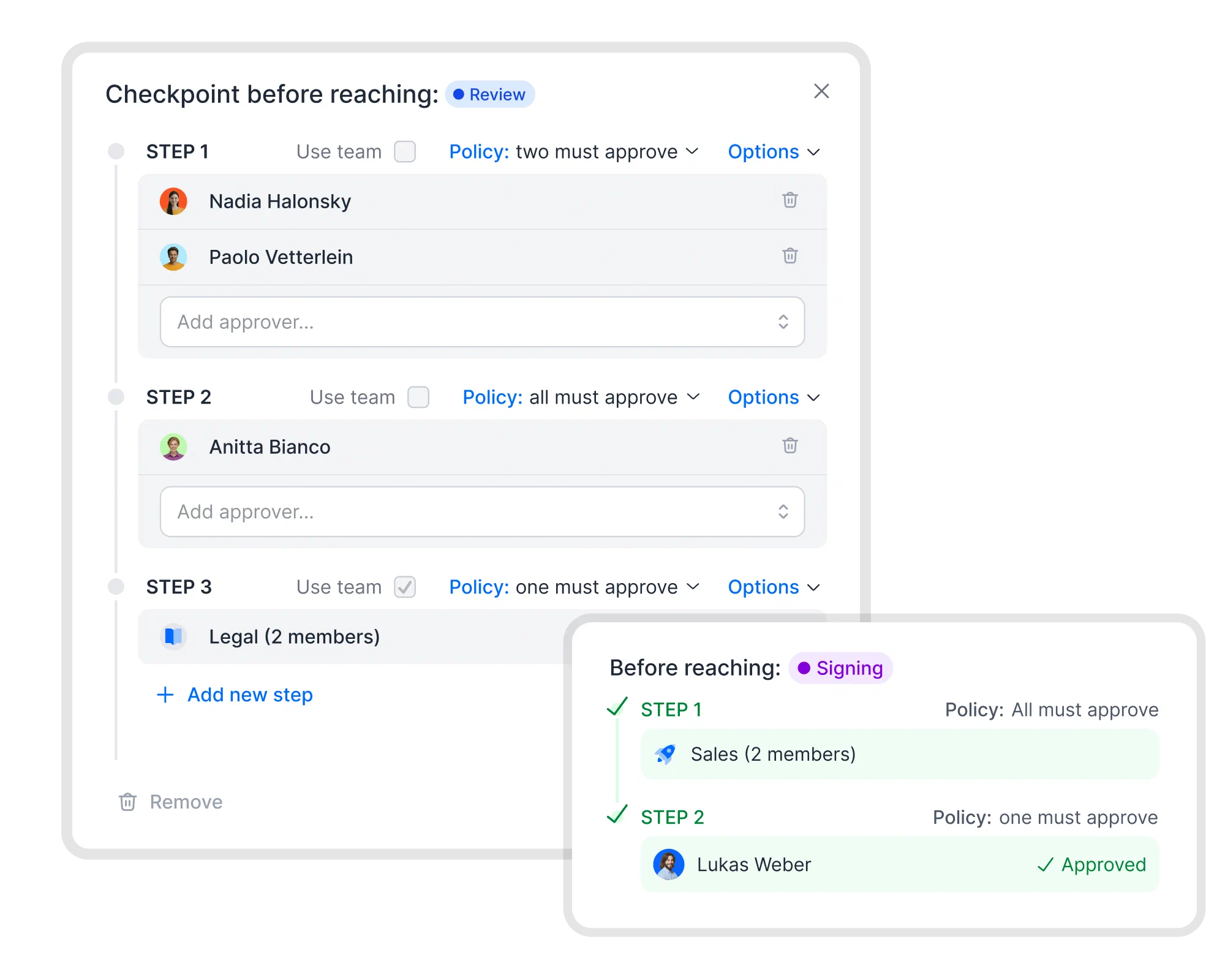
Define which approvals are needed before review or signing, who provides them, and whose approval is required. For example, require finance to confirm budget and legal to approve nonstandard liability terms. Clear review responsibilities matter: Sign.com found 47% of business leaders said internal approvals delayed deals more than clients did.
fynk’s approval workflows route reviews, notify approvers, and prevent progression until required approvals are complete. You spend less time chasing reviewers, and required checks stay part of the process.
Step 6: Track renewals and notice periods
Confirm the contract’s duration, renewal terms, notice period, and notice deadline. Read how notice must be delivered, including its recipient and required form. Assign the owner a renewal review before the notice deadline, with enough time to negotiate or switch suppliers.
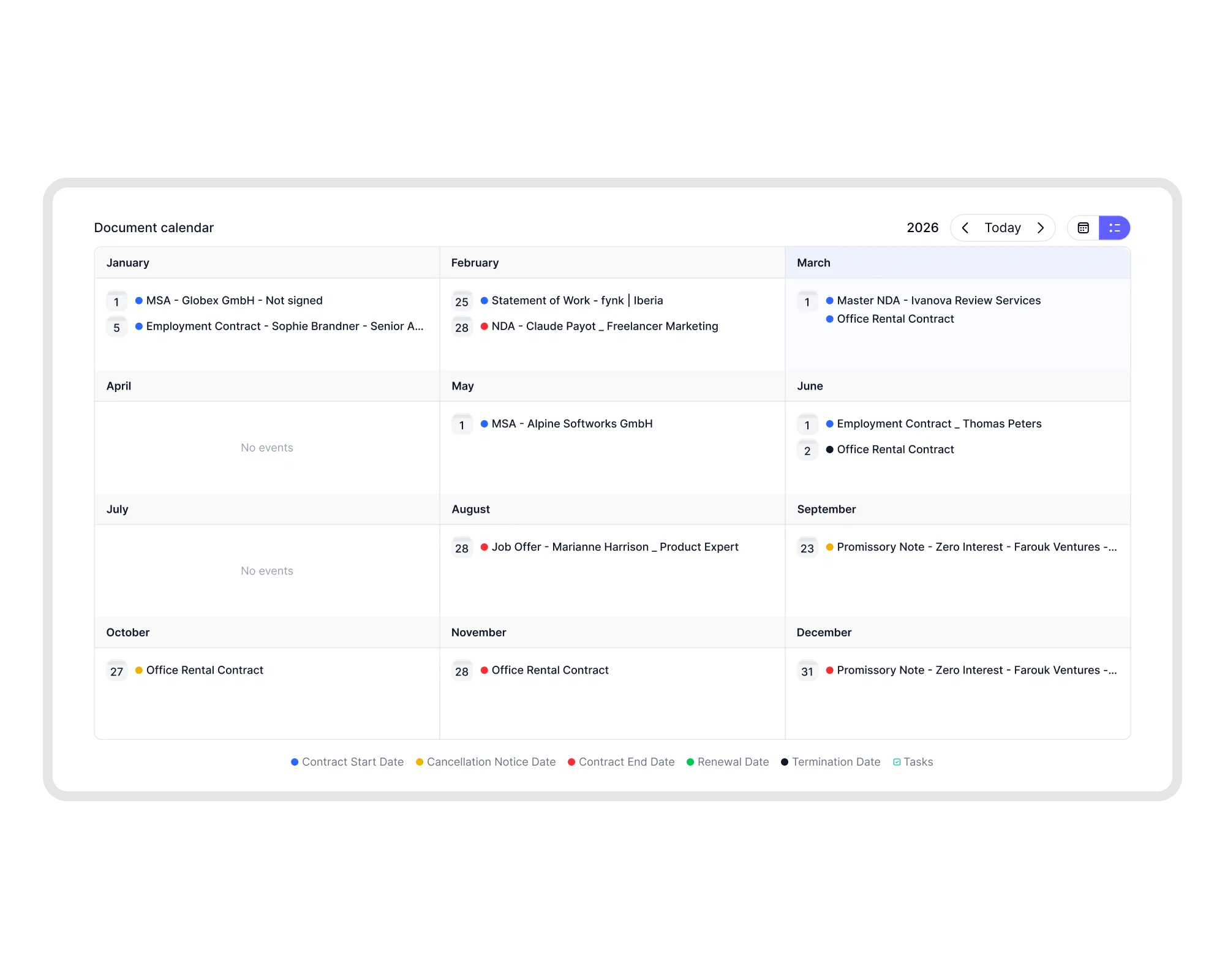
fynk’s contract calendar shows contract dates and related tasks together, giving you one place to check what’s coming up. Tasks and reminders connect alerts and assigned work to those dates, so deadlines reach the people responsible without someone chasing a spreadsheet.
Step 7: Review before the renewal window closes
Compare current terms, actual usage, performance evidence, and the proposed renewal. Check the contract against your defined rules and have the responsible reviewer assess any findings.
Record whether to renew, renegotiate, extend, or terminate. Confirm the documentation needed for a contract renewal or extension. Route changes for approval, collect the required signatures, and update the record with the agreed terms.
fynk’s AI review checks contract text against your defined rules and flags issues with explanations and references to relevant sections, saving reviewers time finding the wording that needs attention. E-signatures in fynk keep signing in the same contract workflow, so approved changes can move to signature without another round of attachments.
Can you manage vendor contracts in a spreadsheet?
A spreadsheet works for a handful of vendor contracts. It starts to break down when you need reminders, approvals, the actual documents, and a way to track obligations alongside them.
| What to manage | Spreadsheet | fynk |
|---|---|---|
| Where the contract lives | Record a link to a file stored elsewhere. | Keep agreements in a searchable document hub with filters, version history, and access controls. |
| Renewal deadlines | Enter dates in cells and arrange follow-up separately. | See contract dates and tasks in the contract calendar, with reminders before deadlines. |
| Approvals | Record approval status and follow up with reviewers. | Approval workflows route reviews, notify approvers, and block signing until required approvals are complete. |
| Obligations | List commitments and update their status manually. | Assign contract-linked tasks with owners and due dates. |
| Existing PDFs | Read the files and copy key details into cells. | AI import extracts parties, dates, renewal terms, and obligations for review before confirmation. |
| Finding terms | Search recorded fields or open the linked file. | Search contract text, including scanned files, in the document hub. |
It’s worth switching when keeping records current and chasing follow-up takes more work than reviewing the contracts themselves.
What should be included in a vendor contract?
A vendor contract should define what the supplier will deliver, what you’ll pay, each side’s responsibilities, and how the agreement can change or end. Check these clauses before signing:
- Parties: Legal names, addresses, and contacts for both sides.
- Scope and deliverables: What’s included, delivery dates, and acceptance criteria.
- Price and payment terms: Fees, currency, billing schedule, expenses, and price adjustments.
- Term and renewal: Start date, duration, and whether renewal is automatic.
- Notice and termination: Exit rights, notice deadlines, delivery requirements, and transition duties.
- Service levels: Performance targets, reporting, support, and remedies for missed commitments.
- Data protection: Data handling, security, subprocessors, and return or deletion requirements.
- Confidentiality: Protected information, permitted uses, and duties after the relationship ends.
- Liability and insurance: Responsibility for losses, liability limits, and required coverage.
- Audit rights: What either side can inspect, when, and under what conditions.
An approved vendor contract template gives you a starting point. Adapt the clauses to the purchase and review exceptions before signing.
What should you record for every vendor contract?
Record enough to identify the agreement, understand its cost and obligations, and act before its notice deadline. Finding the PDF shouldn’t be the start of another investigation.
What to record for every vendor contract
| Field | Why it matters |
|---|---|
| Vendor | Identifies the legal entity and supplier contact. |
| Owner | Names the person responsible for follow-up and renewal decisions. |
| Contract value | Records currency, billing period, committed fees, and variable charges. |
| Start and end date | Defines the current term and service period. |
| Notice period | Records the notice deadline, delivery method, and recipient. |
| Auto-renewal: yes/no | Shows whether inaction continues the agreement and for how long. |
| Price increase clause | Records permitted adjustments, caps, and notification requirements. |
| Data processing (DPA) | Shows relevant data terms and where the signed DPA is stored. |
| SLA | Identifies performance targets, reporting duties, and remedies. |
| Termination rights | Records exit options, conditions, fees, and transition duties. |
| Documents | Keeps the signed agreement, amendments, schedules, and notices together. |
Check the record whenever an amendment changes a term.
What should you check before a vendor contract renews?
Before renewal, check whether you still need the service, whether performance justifies its cost, and whether you accept the proposed terms. Last year’s decision doesn’t answer this year’s questions.
Renewal review checklist
Complete these checks before the notice deadline:
- Confirm the deadline, notice method, recipient, and decision owner.
- Check actual usage, required quantities, and overlapping purchases.
- Compare current fees with the renewal quote, including pricing-model changes.
- Review performance, missed SLA targets, and outstanding credits.
- Reassess security, data processing, insurance, and required supplier evidence.
- Approve the decision, complete any notice or signature, and save proof.
Start earlier if switching suppliers takes longer. By the end date, the notice window may already be firmly shut.
What are vendor contract management best practices?
Vendor contract management works best with a shared repository, a named owner per contract, approved templates, clear review rules, and early renewal decisions.
- Keep one contract repository. Store signed agreements, amendments, order forms, and schedules together. Keep the current version clear.
- Name one owner per contract. Assign a person who understands the purchase and is accountable for follow-up.
- Use templates for recurring purchases. Start with approved wording and review exceptions before signing.
- Match approval rules to risk. Define who reviews spending, liability, security, and data terms. Give routine purchases a clear path.
- Decide every renewal early. Leave time to renegotiate or switch suppliers before the notice deadline.
- Track obligations and supplier performance. Assign commitments with due dates. Check delivery against agreed targets and follow up on missed obligations.
How can e-commerce companies use contract automation for vendor agreements?
E-commerce companies can automate supplier agreements from approved templates through approvals, signatures, and renewal tracking. A repeat purchase shouldn’t mean starting the paperwork from scratch.
For an e-commerce team, start with a recurring purchase such as fulfillment services. Put the service scope, fees, performance requirements, and exit terms in the template. Assign commercial and legal reviewers before signing.
fynk connects template-based drafting, approvals, signatures, storage, and date tracking in the same workflow. If a supplier sends its own PDF, AI import brings it into the repository. Their paperwork still follows your process.
Searching for a contract management solution?
Find out how fynk can help you close deals faster and simplify your eSigning process – request a demo to see it in action.
What else should you know about vendor contract management?
Supplier and vendor terminology overlaps. Clear terms, a named owner, and tracked deadlines matter more than what you call the folder.
Supplier contract management means creating, approving, signing, storing, and tracking supplier agreements. It covers agreed prices, obligations, deadlines, and renewal decisions. It is commonly used interchangeably with vendor contract management.
A vendor service agreement defines the services an independent supplier provides and the terms of the relationship. It can cover scope, fees, payment, insurance, confidentiality, audit rights, and termination.
Vendor agreements are contracts between a business and its suppliers. They document what is supplied, the price, each side's responsibilities, and how the arrangement changes or ends. Service contracts, SaaS agreements, and procurement frameworks are examples.
Use approved templates for recurring purchases, assign reviewers, collect electronic signatures, and store the signed terms centrally. Connect notice dates to renewal tasks. In fynk, these stages work together, and AI import brings existing supplier PDFs into the repository.
Store agreements in a central repository and record prices, payment terms, owners, renewal dates, and notice periods as structured fields. In fynk, metadata supports filtering and reporting, while tasks and reminders connect deadlines to responsible people.
Please keep in mind that none of the content on our blog should be considered legal advice. We understand the complexities and nuances of legal matters, and as much as we strive to ensure our information is accurate and useful, it cannot replace the personalized advice of a qualified legal professional.



Get a regular dose of insightful contract management content

Take control of your agreements. Move your business forward.
Run agreements the way they should run: fast, clear, and on your terms.
No setup headaches
Go live in days, not quarters
No lock-in
Full export anytime
No hidden fees
Signatures included, no envelope fee