
Create contracts in bulk from HubSpot deals
One selection, one stage change, and every deal in the batch gets its own contract, each with its own customer and its own numbers.
Video transcript When you're working with a large number of deals in HubSpot and don't want to create the same type of document one by one, you can use a simple HubSpot workflow with fynk to generate documents in bulk. Let's start in fynk. I already have a template ready here, and using the workflow we're going to generate multiple documents from it, each with corresponding deal data from HubSpot. This template also has a table that'll be filled with the line items from the HubSpot deal. I also have a set of dynamic fields. These fields are like a bridge between the two apps, and they'll be filled with the values coming from HubSpot. If I open data mapping, you can see that the dynamic fields are already connected to the corresponding HubSpot properties, and the party information is already mapped here too. The table is mapped as well. The name, description, quantity, unit price, and total price The template looks good, so let's move over to HubSpot and set up our workflow. Here I have a number of deals in different stages. What I want is that whenever I move multiple deals to the one column, a quote is generated for each one. To set that up, go to Automation and Open Workflows. Click on Create a New Workflow from scratch. The first thing we need is a trigger. For this example, I want the workflow to start whenever a deal becomes close one, so I just search one and choose Set Deal to One as Enrollment Trigger. Of course you can make this more specific if you don't want every close one deal to trigger it. You could add more conditions and filters depending on the workflow you need. For this example, I keep it simple. Then click Next, then Save and Continue. Now we need to add the action. Search for fynk and select it. Here I can choose the target record and the template I want to use. For the template, I'll choose the quote template we just prepared in fynk. Then save the action. Before turning it on, HubSpot gives me a chance to review the workflow. There are a few settings here that you can adjust, depending on how you would like it to behave. For example, you can decide whether this workflow should also apply to existing deals that already meet the enrollment criteria. For this example, I leave the settings as they are. Once everything looks right, I'll click Next and then turn on workflow. The automation is active, so let's go back to the deals and test our workflow. So let's simply choose a bunch of deals and drag them into the closed one column. Let's open one of the deals to see if the quote is created, and here we can see that fynk has already created the quote and added it as a draft. And the good thing is that not only you can draft them from HubSpot, but you can also move each deal to review, invite collaborators, add signatories, or send it for signing. And that's how you can use workflows to create contracts in bulk for your HubSpot deals. Hope you like this tutorial. See you in next one. Handle a whole batch of won deals in a single action instead of opening them one by one.The goal

Prepare the template and its mapping in fynk
Everything starts with one document template. Build the contract that every deal of this kind shares, then replace whatever changes from one customer to the next with a dynamic field. This is important because withouth dynamic fields, you cannot link the HubSpot properties to this template.
Then open the template’s data mapping tab, link each dynamic fields to a Deal object, and also point the party to the deal’s company information.
Examples:
| fynk | HubSpot |
|---|---|
| Quote number | Deal → Record ID |
| Valid until | Deal → Close date |
| Total amount | Deal → Amount |
Got a table in the template? Map that too, and every generated document gets the line items off its own deal:
| fynk | HubSpot |
|---|---|
| Name | Line item → Name |
| Description | Line item → Description |
| Quantity | Line item → Quantity |
| Unit price | Line item → Price |
| Total price | Line item → Amount |
Publish the template when you’re done, or the workflow won’t find it.

Build the workflow in HubSpot
In HubSpot, open Automation, then Workflows, and build a deal-based one:
You can choose modify it the way you work, but for example you can set it on:
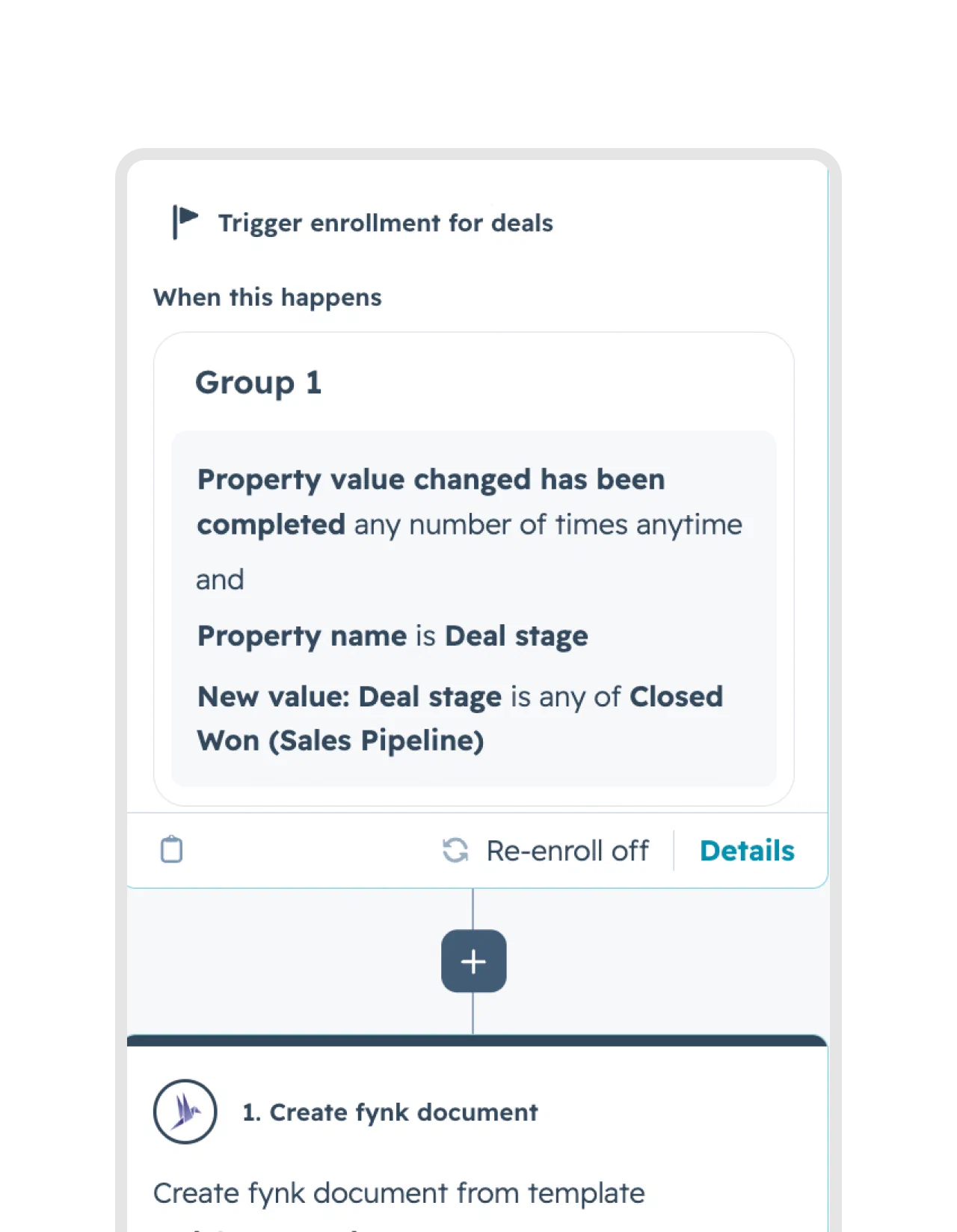
- Trigger: the Deal stage property changes to Closed Won
- Action: search for fynk, then pick the target record and the template you published
Then review and turn it on. One setting on that screen is worth a look: HubSpot asks whether the workflow should also run on existing deals that already match. Say yes and you backfill contracts for deals you won last month.
Closed Won is the example here, not a rule. Any stage works, so point the trigger at something like Contract Sent if you’d rather have the draft ready before the deal is won.
You can also narrow which deals qualify, because enrollment filters take a lot more than the stage:
- Deal properties, for example amount, pipeline, deal type or owner
- Properties on associated records, like the company’s country or industry
- Several criteria at once, combined in AND and OR groups
Test your Workflow
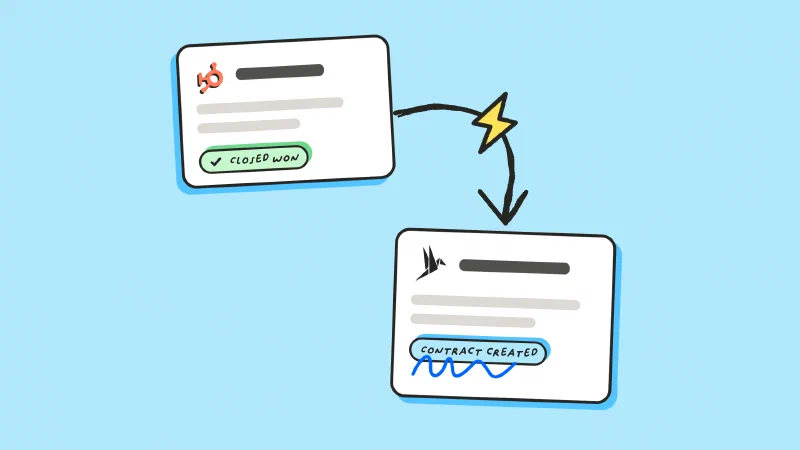
Open your deals and choose deals you want to process. Then simply update the stage of these deals by draging them to closed won.
This triggers your workflow, so give it a few moment, refresh and open your deals to see your contracts created and filled by fynk.

Do more actions on your deals
You can move each deal even further using fynk card. You can:

What makes it fast?
The same template covers the whole batch
No per-deal editing or copying
Each contract still fully personalized
Every contract filled from its own deal
"I was looking to create similar contracts regularly. I wanted to use dynamic fields since contract details vary, and I also wanted to have the contracts signed immediately. Everything works very well with fynk."



Frequently asked questions.
Yes, and that's what enrollment filters are for. Run one workflow per template and filter each one on the property that tells them apart, for example the pipeline, the deal type or the amount.
Repeatable ones where only the counterparty and the numbers change, for example mutual NDAs, order forms and standard sales agreements. Anything that needs custom drafting is better handled one deal at a time.
That contract is still created, with the unfilled field left empty. Check the batch in the document hub before sending, since an empty field is much easier to fix in the draft than after signature.
Yes. The bulk creation feature in fynk takes a spreadsheet where each row becomes one contract, up to 200 in a run. Use it when your data lives out of HubSpot or if you can export them as an excel.
Still have questions?


Take control of your agreements. Move your business forward.
Run agreements the way they should run: fast, clear, and on your terms.
No setup headaches
Go live in days, not quarters
No lock-in
Full export anytime
No hidden fees
Signatures included, no envelope fee