
Create a renewal contract in HubSpot
The customer's term is ending. Produce a renewal that carries the old terms forward, without anyone opening the previous contract.
Video transcript
Click any line to jump thereIn this video, I'm going to show you how to create a renewal order form from a HubSpot deal using fynk. This is especially useful when you're handling renewals at scale, because the key renewal data can come directly from HubSpot, instead of being entered manually every time.
Let's start with the template. I already have a renewal order form ready here in fynk, and I've created the dynamic fields I need for the values that change from one renewal to another. For example, I have prior term end date, renewal start date, prior ACV, and renewal ACV. You can see those dynamic fields here. The next step is to map each of them to the corresponding properties in HubSpot.
But before I do that, I need to create a few custom properties in HubSpot, because these values don't exist there yet.
So I'll go to Data Management, then Data Model, and choose Edit Data Model. From here, I'll search for deals and open the properties.
I want to create three new properties that I'll use in the Renewal template. The first one is TermEnd. I'll click Create Property, name it TermEnd, choose Date Picker as the field type, and save it.
For the next one, I'll create Renewal Start. Again, this is a date, so I'll use Date Picker.
And the last one is Last ACV. For this property, I'll choose number as the field type and set the number format to currency.
And now these three new properties are available on my HubSpot deals. That means I can map them directly to the template in fynk. So let's go back to fynk. I'll open Data Mapping and choose Deals. For Renewal Start Date, I'll choose Renewal Start.
For prior term end date, I'll choose term end.
For Prior ACV, I'll choose Last ACV, and for Renewal ACV, I'll use Amount, which already exists in HubSpot, so I didn't need to create a new property for that one. Now I'll map the party information. For the counterparty, I'll choose the company link to the deal and map the company name and address.
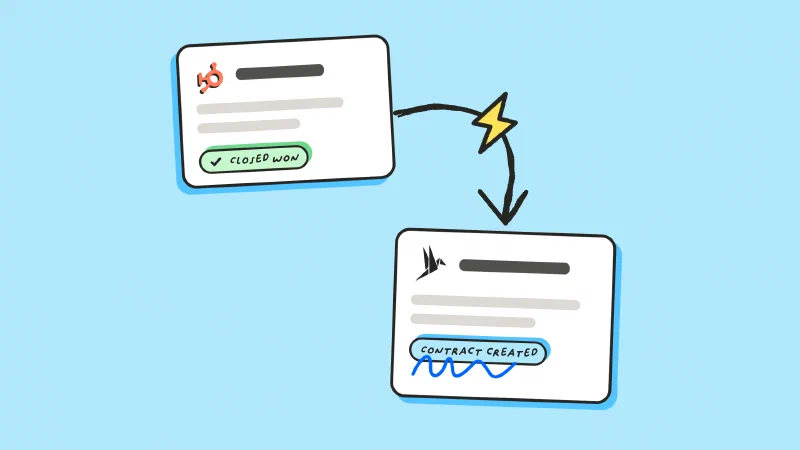
And now the renewal template is ready. Let's try creating a renewal order form from a HubSpot deal. I already have my deal open here, and on the right side I have the fynk card. If you don't see the fynk card in your HubSpot view, you'll need to edit your layout and add it manually. From here, I'll click Create from Template. Then I'll choose my Renewal Order form and click Create from Template. After a few seconds, the Renewal Order form is created as a new draft in fynk, with the mapped renewal data already filled in. And you can do more than just create the draft from here. From the same fynk card, you can move the document to review, invite collaborators, add signatories, sync the deal data, and move the renewal forward in the process.
So, instead of rebuilding renewal documents manually, you can reuse the same template and bring the latest renewal data directly from HubSpot. I hope this was useful. See you in the next video!
The goal
Make renewals a two-click job for whoever owns the account.
- Put the expiring term’s dates and ACV on the renewal deal
- Bind a renewal template to that deal
- Create the renewal without touching the previous contract

Store the expiring term on the deal
Open a renewal deal for the account, the way you would for new business. The prior term’s numbers don’t exist in HubSpot yet, so give them somewhere to live.
Go to Data Management, then Data Model, then Edit data model. Search for deals, open the properties, and create three:
- Term end, a date picker
- Renewal start, a date picker
- Last ACV, a number formatted as currency
Fill them on the deal, and put the new price in the standard Amount field. That’s the fourth number, and it was already there.
If you’re not sure what the current term says, AI analysis has already pulled the dates and values out of the signed document, and fynk stores them as metadata on the contract. Read them there once and the CRM has them from then on.

Build the renewal template
Create a renewal order form that points at the expiring agreement instead of restating it. Add a dynamic field for each value that changes from one renewal to the next:
- Prior term end date
- Renewal start date
- Prior ACV and renewal ACV
Everything that carries forward stays as fixed text. A renewal built this way runs to a page or two, which is a much faster read for whoever signs it than a full agreement.

Map the fields to the deal
Back in fynk, open data mapping and choose Deals. Point each field at its property. Only three of these are ones you created:
| fynk | HubSpot |
|---|---|
| Prior term end date | Term end (custom) |
| Renewal start date | Renewal start (custom) |
| Prior ACV | Last ACV (custom) |
| Renewal ACV | Amount |
Then the counterparty. Switch to the parties tab, pick the company linked to the deal, and map its name and address.
Deals, contacts and companies can all feed a template through the HubSpot integration. The deal is the one that also gives you a pipeline of renewals to work through.

Create the renewal from the deal
Open the renewal deal, hit create from template on the fynk card, and pick your renewal order form.
A few seconds and the draft is in fynk with the renewal data already in it:
- The expiring term end and the new start date
- Last year’s ACV and this year’s
- The customer’s name and address
Nobody opens the old PDF, and nobody retypes a figure. From the same card you can move it to review, invite collaborators, add signatories, sync the deal data, and send it for signature.
One more thing worth setting up. fynk reminds you before the notice deadline on the contract you’re replacing, and the document calendar lists every term ending next quarter. That list is your renewal pipeline.

What makes it fast?
The renewal starts from the pipeline, not the archive
Prior-term figures come from the CRM
One template covers every renewal
No risk of a mistyped date or price
"With more than 2,000 contracts, it's impossible to keep track of all termination dates and automatic renewals. fynk's email reminders are invaluable here and help prevent unwanted contract renewals."



Frequently asked questions.
Because the renewal template reads from the CRM record, not from the previous document. Three custom properties on the deal are enough, and once they're filled the renewal fills itself.
Yes. Bind the template to the Company object and put the three renewal properties on the company. That suits teams who don't open a deal for every renewal, though you lose the pipeline view that comes with one.
fynk tracks the dates it finds in your contracts and sends reminders before the notice deadline. The document calendar shows the same information as a list, which is the easier view when you're planning a quarter of renewals.
Only as far as the wording says. A renewal order form usually changes the term and the price and confirms that the original agreement stays in force, so both documents are kept and linked in fynk.
Still have questions?


Take control of your agreements. Move your business forward.
Run agreements the way they should run: fast, clear, and on your terms.
No setup headaches
Go live in days, not quarters
No lock-in
Full export anytime
No hidden fees
Signatures included, no envelope fee