

Every new deal in Zoho CRM starts with a contract draft.
Every new deal in Zoho CRM starts its own contract in fynk, already carrying the customer, amount and terms. Legal's wording stays put, signatures go up to QES, and the signed copy lands back on the deal.


Zoho CRM meets fynk through Zapier.
Pick a Zoho CRM module, pick a fynk template. Zapier handles the rest.
Ready-made, tested, one switch away.
A new Zoho CRM entry creates the fynk draft, or goes all the way and sends the contract out for signing. A deal that changes can do the same and get tagged.





Zoho CRM contract management, with fynk doing the paperwork.
The deal lives in Zoho CRM. Its contract shouldn't need someone carrying it to the customer and back. Connect fynk, and the deal starts the draft and hears about the signature.
"I think it clearly brings structure, transparency and speed across our whole process that we have in sales and in the sales department from the first draft to the final signature."
 New dealLearn more
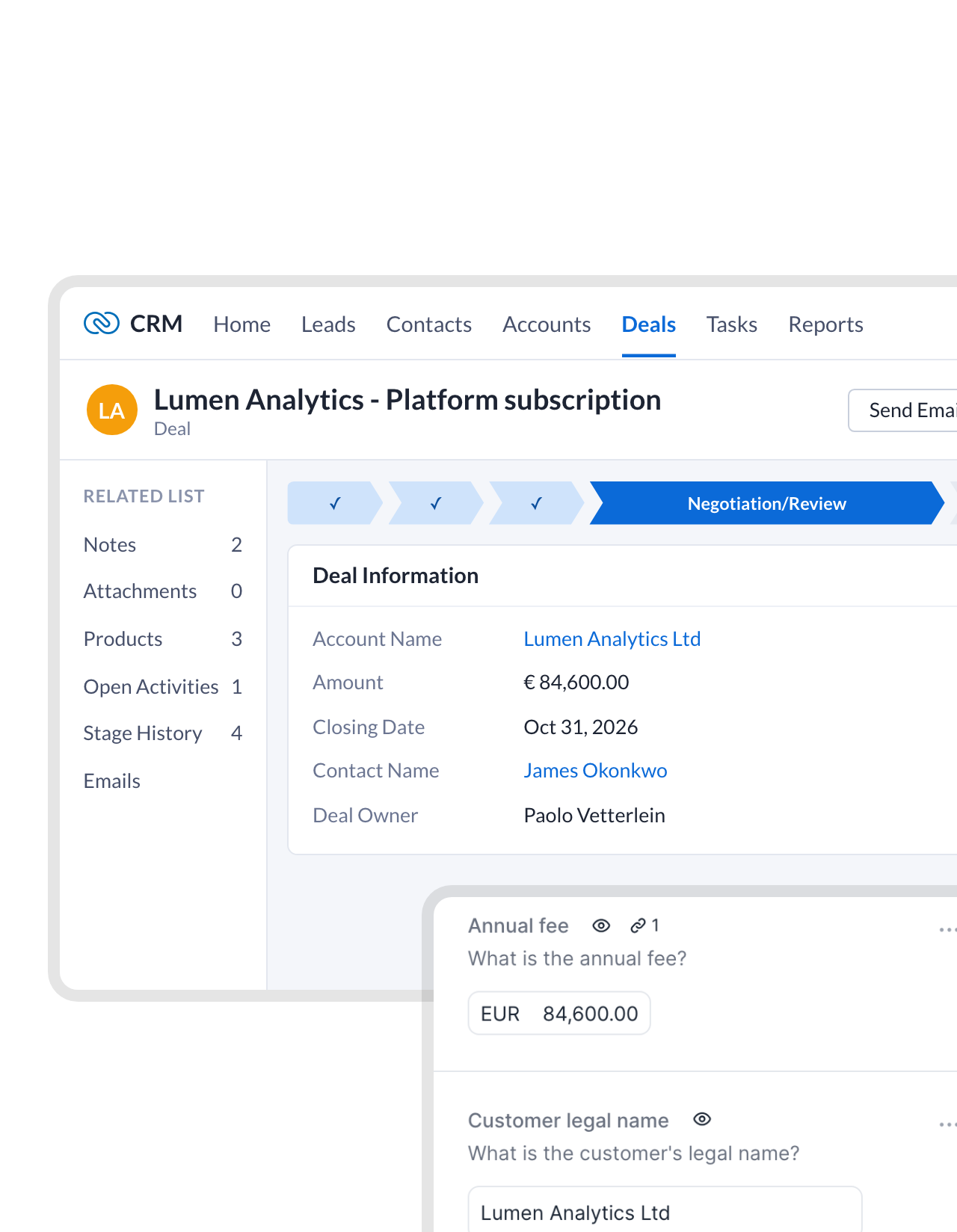
A fresh deal comes with its first draft.
Create a deal in Zoho CRM and the contract already exists in fynk, on your approved template and named after the deal. Sales opens it to check, not to start from a blank page."fynk makes us faster (from draft to signature in less than a day). It enables very easy template creation, allowing best practices to be easily shared within the company."
Rainer CFO at Advanced Sponsorship Insights GmbH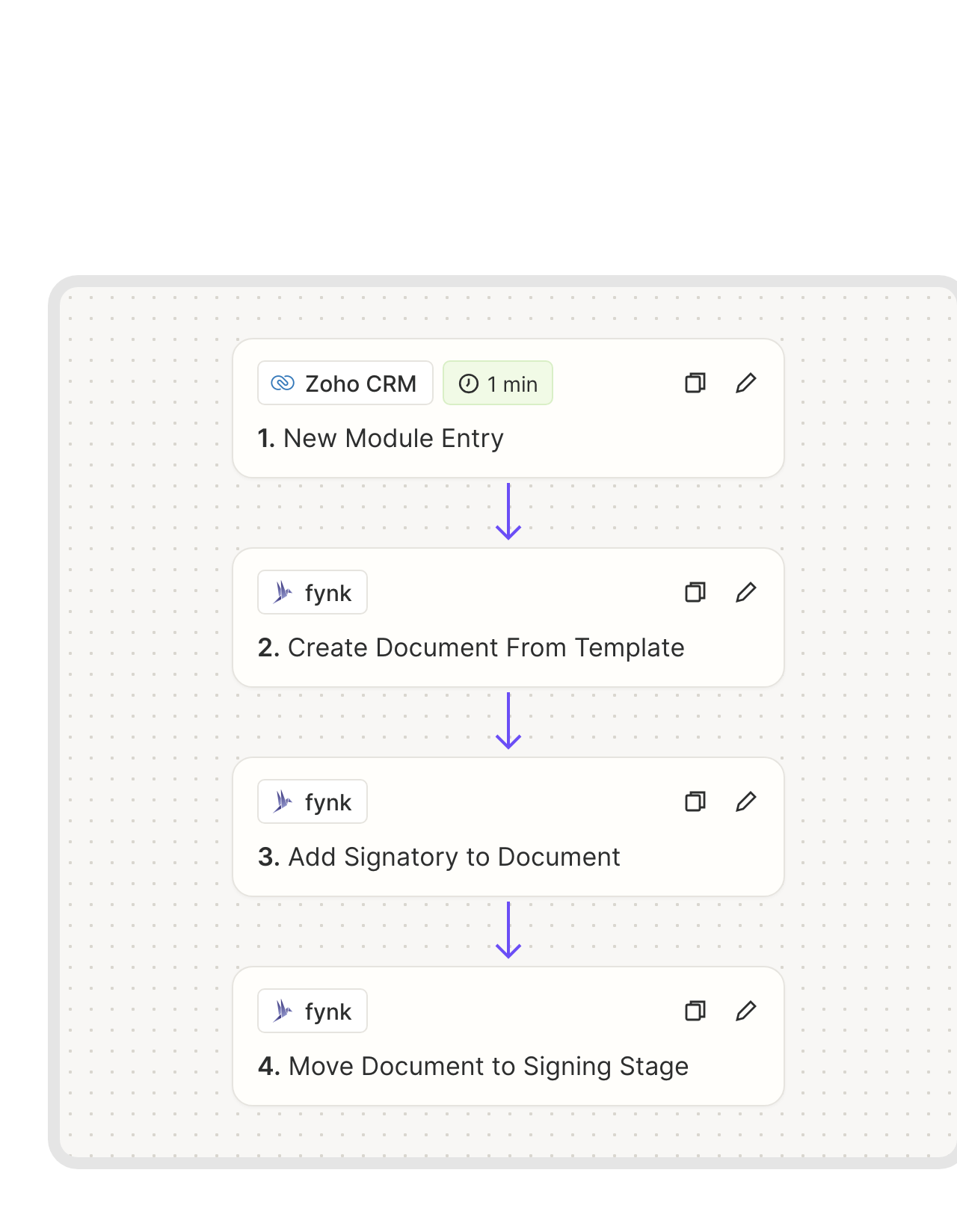 Straight to signingLearn more
Standard deals go out for signature by themselves.
Standard deals can skip the manual step. The Zap creates the contract, adds the contact from the record as signer and sends it out with a short note. Your customer has it minutes after the entry exists.FEATURES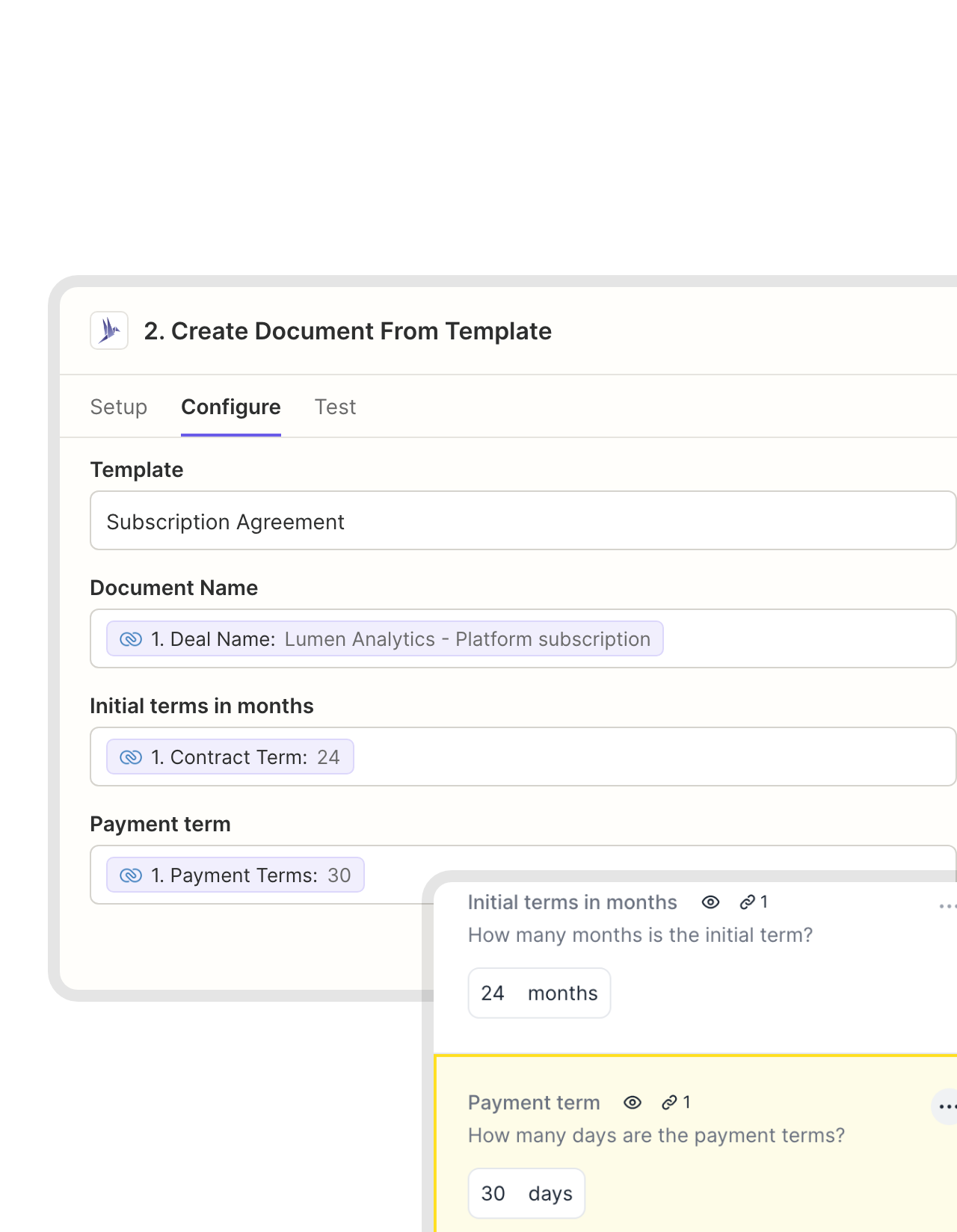 Mapped fieldsLearn more
Zoho fields in, approved wording untouched.
Term, payment days, amount, account name: you decide which Zoho CRM field fills which fynk field. The numbers change with every deal. The clauses legal signed off on don’t."With centralized templates and dynamic fields in fynk, consultants can no longer make unauthorized changes, not even under client pressure."
 Harald R. Fortmann Founder & Managing Director of five14
 SignersLearn more
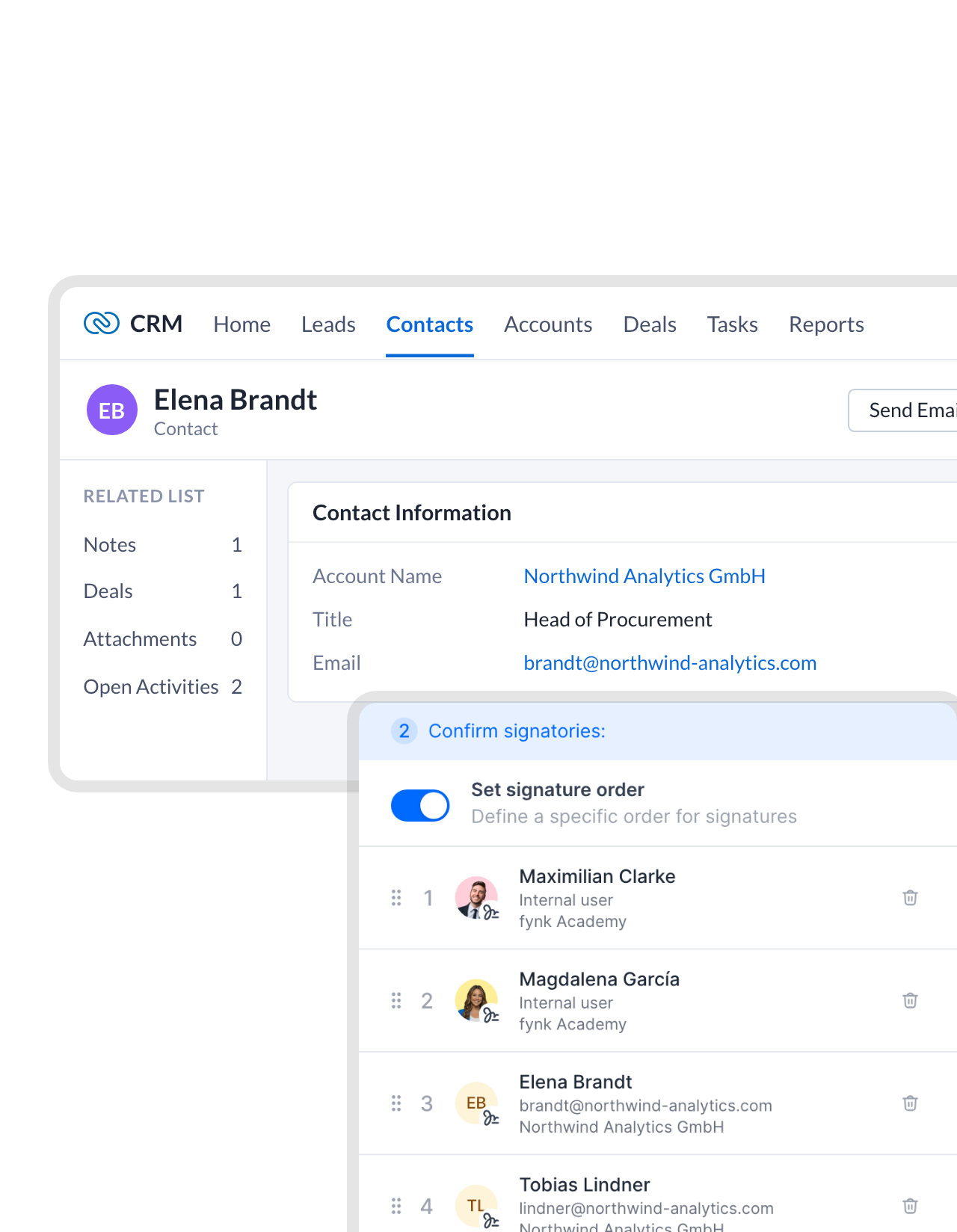
The contact on the record signs, in the right order.
The email address from Zoho CRM lands on the contract as an external signer. Put your own signers in front, set the order, and the customer gets the invitation once your side is done.


Use cases
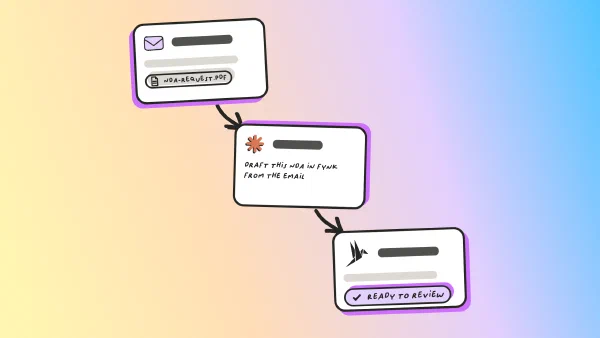
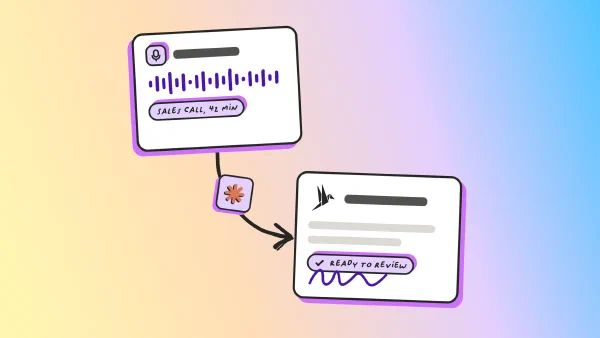
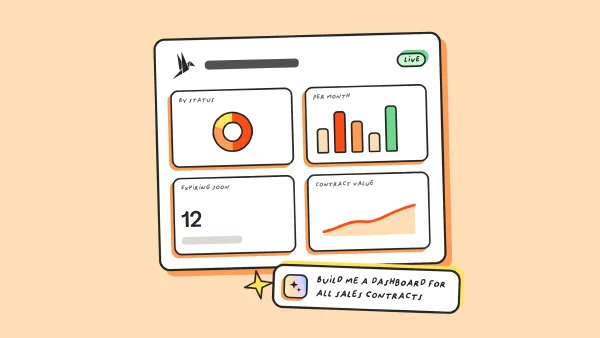
Deal to signature, shown click by click.
Short walkthroughs for sales and legal.
 Back in Zoho CRMLearn more
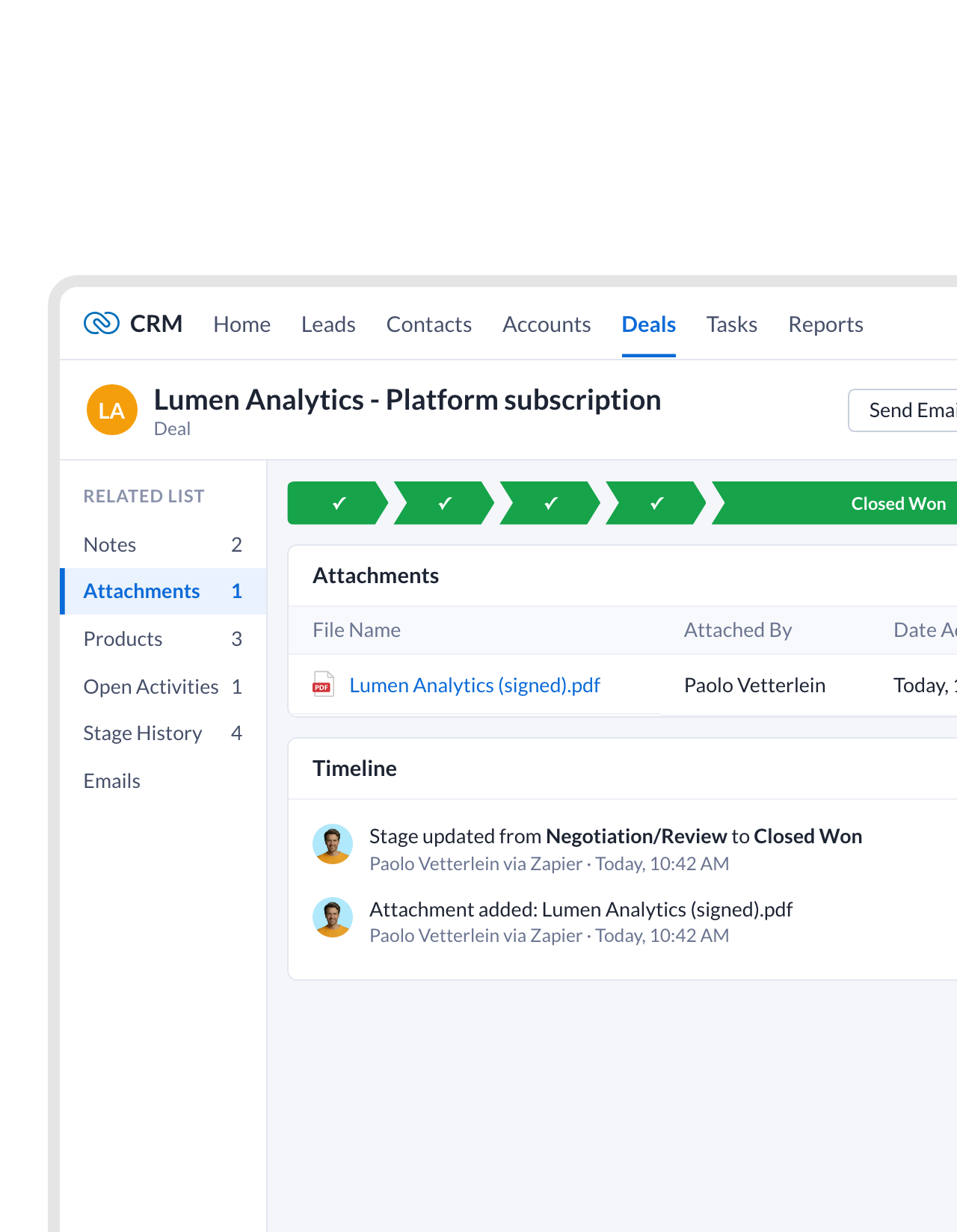
Signed, attached, and the deal marked won.
As soon as the customer signs, a Zap attaches the PDF to the deal and moves it to Closed Won. Sales sees the result on the deal itself, in the module they live in.FEATURES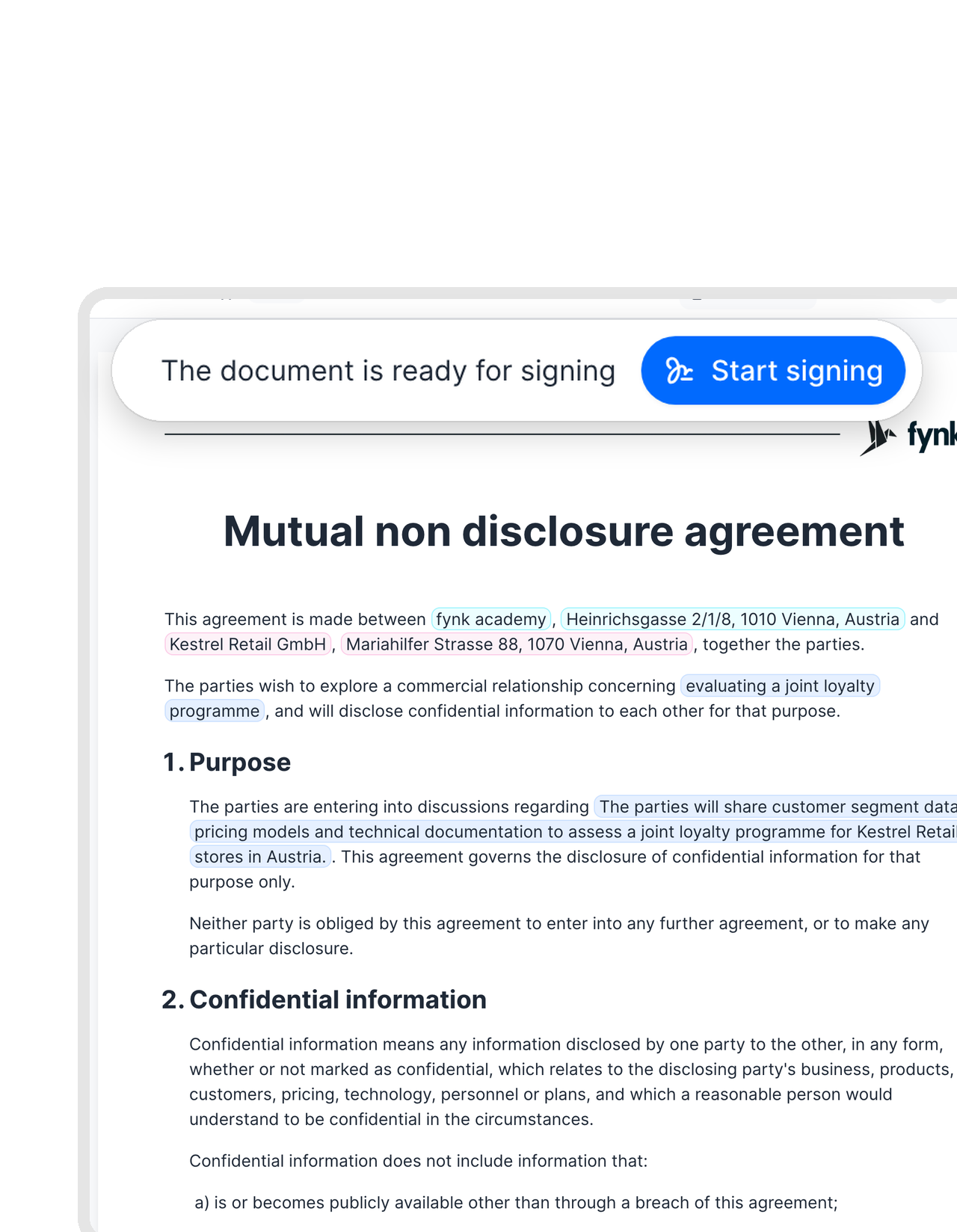 LeadsLearn more
The NDA goes out before the first real call.
Point the signing Zap at the Leads module instead of Deals. Each new lead gets your NDA with their name filled in, so the confidential part of the conversation can start without waiting on paperwork.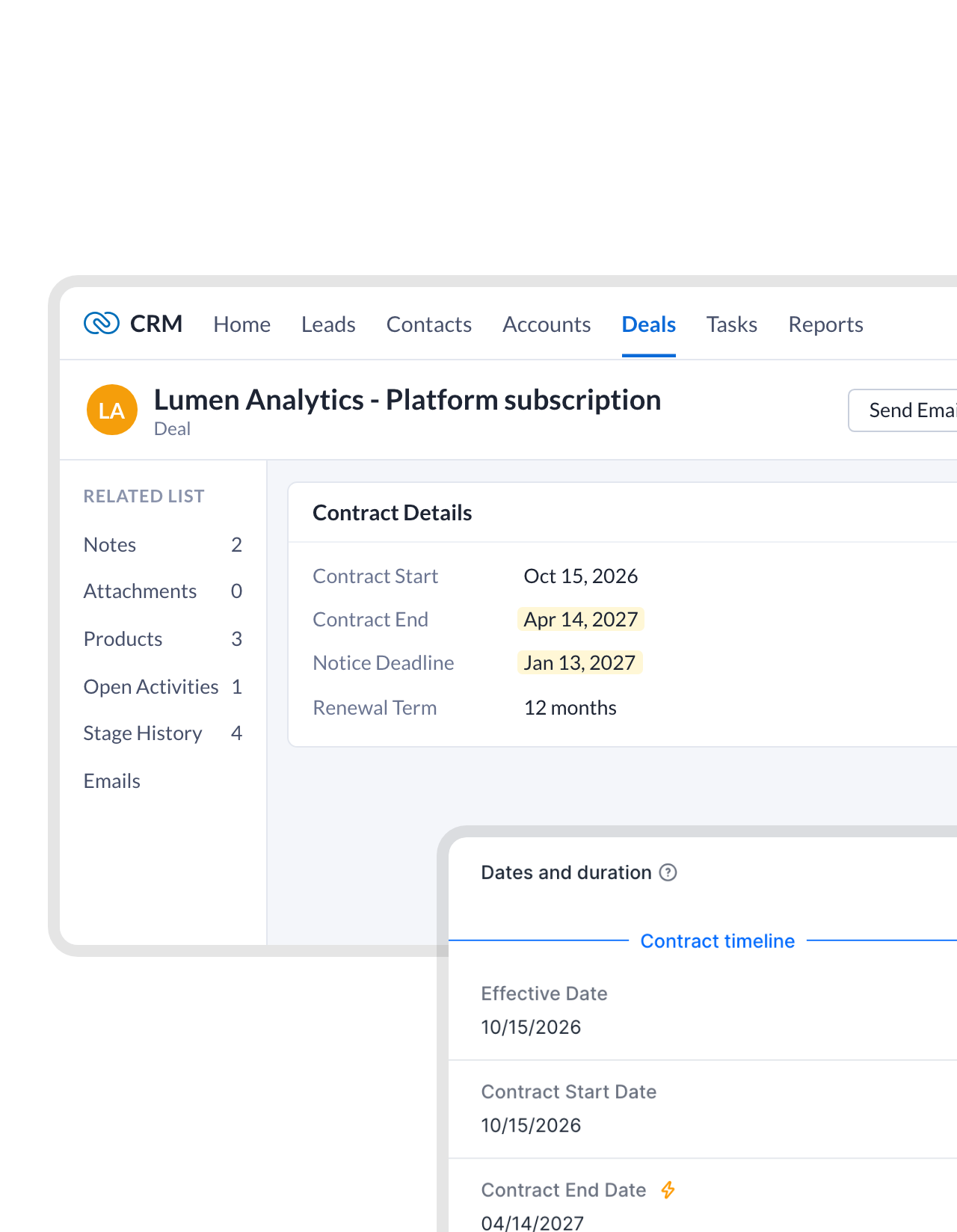 End datesLearn more
The end date sits on the deal, and fynk keeps watch.
After signing, a Zap writes the end date and notice deadline into fields on the deal. fynk reminds the owner before the notice period runs out, so the renewal talk starts on your schedule, not the customer’s."With fynk, we maintain an overview of our contracts, deadlines, obligations, and risks. We also use it to create and sign standard contracts efficiently."
Sean Head of Finance at IT.connect


Other tools sales teams pair with fynk.
Other CRMs, Slack, and the Zapier hub with every ready-made Zap.




Live with Zoho CRM in three steps
To start: fynk Business or Pro, a Zapier account and your Zoho CRM login
- Step 1
In fynk, create an API token under Account settings > API integrations > fynk API.
- Step 2
Open one of the Zoho CRM Zaps, connect fynk with the token and sign in to Zoho CRM.
- Step 3
Choose the module and the template, test with a single record and switch the Zap on.
Frequently asked questions.
Yes, through Zapier. Ready-made Zaps turn a new Zoho CRM record into a fynk contract from your template, or create it and send it for signing in one go. Other Zaps can attach the signed PDF to the deal or update its fields. The native CRM connectors are for Salesforce, HubSpot and Pipedrive.
Zoho Sign is Zoho's e-signature app and Zoho Contracts its contract management app, each with its own Zoho CRM extension. fynk covers both jobs in one place: templates, approvals, negotiation, signatures up to QES and renewal reminders. You can also keep Zoho Sign for other paperwork and run contracts in fynk.
Any module the Zoho CRM app on Zapier can watch, such as Deals, Leads, Contacts, Accounts or a custom module. Use the New Module Entry trigger for new records, or Updated Module Entry if a change, like a new stage, should start the contract.
Yes. Start a Zap with fynk's New Signed Document trigger, then use Zoho CRM's Update Module Entry or Add Attachment action to change the stage, write contract dates or attach the signed PDF.
No. Zapier connects through the fynk API, which is part of the Business and Pro plans. Zapier and Zoho CRM are billed by their providers. Compare the fynk plans on the pricing page.
Still have questions?


From Closed Won to signed, at these companies.






How fynk and Zoho CRM work together
fynk connects to Zoho CRM through Zapier, using fynk’s triggers and actions and Zoho CRM’s own Zapier app. Some flows are ready-made templates. The others use the same steps and take a few minutes to build.
Zoho CRM workflows
| Workflow | Trigger | Steps |
|---|---|---|
| Draft from a new record | Zoho CRM: New Module Entry | fynk: Create Document From Template |
| Sent for signing | Zoho CRM: New Module Entry | fynk: Create Document From Template, Add Signatory to Document, Move Document to Signing Stage |
| Review before sending | Zoho CRM: Updated Module Entry | fynk: Create Document From Template, Move Document to Review Stage |
| Signed PDF on the deal | fynk: New Signed Document | fynk: Find Document Download URL, Zoho CRM: Find Module Entry, Zoho CRM: Add Attachment |
| Stage set to Closed Won | fynk: New Signed Document | Zoho CRM: Find Module Entry, Zoho CRM: Update Module Entry |
| Contract dates on the deal | fynk: New Signed Document | fynk: Find Document Metadata Values, Zoho CRM: Update Module Entry |
Where Zoho’s own apps fit
Zoho offers two separate apps for this work: Zoho Sign for e-signatures and Zoho Contracts for contract management, each with an extension for Zoho CRM. fynk does both in one place, with approval rules, AI analysis and renewal reminders included, and it works the same whether your CRM is Zoho, Salesforce or HubSpot.

Customer data you can account for.

European by design.
Designed and developed in Austria. fynk is hosted in the EU, in ISO 27001-certified data centers.

Security at the core
Encryption in transit and at rest, and secure engineering standards across a continuously monitored infrastructure.

You hold the keys
fynk uses an API token you can revoke at any time. Zoho CRM uses your own login in Zapier.

GDPR, fully embedded
Fully compliant with European data protection regulations, supported by regular audits and external penetration testing.
Trusted by companies worldwide



Take control of your agreements. Move your business forward.
Run agreements the way they should run: fast, clear, and on your terms.
No setup headaches
Go live in days, not quarters
No lock-in
Full export anytime
No hidden fees
Signatures included, no envelope fee