


Signed contracts, filed in NetSuite.
Write and sign customer and supplier contracts in fynk. Zapier files each signed PDF in the NetSuite File Cabinet and tells finance, and new vendors or customers in NetSuite start their own contract.


Ready-made NetSuite Zaps for your finance team.
Connect fynk and NetSuite in Zapier, pick a folder or a template, switch it on.
Finance flows you can switch on today.
Signed contracts into the File Cabinet, with a Slack note to finance if you want one, and new NetSuite records turned into fynk drafts.






Finance shouldn't have to ask sales for the contract.
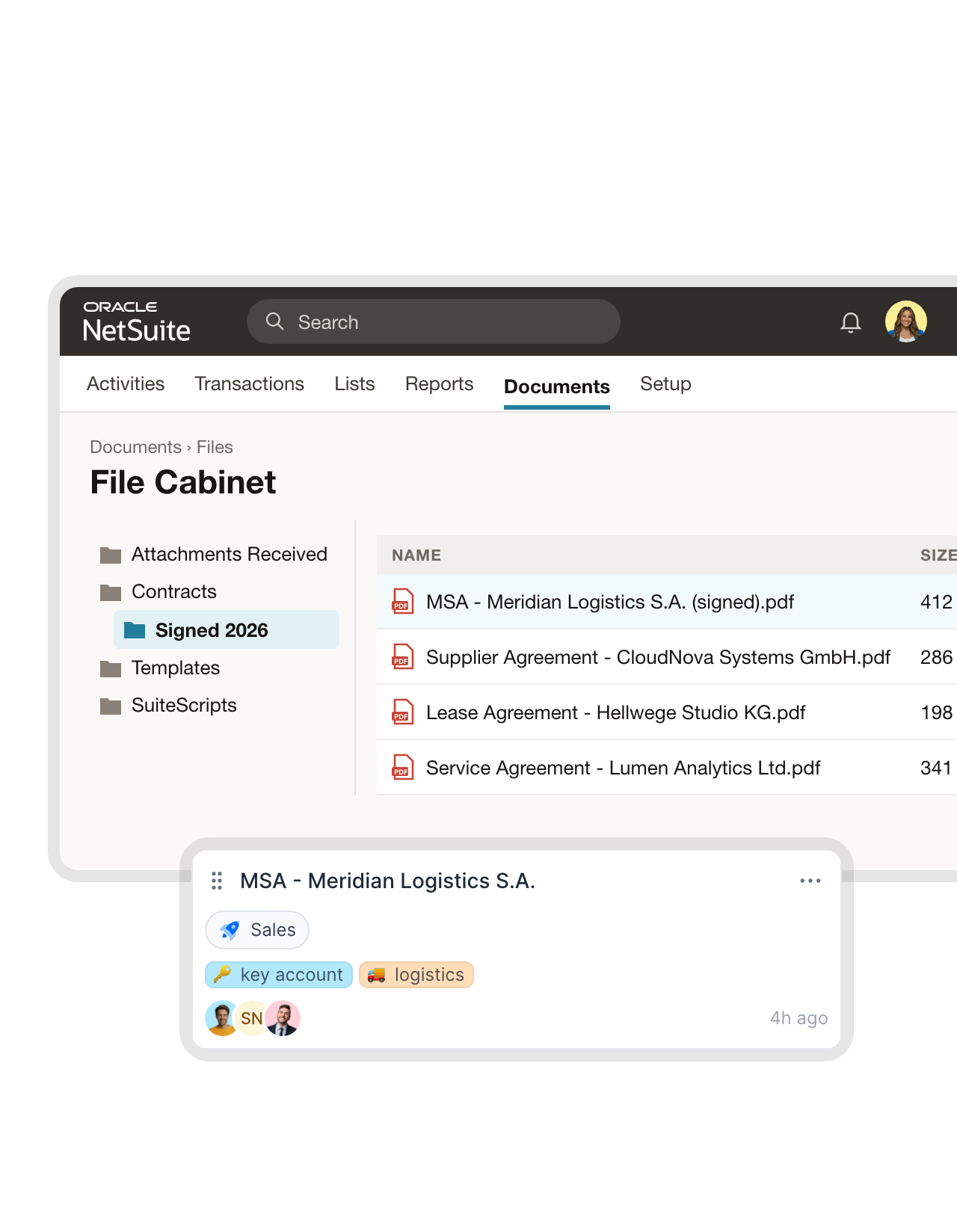
Sales closes the deal, and three weeks later finance still can't find the PDF. With fynk connected, the signed version lands on the NetSuite record the moment the last signature is in.
"One wrong guarantee clause ended up costing between €50k and €70k. With standardized templates in fynk, we now have full control over our contract terms."
 File CabinetLearn more
No more “can you send me the signed version?” from finance.
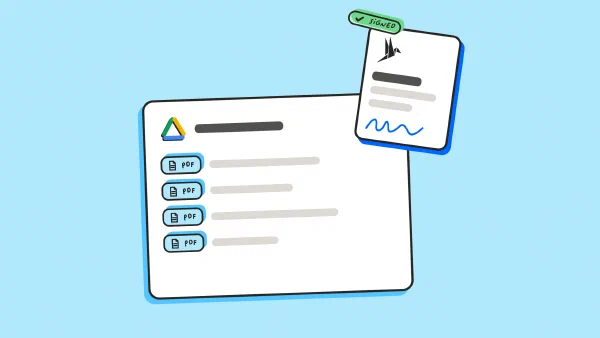
The moment a contract is fully signed, Zapier puts the PDF into the File Cabinet folder you pick, named after the contract. It’s filed before anyone thinks of saving it to a desktop."We use fynk to create, edit, sign, and manage all our company contracts, from HR to procurement. We also leverage its AI-powered contract extraction to process our existing contracts automatically."
Harry Head of Legal at E3B Finance-Solution GmbH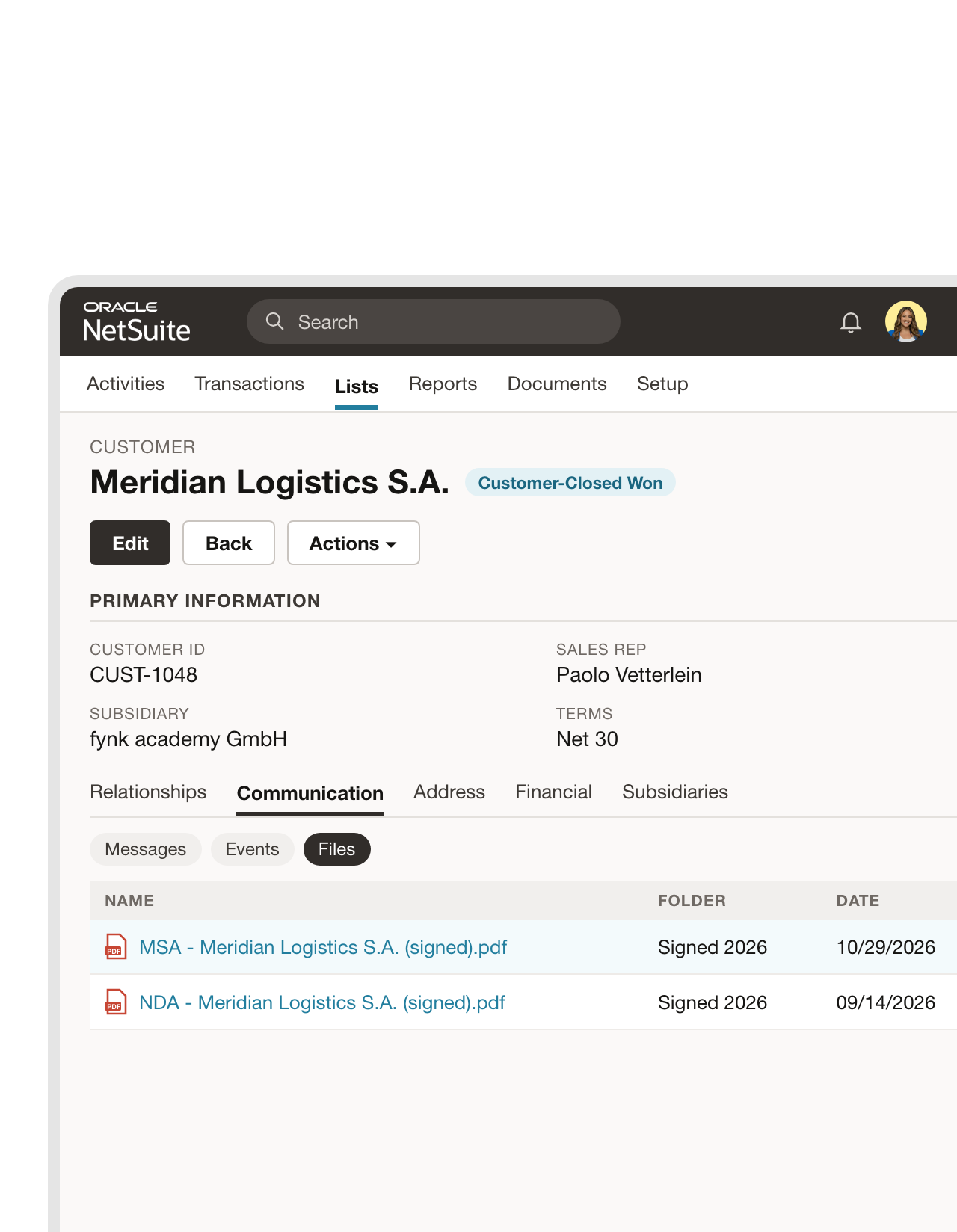 Customer and vendor recordsLearn more
The contract sits on the customer record, not in someone's inbox.
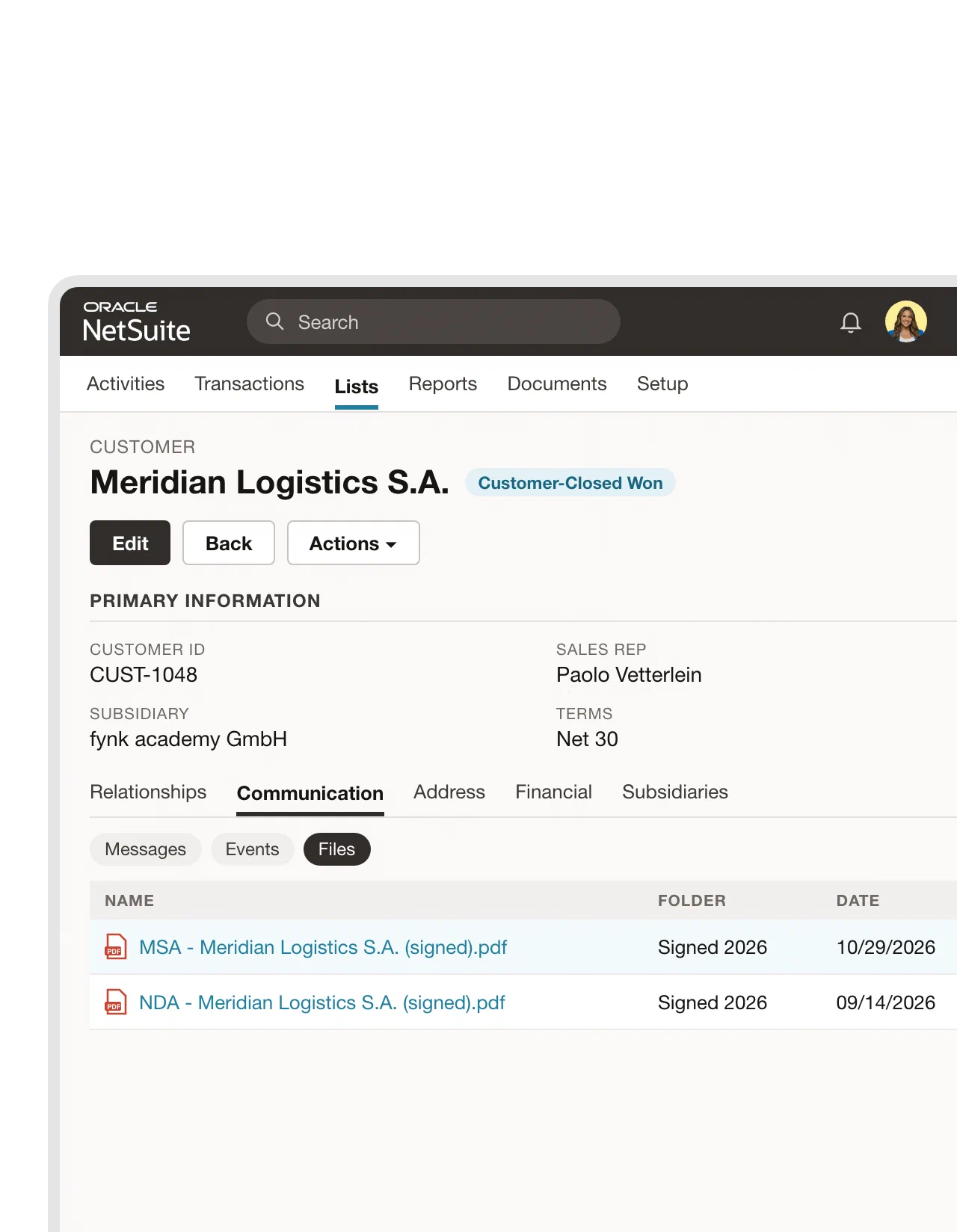
Add two more steps and NetSuite attaches the file to the customer or vendor it belongs to. It shows up under Communication, next to the orders and invoices for that account. The auditors stop asking where the paperwork is.FEATURES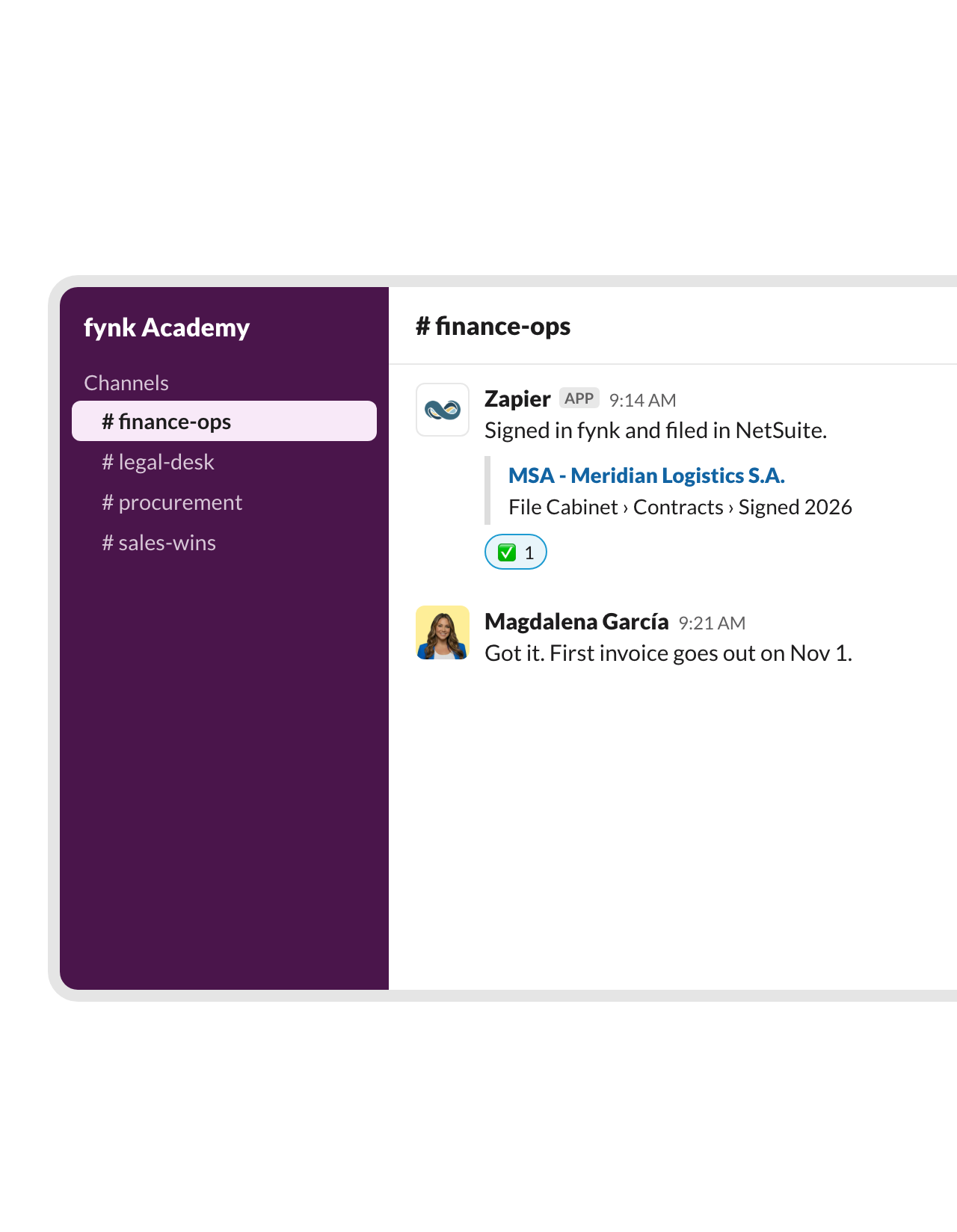 Finance channelLearn more
Finance hears about the deal before the first invoice is due.
That Zap also drops a note in your finance channel: what was signed, with whom, and where the PDF sits in NetSuite. Billing gets set up on day one, not when someone notices an invoice that never went out.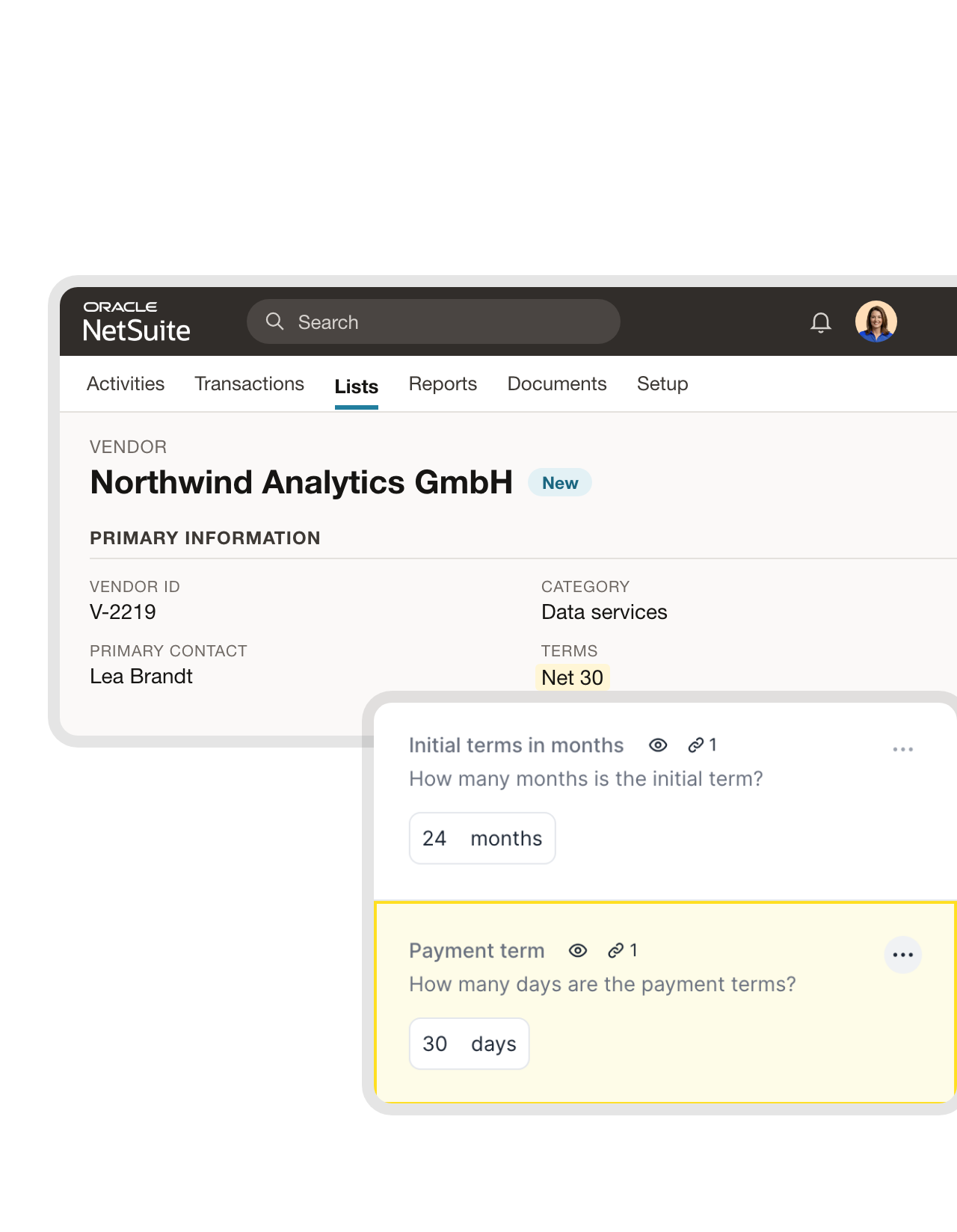 New vendors and customersLearn more
New vendor records come with a supplier agreement ready to send.
Each new record of the type you choose, a vendor, a customer or a sales order, creates a contract in fynk from your template. Name, contact and payment terms come straight from NetSuite, so the draft matches what finance already set up. A saved search keeps it to the records that actually need a contract."fynk makes it easy to roll out standardized contract templates across all our projects. Legal reviews are faster and our procurement team can draft agreements without starting from scratch."
Johanna Beutel Legal at Kronos Solar Projects GmbH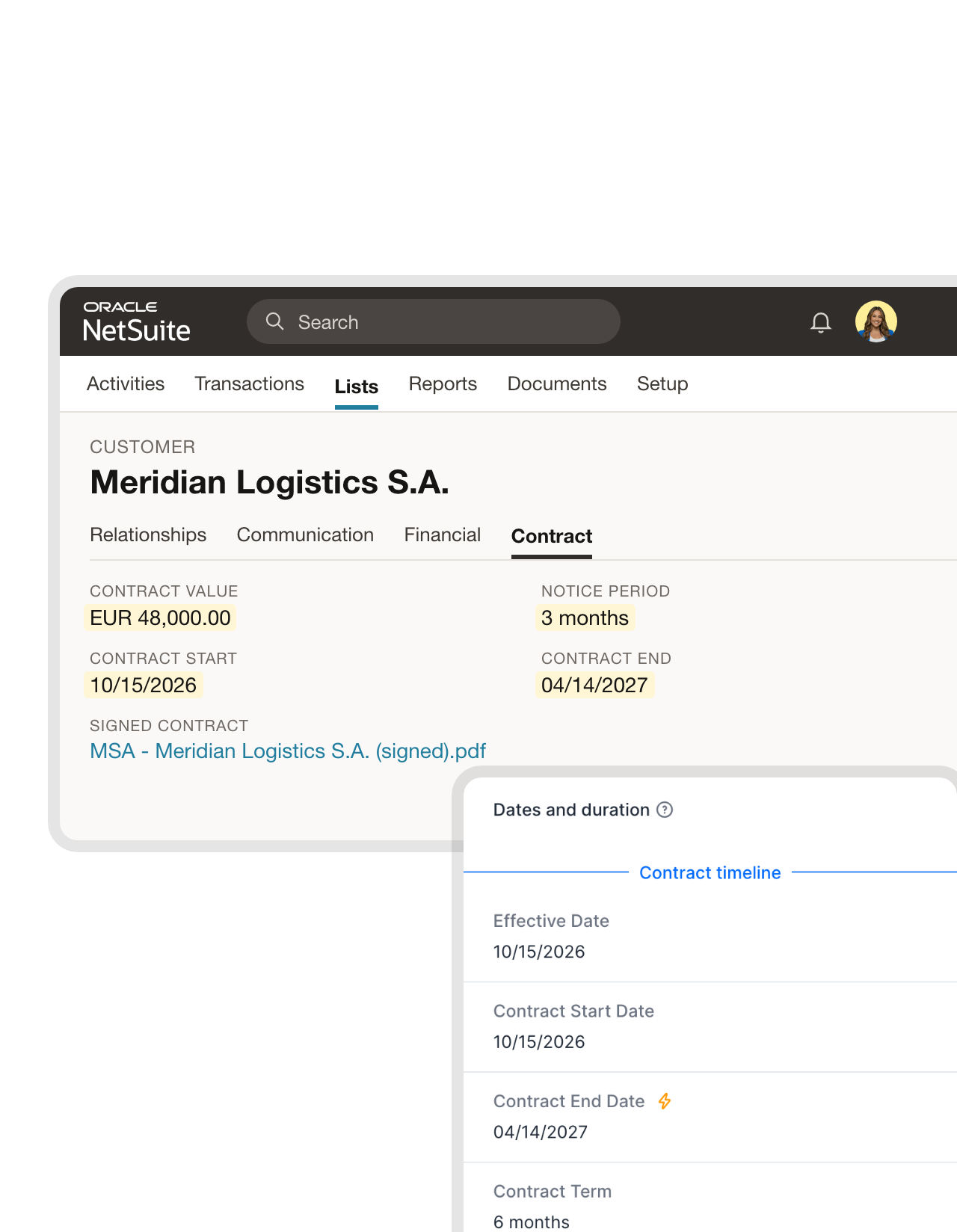 Contract valuesLearn more
Billing starts from the signed numbers, not a retyped PDF.
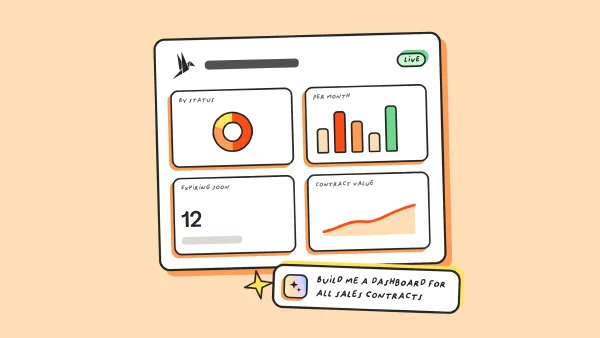
fynk already holds the value, start date, end date and notice period of every contract, from the template or read by AI. A Zap copies them into custom fields on the customer or vendor, so revenue and spend plans start from what was actually signed."With fynk, we maintain an overview of our contracts, deadlines, obligations, and risks. We also use it to create and sign standard contracts efficiently."
Sean Head of Finance at IT.connect



Use cases
How finance teams set this up, step by step.
Each setup, shown from first click to result.
 Before the renewalLearn more
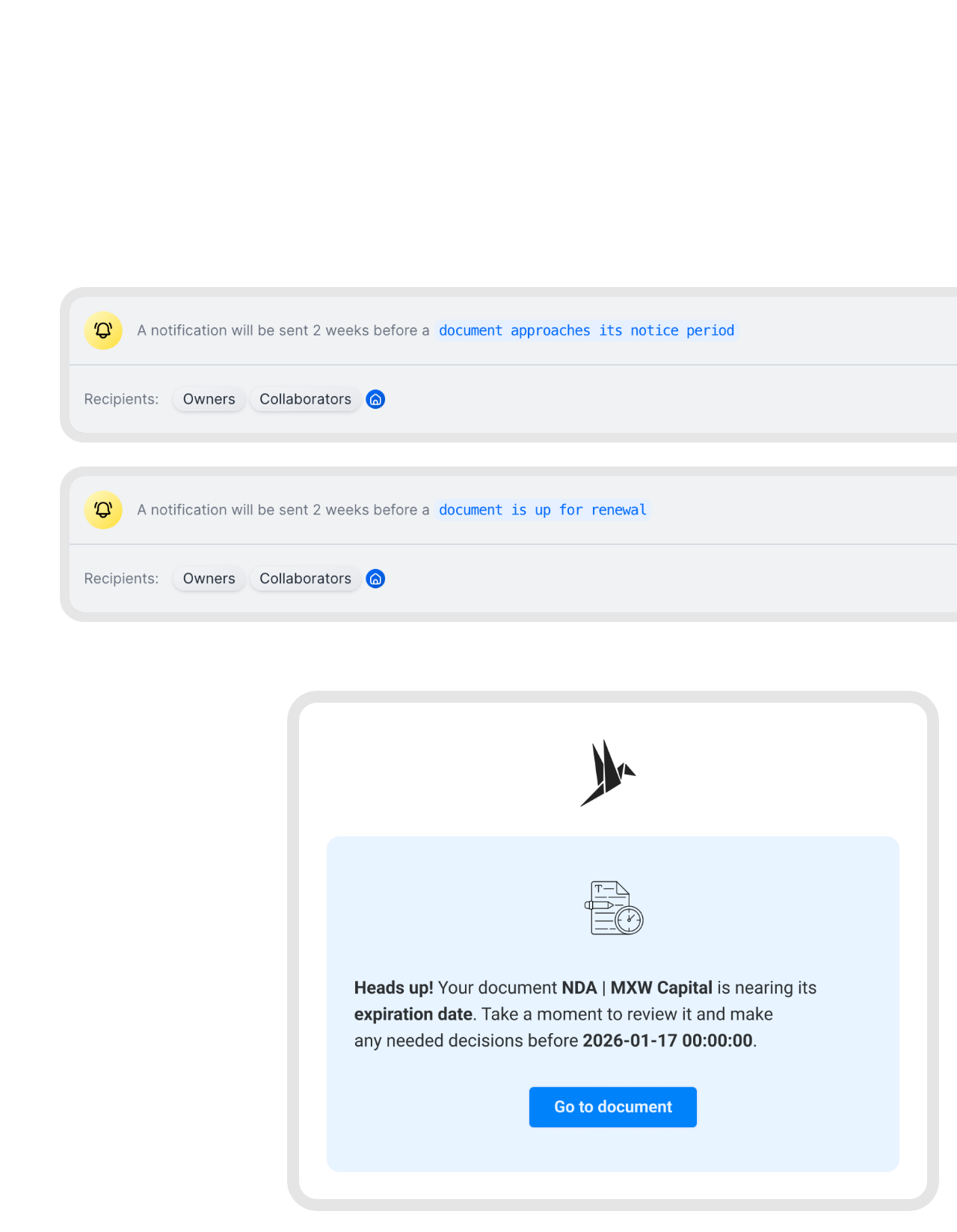
Notice periods surface before the next billing run.
fynk tracks the notice period and renewal date of every contract and emails the owner weeks ahead. Renegotiate or cancel while there’s still time, instead of meeting the renewal as a fresh line in the vendor bills."Previously, we used Excel and briefly tested an alternative solution... We even missed expensive contract deadlines. With fynk, that has completely changed. We now receive multiple automated email reminders before a deadline approaches, and everything is fully customizable."
Nicolas Head of Procurement at Wishy Tech GmbH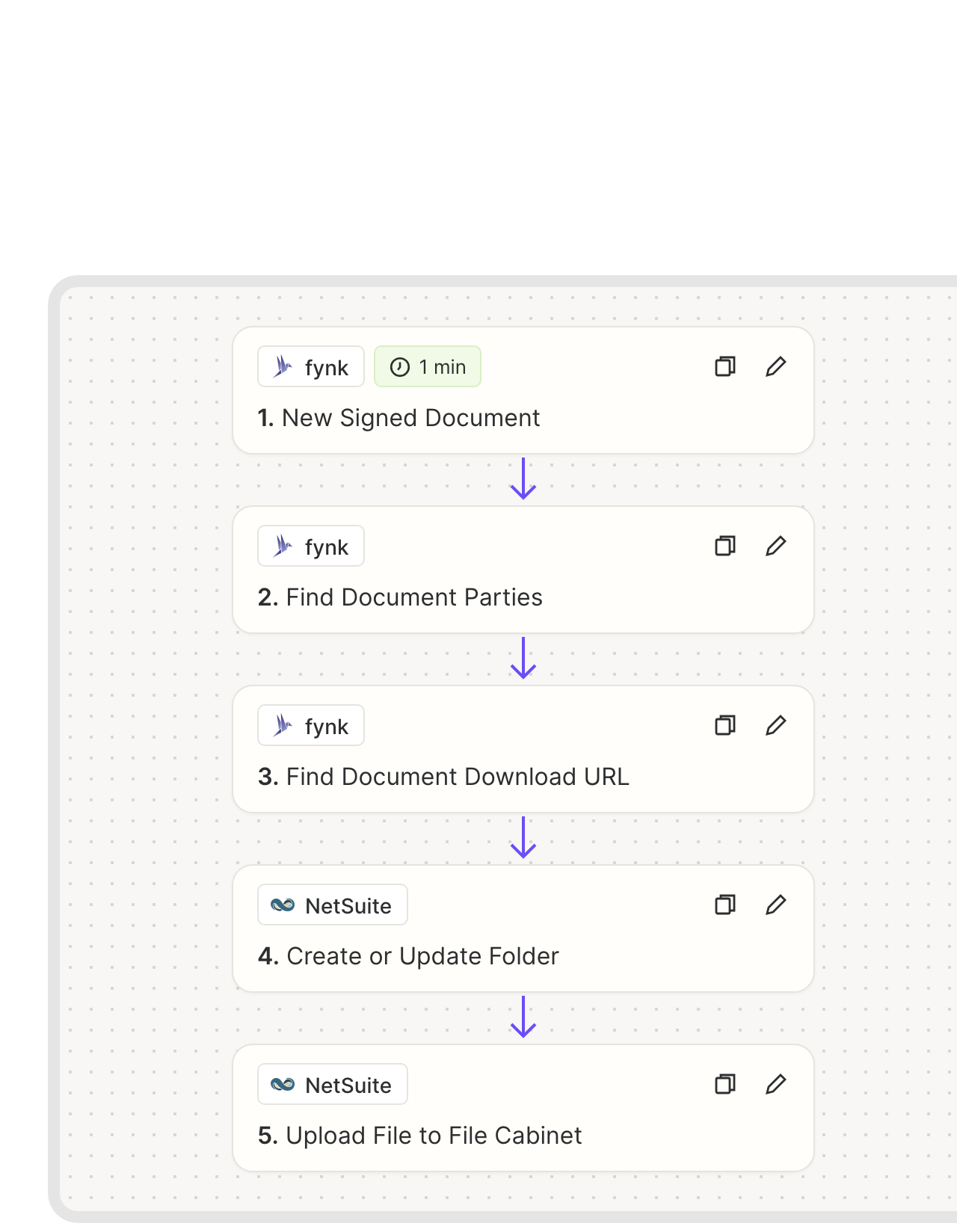 SubsidiariesLearn more
Each subsidiary keeps its own signed contracts.
Running several legal entities in NetSuite OneWorld? fynk knows which of your companies signed. The Zap reads the parties, creates that subsidiary’s folder if it’s missing and files the PDF inside, so each controller finds their own contracts without digging through the group’s.FEATURES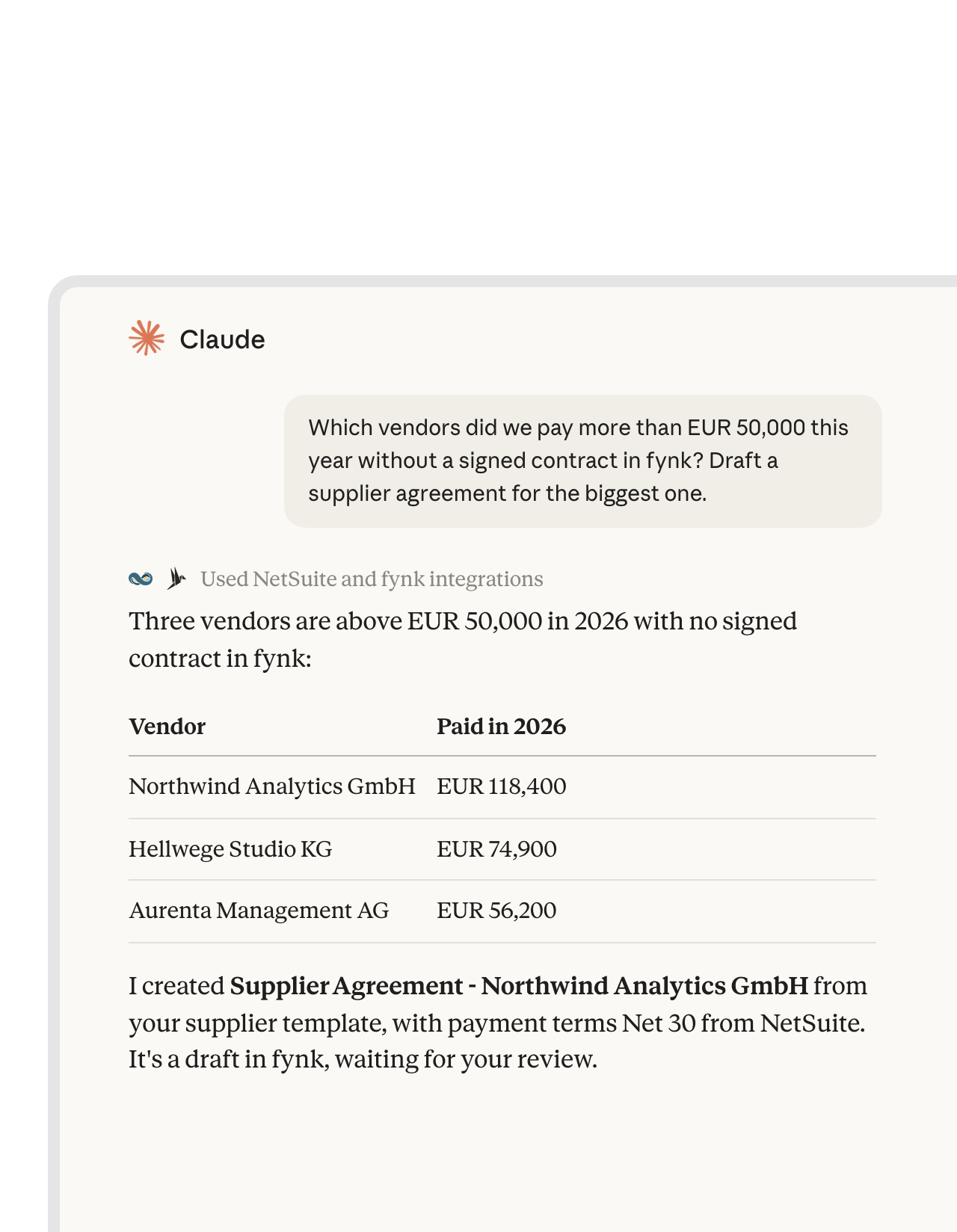 Missing contractsLearn more
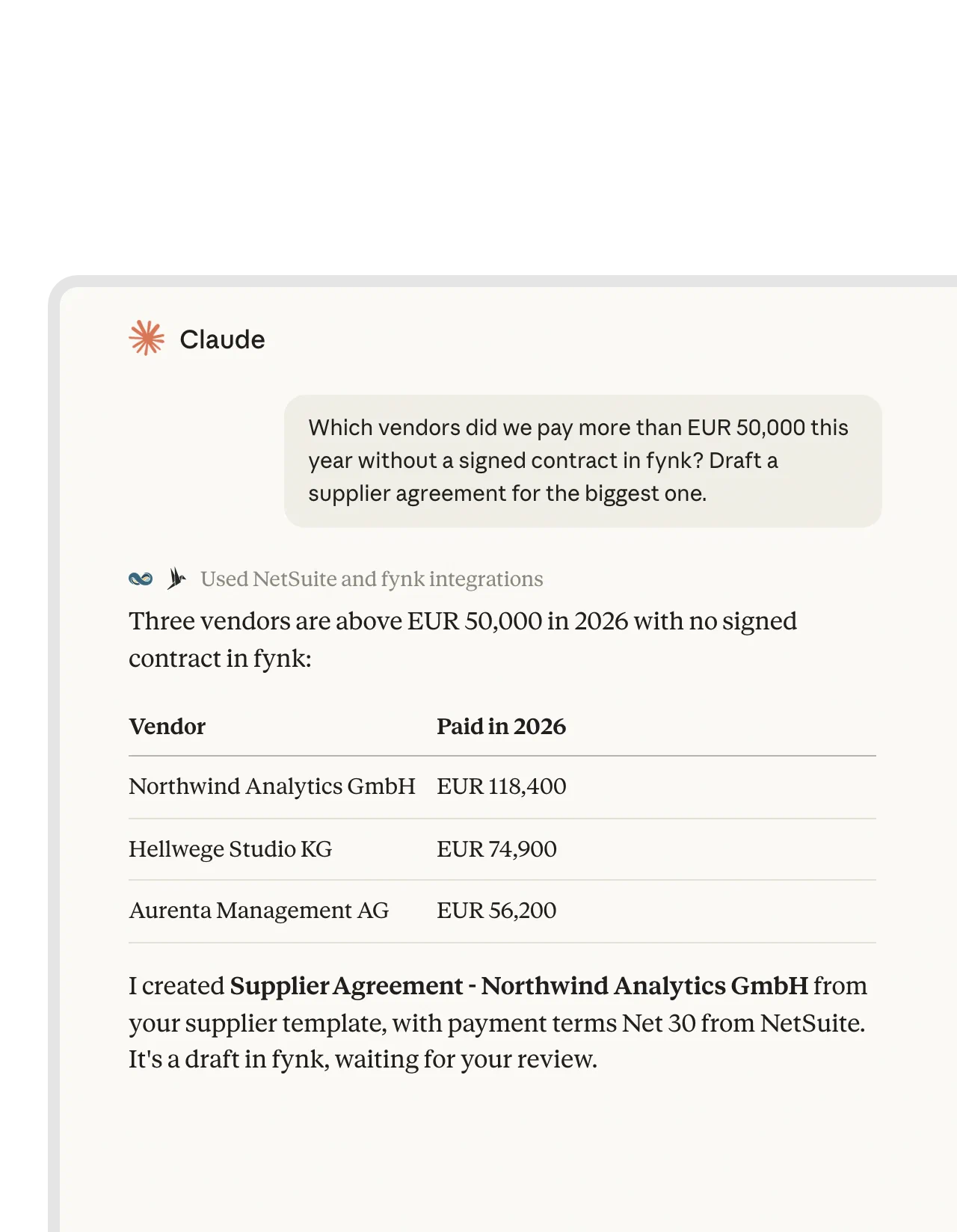
Ask Claude which vendors have no contract, then draft the missing one.
Oracle’s NetSuite AI Connector Service and the fynk connector both plug into Claude. In one chat, Claude pulls vendor spend from NetSuite, checks fynk for a signed contract and drafts the missing one from your template. Both connectors run side by side in the chat. There’s no direct link between NetSuite and fynk.FEATURES


Month-end, with fewer loose ends.
For controllers, AP and whoever answers the auditor.
No copy requests.
Finance pulls the signed PDF from NetSuite, not from a colleague.
Never a draft in the books.
Only fully signed contracts reach the File Cabinet.
Numbers that match.
Values and dates match what both sides signed.
Names that match the ledger.
Vendor and customer data come from NetSuite, so the contract says what the books say.
Sign-offs on record.
Every approval is logged, ready for year-end.
Both sides of the business.
The same flow covers what you sell and what you buy.
The rest of the finance stack, connected.
Where the deal starts, and where finance hears about it.





Three steps to your first NetSuite Zap
Needed: fynk on Business or Pro, a paid Zapier plan and a NetSuite admin
- Step 1
Your NetSuite admin installs the Zapier Automation SuiteApp. In fynk, create an API token under Account settings > API integrations > fynk API.
- Step 2
Open a NetSuite Zap, paste the token for fynk and log in to NetSuite with your account ID.
- Step 3
Pick the File Cabinet folder or the fynk template, test it with one contract and turn it on.
Frequently asked questions.
Yes. Zapier templates file every signed fynk contract in a File Cabinet folder, with a Slack message to finance if you like, and create a fynk contract for each new NetSuite record. Attaching files to records, writing contract values and filing by subsidiary use the same Zapier actions.
NetSuite's contract features cover billing and renewals for what you sell, and e-signatures come from SuiteApps such as DocuSign or Adobe Acrobat Sign. Drafting, reviewing and approving the legal text isn't what NetSuite is built for. fynk covers that part for buy side and sell side: templates, AI review against your playbook, approval checkpoints, SES, AES and QES, and renewal reminders.
NetSuite is a Premium app on Zapier, so you need a paid Zapier plan. Your admin installs the Zapier Automation SuiteApp, enables API access and gives users a role that can connect. After that, each person connects with the NetSuite account ID.
Yes. After the upload, add NetSuite's Find Record and Attach Existing File to Record steps. The file then appears on the record's Communication subtab.
Any metadata fynk holds, such as contract value, start and end date, term and notice period. Read it with Find Document Metadata Values and write it to custom fields with NetSuite’s Update Record action.
Yes. Add Oracle’s NetSuite AI Connector Service and fynk’s connector to Claude. One conversation can then read NetSuite data and draft or look up contracts in fynk.
fynk needs Business or Pro for API access. Zapier and Oracle bill their part separately. Plan details are on the pricing page.
Still have questions?


Finance and procurement teams that quit the PDF hunt.





The NetSuite Zaps at a glance
fynk connects to NetSuite through Zapier. The File Cabinet, Slack and new-record flows exist as templates. The rest are built from the same building blocks in a few minutes.
NetSuite workflows
| Workflow | Trigger | Steps |
|---|---|---|
| Signed contract to the File Cabinet | fynk: New Signed Document | fynk: Find Document Download URL, NetSuite: Upload File to File Cabinet |
| Filed, with a Slack note | fynk: New Signed Document | fynk: Find Document Download URL, NetSuite: Upload File to File Cabinet, Slack: Send Channel Message |
| Attached to the record | fynk: New Signed Document | fynk: Find Document Download URL, NetSuite: Upload File to File Cabinet, NetSuite: Find Record, NetSuite: Attach Existing File to Record |
| Contract values on the record | fynk: New Signed Document | fynk: Find Document Metadata Values, NetSuite: Find Record, NetSuite: Update Record |
| Folder per subsidiary | fynk: New Signed Document | fynk: Find Document Parties, fynk: Find Document Download URL, NetSuite: Create or Update Folder, NetSuite: Upload File to File Cabinet |
| New record to contract | NetSuite: New Record or New Record (Saved Search) | fynk: Create Document From Template |
Where each part lives
| NetSuite | fynk | |
|---|---|---|
| Customers and vendors | The record, terms and billing | The contract and its parties |
| Before signing | Templates, AI review, approval checkpoints | |
| Signing | SES, AES and QES, no envelope fees | |
| After signing | Signed PDF in the File Cabinet, values in custom fields | Original with audit trail, renewal and notice reminders |

Audit-ready on both sides.

European by design.
Designed and developed in Austria. fynk is hosted in the EU, in ISO 27001-certified data centers.

Security at the core
Encryption in transit and at rest, and secure engineering standards across a continuously monitored infrastructure.

You control both ends
fynk connects with an API token you can revoke. NetSuite access follows the roles your admin sets.

GDPR, fully embedded
Fully compliant with European data protection regulations, supported by regular audits and external penetration testing.
Trusted by companies worldwide


Take control of your agreements. Move your business forward.
Run agreements the way they should run: fast, clear, and on your terms.
No setup headaches
Go live in days, not quarters
No lock-in
Full export anytime
No hidden fees
Signatures included, no envelope fee