

Outlook integration for contracts that arrive by email.
Contracts arrive by email and get lost there. With fynk, Outlook attachments become tracked contracts, notice dates appear in your Outlook calendar and signed copies go out from your own mailbox.


Your Outlook mailbox, wired to fynk.
Pick a Zap, sign in to Outlook, paste your fynk token.
Switch one on and the inbox starts filing.
Each Zap does one job: an email attachment becomes a contract in fynk, an NDA request gets an NDA back, a signed PDF goes out from your mailbox, and a renewal date lands in your Outlook calendar.




Keep working in Outlook. Let the contracts live somewhere smarter.
Outlook is where contracts show up and where people talk about them. fynk is where they get read, approved, signed and remembered.
"Our biggest gain is having one central hub for all contracts. No more folders or email chains. Everything is secure and transparent."
 AttachmentsLearn more
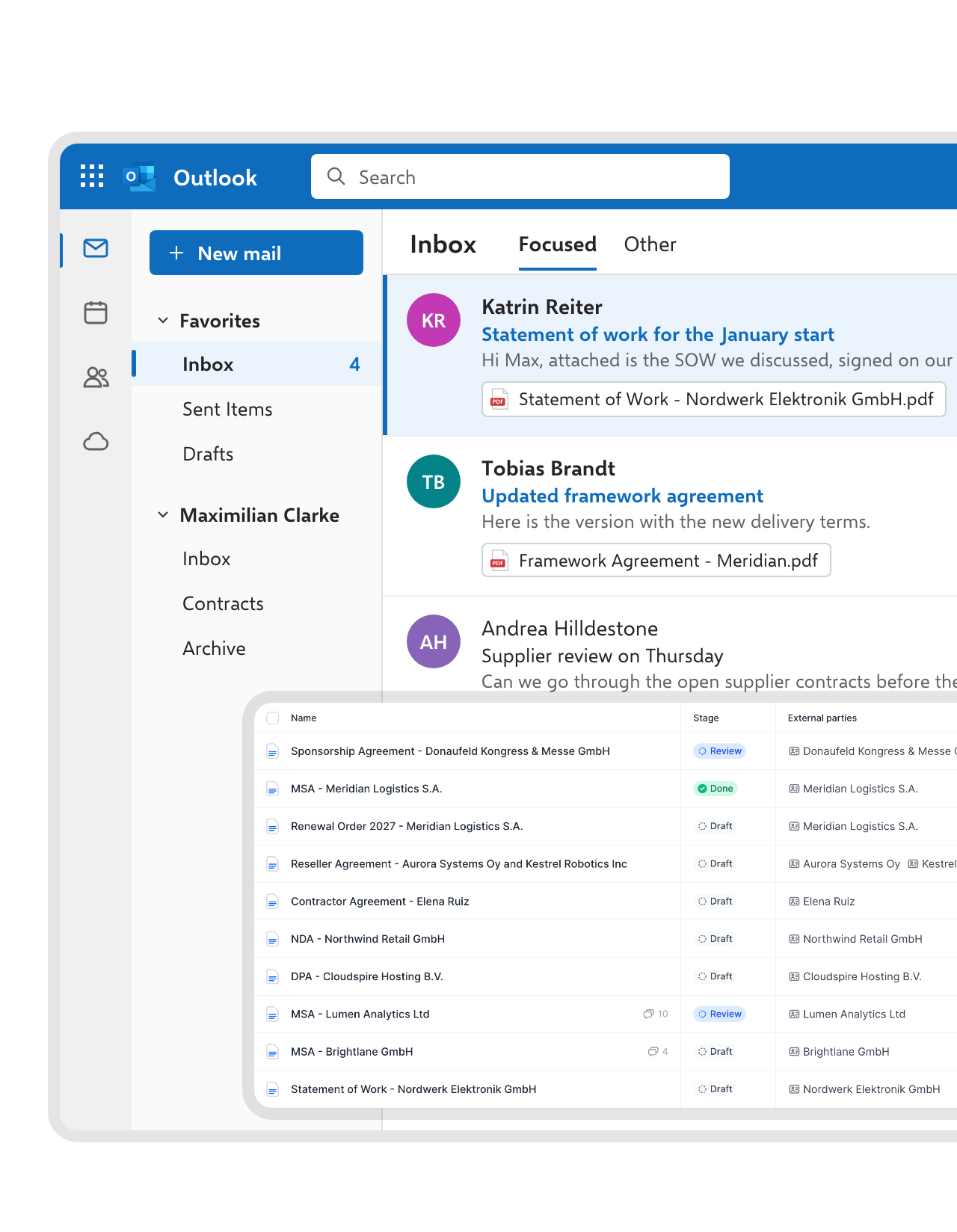
Email attachments become contracts in fynk.
Point the Zap at your inbox or a contracts folder. Each new attachment shows up in your fynk document list, and AI analysis fills in the parties, dates, value and notice period. The email can stay where it is."When I receive contracts from others, the AI gives me a quick overview so I don't have to read everything in detail."
 Alina Heiner Founder and Director at maven
 NDA requestsLearn more
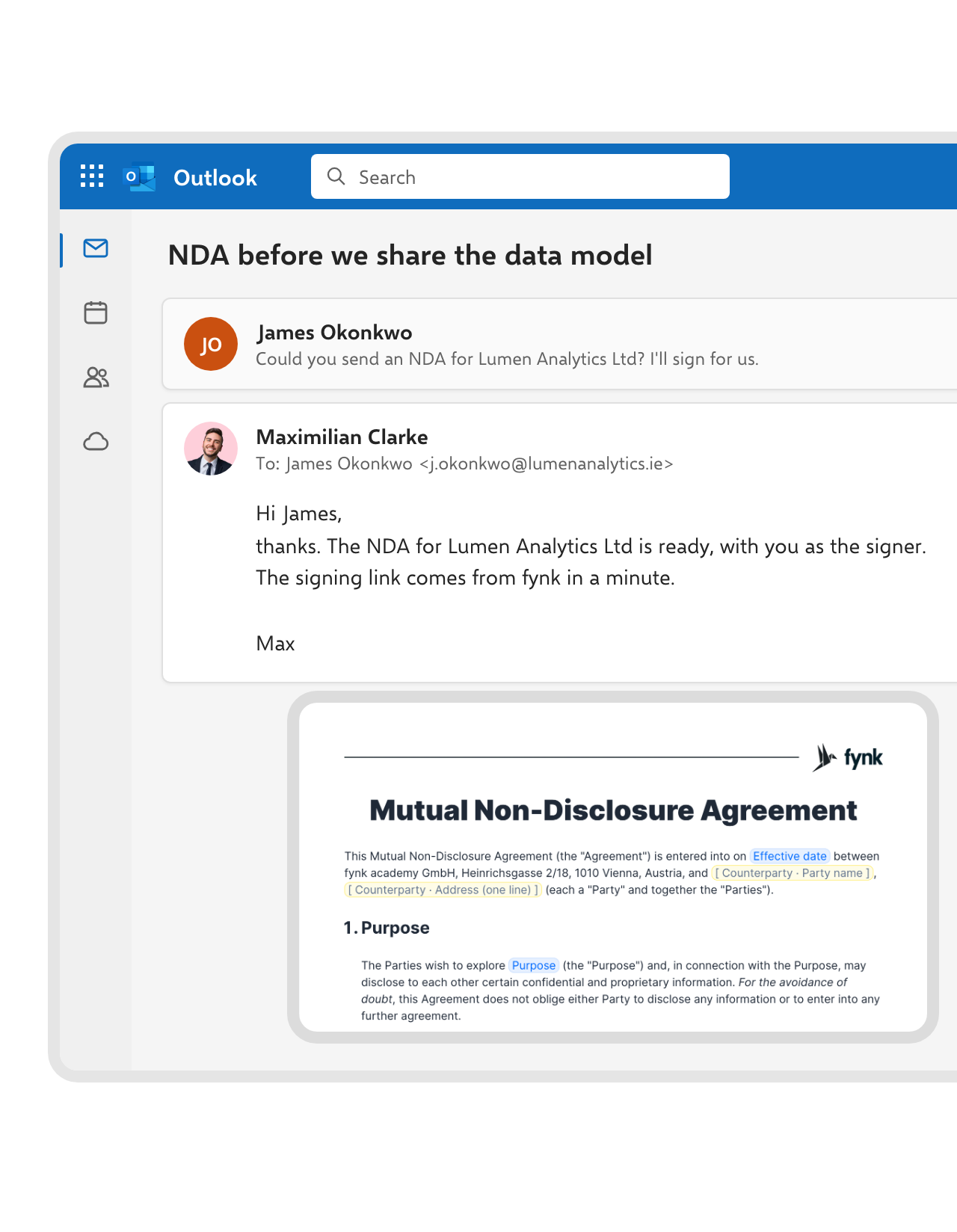
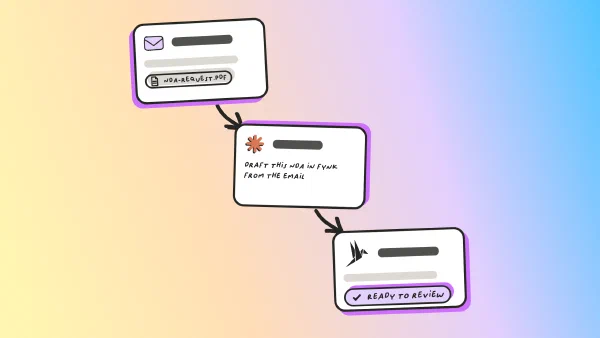
Answer an NDA request with a ready-to-sign NDA.
When an email asks for an NDA, the Zap creates it in fynk from your approved template, with the sender as signer, and replies in the same thread. The sender gets the NDA within minutes, and Legal’s wording stays untouched.FEATURES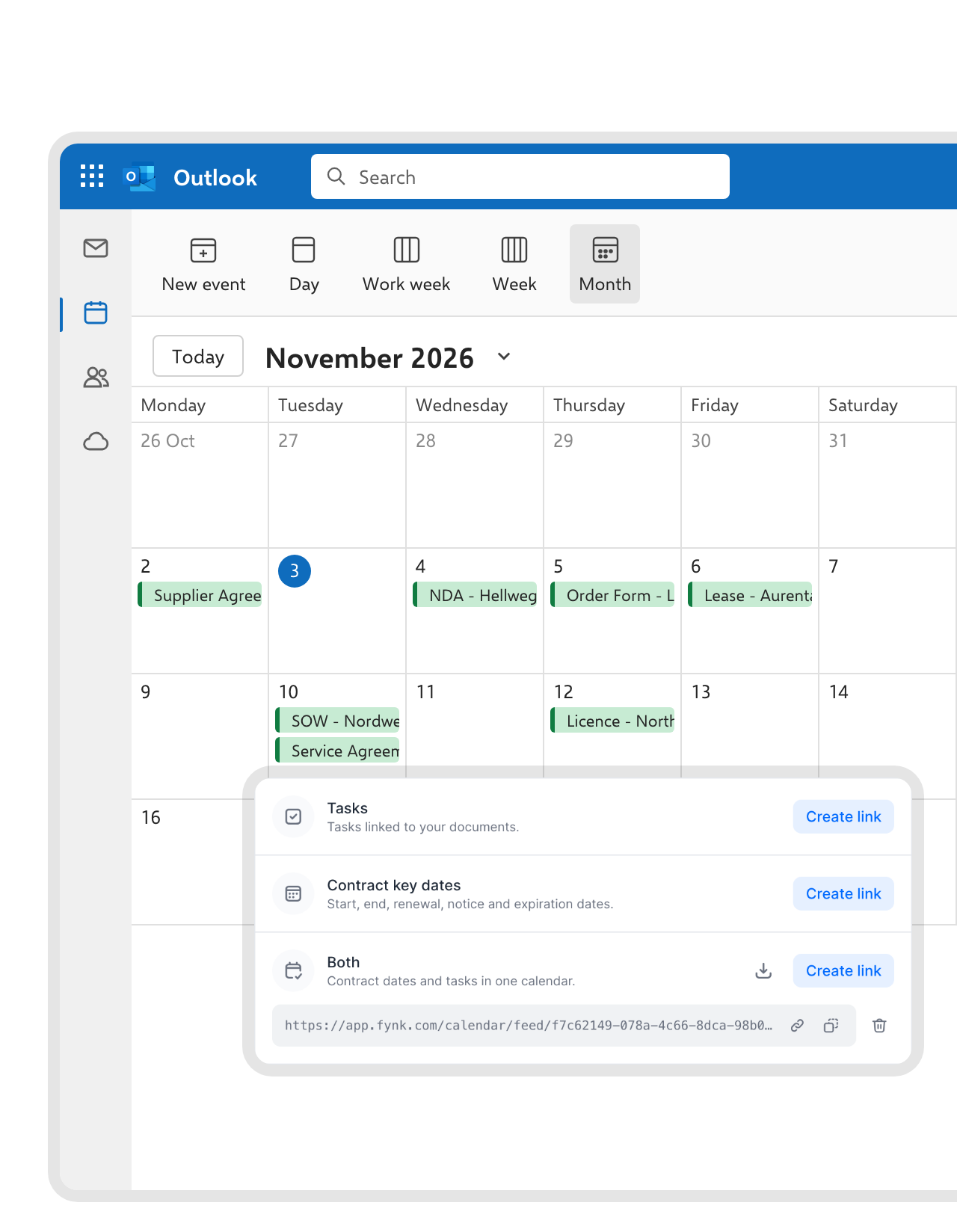 Outlook calendarLearn more
Notice dates sit in your Outlook calendar, next to your meetings.
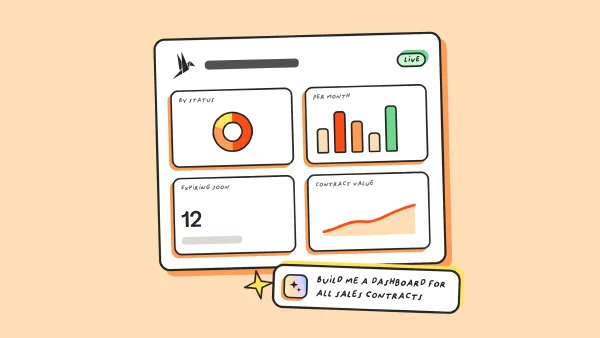
Create a calendar link from any fynk dashboard and subscribe to it in Outlook. Start, end, renewal, notice and expiration dates show up as events, and they update on their own when a contract changes. Prefer events in a shared calendar? A Zap adds the renewal date there each time a contract is signed."Excel tracking has completely been replaced. We do not have an Excel file anymore where we track renewals and deadlines."
 Dr. Jörg Burkhardt Head of Sales & New Partnerships at 1. FC Nürnberg


Use cases
Walk through it before you switch it on.
Walkthroughs for the flows on this page.
 Signed copyLearn more
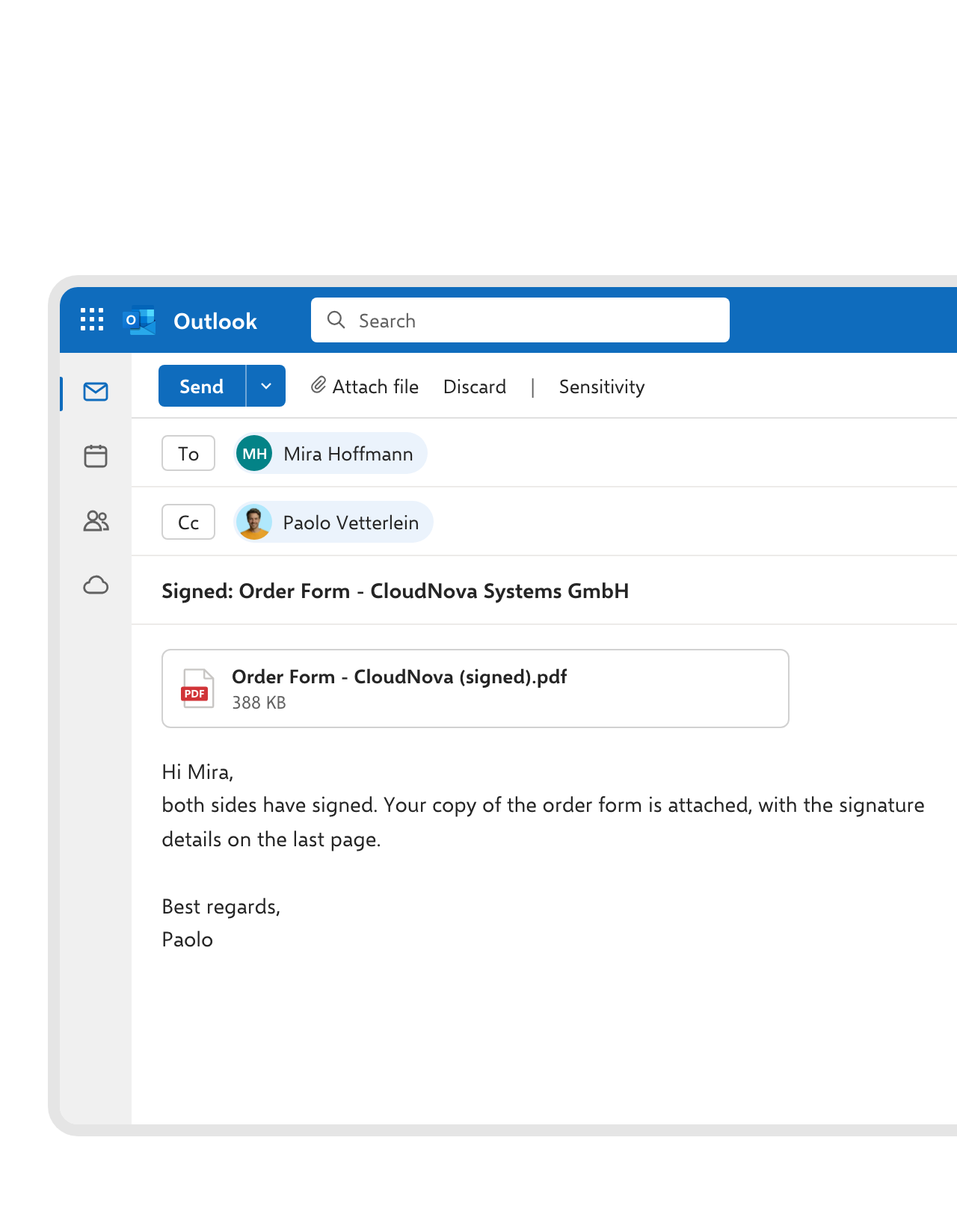
The countersigned PDF goes back from your mailbox, not a no-reply address.
After the final signature, Zapier fetches the PDF from fynk and Outlook sends it to the other side as an attachment. It comes from someone they know, and the original with its audit trail stays in fynk.FEATURES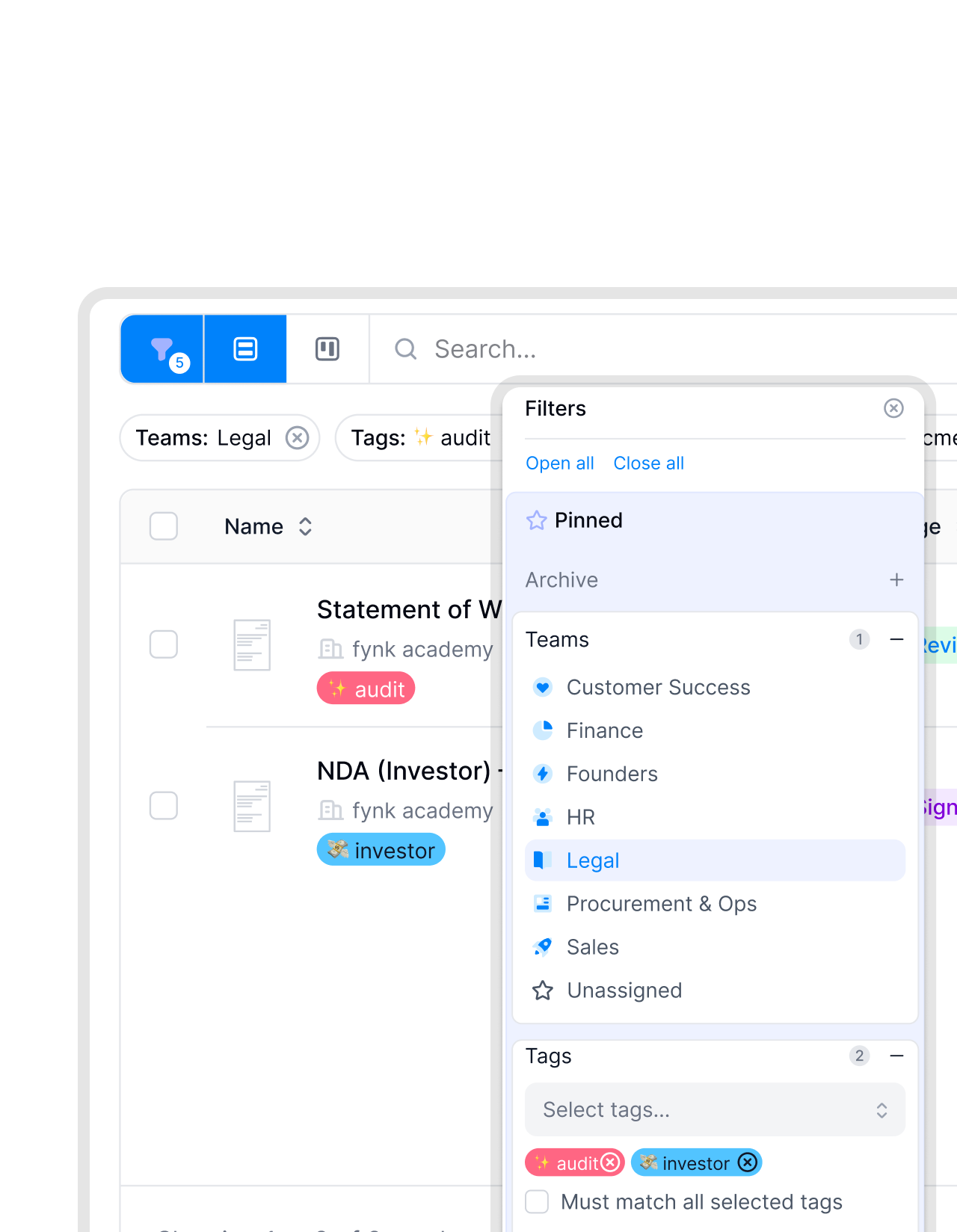 Shared mailboxesLearn more
Procurement's mailbox feeds procurement's contracts.
Run one Zap per shared mailbox, such as procurement@ or sales@. Each document lands with the right team and tags, so procurement never wades through sales paperwork.


What you stop doing by hand.
What changes once the two are connected.
Read on arrival.
AI pulls out parties, dates and value as the attachment comes in.
Dates in your calendar.
Notice and renewal dates as Outlook events, kept up to date.
Sent by a person.
Signed copies leave from your own Outlook account.
Replies stay in the thread.
The NDA goes back as a reply, so the whole conversation stays in one place.
Sorted by mailbox.
Each shared mailbox files into its own team.
No add-in to roll out.
Nothing to install in Outlook, for you or for IT.
The rest of Microsoft 365, and a few friends.
OneDrive, SharePoint and Teams pick up where the inbox stops.




Three steps from inbox to fynk
Works with Outlook on a Microsoft 365 business or enterprise plan, plus fynk Business or Pro and a Zapier account
- Step 1
Create an API token in fynk under Account settings > API integrations > fynk API.
- Step 2
Pick an Outlook Zap, sign in with your Microsoft account and paste the token to connect fynk.
- Step 3
Choose the mailbox or folder, send yourself a test email with a contract attached and turn the Zap on.
Frequently asked questions.
Yes, in two ways. Zapier connects your mailbox: attachments become fynk documents, NDA requests get a draft and a reply, and signed PDFs go out by email. The fynk calendar feed puts contract dates into your Outlook calendar.
No. The Zaps run in Zapier with your Microsoft sign-in, and the calendar feed is a link you add in Outlook under Add calendar > Subscribe from web.
Yes. Open a dashboard in fynk, click the calendar feed icon and create a link for contract key dates, tasks or both. Subscribe to it in Outlook on the web, and the events also show in the desktop app. The calendar integration guide walks through each calendar app.
Outlook sorts and flags messages, and you can set a reminder on an email yourself. It doesn't read the contract attached to it. fynk reads it, tracks its notice period, routes it through approvals, gets it signed with SES, AES or QES and reminds the right people before it renews.
Yes. Point the New Attachment trigger at one folder, use Outlook's New Email Matching Search trigger to filter by sender or subject, or use the trigger for a shared mailbox such as contracts@.
Not on the fynk side if you’re on Business or Pro, which include the API access the Zaps need. Zapier and Microsoft 365 are billed by their providers. Compare the fynk plans on the pricing page.
Still have questions?


They used to search their inboxes for contracts.



How fynk and Outlook work together
Mail runs through Zapier, with fynk’s triggers and actions and Microsoft Outlook’s own Zapier app. Calendar dates come from fynk’s calendar feed, which Outlook subscribes to like any internet calendar. There is no fynk add-in for Outlook.
Outlook automations
| Automation | Trigger | Steps |
|---|---|---|
| Attachment to fynk | Outlook: New Attachment | fynk: Create Document From PDF, with AI analysis |
| NDA request answered | Outlook: new contract request email | fynk: Create Document From Template, Outlook: Reply to Email |
| Signed PDF by email | fynk: New Signed Document | fynk: Find Document Download URL, Outlook: Send Email |
| Attachment plus Teams post | Outlook: New Attachment | fynk: Create Document From PDF, Microsoft Teams: Send Channel Message |
| Attachment to OneDrive and fynk | Outlook: New Attachment | OneDrive: Upload File, fynk: Create Document From PDF |
| Shared mailbox by team | Outlook: New Email in Shared Mailbox | fynk: Create Document From PDF, with team and tags |
Which tool does what
| Outlook | fynk | |
|---|---|---|
| Incoming contracts | Receives the email | Reads the attachment, tracks the contract |
| Drafting | Sends the reply | Templates, dynamic fields, conditional clauses |
| Before signing | Delivers approval emails | Approval rules, SES, AES and QES |
| After signing | Sends the signed copy, shows dates in the calendar | Audit trail, notice and renewal reminders |

Safe enough for the legal inbox.

European by design.
Designed and developed in Austria. fynk is hosted in the EU, in ISO 27001-certified data centers.

Security at the core
Encryption in transit and at rest, and secure engineering standards across a continuously monitored infrastructure.

Only the folders you pick
A Zap reads the mailbox or folder you choose. The calendar link shows only documents you can already see, and you can revoke it any time.

GDPR, fully embedded
Fully compliant with European data protection regulations, supported by regular audits and external penetration testing.
Trusted by companies worldwide



Take control of your agreements. Move your business forward.
Run agreements the way they should run: fast, clear, and on your terms.
No setup headaches
Go live in days, not quarters
No lock-in
Full export anytime
No hidden fees
Signatures included, no envelope fee