


SharePoint contract management without the folder chaos.
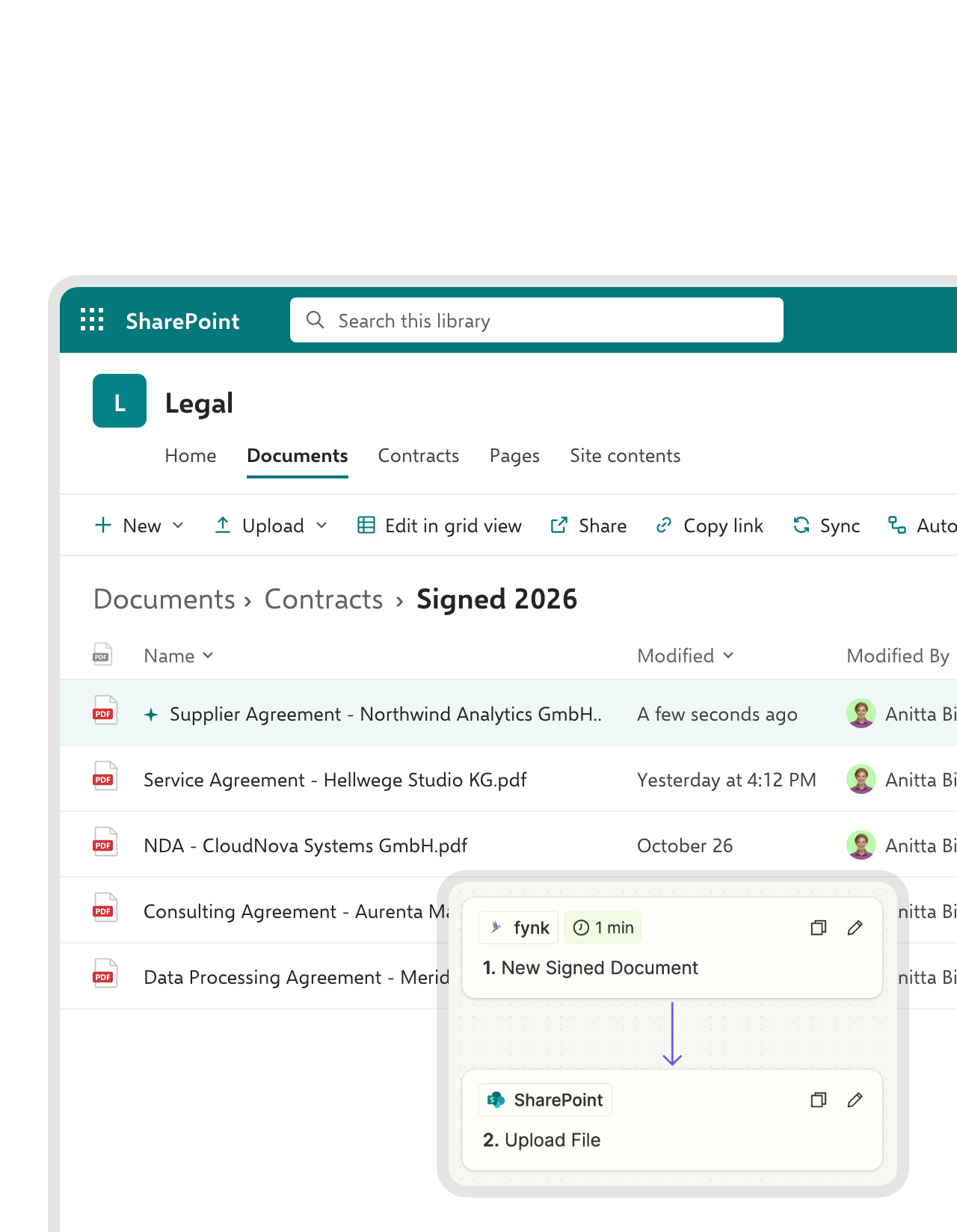
Draft, approve and sign in fynk. Each signed PDF files itself in the SharePoint folder you choose, through Zapier.


Runs on Zapier. No code, no IT ticket.
Pick the SharePoint site and folder, connect fynk, switch it on. No code.
File every signed contract in SharePoint.
The PDF goes to the folder you picked, with a Teams post or an Outlook email if you want, and SharePoint list items or new files in a library start drafts.






SharePoint stores documents. fynk handles everything a contract needs.
SharePoint is a strong library with sign-off and simple e-signatures built in. fynk adds the contract-specific part: approved templates, approval rules by value, AES and QES, and renewal dates read from the contract.
"If you know where to look in SharePoint it takes two or three minutes. If not, ten minutes or more. In fynk you type in the name and you have it in ten seconds."
 Filed to SharePointLearn more
Every signed contract filed in your SharePoint library on its own.
When the last person signs, the Zap uploads the final PDF to the SharePoint site and folder you chose, named after the contract. Your document management stays complete, and nobody has to remember to file anything."fynk provides a single source of truth for signed contracts, ensuring that no contracts get lost in folder structures."
Verena Kamm In-house legal at Kronos Solar Projects GmbH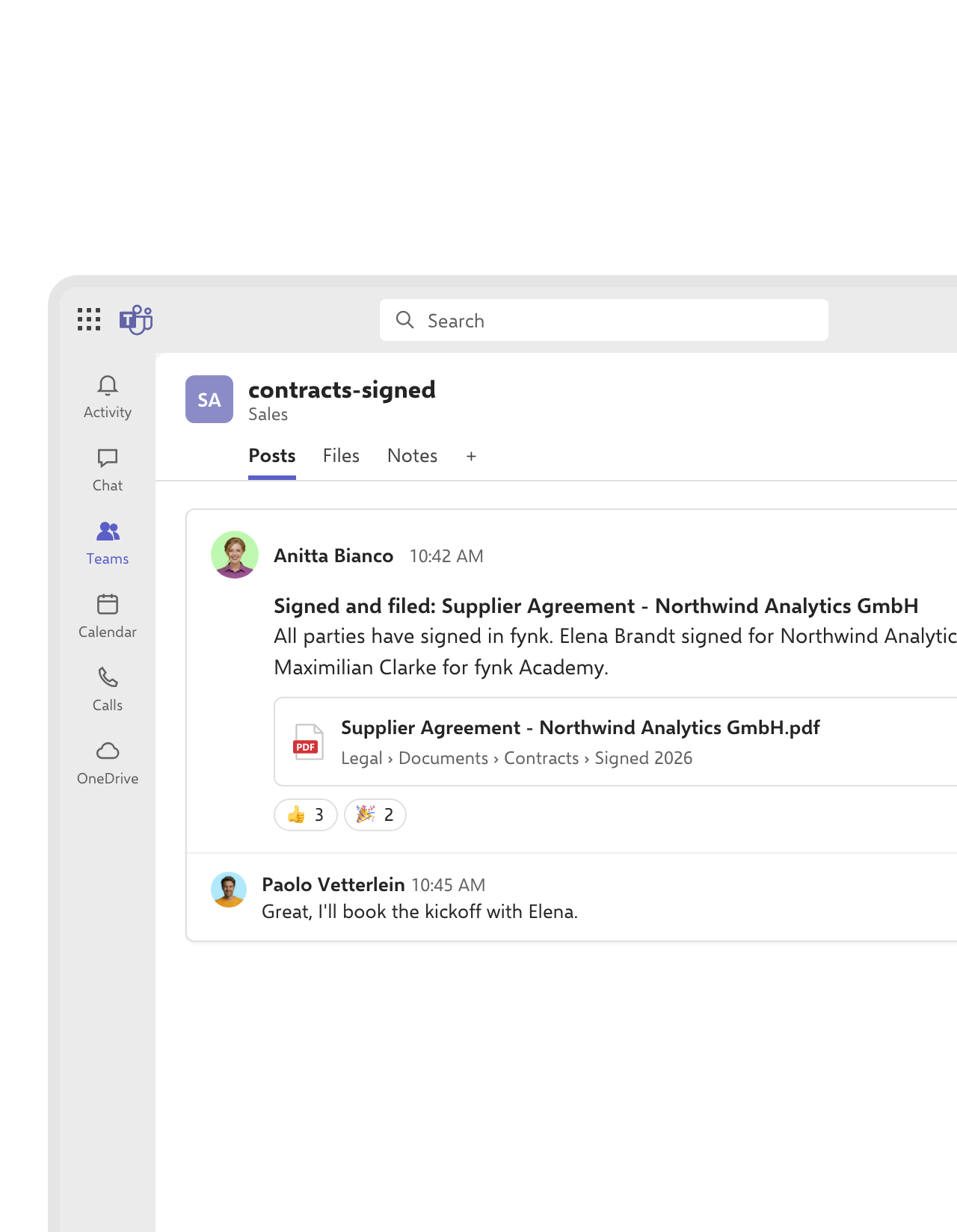 Microsoft TeamsLearn more
Your team hears about it in Microsoft Teams.
A message in the right Teams channel tells everyone the contract is signed and filed, with the SharePoint file linked. Sales stops asking legal for the final version.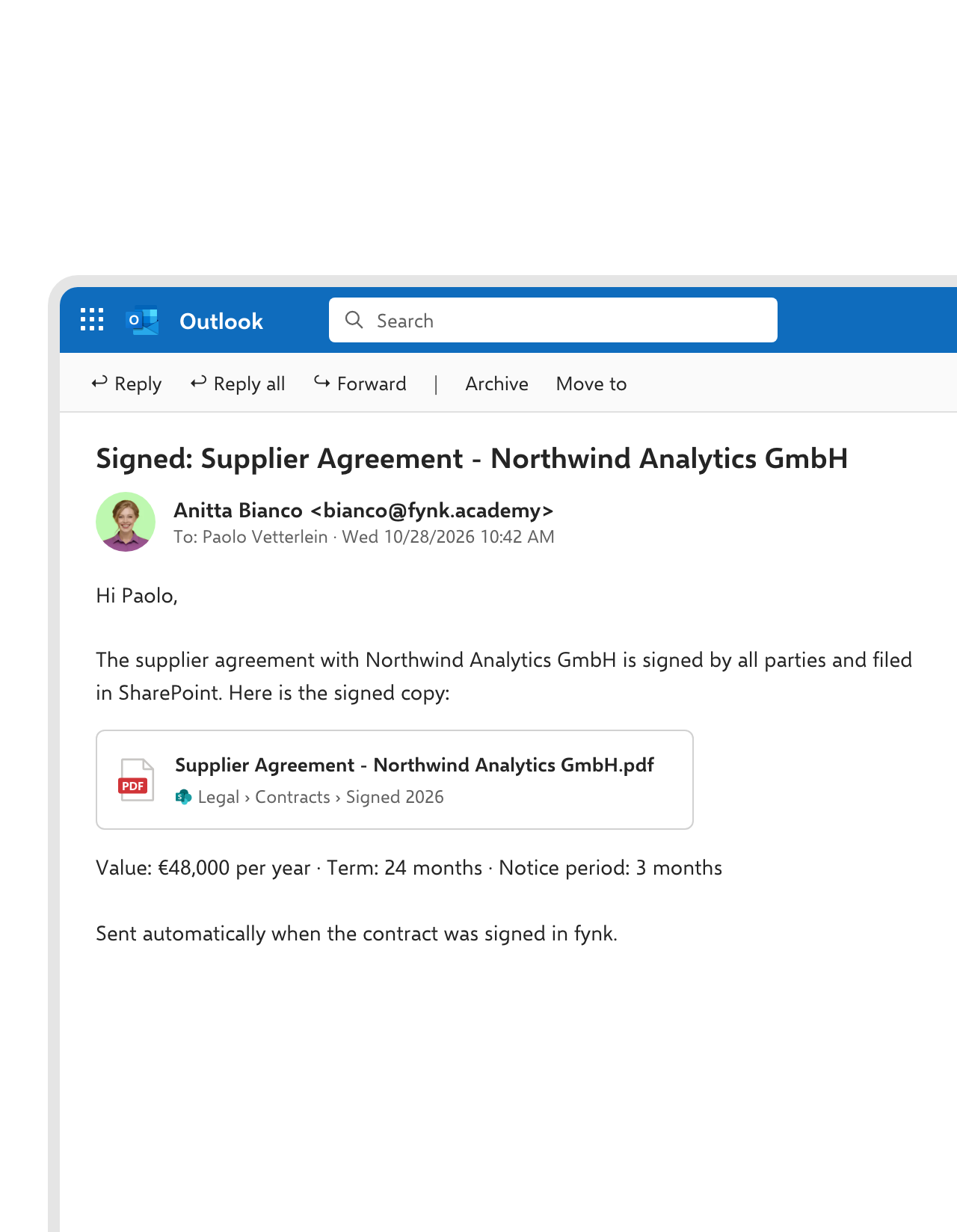 OutlookLearn more
A link to the signed copy, sent through Outlook.
Attachments get forwarded, renamed and lost. Send the deal owner one email with a link to the file in SharePoint, so everyone opens the same signed version.FEATURES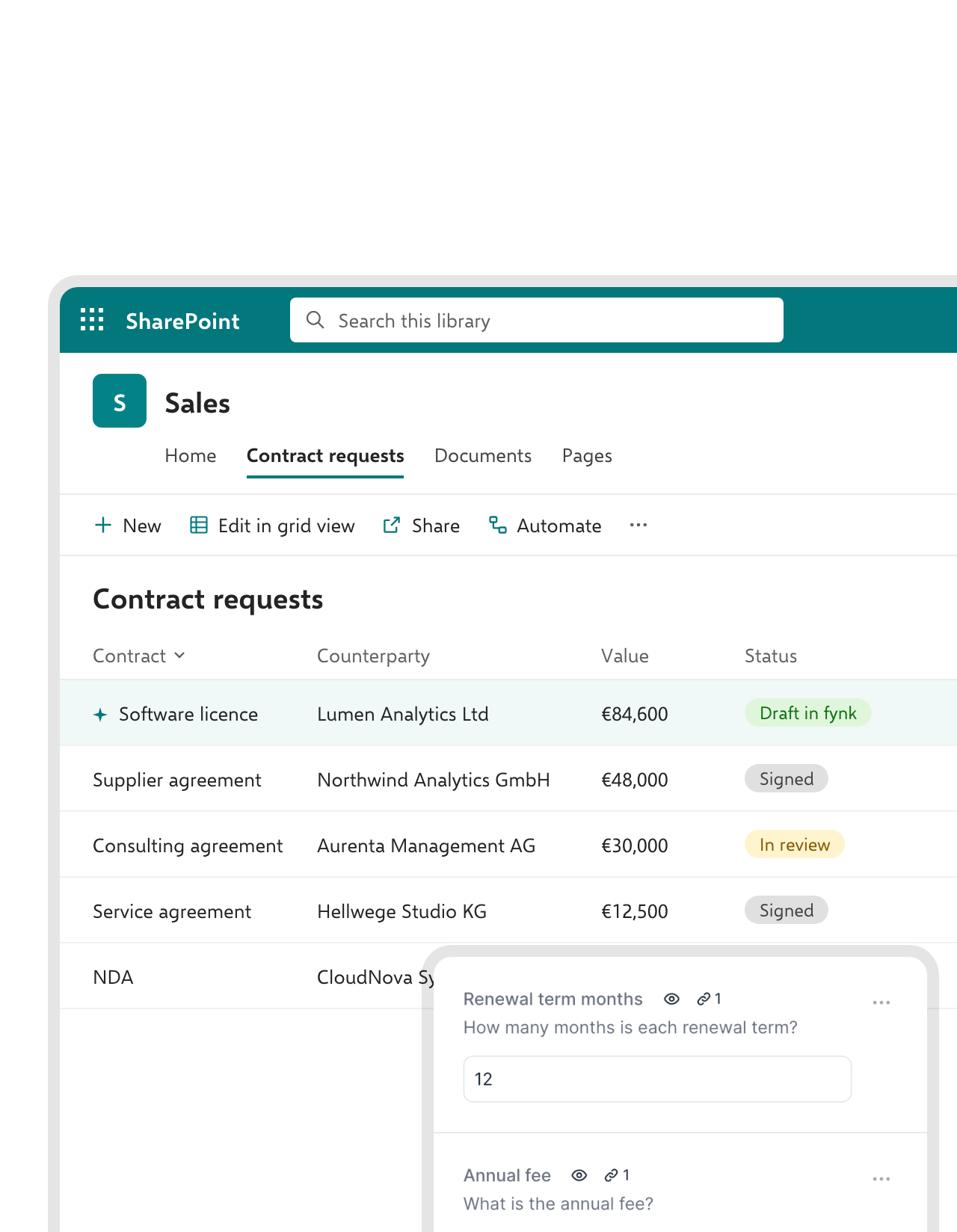 Contract requestsLearn more
A request in a SharePoint list, a draft in fynk.
Teams that live in Microsoft 365 already request contracts through a SharePoint list. Each new item becomes a fynk draft from your approved template, with the counterparty, value and term filled in.FEATURES


Use cases
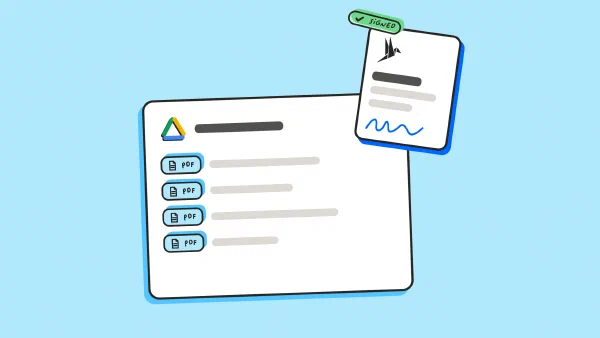
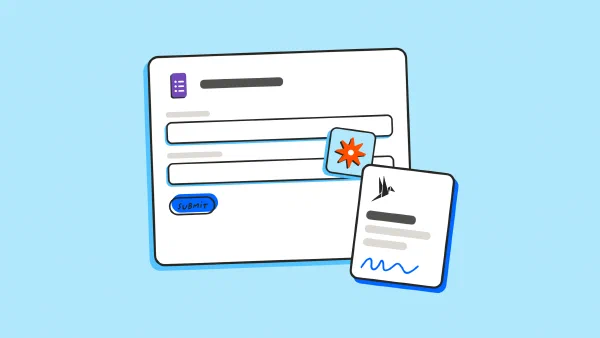
See the filing automation set up, click by click.
Follow real automations, field by field.
 ApprovalsLearn more
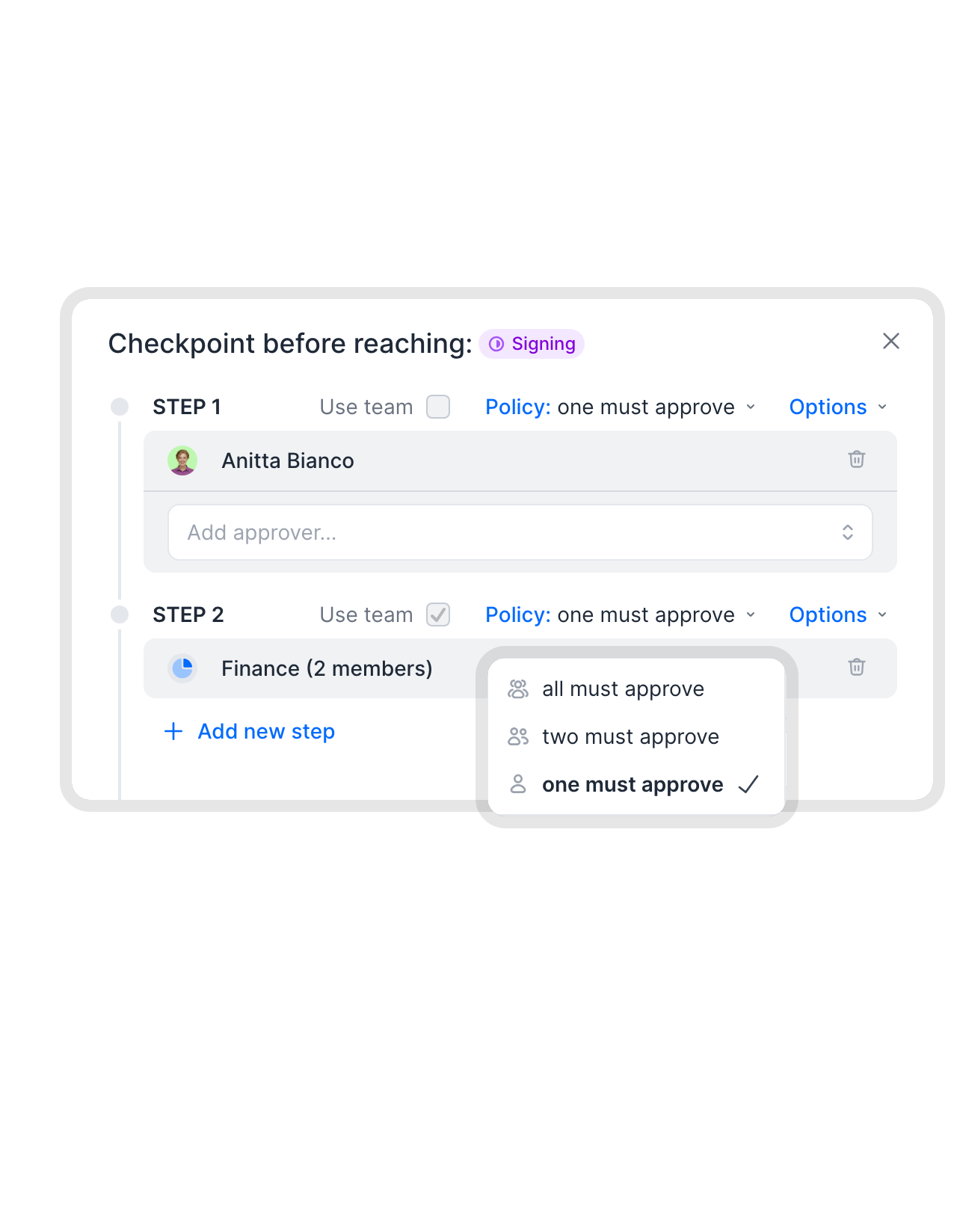
Approval rules that know the contract value and clauses.
SharePoint’s sign-off sends a file to the approvers you pick, each time. In fynk, the rules are set on the template: finance approves above a set value, legal approves changed clauses, and the contract can’t go out for signature until they have."Previously we had to manage contract reviews and approvals via endless email back-and-forth and improvised approval forms, followed by a signing process. Now we have everything in one place."
Andrea Schlephorst Corporate Governance Specialist at Falken Tyre Europe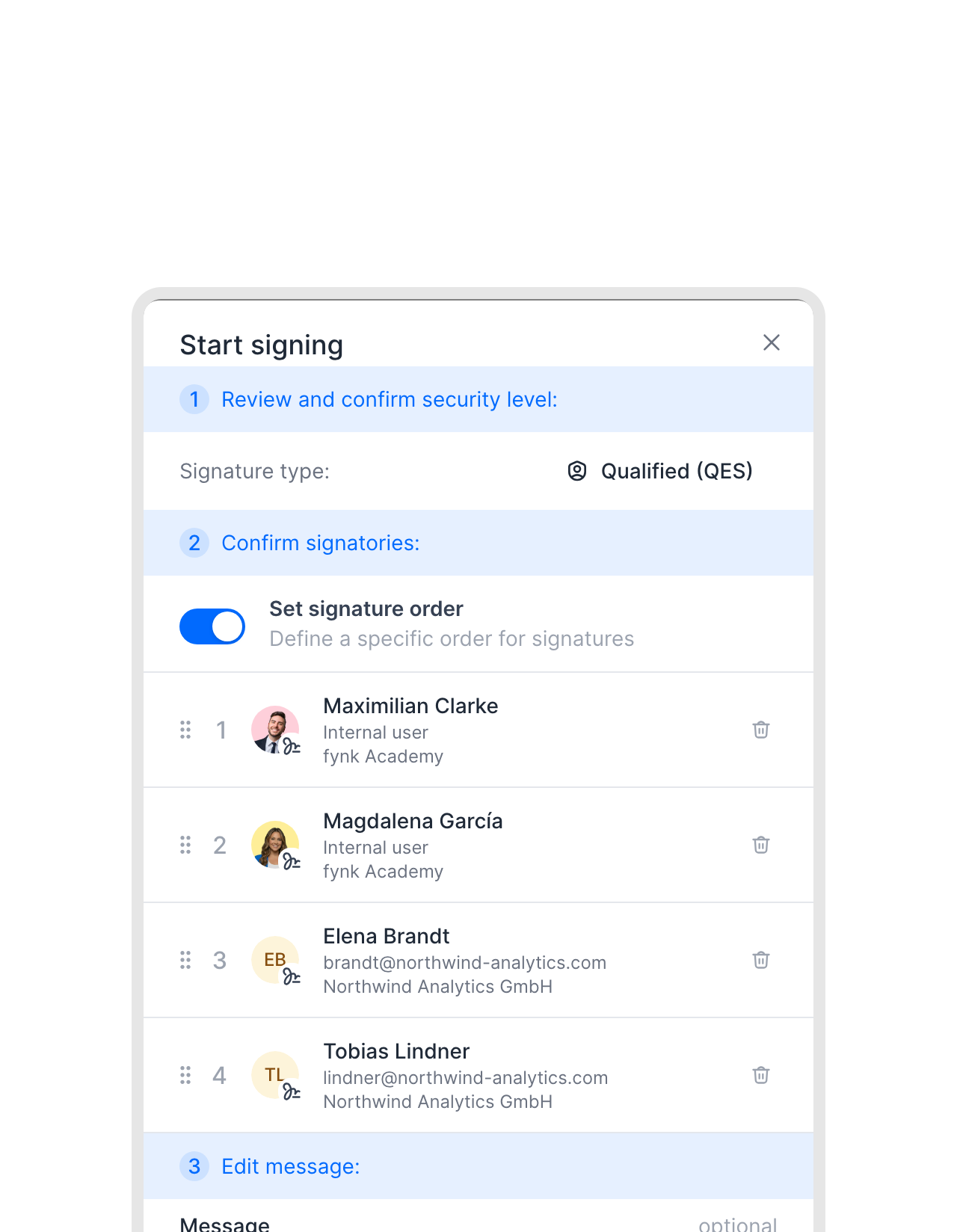 E-signatureLearn more
AES and QES for contracts that need more than a simple signature.
SharePoint eSignature covers simple electronic signatures. When a contract needs an advanced or qualified signature under eIDAS, send it from fynk instead, with the level set on the template. The signed copy goes back to SharePoint by itself.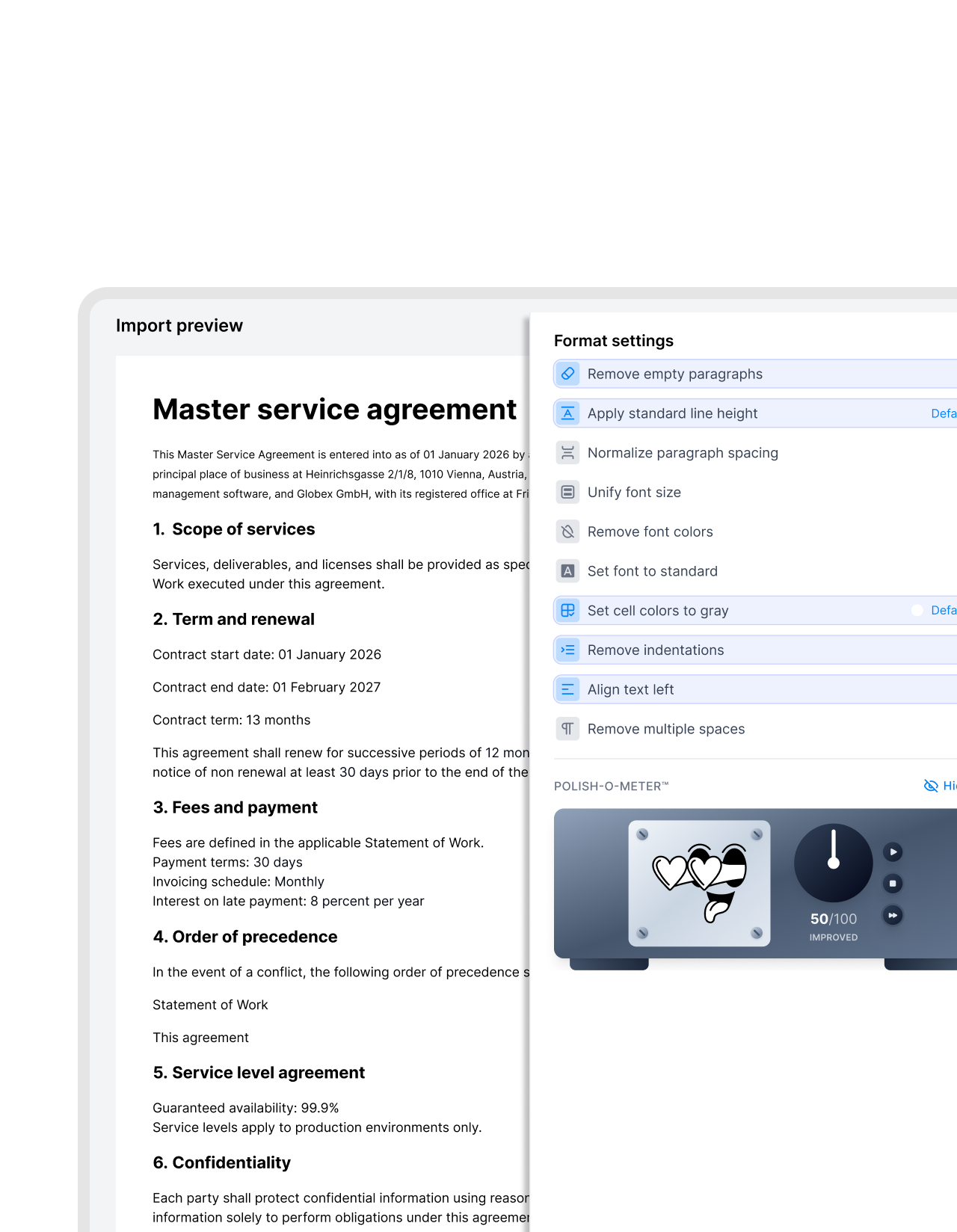 TemplatesLearn more
One approved template instead of final_v3.docx.
A Word template in SharePoint gets copied, edited and saved as “final_v3”. Import the latest version into fynk once, clean up its formatting on the way in, and publish it. From then on, everyone drafts from that one version and only the fields change."We had 25 different contract versions before. With centralized templates, we reduced this to one and eliminated massive legal risk."
 Harald R. Fortmann Founder & Managing Director of five14
 SearchLearn more
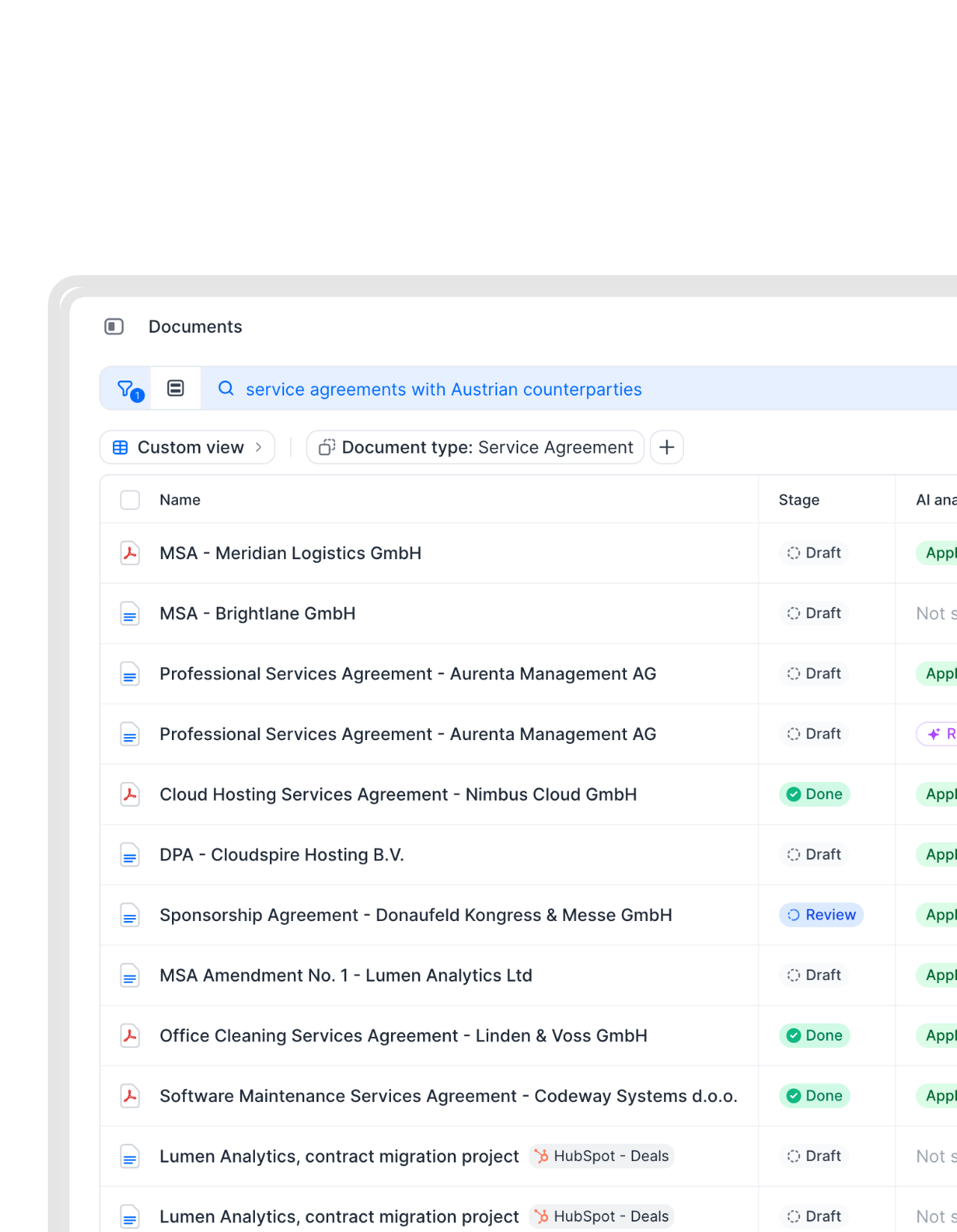
Any contract in seconds, not a hunt through SharePoint folders.
Search by name, counterparty, clause or value, or just ask a question in plain language. fynk’s AI search reads the contracts themselves, not only the file names."We used to have contracts scattered across shared drives and email threads. With fynk, every land lease and supplier agreement is in one place, searchable and always current."
Agnes Cervenschi Legal Counsel at Kronos Solar Projects GmbH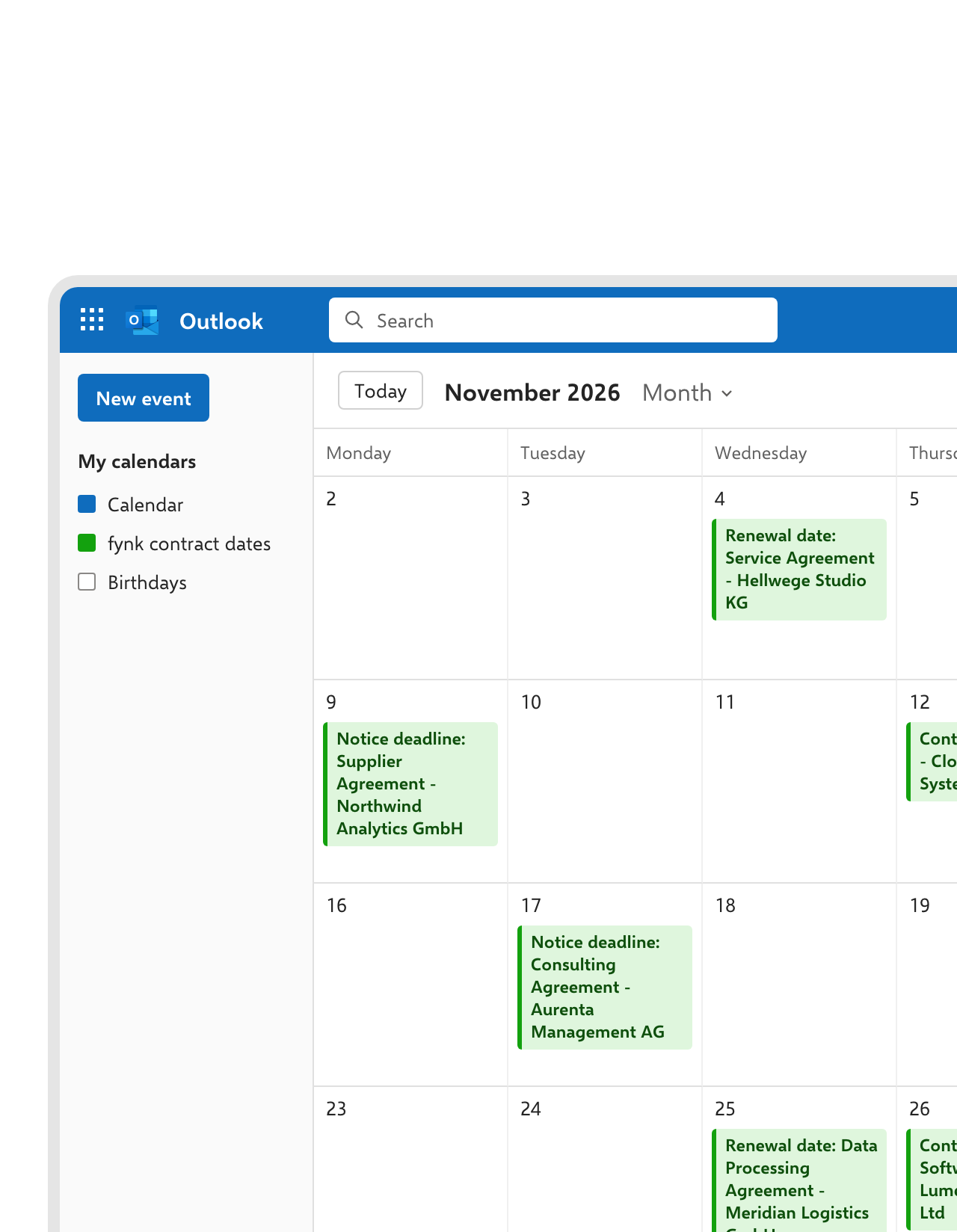 DeadlinesLearn more
Renewals and notice periods tracked, not buried in a PDF.
A file in SharePoint doesn’t know when it ends. fynk reads the start date, term and notice period from every contract, reminds the owner before an auto-renewal costs you another year, and can put the dates in your Outlook calendar.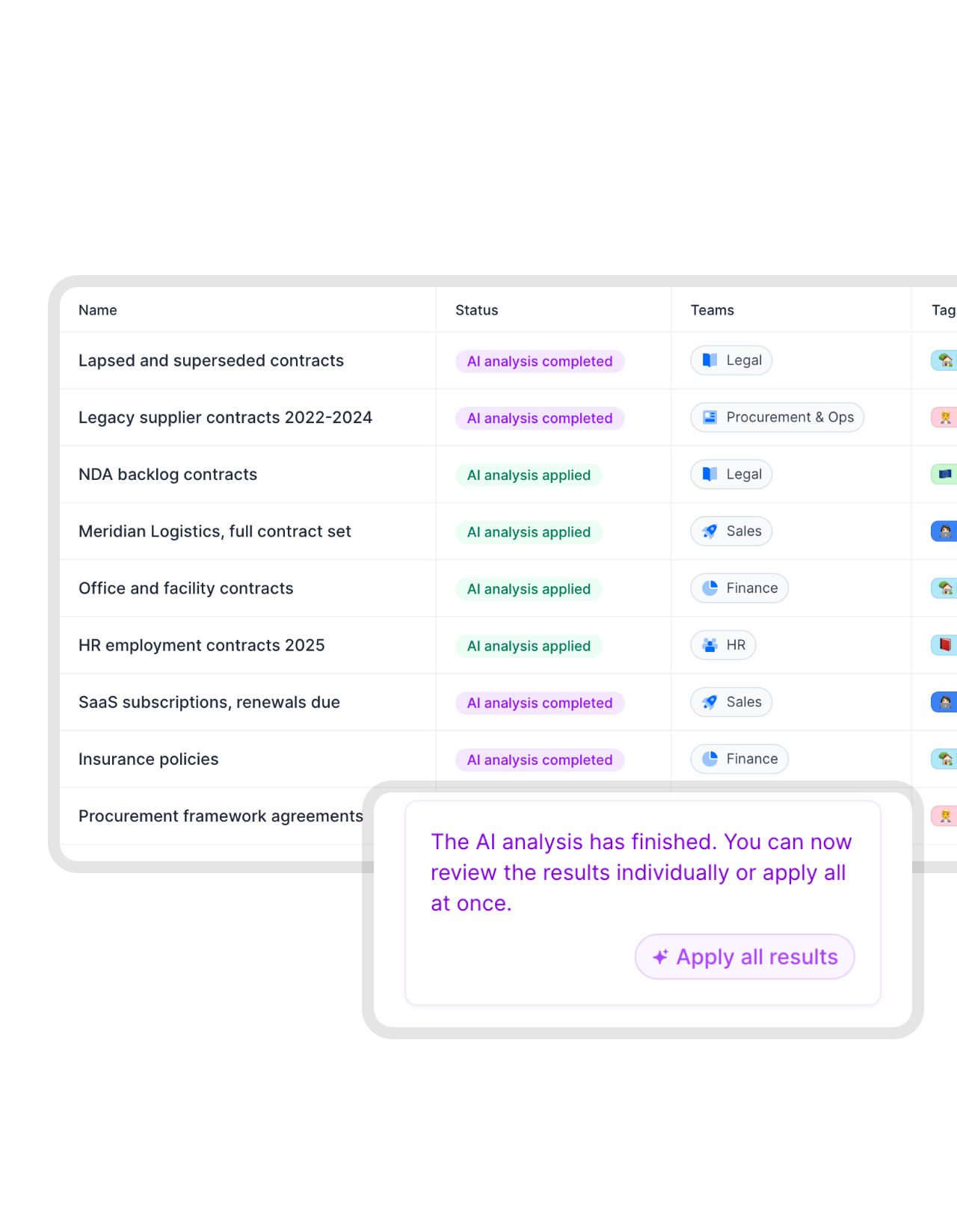 MigrationLearn more
Move your existing SharePoint archive into fynk.
Export the contracts folder and drop it into fynk’s bulk import. AI reads parties, dates, values and notice periods from every PDF, so years of signed contracts become searchable data in an afternoon."Our biggest gain is having one central hub for all contracts. No more folders or email chains. Everything is secure and transparent."
 Elisa Prößdorf Legal Solutions Manager at Unite
 Claude with fynk and SharePointLearn more
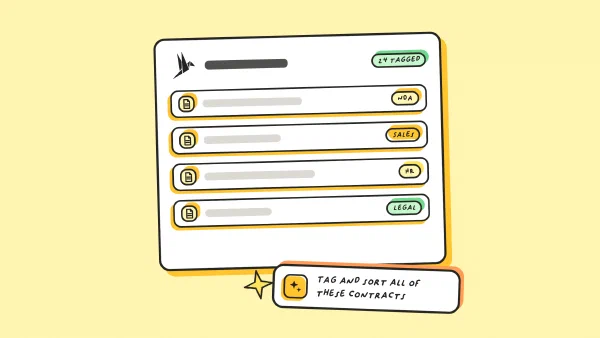
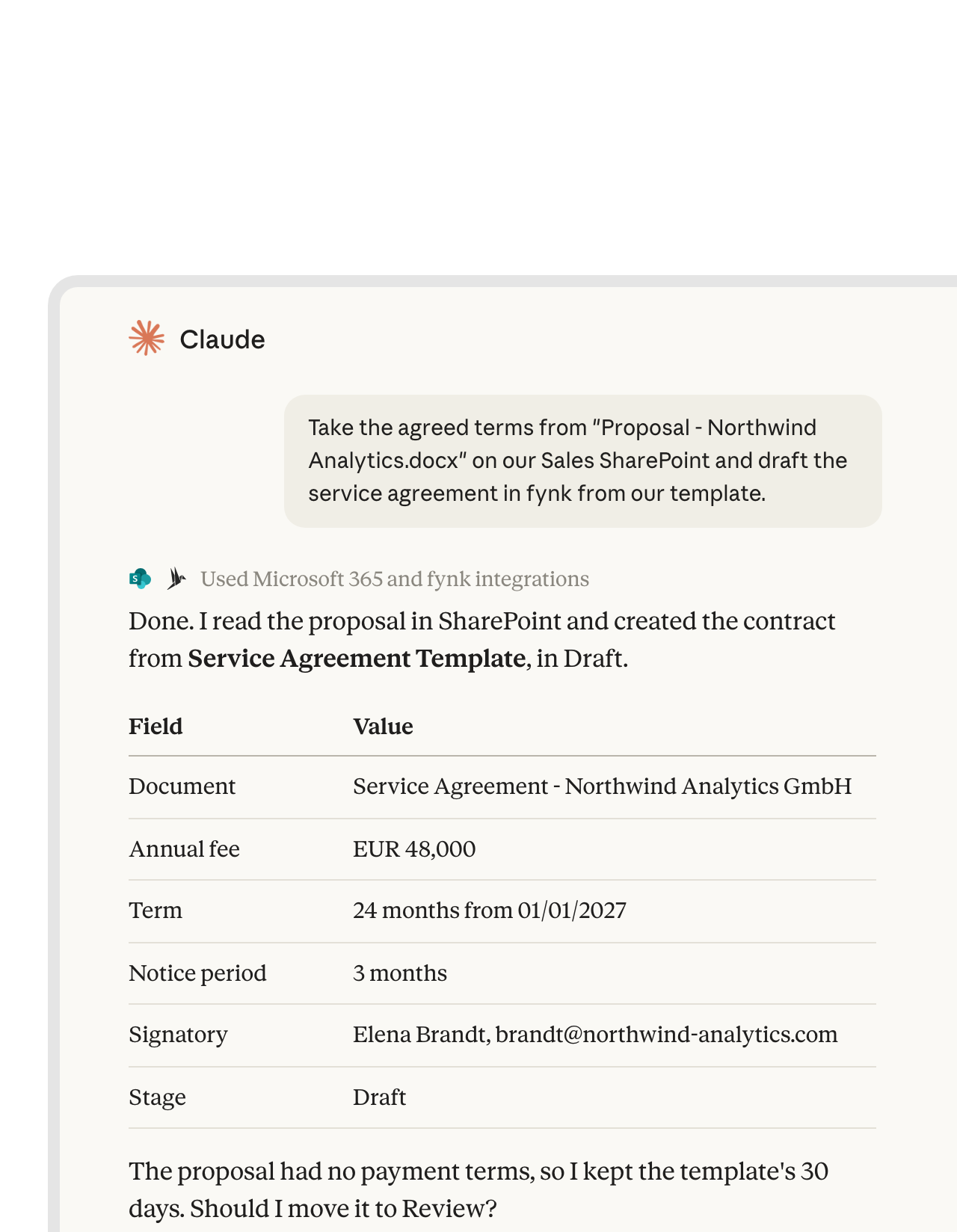
Ask Claude to turn a SharePoint document into a fynk contract.
Connect fynk and Microsoft 365 in Claude, and one chat can read the agreed terms from a document on your SharePoint site and create the contract in fynk from your template."The advantage of the MCP is that we have different systems all connected to Claude. That means I can use Claude as my single point of contact."
 Ariste Baumberger CEO at Honegger


What changes once contracts get their own tool.
Keep Microsoft 365 for documents. Add the contract-specific work on top.
Keep your library.
SharePoint stays your archive. fynk adds a copy of every signed contract to it.
No vendor lock-in.
Your signed PDFs live in your own Microsoft 365 too, not only in fynk.
Proof of who signed.
The audit trail of every signature, approval and change stays in fynk.
No download, no upload.
Nobody saves a PDF to their desktop to put it back into SharePoint.
Data, not just files.
Values, dates and parties become fields you can filter and report on.
Hosted in the EU.
Contract data stays in EU data centers, under GDPR.
More of your Microsoft and AI stack.
The same contracts, connected to your chat, your automations and your AI assistant.



Connect SharePoint to fynk in a few minutes
You need fynk Business or Pro, a Zapier account and a SharePoint site
- Step 1
In fynk, create an API token under Account settings > API integrations > fynk API.
- Step 2
Open the SharePoint Zap above, connect fynk with the token and sign in to Microsoft 365.
- Step 3
Choose where signed contracts go, test the Zap and switch it on.
Frequently asked questions.
Yes, through Zapier. Every fully signed contract can be filed in a SharePoint library automatically, with a message in Microsoft Teams or an Outlook email if you want, and SharePoint list items can start fynk drafts.
Not yet. The connection runs through Zapier today, using fynk's triggers and actions and Microsoft's SharePoint app.
Partly. SharePoint stores contracts, offers Request sign-off and simple e-signatures with SharePoint eSignature. It doesn't draft from templates with dynamic fields, apply approval rules by value, offer AES or QES, or remind you of notice periods without custom work. Many teams keep SharePoint as the archive and use fynk for the contract work.
Yes. SharePoint eSignature handles simple signatures. For SES, AES or QES under eIDAS, upload the PDF to fynk or create it from a template and send it from there. The signed copy can go back to SharePoint automatically.
Yes. Bulk import takes the whole exported folder at once, and AI fills in the key contract data for every document.
fynk Business or Pro for API access, Zapier, and Microsoft 365 with SharePoint. See the fynk plans on the pricing page.
Still have questions?







How fynk and SharePoint work together
fynk connects to SharePoint through Zapier, no custom code.
The SharePoint workflows
| Workflow | Trigger | Steps |
|---|---|---|
| Signed contract to SharePoint | fynk: New Signed Document | fynk: Find Document Download URL, SharePoint: Upload File |
| Filed and posted in Teams | fynk: New Signed Document | SharePoint: Upload File, Microsoft Teams: Send Channel Message |
| Filed and emailed with Outlook | fynk: New Signed Document | SharePoint: Upload File, Outlook: Send Email with the link |
| Draft from a SharePoint list | SharePoint: New List Item | fynk: Create Document From Template |
What lives where
| SharePoint | fynk | |
|---|---|---|
| Signed PDF | A copy in your library | The original with its audit trail |
| Templates and drafts | Approved templates, dynamic fields, versions | |
| Approvals and signatures | Approval steps, SES, AES and QES | |
| Dates and reminders | Renewals, notice periods, reminders |

Your contracts, handled with care.

European by design.
Designed and developed in Austria. fynk is hosted in the EU, in ISO 27001-certified data centers.

Security at the core
Encryption in transit and at rest, and secure engineering standards across a continuously monitored infrastructure.

Your copy, your library
Signed contracts are filed in your own SharePoint, so you always hold a copy in your Microsoft 365 tenant.

GDPR, fully embedded
Fully compliant with European data protection regulations, supported by regular audits and external penetration testing.
Trusted by companies worldwide



Take control of your agreements. Move your business forward.
Run agreements the way they should run: fast, clear, and on your terms.
No setup headaches
Go live in days, not quarters
No lock-in
Full export anytime
No hidden fees
Signatures included, no envelope fee