

Signed contracts in DATEV, the moment the last signature is in.
Leases, loans and service contracts live in fynk from first draft to last signature. A connection built on the fynk API sends each signed PDF to DATEV, where your bookkeeping already happens.


Your connection, built on the fynk API.
A webhook reports the last signature, the API hands over the PDF and its data, and DATEV's Upload Mail files it.






Your tax advisor books the rent. The lease should be right there.
Leases, loans, retainers and supplier deals all become entries in DATEV. When the paper behind an entry is missing, someone writes an email. Send each signed contract to Belege online automatically instead.
"Previously we had to manage contract reviews and approvals via endless email back-and-forth and improvised approval forms, followed by a signing process. If everything needed to be documented, it required a lot of manual filing. Now we have everything in one place."

 Upload MailLearn more
The signed lease is in Belege online before the first rent is due.
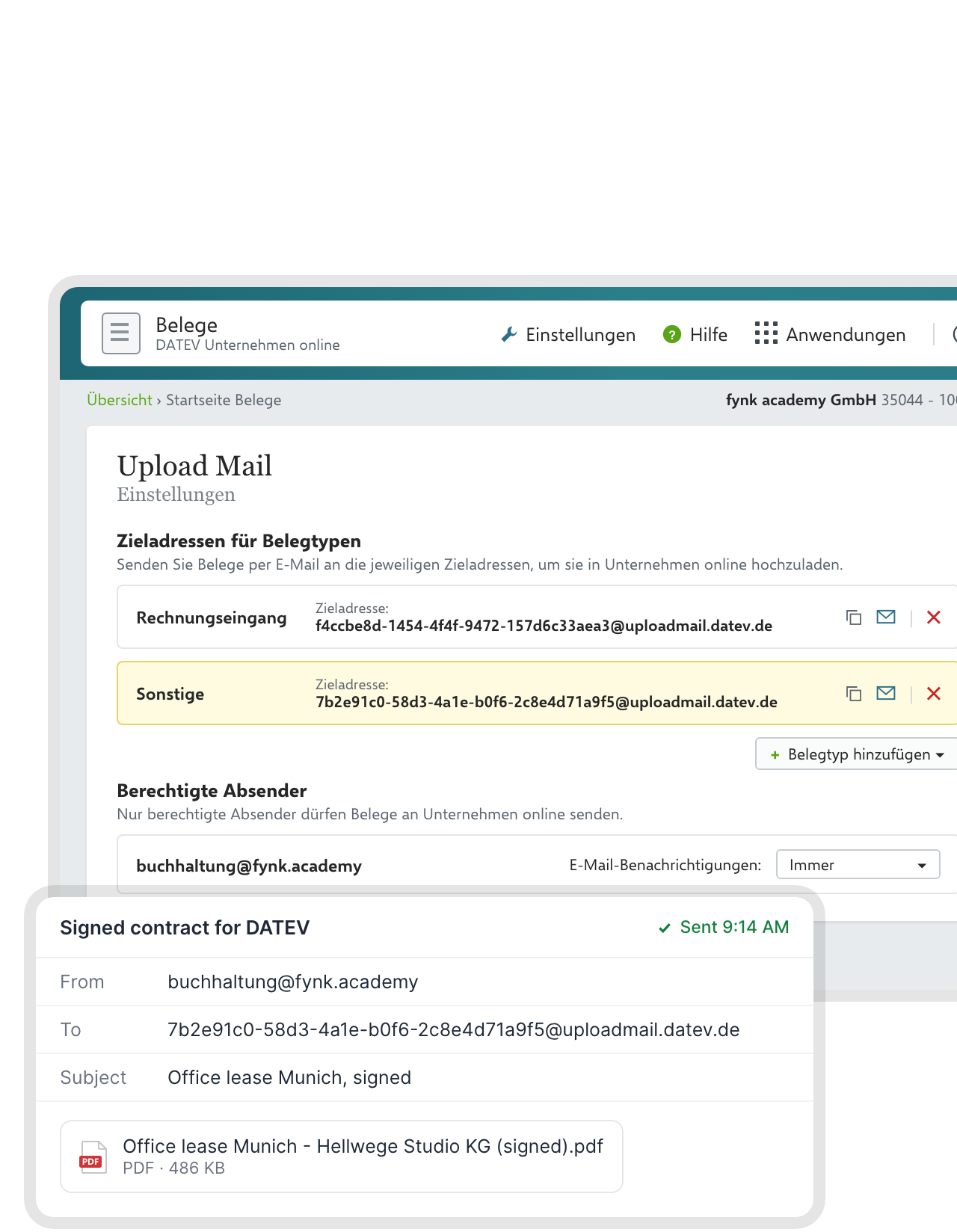
Your connection mails the final PDF from a registered sender address to the Upload Mail address of your DATEV client. DATEV files it in Belege online under the document type that address belongs to, such as Sonstige. The file name and date come from fynk, so the receipt is easy to find later."We are always audit ready because every contract is stored in one place."
 Jörg Burkhardt Head of Sales & New Partnerships at 1. FC Nürnberg
 Fully signedLearn more
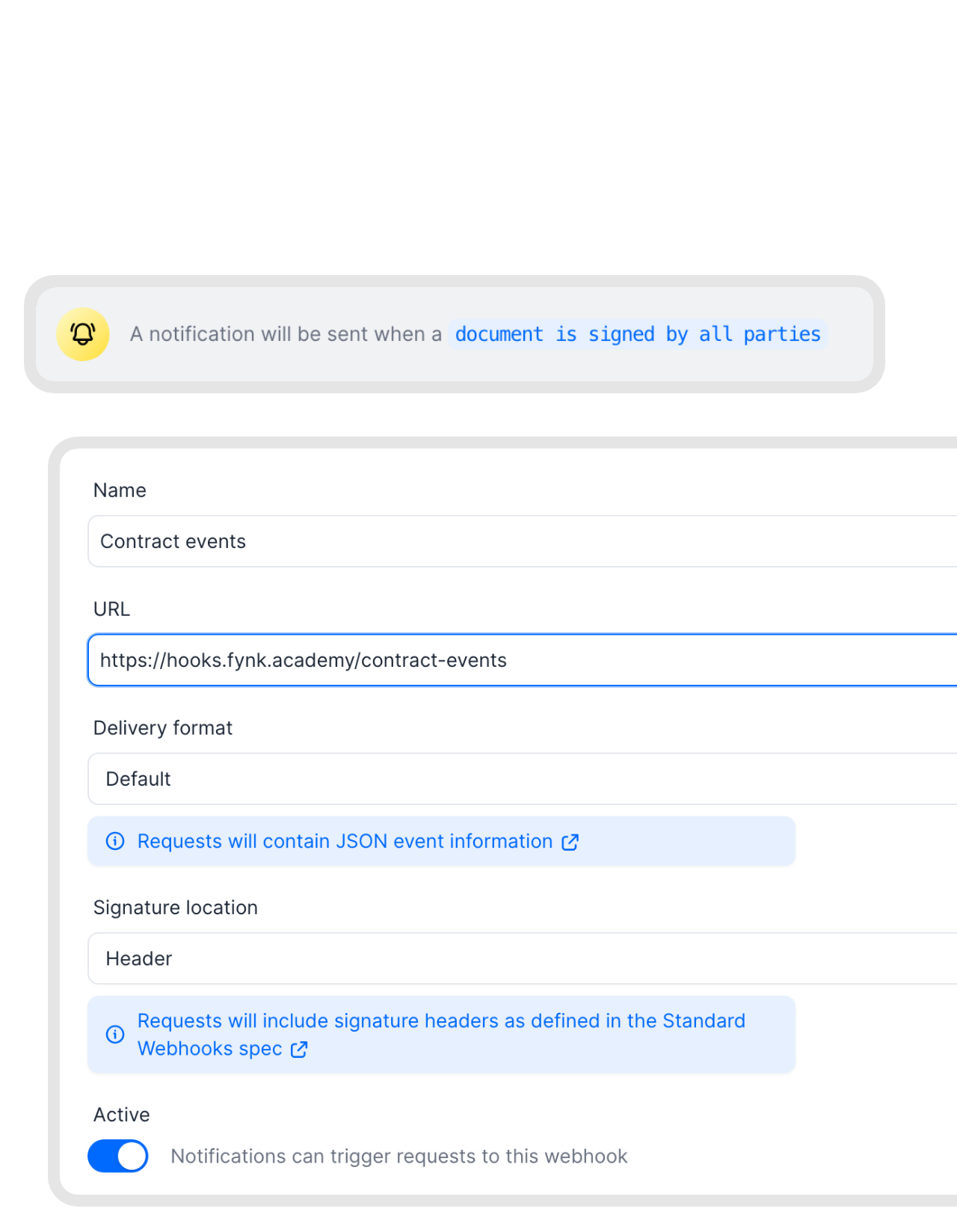
Half-signed contracts never reach your books.
The trigger is fynk’s webhook for a document signed by all parties. Drafts, redlines and half-signed versions never leave fynk, so nothing in DATEV has to be swapped out later.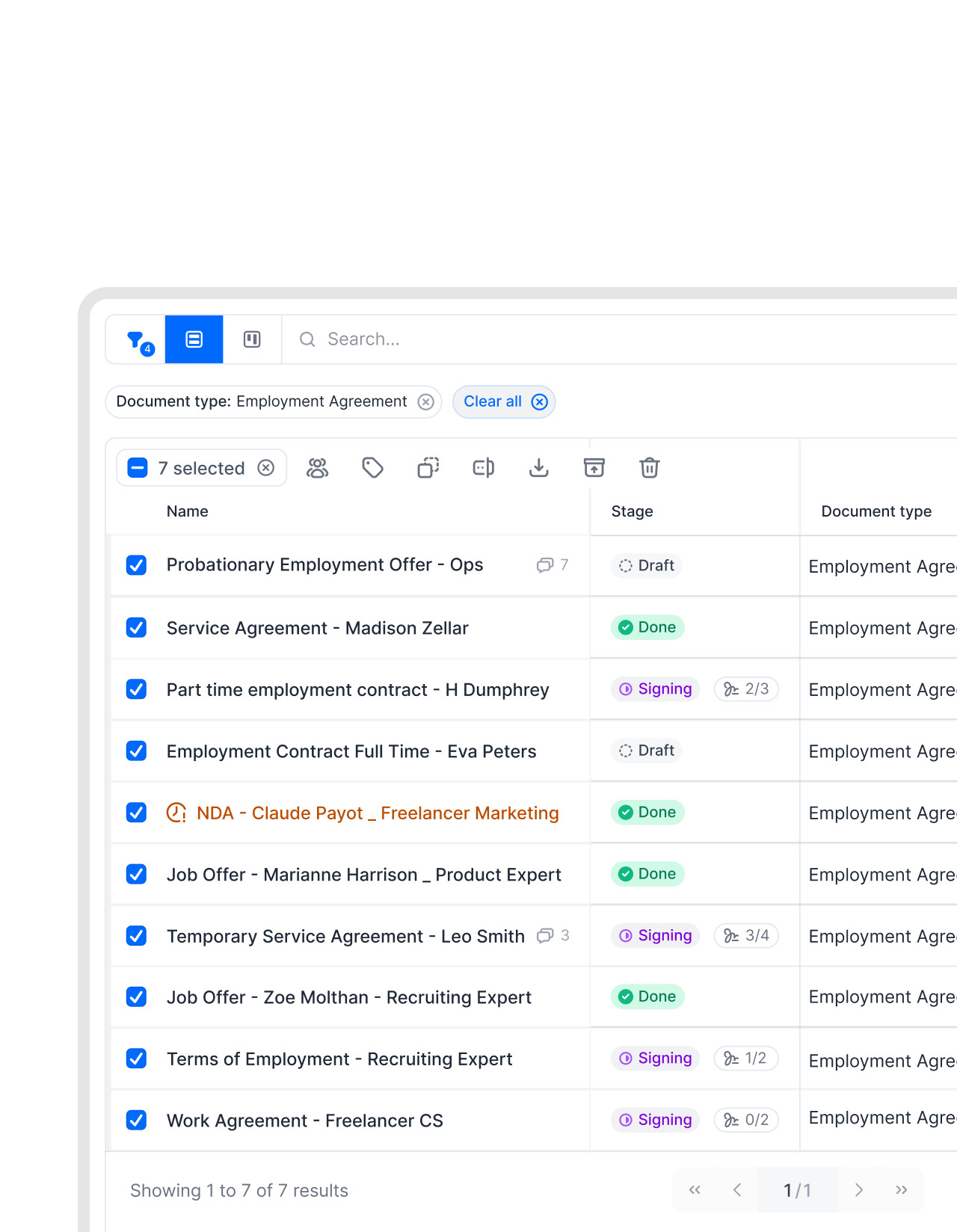 Document typesLearn more
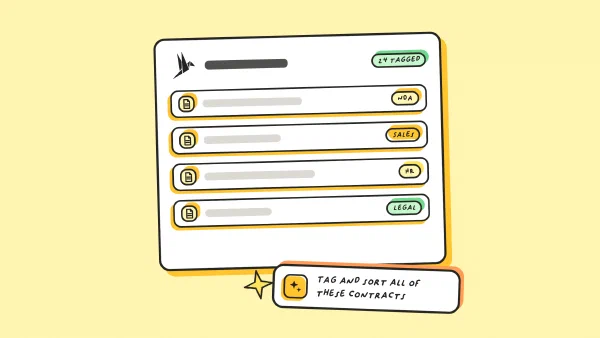
Leases go to DATEV. NDAs stay out.
Your connection checks the document type or a tag before it sends anything. Rental, leasing, loan and service contracts reach the books. Confidentiality agreements and internal paperwork stay in fynk, where they belong.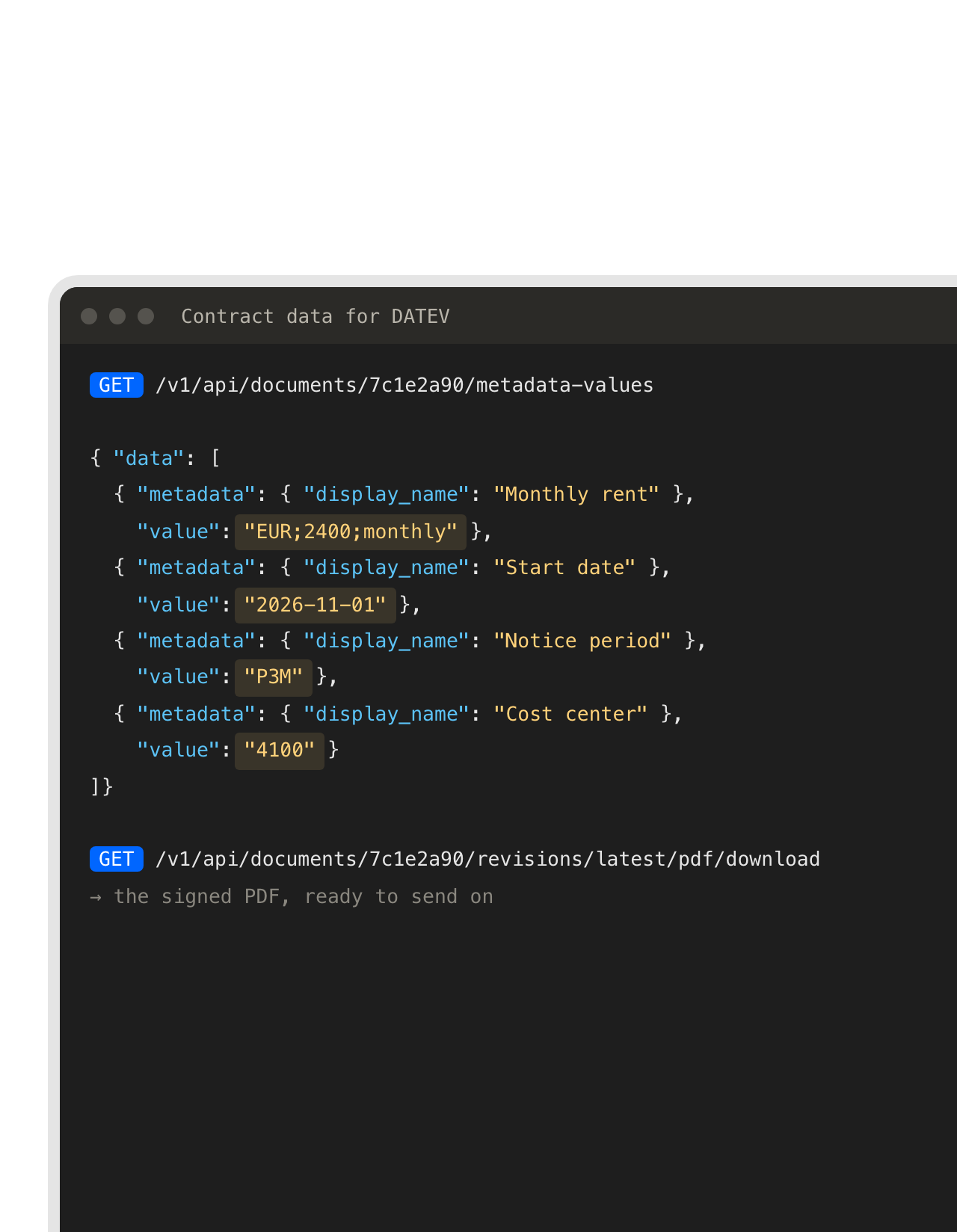 Rates and datesLearn more
Monthly rate, start date and cost center, straight from the contract.
fynk already holds the numbers a recurring entry needs, filled from the template or read by AI. The API returns them per contract, ready for the list your tax advisor asks for or for your own finance tools. The rent in the list is the rent in the signed lease."For us it was really important to extract the key metrics that we designed for ourselves."
 Lucas F. Jamnig Lead Counsel, fiskaly


Use cases
Automations you can copy, shown end to end.
Real setups, from the first trigger to the filed result.
 Several companiesLearn more
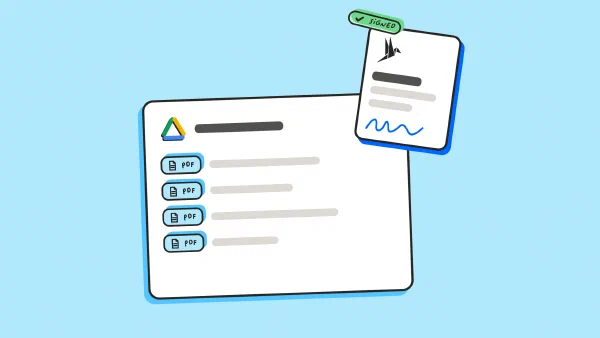
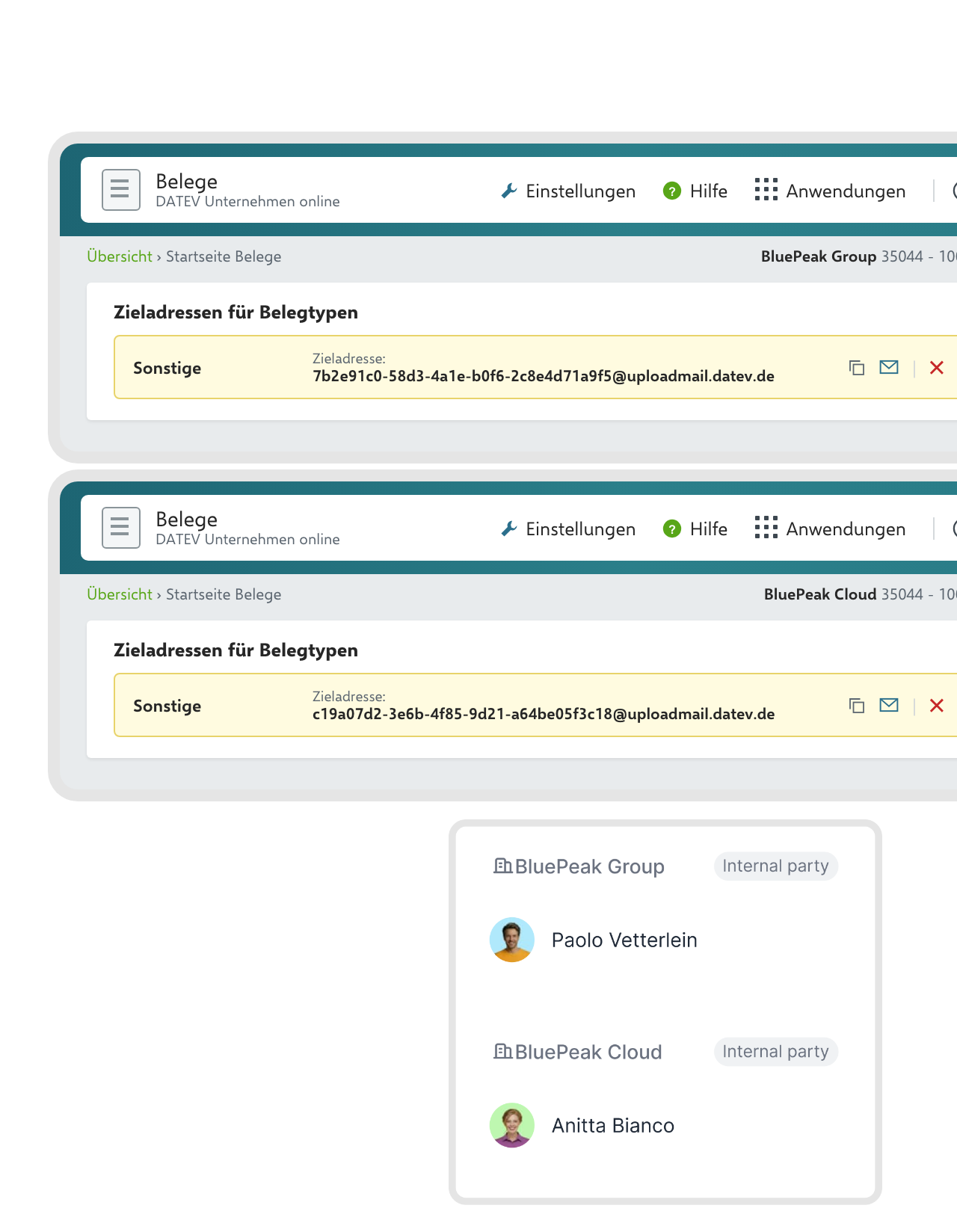
Each of your companies lands in its own DATEV client.
A group with several companies usually has one DATEV client per company, each with its own Upload Mail address. fynk records which of your companies signed. Your connection reads that party and picks the matching address, so no contract ends up in the wrong books.FEATURES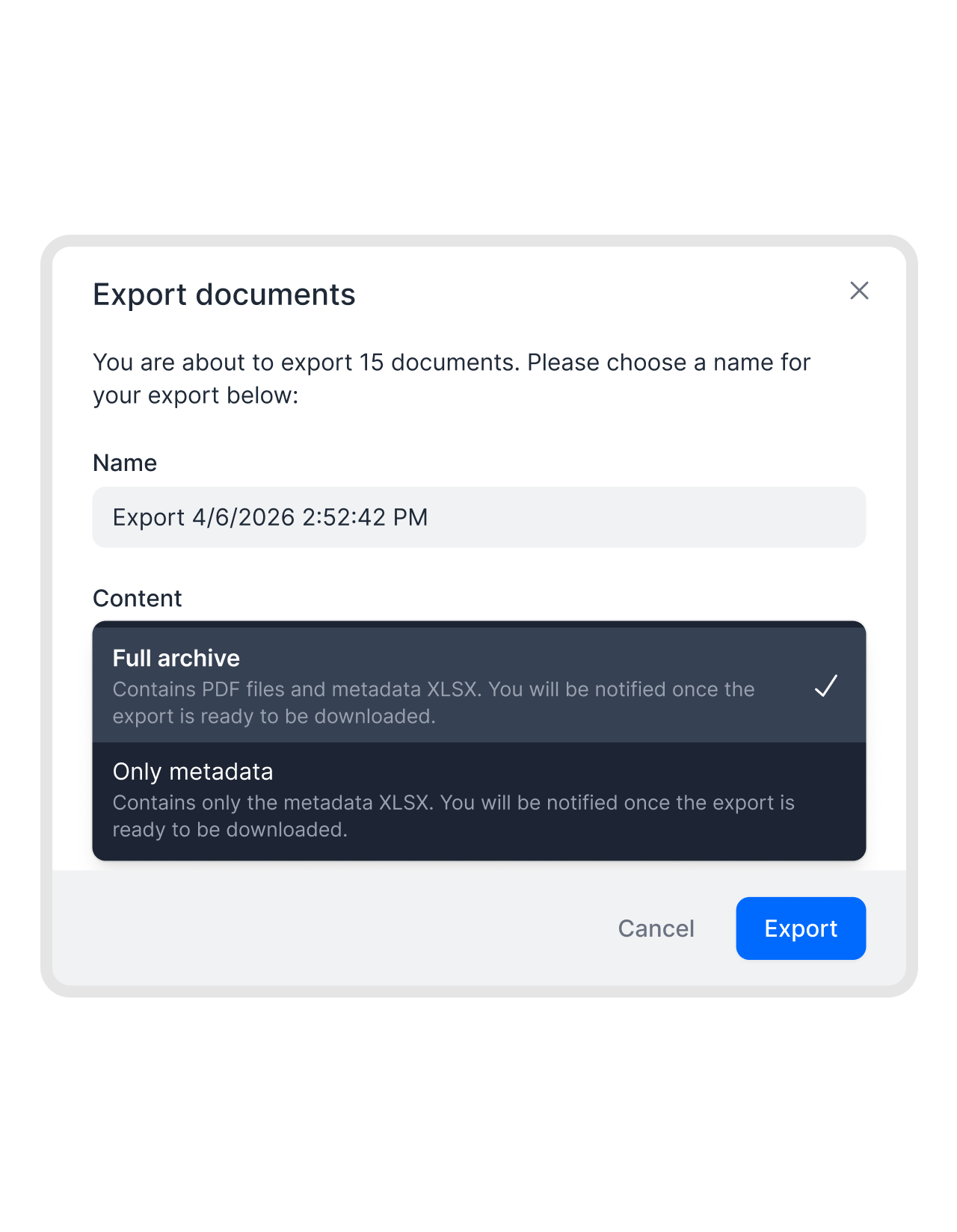 Year-endLearn more
The year-end folder for your tax advisor, in one download.
Filter the year’s contracts and export them as PDFs with a spreadsheet of their data. Your tax advisor gets one archive instead of a month of forwarded attachments, and you don’t need a connection at all for this one."With fynk, we maintain an overview of our contracts, deadlines, obligations, and risks. We also use it to create and sign standard contracts efficiently."
Sean Head of Finance at IT.connect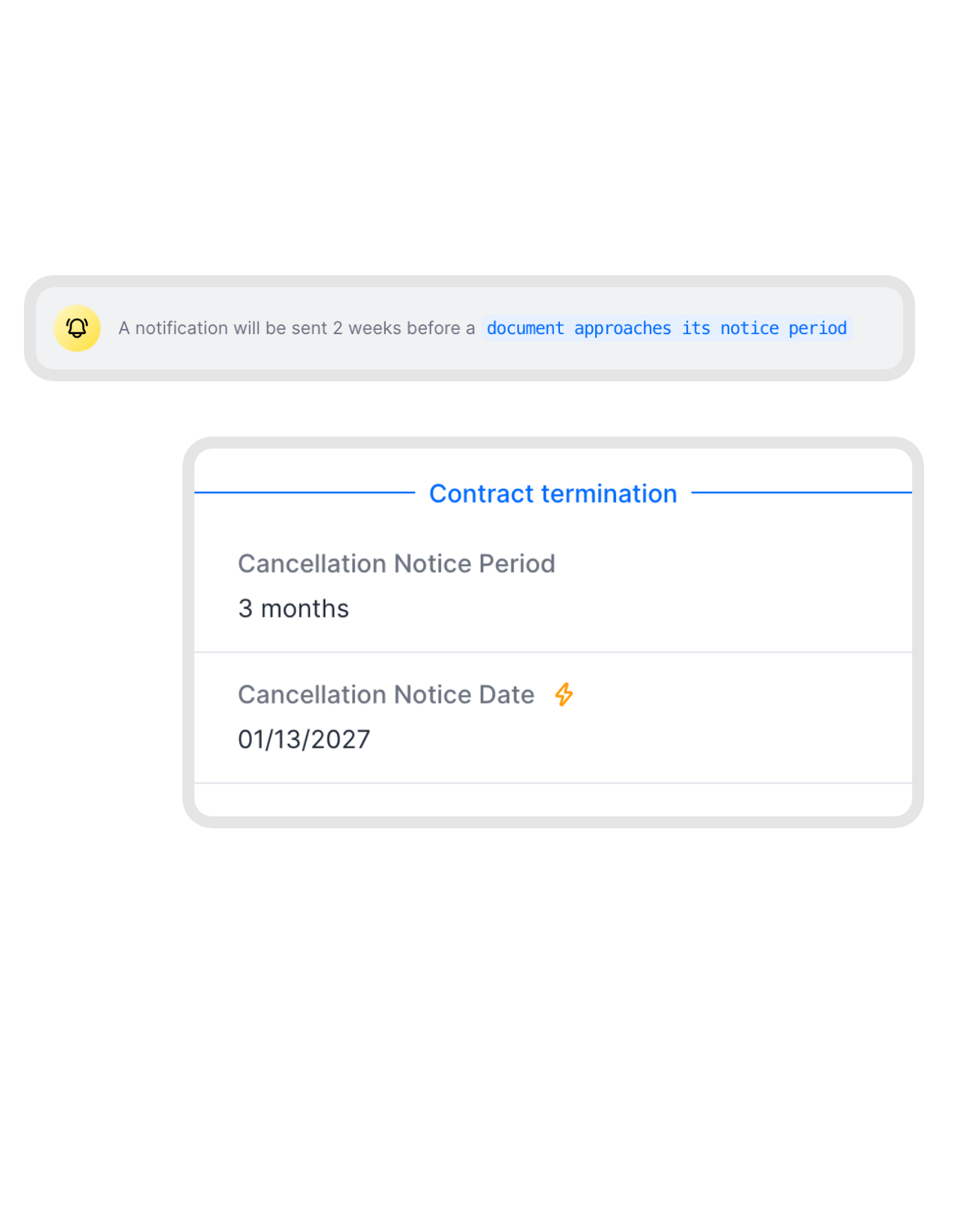 Time to cancelLearn more
Cancel the lease before another year of rent gets booked.
fynk tracks every notice period and reminds the owner in time. The same reminder is available as a webhook, so your finance channel or ticket system hears about it too, while there’s still time to cancel or renegotiate."We lost money because we missed termination deadlines. That was the moment we knew our old approach had to change."
 Elisa Prößdorf Legal Solutions Manager at Unite


What finance notices first.
Fewer chases for paperwork, fewer surprises in the books.
Copies on time.
The PDF leaves fynk when the last signature lands, not at month end.
Only what counts.
Your rules decide which contract types reach DATEV.
No DATEV partner app needed.
Upload Mail is a standard DATEV feature, so nothing waits on a certification.
Numbers from the source.
Rates and dates come from the contract, not from a retyped email.
Your tax advisor in the loop.
Documents land where the advisor already works, under the type you agreed on.
Several companies, one account.
Each company's contracts go to its own DATEV client.
More ways to move contract data.
Developer, no-code and AI options on the same contracts.



How a DATEV connection gets built
Before you start: fynk Business or Pro, DATEV Unternehmen online with Belege online, and someone to build the connection
- Step 1
In fynk, create an API token under Account settings > API integrations > fynk API and a webhook under Account settings > Webhooks for documents signed by all parties.
- Step 2
In DATEV Unternehmen online, open the Upload Mail settings in Belege, add a target address for the document type your tax advisor wants and register the sending address.
- Step 3
Have your connection fetch the signed PDF from the API and mail it to that address. Test it with one contract, then turn it on.
Frequently asked questions.
No. fynk has no DATEV app, isn't listed on the DATEV Marktplatz and isn't a DATEV partner. The connection is built with the fynk API and webhooks, by your IT, an integration partner or middleware you already run.
Upload Mail. In DATEV Unternehmen online you get a target address per document type and register the addresses allowed to send to it. Any system that can send an email with a PDF attachment from a registered address can file documents this way. It takes document images, not structured booking data.
DATEV’s accounting:documents API uploads documents to Belege online, but production access requires DATEV interface partner status and a technical review by DATEV. fynk doesn’t have that status. An integration partner of yours who does can combine that API with the fynk API.
DATEV Unternehmen online with Belege online, which your tax advisor usually sets up, and a login that may manage Upload Mail. Ask your tax advisor which document type contracts should go to, for example Sonstige.
DATEV DMS and Belege online store and archive documents, and DATEV Unternehmen online is built around receipts and bookkeeping. Drafting from templates, approval rules, e-signatures from SES to QES and notice period reminders are what fynk adds. The signed result still ends up in DATEV.
Everything fynk holds about a contract: metadata such as value, start date and notice period, dynamic fields, parties, signatories, tags, the document type and the signed PDF. Every endpoint is in the API reference, and tokens are explained in the REST API guide.
API access and webhooks come with fynk’s Business and Pro plans. DATEV products are billed by DATEV or through your tax advisor, and building the connection is up to you or your partner. fynk’s plans are on the pricing page.
Still have questions?


Companies that send their tax advisor less email.





How fynk and DATEV work together
Each workflow below runs on a fynk webhook and the fynk REST API. Your connection does the rest, so it can live wherever you already run integrations: your own server, an iPaaS such as Make or n8n, or Zapier.
DATEV workflows
| Workflow | Trigger | Steps |
|---|---|---|
| Signed contract to Belege online | fynk webhook: document.signed_by_all_parties | fynk API: Show document, Download latest revision PDF. Email to the Upload Mail address. |
| Only certain contract types | fynk webhook: document.signed_by_all_parties | fynk API: Show document, check document type or tags, then send or skip. |
| Contract data for bookkeeping | fynk webhook: document.signed_by_all_parties | fynk API: List document’s metadata values, pass them to finance. |
| Right client per company | fynk webhook: document.signed_by_all_parties | fynk API: List parties, pick that company’s Upload Mail address, send the PDF. |
| Notice period alert | fynk webhook: document.reminder.cancellation_notice_period | Post to your finance channel or open a ticket. |
| Through a DATEV partner | fynk webhook: document.signed_by_all_parties | Your partner’s app uploads the PDF with DATEV’s accounting:documents API. |
Upload Mail or DATEV API?
| Upload Mail | DATEV accounting:documents API | |
|---|---|---|
| Who can use it | Anyone with a registered sender address | DATEV interface partners only |
| What you need | Belege online and an email sender | Partner status, DATEV review, the client’s consent |
| What arrives | The PDF, under the address’s document type | The PDF, with more control over the upload |
Which tool does what
| DATEV | fynk | |
|---|---|---|
| Drafting | Templates, dynamic fields, approval rules | |
| Signing | SES, AES and QES under eIDAS | |
| Signed PDF | A copy in Belege online | The original with its audit trail |
| After signing | Bookkeeping and archiving | Notice period and renewal reminders |
How the connection is built
Your IT, an integration partner or middleware you already run connects fynk and DATEV once, with three building blocks:
| Where | What it does | |
|---|---|---|
| Webhook | fynk | Calls your connection the moment a contract is signed by all parties. |
| REST API | fynk | Returns the signed PDF, its document type, parties and contract data. |
| Upload Mail | DATEV Unternehmen online | Files every PDF sent to a target address under that address’s document type. |

Careful with financial records.

European by design.
Designed and developed in Austria. fynk is hosted in the EU, in ISO 27001-certified data centers.

Security at the core
Encryption in transit and at rest, and secure engineering standards across a continuously monitored infrastructure.

Access you can take back
fynk connects with an API token you can revoke. In DATEV, only senders you register can upload.

GDPR, fully embedded
Fully compliant with European data protection regulations, supported by regular audits and external penetration testing.
Trusted by companies worldwide



Take control of your agreements. Move your business forward.
Run agreements the way they should run: fast, clear, and on your terms.
No setup headaches
Go live in days, not quarters
No lock-in
Full export anytime
No hidden fees
Signatures included, no envelope fee