


SAP contract management: draft in fynk, file in SAP.
SAP knows the supplier, the price and the validity. The contract behind them gets written, approved and signed in fynk. Your team links the two through fynk's API and webhooks, and the signed terms show up where procurement and finance already look.


Built on the fynk API, by your own SAP team.
There's no SAP app to install. Your IT, an SAP partner or SAP Integration Suite connects the two systems through the fynk REST API and webhooks.
What a fynk and SAP connection is made of
Three parts, and only one of them is fynk. Nothing gets installed in SAP, and fynk never writes to SAP on its own.
| Part | Who runs it | What it does |
|---|---|---|
| fynk | fynk | Creates contracts from your templates, collects approvals and signatures, and sends webhooks when something happens. |
| Your integration | Your IT or SAP partner, often in SAP Integration Suite or another middleware | Listens to fynk’s webhooks and SAP’s events, then calls the API on the other side. |
| SAP | Your SAP team | Keeps business partners, purchase contracts and attachments, reachable through the OData APIs of S/4HANA or the Service Layer of Business One. |






Behind every SAP purchase contract is a document someone signed.
A purchase contract in SAP says what you buy, at what price, until when. The wording, the approvals and the signatures behind it don't belong in an ERP. Connect the two, and nobody types a signed date into SAP by hand again.
"Before fynk, compliance reviews were manual and time-consuming. Now our legal team can check against our playbook in seconds and flag issues before contracts are signed."

 S/4HANA purchase contractsLearn more
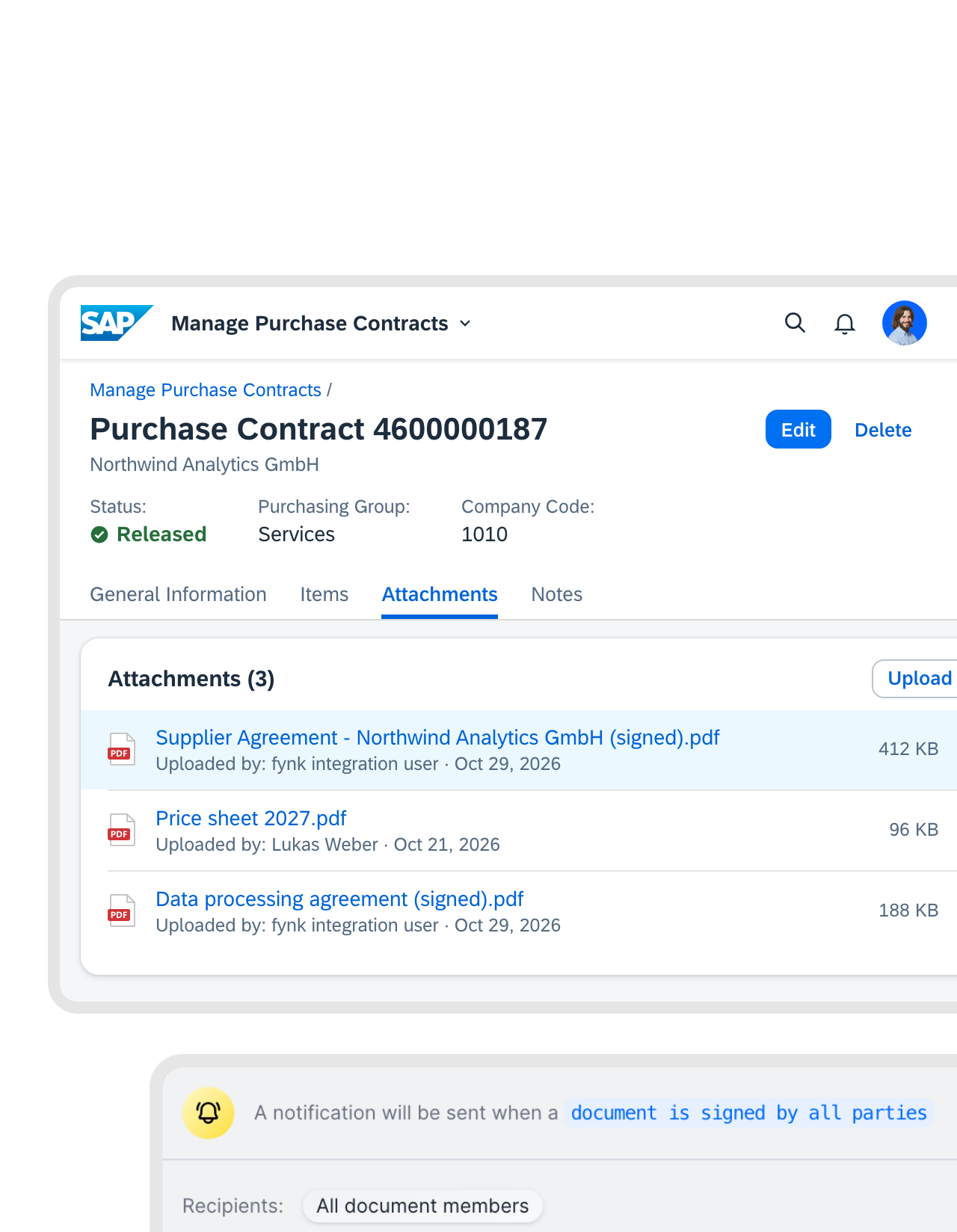
The signed agreement sits on the purchase contract it belongs to.
Buyers open the purchase contract in SAP, and the signed PDF is already under Attachments. The moment the last signature lands, fynk fires a webhook. Your integration fetches the final PDF and attaches it through SAP’s attachment API.FEATURES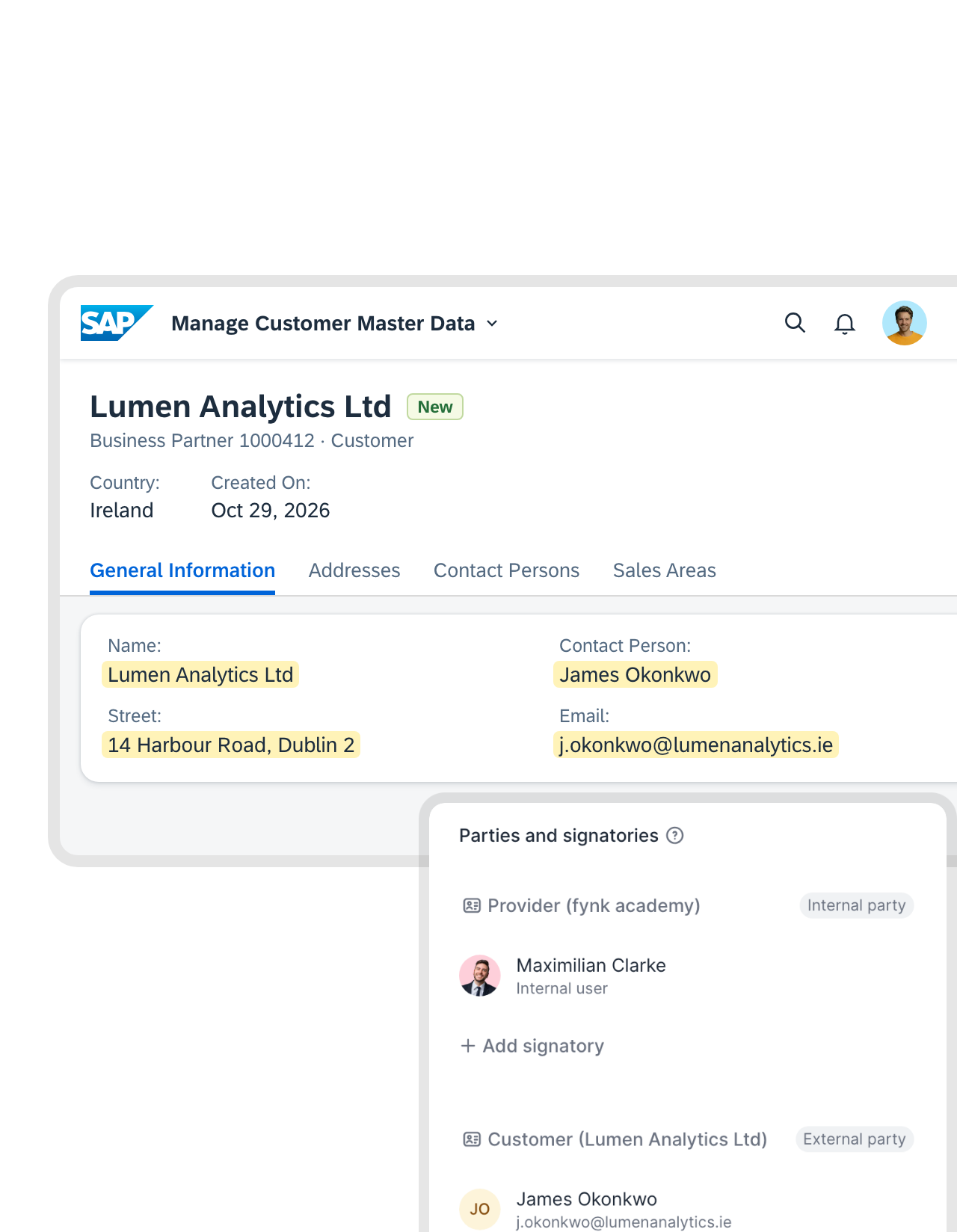 New business partnersLearn more
Create the business partner once. The contract draft follows.
Master data gets typed once, in SAP. When a business partner is created, your integration picks up SAP’s event and calls fynk with the name, address and contact person. The draft opens on your approved template, with the right party and signer already filled in."fynk makes it easy to roll out standardized contract templates across all our projects. Legal reviews are faster and our procurement team can draft agreements without starting from scratch."
Johanna Beutel Legal at Kronos Solar Projects GmbH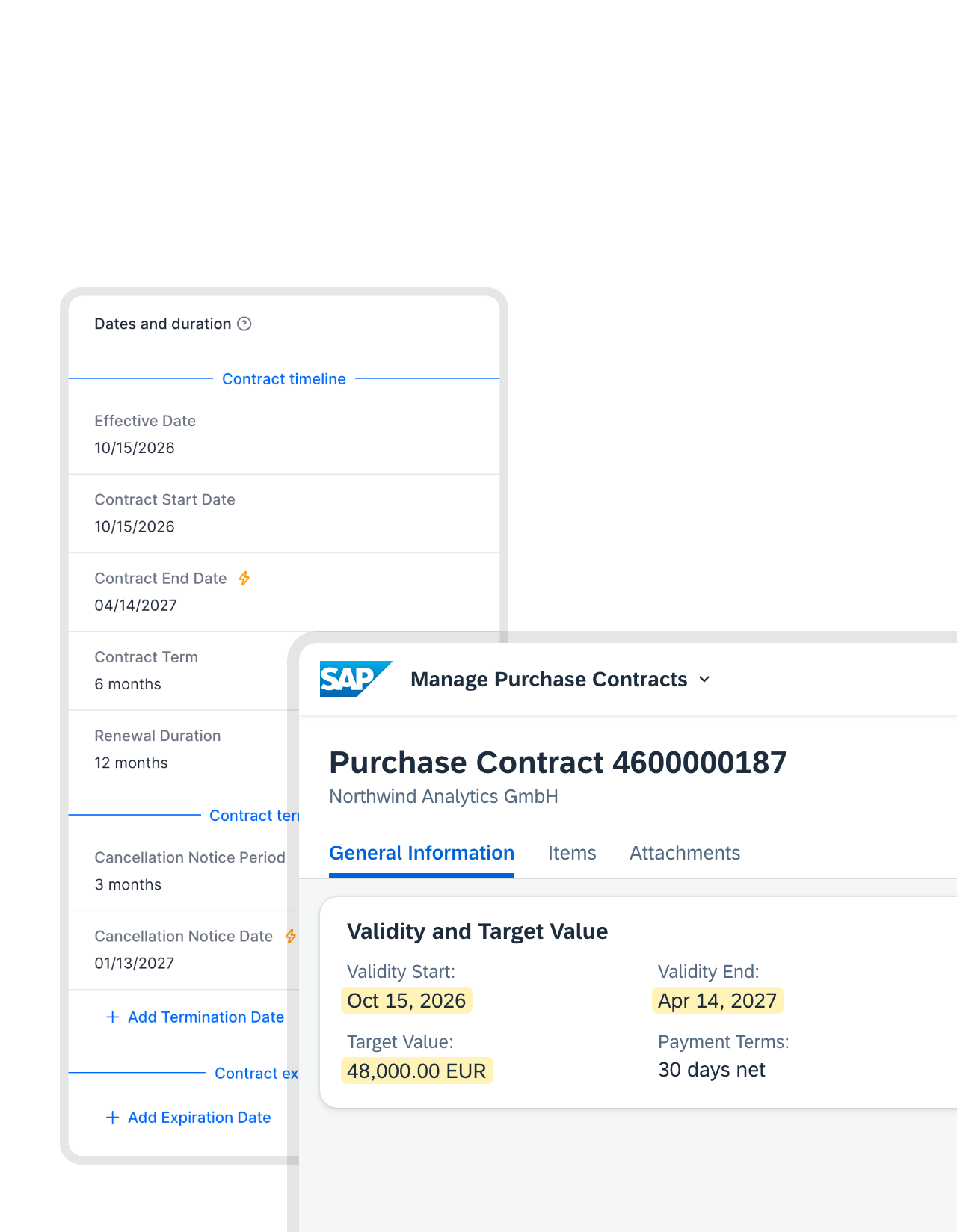 Validity and valueLearn more
SAP runs on the dates both sides actually signed.
Start date, end date and contract value are in fynk the minute the contract is signed. Your integration reads them through the API and uses them when it creates the purchase contract in SAP, as its validity and target value. Purchase orders against it follow the signed terms, not a number someone remembered.FEATURES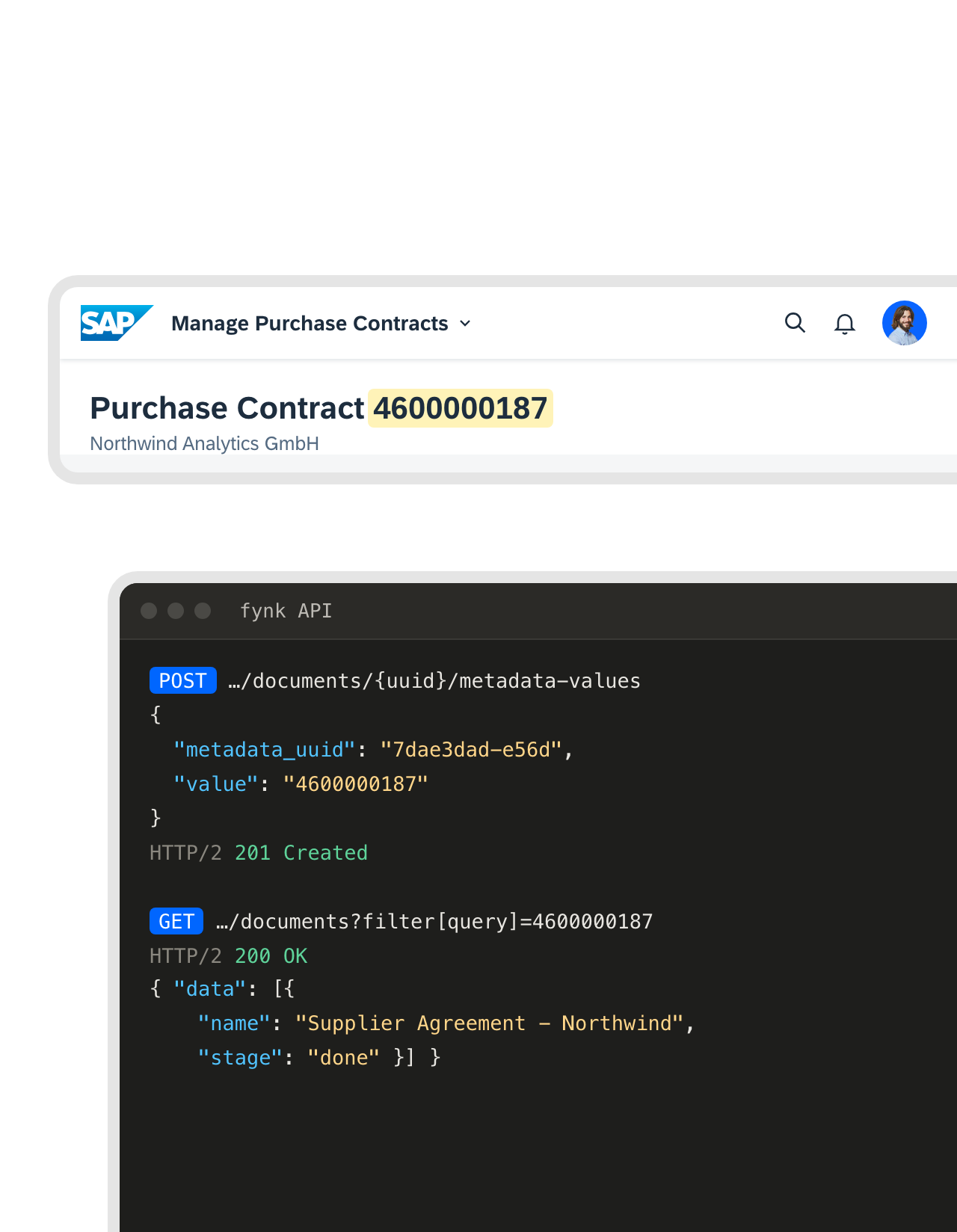 One number, two systemsLearn more
Find any contract in fynk by its SAP number.
Procurement thinks in SAP numbers. Store the purchase contract or business partner number as metadata on the fynk document, and the search finds it by that number. Your integration uses the same number to look the contract up through the API.FEATURES


Use cases
Contract work that procurement and finance hand over to fynk.
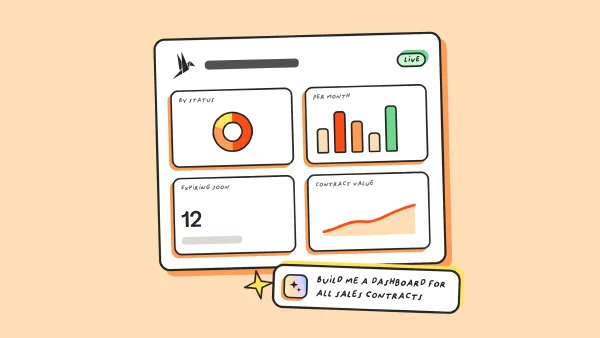
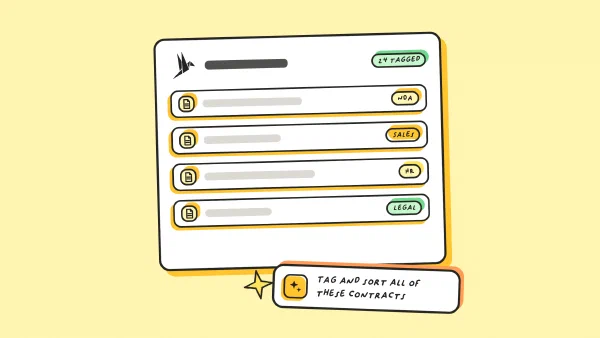
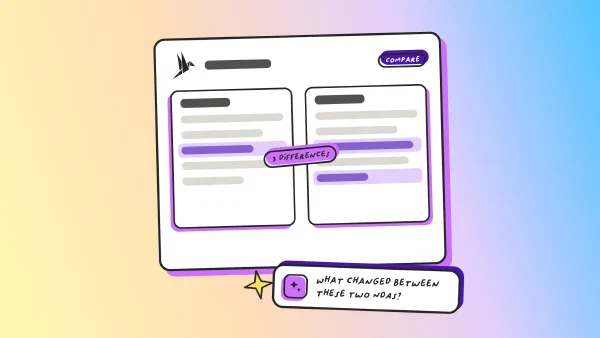
Short walkthroughs, from upload to answer.
 SAP Business OneLearn more
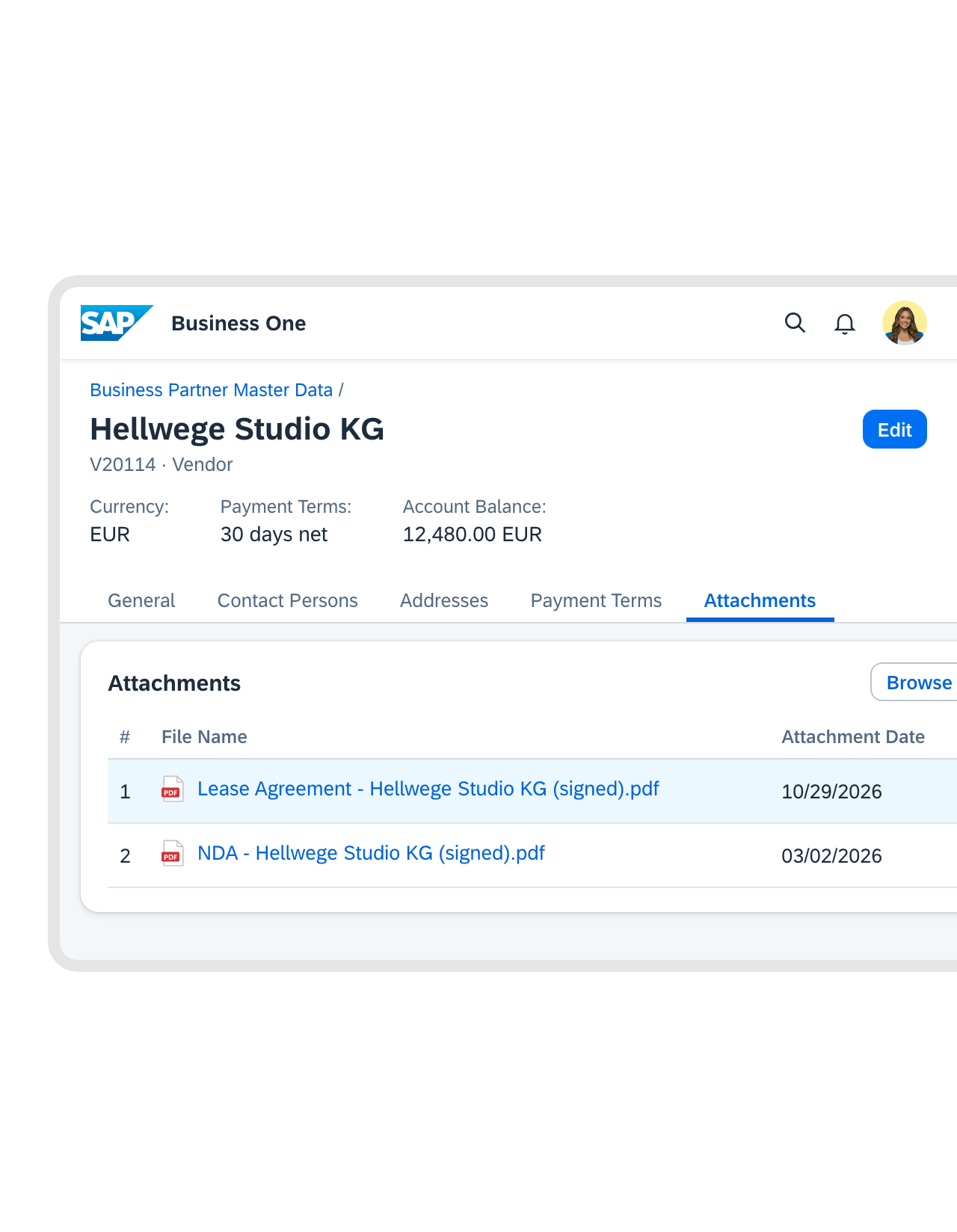
Business One keeps the signed PDF with the vendor's master data.
Smaller companies on SAP Business One get the same result through its Service Layer. Once a contract is signed, your integration uploads the PDF and links it to the business partner. Accounting finds the agreement on the Attachments tab, one click from the account balance.FEATURES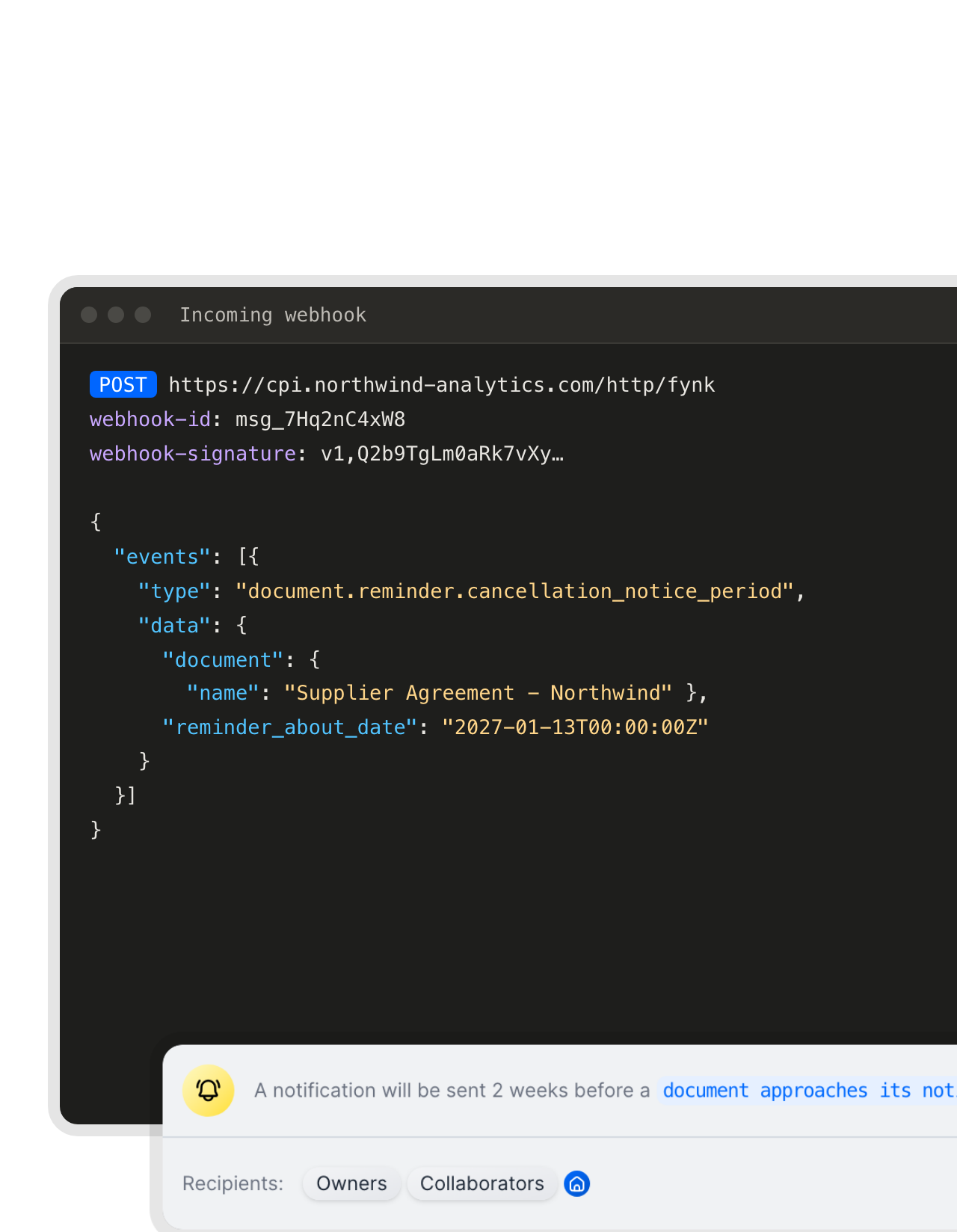 Ahead of the notice periodLearn more
The notice date reaches the owner, and SAP too if you like.
fynk tracks the notice period of every contract and reminds the owner ahead of time. The same reminder can go out as a webhook, so your integration flags the contract in SAP as well. Cancel or renegotiate while it’s still your call."Previously, we used Excel and briefly tested an alternative solution... We even missed expensive contract deadlines. With fynk, that has completely changed. We now receive multiple automated email reminders before a deadline approaches, and everything is fully customizable."
Nicolas Head of Procurement at Wishy Tech GmbH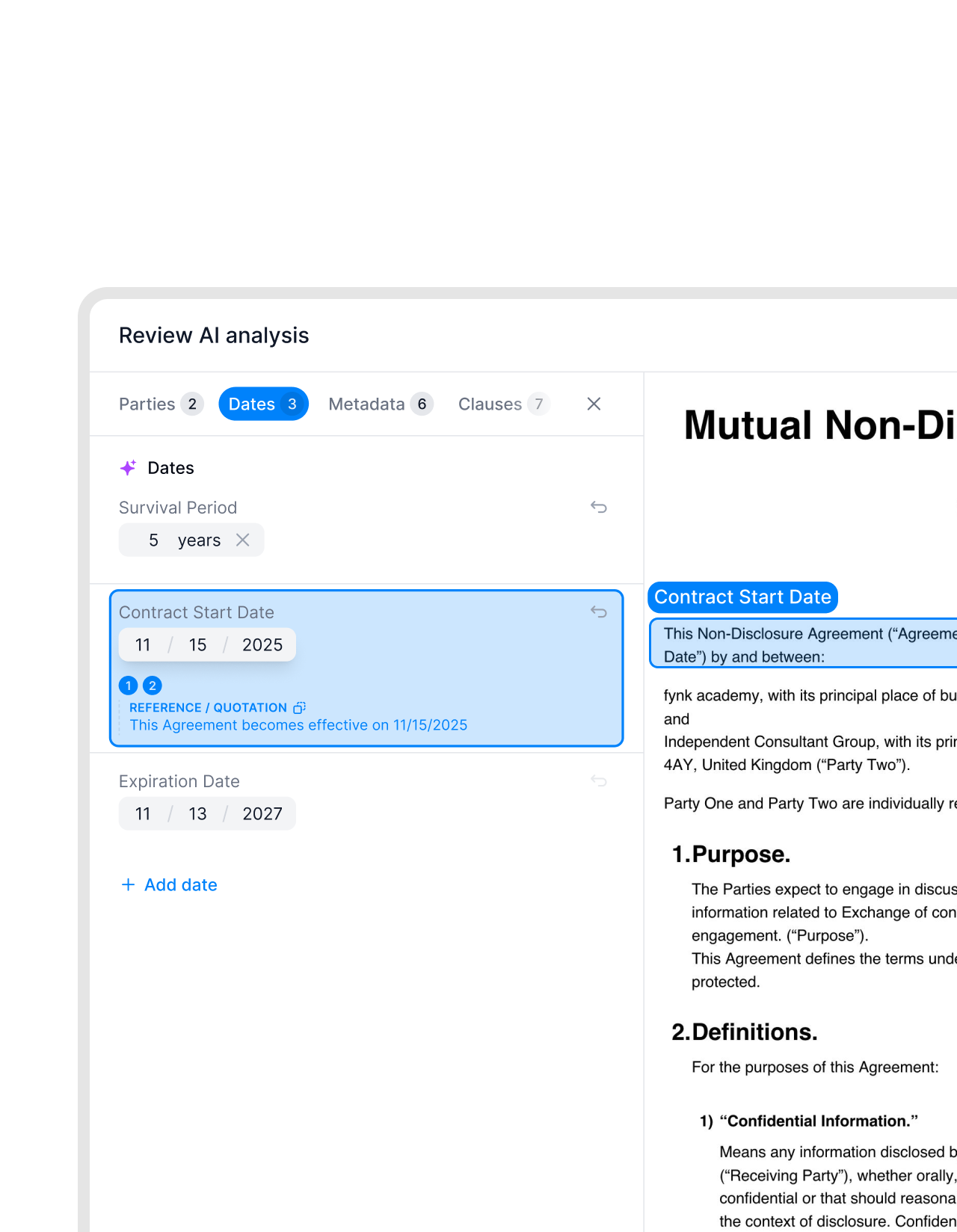 Archive cleanupLearn more
Old SAP attachments get a second life as real contracts.
Years of signed contracts hang off SAP records as attachments nobody opens. Send them to fynk’s PDF import through the API, and AI picks out parties, dates and values as they arrive. The old archive gets renewal reminders and reports from the first day."We use fynk to create, edit, sign, and manage all our company contracts, from HR to procurement. We also leverage its AI-powered contract extraction to process our existing contracts automatically."
Harry Head of Legal at E3B Finance-Solution GmbH


Details your SAP team will thank you for.
For the people who build and run the integration.
Clauses stay with legal.
Clauses live in approved fynk templates, not in SAP text fields.
Plain REST and JSON.
Nothing proprietary on our side, so any middleware can call it.
You pick the fields.
Only the data you map crosses over. Nothing else leaves either system.
No surprise upgrades.
Your account stays on one API version until you move it.
Requests you can verify.
Every webhook is signed, so your endpoint can reject anything else.
Fits your middleware.
SAP Integration Suite or whatever already sits between SAP and the outside world.
What else plugs into the same contracts.
The same contracts, connected to your CRM, your automations and your AI assistant.





How your SAP team connects fynk
What it takes: fynk on Business or Pro, someone who knows your SAP APIs, and a place to run the integration
- Step 1
As the fynk account owner, create a token under Account settings > API integrations > fynk API and give it a role.
- Step 2
Map the fields: which SAP values fill which template fields, parties and metadata, and which fynk values go back to SAP.
- Step 3
Add your integration’s HTTPS endpoint under Account settings > Webhooks, then pick the events it should get in your notification settings.
Frequently asked questions.
No. fynk has no SAP app, add-on or certified connector. Companies connect the two with the fynk REST API and webhooks, built by their IT, an SAP partner or in middleware such as SAP Integration Suite. Endpoints, fields and webhook payloads are documented in the fynk API reference.
Partly. A purchase contract in S/4HANA is an outline agreement: items, prices and validity, not the legal text. For drafting and negotiating that text, SAP sells separate products such as SAP Ariba Contracts and SAP S/4HANA for enterprise contract management, and e-signatures through SAP Signature Management by DocuSign. fynk covers that part in one tool: templates, approvals, SES to QES and reminders.
For procurement, probably not. Ariba Contracts is SAP's own contract management, with contract workspaces, authoring and e-signature through DocuSign or Adobe Sign. fynk fits companies that run S/4HANA or Business One without Ariba, or teams whose contracts never go through Ariba. There's no fynk connector for Ariba.
Any SAP system your integration can reach through an API. In S/4HANA, that's the OData APIs for business partners, purchase contracts and attachments. In SAP Business One, it's the Service Layer. Older systems usually go through middleware your SAP team already runs.
fynk sends webhooks when a document is signed by all parties, moves to signing, or a party is ready to sign, when an approval is approved, rejected or canceled, when a comment is added, and before a notice period, renewal, expiry or effective date. Your integration authenticates with a bearer token, set up as in the REST API reference.
Yes. The create-from-template call takes values for dynamic fields, parties and signatories in one request, matched by field name. Your integration reads them from SAP and sends them to fynk, and the contract can go straight to signing.
The fynk API and webhooks are included in the Business and Pro plans. SAP licenses and middleware are paid separately.
Still have questions?


Procurement teams with one place for contracts.





SAP workflows teams build on the fynk API
Each row is a pattern, not a product. Your integration does the SAP side, using SAP’s own APIs. The fynk side uses the endpoints and webhook events in the fynk API reference.
| Workflow | Trigger | Steps |
|---|---|---|
| Signed PDF on the purchase contract | fynk webhook: document signed by all parties | fynk: Download latest revision PDF. S/4HANA: attach it to the purchase contract (Attachments API) |
| Validity and value into SAP | fynk webhook: document signed by all parties | fynk: List metadata values. S/4HANA: update the purchase contract (Purchase Contract API) |
| New business partner to draft | S/4HANA business event: business partner created | S/4HANA: read the business partner. fynk: Create document from template |
| SAP number on the contract | Purchase contract created in SAP | fynk: Add metadata value to document |
| Business One attachment | fynk webhook: document signed by all parties | fynk: Download latest revision PDF. Service Layer: upload to Attachments2, link it to the business partner |
| Notice period flag | fynk webhook: notice period reminder | Your integration flags the record or opens a task in SAP |
| Old SAP attachments into fynk | One-off export from SAP | fynk: Create document PDF upload URL, then Create document from PDF with AI analysis |
Who keeps what
| SAP | fynk | |
|---|---|---|
| Business partners | Master data, payment terms | The contract parties and signers |
| Before signing | Templates, AI review, approval checkpoints | |
| Signing | SES, AES and QES under eIDAS | |
| After signing | Purchase contract, validity, target value, the signed PDF as attachment | Signed original, audit trail, reminders before notice and renewal dates |
What the connection doesn’t do
- No fynk app, tab or button inside SAP. People work in fynk and in SAP as they do today.
- fynk never writes to SAP on its own. Every change in SAP comes from your integration.
- No connector for SAP Ariba or SAP SuccessFactors.

Security your SAP Basis team won't argue with.

European by design.
Designed and developed in Austria. fynk is hosted in the EU, in ISO 27001-certified data centers.

Security at the core
Encryption in transit and at rest, and secure engineering standards across a continuously monitored infrastructure.

Access on both sides
Your integration uses a fynk token with its own role, optional expiry and revocation. SAP access stays with the users and roles your SAP team sets.

GDPR, fully embedded
Fully compliant with European data protection regulations, supported by regular audits and external penetration testing.
Trusted by companies worldwide


Take control of your agreements. Move your business forward.
Run agreements the way they should run: fast, clear, and on your terms.
No setup headaches
Go live in days, not quarters
No lock-in
Full export anytime
No hidden fees
Signatures included, no envelope fee