

Contract agents in Copilot Studio, over MCP.
Add fynk's MCP server to Copilot Studio and build agents that find contracts, track renewals and draft from your templates.









Your contracts, inside the Microsoft agent you already run.
For Microsoft-first companies, Copilot Studio is the place to build agents. fynk's MCP server brings the contracts in.
 Renewal agentLearn more
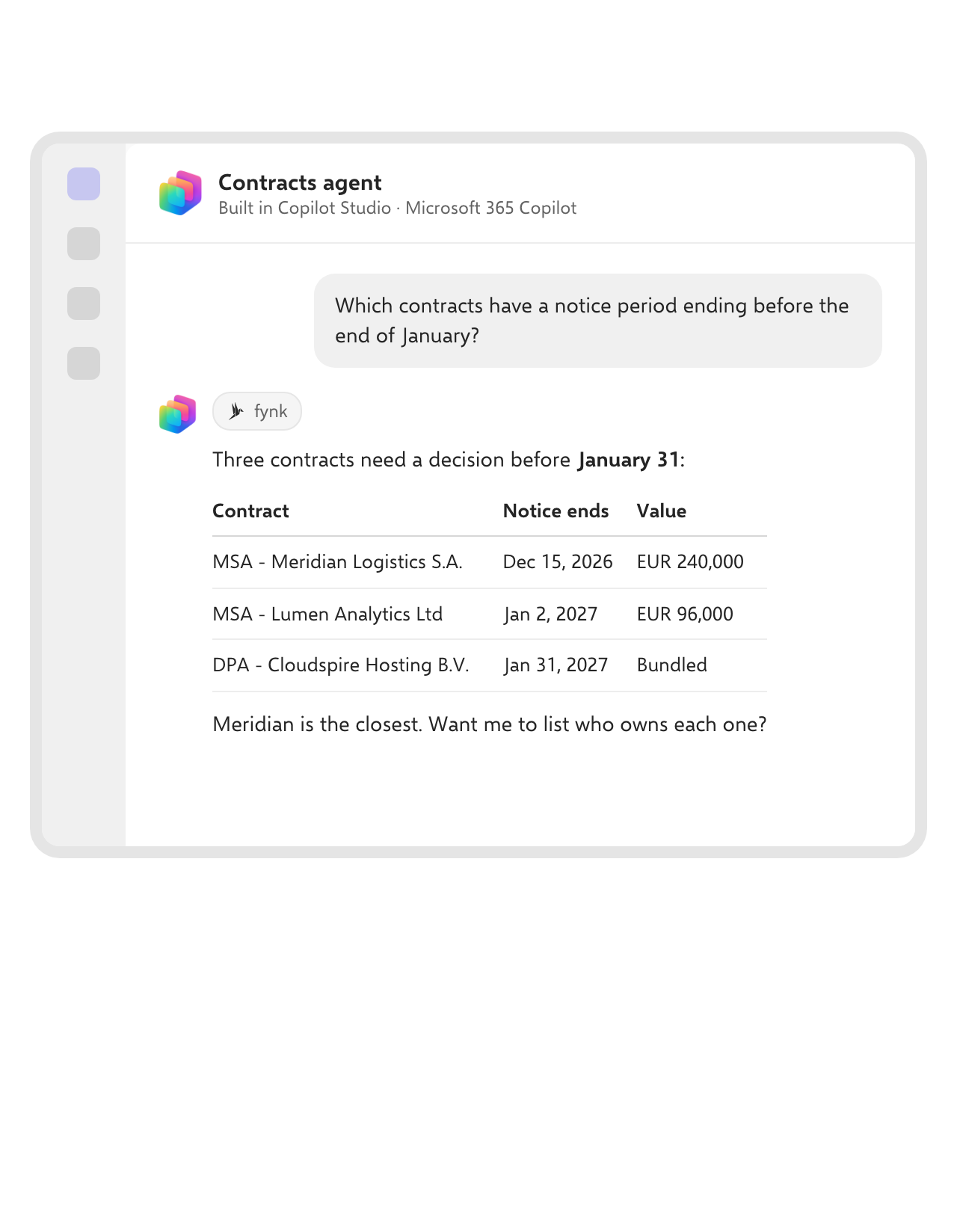
An agent that watches notice periods for you.
Ask which contracts renew next quarter, or which notice periods end this month. The agent reads end dates, notice periods and values from fynk and lists the contracts that need a decision.FEATURES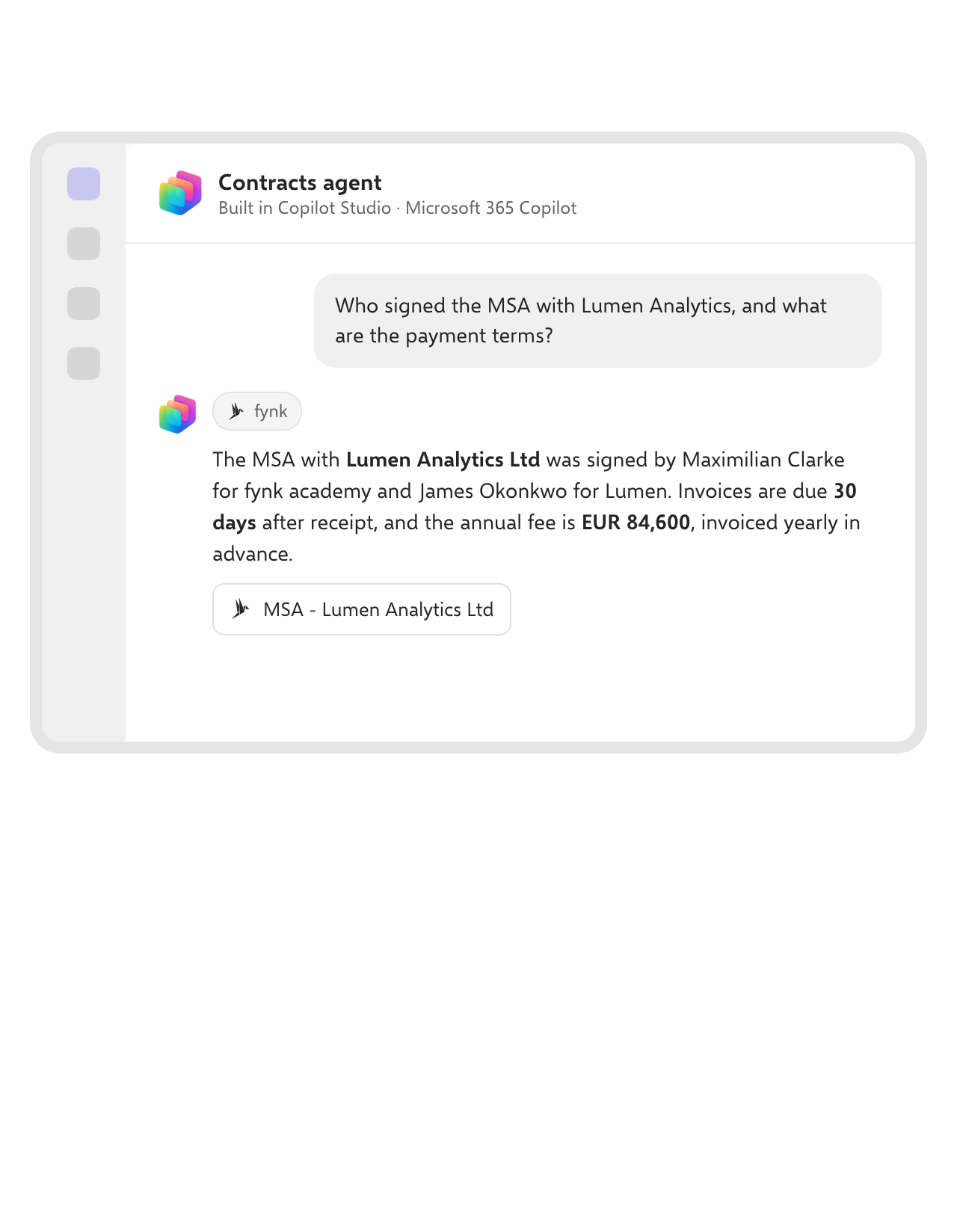 Find and answerLearn more
Ask about any contract in plain language.
Who signed the supplier agreement, which NDAs still wait for a signature, what the payment terms are. The agent searches fynk and links to the document it answered from.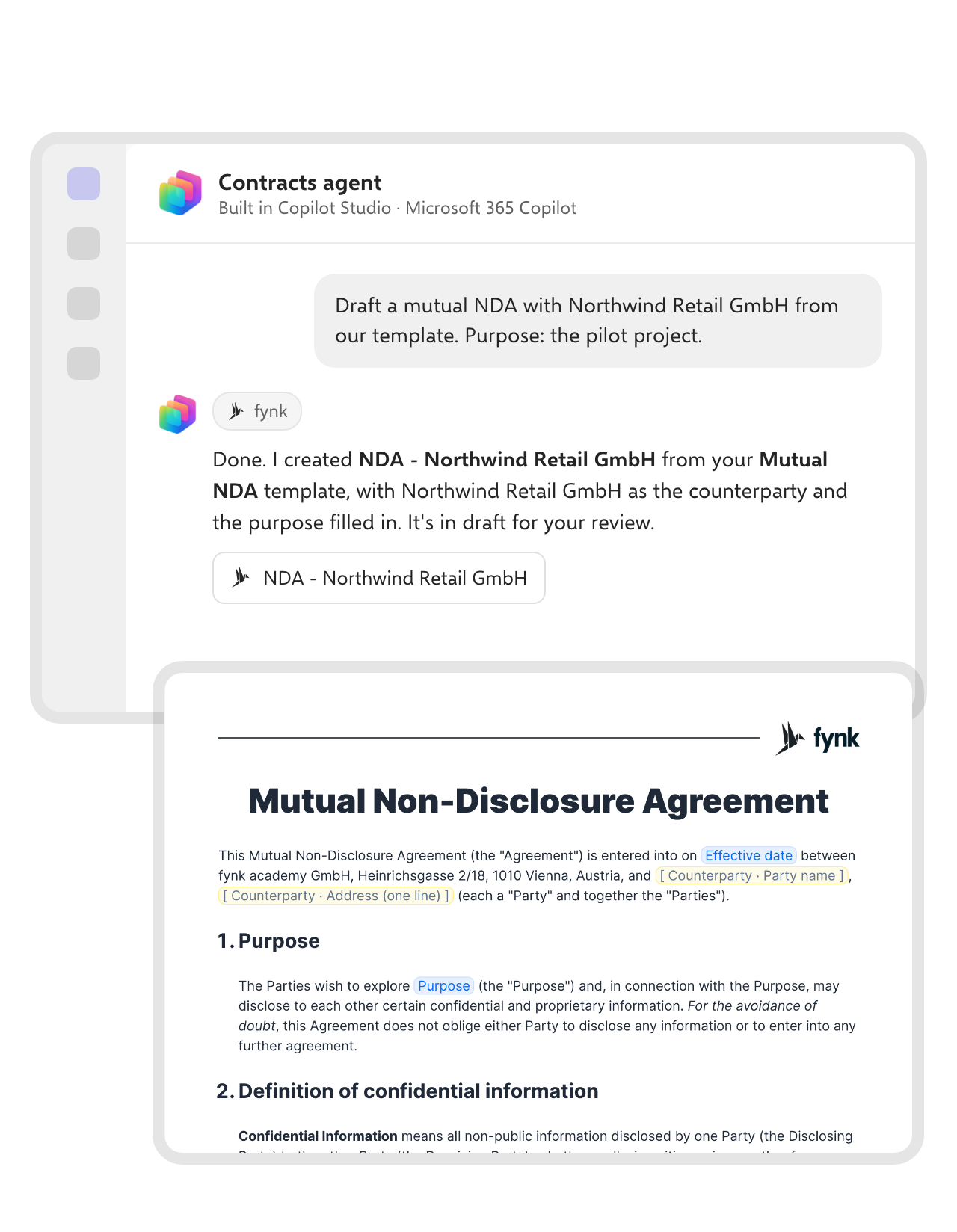 New agreementsLearn more
Draft from your approved templates, without leaving the chat.
Tell the agent who the contract is with and what goes in it. It creates the document in fynk from the right template, fills in the parties and dynamic fields, and leaves it in draft for your review.FEATURES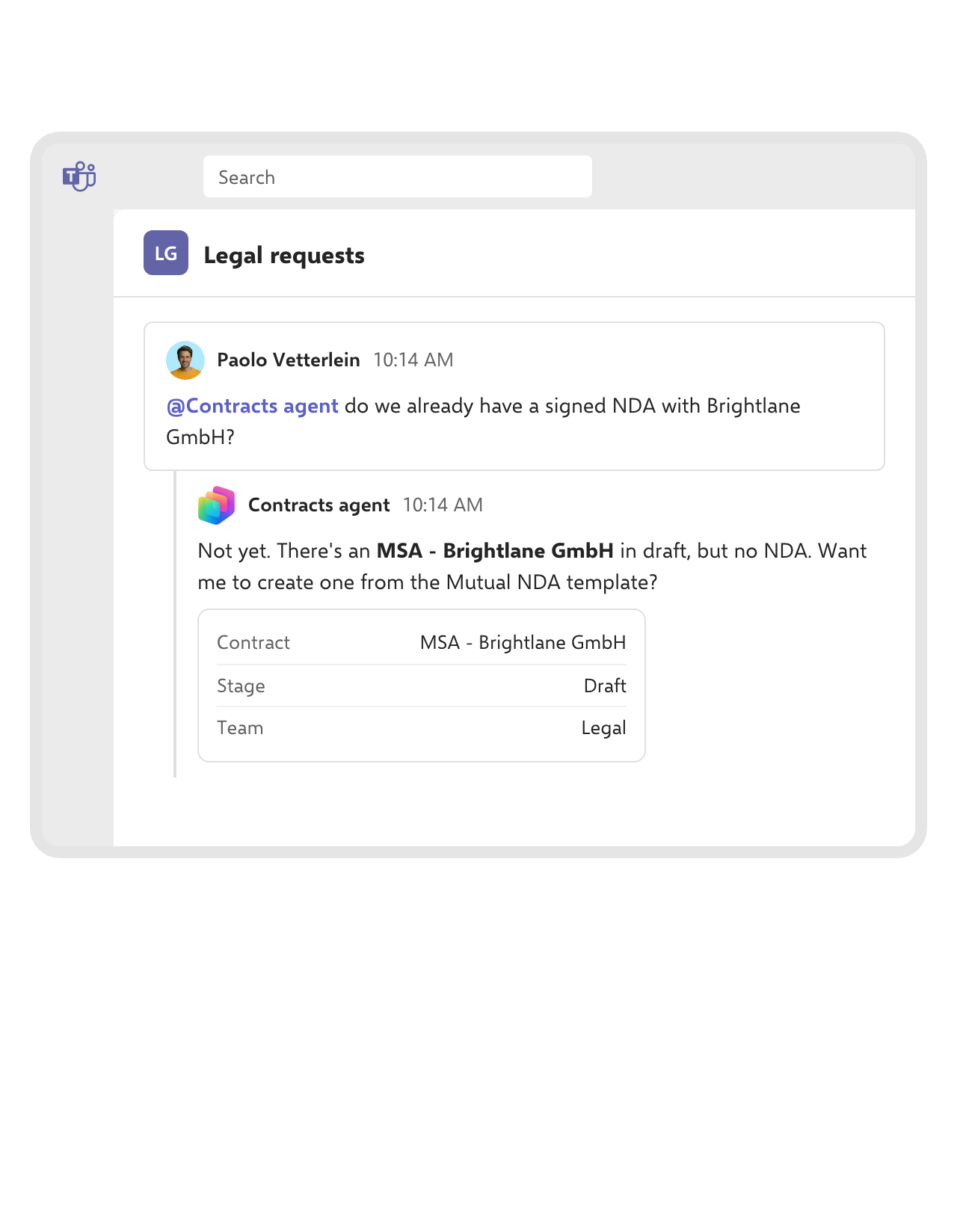 Teams and Microsoft 365 CopilotLearn more
Publish once, and people ask the agent in Teams.
Copilot Studio publishes your agent to Teams and Microsoft 365 Copilot. Sales asks in the legal channel whether an NDA exists, and the agent answers from fynk with what that person is allowed to see.FEATURES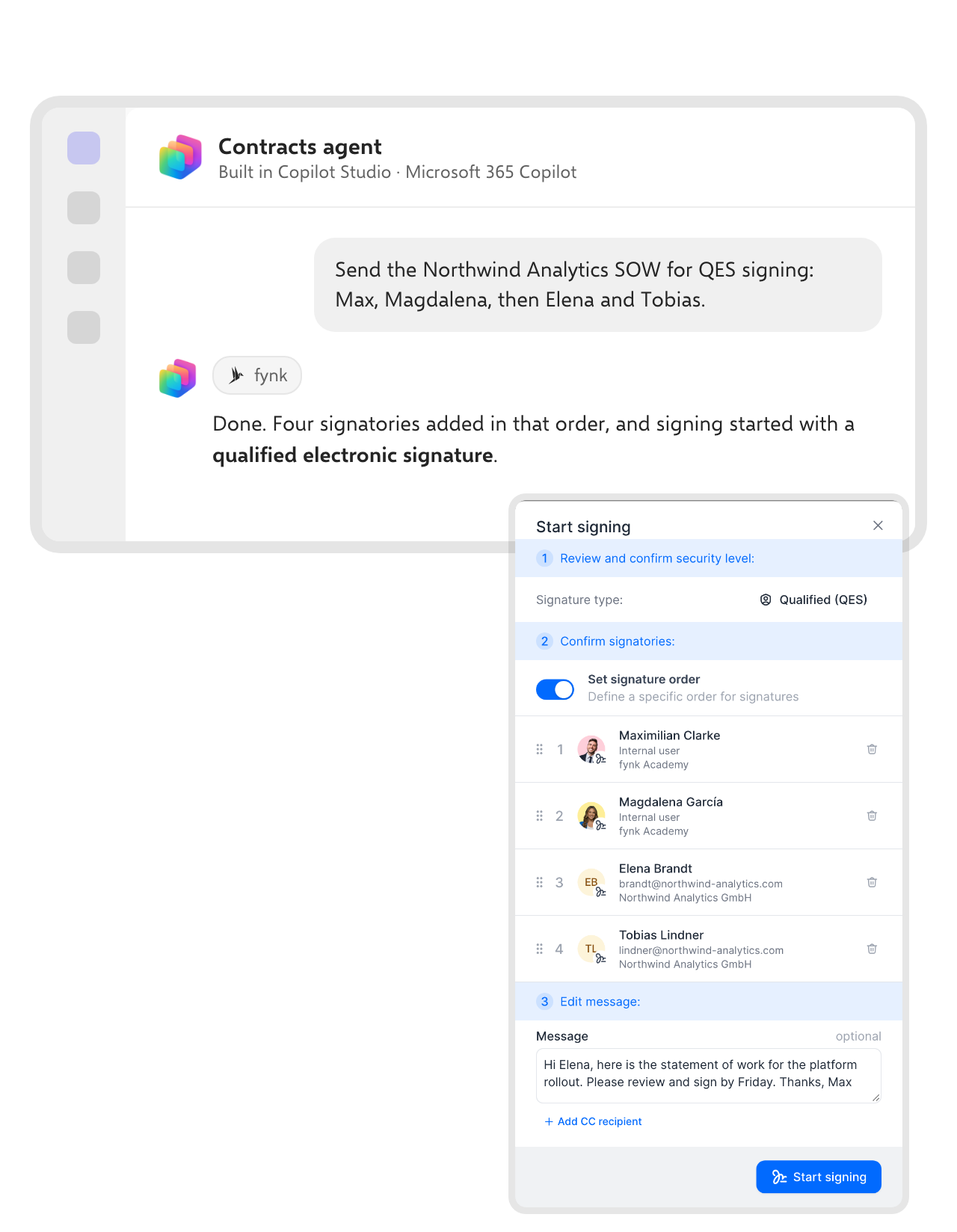 SigningLearn more
Send a contract for signature with one message.
Name the signers and the order. The agent adds them to the document in fynk and starts signing with the signature level you ask for, from simple to qualified.FEATURES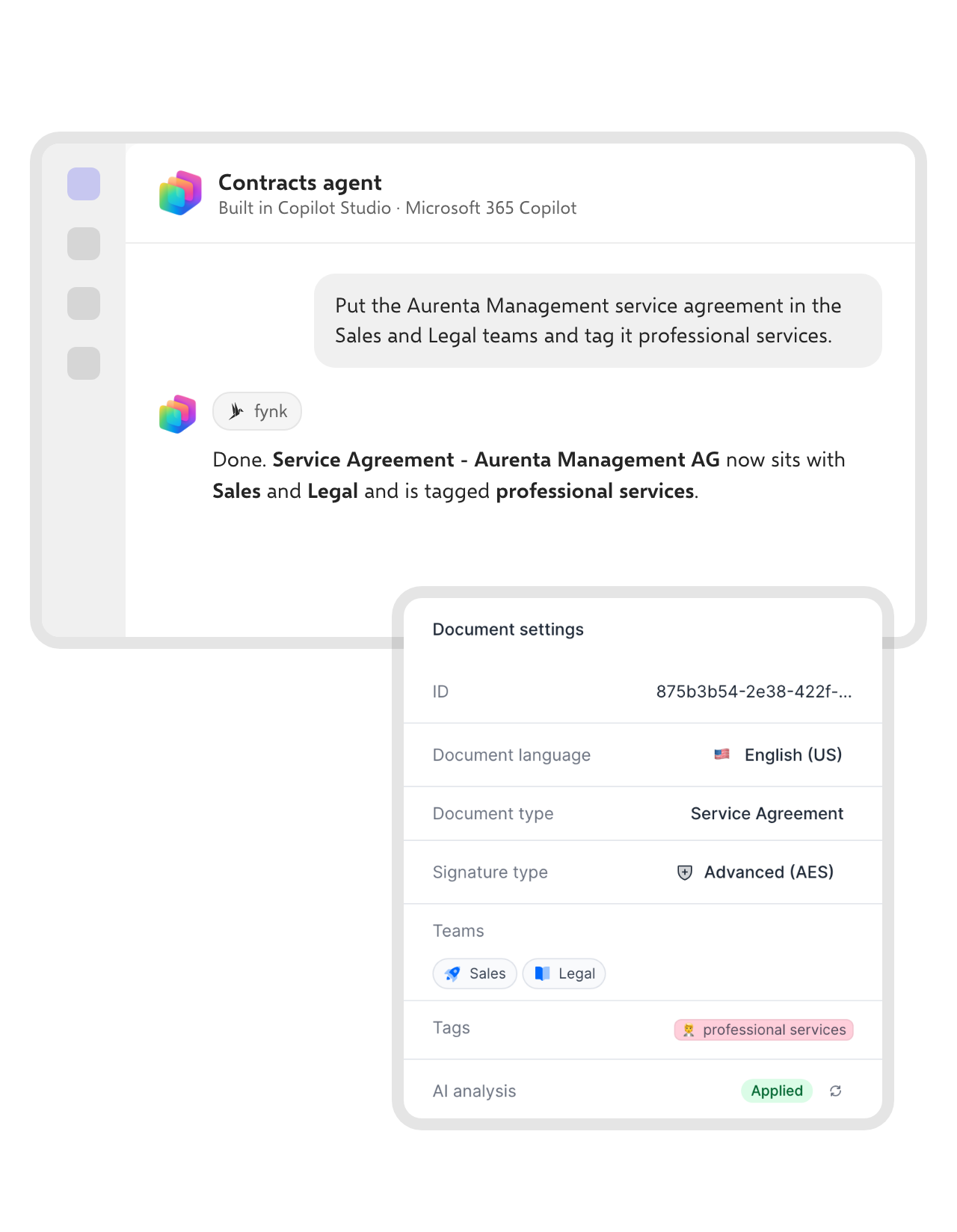 Contract dataLearn more
Keep teams, tags and contract data tidy.
Ask the agent to move a contract to the right teams, add a tag or update a metadata value. The change lands in fynk straight away, so filters, dashboards and reminders stay right.


Why Microsoft shops connect fynk to Copilot Studio.
Agents your IT can approve, on contracts your Legal team trusts.
Per-user sign-in.
Each user connects with OAuth. The agent inherits their fynk permissions, nothing more.
Off until an owner says so.
MCP access is switched on per account by a fynk owner.
Open standard.
fynk speaks MCP, the protocol Copilot Studio uses for connectors and tools.
Your templates.
Drafts come from the templates and dynamic fields Legal already approved.
Real contract data.
Parties, dates, values and stages come straight from fynk, not from a copy.
Same server everywhere.
The connector Copilot Studio uses also works in Claude, ChatGPT and other MCP clients.
Connect fynk to Copilot Studio
MCP is available from the Essential plan. You need Copilot Studio in your Microsoft tenant
- Step 1
In fynk, a workspace owner turns on MCP access in the account settings. The MCP settings include a Copilot Studio card with the connection details.
- Step 2
In Copilot Studio, open your agent, add a tool and choose a new Model Context Protocol connector with the server URL https://app.fynk.com/mcp and OAuth 2.0 authentication.
- Step 3
Sign in with your fynk account, allow access, and test the agent with a question about your contracts.
How fynk works in Copilot Studio
Copilot Studio connects to fynk’s MCP server like any other MCP tool. The agent can then search, read and create contracts through the same tools Claude and ChatGPT use.
Connection details
| Setting | Value |
|---|---|
| Server URL | https://app.fynk.com/mcp |
| Authentication | OAuth 2.0, each user signs in with their own fynk account |
| Permissions | The agent sees and does only what the signed-in user can in fynk |
| Enabled by | A fynk workspace owner, in the account settings |
What an agent can do with fynk
| Task | Example |
|---|---|
| Find | List documents by stage, party, tag or date, and open their details. |
| Draft | Create a document from a template with parties, signatories and dynamic fields filled in. |
| Update | Change metadata, tags and teams, or move a document to review or signing. |
For setup in other assistants, see the fynk MCP server.






More product features to explore.
Draft.
Create contracts from proven templates. Fast, consistent, and ready to send.
Boost.
AI reviews, summarizes, and explains your contracts so you never miss what matters.
Sign.
Send contracts for legally binding e-signatures, tracked from sent to signed.
Insights.
See the full picture of your contracts with dashboards, search, and smart alerts.

AI access that stays inside the rules.

European by design.
Designed and developed in Austria. fynk is hosted in the EU, in ISO 27001-certified data centers.

Security at the core
Encryption in transit and at rest, and secure engineering standards across a continuously monitored infrastructure.

Inherited permissions
Every agent call runs as the signed-in user, so team and role restrictions in fynk still apply.

GDPR, fully embedded
Fully compliant with European data protection regulations, supported by regular audits and external penetration testing.
Trusted by companies worldwide



Frequently asked questions.
Yes. Add fynk as a Model Context Protocol tool in Copilot Studio with the server URL https://app.fynk.com/mcp and OAuth 2.0.
Third-party MCP servers are added through Copilot Studio. Build the agent there and publish it to the channels your tenant uses.
MCP access is available from the Essential plan. A workspace owner has to switch it on.
Only what the signed-in user can see in fynk. Each user authorizes the connector with their own account.
It can create documents from templates, fill parties and fields, and move them to the signing stage. Signers still sign in fynk.
MCP, the Model Context Protocol, is an open standard that lets AI agents use tools in other apps. fynk runs an MCP server that Copilot Studio, Claude, ChatGPT and other clients can connect to.
Still have questions?


Take control of your agreements. Move your business forward.
Run agreements the way they should run: fast, clear, and on your terms.
No setup headaches
Go live in days, not quarters
No lock-in
Full export anytime
No hidden fees
Signatures included, no envelope fee