
How to sign a Google Sheets document

Rezvan Golestaneh
Updated · Published · 7 min read
How to add a signature in Google Sheets
Google Sheets has no built-in eSignature feature. Google’s own eSignature tool works in Google Docs and on PDF files in Google Drive, not in Sheets (as of October 2026, per Google’s eSignature help page). You have three options:
- Use Sheets’ own tools: draw your signature with Insert > Drawing, insert an image of it with Insert > Image, or type your name in a handwriting font.
- Sign the sheet as a PDF with Google eSignature: download the sheet as a PDF, open it in Google Drive and request signatures (paid Google Workspace plans only).
- Use an eSignature platform like fynk: send the sheet as a PDF for simple, advanced or qualified electronic signatures with a full audit trail.
You will also find signing add-ons in the Google Workspace Marketplace. Check what signature level, identity checks and audit trail an add-on offers before you rely on it for contracts.
Which one to choose? A drawn or inserted signature is a simple electronic signature. It is legally binding in the EU and most other countries, but it proves very little about who placed it there. That is fine for internal sign-offs, timesheets or order lists. If the sheet is part of a contract, or you need other people to sign, use method 2 or 3. For contracts that call for stronger proof, fynk offers advanced electronic signatures and qualified electronic signatures.
Pro tip: Not every document can take a drawn signature: the three types of electronic signatures carry different legal weight.
Sign a Google Sheet for free.
1. Add a signature with Google Sheets’ own tools
You can add a simple signature to a Google Sheet with the Drawing tool or an image. For the image route you need a file first. Our free signature generator creates a cleaner signature than a mouse drawing and exports it as a transparent PNG. Sheets accepts PNG, JPG and GIF images under 50 MB, but not SVG.
Pros
- ✅ Free and works in every Google account
- ✅ Quick, no add-on needed
Cons
- ❌ Easy to copy or forge, since the signature is just an image
- ❌ No identity check and no record of who signed or when
- ❌ No way to collect signatures from other people
How to draw a signature in Google Sheets
- Open the spreadsheet on your computer and select the cell where you want your signature.
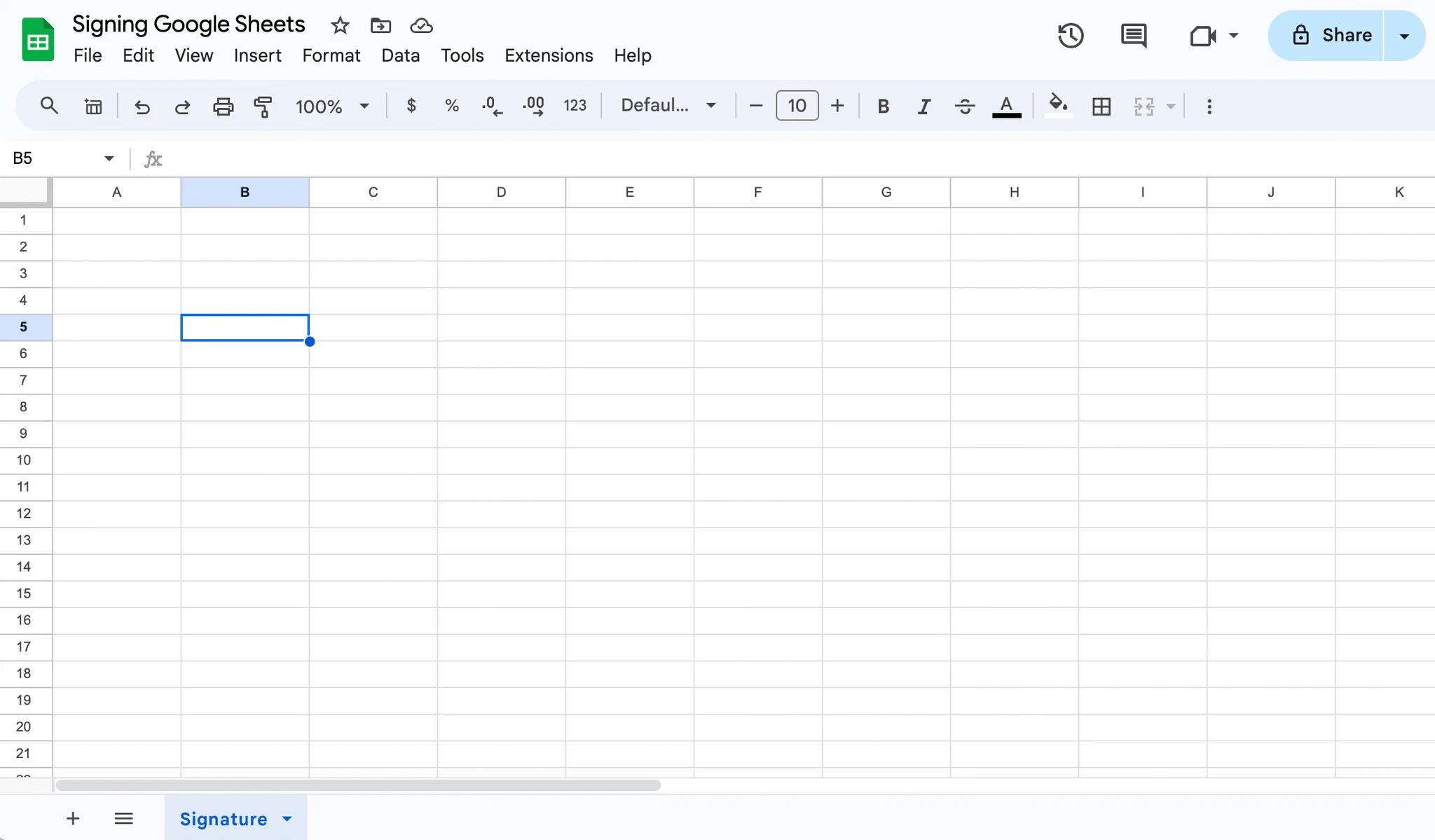

- In the top menu, click Insert > Drawing.
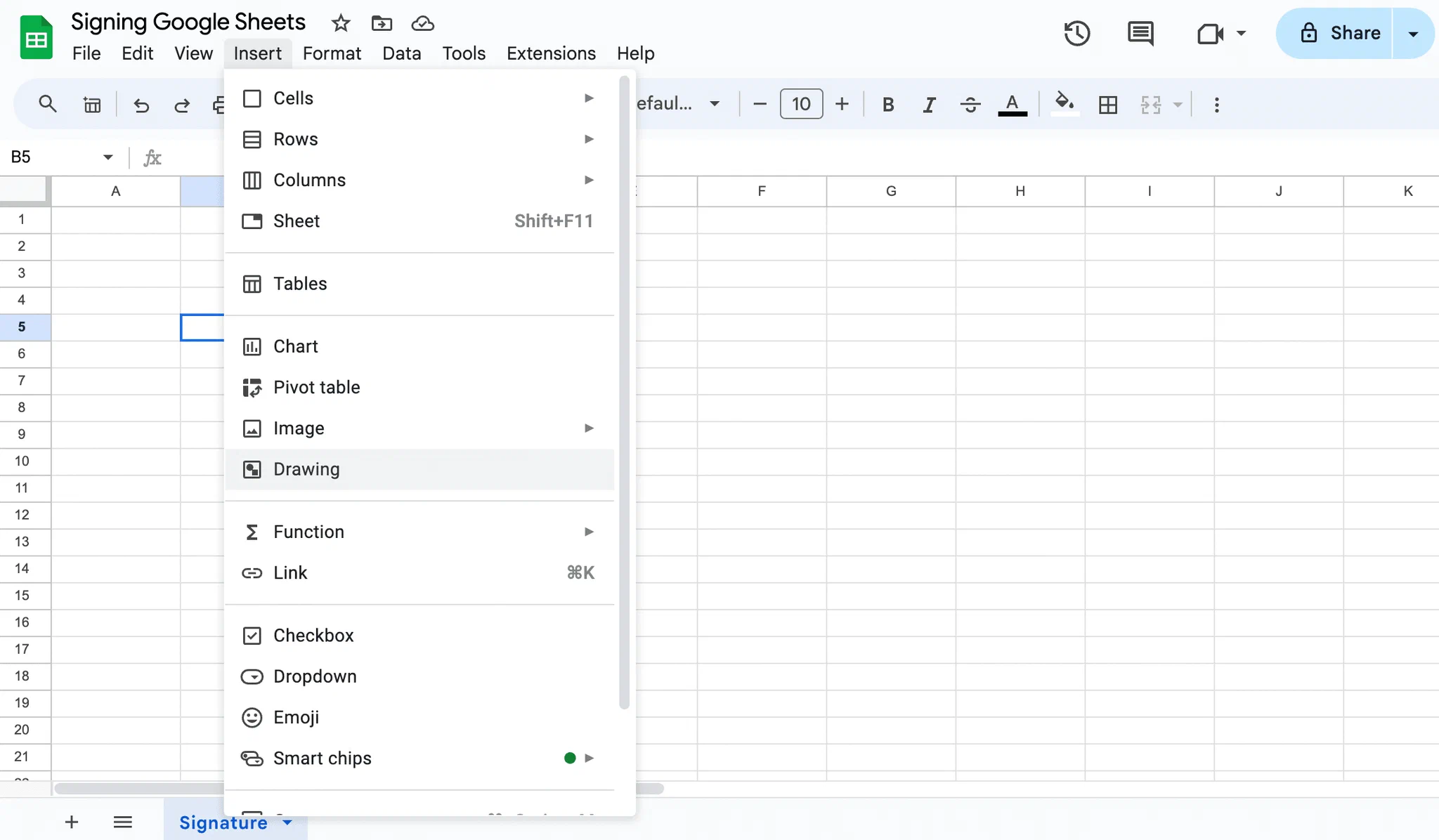
- In the Drawing toolbar, open the line tool and choose Scribble.
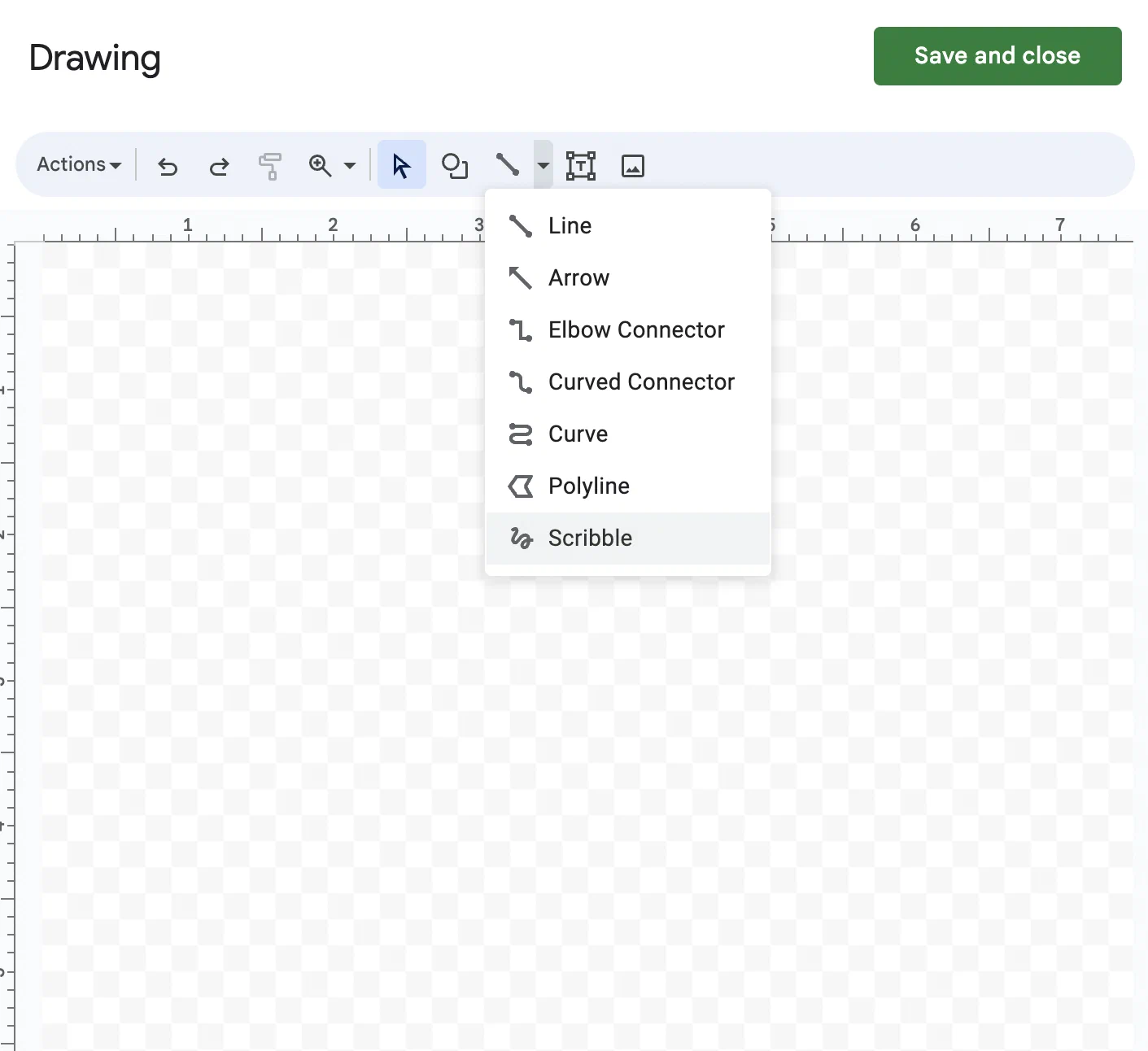
- Draw your signature with your mouse, trackpad or touchscreen. You can change the line thickness and color in the toolbar.
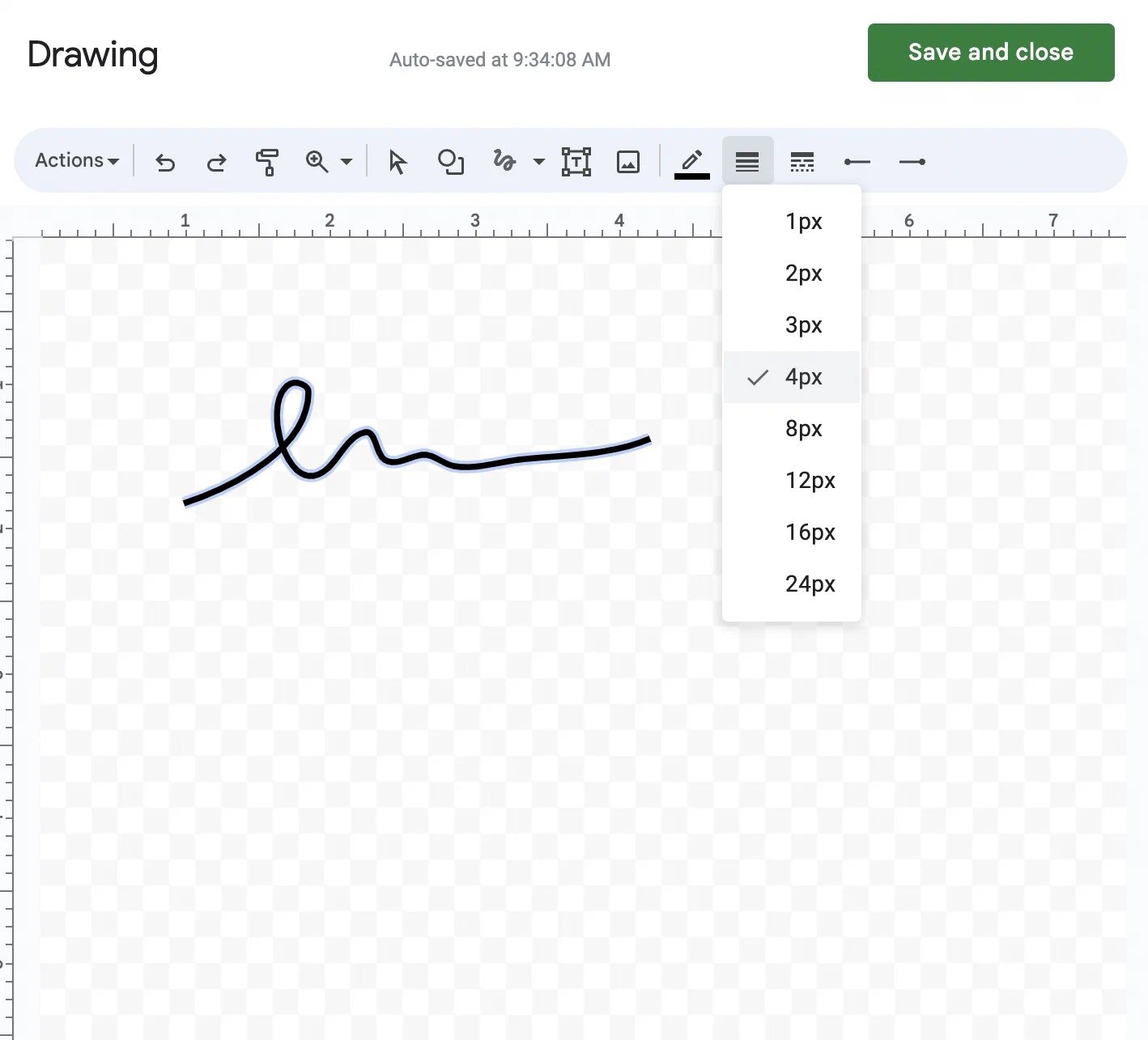
- Click Select and drag the small blue handles in the corners to resize your signature.
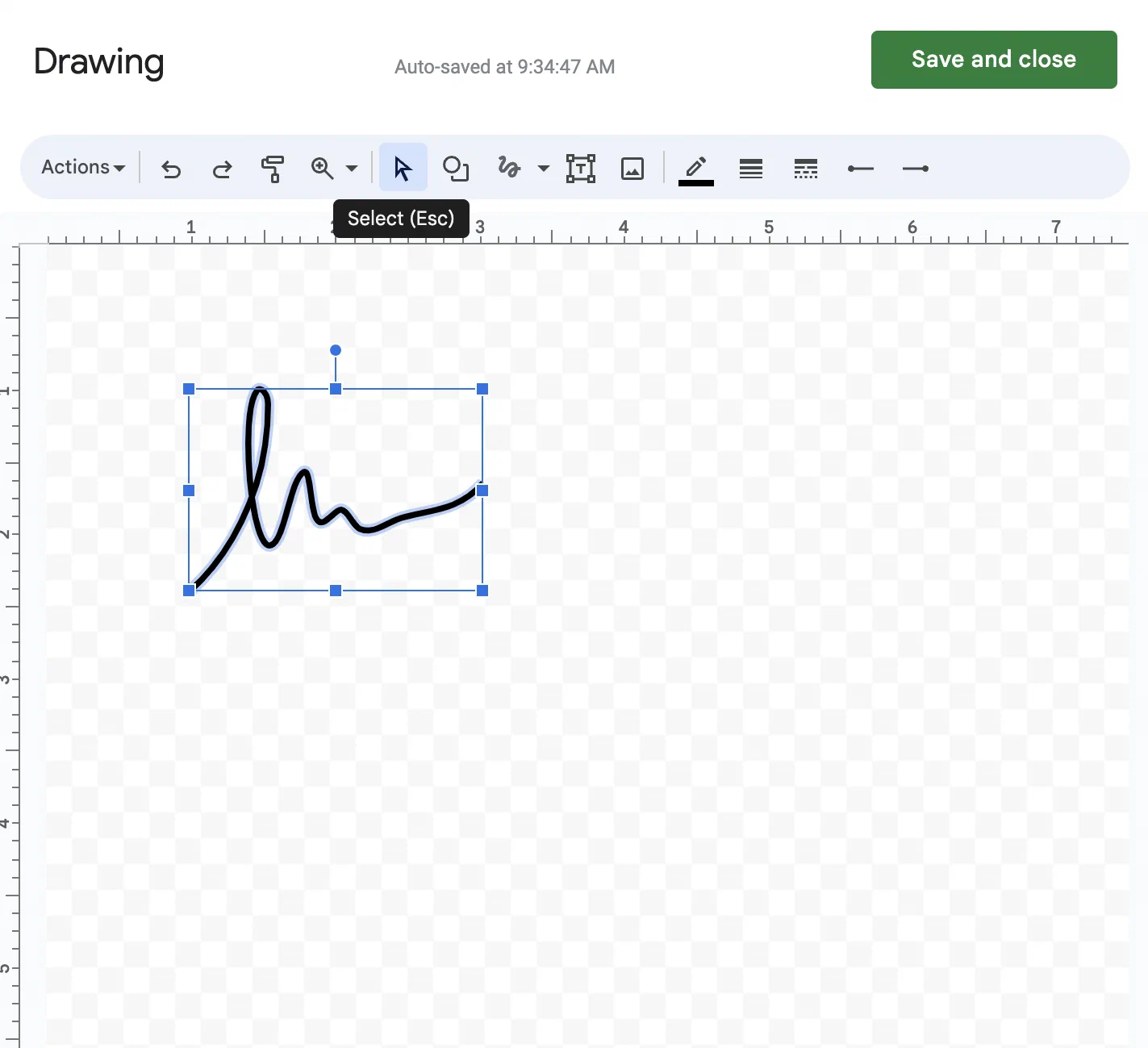
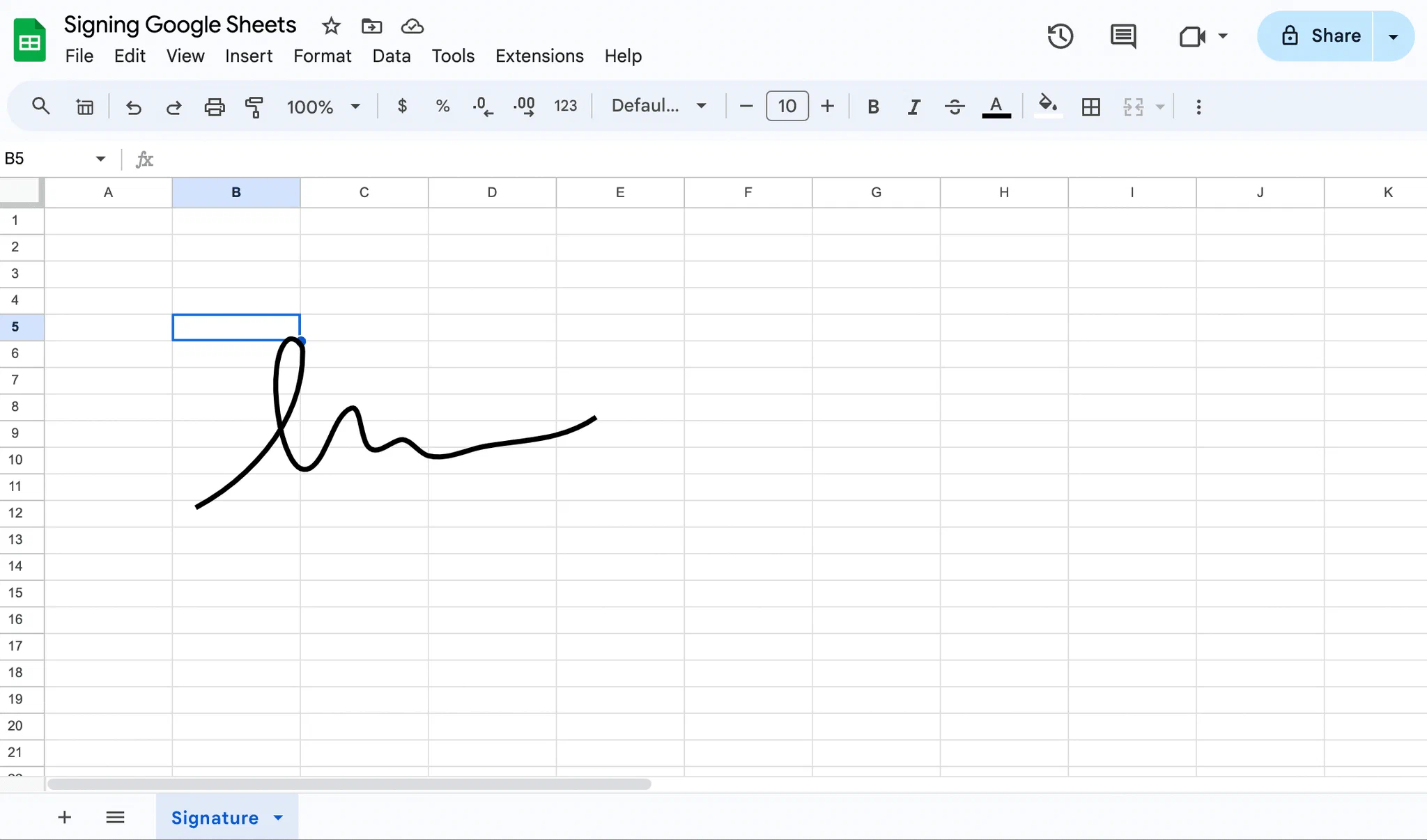
- When you’re happy with it, click Save and close at the top right. The signature is placed over the cells, where you can move it.
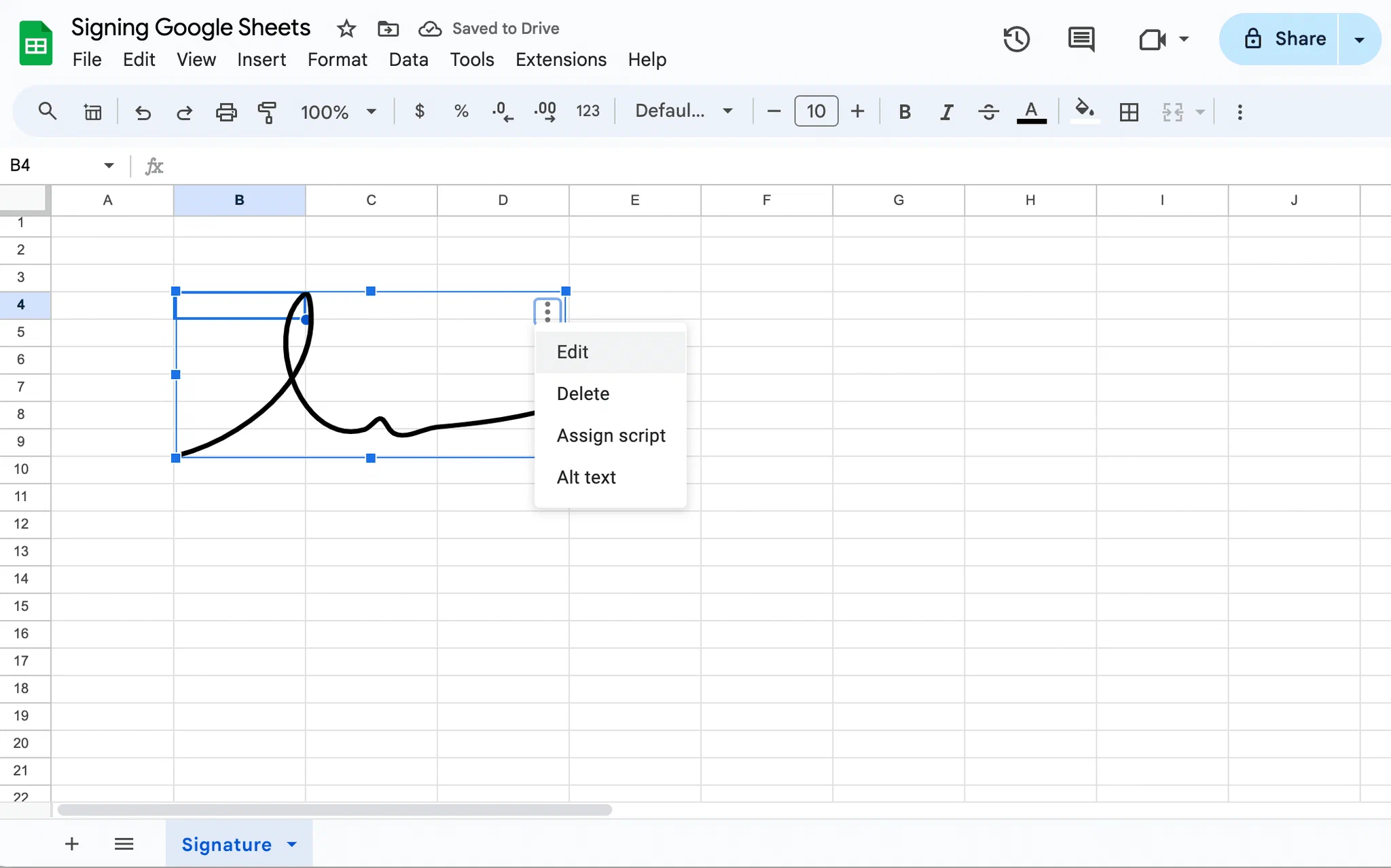
- To save the signature for later, click it, then the three dots in its top right corner, and choose Edit.
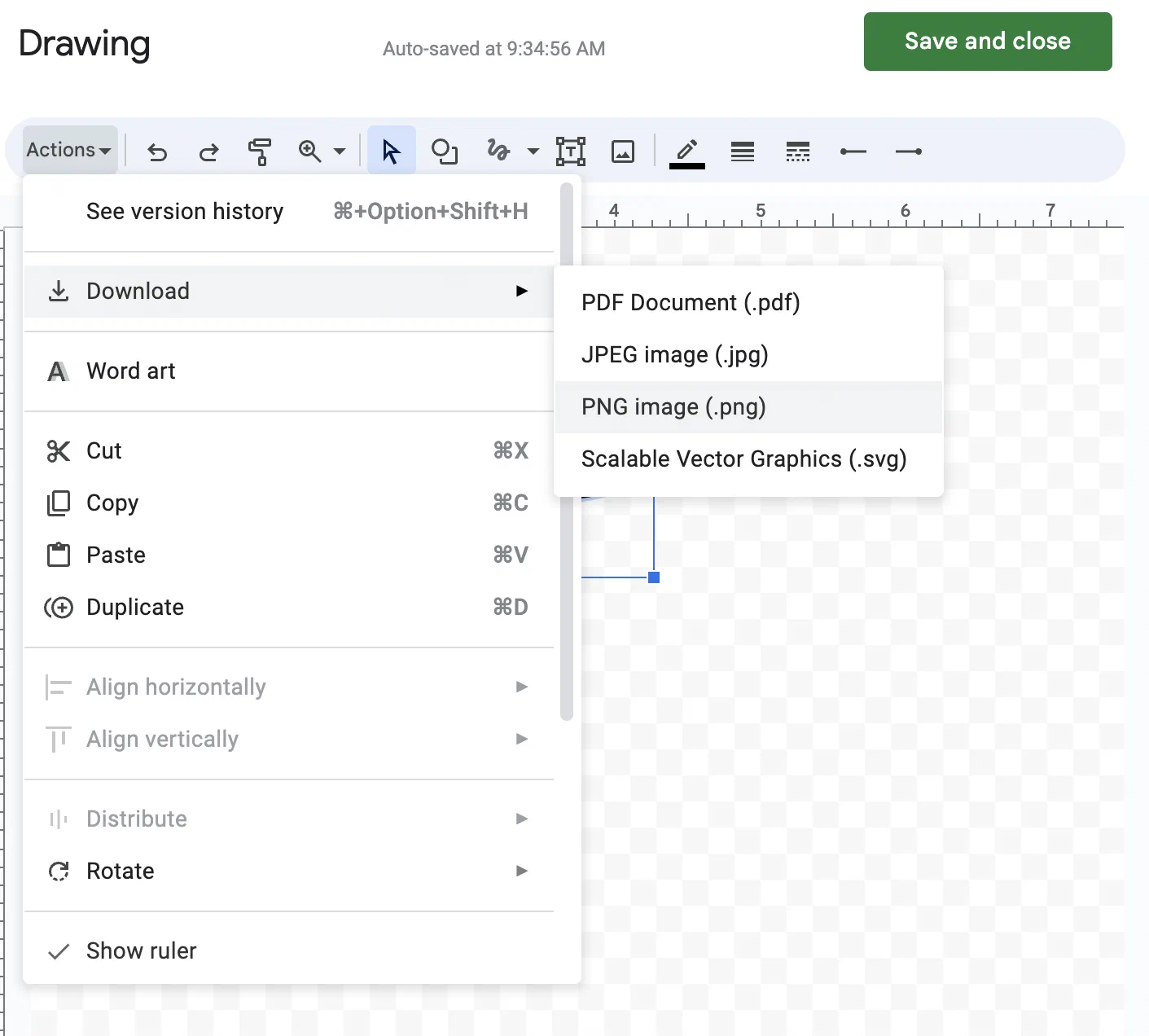
- Back in the Drawing tool, click Actions > Download and choose PDF, PNG, JPEG or SVG.
How to insert a signature image in Google Sheets
Use this method if you already have an image of your signature on your device or in Google Drive, or want to take a photo of your handwritten signature on the spot.
- Click the cell where the signature should go, then click Insert > Image in the top menu.
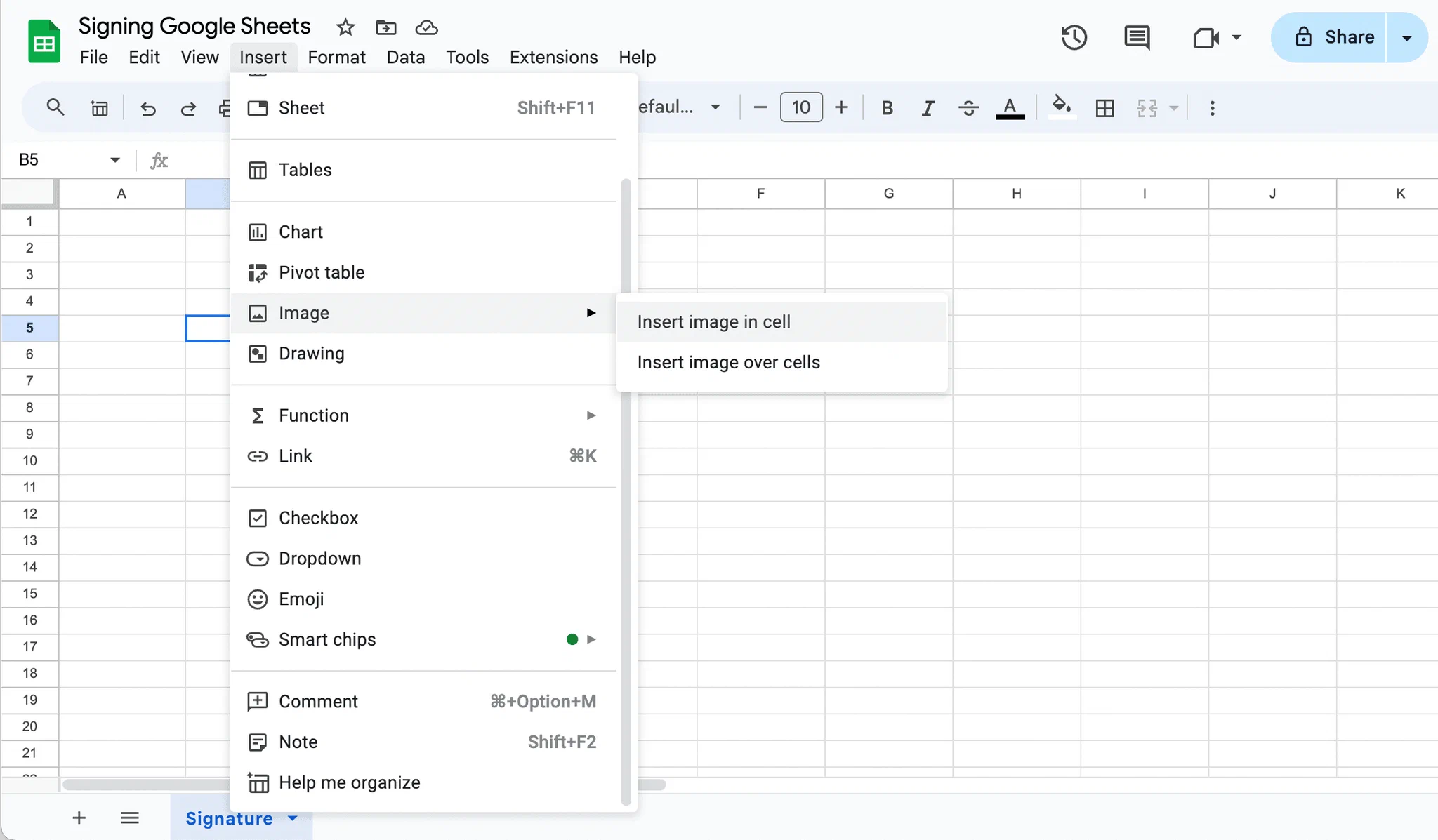
- Choose where to place it:
- In the cell: the image fits into a single cell and stays small unless you widen the column and row. A cell with an image can’t also hold text.
- Over the cells: the image floats above the grid, so you can resize and move it freely. This works better for a signature.
- Choose your image or take a snapshot with your camera, then click Open or Select.
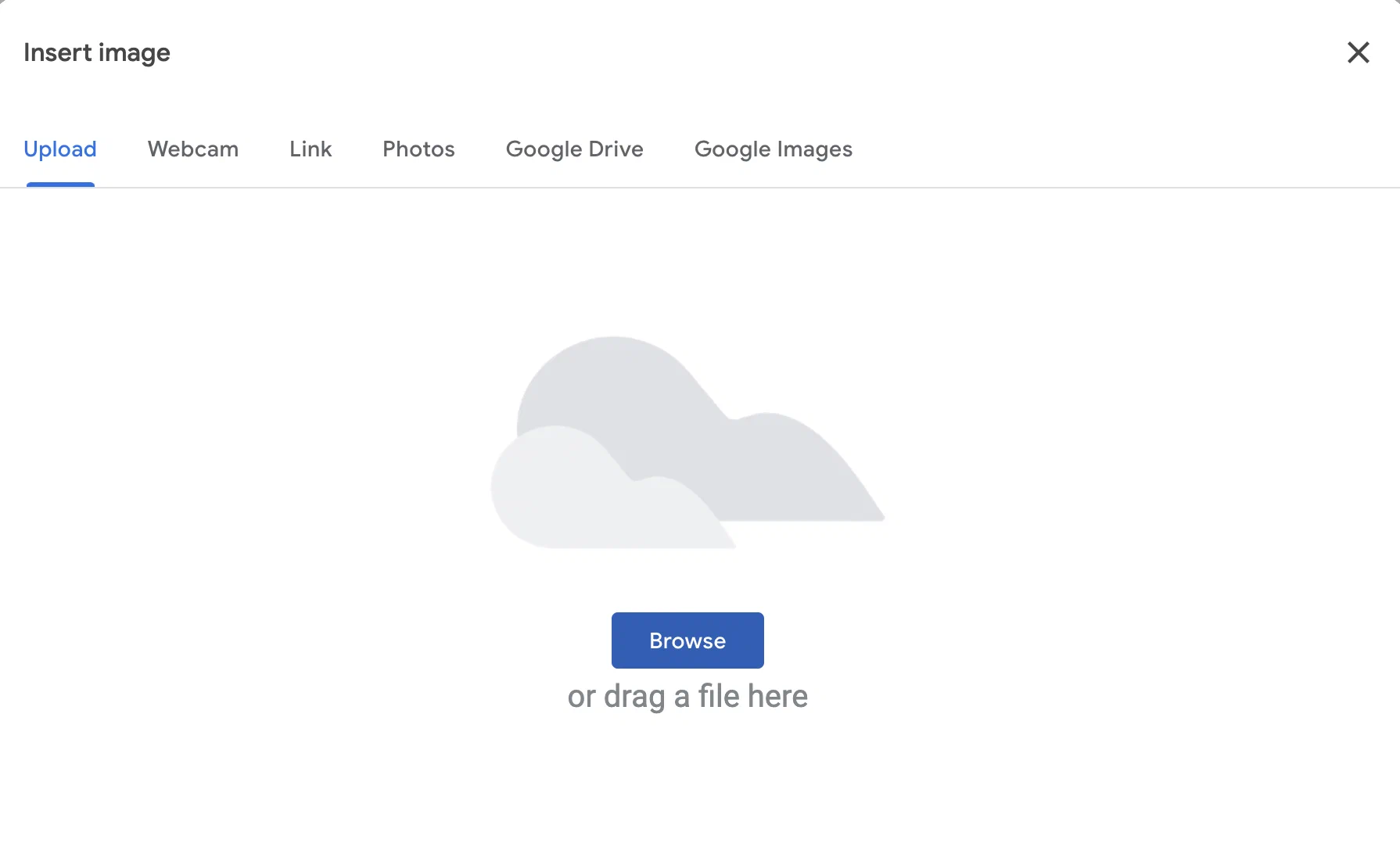
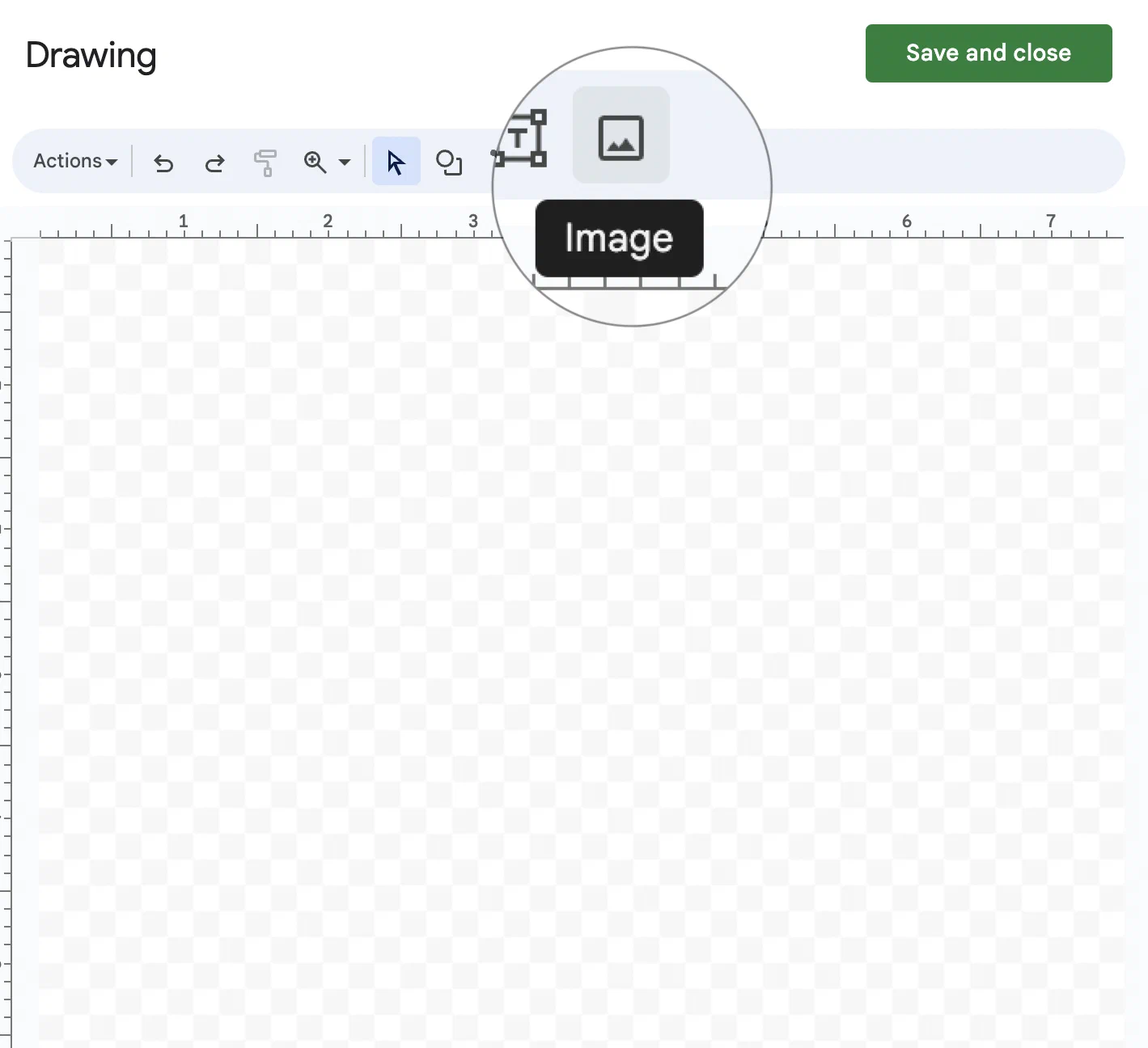
You can also open the same image window from the Image button inside the Drawing tool.
- Resize the image and move it to where you want it.
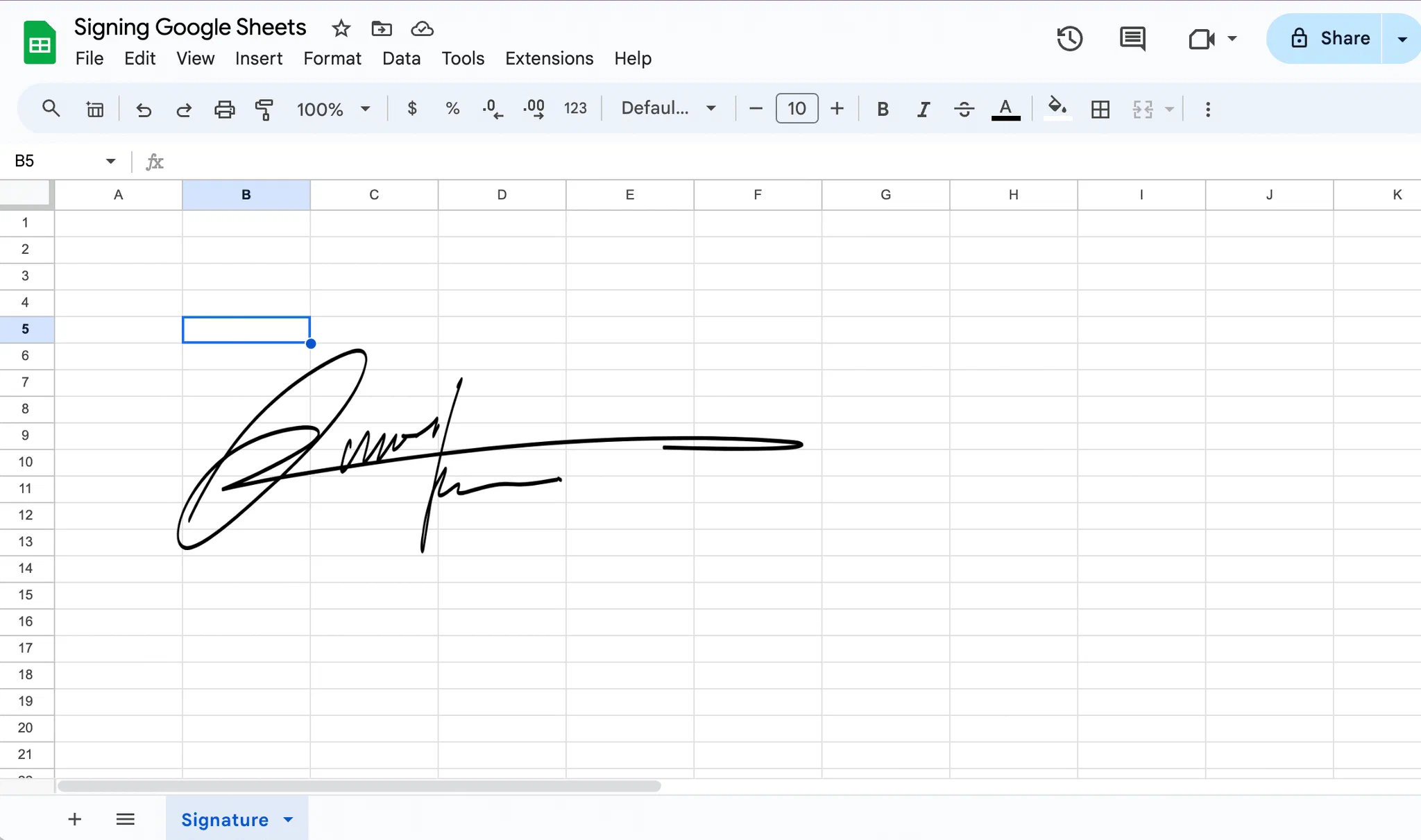
Pro tip: To stop collaborators from changing the cell with your signature, click Data > Protect sheets and ranges, select the range and click Set permissions. Google notes that this is not a security measure: people with access can still copy or export the sheet.
How to type your name in a handwriting font
A third option is a typed signature in a script-style font.
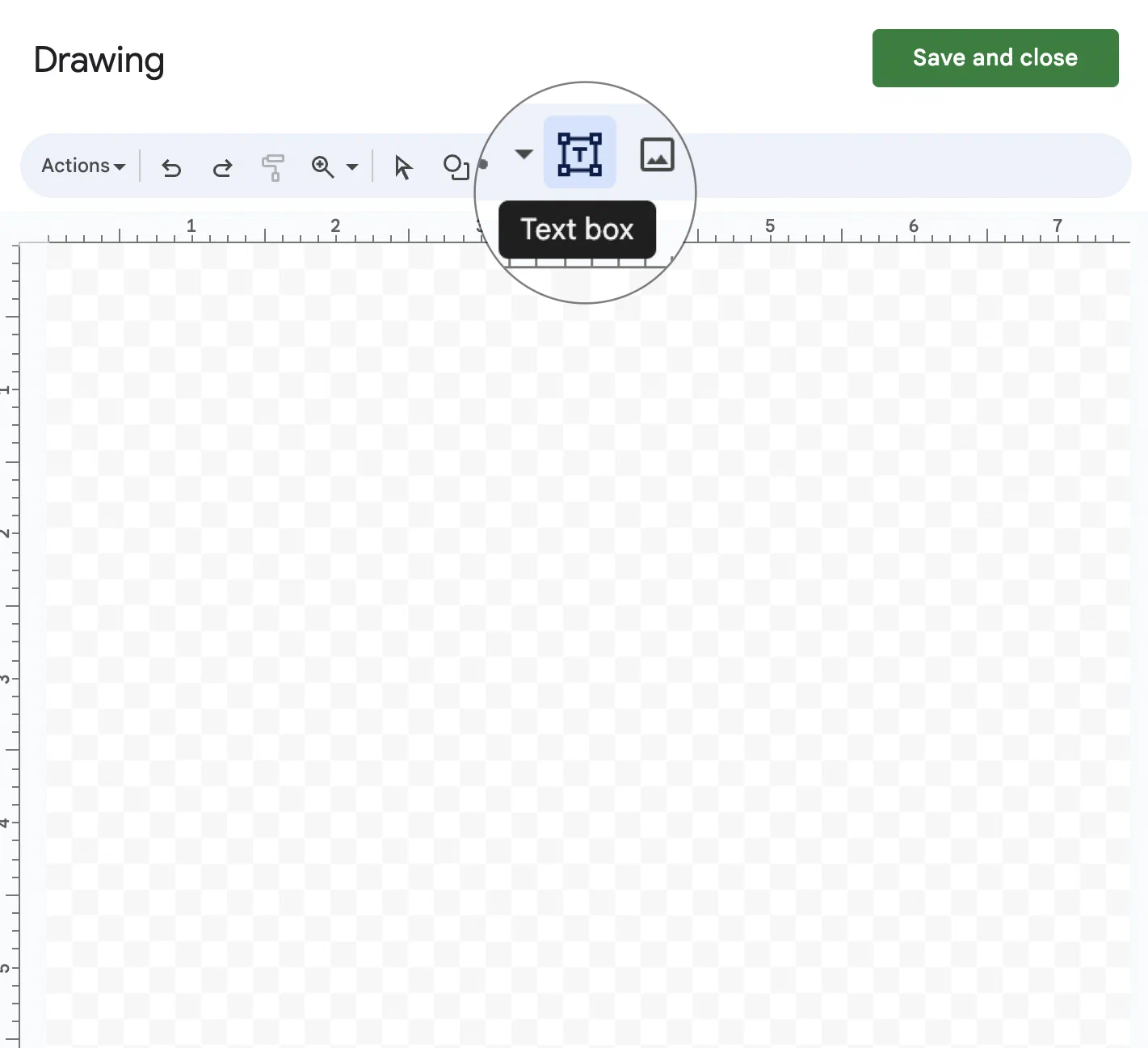
- Click Insert > Drawing and choose the Text box tool in the toolbar.
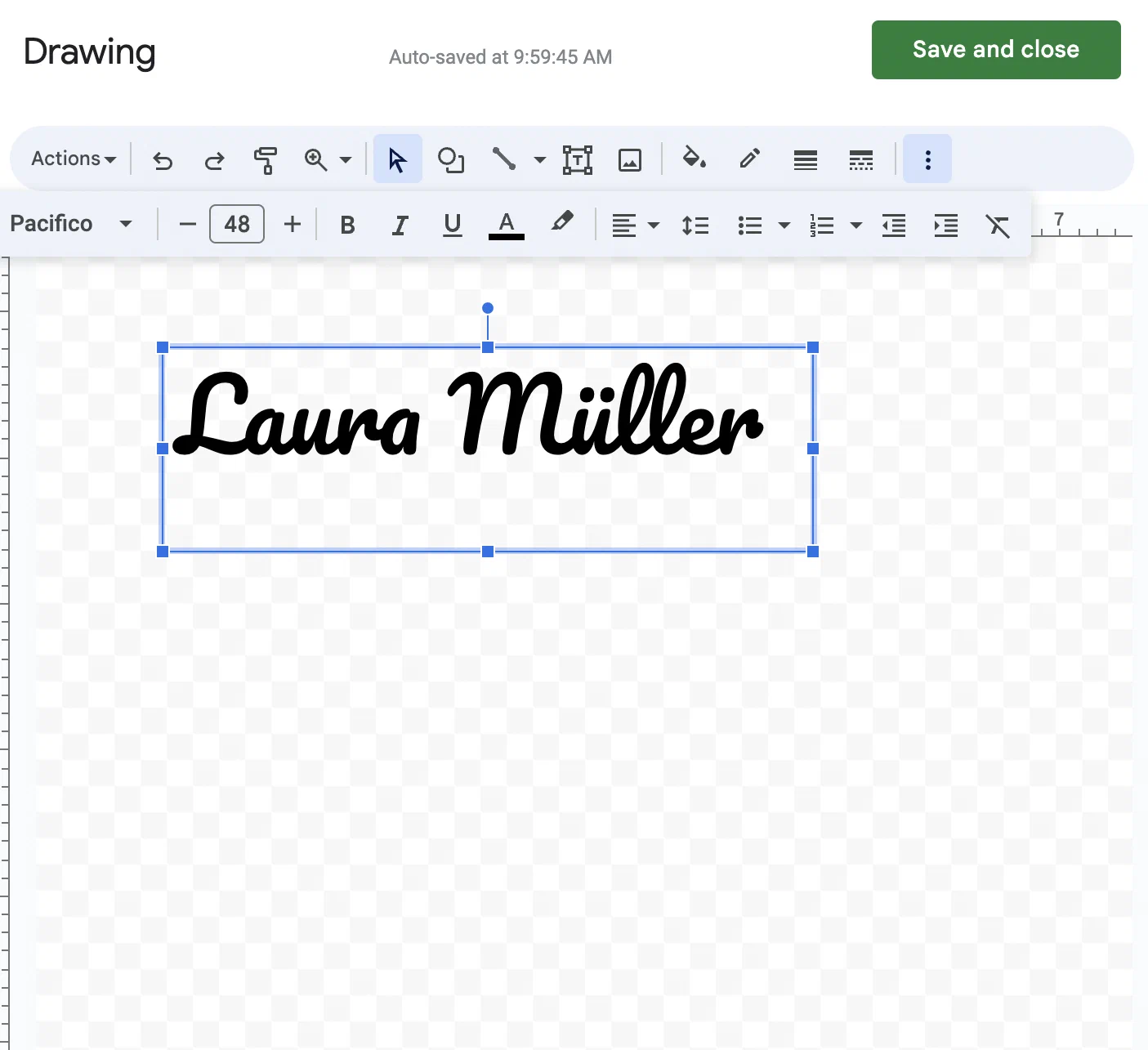
- Draw a text box, type your full name, pick a handwriting-style font and click Save and close.
2. Sign the sheet as a PDF with Google eSignature
If you have a paid Google Workspace plan (Workspace Individual, Business Standard or Plus, Enterprise, Enterprise Essentials or Education Plus), you can sign a PDF of your sheet with Google’s eSignature:
- In Google Sheets, click File > Download > PDF and save the file.
- Upload the PDF to Google Drive and open it.
- At the top right, click the menu and choose eSignature.
- Add your signers (up to 10), drag signature and date fields onto the PDF and click Request signature.
Signers get an email with a link, and the completed PDF ends with an audit trail page. The result is a simple electronic signature: signers are identified by their email address only. Google’s eSignature works the same way when you add a signature in Google Docs.
3. Sign Google Sheets with an eSignature platform like fynk
To get a Google Sheet signed by other people at any signature level, send it for electronic signature in fynk. It takes three steps, and it is included in the Free plan:
- Sign in to fynk.
- Drag and drop your sheet, downloaded with File > Download > PDF. fynk also takes PDF and Word files.
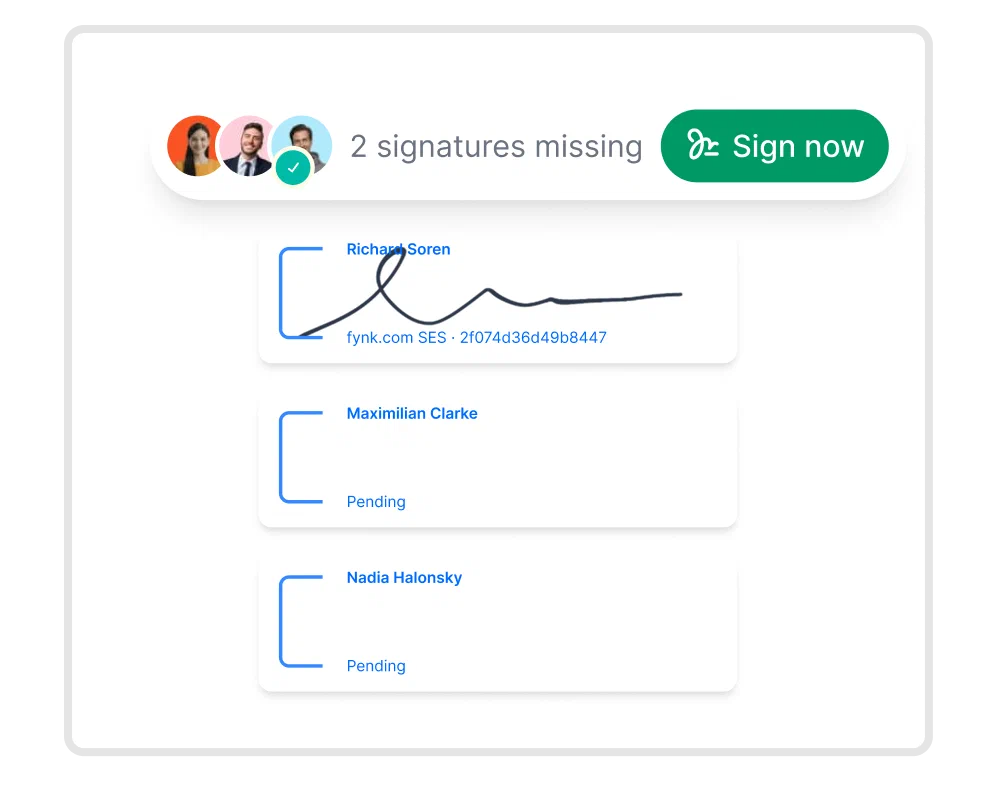
- Sign it, or send it to the other signers. Choose SES, AES with a phone code or a national eID, or QES; fynk sends reminders and keeps an audit trail.
The automation and e-signing sped up our sales cycle massively. Clients sign within minutes.

How to add a signature in Google Sheets on mobile
The Google Sheets app for Android and iPhone can insert an image of your signature. It has no Drawing tool, so drawing a signature only works in Sheets on a computer.
- Open the spreadsheet in the Google Sheets app.
- Select the cell where you want your signature.
- Tap Insert (the + button at the top).
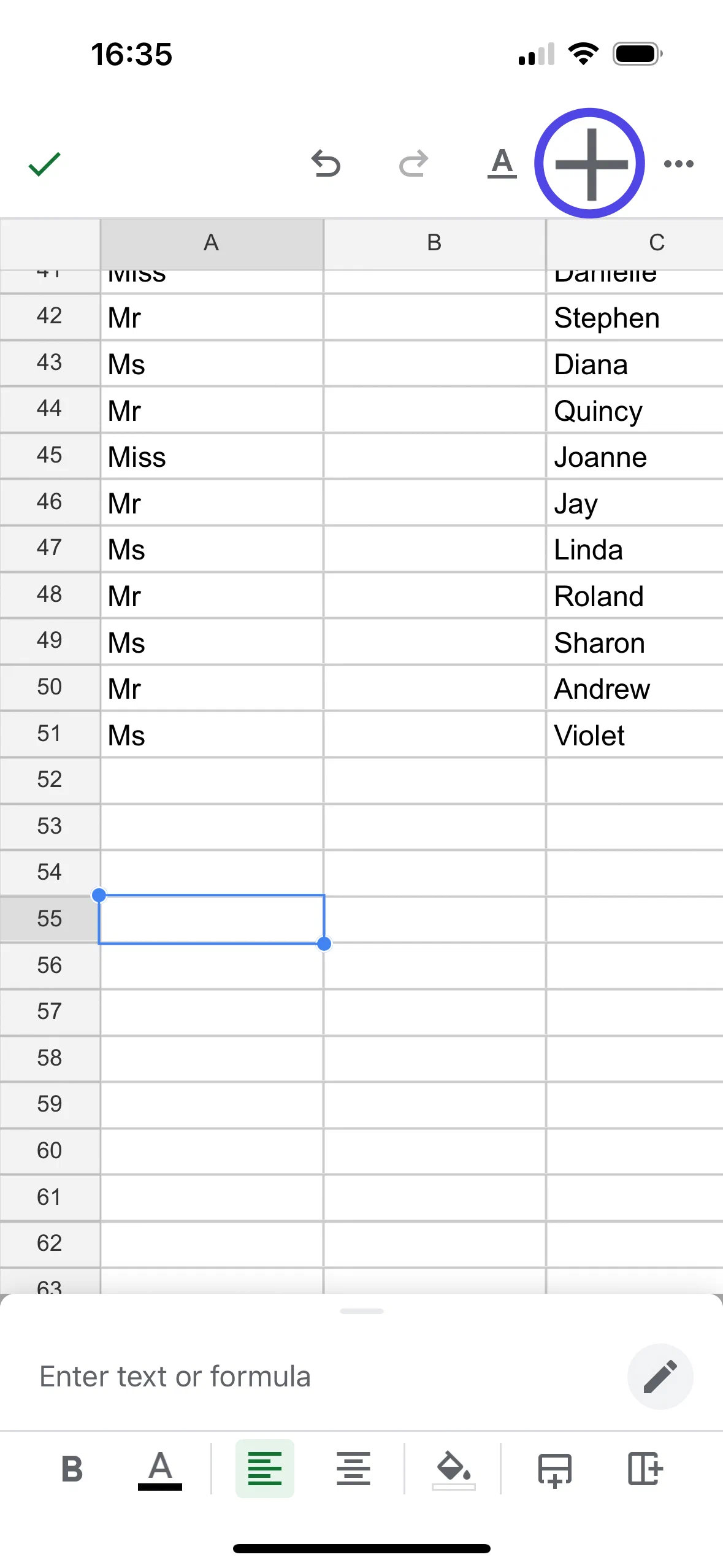
- Tap Image.
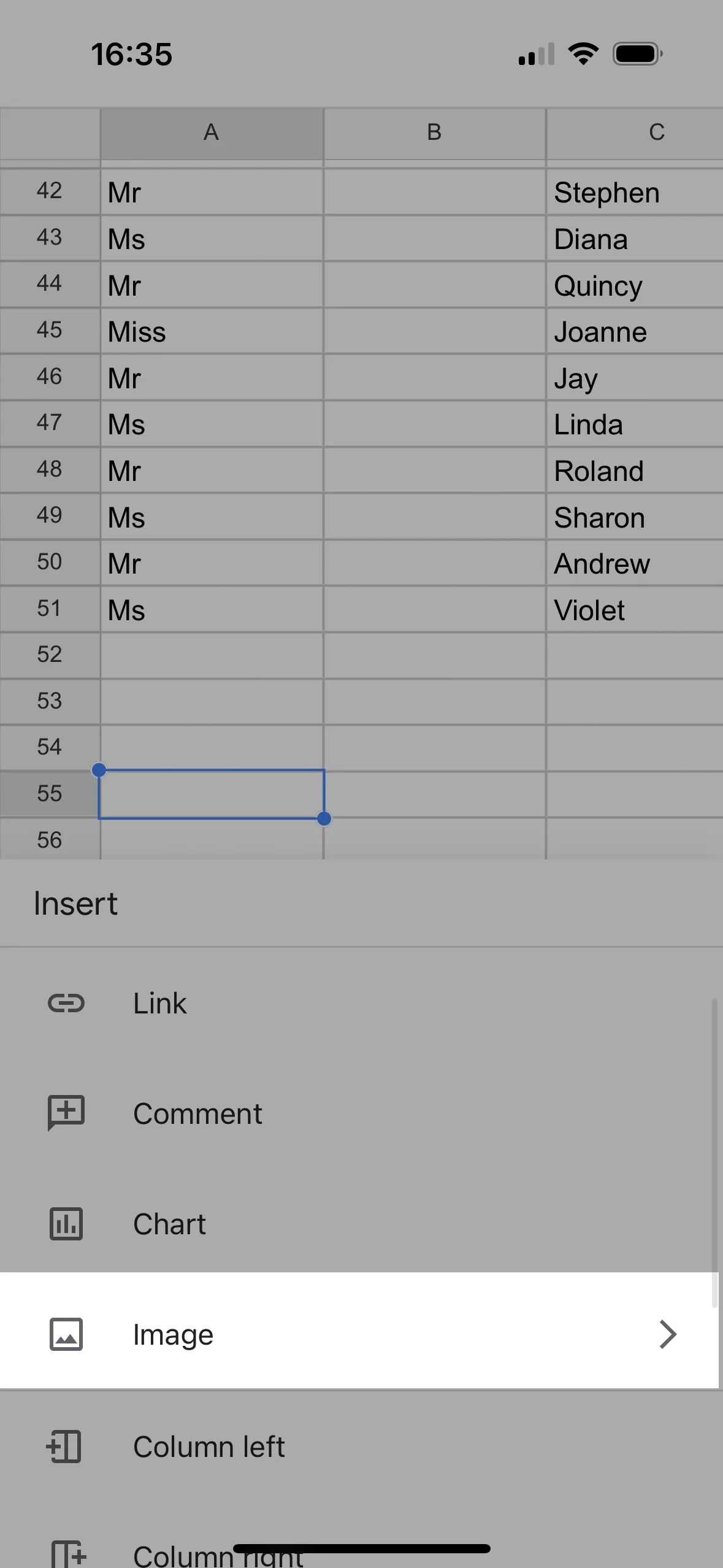
- Choose whether the image goes in the cell or over the cells, then take a photo of your signature or pick one from your phone.
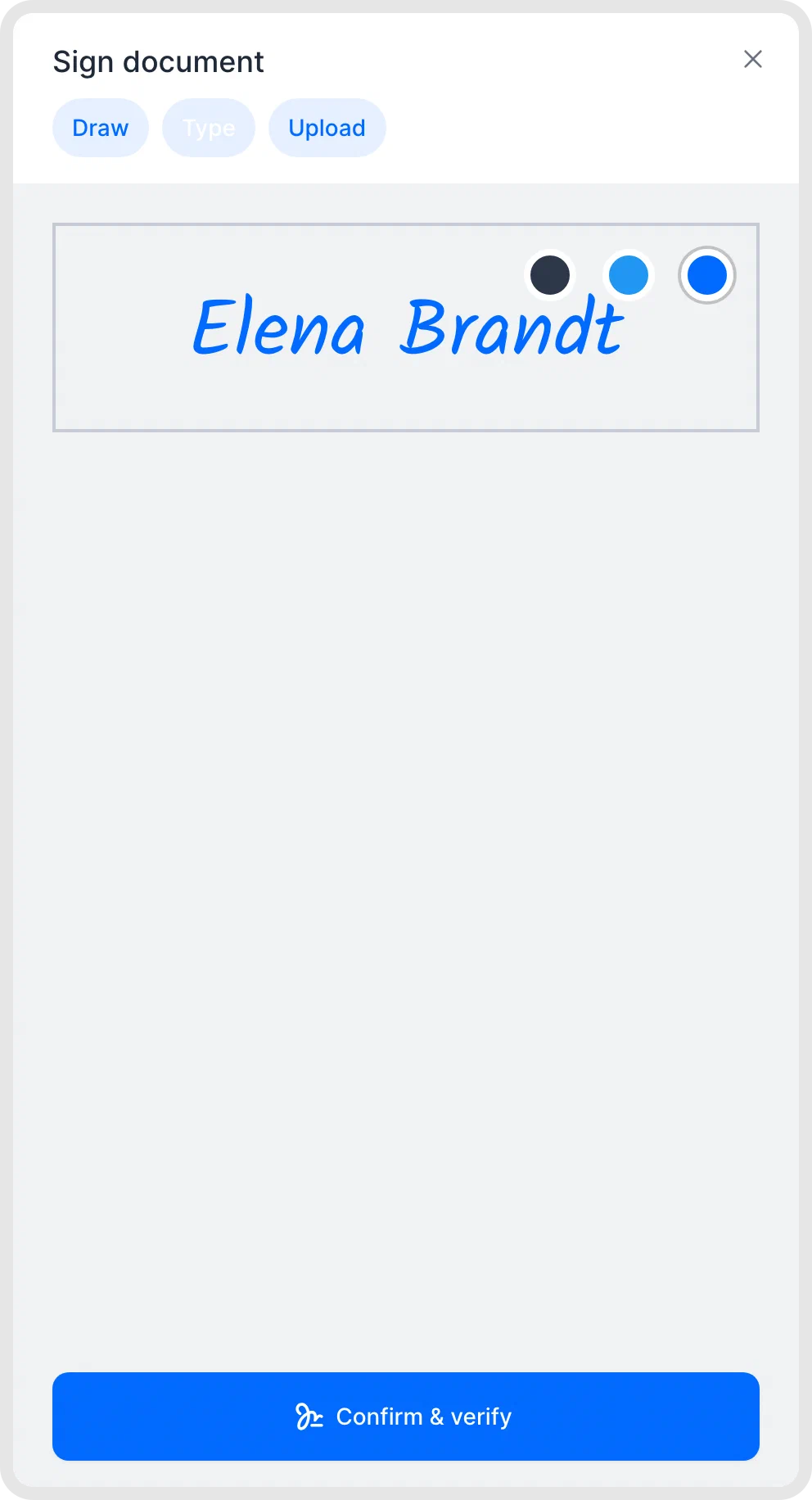
Signing with fynk on your phone: when you receive a fynk signing request, open the link in the email and type, draw or upload your signature.
Searching for a contract management solution?
Find out how fynk can help you close deals faster and simplify your eSigning process – request a demo to see it in action.
FAQ
No. Google's built-in eSignature works in Google Docs and on PDF files in Google Drive, not in Sheets. To collect signatures on a sheet, download it as a PDF and send it with Google's PDF eSignature or an eSignature platform.
Insert it as a drawing or an image. In Google Sheets, use Insert > Drawing to draw it or Insert > Image to add a photo of it. To insert a signature in Excel, use Insert > Pictures. To get the spreadsheet signed by others, save it as a PDF and send it through an eSignature tool.
Upload the document to an eSignature tool, place a signature field and sign by typing, drawing or uploading your signature. Other signers get an email link and do the same. fynk does this on its Free plan, at any level from simple to qualified.
Download the sheet as a PDF. Then either upload it to Google Drive and request signatures with eSignature, which needs a paid Workspace plan, or upload it to an eSignature platform like fynk and add the signers' email addresses.
A drawn or inserted signature is a simple electronic signature, which in the EU cannot be denied legal effect just because it is electronic. It is weak evidence, though, and documents that legally require a handwritten signature need a qualified electronic signature instead.
Please keep in mind that none of the content on our blog should be considered legal advice. We understand the complexities and nuances of legal matters, and as much as we strive to ensure our information is accurate and useful, it cannot replace the personalized advice of a qualified legal professional.




Get a regular dose of insightful contract management content

Take control of your agreements. Move your business forward.
Run agreements the way they should run: fast, clear, and on your terms.
No setup headaches
Go live in days, not quarters
No lock-in
Full export anytime
No hidden fees
Signatures included, no envelope fee