
fynk is now in the
HubSpot App Marketplace

Rezvan Golestaneh
Published · 5 min read
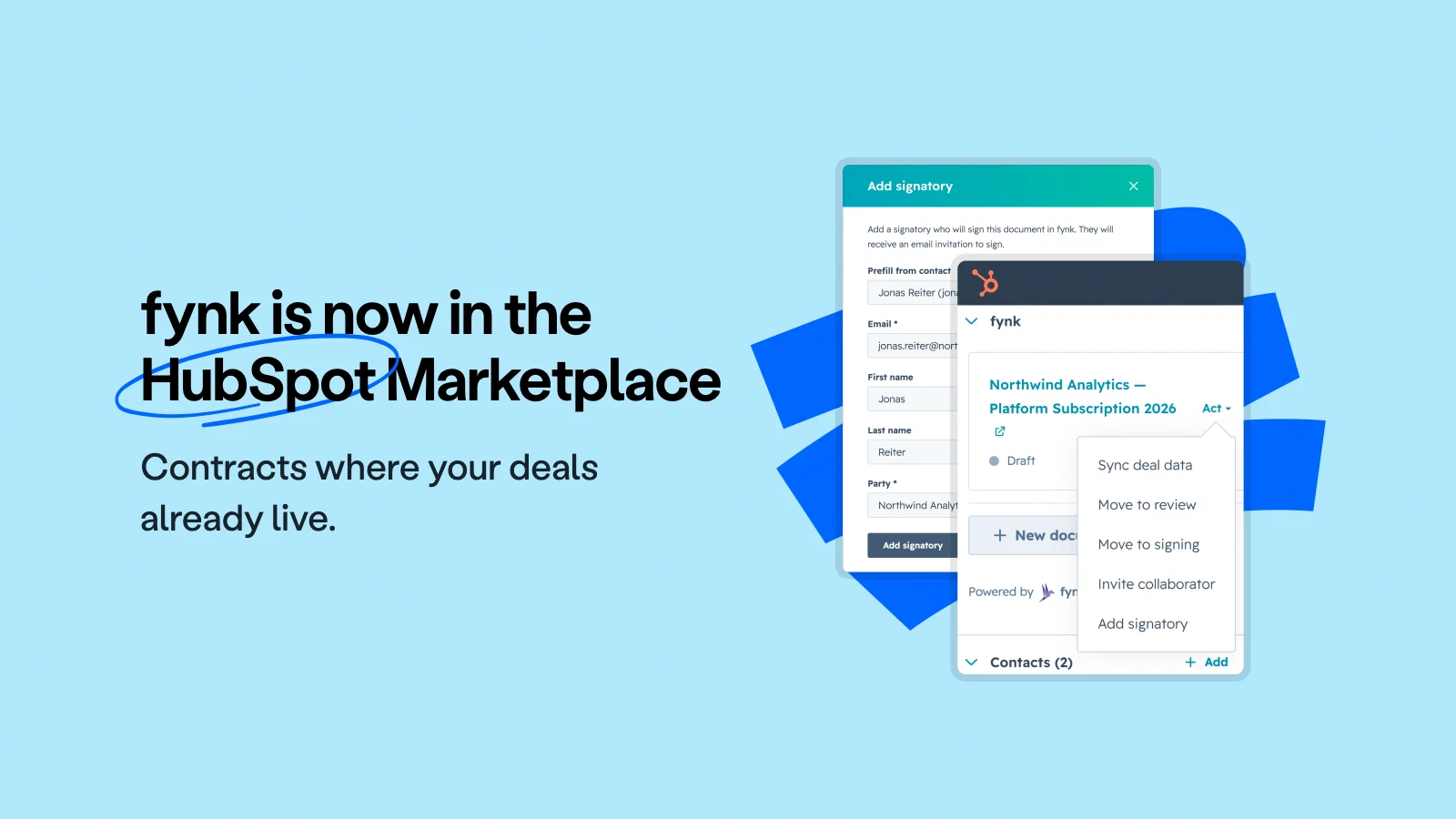
Our HubSpot app is listed in the HubSpot App Marketplace. Now, you can:
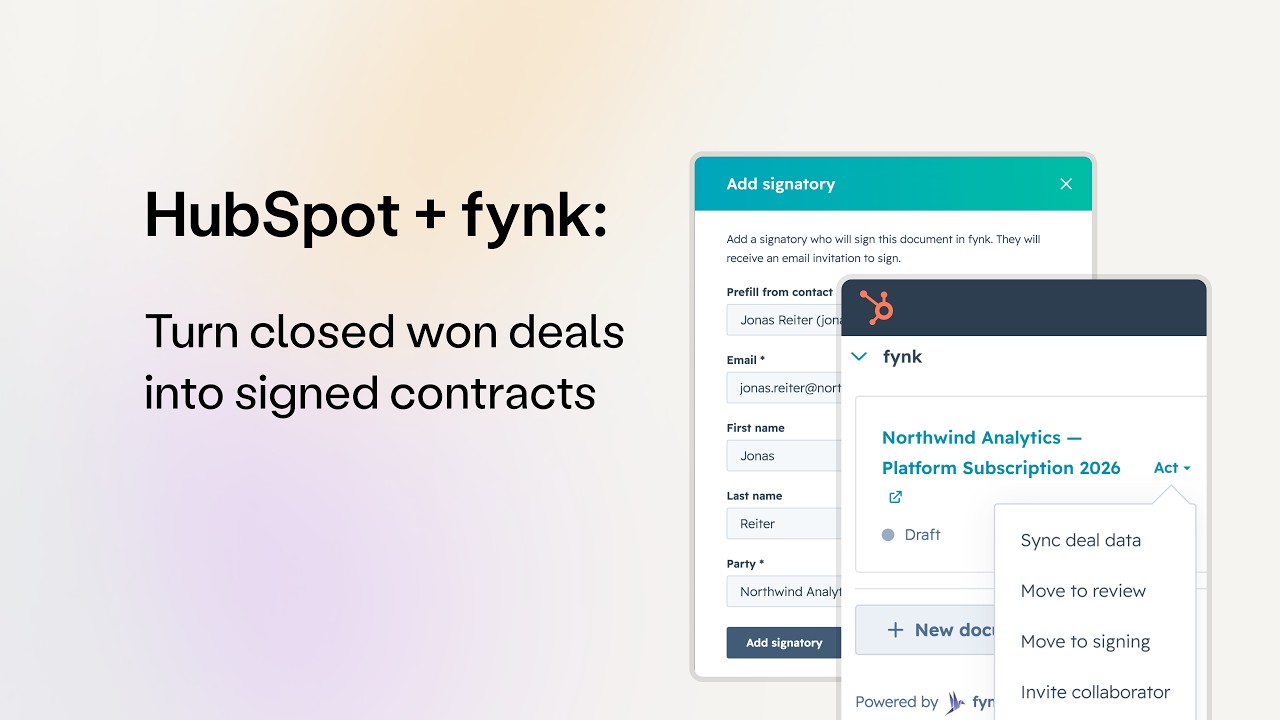
- Use a native fynk card on deal, contact and company records to create documents immediately from a template
- Add signatories and invite collaborators
- Move contracts to the review and signing stages
- Pull deal line items into the contract’s pricing table
- Draft contracts in bulk from a HubSpot workflow, one per record
All of it happens without leaving HubSpot. Available on Business and Pro now.
The wait between winning a deal and sending the contract is rarely just a few seconds.
The fynk app is now listed in the HubSpot App Marketplace. Install it and your reps can handle contracting in the CRM they already use, without learning anything new.
Take a shortcut in contracting for your HubSpot data
Why fynk in Marketplace?
Contracting isn’t hard. It just happens somewhere other than HubSpot, where your whole pipeline lives. So why not join the two and remove the copy-pasting, the double-checking, the email chains and so many other headaches?
With the HubSpot integration in the Marketplace, your reps have everything they need for contracting: pre-approved templates, signatories, and the stage changes that move a contract forward. No embedded editor, no second UI. Contracting gets done independently.
One of the biggest highlights is the HubSpot integration, which has made our lives significantly easier. And then there's the AI, which recognizes uploaded contracts, and also the ability to create custom prompts, which is just insanely cool.
What you can do with fynk App in HubSpot Marketplace
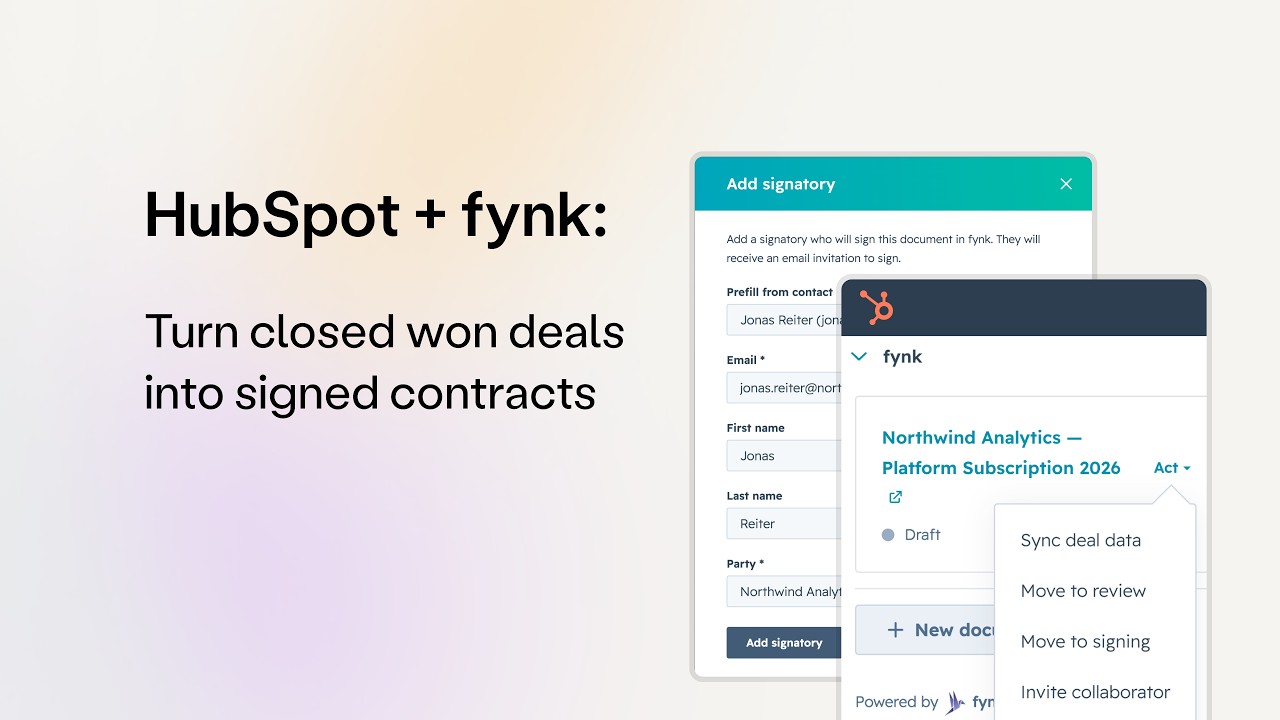
Open a deal, a contact or a company and the fynk card sits in the right sidebar. Everything below happens there, without opening another tab.
1. Create a contract from any published template
Hit New document on the card and pick one of your published templates. The contract is ready in a few seconds. Company name, counterparty, addresses, dates: every dynamic field you bound to a CRM property comes in filled from that record, read live rather than from an overnight sync.
Every value HubSpot fills lands in a field you placed, so reps get a contract in seconds and Legal keeps the wording.
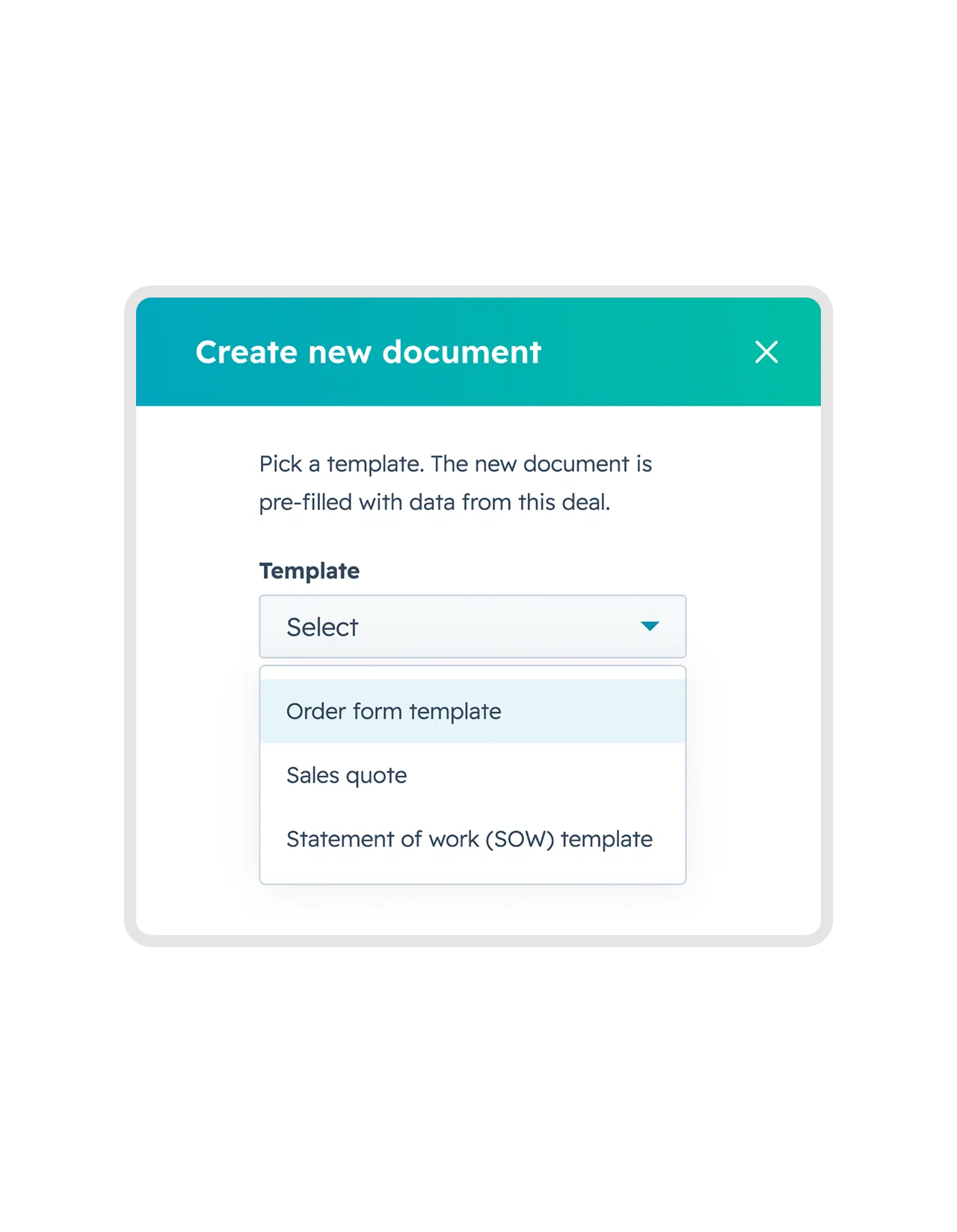


The picker only offers templates mapped to the object you're on, so a deal never gets offered a company agreement.
2. Invite a colleague to collaborate on the draft
Not every contract should go out the minute it’s drafted. Invite someone from your team to collaborate on the draft just by adding their email address. The discussions and edits happen on the document in fynk, so you can get on with your day until your colleagues are done. If the contract needs a formal sign-off before it goes out, your approval workflow runs the same way it always does.
3. Move the contract to review and signing
Add signatories by typing their email address, or better yet, choose them from your HubSpot contact list. Then hit Move to signing and they’ll receive an email with a link to sign. Signature tracking is right there on the card.
fynk sends the notifications and reminders to signatories by default, so nobody on your team has to chase them.
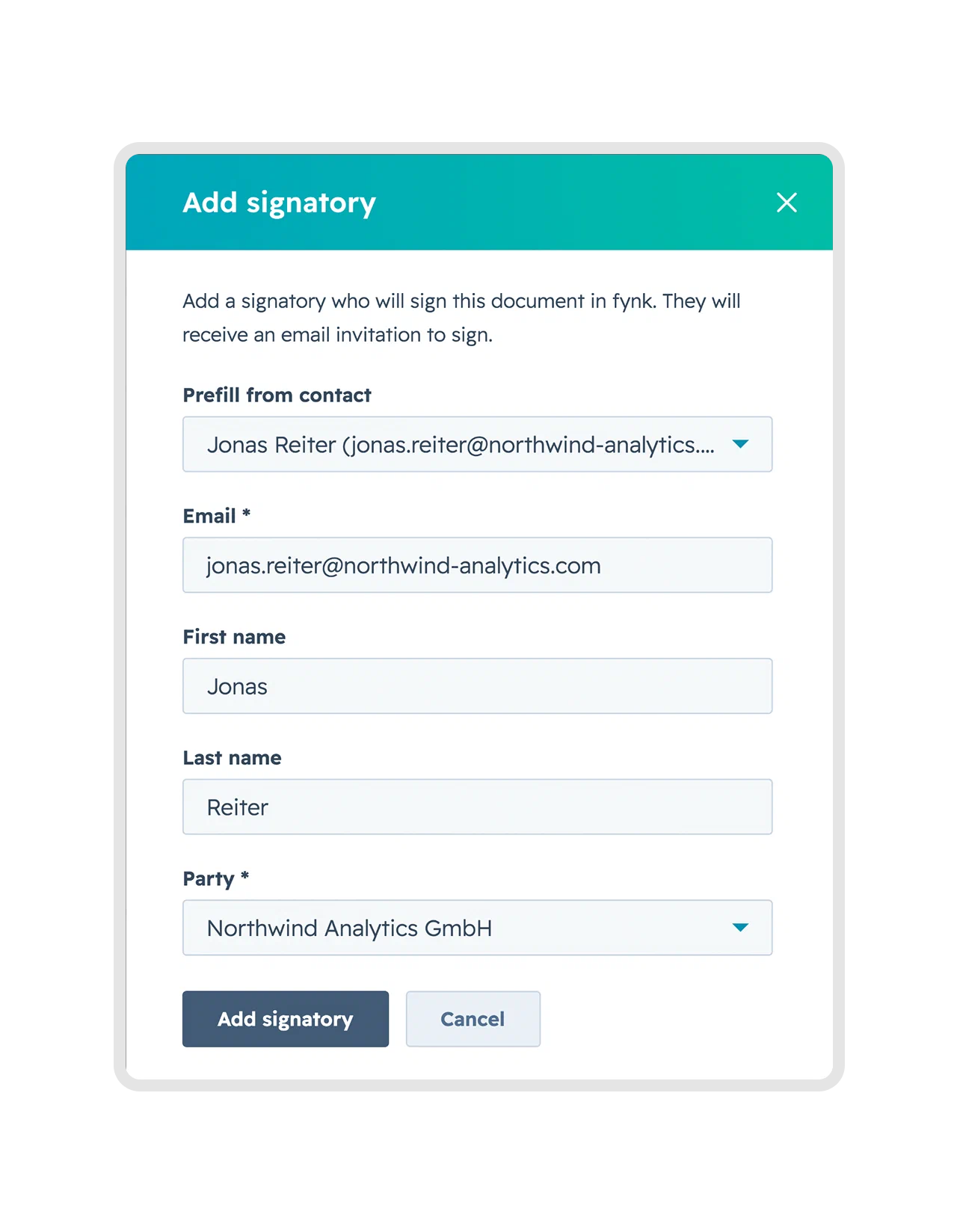
Prefill from a contact on the record, or type an email address if the signer isn't in your CRM yet.
4. Pull fresh data with syncing
Something changed in the deal after you created the draft? No worries. The draft is updated with the sync button. The label follows the object you’re on, so it reads Sync contact data or Sync company data elsewhere.
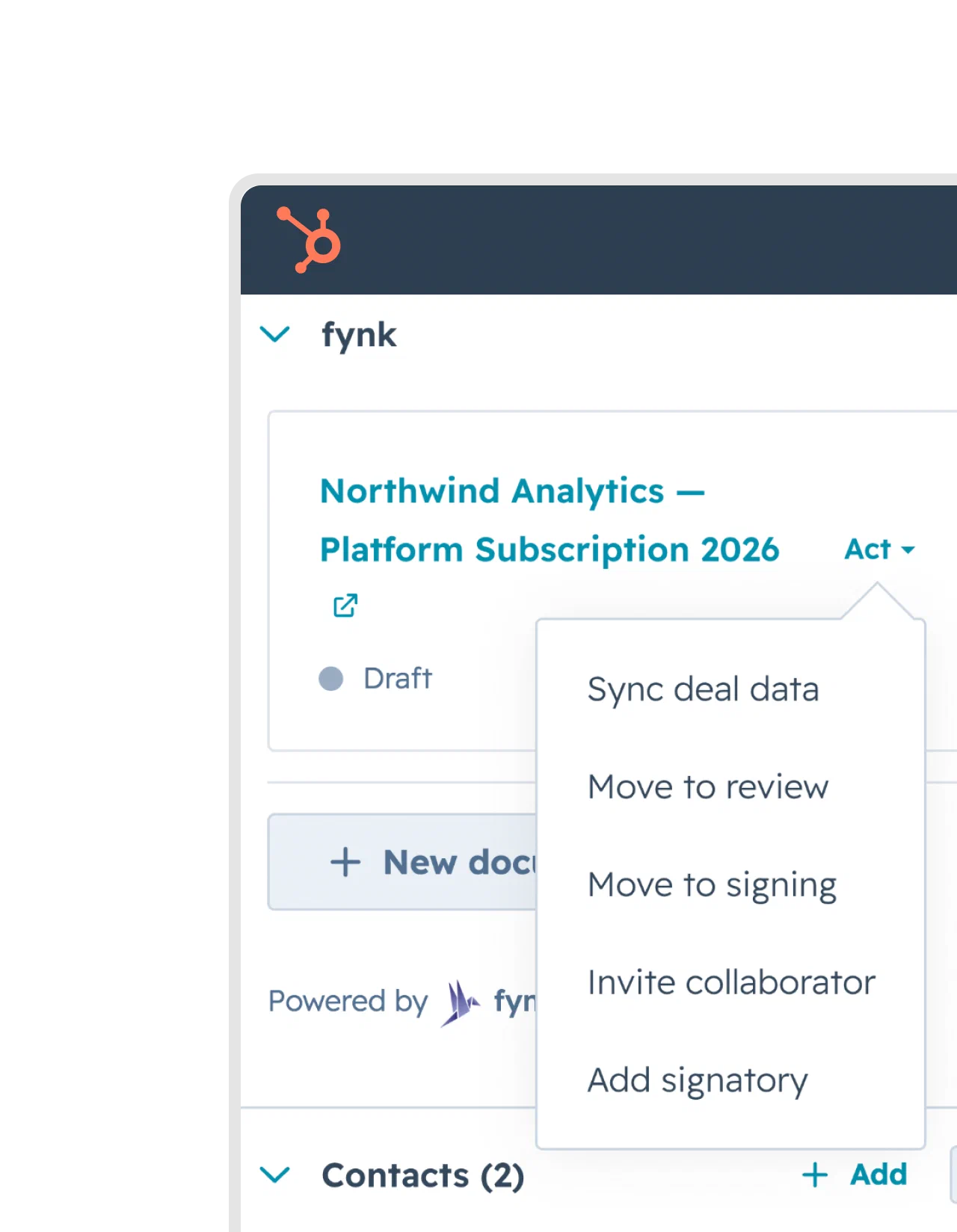
Everything a rep needs sits in one menu: sync the record, move the stage, invite a collaborator, add a signatory.
5. Download the signed contract in HubSpot
Once everyone has signed, Download signed PDF appears in the card’s actions menu. It resolves through the app’s own connection rather than the viewer’s fynk login, so a colleague in HubSpot without a fynk seat can still download the file.
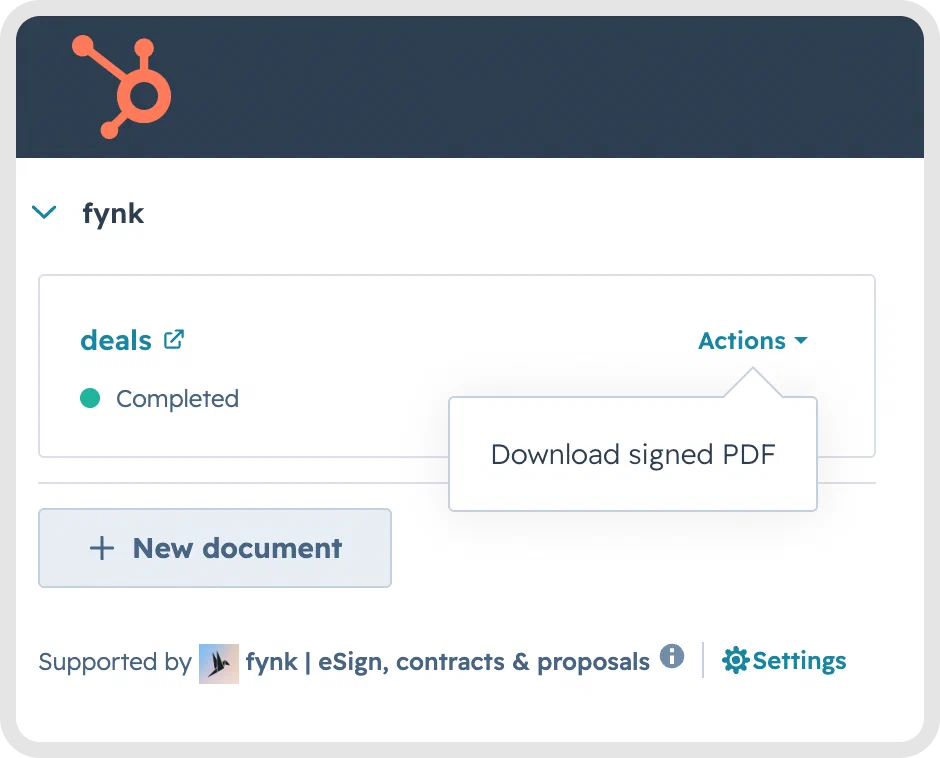
The option only appears once the contract is Completed, so there's never a half-finished version to download by mistake.
6. Create many contracts at once with HubSpot workflows
Create fynk document is an action in HubSpot’s own workflow builder, so the trigger you already know does the work. Set it to fire when a deal reaches Closed Won, point it at a template, and the contract is drafted without anyone clicking anything. The action is available on deal, contact and company workflows alike.
This is also how you handle a whole batch. Bulk-edit forty deals into that stage and all forty enrol in a single run, each producing its own document, prefilled from its own record, with the right counterparty on every one. Re-enrolment stays off, so deals already sitting in the stage don’t fire a second time. Bulk creation in fynk does the same job from a spreadsheet, if the list you’re working from isn’t in HubSpot.
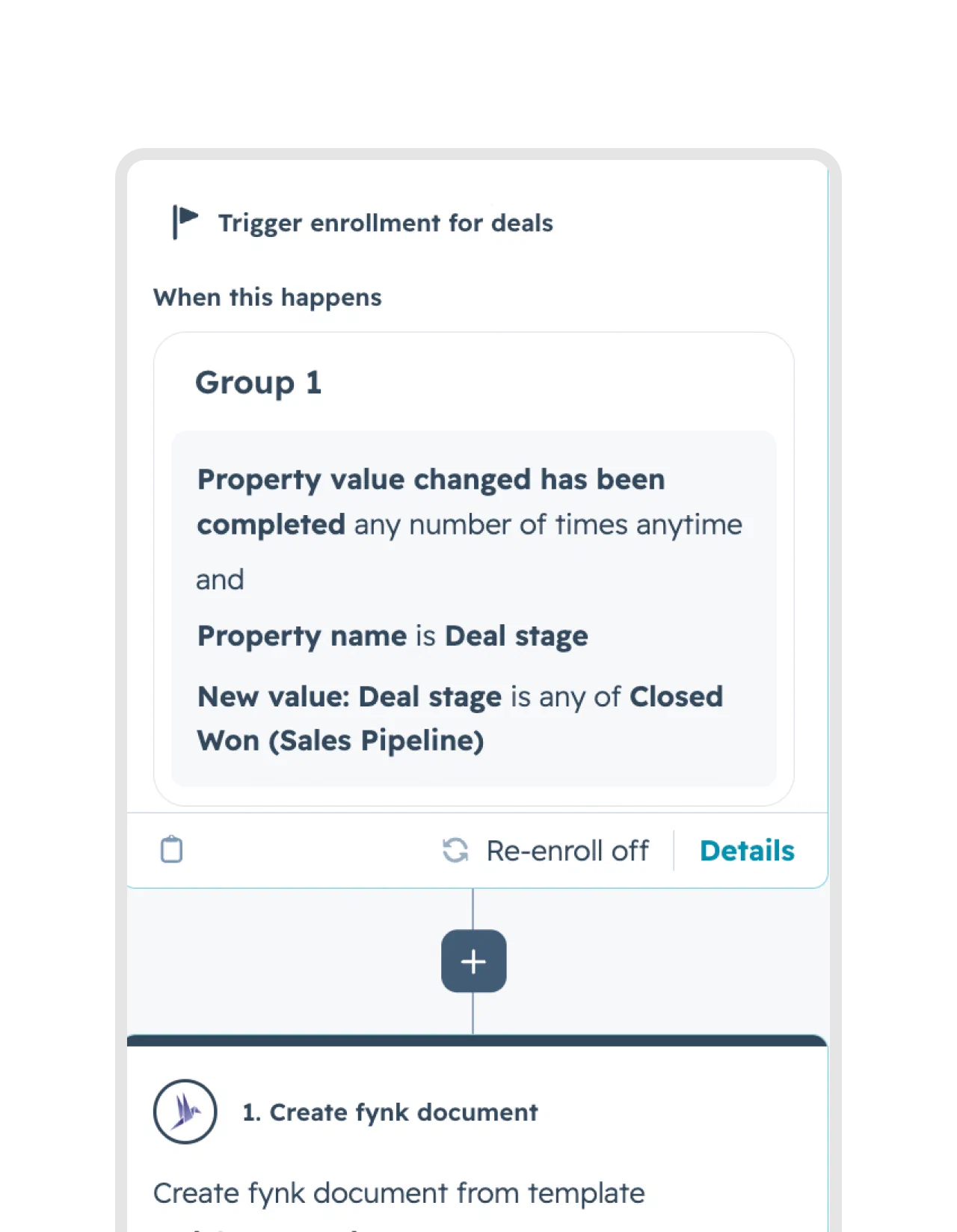
Deal stage changes to Closed Won, fynk creates the document from your template. Two inputs, the record and the template, and everything else about the workflow stays yours.
Pricing table with embedded line items
A pricing table in your template binds to the line items on a deal and renders one row per product. Each cell picks its own attribute: name, description, quantity, unit price, net price, discount.
One thing to get right the first time. Unit Price is the price per unit, not the line total, so a deal line of four Pro Plan licences at €5,000 renders as €5,000. Bind Net Price if you want the €20,000.
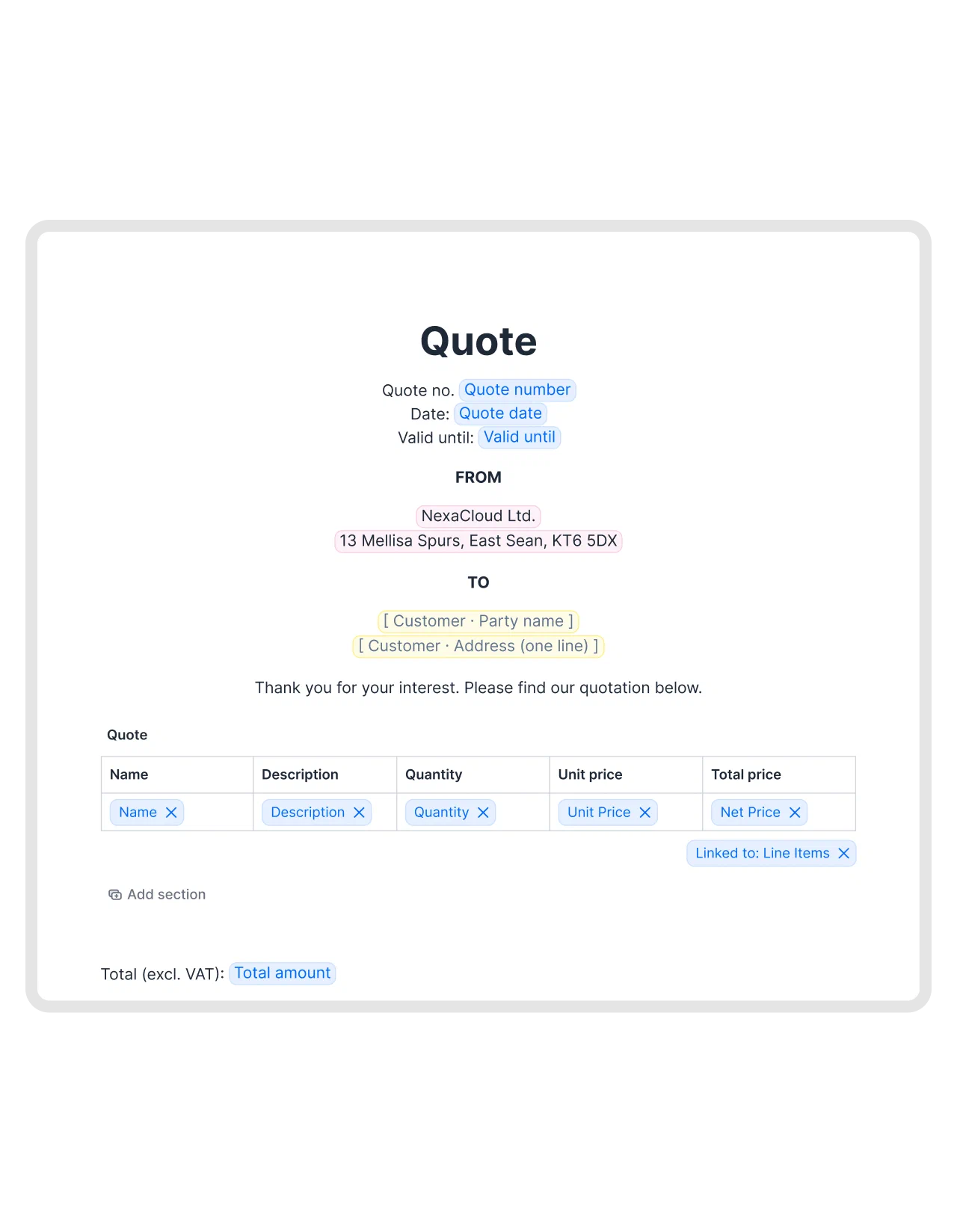
One row per line item, with the attribute you pick in each cell. Bind Net Price if you want the line total rather than the per-unit price.
Line items are deal-scoped in HubSpot, so keep pricing tables on your deal templates. On a contract built from a company record, a bound table has nothing to read and comes out empty.
fynk reads your CRM and writes nothing back
Every scope the app asks for is read access: contacts, companies, deals, line items, schemas, plus the automation scope the workflow action needs.
So no contract object appears in your CRM, no property gets overwritten, and uninstalling leaves nothing behind to clean up. Your contracts stay in fynk, in ISO 27001-certified German data centres, under the same GDPR and server-location guarantees as the rest of your account.
Installing it takes about a minute
Start from either side. Find fynk in the HubSpot App Marketplace and install, or connect from Account settings → Integrations in fynk. Same OAuth handshake either way, and no token to paste.
Two things to know after that. The card is added per object type, so deals, contacts and companies mean three passes through HubSpot’s card library. And a template only shows up in a record’s picker once it’s mapped to that object. The help centre article walks through both, screen by screen.
If you haven’t built a fynk template before, this is the part to watch first. The fields you place here are the ones HubSpot fills later.
The Marketplace app runs on Business and Pro, and the free trial includes it. If you’re on Essential and already using our HubSpot connection, you keep it.
Turn it on
Install the app, add the card to your deal records, and map one template to Deals. That’s the setup.
The next deal that reaches your closing stage will have its contract on the record already, with the right company on it and the right numbers in the table.
Take a shortcut in contracting for your HubSpot data
Please keep in mind that none of the content on our blog should be considered legal advice. We understand the complexities and nuances of legal matters, and as much as we strive to ensure our information is accurate and useful, it cannot replace the personalized advice of a qualified legal professional.


Get a regular dose of insightful contract management content



Take control of your agreements. Move your business forward.
Run agreements the way they should run: fast, clear, and on your terms.
No setup headaches
Go live in days, not quarters
No lock-in
Full export anytime
No hidden fees
Signatures included, no envelope fee