
10 contract lifecycle management (CLM) best practices

Rezvan Golestaneh
Updated · Published · 14 min read
Most contract problems are not legal problems. They are process problems: the signed PDF nobody can find, the renewal that rolled over because the notice date lived in one person’s head, the vendor agreement signed on an old template. Contract lifecycle management (CLM) best practices fix exactly those gaps.
The ten contract lifecycle management best practices that matter most:
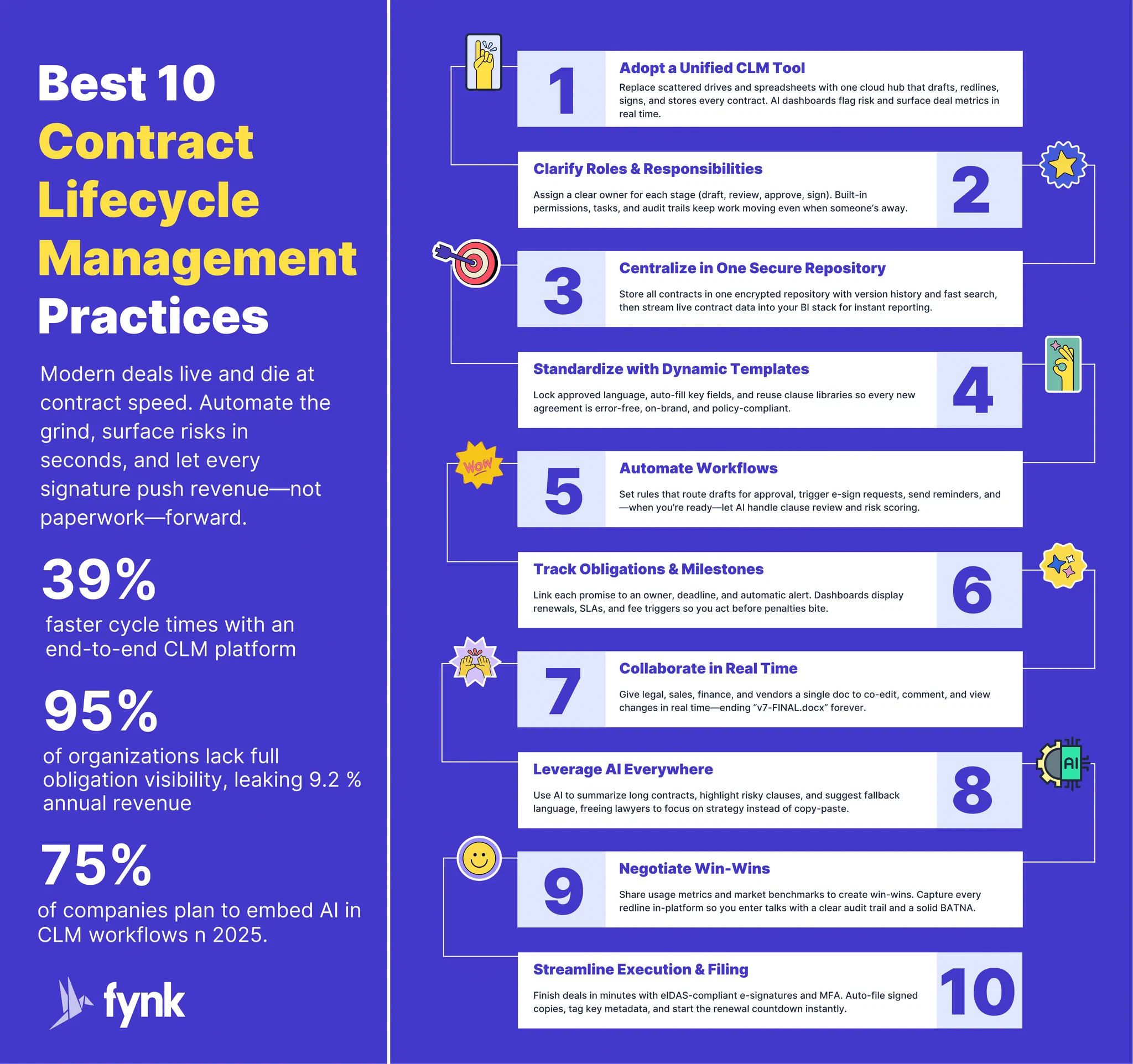
- Run contracts in one CLM tool, not a mix of drives, inboxes and spreadsheets
- Give every stage an owner: who drafts, who approves, who negotiates, who signs
- Keep every contract in one secure repository with searchable data
- Standardize recurring contracts with approved templates and clauses
- Automate approvals and routine workflows, so no step can be skipped
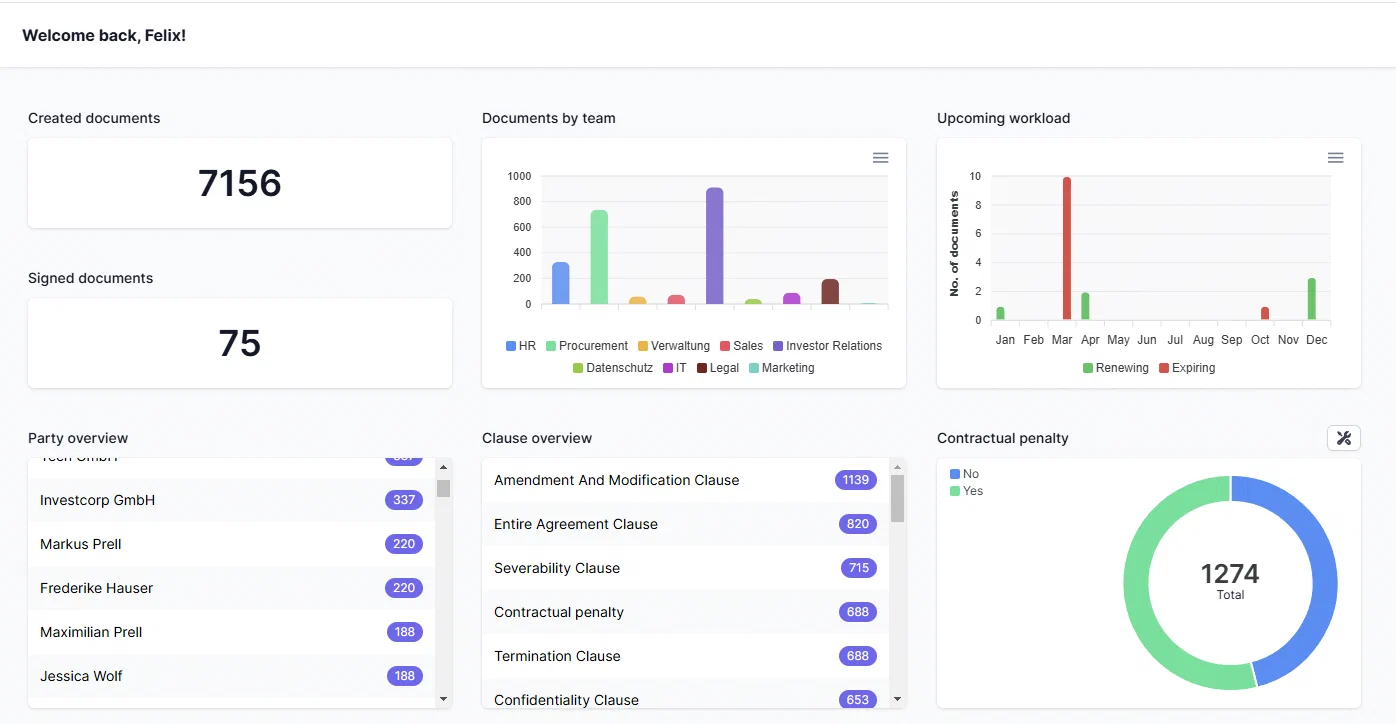
- Track obligations, deadlines and renewals with reminders and owners
- Collaborate in one workspace, not in email attachments
- Use AI for extraction, summaries and first-pass review, with a human checking the result
- Negotiate from a playbook with agreed fallback positions
- Make signing secure and fast with e-signatures and a clear signing authority
Then measure the result (cycle time, renewals missed, share of contracts on template) and audit the process once a year.
- Contract lifecycle management (CLM)
- The process of managing a contract through every stage of its life: request, drafting, review and approval, negotiation, signature, storage, performance and obligation tracking, and renewal or expiry. CLM goes beyond storing contracts: it controls how they are created and what happens after they are signed.
If you are unsure where contract management ends and CLM begins, see contract management vs contract lifecycle management.


Best Contract Lifecycle Management Practices
The practices at a glance
| # | Best practice | Lifecycle stage | What it prevents |
|---|---|---|---|
| 1 | One CLM tool | All stages | Contracts scattered across tools, no overview |
| 2 | Clear ownership | All stages | Work done twice, or not at all |
| 3 | One secure repository | Storage | Lost contracts, uncontrolled access |
| 4 | Templates and clauses | Drafting | Outdated terms, slow first drafts |
| 5 | Automated approvals | Review and approval | Contracts signed without sign-off |
| 6 | Obligation and renewal tracking | Post-signature | Unwanted auto-renewals, missed deliverables |
| 7 | One workspace for collaboration | Review and negotiation | Version chaos in email |
| 8 | AI with human review | Drafting, review, storage | Hours of manual reading and data entry |
| 9 | Playbook-based negotiation | Negotiation | Ad-hoc concessions, inconsistent risk |
| 10 | Secure, smooth signing | Execution | Delays, forged or unauthorized signatures |
1. Run contracts in one CLM tool
The first best practice is to stop running contracts across a contract management Excel template, a shared drive and a dozen inboxes. Each of these works on its own. Together they leave nobody with the full picture.
A CLM tool puts drafting, approvals, signing, storage and reminders in one place. The measurable effect is time and money: WorldCC research found AI-supported contracting cut contract lifecycle time by 39%, and Deloitte Legal estimates generative AI could reduce legal department costs by 20 to 30% (sources in our contract management statistics).
With a CLM tool, you can:
- Automate routine steps such as drafting from templates and collecting approvals
- Let AI extract key data and flag risky terms in seconds
- Track obligations, milestones and renewal dates automatically
- Keep one source of truth for every contract, accessible from anywhere with the right permissions
How to choose a CLM tool
Look for a tool that:
- Covers the whole lifecycle: drafting, redlining, approvals, tasks, notifications, integrations and signatures, so nobody has to switch tools between stages.
- Is built for collaboration: contract work involves legal, sales, finance and procurement, and sometimes the other party.
- Scales with you: more contracts, more users, more entities, without a reimplementation.
- Is secure: granular permissions, an audit trail, and clear answers on where data and AI processing happen.
- Connects to your stack: CRM, storage and an API, so contract data does not get typed twice.
If you are coming from paper or shared folders, our guide to digital contract management covers the move itself.
What makes fynk a good CLM
fynk is a cloud-based CLM that covers every stage in one workspace:
- End-to-end lifecycle: AI contract analysis, template-based drafting, approval workflows, eIDAS-compliant e-signatures up to qualified electronic signatures, and reminders for expirations and renewals.
- AI import and review: import hundreds of existing PDFs and Word files and let AI extract metadata and summaries, which makes migrating from paper or drives realistic.
- Built-in governance: mandatory approvals and rule-based automation, so contracts cannot be signed until every approval is in.
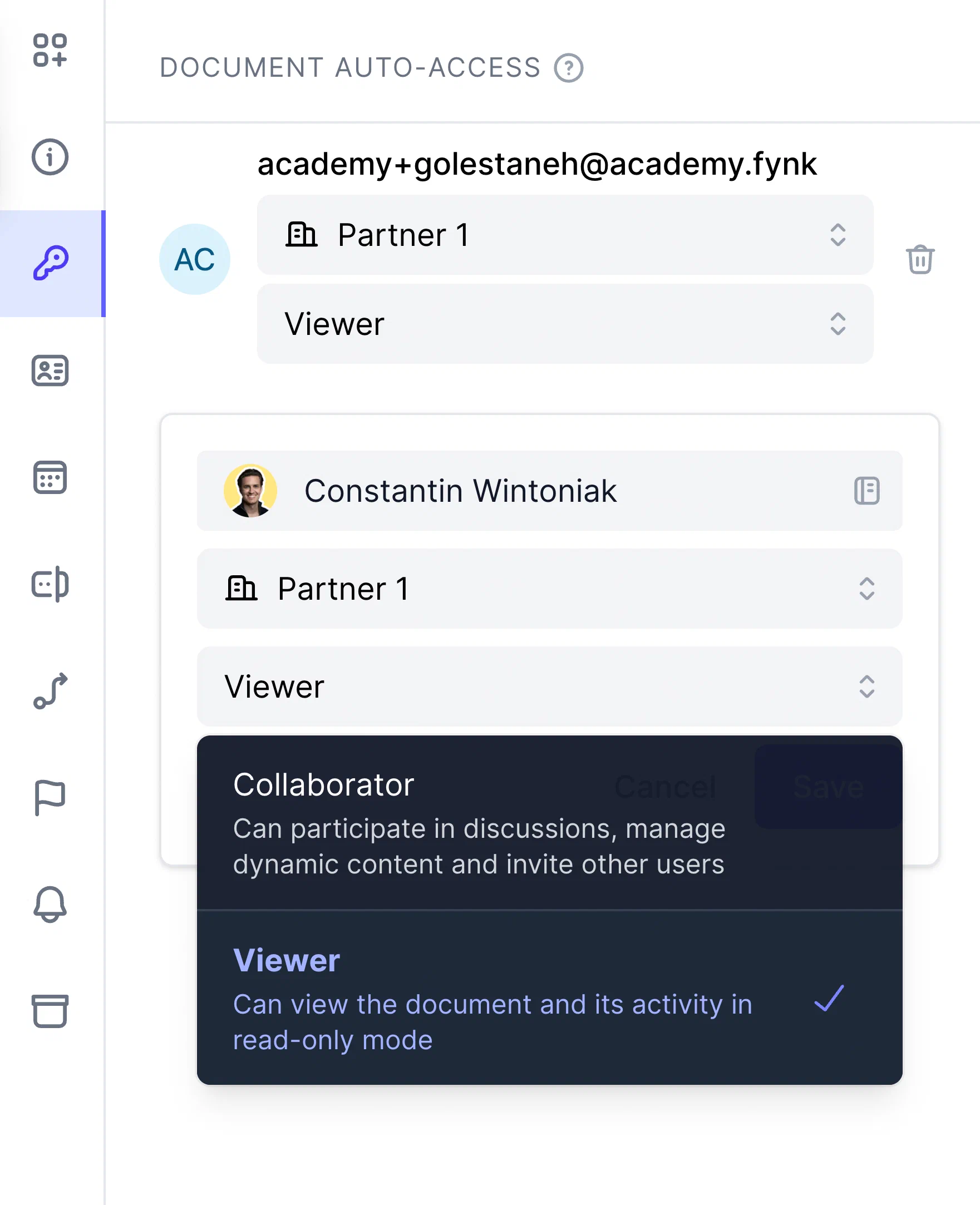
- Roles and teams: permissions from view-only to full access keep sensitive contracts on a need-to-know basis.
- All files in one place: annexes, exhibits and supporting documents live as attachments on the contract.
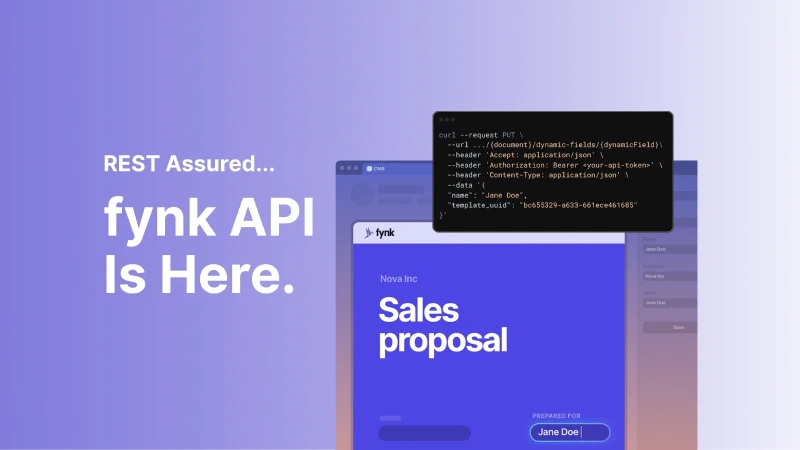
- Fits your stack: CRM integrations and a REST API to create documents, sync metadata or feed BI dashboards.
Searching for a contract management solution?
Find out how fynk can help you close deals faster and simplify your eSigning process – request a demo to see it in action.
2. Make it clear who does what
Clear roles prevent duplicated work, delays and the classic “I thought you sent it”. However many people touch a contract, define who owns each stage and how work moves between teams.
Focus on two things:
- An owner for each CLM stage. Who drafts? Who collects approvals? Who negotiates? Who may sign? Where teams have overlapping interests, a named owner avoids both conflict and inaction.
- Rules for handovers. Agree on how work moves between people: in which tool, in what order, and what happens when someone is out.
Example: for a new vendor contract, legal counsel drafts, the compliance officer reviews and collects approvals, and the vendor manager negotiates. Because handovers are defined, the draft does not stall when the compliance officer is out for a day: the vendor manager continues the negotiation, and the compliance review is picked up on return, with every step visible in the CLM.
A simple RACI matrix (responsible, accountable, consulted, informed) per contract type is usually enough. Our overview of contract management responsibilities lists the typical roles.
✨ Pro tip: use user roles and access management, teams and task assignments in your CLM, so the ownership you agreed on is also enforced.
3. Keep contracts in one secure place
A single contract repository is the foundation for most other practices. Contracts scattered across Google Drive, OneDrive, email threads and filing cabinets work until the day you need the agreement you signed two years ago, before its notice period ends.
A good repository helps you:
- Find any contract in seconds, by party, date, value or clause
- Control who can see and change what
- Capture contract data (dates, values, owners) as fields, not just as text in a PDF
- Keep version history and an audit trail
- Drive renewals and obligations from that data
It also turns individual contracts into a portfolio. With five years of vendor contracts in one place, you can see total spend per vendor, how it grew and where you have leverage at the next renewal. That is impossible when contracts live in ten different folders.
For setup and migration steps, see our guide to contract repository management and the rules for consistent contract metadata.
4. Standardize frequent contracts with templates
Creating and reusing approved templates is one of the simplest CLM best practices with the fastest payoff. NDAs, employment contracts, order forms and vendor agreements should never be drafted from a blank page or copied from the last deal.
Templates give you:
- Speed: a first draft in minutes, not hours.
- Consistency: everyone uses the same approved wording.
- Lower risk: fewer outdated clauses and copy-paste errors.
- Compliance: policy and regulatory requirements are built in once.
Pair templates with a clause library or fallback clauses for the terms that get negotiated most, and review templates at least once a year. Outdated templates are among the most common findings in a contract management audit.
✨ Pro tip: use dynamic templates that fill in party names, addresses and payment terms from the deal, so nobody retypes them.
🧠 Did you know? fynk offers a free library of legal document templates.
5. Automate approvals and routine workflows
Automation turns a working CLM process into a fast one. Almost every stage can be automated to some degree:
| Stage | How much? | How? |
|---|---|---|
| Contract creation | ⭐⭐⭐⭐ (4/5) | Dynamic templates and clause libraries fill in key details. CRM integrations start the contract from the deal. |
| Internal review and approval | ⭐⭐⭐⭐⭐ (5/5) | Rules route each contract to the right approvers. AI playbooks flag what needs attention. |
| Negotiation and redlining | ⭐⭐ (2/5) | Negotiation stays human, but version tracking and notifications keep everyone current. |
| Signatures | ⭐⭐⭐⭐⭐ (5/5) | E-signature requests, signing order, reminders and filing of the signed copy. |
| Renewals and expirations | ⭐⭐⭐⭐ (4/5) | Reminders based on contract dates and notice periods. |
Approval rules deserve special attention. Define them per contract type, value or risk level (for example, “legal approves anything over EUR 50,000 or with uncapped liability”), and make the system enforce them. In fynk, a contract cannot go to signature until every required approval is in. Our article on document approval workflows shows how to design them.
✨ Pro tip: you don’t have to automate everything at once. Start with the stages that are easiest to automate (signatures and approvals) and work your way up.
6. Track contract obligations and milestones
Every signature is a promise. When promises slip, you lose money and credibility. Industry research cited by Deloitte puts the value lost through poor contract management at 9.2% of annual contract value, with most of it lost after signing (sources).
Why obligation and milestone tracking matters
| Without tracking | With tracking |
|---|---|
| Missed notice dates lead to unwanted auto-renewals and price increases | Automated reminders keep renewals deliberate and negotiated |
| Unmet deliverables lead to penalties and damaged trust | Dashboards show upcoming tasks and SLAs |
| Unknown liabilities lead to audit findings | A central audit trail shows who did what and when |
Make these habits:
- Reminders and escalations: alerts well before each notice date or milestone, with an escalation if nobody acts. Our notice period calculator gives you the deadline for a single contract.
- Calendars and dashboards: a contract calendar or board view, so everyone sees what is coming next.
- Named owners: every obligation has one accountable person in legal, finance or operations.
- Data, not memory: extract dates, values and obligations into fields when the contract is signed (or with AI when you import old contracts), and tie tasks and reminders to them.
For the renewal side specifically, see contract renewal and extension.
7. Bring collaborators on board
Contracts touch legal, sales, finance, procurement and operations. Passing Word files back and forth by email is where most cycle time disappears.
When everyone works in one CLM workspace:
- Turnaround is faster: comments and @mentions replace email threads.
- There are fewer errors: everyone sees the current version, and contract redlining happens in the document itself.
- Accountability is clear: permissions and the activity log show who changed what and when.
✨ Pro tip: for big deals, keep comments, redlines and approvals on the contract itself instead of spreading them across chat, email and calls.
In fynk you can invite teammates and external parties with limited access, set access levels, and edit together while version history keeps a complete record.
8. Use AI in CLM, with a human in the loop
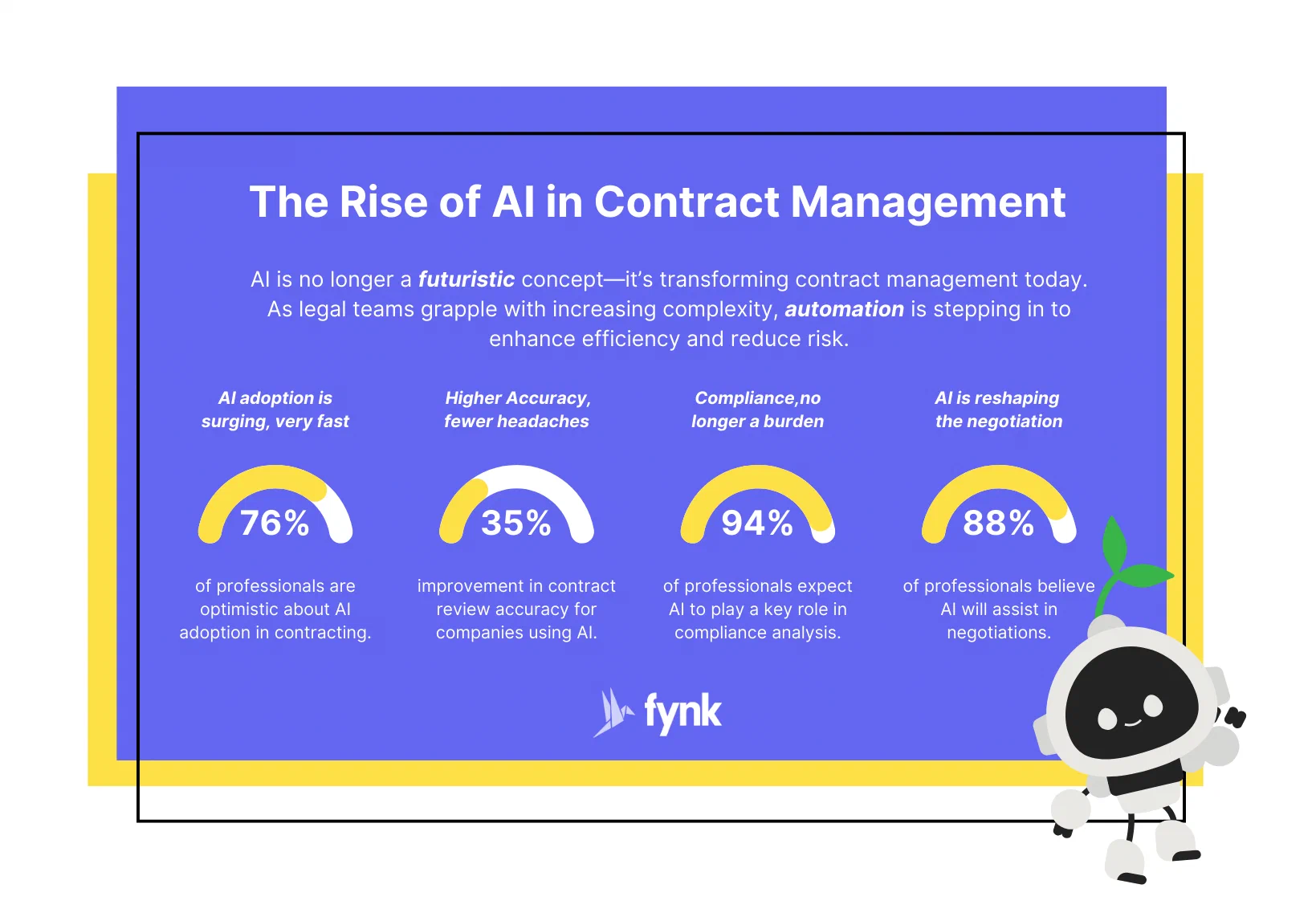
AI has changed contract lifecycle management more than any other technology since e-signatures. The best practice today is not “use AI everywhere” but “use AI where it is reliable, and check its output where it matters”.
The Rise of Al in Contract Management
Where AI-assisted CLM works well:
- Data extraction: parties, dates, values, notice periods and renewal terms pulled from new and legacy contracts, including scans. See AI contract import.
- Summaries: a plain-language overview of a 30-page agreement before you read it in full.
- First-pass review: checking a contract against your contract playbook and flagging deviations, as fynk’s AI contract review does with green, orange and red flags.
- First drafts: a starting version you then refine, instead of a blank page.
- Search: questions in plain language across the whole repository (“which supplier contracts renew in Q1?”).
Where to stay careful:
- Verify before you rely. AI can misread or miss terms. Treat its output as a draft, and have a person confirm anything that drives a decision, a deadline or a signature.
- Know where your data goes. Ask your vendor where AI processing happens and whether your contracts are used for model training. In fynk, AI processing runs within the European Economic Area and your data is never used to train AI models.
- Write down your rules. AI review is only as good as the playbook behind it. Define what is acceptable, what needs escalation and what is a hard no.
✨ Pro tip: give AI the tedious work first. Let it summarize long vendor agreements or flag non-standard terms, and spend your own time on judgment and negotiation.
9. Negotiate for a double win
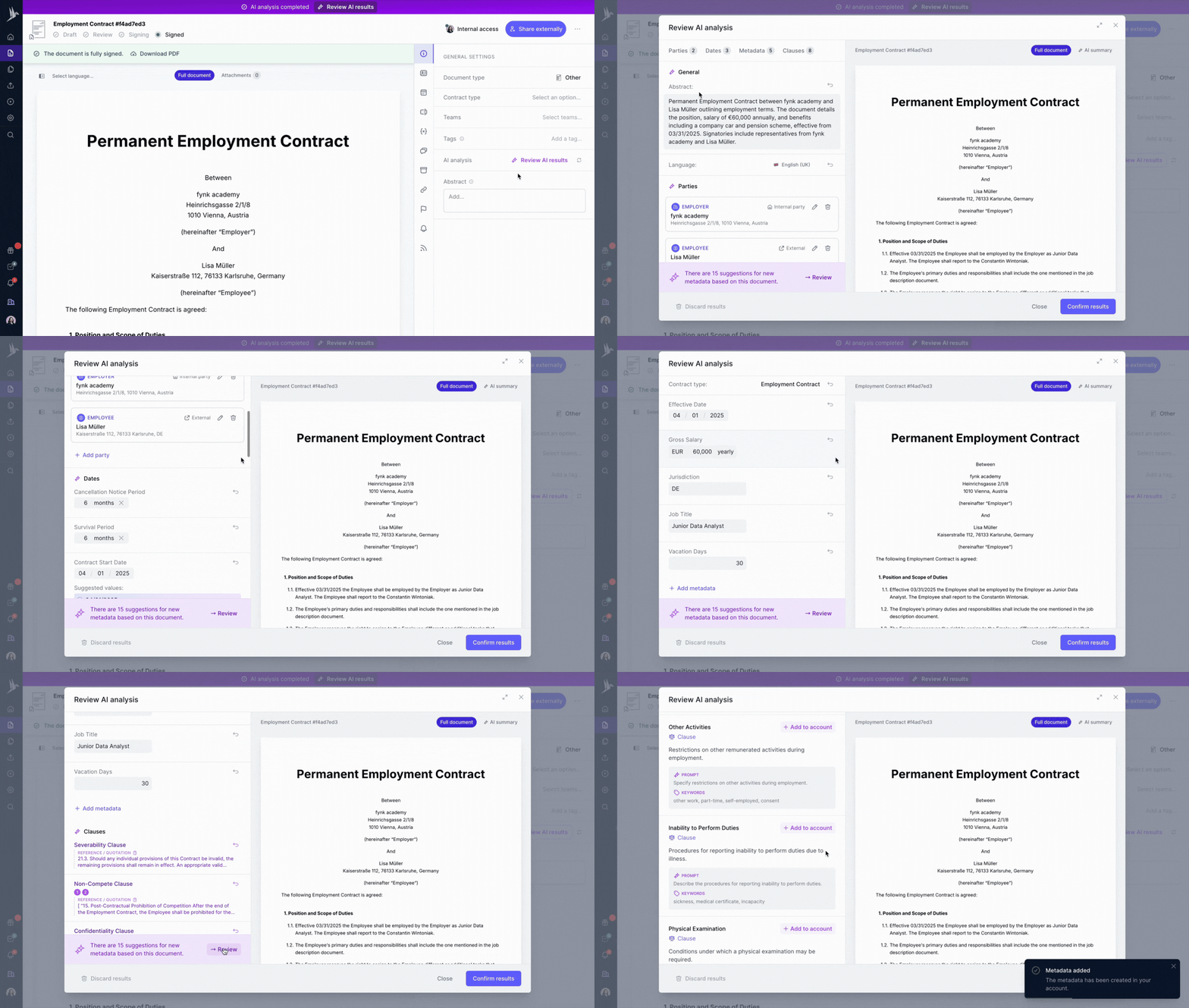
Good contract negotiation is not about arm-twisting. It is about structuring a deal both sides want to keep.
- Share data, not assumptions. When both sides see the same usage figures or market rates, the conversation moves from “prove it” to “how do we structure this”.
- Trade, don’t concede. If early payment is easy for you and valuable to the other side, exchange it for a longer term, an extended warranty or even a lifetime warranty.
- Align incentives. Tie price escalators or discounts to volume or performance.
- Prepare fallback positions. For the most negotiated terms (limitation of liability, indemnities, price adjustments, termination), decide in advance what you accept, what needs escalation and where you walk away. That is what a contract playbook is for.
- Know your BATNA, your best alternative to a negotiated agreement, before the meeting.
And negotiate in one live document: draft, redline, comment and accept changes inside your CLM, so nobody works on v7-FINAL-really-final.docx.
10. Make the execution stage smooth
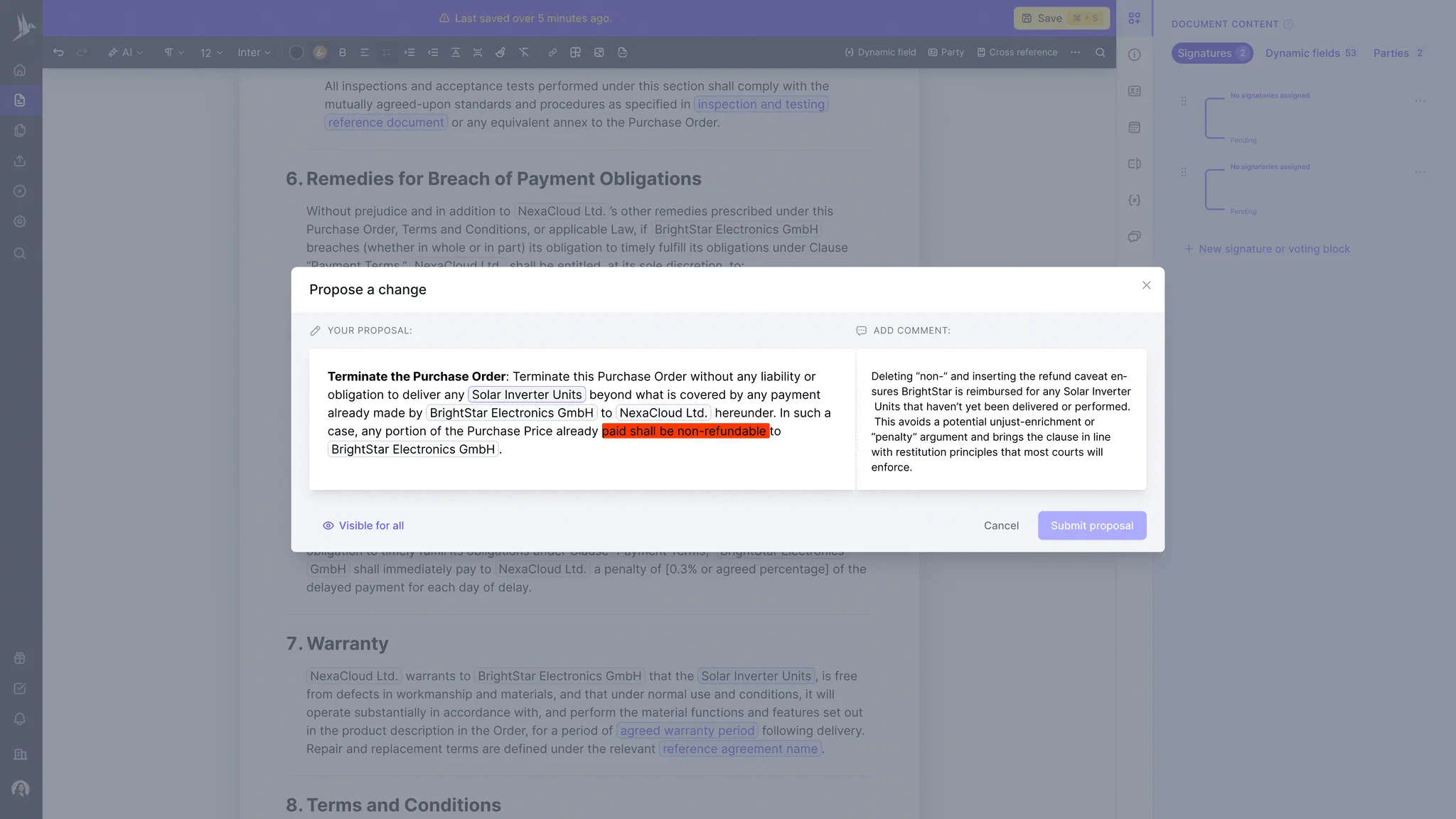
Signing is where a contract becomes binding, so the process should be both secure and fast.
Secure, because signature forgery still happens. Every signature should be time-stamped and backed by an audit trail. A one-time code sent to the signer’s phone, or a verified ID for higher-risk contracts, confirms that the signer is who they claim to be.
📌 Remember: keep an up-to-date record of signing authority, so there is never doubt about who can bind the company.
Choose the signature type per contract. Wet signatures are slow and hard to verify. Electronic signatures are recognized in the US (ESIGN Act and UETA), the EU (eIDAS Regulation) and the UK for almost all business contracts. A few document types, such as wills and some real estate or family law documents, still require wet ink or notarization depending on the jurisdiction, so check local rules for those.
Smooth, because the contract should go to the right signers in the right order, with reminders and live status, so you can see who has signed and who is stalling. Once the last signature is in, the contract should be filed in the repository with its metadata automatically.
Sign
any
Document in Less than
a Minute.
How to measure your CLM practices
Best practices only count if they change the numbers. Track a handful of KPIs and review them every quarter:
| KPI | What it tells you |
|---|---|
| Contract cycle time (request to signature) | Whether templates, approvals and e-signing are speeding things up |
| Approval time per stage | Where contracts wait, and for whom |
| Share of contracts on approved templates | How well standardization is adopted |
| Renewals or notice dates missed | Whether obligation tracking works (target: zero) |
| Overdue obligations and deliverables | Post-signature performance |
| Share of contracts with complete metadata | Whether your repository can support reminders and reporting |
Once a year, or after a merger or rapid growth, run a structured contract management audit to check that the practices are followed, not just written down.
Where to start
You don’t need all ten practices on day one. A realistic order for teams moving off spreadsheets and shared drives:
- Centralize: import existing contracts into one repository and let AI extract the key dates.
- Protect the deadlines: set reminders for every notice period and renewal.
- Standardize: turn your five most-used contracts into templates.
- Control: add approval rules and e-signatures.
- Optimize: add AI review, playbooks, integrations and KPI reporting.
Contracts are the promises that keep a business running. Centralize them, give every stage an owner, automate the routine work and check the results, and the lifecycle starts working for you.
FAQ
They are proven habits for managing contracts from request to renewal: one CLM tool and repository, clear ownership per stage, standard templates, automated approvals, obligation and renewal tracking, collaboration in one workspace, AI with human review, playbook-based negotiation, secure e-signing and regular measurement with KPIs.
Most models use these stages: request or intake, drafting, internal review and approval, negotiation, signature, storage, performance and obligation management, and renewal, amendment or expiry. Some combine review and negotiation or add a separate audit stage.
Contract management often means administering contracts once they exist, mostly storage and deadlines. Contract lifecycle management covers the whole process, including how contracts are requested, drafted, approved, negotiated and signed. In practice, the terms are often used interchangeably.
AI extracts data such as parties, dates and renewal terms, summarizes long agreements, reviews contracts against a playbook, drafts first versions and answers questions across the whole repository. Its output should be checked by a person wherever it drives a decision, a deadline or a signature.
Contract cycle time from request to signature, approval time per stage, share of contracts on approved templates, missed renewals or notice dates, overdue obligations and the share of contracts with complete metadata.
Yes. Small teams benefit most from a single repository, reminders for notice periods, a few standard templates and e-signatures. These take days to set up in a modern CLM tool and remove most of the risk of missed deadlines and lost contracts.
Review your KPIs quarterly and run a full contract management audit once a year, or sooner after a merger, a reorganization, rapid growth in contract volume or a dispute that exposed a gap.
Please keep in mind that none of the content on our blog should be considered legal advice. We understand the complexities and nuances of legal matters, and as much as we strive to ensure our information is accurate and useful, it cannot replace the personalized advice of a qualified legal professional.


Get a regular dose of insightful contract management content

Take control of your agreements. Move your business forward.
Run agreements the way they should run: fast, clear, and on your terms.
No setup headaches
Go live in days, not quarters
No lock-in
Full export anytime
No hidden fees
Signatures included, no envelope fee