
Claude legal plugin explained: what it does and where it stops

Rezvan Golestaneh
Published · 8 min read
The Claude legal plugin gives in-house teams a first pass on contract review, NDA triage and legal requests, right inside Claude.
- Five commands cover playbook review, NDA triage, vendor checks, briefs and responses.
- The plugin is free; Cowork needs a paid Claude plan.
- Its default playbook follows US law, so EU teams need to rewrite it.
- Vendor checks and deadline briefs only work with your contract records connected.
- Every output is a draft for a lawyer to check.
The Claude legal plugin is a free, open-source set of commands for Claude Cowork that reviews contracts against your playbook, triages NDAs, checks vendors, and drafts legal briefings and responses. You install it from the plugin marketplace in Cowork, and it also runs in Claude Code.
Two things are worth knowing up front: every output is a draft for a lawyer to check, and the plugin only knows the contracts you give it access to.
What is the Claude legal plugin?
The Claude legal plugin is Anthropic’s first-pass legal assistant for in-house teams: commercial and product counsel, privacy and compliance, and litigation support. It gives Claude repeatable instructions such as “compare this draft with our rules”, “check this vendor” or “prepare this response”. You still supply the rules and the records.
It is easy to mix up with two other Anthropic releases:
| Release | What it is | Released |
|---|---|---|
| Legal plugin | Five general legal commands for Cowork and Claude Code | Before May 2026 |
| Claude for Legal | 12 practice-area plugins plus 20+ connectors to legal software | May 12, 2026 |
| Legal artifacts | Ready-made boards and tables, such as a playbook deviation board | October 28, 2026 |
What can the Claude legal plugin do?
The plugin adds five commands to Claude:
| Command | What it does | Try it with |
|---|---|---|
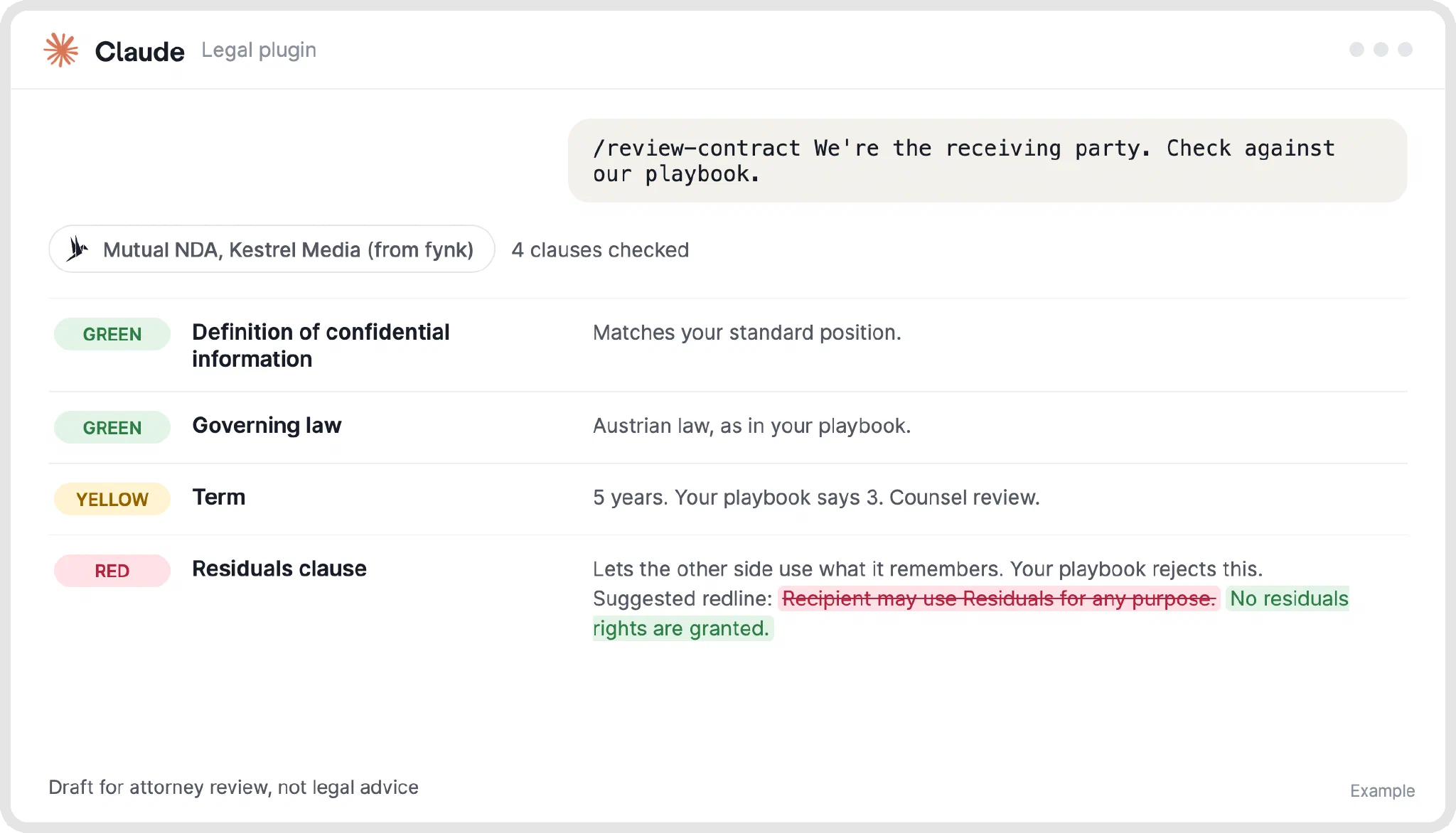
/review-contract | Checks a contract clause by clause against your playbook, flags each clause GREEN, YELLOW or RED, and suggests redlines | “We’re the customer. Focus on liability and renewal.” |
/triage-nda | Sorts an incoming NDA into standard approval, counsel review or full review | An NDA a sales rep just received |
/vendor-check | Lists the NDAs, MSAs and DPAs you already have with a vendor, with expiry dates and key terms | /vendor-check Northwind |
/brief | Writes a daily, topic or incident briefing | /brief daily for this week’s notice deadlines |
/respond | Drafts answers from your templates, such as a data subject request or an NDA request | /respond data-subject-request |


What works on its own, and what needs your contract records?
Some commands only need the document in front of them. Others need your whole contract history.
Works with a single document:
/review-contracton a contract you upload or paste./triage-ndaon an incoming NDA./respondfrom the templates you set up.
Needs your contract records connected:
/vendor-check, because it has to see every agreement you have with that vendor./brieffor deadlines, because it needs end dates and notice periods.
Without connected records, the plugin tells you what it couldn’t check and suggests you check it by hand.
What does the Claude legal plugin cost?
The plugin itself is free. To use it in Cowork you need a paid Claude plan: as of October 2026, Cowork is included in Pro, Max, Team and Enterprise. Budget time too: someone has to write and approve the playbook and check the drafts.
Does the Claude legal plugin work for EU contracts?
Yes, but only after you rewrite its playbook, because the default positions follow US law (Delaware, New York and California). Changing the country name isn’t enough. Your contract playbook needs approved rules for liability, data protection, governing law, courts and termination.
The areas EU teams usually rewrite, together with their lawyer:
- Local drafting: payment terms, signature and form requirements, and NDA positions such as trade secrets and penalties.
If you’d rather keep your rules inside your contract tool than in a file, fynk’s AI review turns them into checks you can run on every draft.
Ask your contract anything.
Where does the plugin get your contracts from?
From two places only: the files you hand it, and the tools you connect.
Handing it files works for one contract at a time. For questions across all your contracts (“what do we have with this vendor?”, “what renews next quarter?”), Claude needs a connection to wherever your contracts live. Anthropic left that slot open: the plugin doesn’t come connected to any contract system.
If your contracts are in fynk, connect fynk to Claude from Claude’s connector directory. Claude can then read your contracts and their key data, such as parties, end dates and notice periods, but only the contracts your fynk role lets you see. Because fynk already stores those dates as fields and works out the cancellation notice date for you, Claude doesn’t have to dig them out of a PDF for every question.
Where does the Claude legal plugin stop, and where does fynk take over?
The plugin reviews and drafts; fynk runs the contract from first draft to renewal. Anthropic says every output should be reviewed by a licensed attorney, and everything that happens to the contract after the review needs a system that holds it. Here is what fynk does that the plugin doesn’t:
- Keeps every contract in one place. The plugin only sees what you connect. fynk’s document hub holds one current version of every contract.
- Reminds people before deadlines. A brief only appears when someone asks for it. fynk’s contract calendar and reminders alert the owner before renewals and notice dates.
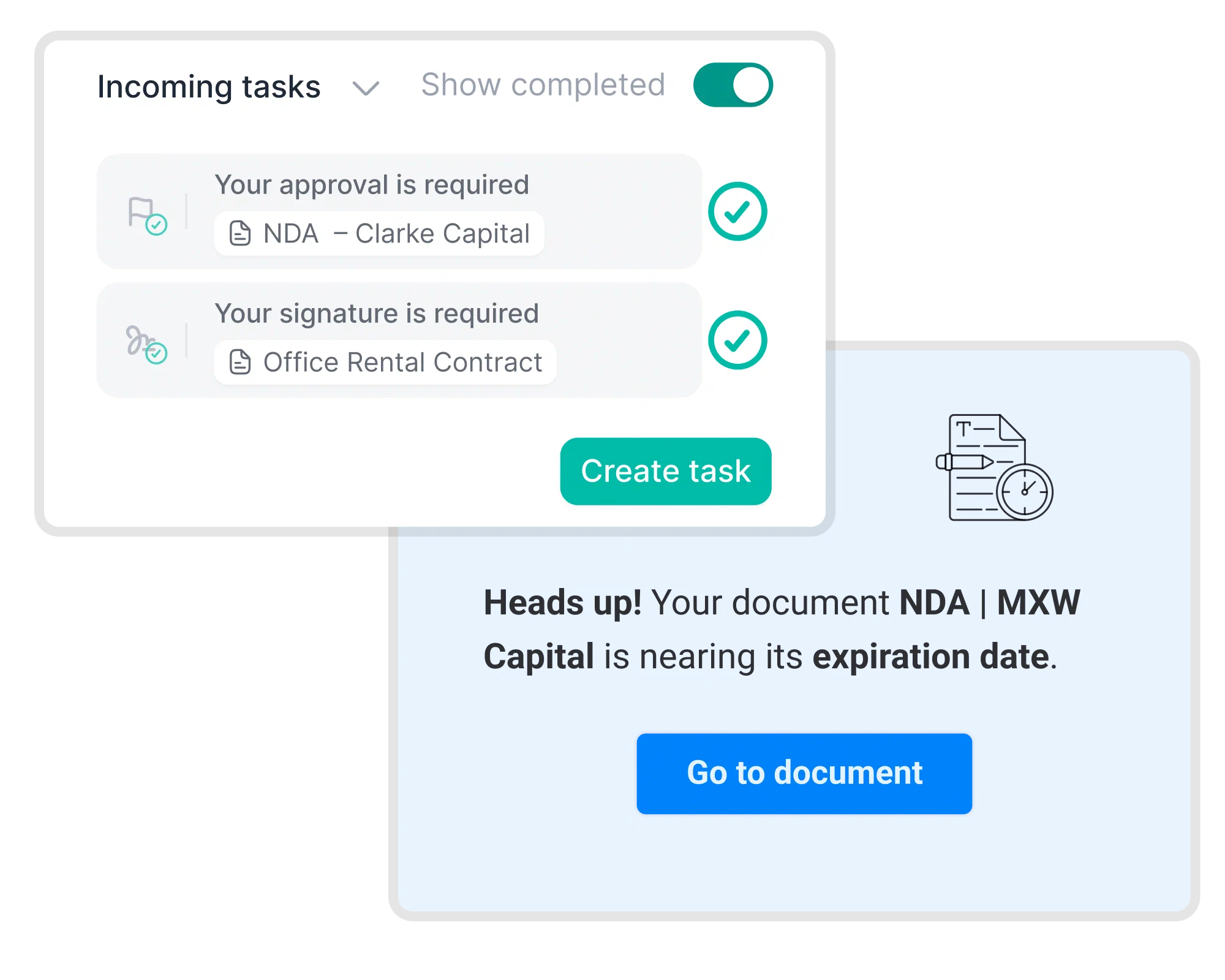
- Enforces approvals. The plugin can flag a risky clause, but it can’t stop anyone signing. In fynk, contracts can’t be signed until every required approval is in.
- Gets contracts signed. fynk sends contracts for e-signature at SES, AES or QES level under eIDAS, with no account needed for signers.
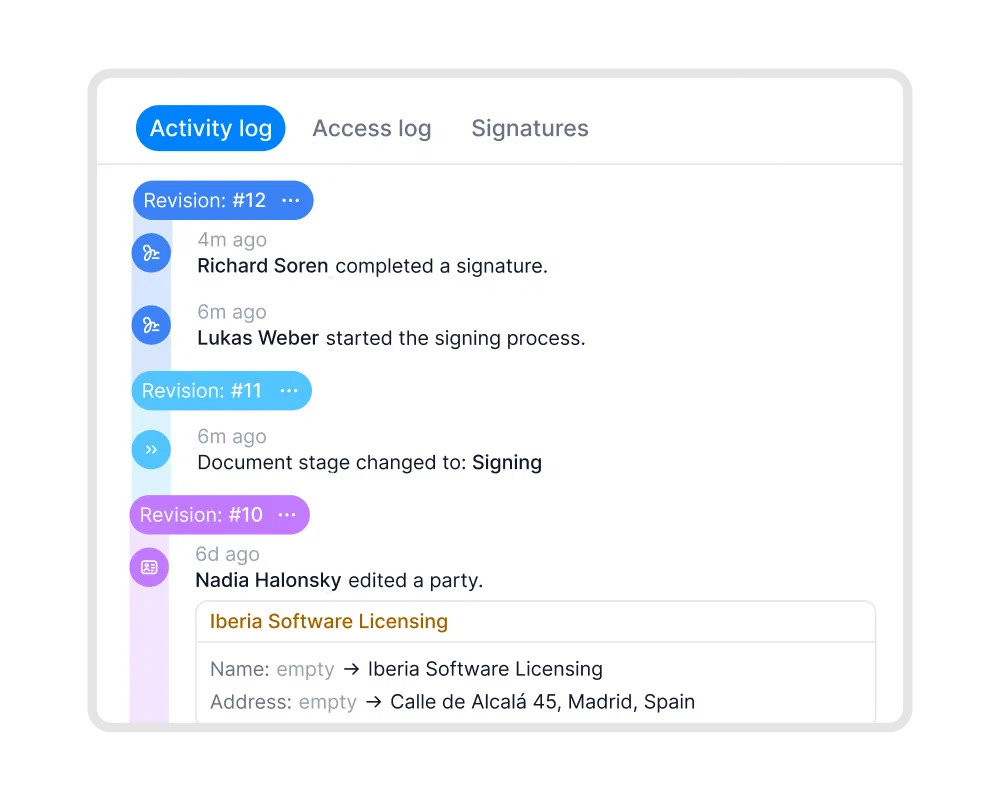
- Keeps an audit trail. fynk logs every view, edit and signature in a tamper-proof audit trail.
- Keeps your data in the EU. fynk is hosted in the EU, in ISO 27001-certified data centers. All AI processing stays in the EU, and your data is never used to train AI models.
And where the plugin, Claude and fynk each fit:
| Job | Legal plugin | Claude on its own | fynk |
|---|---|---|---|
| Review against your playbook | GREEN/YELLOW/RED flags and redlines | Compares text with rules you supply | AI review against playbooks and internal rules |
| Keep every contract in one place | Through a connected system | Through a connected tool | One home, one current version |
| Track renewal and notice dates | Briefs from connected records | Scheduled tasks in Cowork | Fields, calculated dates, calendar, reminders |
| Draft from approved templates | Templated responses | Shared templates or connected tools | Templates with dynamic fields |
| Block signing until approvals are in | Not built in | Through a connected tool | Approval workflows |
| Collect e-signatures | Through a connected tool | Through a connected tool | SES, AES, eID or QES under eIDAS |
| Keep an audit trail | Through a connected system | Not built in for contracts | Every view, edit and signature logged |
| Ask across your contracts | Vendor checks across connected systems | Shared files or connected tools | AI search across the repository |
The plugin also has limits of its own. Without a connected research tool, it can cite from memory, so open every source it gives you. A skipped or rushed playbook produces generic answers. And the same contract can come back with slightly different flags on a second run, so test it on a contract your lawyer has already reviewed.
What can you do with the Claude legal plugin and fynk together?
With fynk connected to Claude, the plugin works on the contracts your team actually keeps, and fynk carries each result to the next step. Some everyday uses:
1. Check a vendor before you sign with them again
Run /vendor-check on a supplier and Claude goes through every agreement you have with them in fynk: the NDA, the MSA, the DPA, their end dates and key terms. You see in one answer whether the new deal is already covered.
2. Get a weekly brief of notice deadlines
Ask /brief for the notice deadlines coming up this quarter. Claude reads the end dates and cancellation notice dates fynk already stores, so the brief lists the real deadlines with the contract each one belongs to.
3. Review a draft, then hand it to your approvers
Run /review-contract on the counterparty’s draft, settle the red flags, and move the contract on in fynk. Its approval checkpoint makes sure the right people sign off before anyone can sign.
4. Answer an NDA request in one chat
/triage-nda sorts an incoming NDA. If you’d rather send your own NDA, ask Claude to create the NDA from your approved template in fynk, fill in the other party and send it for signature.
5. Fill in missing contract data
Old contracts with empty fields make every brief incomplete. Ask Claude to read the PDFs in fynk and write the parties, dates and values back into the right fields, so the next /vendor-check has the full picture.
At Honegger, Ariste Baumberger works across fynk and his other tools from one Claude chat:
The advantage of the MCP is that we have different systems all connected to Claude. That means I can use Claude as my single point of contact, and from there access my project management system, my CRM, my contract management system. I only use Claude, and I don't even have to go into fynk, Asana, or Pipedrive.

To put that setup to work with your own contracts, try fynk free .
FAQ
Yes. The plugin is free and open source. To use it in Cowork you need a paid Claude plan: as of October 2026, Cowork is included in Pro, Max, Team and Enterprise.
No. Anthropic says its outputs should be reviewed by licensed attorneys. Treat flags, redlines, briefs and responses as drafts.
You can use it to prepare information and organize questions, but a lawyer should approve the playbook and check the work before legal decisions are made.
Only after you rewrite its playbook with your lawyer, because the defaults follow US law.
Yes, through a Claude connector. The plugin doesn’t come connected to any contract system. fynk’s Claude connector gives Claude your contracts, key data and dates, within your existing permissions.
Yes, if you need one place for all contracts, required approvals, signing and deadline reminders. The plugin reviews and drafts. fynk holds the contracts and their lifecycle, with AI built in, and connects to Claude.
No. The Legal plugin has five general legal commands. Claude for Legal, announced May 12, 2026, added 12 practice-area plugins and connectors to legal software.
Searching for a contract management solution?
Find out how fynk can help you close deals faster and simplify your eSigning process – request a demo to see it in action.
Please keep in mind that none of the content on our blog should be considered legal advice. We understand the complexities and nuances of legal matters, and as much as we strive to ensure our information is accurate and useful, it cannot replace the personalized advice of a qualified legal professional.



Get a regular dose of insightful contract management content



Take control of your agreements. Move your business forward.
Run agreements the way they should run: fast, clear, and on your terms.
No setup headaches
Go live in days, not quarters
No lock-in
Full export anytime
No hidden fees
Signatures included, no envelope fee