
PandaDoc usage credits: what automated documents really cost

Markus Presle
Published · 13 min read
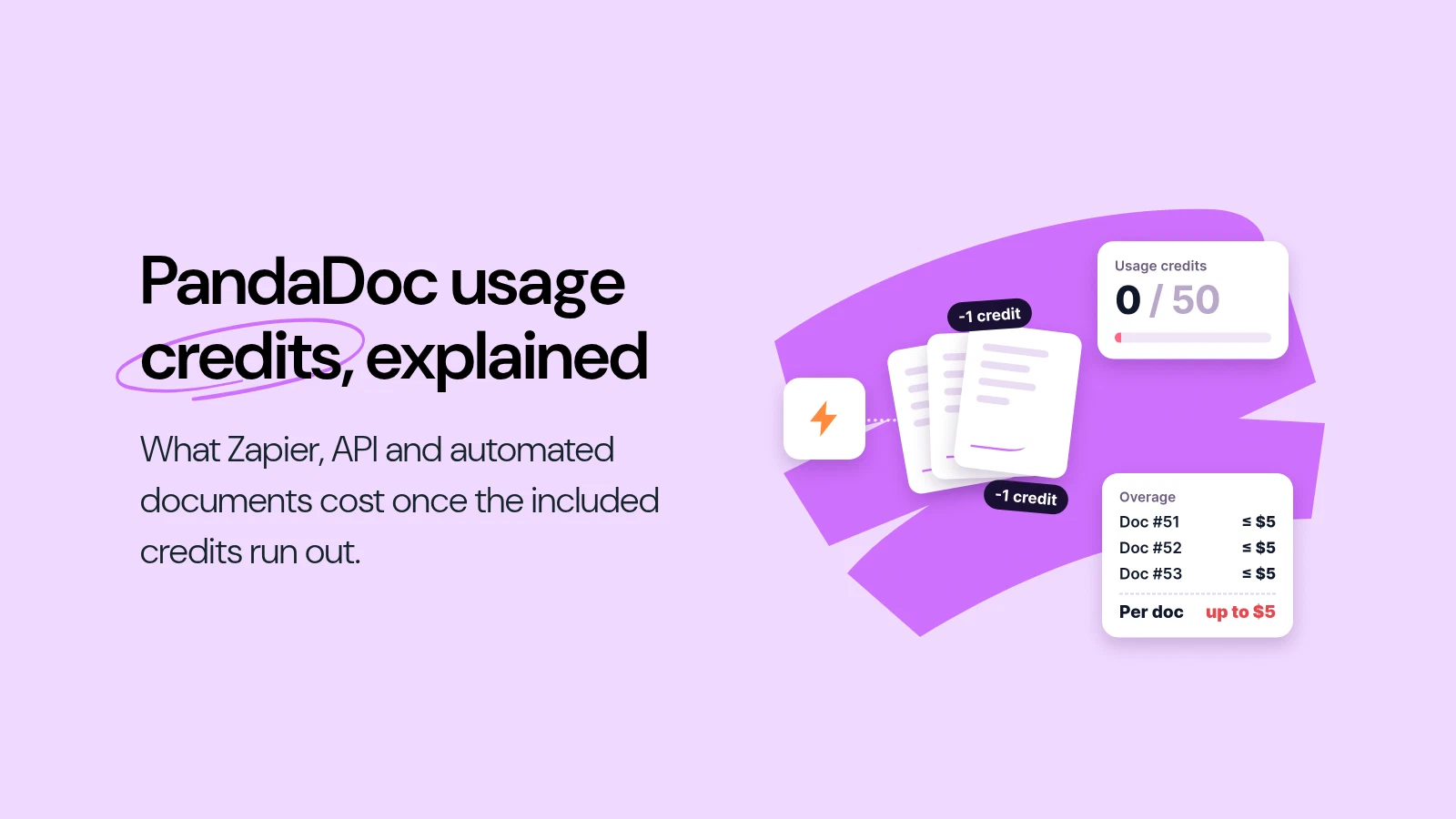
PandaDoc charges one usage credit for every document it creates programmatically: through Zapier, Make, the API, Bulk Send, Forms or its own Automations. On the Business plan you get 10 credits in the trial and 50 one-time credits when you convert to a paid plan. They are not replenished: once they are gone, Zapier and Make documents are billed as overage at the per-unit price on your order form, or up to $5 per document if the order form has none, and API document creation stops until you add credits.
A PandaDoc usage credit pays for one document created by an integration or automation. Opening, reading, searching and updating documents is free. Only creating one uses a credit.
Business includes 50 credits once, not every month. They expire after 30 days on monthly billing, or at the end of the first annual term. After that, recurring credits are a paid add-on.
When credits run out, two things can happen. Zapier, Make, Bulk Send, Forms and Automations keep running and are billed as overage, at up to $5 per document if your order form sets no price. API document creation on Starter and Business pauses until you buy more credits.
What uses a PandaDoc usage credit
PandaDoc’s billing documentation puts it in one line: “Creating a document uses one credit. Everything else is free.” The credit is charged by the feature that creates the document, and each feature behaves differently once the balance is empty.
| Feature | A credit is used when | When credits run out |
|---|---|---|
| API (live production key) | A document is created | Creation pauses on Starter and Business |
| Zapier, Make.com | A workflow creates a document | Overage applies |
| Bulk Send | A document is created from the batch | Overage applies |
| Forms | A submission creates a document | Overage applies |
| Automations | An automation creates a document | Overage applies |
Connecting your account, searching and reading documents, managing recipients and checking document status or audit trails do not use credits. The API sandbox key is free and unlimited, so building and testing an integration costs nothing. Credits are only used once the integration runs on the production key.
The help center also names Workato and other iPaaS connectors alongside Zapier and Make. The rule is the same for all of them: if a document comes out of a connector rather than a person clicking “create”, it costs a credit.
How many usage credits each PandaDoc plan includes
| Plan | Credits included |
|---|---|
| Free | Does not use usage credits. Free has its own document limits |
| Starter | 25 credits, once, when you convert to a paid plan |
| Business | 10 credits in the trial, plus 50 credits once when you convert to a paid plan |
| Enterprise | 10 credits in the trial, plus an annual allotment set in your contract |
Three rules from the same article decide how long those credits actually last:
- The conversion grant is one-time. It expires after 30 days on monthly billing, or at the end of your annual billing cycle. PandaDoc’s wording: “Recurring usage credits must be purchased as add-ons and are not included free after the initial grant.”
- Trial credits do not carry over when you convert to a paid plan.
- Monthly credits do not roll over to the next month. An annual prepaid credit pool is valid for the full annual term.
So a team on Business that generates 50 contracts a month through Zapier uses up the whole conversion grant in its first month. From the second month on, every automated document is either covered by credits it has bought or billed as overage.
What happens when your PandaDoc credits run out
This is the part that catches teams out, because the two kinds of integration fail in opposite directions.
Zapier, Make, Bulk Send, Forms and Automations: overage
These keep working. PandaDoc bills “anything beyond your credits” as overage “at the per-unit price on your current order form. If your order form has no per-unit price, you will be charged up to $5 per document created.” That applies to free and trial credits too, “even if you never purchased a credit pack.”
Nothing stops a busy Zap, so the cost shows up on the invoice rather than in the workflow.
The API on Starter and Business: creation pauses
The API has no per-document overage rate on Starter and Business. When the credits are used up, API document creation pauses until you add credits or upgrade. For a quoting tool or a CRM sync that generates contracts in the background, that means documents stop being created until someone in the account notices and tops up.
Enterprise and custom plans
Overage terms are whatever your order form says. Ask for the per-unit price in writing before you sign.
How PandaDoc’s usage credits changed
Usage credits are new, and the rules have tightened several times in the past year. Archived copies of the same PandaDoc billing article show what it said on these dates:
| Archived version | Business credits included | Beyond the included credits |
|---|---|---|
| 7 September 2025 | No usage credits section | n/a |
| 10 October 2025 | 20 a month on monthly billing, 250 a year on annual | Billed by volume, “default: $2 per document” |
| 5 March 2026 | 10 a month or 120 a year, for the first 12 months of the account only | The per-unit fee on your order |
| 15 October 2026 (current) | 50 once, when you convert to a paid plan | The per-unit price on your order form, or up to $5 per document; API document creation pauses |
The archive only captures the article on certain days, so the dates show when each version was online, not the exact day it changed. They also describe PandaDoc’s standard terms: a customer who signed an order form under an older version may still have those terms until renewal.
The direction is clear, though. In about a year, Business went from 250 included credits a year with a $2 default overage to 50 credits once and a ceiling of up to $5. The list of what uses a credit grew too: the earlier versions named Forms, Bulk Send, Automations and iPaaS connectors, and the current one adds the API.
Usage credits are not the $39 External Automations add-on
PandaDoc has a second automation charge that is easy to confuse with credits. External Automations, the recipes that connect PandaDoc to CRMs, HR and storage tools such as HubSpot, Salesforce, Microsoft Dynamics, BambooHR, Greenhouse and SharePoint, are “available as a paid add-on for Business plan ($39 per month per account/ $468 per year per account)” and included on Enterprise.
That add-on does not cover Zapier or Make, and it does not replace credits: PandaDoc’s Automations article says “Each document generated from automations consumes one usage credit.”
For HubSpot, the add-on is the part that writes back into your CRM. It changes the deal stage when a document’s status changes, attaches the completed PDF to the deal and syncs fields and line items. Creating documents from a HubSpot record is part of the HubSpot integration on Business. So a Business team that wants HubSpot to update itself when a contract is signed pays $468 a year for that on top of the seats.
What 50, 100 and 250 automated documents a month cost on PandaDoc
Here is the arithmetic for a team of three on PandaDoc Business, billed annually at $49 per user per month, that generates contracts through Zapier or Make. It assumes the order form sets no per-unit price, so the published ceiling of $5 per document applies, and that the 50 one-time conversion credits are used in the first year.
| Automated documents per month | 50 | 100 | 250 |
|---|---|---|---|
| Documents per year | 600 | 1,200 | 3,000 |
| Covered by the one-time credits | 50 | 50 | 50 |
| Billed as overage | 550 | 1,150 | 2,950 |
| Overage at up to $5 each | up to $2,750 | up to $5,750 | up to $14,750 |
| Seats, 3 users on Business | $1,764 | $1,764 | $1,764 |
| Year one, at the ceiling | up to $4,514 | up to $7,514 | up to $16,514 |
Read this as the worst case PandaDoc publishes, not as a quote. Annual Business customers buy credits through PandaDoc’s sales team, and a per-unit price on your order form replaces the $5 ceiling. That is exactly why the number to ask for is the per-unit credit price at your real volume. On monthly billing Business costs $65 per user, the 50 conversion credits expire after 30 days, and you can add a recurring credit add-on yourself under Settings > Billing.
Two costs are left out because they apply to every tool: Zapier and Make bill their own tasks or operations on their side, and the External Automations add-on only matters if you use PandaDoc’s native CRM recipes.
How to keep PandaDoc automation costs predictable
If you are staying on PandaDoc, five habits keep the credit line from surprising you:
- Get the per-unit credit price on your order form. Without one, overage is billed at up to $5 per document. With one, you know what every Zap run costs.
- Buy credits for your actual volume. On monthly Starter and Business plans, a recurring credit add-on renews with the subscription. On annual Business and Enterprise, ask sales for a credit pool sized to a full year.
- Build and test on the sandbox key. Sandbox API calls are free and unlimited, so a misconfigured Zap or test loop never needs to touch production credits.
- Watch the balance if you use the API. On Starter and Business, an empty balance pauses API document creation rather than billing overage. Someone should own the top-up.
- Count documents, not workflows. One Zap that creates a quote, an order form and a contract for each deal uses three credits per deal.
What PandaDoc gets right here
The credit model is not the whole story, and it is fair to say what works well. The PandaDoc API is available on every plan, from Free to Enterprise, so a developer can build against it before anyone buys a seat. The sandbox key is free and unlimited. Zapier is included on Business and Enterprise without a separate add-on. Only creating a document is metered, so integrations that read status, fetch completed PDFs or update recipients cost nothing. And PandaDoc publishes the rules in detail, which is why this article can quote them.
For teams that send proposals and quotes with pricing tables and payment collection, and only automate a handful of documents a month, the 50 conversion credits and a credit add-on sized to that volume may well be enough.
How fynk prices automated contracts
We created fynk, so weigh this section with that in mind.
fynk does not meter documents. The Business plan includes the REST API, webhooks and the Zapier integration, and lists tracked documents as unlimited. A Zap that creates 50 contracts a month and one that creates 250 cost the same on the fynk side. Business costs €39 per user per month billed annually, or €49 monthly, so the three-person team above pays €1,404 for the year at every volume in the table. fynk does have credits, but only for AI: each plan includes a monthly allowance per user (250 on Business) for actions such as analyzing a contract or searching your repository with AI. Creating, sending and signing documents do not use them.
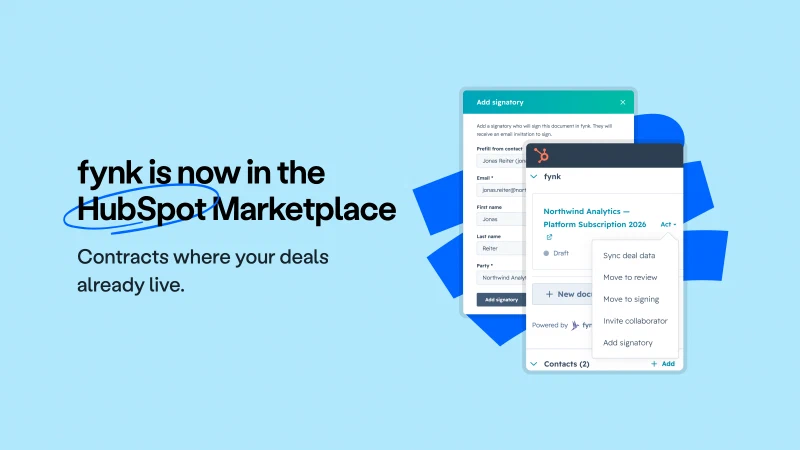
The same applies to HubSpot. fynk’s HubSpot integration is part of Business, with no add-on: reps create contracts from a deal, contact or company record, line items come over from the deal, and the contract’s status shows live in the fynk card on the record. Triggers run in HubSpot’s own workflow builder, so a deal moved to won can create its contract, or a batch of won deals can create theirs in bulk, without a per-document charge. fynk keeps the contract in fynk and shows its status live in the HubSpot card, rather than writing deal stages, files or fields back into HubSpot. If you need HubSpot itself updated when a contract is signed, that is what PandaDoc’s External Automations add-on is for.
If automated contract volume is what drives your PandaDoc invoice, the PandaDoc alternatives and the fynk vs PandaDoc comparison go through the rest of the decision: signature levels, hosting, redlining and renewals.
Automate your contracts.
Not your invoice.
Sources
Checked on 18 October 2026. PandaDoc’s help center shows the date each article was last updated.
- PandaDoc Help Center, Account billing and ownership, section “Usage credits” (updated 15 October 2026): what uses a credit, credits by plan, overage and the $5 ceiling, API pause, add-ons.
- PandaDoc Help Center, Compare subscription plan features (updated 8 October 2026): seat prices, Zapier on Business and Enterprise.
- PandaDoc Help Center, PandaDoc API (updated 29 September 2026): API on Free, Starter, Business and Enterprise, sandbox key, one credit per created document.
- PandaDoc Help Center, Compare API feature access by plan (updated 30 September 2026).
- PandaDoc Help Center, Automations (updated 29 September 2026): External Automations add-on at $39 per month, one credit per automated document.
- PandaDoc Help Center, Zapier (updated 29 September 2026): one credit per document created via Zapier.
- PandaDoc Help Center, HubSpot automations (updated 27 May 2026): deal stage, PDF, field and line item sync, External Automations add-on.
- Internet Archive, earlier versions of the PandaDoc billing article: 7 September 2025, 10 October 2025, 5 March 2026, 9 June 2026.
- fynk, Pricing: Business plan price, API and Zapier from Business, unlimited tracked documents.
- fynk, HubSpot integration: creation from records, workflow triggers, bulk creation, line items, live status.
Spotted a figure that has moved? Tell us at [email protected] and we will re-check it.
Frequently asked questions
A usage credit pays for one document that PandaDoc creates programmatically: through the API, Zapier, Make, Bulk Send, Forms or Automations. Only creating a document uses a credit. Reading, searching, updating and checking the status of documents is free.
10 credits during the trial, which do not carry over, and 50 one-time credits when you convert to a paid plan. The 50 expire after 30 days on monthly billing or at the end of the first annual term. After that, recurring credits are a paid add-on.
Yes. Each document a Zapier workflow creates in PandaDoc uses one usage credit. The same applies to Make, Workato and other iPaaS connectors. Zapier itself also bills its own tasks on its side.
Zapier, Make, Bulk Send, Forms and Automations keep running and are billed as overage at the per-unit price on your order form, or up to $5 per document if the order form has none. On Starter and Business, API document creation pauses until you add credits or upgrade.
PandaDoc does not publish a single price. Overage is billed at the per-unit price on your order form, and up to $5 per document if the order form has no per-unit price. Monthly Starter and Business plans can add a recurring credit add-on in Settings, Billing; annual Business and Enterprise buy credits through sales.
No. Monthly credits do not roll over to the next month, trial credits do not carry over to a paid plan, and the one-time conversion grant expires at your first renewal. An annual prepaid credit pool lasts for the full annual term.
Archived copies of PandaDoc's billing article first show a usage credits section in October 2025, with 20 credits a month or 250 a year on Business and a default overage of $2 per document. By March 2026 it was 10 a month or 120 a year for the first year only. The version updated on 15 October 2026 gives Business 50 credits once and an overage ceiling of up to $5 per document.
API access is available on every PandaDoc plan, including Free, and the sandbox key is free and unlimited. On the production key, each document created through the API uses one usage credit. Other API calls, such as reading documents or checking status, do not.
No. External Automations, the recipes that connect PandaDoc to CRMs, HR and storage tools, is a paid add-on on Business at $39 per month per account and included on Enterprise. Documents those automations create still use one usage credit each.
Creating documents from HubSpot records is part of the HubSpot integration on Business. Writing back into HubSpot, such as changing the deal stage when a document is signed, attaching the completed PDF or syncing line items, needs the External Automations add-on at $39 per month per account on Business. It is included on Enterprise.
fynk, which publishes this article, does not charge per document. Its Business plan includes the API, webhooks and Zapier, lists tracked documents as unlimited, and costs €39 per user per month billed annually. The API and Zapier are not on fynk's Free and Essential plans.
Please keep in mind that none of the content on our blog should be considered legal advice. We understand the complexities and nuances of legal matters, and as much as we strive to ensure our information is accurate and useful, it cannot replace the personalized advice of a qualified legal professional.




Get a regular dose of insightful contract management content




Take control of your agreements. Move your business forward.
Run agreements the way they should run: fast, clear, and on your terms.
No setup headaches
Go live in days, not quarters
No lock-in
Full export anytime
No hidden fees
Signatures included, no envelope fee