Time to give your Docx files a proper home.
Word was built to write documents; not to track negotiations, versions, or deadlines. Even when the other side works in Word, you don't have to. Upload all your documents into fynk to edit, automate, and sign anything. One tool, complete control.










Turn static Docx into active files
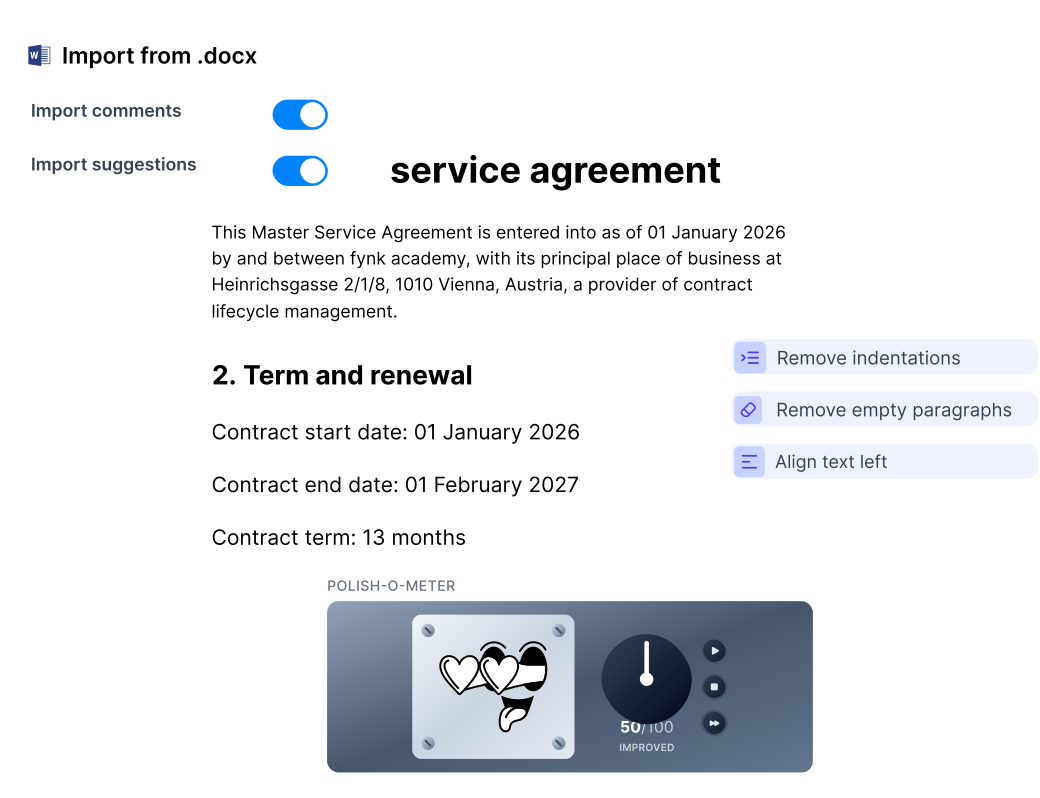
Import all your existing Word docs into fully editable and easy to use files in fynk. Done in seconds, in bulk.
One Version
Get a demoWork only on one copy, not five.
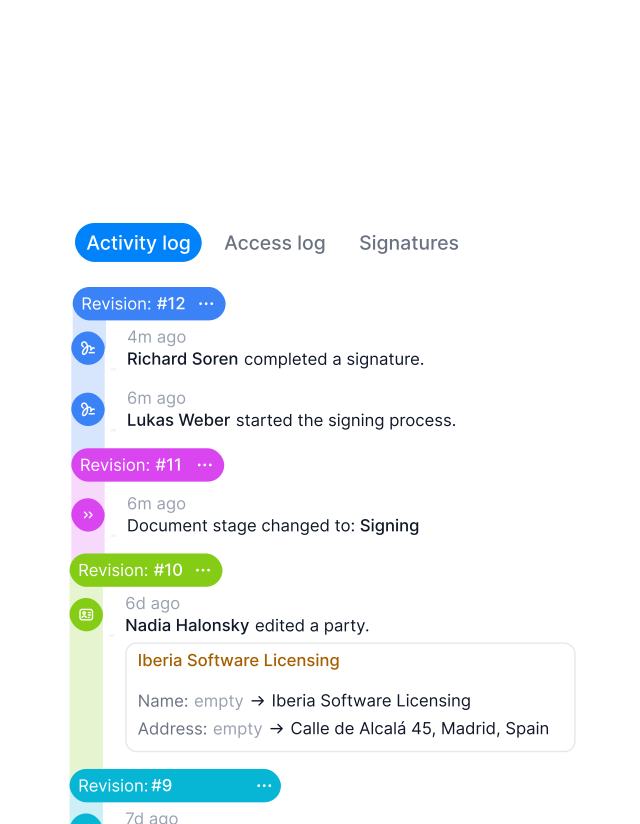
Sales sends “their” version and Legal has another one open? Don’t repeat changes across copies. Save hours of copying comments and apply changes to the latest copy. Compare any change side-by-side. Everyone needs only one version of the contract to work on."Within fynk everything is in one place, easy to find. You put in the name of the client and you have it on your fingertips in 10 seconds."
 Dr. Jörg Burkhardt Head of Sales & New Partnerships of 1. FC Nürnberg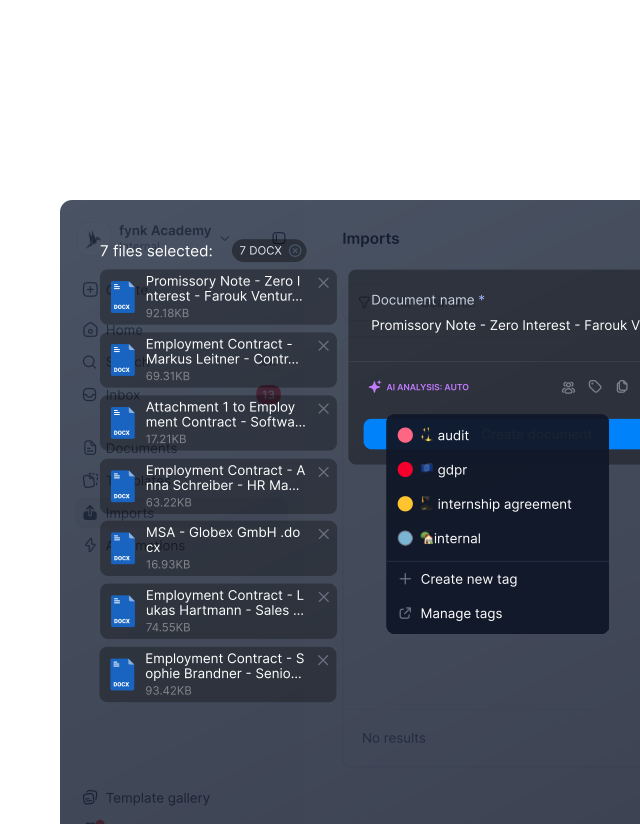
Bulk Import
Get a demoImport everything at once. Organize instantly.
Make a clean, searchable contract library from day one. Drop your Docx files in bulk and fynk turns them into organized files instantly. Assign teams, tags, and parties to each file while importing. No spreadsheet cleanup. No folder sorting."We have a lot of existing contracts from the same customers, and bringing all of them into the system is a real challenge. Bulk handling of existing contracts is essential for us."
 Elisa Prößdorf Legal Solutions Manager of Unite
Text Formatting
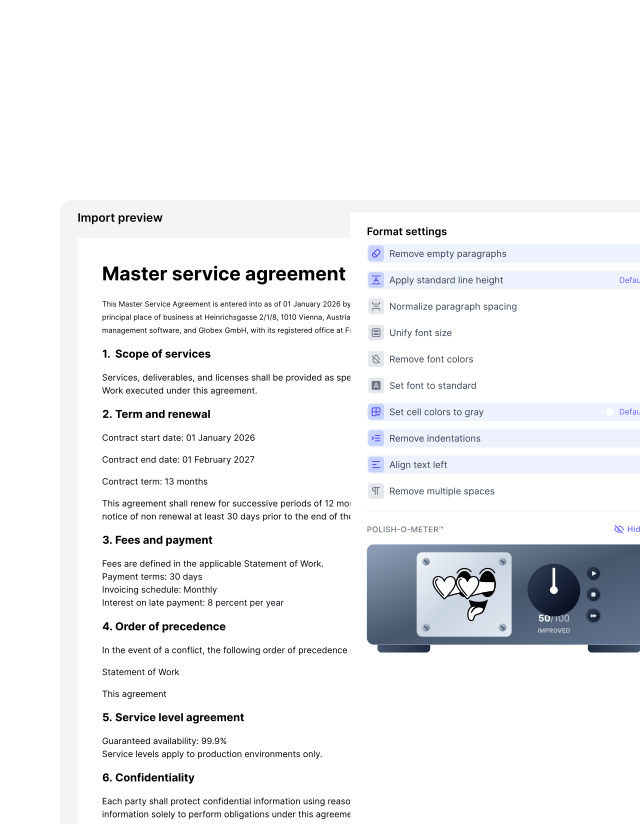
Get a demoKeep your work. Upgrade the way it runs.
No need to start over. Import Docx documents even mid-work. Clean up formatting, fix styles, and remove small inconsistencies in seconds. Comments and suggestions come with the file, so nothing gets lost. Same content, with better style and flow.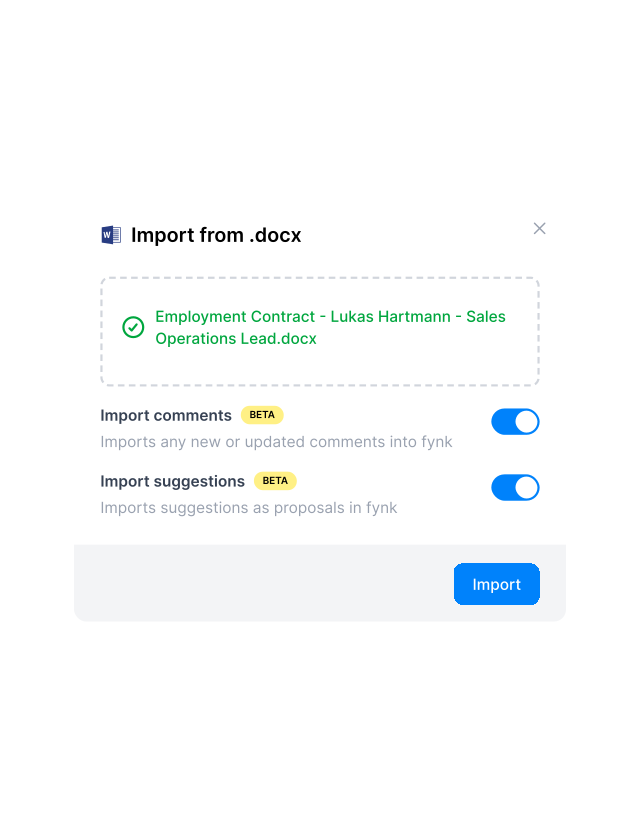
For All Sides
Get a demoImport external Word without breaking your work.
The other party doesn’t use fynk? That’s fine. Import their Word draft, including redlines and comments, and continue the negotiation inside your own workspace. Review, adjust, and send it back directly from fynk or export the contract as Word or PDF whenever needed. Keep the negotiation smooth, and your internal work private.
From Docx to done in three steps.
Drop your Word files and watch them turn into structured, ready-to-use contracts.
Central Repository
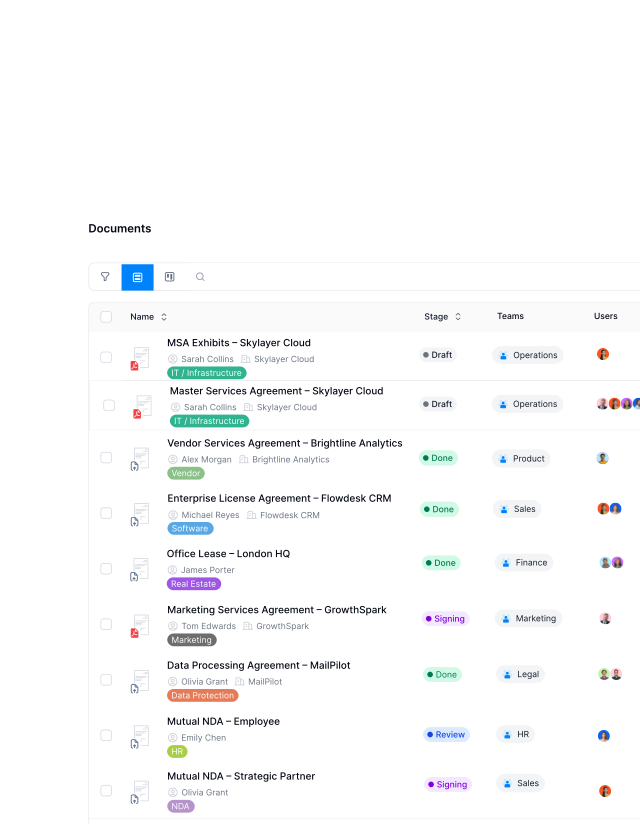
Get a demoOne place for every contract. Easy-to-access.
You don’t get fast answers when contracts are scattered across folders. Keep them in one central place where you see status, dates, parties, and responsibilities without opening files one by one. Search across everything. Filter what matters. Update in bulk when needed. See what’s happening in a glance."The biggest value is the central digital contract hub for all the contracts."
Elisa Prößdorf Legal Solutions Manager of Unite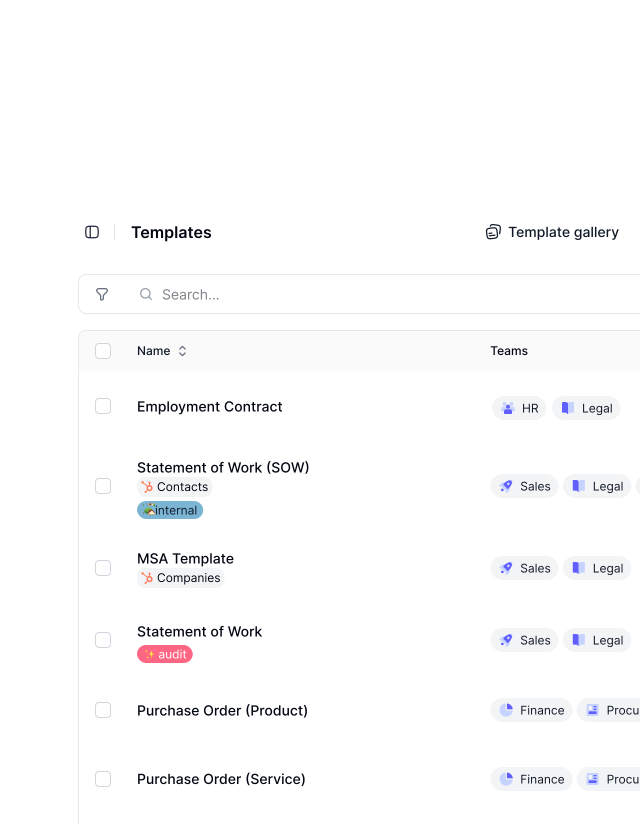
Templates
Get a demoTurn your best deals into contract templates.
Already have a strong contract saved as Docx? Don’t rewrite it. Import and turn it into a reusable template in minutes. Add approvals, set notifications, and decide who needs to sign it and in what order. Every new contract follows the same flow automatically. Move from draft to signature the way you planned, without the manual follow-ups."We had 25 different contract versions before. With centralized templates, we reduced this to one and eliminated massive legal risk."
 Harald R. Fortmann Founder & Managing Director of five14
"Before fynk, contracts were time consuming, scattered across Word files and PDFs, and hard to track. fynk replaced this with one clear system that saved me hours each month and reduced complexity."

More than just an ordinary import
Uploading your Docx files is only the beginning. Once inside, your contracts become reusable, automation-ready, and easier to control across teams.
Less manual editing.
Replace static placeholders with dynamic fields that update automatically. Change a value once and it updates everywhere.
From static to structured.
Your Docx files stop being simple documents and become structured contracts. Same content, now ready to track, approve, and sign.
Consistent work.
Keep your formatting and structure when you import. Bring Word or even PDFs into fynk and continue instead of starting over.
One correct version.
Work in one live contract instead of juggling copies. Everyone sees the same document, always current and reliable.
Ready for automation.
Connect contracts to your CRM and other tools. Trigger approvals and notifications without manual follow-ups.
Bulk import.
Upload large contract libraries in one go without clean up. Use tags and teams for better sorting. Days of work done in minutes.






More product features to explore.
Draft.
Create contracts from proven templates — fast, consistent, and ready to send.
Boost.
AI reviews, summarizes, and explains your contracts so you never miss what matters.
Sign.
Send contracts for legally binding e-signatures — tracked from sent to signed.
Insights.
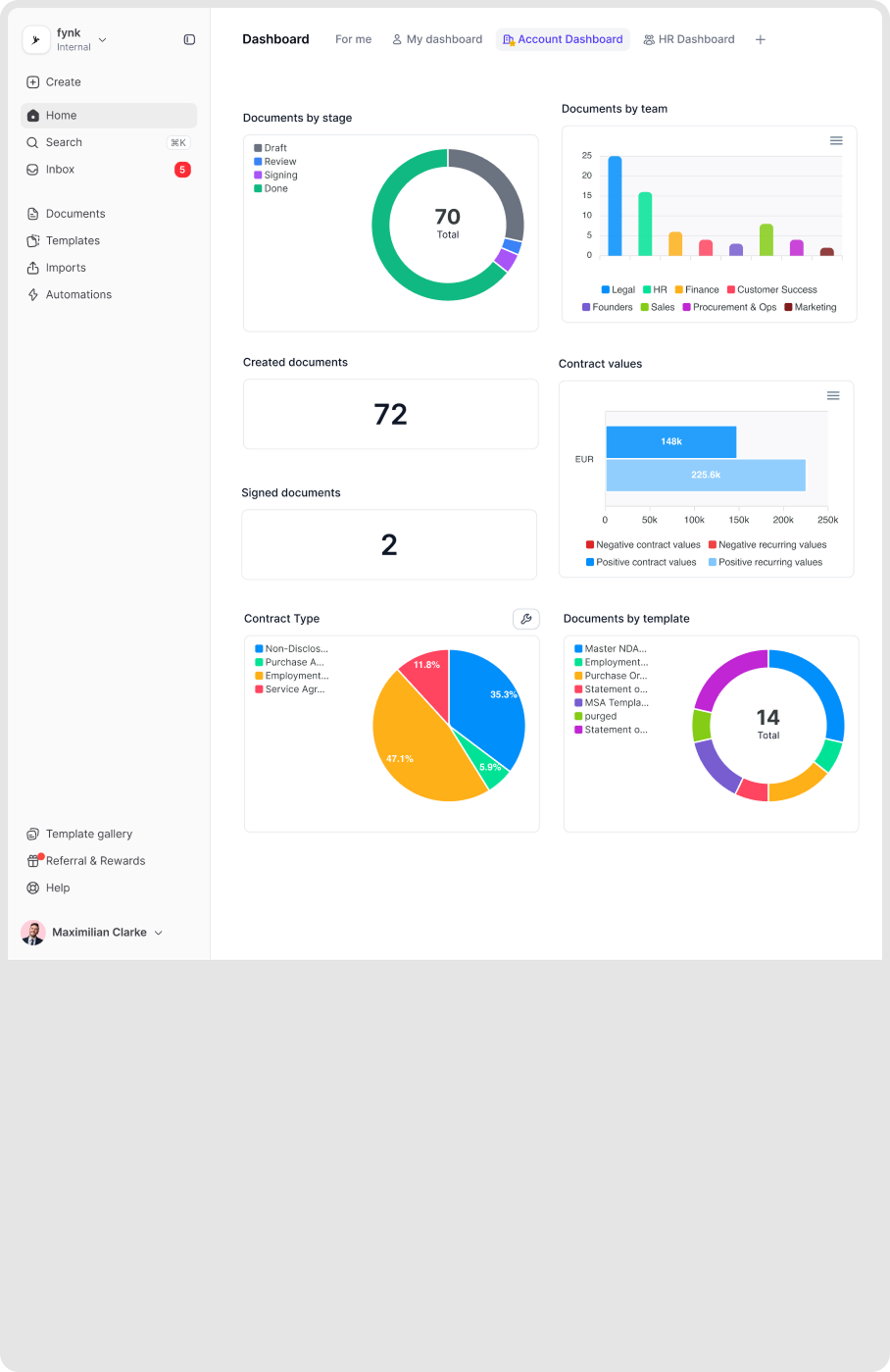
See the full picture of your contracts with dashboards, search, and smart alerts.
Frequently asked questions.
The Docx importer allows you to upload Microsoft Word files and convert them into fully editable documents inside fynk. Once imported, the document can be enhanced with metadata, dynamic fields, workflows, and signature logic.
fynk supports .docx (Microsoft Word) files. PDFs can also be uploaded. The importer preserves your document structure, content, and most formatting during conversion.
Yes. fynk imports your document with its formatting intact — headings, paragraphs, bullet lists, and tables are preserved. You can clean up minor inconsistencies directly in the fynk editor after importing.
Yes. After importing, you can convert any document into a reusable template. Add dynamic fields, set approval steps, configure the signing order, and reuse it for every similar contract going forward.
Yes. After importing, you can replace static text placeholders with dynamic fields that auto-fill from metadata. Update a value once and it changes everywhere the field appears in the document.
Still have questions?
If it's a contract, it shouldn't live as Docx.
Put your contracts where they belong: connected, searchable, and ready to move.