Finally, an editor that works for contracts.
MS Word was built to write documents; not to manage negotiations, versions, deadlines, or auto-filled values. Draft contracts and proposals in an editor built for more than writing. Everything happens in one screen: built-in versions, automation, approval, and signatures. Light weighted. Powerful. Easy to use.



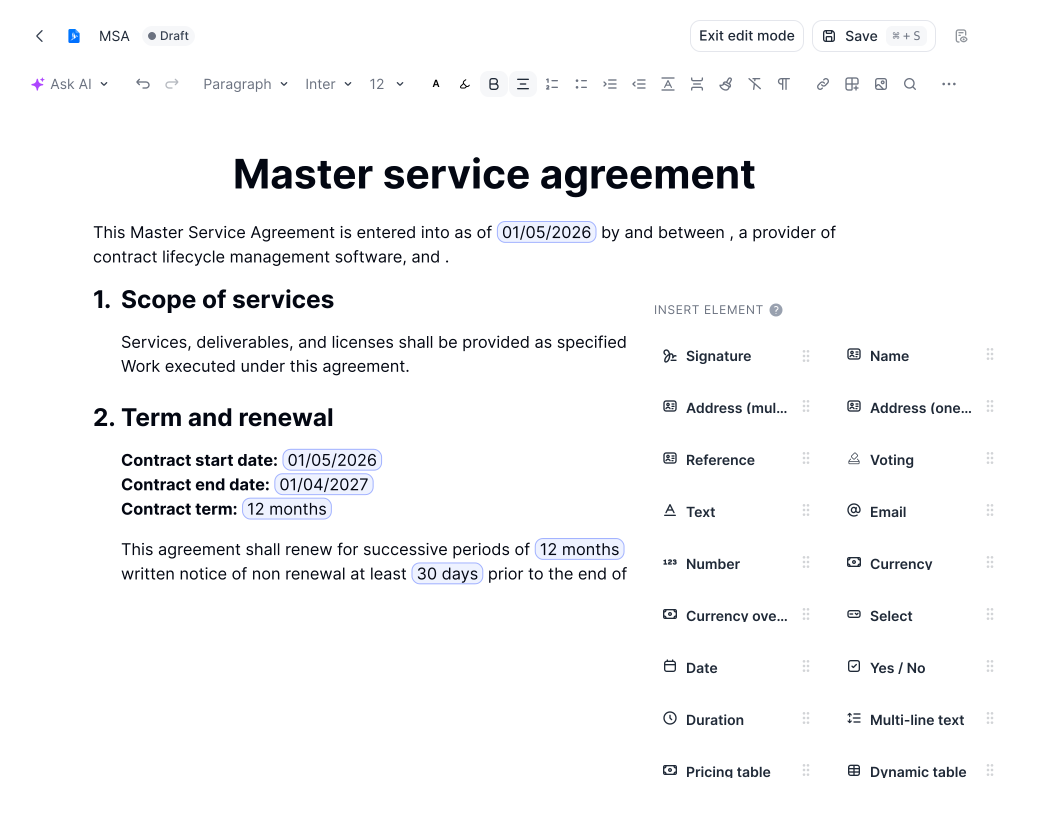







An editor built around how contracts actually work.
Write, structure, automate, and sign in one screen. No switching to external tools for approvals, signatures, or data entry.
AI Tools
Get a demoBuilt-in AI that works with your contract
Work with AI built right into your contracts. Summarize key clauses, generate draft language, flag risks, and extract important dates, all without leaving the editor. You stay in the document. The AI handles the reading and drafting.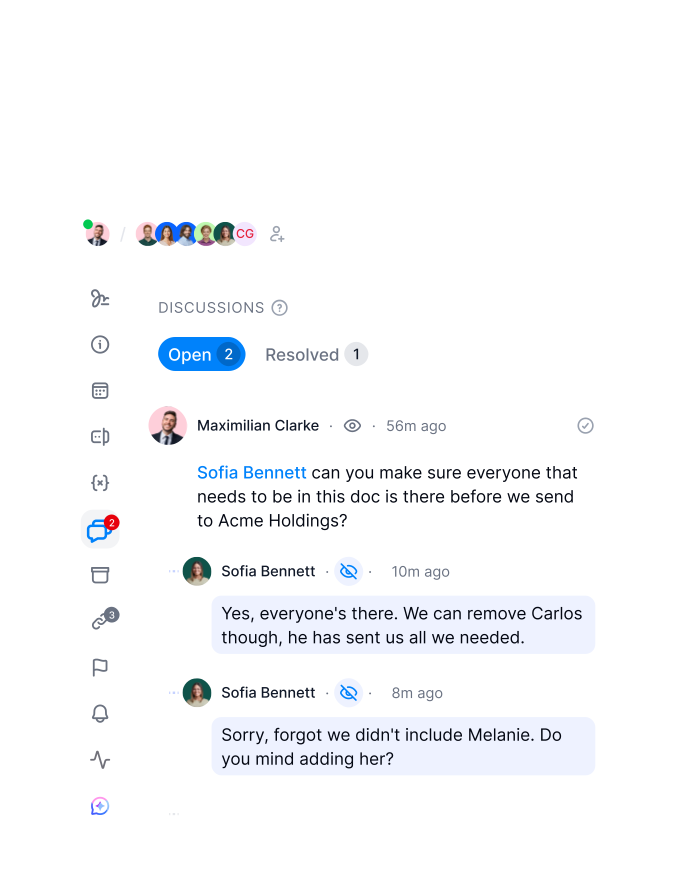
Work Together
Get a demoWork with your team on one final document version
Two people editing different copies creates rework. In fynk, everyone works on the same version. Leave comments, flag clauses for review, and track who made what change. No more emailing back files or losing context between rounds."From templates to drafts, comments and approvals, we try to do everything in the tool, marketing and sales together."
 Dr. Jörg Burkhardt Head of Sales & New Partnerships of 1. FC Nürnberg
Templates & Editor
Get a demoBuilt to remove repetitive work
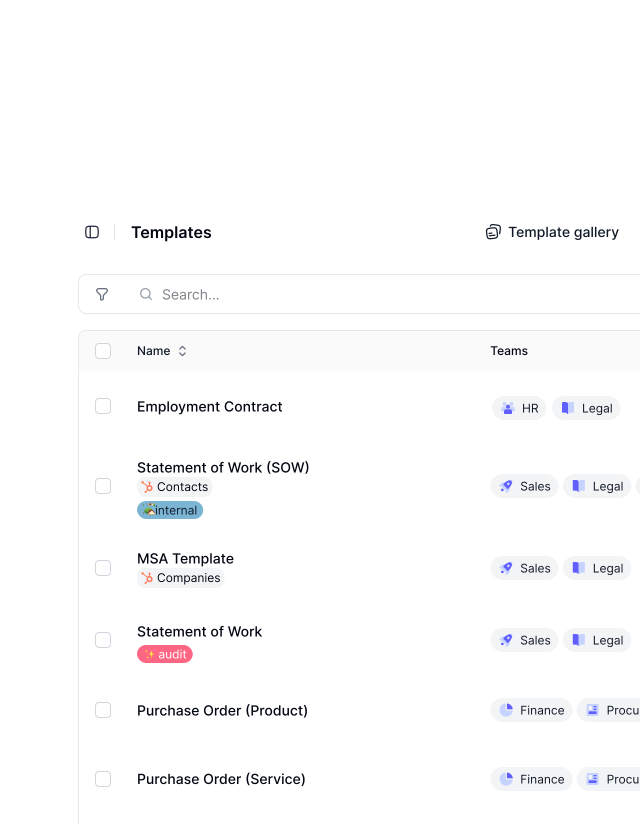
Start with a template and stop adjusting it over and over. Set up your contract structures once and reuse them. Dynamic fields fill in automatically. Every deal starts from a proven foundation and only the relevant details change."Templates always needed a lot of manual adjustment with every contract. In fynk, we managed to have only two or three main templates with only small adjustments."
Dr. Jörg Burkhardt Head of Sales & New Partnerships of 1. FC Nürnberg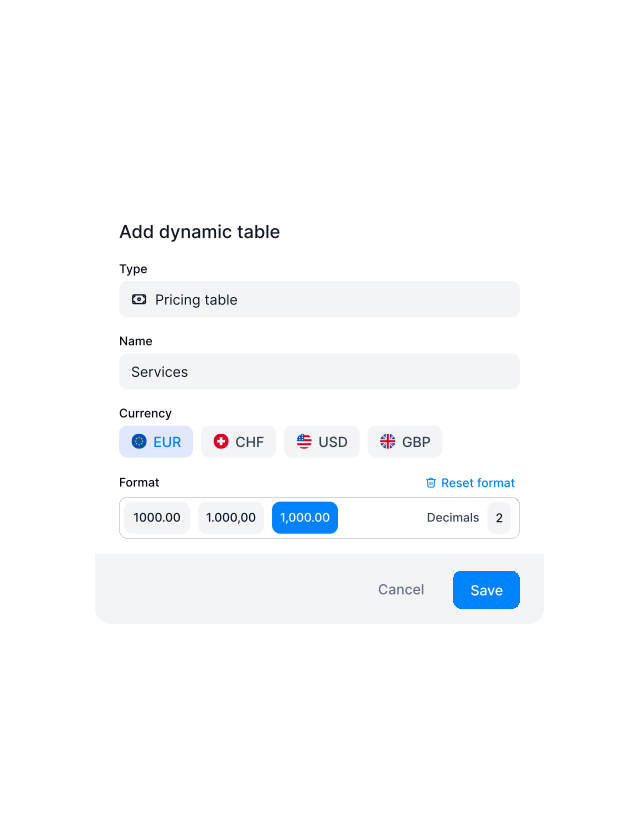
Less Errors
Get a demoMake contracting fun, minus the mistakes.
Missing a field or sending the wrong version wastes everyone’s time. The fynk editor validates structure, highlights inconsistencies, and makes it easy to spot gaps before you send anything out. Focus on the deal, not the cleanup."It just makes contracting easier. I do it and I like doing it. Before, it felt too heavy. Now it's just easy to get it done."
 Alina Heiner Founder of Maven
User Roles & Access
Get a demoKnow who changed what, where, when, and why
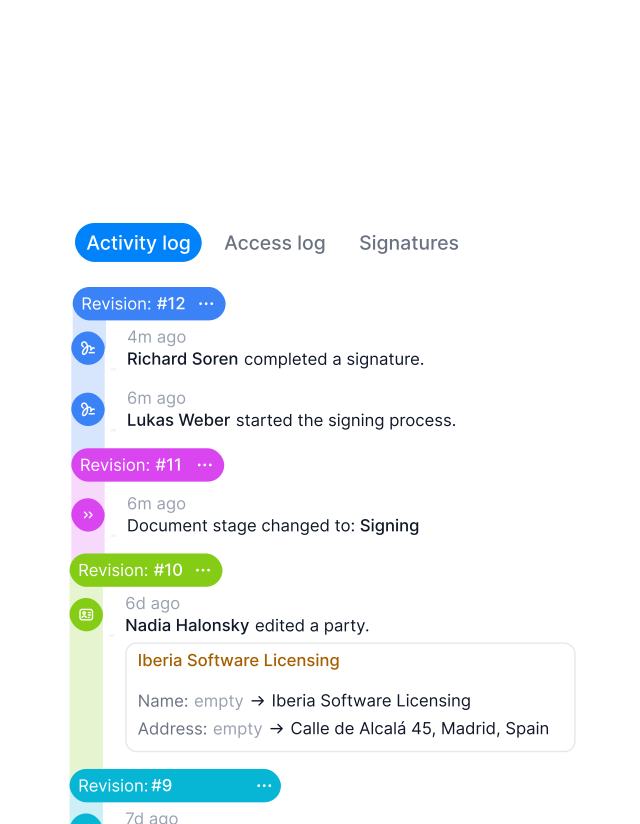
Know exactly what changed, when it changed, and who made the edit. Version history, audit logs, and access controls keep your contracting clean. Nothing gets lost and nothing gets changed without leaving a trace.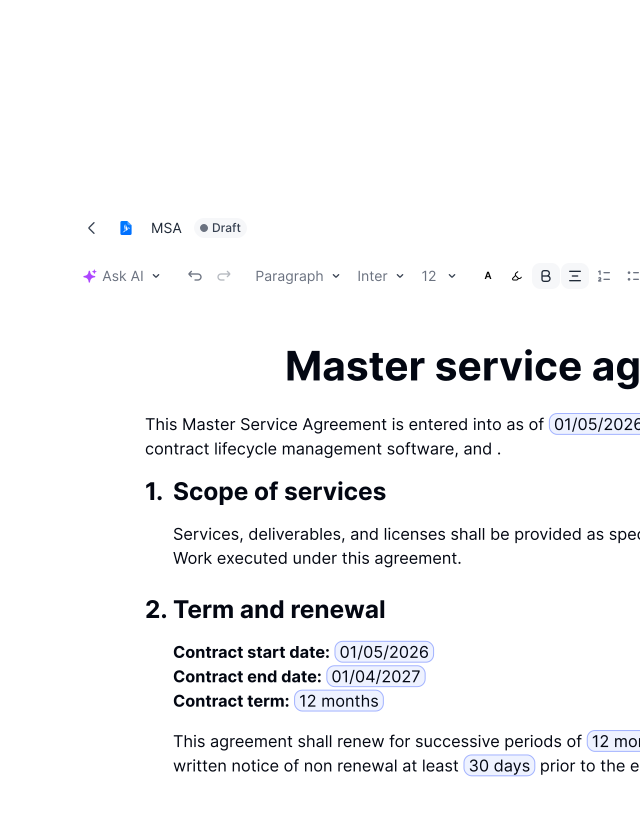
Start Right Away
Get a demoFamiliar to use, from day one.
If you’ve used a word processor before, you already know how to use this. Headers, footers, lists, tables, and conditional logic are all there from the start. Import existing Docx files and keep working immediately. No ramp-up time.FEATURES
Where your contracts take shape
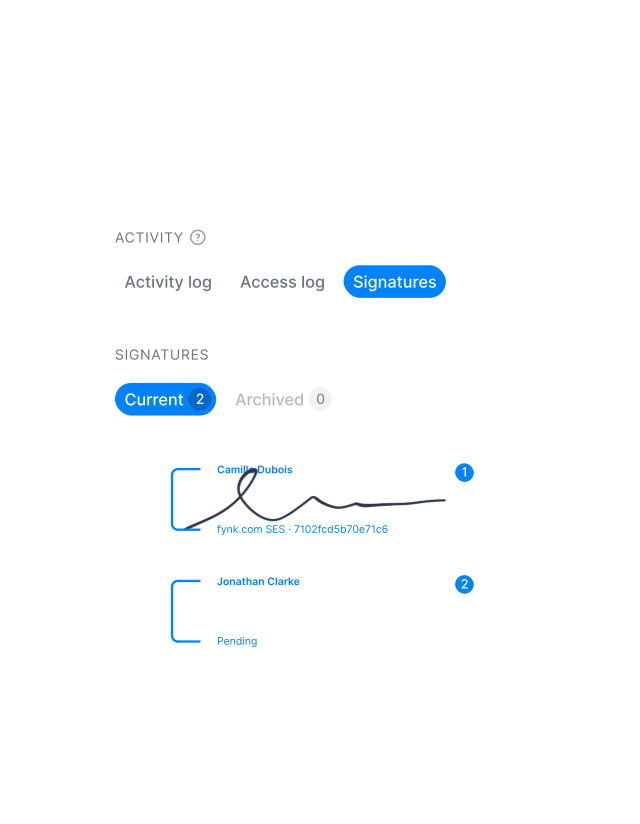
Upload your draft, let AI surface the key details, and refine everything in the document editor before sending it out.
Binding Signatures
Get a demoStop exporting PDFs to sign contracts
Don’t convert to PDF, attach to email, send to DocuSign, and wait. Request signatures directly from the editor. Set the signing order, add signers, and send in one click. The contract stays in fynk from first draft to final signature."You can clearly see who is getting reminders to sign the contract, who has signed the contract, who is next. You have documentation of activities around the tool."
Dr. Jörg Burkhardt Head of Sales & New Partnerships of 1. FC Nürnberg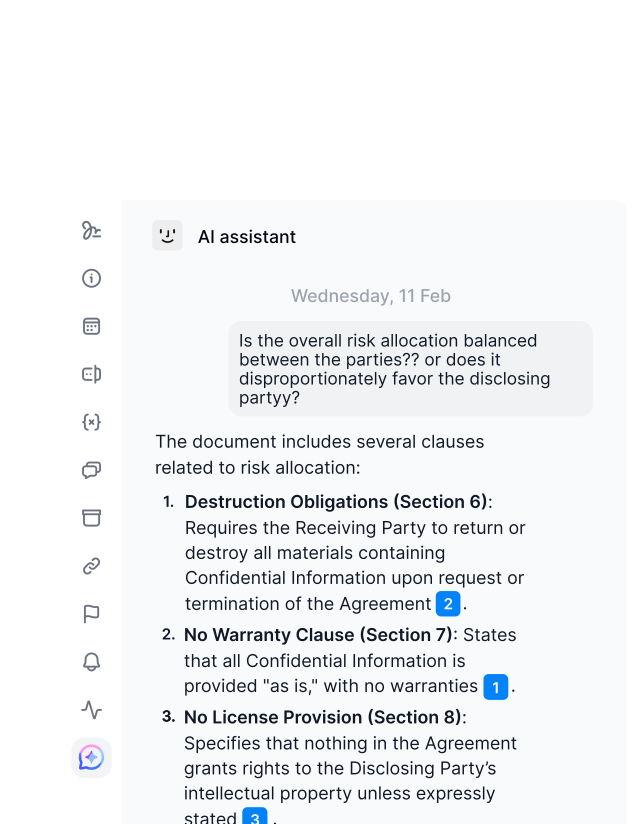
All-In-One Tool
Get a demoFind what you're looking for, quickly
Search across all contracts in seconds. Filter by status, tag, team, or date. Jump straight to the clause you need. The more contracts you manage, the more this pays off. Everything is where you expect it."Not everything in a 100 page contract is crucial at the same time. You have to extract your key data and be fast. That's what fynk enables us to do."
 Lucas F. Jamwig Lead Counsel of fiskaly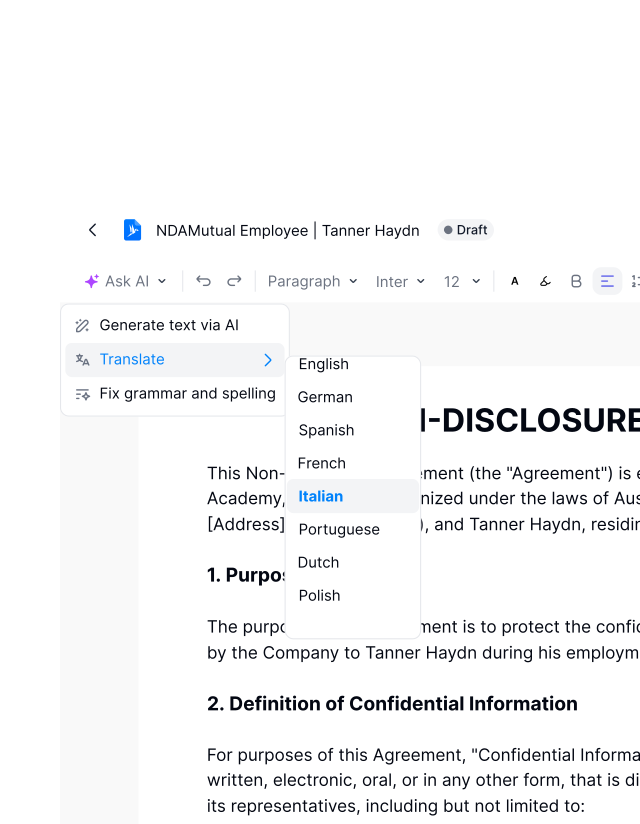
International Deals
Get a demoOne contract standard, everywhere you work.
Working across countries or legal jurisdictions? Set up your language, formatting, and clause library once. Every team follows the same structure. Contracts stay consistent whether they’re signed in Munich or Madrid."We can harmonize it [contracts] across all countries in Europe and easily check if the standard is met everywhere."
Lucas F. Jamwig Lead Counsel of fiskaly
"Before fynk, contracts were time consuming and scattered across Word files and PDFs. fynk replaced this with one clear system that saved me hours each month."

Not another text editor; it's home to your documents.
Where drafting, decisions, and execution finally live together. Built for real contract work, not just typing.
Stronger compliance.
Set the rules once and let every contract follow them. Approvals, logic, and structure are built in, not patched in later.
Manageable, not overwhelming.
Work through long agreements with clear structure and easy navigation. You always know where you are and what changed.
Branding.
Set your headers, footers, and layout once and keep them consistent across every document. Look professional without extra formatting work.
Templates.
Create a template once and reuse it across teams and countries. As volume grows, your contracts stay consistent and structured.
Import your existing data.
Upload your existing drafts and continue working inside the editor. You keep your content, but gain better structure and control.
Discussions and comments.
Keep comments and feedback inside the document where they belong. Internal notes stay private, external collaboration stays clean.






More product features to explore.
Draft.
Create contracts from proven templates — fast, consistent, and ready to send.
Boost.
AI reviews, summarizes, and explains your contracts so you never miss what matters.
Sign.
Send contracts for legally binding e-signatures — tracked from sent to signed.
Insights.
See the full picture of your contracts with dashboards, search, and smart alerts.
Frequently asked questions.
The Document Editor is the central workspace where contracts are drafted, formatted, structured, and prepared for review and signing. It combines standard text editing with contract-specific logic, automation, and workflow features.
Yes. The Document Editor supports headings, paragraphs, lists, tables, and custom styles. You can structure contracts the same way you're used to, with additional contract-specific options like dynamic fields, conditional clauses, and signature blocks built in.
Yes. Dynamic fields pull in values from contract metadata automatically. Change a value once and it updates everywhere in the document. Useful for names, dates, company details, pricing, and any data that repeats across sections.
Yes. Conditional logic lets you show or hide sections based on rules you define. If a certain option is selected or a value exceeds a threshold, the relevant clause appears automatically. No manual editing needed for different contract variations.
Yes. Signature blocks are added directly inside the editor. You assign each signer a position in the document, set the signing order, and send for signature without leaving fynk. The contract moves from draft to signed in one continuous flow.
Still have questions?
Build better contracts from the first word.
Everything you need for contracting: write, edit, negotiate, and sign, in one space.